Relay.app Features, Pricing, & Use Cases: Full 2026 Review
Lindy reviewed Relay.app's features and pricing, examining branching Paths, Gmail and HubSpot integrations, team approval workflows, and SOC 2 compliance across its four plans.


I tested Relay.app features to see if its AI workflows could replace the endless app-switching between Slack, Gmail, and CRMs. Here’s what stood out during my time with it.
What is Relay.app?
Relay.app is an AI-powered workflow automation platform that helps teams connect their everyday tools and automate repetitive work without code.
It lets you create workflows that combine AI actions, conditional logic, and human approvals in one place. Teams can automate tasks across apps like Gmail, Slack, and HubSpot while keeping control over key decisions.
Relay software works for business and operations teams that juggle manual processes or use multiple tools that don’t talk to each other. Teams can have reliable automation with the flexibility for a human to step in when needed.
Relay.app key features in 2026
Relay.app brings automation, AI, and collaboration together in one visual platform. It helps teams design workflows that run complex processes reliably. You can use it to trigger actions across apps, add AI steps like summarizing or classifying data, and insert approvals when decisions need a human check.
We’ll explore Relay.app’s capabilities in detail later. Here’s a quick look at all the important features side-by-side:
| Feature | What it does | Best for | Key limitation |
|---|---|---|---|
| Paths | Creates branching workflows that adapt to different outcomes. | Complex, multi-condition processes. | Limited visibility into large nested flows. |
| Integrations | Connects Gmail, Slack, HubSpot, Notion, and more. | Teams automating cross-app tasks. | Fewer niche connectors than Zapier. |
| Automation triggers | Runs flows from events, schedules, or webhooks. | Always-on task automation. | Retry policies are not documented. |
| Team collaboration | Adds shared workflows and approvals for teammates. | Department-level automation. | Approvers must be Relay users. |
Next, let’s understand how these features work in detail, starting with workflow automation.
Workflow automation
Relay.app automates repetitive work by linking multiple apps and steps into one continuous process. You can set a trigger, like a new lead in HubSpot or a form submission, and let Relay run the rest. Each step can perform an action, wait for a condition, or use AI to summarize, extract, or classify information.
For example, a company can automate employee onboarding. When the team submits a new hire form, Relay adds the user to Google Workspace, creates a Slack account, assigns onboarding tasks, and sends an approval to HR for final review.
This approach helps teams cut down on manual handoffs while keeping visibility across tools. Once you’ve built one automation, you can reuse and adapt it across departments.
Conditional workflows with paths
Paths in Relay let you create branching workflows that follow different routes based on set conditions. Instead of building multiple separate flows, you can use one workflow to handle every possible outcome. Each path can include its own steps, approvals, or AI actions, and later merge back into a single track.
For instance, a customer support workflow can route high-priority tickets to a manager while sending standard ones to a shared inbox. This kind of logic helps large teams manage exceptions without extra maintenance or duplicate workflows.
Integrations and app ecosystem
Relay connects with popular business tools like Google Workspace, Slack, Notion, HubSpot, and Salesforce, allowing data to flow seamlessly between them. These integrations let you automate work across departments. Marketing can update a CRM, while operations can trigger Slack alerts or generate docs automatically.
Relay also provides detailed setup instructions in its Relay app docs, helping users configure integrations and triggers without coding knowledge.
For enterprises, Relay’s growing integration library makes it easier to manage cross-tool dependencies without custom scripts or developer setup. Each integration supports triggers and actions that work directly inside workflows, giving teams a unified view of their automation. For a closer look at how it compares to standard automation tools, see our relay app vs zapier guide.
Collaboration tools
Relay includes built-in collaboration features that make teamwork inside workflows simple. You can assign approval or data collection steps to specific teammates, track who’s responsible, and see every action in one shared view. Each workflow can be shared securely across the team, ensuring visibility without losing control.
While it supports role-based permissions, only Relay users can approve requests, not any external stakeholders.
Security and compliance
Relay includes enterprise-grade security features designed to protect business data while automating workflows. It complies with SOC 2, which is the standard framework for handling sensitive information.
You can also get end-to-end encryption for data while stationary and in transit. It also allows you to control access through workspace permissions.
For regulated industries like finance or healthcare, these features ensure that workflows remain compliant and traceable. However, Relay does not publicly specify if it’s HIPAA compliant, so enterprise buyers should request this documentation directly.
Next, we’ll review Relay.app’s pricing and plans to see how its model scales for different team sizes and usage levels. For a detailed breakdown of plan features and costs, review our complete guide on relay app pricing.
Relay.app pricing and plans
Relay.app uses a tiered pricing model based on users, workflow steps, and AI credits. All plans include access to the same automation features. What changes is how many steps and AI actions you can run each month. Here’s a breakdown:
| Plan | Key features | Price (monthly) | Best for |
|---|---|---|---|
| Free | 1 user, 500 AI credits, limited steps/month | $0 | Testing and personal workflows |
| Professional | 1 user, 5,000 AI credits, higher usage limits | $38 | Solo operators and small businesses |
| Team | 10 users, shared workflows, 5,000 AI credits | $138 | Departments managing team automations |
| Enterprise | Unlimited users, SOC 2 & GDPR, priority support | Custom | Large organizations and compliance-heavy teams |
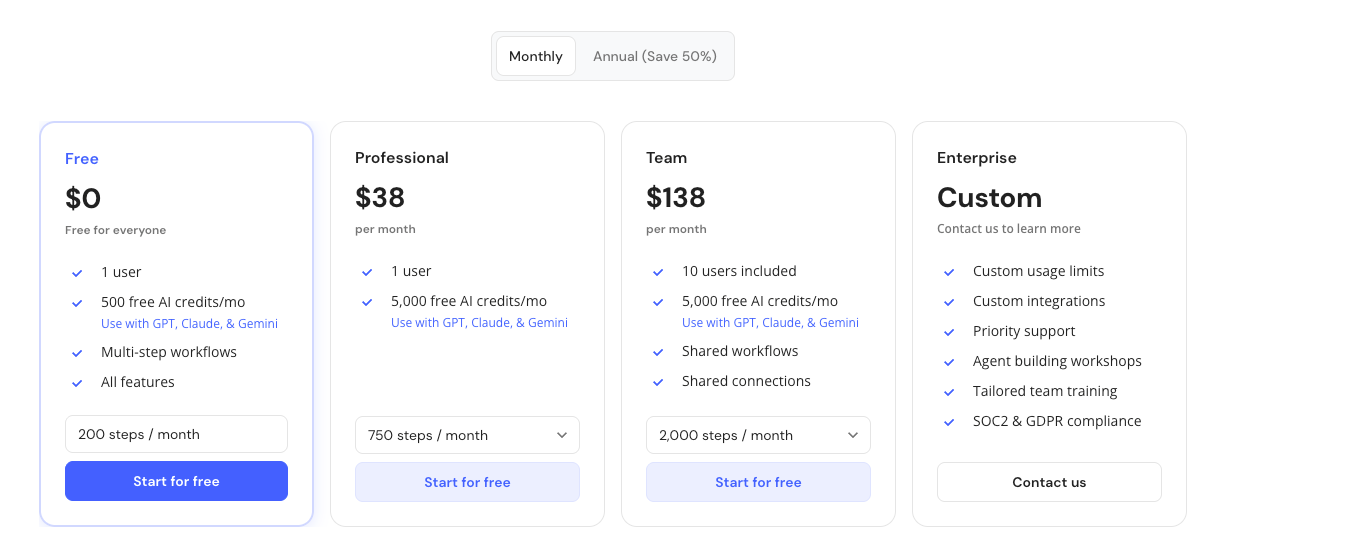
Pricing is per seat, with step and credit limits scaling by plan. You can also purchase additional AI credits at any time through your billing settings. The prices range from $19/month for 10,000 credits to $1,199/month for 1,000,000 credits.
With pricing clarified, let’s look at a few limitations users should know before adopting Relay at scale.
Relay.app limitations to consider
While Relay is powerful for automating structured workflows, some areas may require caution before scaling. Here are a few limitations that come up:
- The learning curve can feel steep for users new to conditional logic or multi-step automation. Teams report that complex branching may take time to organize and troubleshoot.
- Relay also doesn’t publish details about scalability, retry handling, or HIPAA compliance, which may matter to enterprise IT teams.
- It limits approvals to internal Relay users, meaning you can’t assign them to external partners or clients.
Overall, these aren’t dealbreakers but worth keeping in mind during implementation. Next, we’ll see how Relay compares to another automation tool and AI platform like Lindy.
{{templates}}
Relay.app vs Lindy: How they differ
Relay.app competes with Lindy as they both help users automate tasks. While these tools share the same goal, each does it differently and serves a different audience. Here’s a comparison:
| Feature | Relay.app | Lindy.ai |
|---|---|---|
| Primary focus | Visual workflow automation with branching logic and in-flow approvals. | AI agents that can communicate via calls, emails, and messages while automating workflows. |
| Best for | Teams needing structured, rule-based workflows with human oversight. | Businesses that want AI agents that execute complex, conversational tasks. |
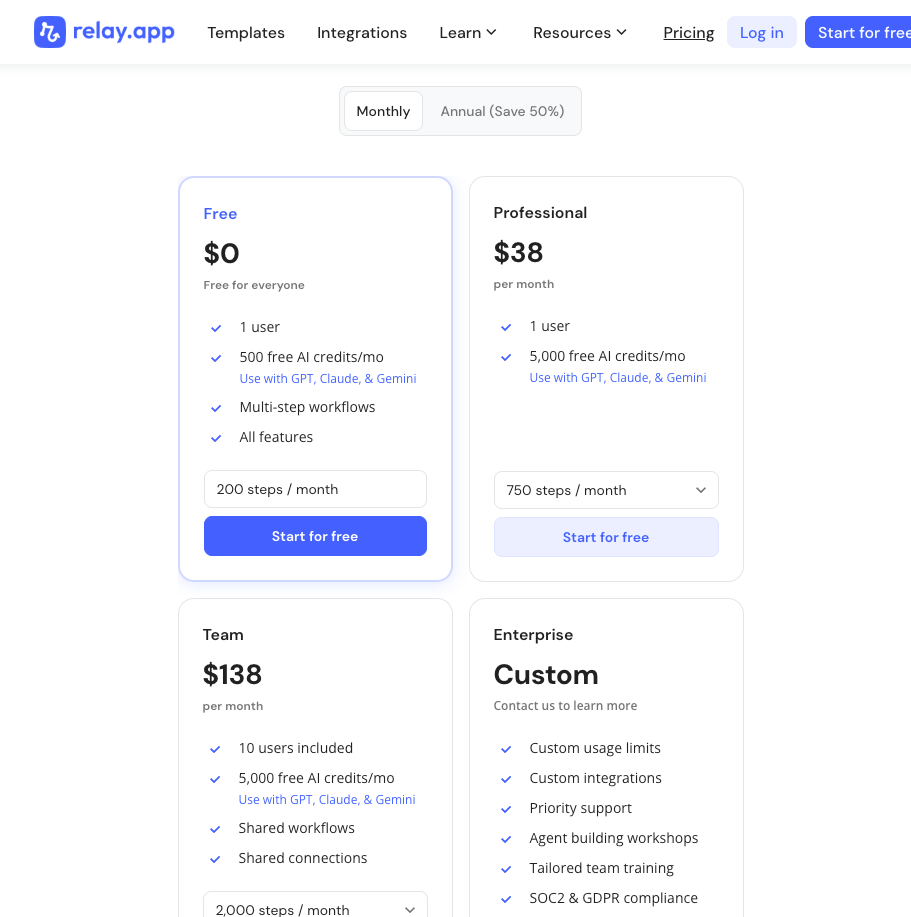
| Pricing (billed monthly) | Starts free, paid plans from $38/month. | Starts free with up to 40 tasks, paid plans from $49.99/month. |
| Unique value | Clean path merging and intuitive builder. | Voice, email, and CRM-integrated agents. |
When to choose Relay vs Lindy
Choose Relay.app if your team manages structured workflows that require approvals, data checks, or compliance steps before execution. It’s ideal for operational processes where control and auditability matter more than autonomy.
Choose Lindy when you want to automate workflows like following up on leads, responding to emails, or logging CRM updates automatically.
Lindy’s AI agents can communicate and act across tools, providing autonomous task execution. Relay, on the other hand, offers rule-based workflow automation with human approvals and branching logic.
Who should use Relay.app
Relay.app fits teams that run repeatable, multi-step processes across several tools. It’s especially useful for operations, support, sales, and finance teams that need both automation and human review. Mid-sized SaaS companies, agencies, and service firms can use it to coordinate approvals, route requests, or manage onboarding.
Enterprises can benefit from its audit trail and conditional workflows, though they should confirm compliance requirements before rollout.
Try Lindy to automate tasks across sales, CRM, and support
Lindy is an automation platform that lets you build custom AI agents for your everyday tasks, and is a strong alternative to Relay.app. You can get started with Lindy quickly with pre-built templates and 4,000+ integrations.
Lindy helps automate your workflows with features like:
- Drag-and-drop workflow builder for non-coders: You don’t need any technical skills to build workflows with Lindy. It offers a drag-and-drop visual workflow builder.
- Create AI agents for your use cases: You can give them instructions in everyday language and automate repetitive tasks. For instance, create an assistant to find leads from websites and sources like People Data Labs. Create another agent that sends emails to each lead and schedules meetings with members of your sales team.
- Update CRM fields without manual entry: Instead of just logging a transcript, you can set up Lindy to update CRM fields and fill in missing data in Salesforce and HubSpot without manual input.
- Send follow-up emails and keep everyone in sync: Lindy agents can send follow-up emails, schedule meetings, and keep everyone in the loop by triggering notifications in Slack by letting you build a Slackbot.
- Lead enrichment: You can configure Lindy to use a prospecting API (People Data Labs) to research prospects and to provide sales teams with richer insights before outreach.
- Supports tasks across multiple workflows: Lindy handles website chat, lead generation, and content creation. You can create AI agents that help reduce manual work in training, content, and CRM updates.
- Cost-effective: Automate up to 40 monthly tasks with Lindy’s free version. The paid version lets you automate up to 1,500 tasks per month, which is a more affordable price per automation compared to many other platforms.
Try Lindy free and automate up to 40 tasks with your first workflow.
{{cta}}
Frequently asked questions
What does the Relay app do?
The Relay app automates repetitive tasks across tools like Gmail, Slack, and HubSpot. It connects these apps, so data moves automatically between them.
Does Relay.app replace other automation tools?
Relay.app can replace traditional rule-based automation tools for workflows needing logic and approvals. But it does not replace AI agents for calls or emails.
How much does Relay.app cost?
Relay.app costs from $27/month for the Professional plan and $98/month for the Teams plan. It also offers a free tier along with an Enterprise plan with custom pricing.
Who is Relay.app best for?
Relay.app is best for teams who want to automate structured multi-step workflows and require human approvals or compliance checks.
How does Lindy.ai compare?
Lindy.ai uses AI agents for tasks that need communication, while Relay.app manages workflows that need logic and approval.
Is Relay.app better than a phone call?
No, Relay.app is not better than a phone call and cannot replace them. Instead, it automates the follow-up tasks and backend workflows after calls take place.









