I Tested the Top 9 AI Automation Platforms in 2026
Marvin tested 20+ AI automation platforms like Zapier, n8n, and UiPath, evaluating cross-app automation, enterprise scalability, and developer-focused workflow tools.


Most automation tools look great in a demo. Clean dashboards, smooth animations, and a 2-minute video showing how "easy" it is.
Then you try to connect your actual CRM to your actual inbox with your actual messy data, and the whole thing falls apart by step three.
I know because I spent weeks doing exactly that. I tested over 20 AI automation tools on the same real workflow. First, a lead comes in through a form, the data gets enriched, it lands in the CRM, a follow-up email goes out, and the whole thing gets logged.
Most tools couldn't hold context past the second step. Some lost data between apps. A few just stopped running after a day or two, and I only noticed because the leads stopped showing up.
But 9 tools did work well. These are the ones that handled the messy, multi-step work without needing constant babysitting. Here's what each one is good at, where it breaks down, and how to pick the right one depending on how you work.
9 best AI automation platforms in 2026: At a glance
| Tool | Best for | Key strength |
|---|---|---|
| Zapier | Cross-app automation platform | Wide range of integrations across common business tools |
| n8n | Open-source automation platform | Self-hosted workflows with flexible customization |
| Make | Visual workflow automation platform | Detailed control over multi-step workflows |
| UiPath | Enterprise RPA and automation platform | Combines RPA with structured automation processes |
| Microsoft Power Automate | Microsoft-native automation platform | Built-in compatibility with Microsoft 365 tools |
| Workato | Enterprise automation platform | Supports governance and large-scale workflow management |
| Gumloop | Visual AI workflow platform | Built-in AI models and a visual canvas for data-heavy workflows |
| Pipedream | Developer automation platform | Code-based workflows with serverless execution |
| Tray.ai | Enterprise automation management platform | Centralized governance and bulk data processing for enterprise IT teams |
What are AI automation platforms?
AI automation platforms handle repetitive work across your apps so you don't have to do it manually. They connect your email, calendar, CRM, and other tools, and move data between them automatically. Finding the best automation software for your workflow depends on which app connections matter most to your team.
Think of it this way. You probably spend a chunk of your day doing the same things over and over. In fact, I used to waste hours checking email, copying data into a spreadsheet, updating my CRM after a call, and sending follow-ups. Using an AI automation tool takes that off your plate.
The older tools need you to set up every step. "When this happens, do that." You're basically programming the logic yourself, just without code.
Newer tools like Lindy skip that entirely by just typing what you need.
You say something like, "Follow up with everyone who attended yesterday's demo," and it figures out who attended, writes the emails, and sends them. You didn't build anything or configure triggers.
That's the real difference. Traditional automation follows a script you wrote, while AI automation thinks about what needs to happen and does it.
12 ways to use AI automation at work
AI automation platforms handle the repetitive tasks that eat into your workday, things like email follow-ups, meeting scheduling, CRM updates, lead outreach, and document approvals. But the use cases go a lot further than that.
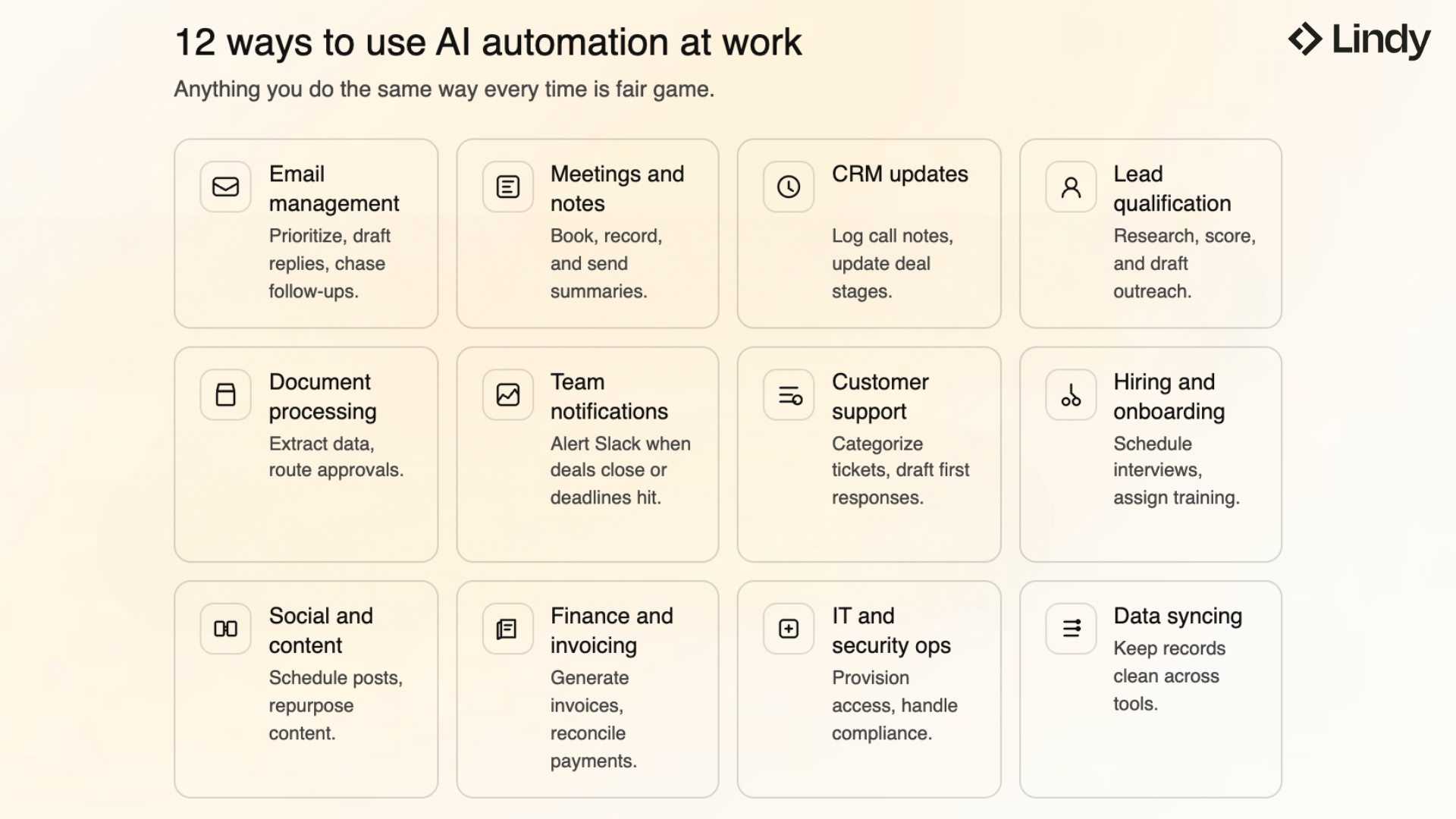
Here are some of the most common ways teams use them:
- Email management and follow-ups: Instead of sorting through your inbox manually, you can tell an AI assistant to prioritize messages, draft replies, and chase down people who haven't responded. AI assistants handle this through text commands, while Zapier and Make use trigger-based flows to route emails to the right place. Many teams rely on modern ai personal assistant software to handle these routine communication workflows.
- Meeting scheduling and notes: Calendar conflicts, no-shows, and lost action items are common. AI automation tools can schedule meetings based on availability, join calls to take notes, and send summaries to your team afterward.
- CRM updates and sales workflows: Sales reps spend hours logging call notes and updating deal stages. Automation tools can listen to calls, extract key details, and push them into your CRM automatically.
- Lead qualification and outreach: When a new lead comes in, AI tools can research the prospect, score them against your ideal customer profile, and draft a personalized outreach email.
- Document processing and approvals: Finance teams, HR departments, and ops managers deal with invoices, contracts, and approval chains every day. Tools like UiPath and Power Automate can extract data from documents, route them for approval, and log everything without manual input. Similarly, teams handling field operations and contractor agreements often use ai construction software to simplify their project workflows.
- Team notifications and reporting: Instead of sending status update emails yourself, you can automate Slack notifications when a deal closes, a support ticket escalates, or a deadline is approaching. Most tools on this list support Slack, Teams, and email out of the box.
- Customer support and ticket routing: Support teams use automation to categorize incoming tickets, draft initial responses, and route issues to the right person. Some tools can resolve common questions entirely on their own by pulling answers from your knowledge base.
- Hiring and onboarding: Recruiters automate interview scheduling, candidate follow-ups, and screening questionnaires. Once someone's hired, onboarding workflows can send welcome emails, assign training tasks, and provision tool access without HR doing it manually.
- Social media and content workflows: Marketing teams use automation to schedule posts, pull analytics into dashboards, repurpose long-form content into shorter formats, and track brand mentions across platforms.
- Finance and invoicing: Accounting teams automate invoice generation, expense approvals, payment reminders, and reconciliation. When a project closes or a subscription renews, the billing workflow handles itself.
- IT and security operations: IT teams automate access provisioning, system alerts, compliance checks, and incident response. When a Jira ticket gets approved, the tool can create the user account, log the change, and notify the team in one pass.
- Data syncing and cleanup: If your team runs on five different tools, data gets messy fast. Automation platforms keep records consistent across systems, flag duplicates, and fill in missing fields so your data stays clean without someone manually auditing spreadsheets every week.
The right pick comes down to two things. One, what you're automating, and two, how much setup you're willing to deal with.
Some platforms prioritize ease of use and natural-language setup, while Make, n8n, and Pipedream are designed for builders who want direct control over how every automation works behind the scenes.
1. Zapier: Best for cross-app automation
Ratings:
- Ease of use: 8.8/10
- Integration depth: 9.0/10
- AI capability: 7.5/10
- Overall: 8.4/10
What it does: Zapier is an automation software that connects thousands of apps to trigger actions across tools.
Who it's for: Teams that want to connect tools like Slack, Salesforce, and Google Sheets without coding.
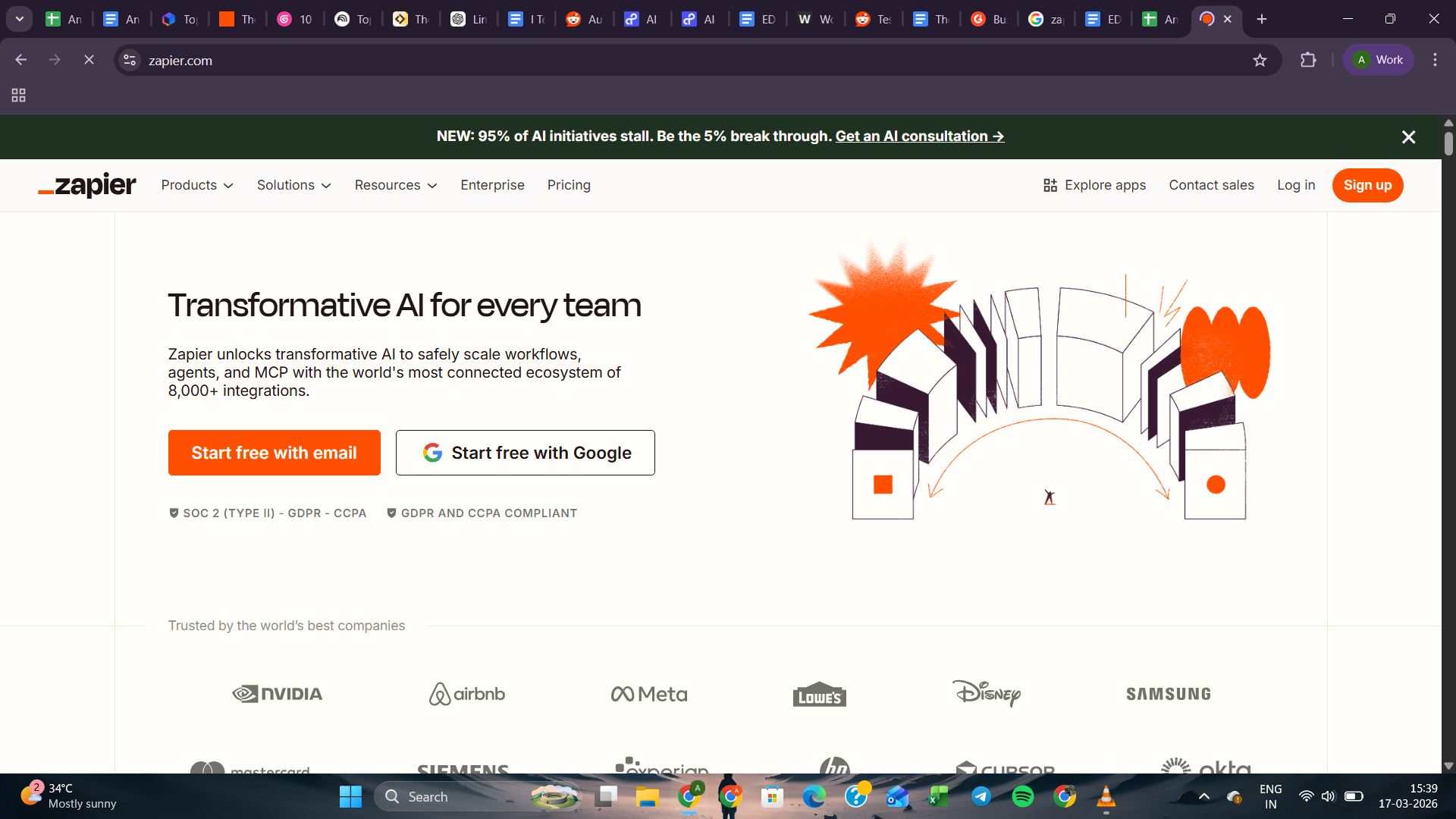
Zapier has been the go-to layer connecting apps for over a decade. Many teams already rely on it to move data between apps.
Early on, I worked on a client project where the sales team manually copied leads from a web form into the CRM, handling 50+ a day and still missing many.
So I set up an automation in about 20 minutes that pulled every form submission straight into HubSpot, fired a Slack message to the right rep, and added the lead to an email sequence automatically. In Zapier, each of these automations is called a Zap.

Zapier has also added AI tools that change how automations get built. One of them, Copilot, lets you describe what you want in plain English and builds the automation for you instead of making you configure it step by step.
There's also Zapier Agents, which takes it further. Instead of just triggering actions when something happens, it lets you set up AI that runs in the background, makes decisions, and handles tasks across your connected apps on its own.
Although Zapier works well for straightforward automations, longer workflows can face delays or missed tasks on lower plans. That said, it remains one of the easiest tools for connecting multiple apps quickly.
Key features
- Simple “Zap” system makes automations easy to build and manage
- Multi-step automations with filters, branching paths, and data formatting
- Live webinars, product events, and Zapier University learning resources
- Build custom AI chatbots using Zapier Interfaces and connected workflows
- Connects 8,000+ apps across productivity, CRM, marketing, and data tools
Limitations
- Complex workflows can be hard to debug
- Pricing increases quickly as task volume and complexity grow
Pricing
Zapier offers a free plan with 100 tasks/month for simple automations. The Professional plan starts at $29.99/month for multi-step automations, while the Team plan starts at $103.50/month. Enterprise plans include custom pricing.
2. n8n: Best open-source automation platform
Ratings:
- Ease of use: 6.5/10
- Integration depth: 8.5/10
- AI capability: 8.0/10
- Overall: 7.7/10
What it does: n8n is an open-source automation software that lets teams build customizable workflows across apps and APIs.
Who it's for: Developers and technical teams who want full control over automation, data, and infrastructure.
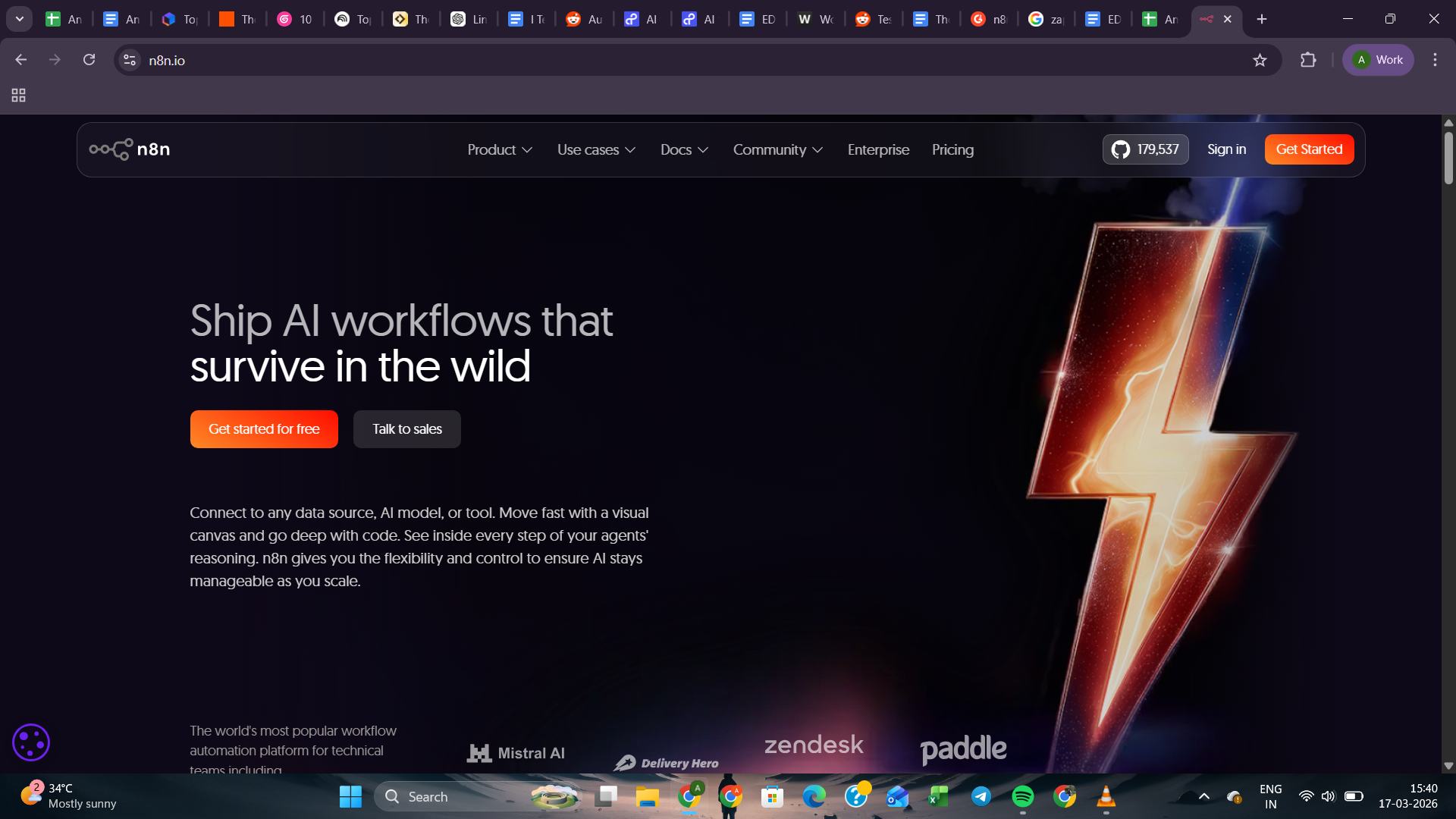
n8n tends to attract teams that want more control than typical automation tools provide. Most platforms decide where your data lives and how your automations run, but n8n flips that.
n8n can run in the cloud or entirely on your own infrastructure.
With its large workflow template library, n8n helps teams avoid starting from scratch and lets you import and adapt workflows quickly. You can also build RAG pipelines that connect Large Language Models (LLMs) to internal data like PDFs or databases.
Teams use this to pull answers directly from company docs and automatically draft support replies, without anyone having to search through documents each time.
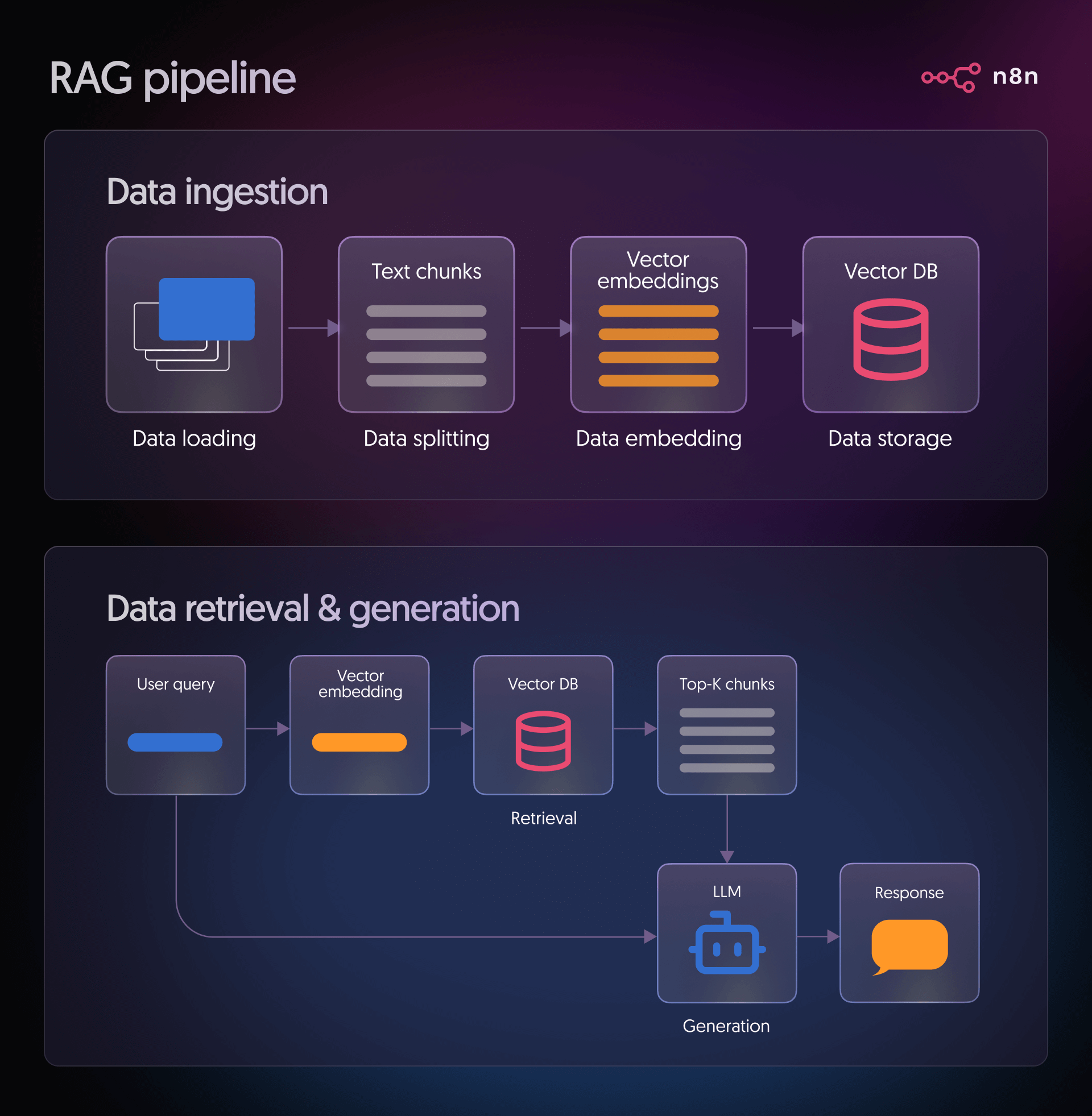
The entire flow from ingestion and embeddings to retrieval and response runs inside the same visual builder, which makes complex AI workflows easier to manage.
Key features
- Full control over infrastructure and sensitive data
- Strong debugging tools with step-by-step execution visibility
- 1,000+ integrations plus HTTP requests for any external API
- Built-in AI nodes supporting vector databases and LLM workflows
- 8,800+ workflow automation templates for automation and AI use cases
- Enterprise security withSOC 2, SOC 3 reports, SAML SSO, and GDPR compliance
Limitations
- Some AI features require external model APIs and setup
- Steeper learning curve compared with beginner automation tools
Pricing
n8n offers both self-hosted and cloud options. The Starter plan starts at $24/month, with the Pro plan at $60/month. The Business plan starts at $800/month. Enterprise pricing is custom for advanced governance and compliance needs.
3. Make: Best visual automation builder
Ratings:
- Ease of use: 7.8/10
- Integration depth: 8.1/10
- AI capability: 7.5/10
- Overall: 7.7/10
What it does: Make is a visual automation software that lets teams design complex workflows across apps.
Who it's for: Non-technical teams and ops managers who need full visibility into complex, multi-step workflows.
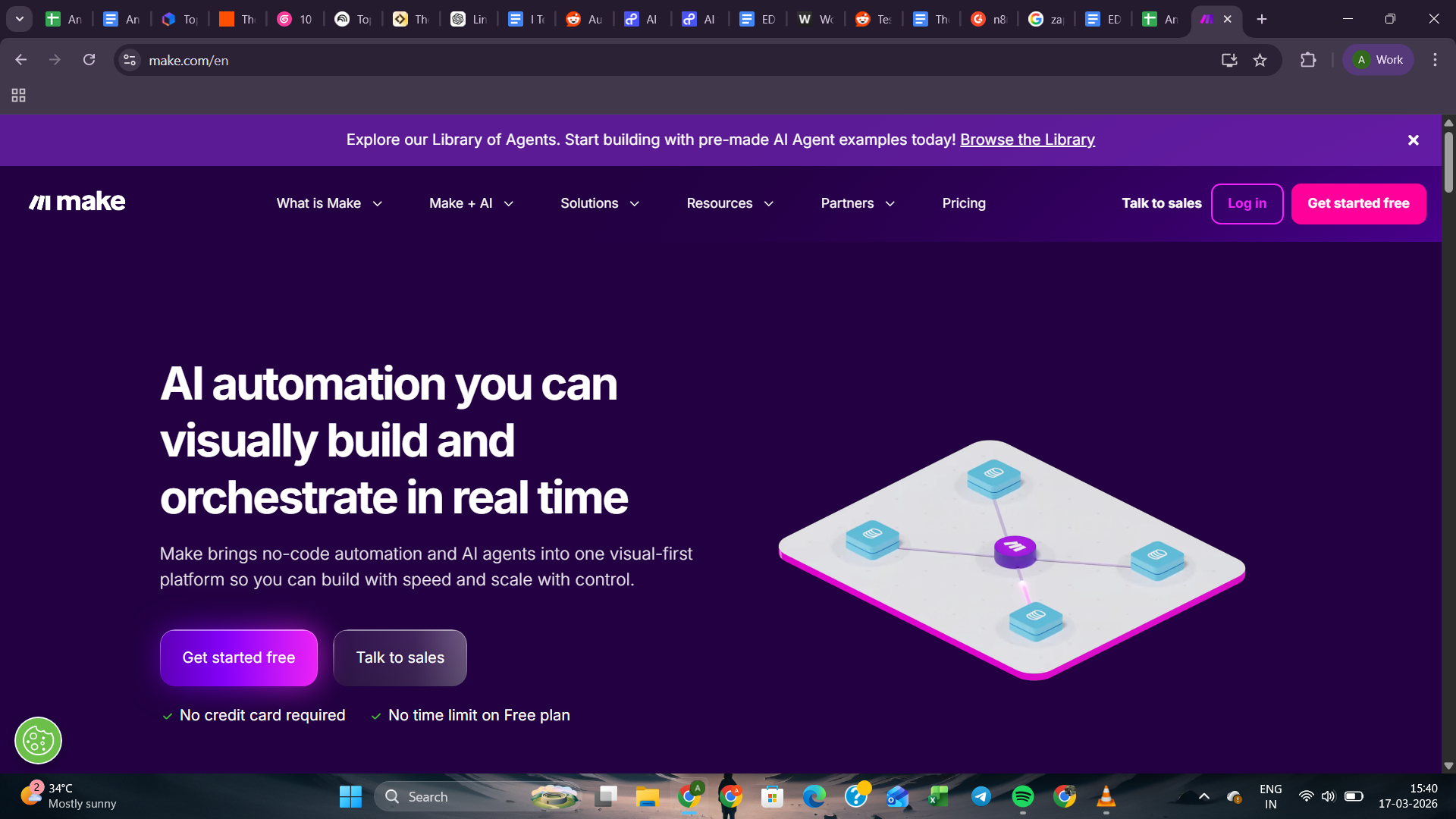
Where Zapier automates actions between apps, Make lets you map the entire logic visually on a canvas.
Instead of stacking triggers and actions, you can design workflows on a canvas where every step and branch are visible (mostly to define what happens next, and how it reacts to changes).
A lot of the time, most teams don't struggle with building automations. They struggle with managing them six months later, when nobody remembers what connects to what.

That’s where Make Grid gives you a visual map of every workflow and connected app in your workspace, so you can see what's running, what links to what, and where things might break before they do.
Make also includes Maia, an AI assistant built directly into the platform. Instead of manually connecting each step, you can describe what you want to automate, and Maia builds it for you.
Maia can also help when something breaks, so you don't have to dig through settings to figure out what went wrong. It won't replace understanding how the tool works, but it takes a lot of the grunt work out of getting started.
Key features
- Large template library speeds up building common automations
- 3,000+ integrations across business, AI, and productivity tools
- Model Context Protocol support for connecting AI tools securely
- Flexible system capable of handling advanced multi-step scenarios
- Enterprise security withSOC 2 Type II, SOC 3, ISO 27001, and GDPR compliance
Limitations
- Learning curve increases as workflows become more complex
Pricing
Make offers for a free plan with 1,000 credits/month. Paid plans are Core at $9/month, Pro at $16/month, and Teams at $29/month, all for 10,000 credits/month at the base level. Higher credit limits are available on each plan as you scale.
4. UiPath: Best enterprise automation platform
Ratings:
- Ease of use: 5.5/10
- Integration depth: 8.8/10
- AI capability: 7.0/10
- Overall: 7.1/10
What it does: UiPath is an enterprise automation software that helps organizations automate business processes across systems.
Who it's for: Large organizations and operations teams that want to automate repetitive business processes at scale.

A finance team processing thousands of invoices each week is exactly the kind of system UiPath is built for. It can manage structured processes well, especially across desktop apps and internal systems.
Legacy HR systems that don't integrate with anything are a common UiPath use case. After doing it myself a few times, I set up UiPath to take over. It logged in, clicked through the same screens I was using, and filled everything out exactly the way I would, just faster and without the usual slip-ups.
UiPath has also expanded beyond traditional RPA with tools like Autopilot for faster automation setup and features that analyze emails, PDFs, and business data.

Combined with strong governance and analytics, it now operates as a full automation platform for large organizations.
The setup is heavy, and the learning curve shows, but for the right use cases (like serious automation problems), it's worth the time you invest.
Key features
- Strong automation for documents and communications
- UiPath Academy offers free training and automation certifications
- Automation Cloud manages bots, analytics, and governance centrally
- Integration Service connects 1,900+ enterprise systems, including SAP and Salesforce
- Enterprise security withSOC 2 Type II, ISO 27001, and HIPAA compliance, plus SSO and role-based access controls
Limitations
- Pricing and deployment can be heavy for small teams
- Complex setup compared with simpler automation tools
Pricing
UiPath’s Basic plan starts at $25/month for individuals and small teams. Standard and Enterprise plans are available with custom, volume-based pricing through sales.
5. Microsoft Power Automate: Best for Microsoft ecosystem automation
Ratings:
- Ease of use: 7.0/10
- Integration depth: 7.5/10
- AI capability: 7.0/10
- Overall: 7.2/10
What it does: Microsoft Power Automate is an automation software that connects workflows across Microsoft apps and enterprise systems.
Who it's for: Organizations already using Microsoft 365 that want automation built into their existing tools.
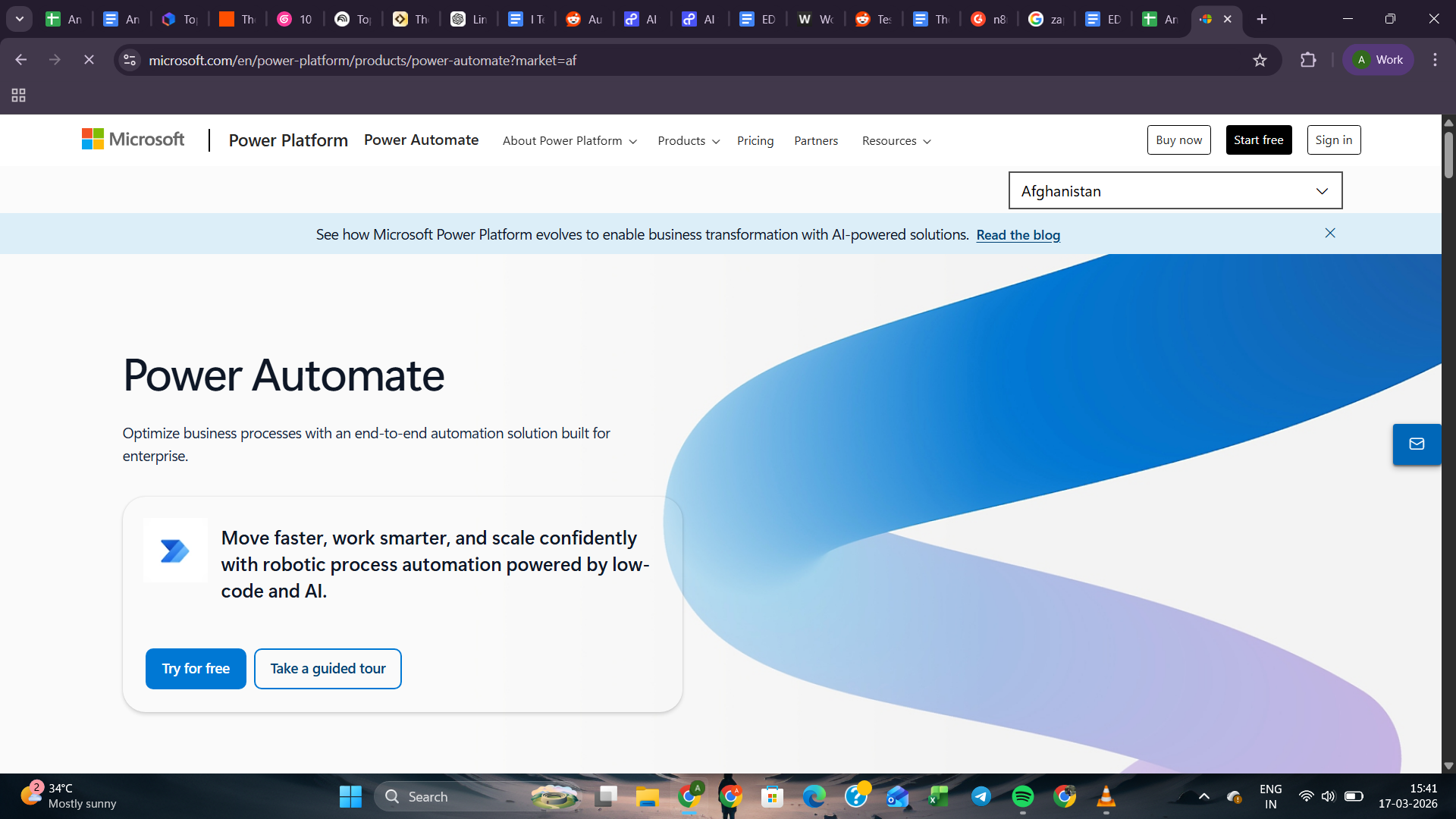
Most approval processes at work are just someone uploading a file and then waiting. Usually followed by a follow-up message. Then another one. Power Automate cuts that loop out entirely.
A contract lands in OneDrive, the manager gets pinged in Teams, and the approval gets logged without anyone chasing anyone.
For companies already using Microsoft 365, Power Automate usually runs inside the tools they work in every day.
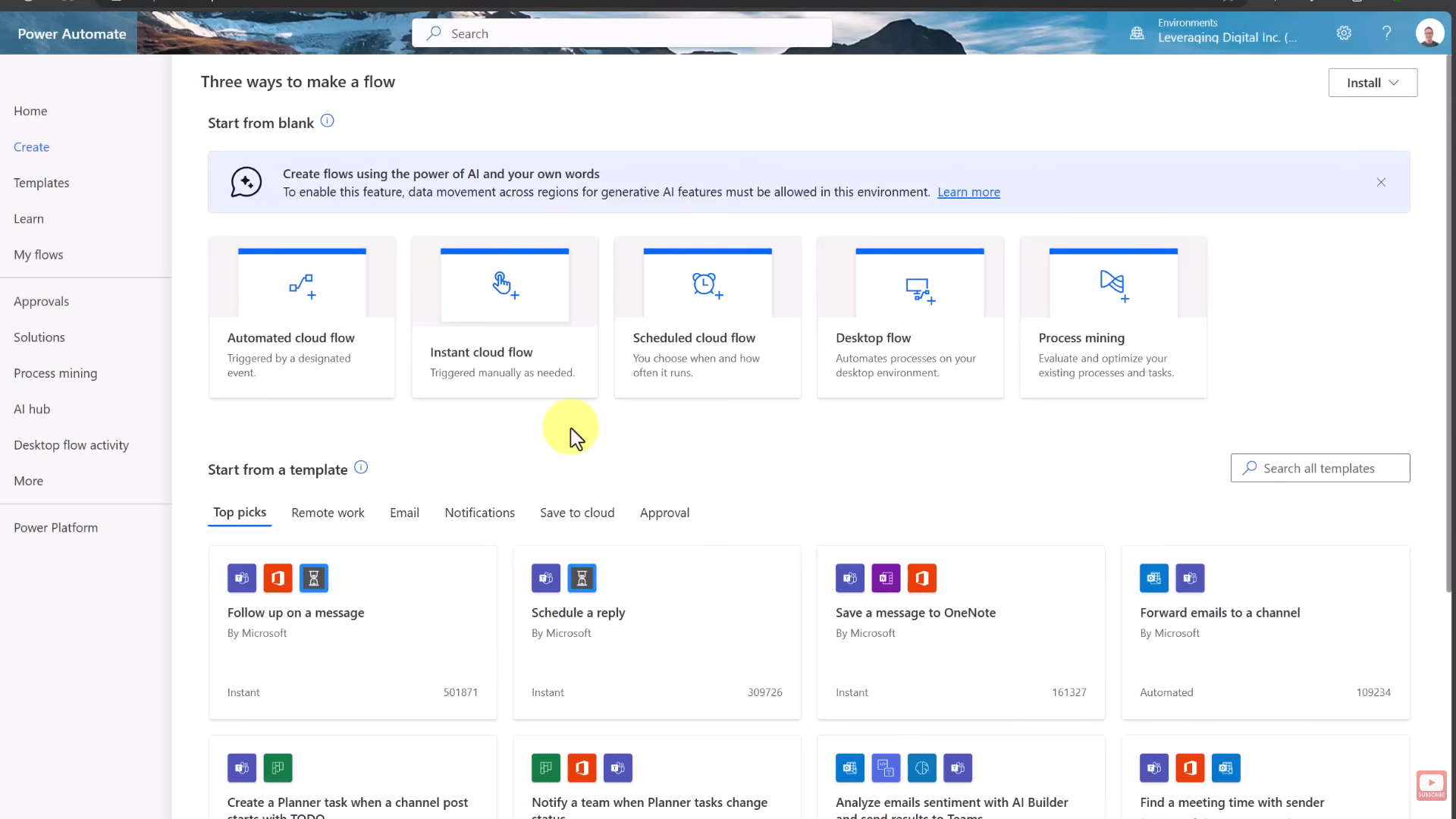
The workflow can start from a Power BI alert, a Dynamics 365 update, or even an Outlook email.
With Copilot-assisted flow building and AI Builder, teams can automate approvals, document processing, and other routine tasks without leaving the Microsoft environment.
It works well for simple flows, but things get tricky as workflows grow. Debugging can feel unclear, and once you step outside Microsoft tools, flows become harder to manage and slower to build.
Key features
- 1,400+ connectors across Microsoft apps and third-party services
- Desktop RPA automates legacy applications without modern APIs
- Copilot generates automation flows from natural language prompts
- Enterprise governance with DLP policies and admin center controls
- Enterprise compliance withSOC 2, ISO 27001, HIPAA, and FedRAMP High certifications
Limitations
- Many advanced features and connectors require additional paid licenses
Pricing
Power Automate offers a 30-day free trial. The Premium plan starts at $15 per user/month (billed annually), while the Process plan costs $150 per bot/month (billed annually) for unattended enterprise automation.
6. Workato: Best enterprise automation management platform
Ratings:
- Ease of use: 6.0/10
- Integration depth: 9.2/10
- AI capability: 7.5/10
- Overall: 7.6/10
What it does: Workato is an enterprise automation software that connects and manages complex business processes.
Who it's for: Mid-to-large organizations running complex operations across many SaaS and internal systems.

Most teams have more tools than they can keep in sync. Data sits in the CRM that never makes it to the finance system. A support ticket closes, but the record never updates. Workato is built for that gap.
It connects CRMs, finance tools, databases, and support platforms and keeps data flowing between them without anyone having to do it manually.
Finance teams dealing with high invoice volumes are a core Workato use case. Four steps per invoice: pull the document, key in the numbers, update the accounting system, flag it in the tracker. Workato handles that chain automatically. Once it's running, the document comes in, and the rest happens on its own.

Workato also added Genies, which handle specific workflows for individual teams. In practice, this meant approvals and routine updates moving on their own without a manager having to step in each time.
There’s also Workato GO, which lets you search across apps and take action right away, like approving a request or updating a record without switching tools.
Key features
- Strong governance tools for managing automation at scale
- Connects thousands of apps across SaaS, databases, and ERP systems
- Supports on-prem apps and databases via secure gateway connections
- AutomationHQ manages governance, monitoring, and role-based access control
- Enterprise security withSOC 2 Type II, ISO 27001, HIPAA, PCI-DSS Level 1, and GDPR compliance, plus BYOK encryption
Limitations
- Platform complexity may require dedicated automation specialists
Pricing
Workato uses a platform plus usage pricing model. Organizations purchase a workspace and scale based on the number of automations and agents deployed. Enterprise pricing is customized and requires contacting sales.
7. Gumloop: Best visual AI workflow automation platform
Ratings:
- Ease of use: 8.0/10
- Integration depth: 6.5/10
- AI capability: 8.5/10
- Overall: 7.7/10
What it does: Gumloop is an AI workflow software that connects tools and large language models.
Who it's for: Teams and creators who want to build AI-driven workflows without writing code.

Teams often deal with information spread across videos, documents, and online sources. Gumloop is built to turn that messy data into structured outputs automatically.
A marketing team I spoke to was spending half their week pulling insights from YouTube videos and turning them into content manually. So they set up a workflow in Gumloop that pulled the transcript, ran it through AI, and came out with a blog draft, a research summary, and CRM notes. And nobody had to watch those lengthy videos.
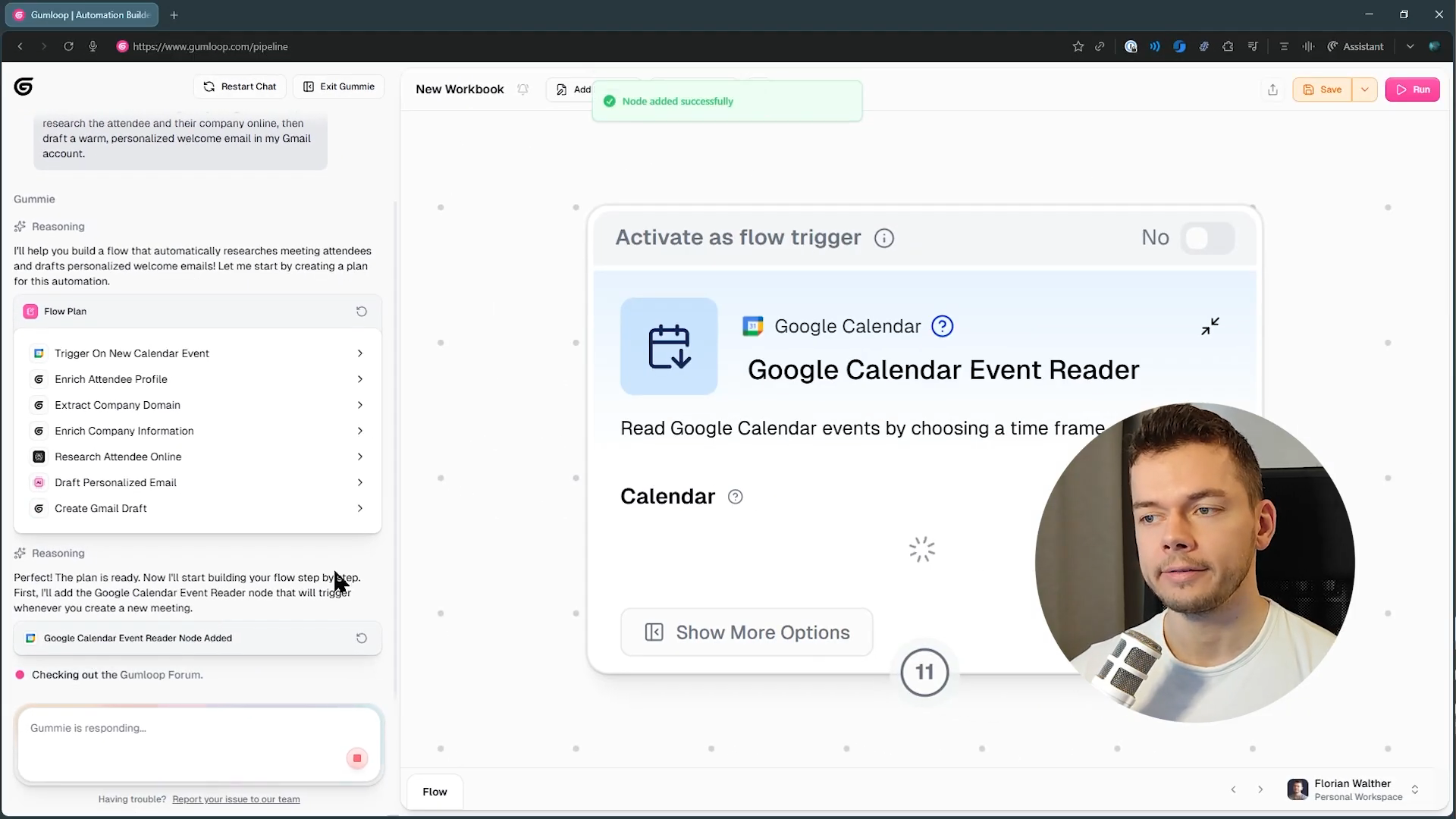
While using Gumloop, Gummie, a built-in meta-agent that acts as an AI assistant, handled most of the setup.
Instead of connecting every step manually, I described the goal to Gummie, and it generated a usable workflow. It felt more like adjusting something than building it from scratch.
Also, since major LLM models are already included, there was no need to manage APIs or infrastructure.
Key features
- Library of 170+ templates for common AI workflows
- Visual canvas builder with over 100 workflow nodes
- Works well for data-heavy research and marketing workflows
- Built-in access to premium LLM models without external API keys
- Hosted the MCP server for AI tool integrations and agent communication
Limitations
- Advanced workflows may still require experimentation and iteration
- Smaller ecosystem compared to long-established automation platforms
Pricing
Gumloop offers a free tier with 5,000 monthly credits. The Pro plan starts at $37/month with higher credit limits and unlimited triggers. Enterprise has custom pricing that includes advanced security features.
8. Pipedream: Best developer automation platform
Ratings:
- Ease of use: 6.0/10
- Integration depth: 8.5/10
- AI capability: 7.0/10
- Overall: 7.2/10
What it does: Pipedream is a developer automation software that connects APIs and runs serverless workflows.
Who it's for: Developers building automation, integrations, or AI workflows that require custom code.

Developers often run into limitations when visual automation tools can’t handle edge cases or custom logic. Pipedream fits well in those kinds of setups.
Teams use it to connect APIs, process events, and run backend workflows without maintaining infrastructure.
One time, I tried setting up a simple flow to track Stripe payments and send the data into a Notion dashboard. Sounds easy, but the annoying part is usually getting apps to communicate properly without breaking, especially when authentication gets involved.
Pipedream handled that well in the background. The workflow just ran without me fixing tokens or reconnecting things every other day.

The trigger library covers hundreds of pre-built event sources. From GitHub pushes to new RSS entries, giving you access to thousands of built-in API operations without writing the integration yourself.
Key features
- 3,000+ managed API integrations with built-in authentication
- MCP support connects AI agents to thousands of external tools
- Strong debugging tools with event logs and workflow versioning
- Secure integrations with SOC 2 Type II, HIPAA, and GDPR compliance
- Code-first workflow builder supporting JavaScript, Python, Go, and Bash
Limitations
- Requires coding knowledge to unlock full capabilities
Pricing
Pipedream offers a free plan with limited workflows and credits. Paid plans start at $29/month, with higher tiers for production workloads and the Connect plan for integration-heavy products. Enterprise pricing is available through custom agreements.
9. Tray.ai: Best for centralized automation management
Ratings:
- Ease of use: 5.8/10
- Integration depth: 8.0/10
- AI capability: 7.0/10
- Overall: 6.9/10
What it does: Tray.ai is an enterprise automation software that connects applications, data, and AI workflows.
Who it's for: Enterprise IT teams that need centralized control over automation and integrations.
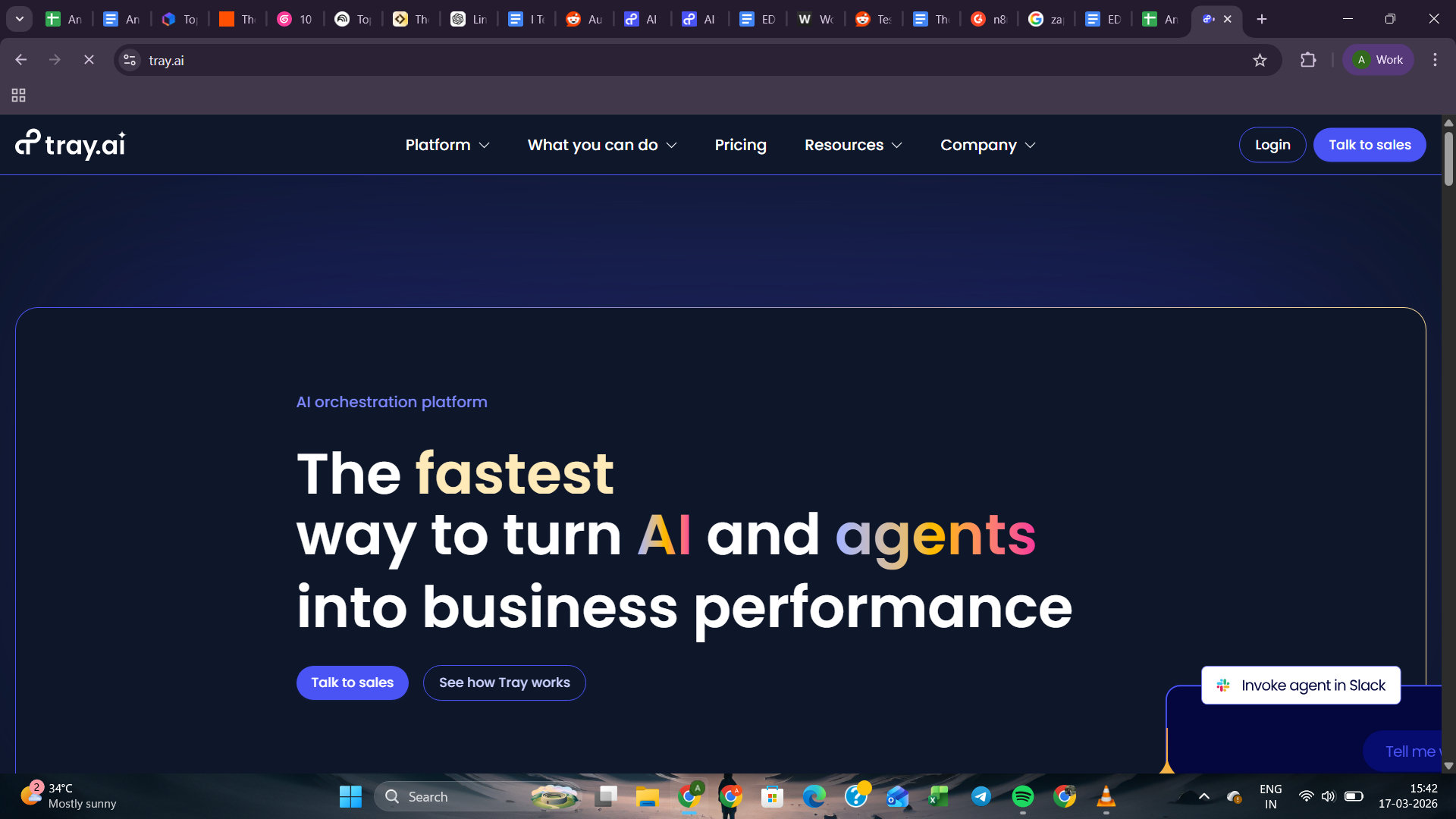
IT teams often end up managing dozens of automations spread across different departments and tools. Tray is built to bring that activity into one place.
The integration depth is solid. In a typical IT setup, approving a Jira ticket can automatically create Okta access, log the change, and fire a Slack notification to the team. Three systems talking to each other from a single trigger, with nobody having to chase anything down manually.

Most tools process records one at a time. Tray's SQL Transformer handles bulk records in a single pass, which makes cleaning and moving large datasets between systems significantly faster.
Setting up more complex flows takes time to get right.
Tray gives you a lot of control, but that also means more decisions to make upfront. Some integrations can get messy to connect, and if something breaks, the documentation doesn't always tell you why. You'll likely need someone technical nearby to sort it out.
Key features
- 700+ connectorsAI platforms across SaaS tools, databases, and
- Merlin Agent Builder creates AI agents across enterprise applications
- Elastic execution engine scales workflows across high-volume operations
- Strong governance and centralized automation visibility for enterprise teams
- Centralized governance for monitoring automations and policy enforcement
Limitations
- Implementation may require technical planning and onboarding
Pricing
Tray offers Pro, Team, and Enterprise plans designed for different organizational scales. Pricing follows a usage-based model based on tasks. Detailed pricing requires contacting sales.
How I evaluated these AI automation platforms
To compare these AI automation tools fairly, I did not rely on demos or feature lists alone. I set up similar real-world workflows in each tool and looked at how they behaved once the process became slightly messy, multi-step, or dependent on several apps working together.
The main test workflow was practical on purpose. A lead comes in through a form, the data gets enriched, added to a CRM, followed by an email, and then logged for tracking.
It is a common workflow, but it quickly shows whether a tool can handle automation beyond a polished demo.

To ground this beyond my own testing, I also reviewed product feedback across communities like Reddit to understand real-world usage beyond demos. A clear pattern showed up. Some tools looked good initially but became unreliable over time, while others handled repetitive work consistently without adding extra effort.

Ratings criteria explanation
I scored each tool on three metrics that matter most when you're using these tools day to day:
- Ease of use: How fast can you get a working automation running without reading documentation for hours? Tools that let you describe what you want in plain English scored higher than those that require you to configure every step manually.
- Integration depth: It's not just about the number of integrations. Some tools connect to thousands of apps but only support basic triggers. Others connect to fewer apps but handle complex, multi-step actions across them. I looked at how well each tool worked with the apps it connected to.
- AI capability: Can the tool make decisions on its own, or does it just follow a script? I tested whether each platform could handle context, adapt to changes, and run tasks without constant oversight.
Ratings Table:
| Tool | Ease of use | Integration depth | AI capability | Overall |
|---|---|---|---|---|
| Zapier | 8.8 | 9.0 | 7.5 | 8.4 |
| n8n | 6.5 | 8.5 | 8.0 | 7.7 |
| Make | 7.8 | 8.1 | 7.5 | 7.7 |
| UiPath | 5.5 | 8.8 | 7.0 | 7.1 |
| Power Automate | 7.0 | 7.5 | 7.0 | 7.2 |
| Workato | 6.0 | 9.2 | 7.5 | 7.6 |
| Gumloop | 8.0 | 6.5 | 8.5 | 7.7 |
| Pipedream | 6.0 | 8.5 | 7.0 | 7.2 |
| Tray.ai | 5.8 | 8.0 | 7.0 | 6.9 |
Scores are based on hands-on testing across the same lead-capture-to-CRM workflow, adjusted for each tool's strengths and target user.
Which AI automation platform should you choose? My take
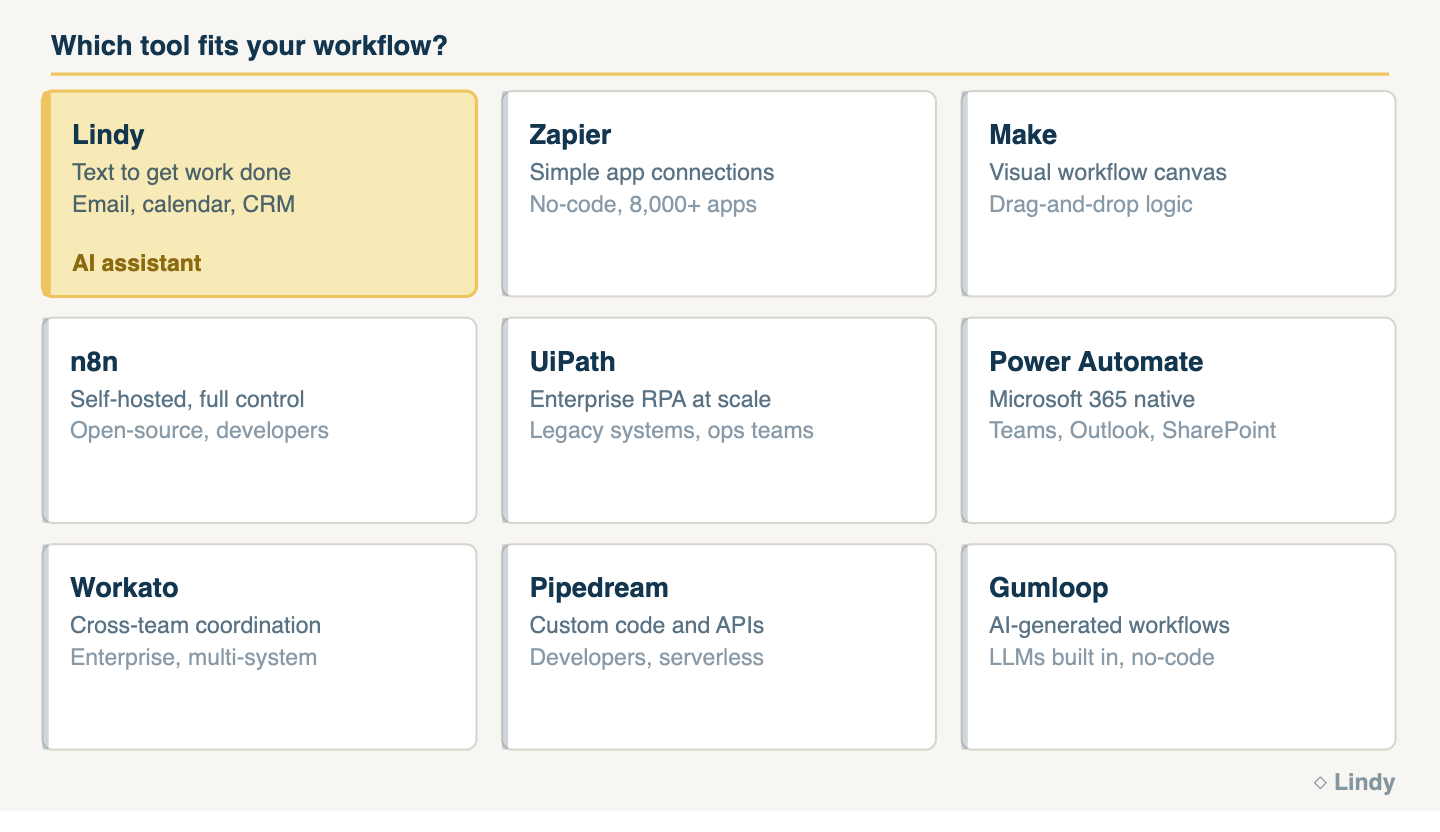
Choosing the right tool depends on your workflow complexity, technical comfort, and the tools your team already uses. Most platforms overlap in features, but they behave very differently once you start using them in real workflows.
Which AI automation platform should you pick:
- If you need simple cross-app automation fast, Zapier is the easiest starting point.
- For enterprise-grade automation with governance, security controls, and legacy system support, go with UiPath or Tray.ai.
- Running a Microsoft 365-heavy org? Power Automate fits right into your existing environment.
- For complex cross-functional work spanning multiple teams, Workato handles the coordination and scale.
- Developers who want full code-level control over every step should look at Pipedream.
- If data ownership and self-hosting matter, n8n gives you that control.
- Visual thinkers who want to map out multi-step logic on a canvas will feel at home in Make.
- And if you want AI to generate the setup for you and reduce the manual effort, try Gumloop.
The better choice depends on how well the tool fits your setup and how reliably it runs without constant upkeep.
FAQs
1. What are AI automation platforms?
AI automation platforms are software platforms that automate repetitive tasks across apps using logic, integrations, and data processing. These tools handle workflows like scheduling, data syncing, and follow-ups by connecting systems together, reducing manual work while improving consistency and speed in everyday operations.
2. What is the best AI automation platform?
The right choice depends on your use case, workflow complexity, and technical comfort. Zapier works well for simple app-to-app integrations, while n8n and Make give you more control over complex workflows. The right pick comes down to which one fits how your team already works.
3. How do AI automation platforms work?
AI automation platforms work by connecting different apps and triggering actions based on events, rules, or inputs. They use integrations, APIs, and logic to move data, execute tasks, and handle workflows automatically, often combining multiple steps like data processing, notifications, and updates without manual involvement.
4. Are automation platforms the same as AI agents?
Automation platforms are not the same as AI agents, although they overlap in some areas. Automation tools follow defined workflows and triggers. AI agents can make decisions, adapt to inputs, and handle tasks more dynamically. Most modern platforms now combine both approaches in a single system.
5. What tools can automate workflows with AI?
AI automation platforms are split into two main categories. Workflow platforms like Zapier, Make, n8n, and Workato connect apps through triggers and rules you configure. AI work assistants take a different approach: you describe the task, and the assistant handles the steps. The right choice depends on whether you want to build logic or just delegate the work.










