AI for Administrative Tasks: Best Tools and Real Use Cases
Lindy broke down eight AI tools for administrative work, including SaneBox, Fireflies, and Grammarly, across email, scheduling, documents, and reporting, weighing integrations and pricing.


My first week handling admin solo, I missed a follow-up with a vendor because the email got buried under meeting invites and a newsletter digest.
The deal didn't fall through, but it took an awkward phone call and half a morning to fix. That one incident cost more time than the task itself ever should have. That's when I started taking AI for administrative tasks seriously.
I tested more than a dozen tools across inbox management, meeting workflows, document processing, and reporting. Some were built for large teams with dedicated IT. Others were too narrow to handle more than one job. A few did save time from day one.
The tools in this guide are the ones that held up. Each one has a clear job, connects to the apps most teams already use, and cuts down on the manual work that quietly drains focus every day.
Here's what I found.
AI for administrative tasks: TL;DR
| Tool | Best for | What it helps with |
|---|---|---|
| Reclaim.ai | Scheduling and calendar management | Automatically plans meetings, tasks, habits, and focus time |
| SaneBox | Inbox triage | Keeps important emails visible and manages follow-ups |
| Lindy | AI assistant for administrative work | Runs multi-step admin work across email, meetings, CRM, and approvals |
| Rossum | Transactional document processing | Automates invoices, validation, and posting into finance systems |
| Akkio | Reporting and insights | Builds recurring reports and explains performance trends |
| Fireflies.ai | Meetings and follow-ups | Transcribes calls, extracts actions, and syncs updates |
| M-Files | File management and search | Finds documents by context, manages versions, and routes approvals |
| Grammarly | Business communication | Improves clarity, tone, and consistency across writing |
What are AI tools for administrative tasks?
AI tools for administrative tasks are platforms that handle repetitive daily work on your behalf, so you spend less time coordinating and more time on the work that matters. That definition sounds simple, but there's a spectrum.
The simpler tools fix one email before it goes out. The more capable ones, like Lindy, can read that email, draft a reply, update your CRM, and schedule a follow-up call from a single instruction.
AI tools work best when they handle that kind of recurring, low-stakes work automatically, so your attention stays on the decisions only you can make.
How to choose the right AI tool for admin work
To choose the right AI tool for admin work, look at how well it connects to your tools, how easy it is to use, how it is priced, and how safely it handles data. Once you know that, it becomes much easier to see which platform fits your day-to-day admin work.
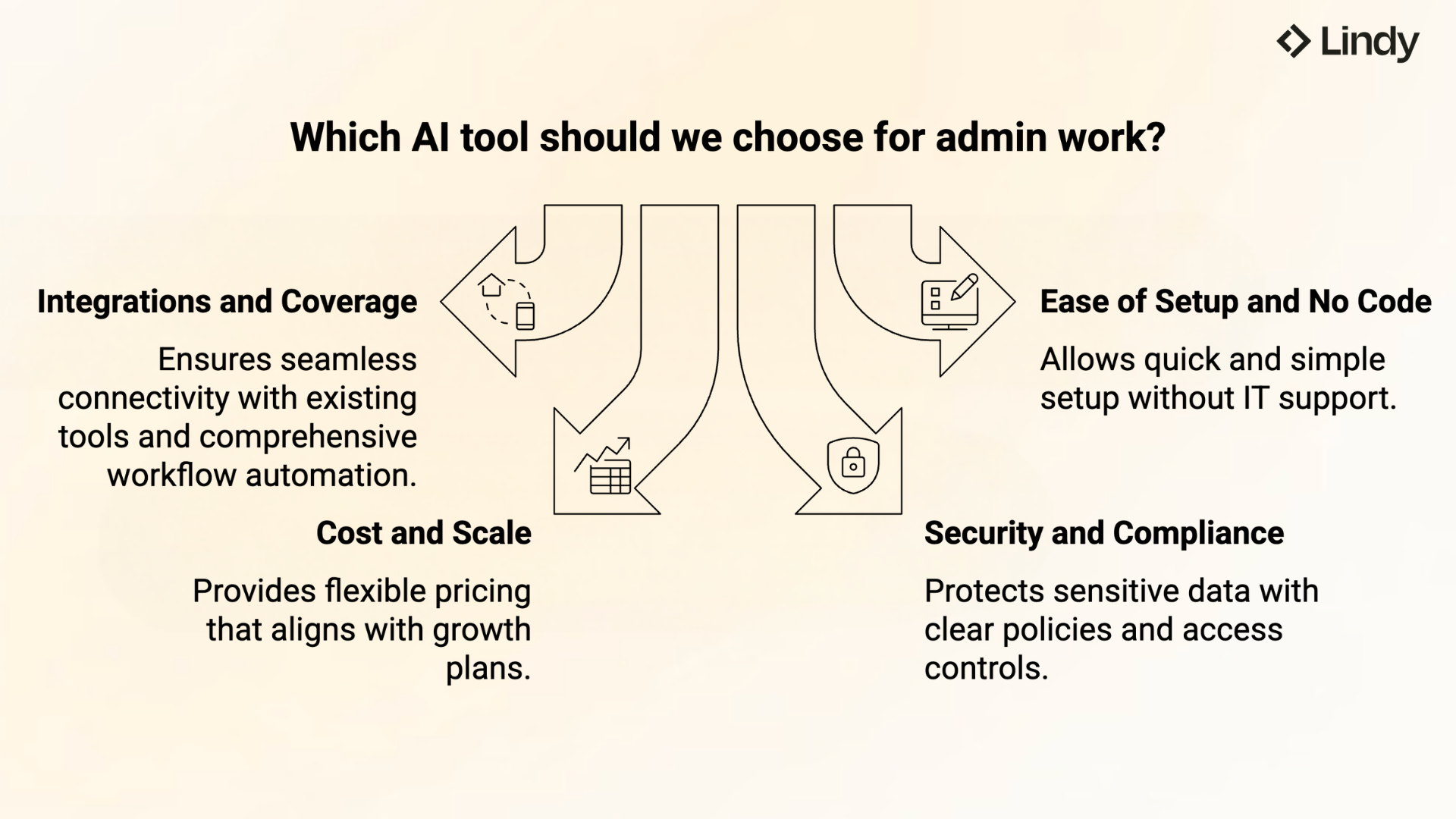
- Integrations and coverage: A good AI admin tool should connect to your email, calendar, drive, CRM, HR, and chat, and be able to both read and write data. It should also trigger actions across more than one app in the same workflow. With Lindy, you can text an AI assistant what you need done, and it handles tasks across Gmail, Slack, Notion, and hundreds of other apps.
- Ease of setup and no-code: Admins and assistants need tools they can set up without IT. You should be able to tell the assistant what you need in plain English, not rely on scripts or custom code. Lindy is built for that kind of simplicity, so you can ask it to handle admin work without turning setup into a project.
- Cost and scale: Do not look at the monthly price; think about users, workflow volume, and how costs grow as you automate more. Small teams may be fine with cheaper, limited tools, while larger teams need pricing that still works when automation runs all day. Make sure the model fits your growth plans, not your current usage.
- Security, compliance, and controls: Admin work includes sensitive data such as invoices, HR files, contracts, and internal emails, so your AI tool must protect it. Look for clear data handling policies, role-based access, and audit logs that show who did what. This is essential once you let admin AI act inside your systems and touch money, accounts, or personal data.
Lindy, for example, works across email, calendar, docs, and business tools, so you can ask it to handle repetitive admin work from a single instruction. Finding a tool with these capabilities is key when searching for the best ai assistant for professionals.
1. Reclaim: Best for scheduling and calendar
What it is: Reclaim is an AI calendar tool that automatically plans your meetings, tasks, habits, and focus time across Google and Outlook.
What it does: Reclaim watches your schedule and fills open time intelligently. When priorities shift or meetings move, it reshuffles everything so your week stays balanced without you touching it. This auto-scheduling approach is a hallmark feature of modern ai planner software designed for busy schedules.
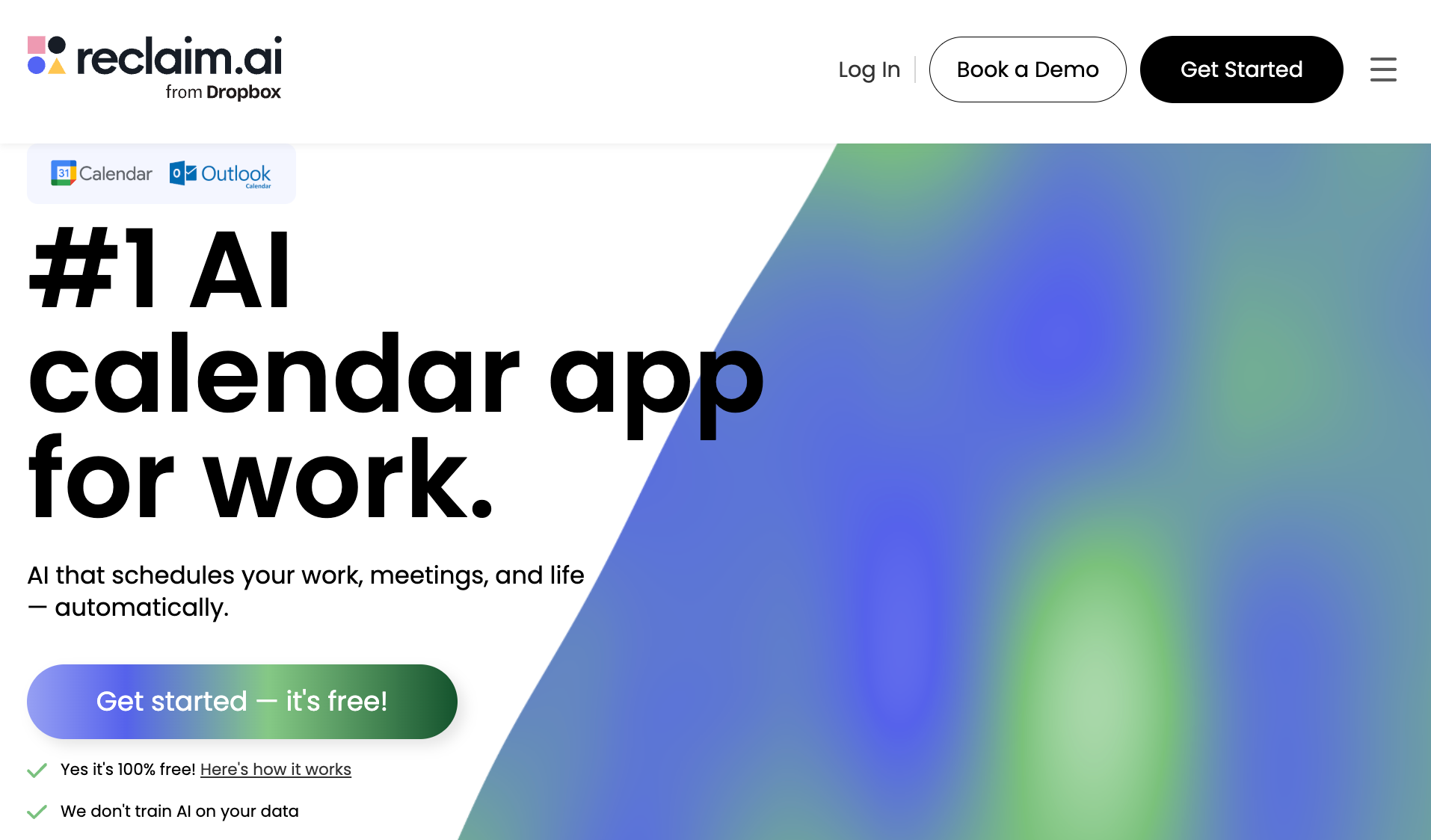
Reclaim feels like the calendar tool you reach for when your week is already packed, and you’re tired of playing Tetris with meetings, tasks, and “I’ll do it later” work blocks. Choosing the best daily planner helps keep your schedule structured and workload manageable.
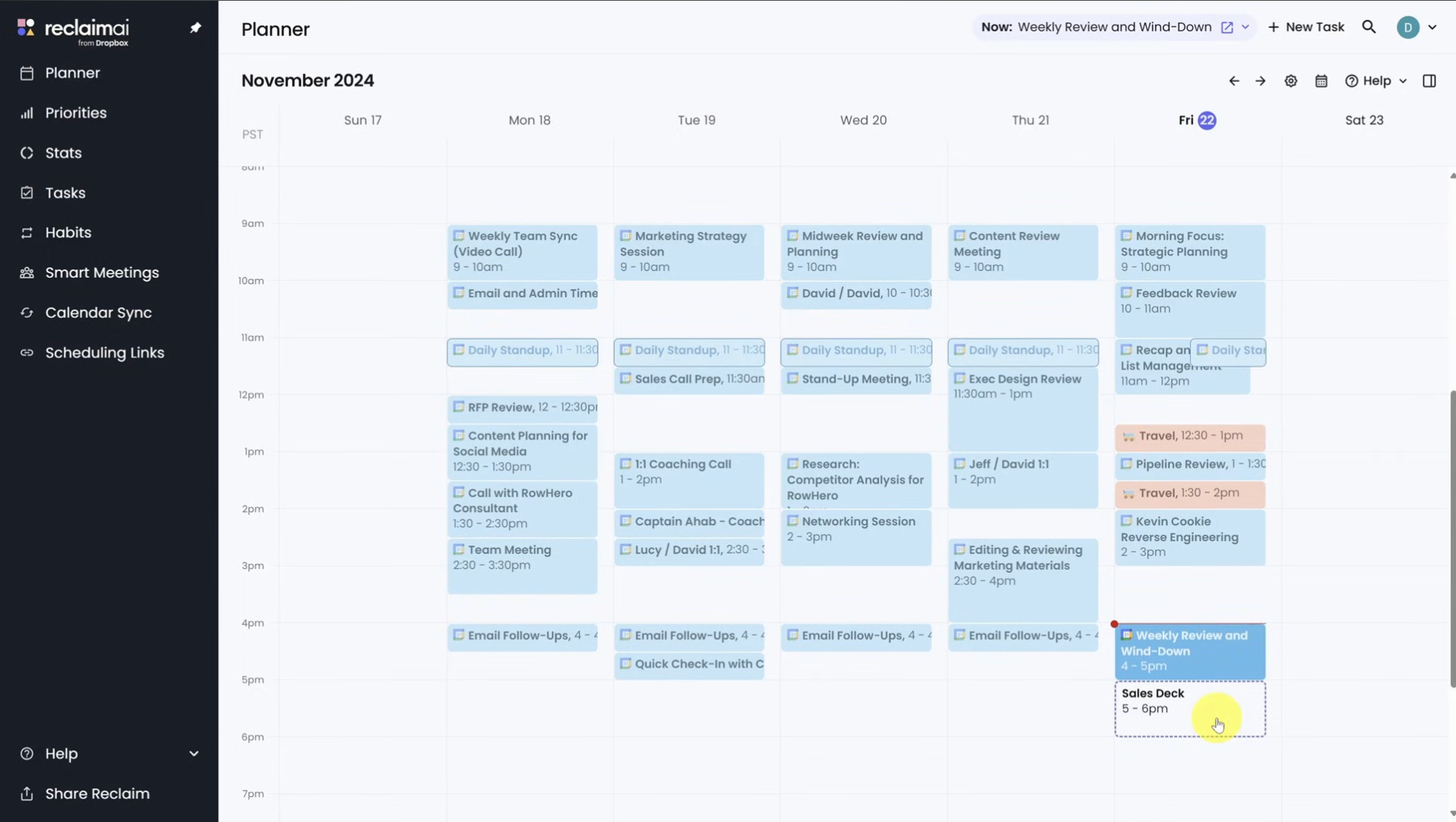
It’s not a simple scheduling link. It actively orchestrates your whole week by automatically placing work, meetings, routines, and focus time, then reshuffling things when priorities change. Understanding these dynamic features is key when evaluating the best ai scheduling assistant for your workflow.
Start by connecting your calendar (Outlook / Google) and setting a few rules. Reclaim then auto-blocks focus time, schedules tasks around deadlines, and breaks larger projects into workable calendar slots.
If you rely on recurring routines, Reclaim handles them as Habits.
That means they aren’t locked to a single time. When meetings shift or new work shows up, those routines automatically move to another open slot instead of getting pushed off the calendar entirely.
Meeting booking is smarter too. Its scheduling links show more than open time. They factor in priorities and surface slots that can be auto-rescheduled. That's why people often compare Reclaim favorably to Calendly. It books meetings faster without disrupting the rest of the day.
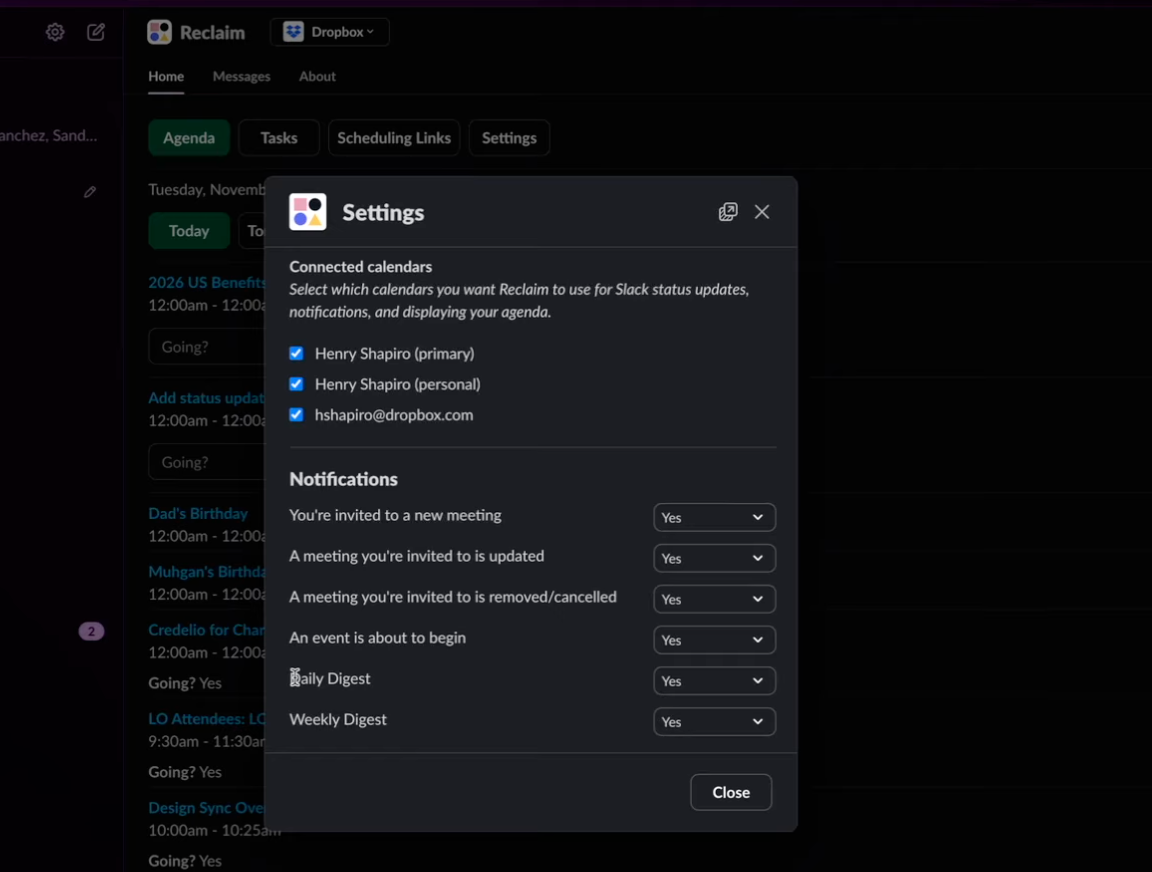
If your team lives in Slack, jumping back and forth between messages and your calendar gets messy fast. It’s easy to miss conflicts, forget to RSVP, or overlook changes when your schedule is packed.
Reclaim’s Slack integration pulls your agenda, conflicts, and reminders directly into Slack, so you can review, adjust, or act on scheduling issues without leaving the tool you’re already in.
What real users say
- "Some advanced features are locked behind higher-tier plans, which can be a limitation depending on how deeply you want to integrate it." - Samanta J. G2
- "Reclaim.ai works around my schedule, never touching the appointments I already have, but creating buffers before and after them." - Etai R. G2
Features
- Buffer time: Automatically adds breaks and travel time between meetings and work blocks
- No-meeting days: Prevents meetings on chosen days while still scheduling tasks and habits
- Planner Omni Bar (web): Shows what’s happening now, join meetings, start or pause habits
- Time tracking and analytics: Tracks meetings, tasks, and focus time to reveal weekly patterns
- Calendar sync: Syncs work and personal calendars without exposing private event details
Pricing
There’s a free Lite plan if you only want the basics. Paid plans start at $12 per seat/month, and the Business plan sits at $18 per seat/month if you need the extensive team features.
What we shipped this month (and what’s next for 2026!) | Reclaim.ai December Founders Webinar
2. SaneBox: Best for email inbox
What it is: SaneBox is an AI inbox filter that works inside Gmail, Outlook, or any email provider you already use.
What it does: SaneBox watches how you handle email and sorts incoming messages automatically. Important emails stay front and center. Everything else moves out of the way until you're ready for it.
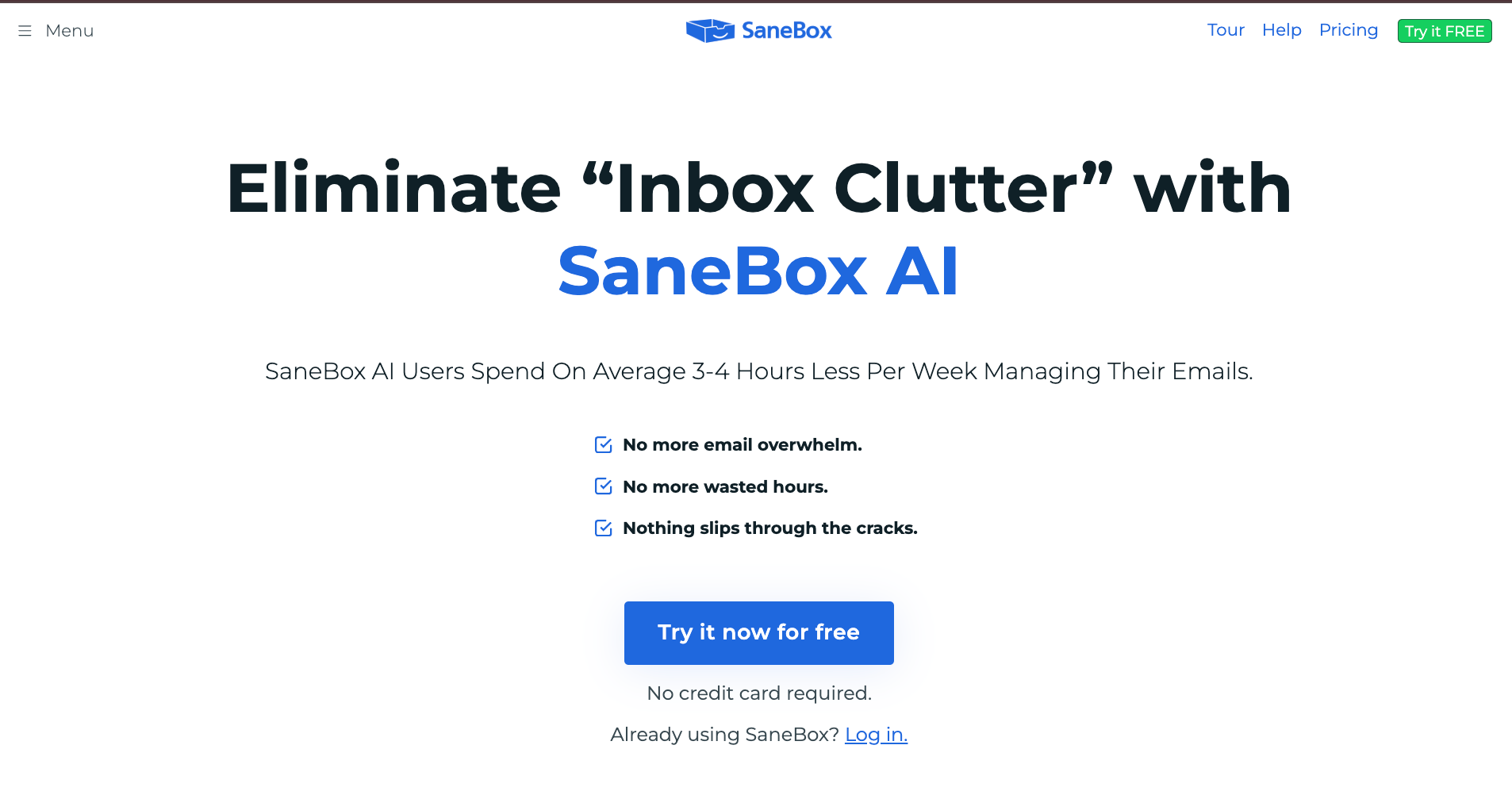
A friend who runs a local agency once lost a lead simply because he didn’t reply in time. The email was there, but it got buried. When your inbox is cluttered, important messages slip past while newsletters and receipts take over your attention.
This is where SaneBox helps. It works directly inside Gmail, Outlook, Yahoo, iCloud, or whatever provider you already use. There’s no new interface to learn.
Once connected, SaneBox watches how you handle email. It starts sorting messages based on what matters to you. Important emails stay front and center. Everything else gets routed out of your main inbox automatically.
For admins, this removes constant low-grade interruptions.
Newsletters, receipts, and “FYI” messages stop breaking your focus, but they’re not gone. They show up later in a single digest, so you can scan or bulk-handle them when you have time.
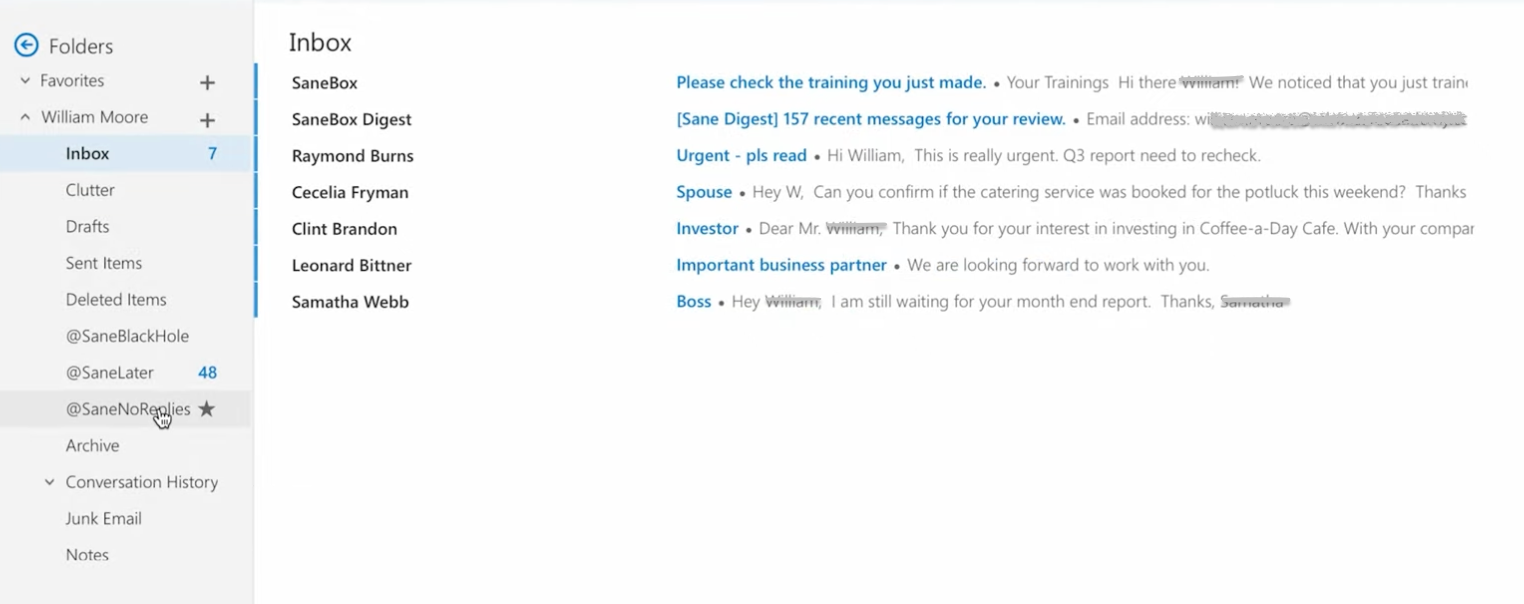
If a sender consistently wastes your attention, you can drop them into the SaneBlackHole and never see their messages again.
But again, admin work is full of small tasks that quietly pile up over the day.
SaneBox helps by letting you set reminders for emails that haven’t been answered. You can snooze messages until a specific date. I’ve used this for internal requests that need action later, like budget approvals or onboarding steps scheduled for next week.
What real users say
- "My inbox used to be unmanageable. Now it's under control — and stays that way." - Tom B., Capterra
- "The simplicity is the greatest strength, but also the greatest weakness." - Heiko v., G2
Features
- Digest: Groups unimportant emails into one summary for fast bulk actions
- SaneLater: Automatically moves low-priority emails out of your main inbox
- Email Deep Clean: Quickly identifies old emails you can delete or archive to free space
- Encrypted credentials: Login details are encrypted and used only to organize your inbox
- Works across devices: Runs inside email on desktop, iOS, Android, and mobile browsers
Pricing
There’s a 14-day free trial. Paid plans start at $9.99/month, with the most popular plan at $17.99/month if you’re managing multiple inboxes daily.
AI Inbox Mastery Webinar with Stephen Robles, Ricardo Signes (Fastmail), & Dmitri Leonov (SaneBox)
3. Lindy: Best AI assistant for administrative work
What it is: Lindy is an AI assistant you text to handle administrative work across your inbox, calendar, CRM, and meetings.
What it does: You can text Lindy directly or through the iMessage integration, and it handles the work without you manually setting up triggers or anything. It also lets you choose from different AI models and set approval steps so you stay in control of what goes out automatically.
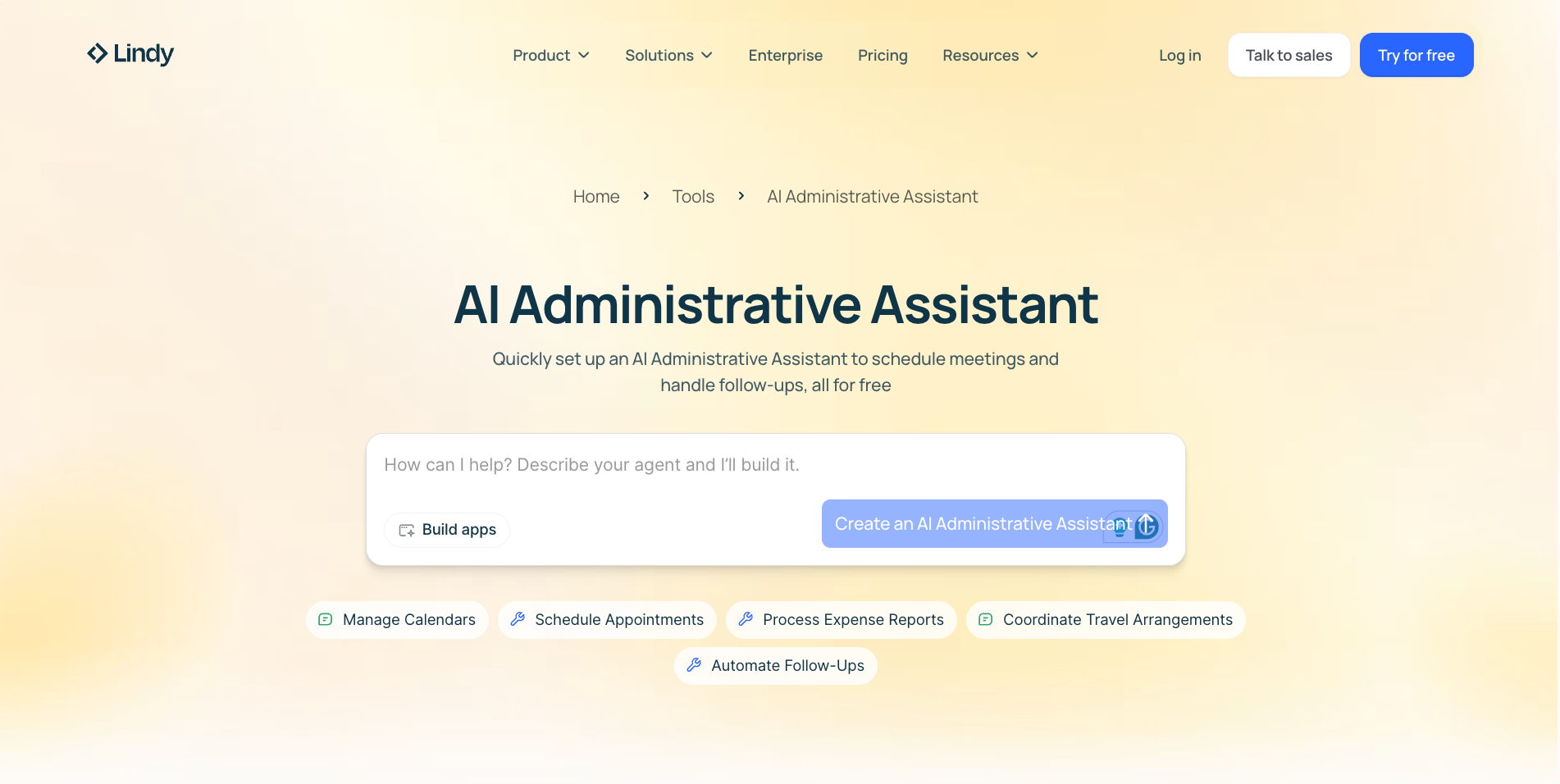
Lindy can read your emails, update records, schedule meetings, transcribe calls, and draft follow-ups without you doing it all by yourself.
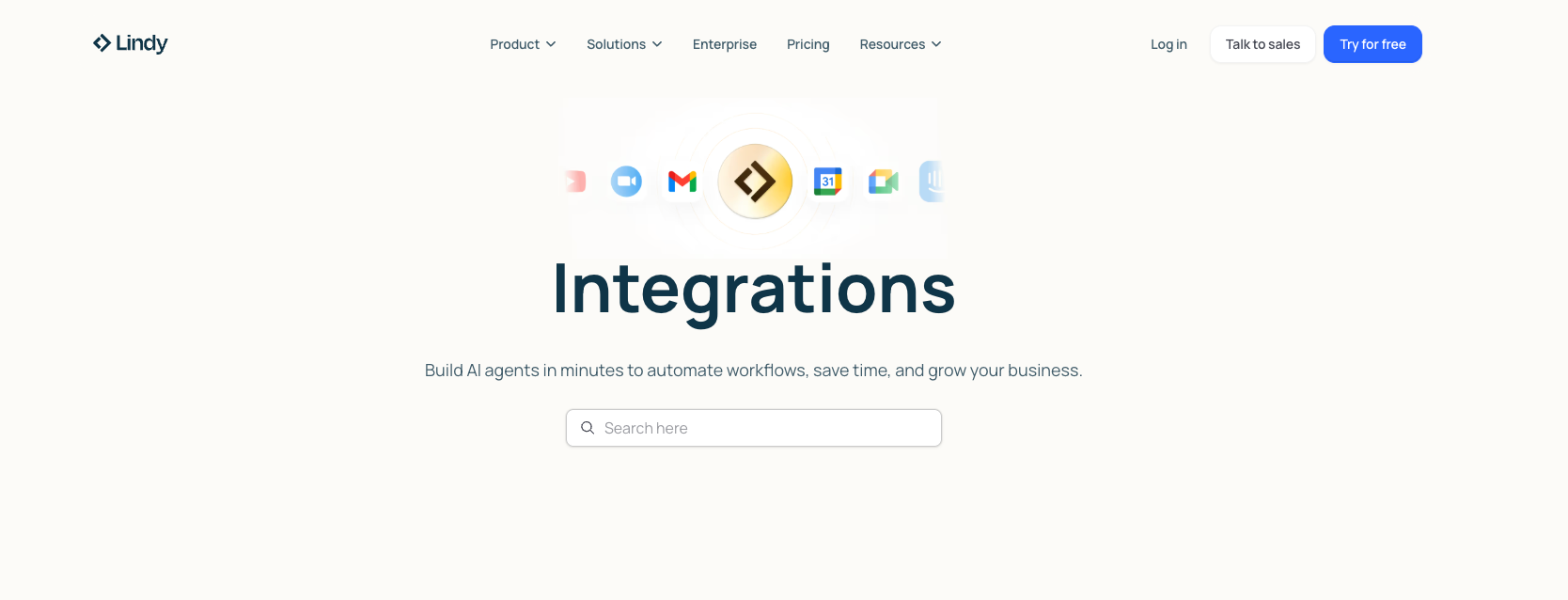
Getting started is simple. You can tell Lindy what you need in plain English, connect the tools you already use like Gmail, Slack, Salesforce, Google Calendar, and Zoom, and let it handle the work from there.
Lindy works across hundreds of integrations, so it fits into the tools your team already uses instead of forcing you into a narrower setup. If your work spans multiple apps, Lindy can handle tasks across them without making you simplify how you work.
Lindy can also handle multiple parts of the work at once.
You finish a sales call. Lindy transcribes it, pulls out the budget, timeline, and pain points, updates Salesforce, drafts the follow-up email, and posts an update to Slack. By the time you’re back at your desk, most of the cleanup is already done.
Before Lindy takes action, you can test it or have it pause and ask for approval before moving forward.
For teams in regulated environments, SOC 2 Type II and HIPAA compliance are already in place, so security conversations don’t slow things down.
What real users say
- "Having the assistant proactively reach out to take things off of your plate is just such a sigh of relief." - David Gabriel, Lindy Case Study
- "Lindy stood out due to its focus on cross-tool actions and real task execution." - Sruthi Angel, Product Hunt
Features
- Email triage and responses: Prioritizes messages and drafts replies using context and past conversations
- Meeting notes and actions: Records calls, extracts decisions, assigns tasks, and shares summaries automatically
- AI meeting scheduler: Manages availability, time zones, invites, and rescheduling without email back-and-forth
- 24/7 messaging access: Lets you text your AI assistant anytime, so you can delegate tasks, ask questions, and keep work moving without waiting for office hours
- Learns your style over time: Adapts to how you write and work, so replies, drafts, and day-to-day support feel more aligned with your tone and preferences
Pricing
Lindy comes with a 7-day free trial. Once it ends, you can switch to the Plus plan at $49.99/month.
Lindy AI Review: Best AI Assistant for Business Automation?
{{templates}}
4. Rossum: Best for transactional document automation
What it is: Rossum is an AI document processing tool that handles invoices, purchase orders, and transactional documents end-to-end.
What it does: Rossum reads incoming documents, extracts and validates the data, applies business rules, and posts everything into your finance systems automatically.
At some point, document work stops being about files and starts becoming about risk. Invoices, purchase orders, contracts, and forms keep coming in, and each one carries approvals, compliance checks, and downstream consequences if something goes wrong.
This is where Rossum fits and handles your transactional documents end-to-end.
Once documents arrive, whether through email, scanners, shared drives, or integrations, Rossum reads them, extracts the data, and validates it. Next, it applies business rules before pushing it into your systems.
Say an invoice comes in with a new vendor, mixed tax lines, and a total that doesn’t quite match the records. Instead of stopping everything, Rossum reads the document, applies the correct tax and GL codes, checks for duplicates, and flags whether an early payment discount applies.
If something looks off, it routes the exception for review with the context already attached.
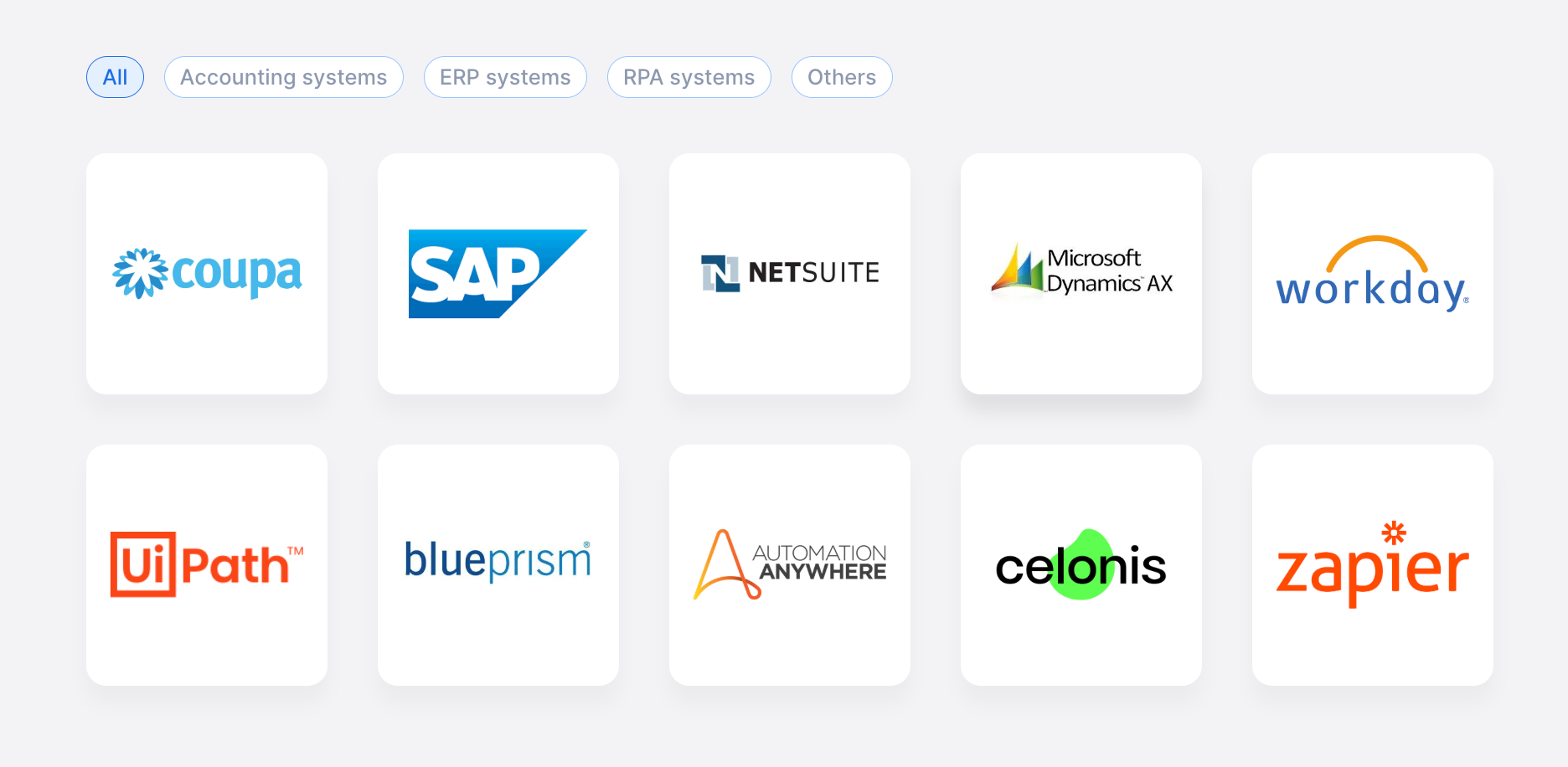
It integrates with accounting, ERP, and RPA systems. Workday, Automation Anywhere, UiPath, and Zapier are supported, so document data doesn’t get stuck waiting for manual uploads.
That said, Rossum is clearly built for larger organizations. If you’re a smaller team or still scaling, lighter tools like Nanonets or DocParser can handle document extraction at a much lower cost.
If you’re curious, you can do what I did. I booked a demo to see how Rossum handles real documents. After that, you can take the 14-day trial and decide for yourself whether it cuts down the manual work you’re dealing with.
What real users say
- "The user interface is simple and intuitive, making it easy to navigate." - Nuno F., G2
- "The interface makes it fast for new people to understand how it works." - Finance AP Manager, Gartner
Features
- Exception handling workflows: Routes discrepancies for review with full context
- Multi-channel ingestion: Accepts documents via email, EDI, scanners, and PEPPOL
- Enterprise security controls: Built-in fraud detection, audit trails, and compliance logs
- End-to-end automation: Reads, validates, approves, and posts documents automatically
- Template-free document processing: Handles changing layouts without manual template maintenance
Pricing
Rossum’s pricing starts at $18,000/year and is aimed squarely at enterprise-scale document workflows. It’s worth it for big organizations, but likely overkill if your document volume is still small.
End invoice chaos in Coupa with Rossum's AI-powered AP automation
5. Akkio: Best for reporting and insights
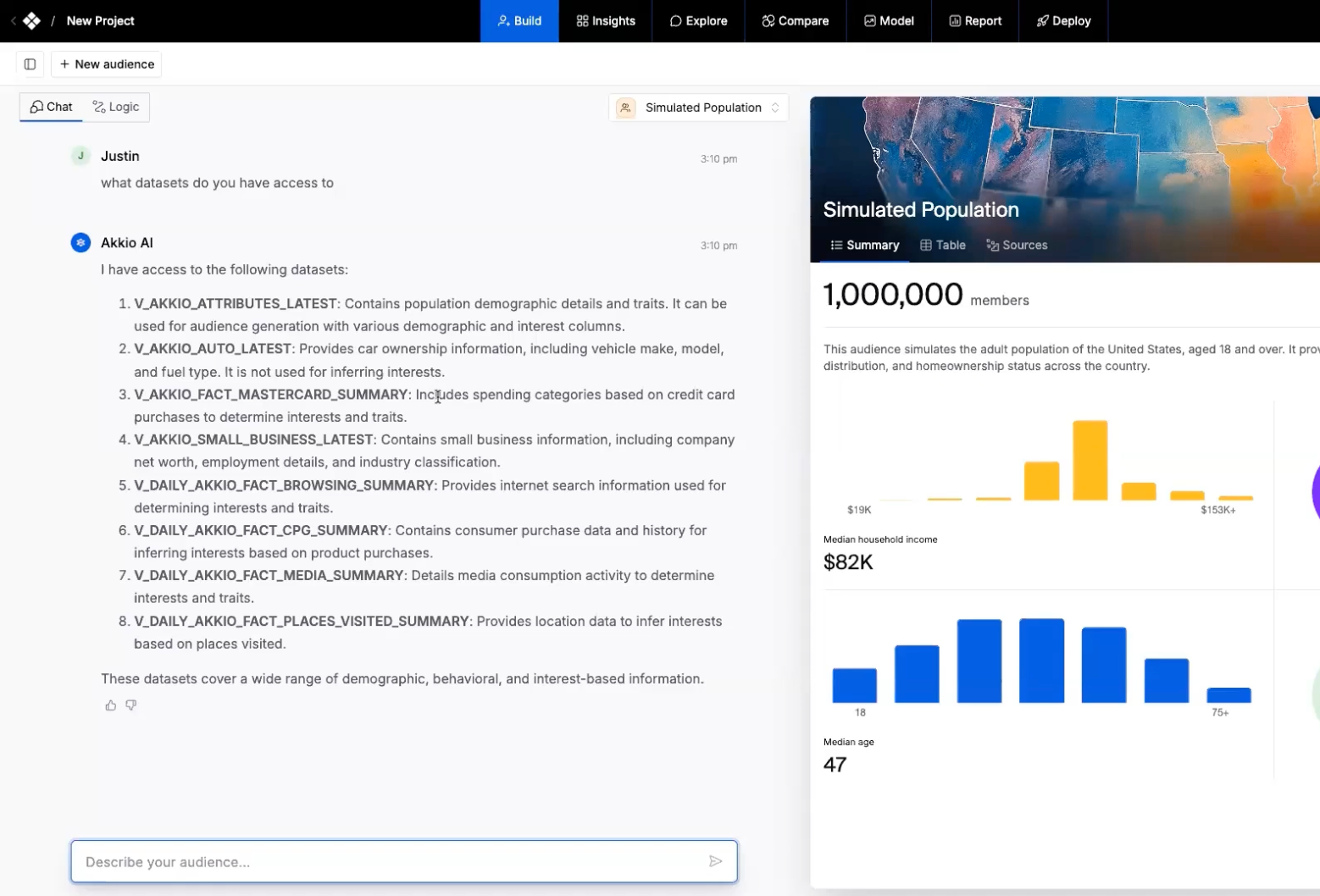
What it is: Akkio is an AI analytics tool that lets you ask questions about your data in plain language and get answers without building dashboards from scratch.
What it does: Akkio pulls insights from your data, compares performance across channels and time periods, and lets you save report templates so recurring updates take minutes instead of hours.
Instead of starting with dashboards or filters, Akkio lets you ask questions in plain language and works backward from there.
You can compare performance across channels, time periods, or campaigns side by side and immediately see where things are working and where they’re not.
If you want to know why a certain region or audience segment is outperforming the rest, you can ask that directly and drill down without rebuilding reports from scratch.
For recurring reports, saved templates are useful when a deadline is coming up.
Let's say you’re handling weekly performance updates. You set the report once and reuse it every week. Instead of rebuilding charts or double-checking filters on Friday afternoon, you refresh the data and send it out, knowing the structure’s still the same.
Akkio also doubles as a knowledge hub.
You can upload internal documents and data sources, then query them alongside performance data when planning future campaigns. That means insights don’t live in scattered files or someone’s memory. They’re searchable, comparable, and ready when decisions need to be made.
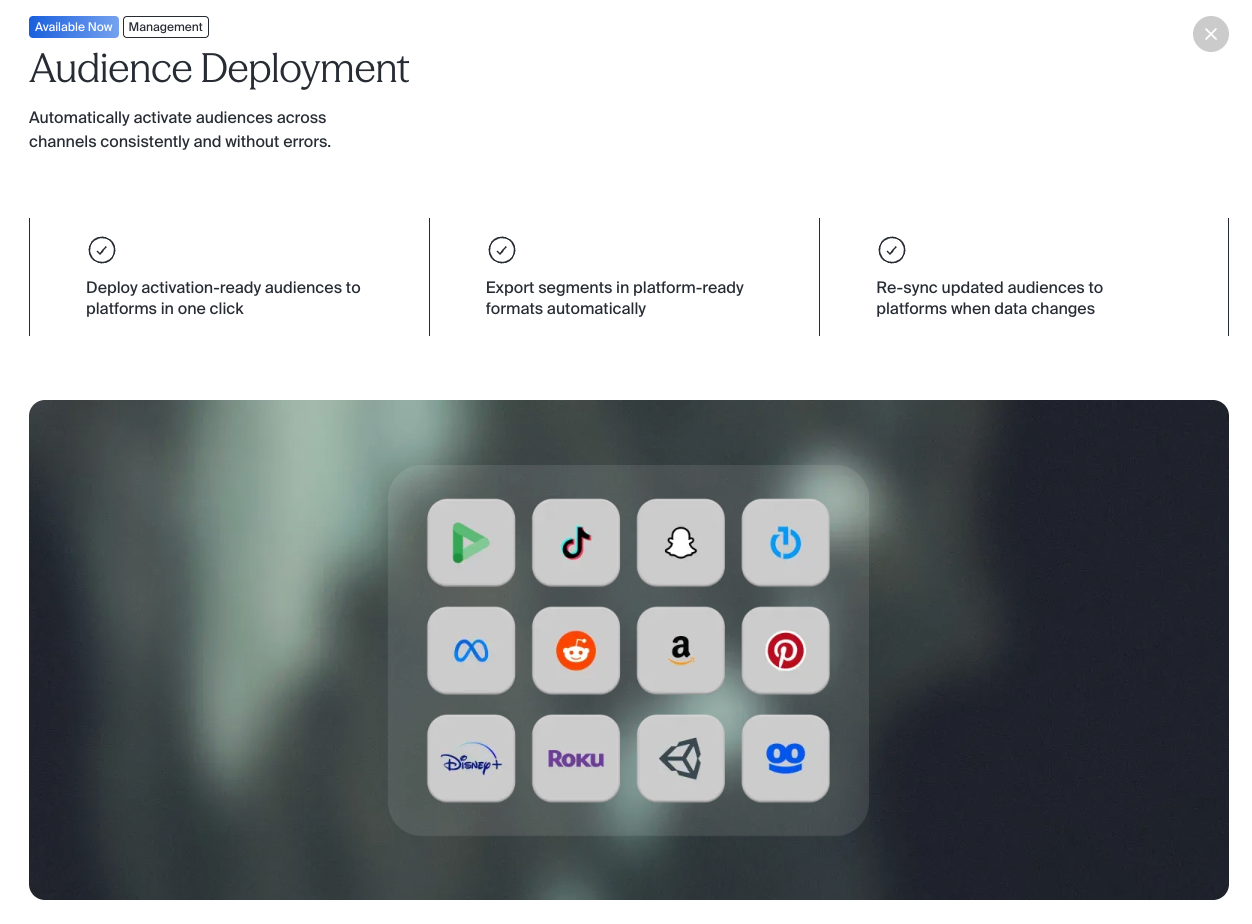
Audience deployment solves a different kind of headache. If you are running multiple campaigns across channels, you’d build an audience once and push it everywhere from the same place.
When the segment updates, Akkio re-syncs it automatically. That saves you from exporting files, re-uploading lists, and wondering whether every platform is using the same version.
What real users say
- "It felt less like old-school analytics and more like having a data scientist on-call." - Dilip Lakavath, LinkedIn
- "Akkio has transformed how we analyze customer behavior — the AI insights are invaluable." - Sarah J., NoCodeMentor
Features
- Propensity driver analysis: See which factors influence each conversion prediction
- Export and re-sync: Push segments to platforms and auto-update when data changes
- Media mix modeling: Compare multiple media scenarios side by side to optimize spend
- Lookalike audience modeling: Generate and fine-tune lookalike audiences with one click
- Geo segmentation: Analyze audience behavior by location using interactive, dynamic maps
Pricing
Akkio uses custom, enterprise-style pricing based on usage and needs. You’ll need to contact sales, which makes sense if reporting and insights are central to your workflow, but it may feel heavy for smaller teams.
Akkio's AI Infrastructure for Media Companies | Demo
6. Fireflies: Best for meetings, follow-ups, and transcripts
What it is: Fireflies is an AI meeting tool that joins your calls to transcribe, summarize, and organize conversations automatically.
What it does: Fireflies captures everything said on a call, pulls out decisions and action items, and pushes the results into your CRM, project tools, and email without manual cleanup.
Fireflies joins your meetings to transcribe, summarize, and organize conversations automatically. As soon as a call ends, you get structured notes with clear action items, decisions, and highlights.
If you’re dealing with back-to-back meetings, that alone removes a big chunk of manual cleanup work. It’s also common for admins to handle weekly check-ins, whether that’s with clients or internal teams for regular updates.
You don’t always get time to review everything after the meeting. So when you need a progress check or want to confirm what was discussed earlier, Fireflies.ai lets you search the transcript. Type in the keyword, speaker, or topic, and find the exact moment without relying on memory.
I’ve been using Fireflies for my personal meetings as well, and I think these newer AI features can help admins just as much. Take Live Assist, for example. You can ask questions mid-call and get answers based on what’s being discussed.
There are times when you miss a detail because of a network glitch or someone talking over another person. Instead of breaking the meeting flow, AskFred lets you quickly check what was said so you don’t lose context.
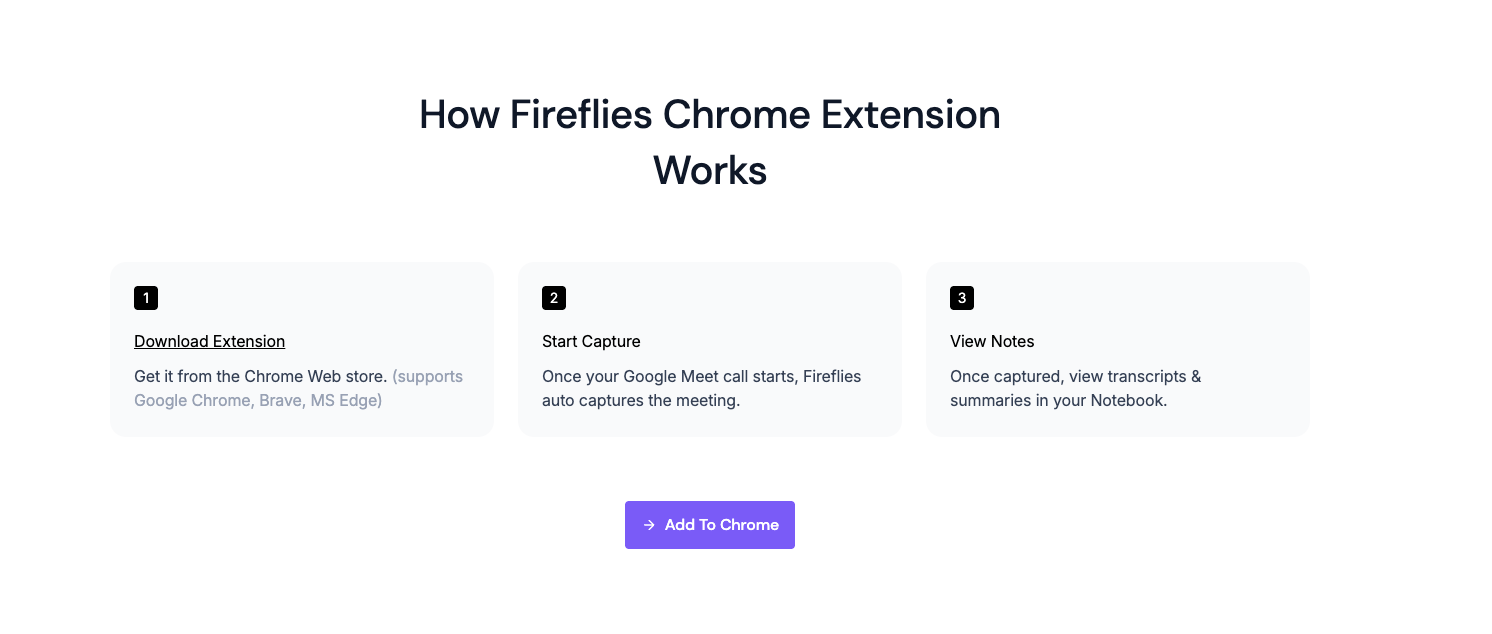
And if you’re on Google Meet, the Chrome extension lets you record and transcribe without adding a bot to the call, which keeps things simple.
Once meetings are done, Fireflies pushes insights into the tools admins already use. Call logs can be auto-filled in CRMs, tasks can be created in project tools, and follow-up emails don’t have to start from scratch.
What real users say
- "Fireflies accurately deciphers who is speaking in a video call and attributes their words to them — helpful when delegating tasks and keeping people accountable." - Peter B., G2
- "I like how fast and flexible Fireflies.ai is. It handles both virtual and in-person meetings, unlike many other solutions." - Nic K., G2
Features
- User groups: Manage secure access and sharing by creating separate groups for teams
- Soundbites: Clip and share important moments from meetings without sending full recordings
- Dialers and API: Transcribe calls from dialers or process specific audio files programmatically
- Channels: Organize meetings into team, project, or department-specific spaces for easier access
- Comments and bookmarks: Add time-stamped comments and bookmarks to highlight key moments
Pricing
Fireflies has a free plan for basic use. Paid plans start at $18/seat per month, with higher tiers unlocking unlimited summaries, recordings, and admin controls.
Fireflies Live Assist – Get real-time suggestions, answers, and notes live during the meeting
7. M-Files: Best for file management
What it is: M-Files is an AI document management system that organizes files by what they are rather than where they're stored.
What it does: M-Files classifies documents automatically using metadata, surfaces the right version when you need it, and routes approvals and reviews without manual tracking.
Instead of forcing you to remember where a document is stored, M-Files focuses on what the document is.
Files are automatically classified using metadata like client, project, document type, or status. You stop thinking about folders altogether. If you know who the document is for or what it’s related to, that’s enough to find it.
Think about a typical admin day. You’re asked for the latest contract tied to a specific client, or a policy document that was updated sometime last quarter.
With M-Files, you don’t scan folders or assign a task. You filter by client name, document type, or approval status, and the system surfaces the current version immediately. Even the permissions are already applied.
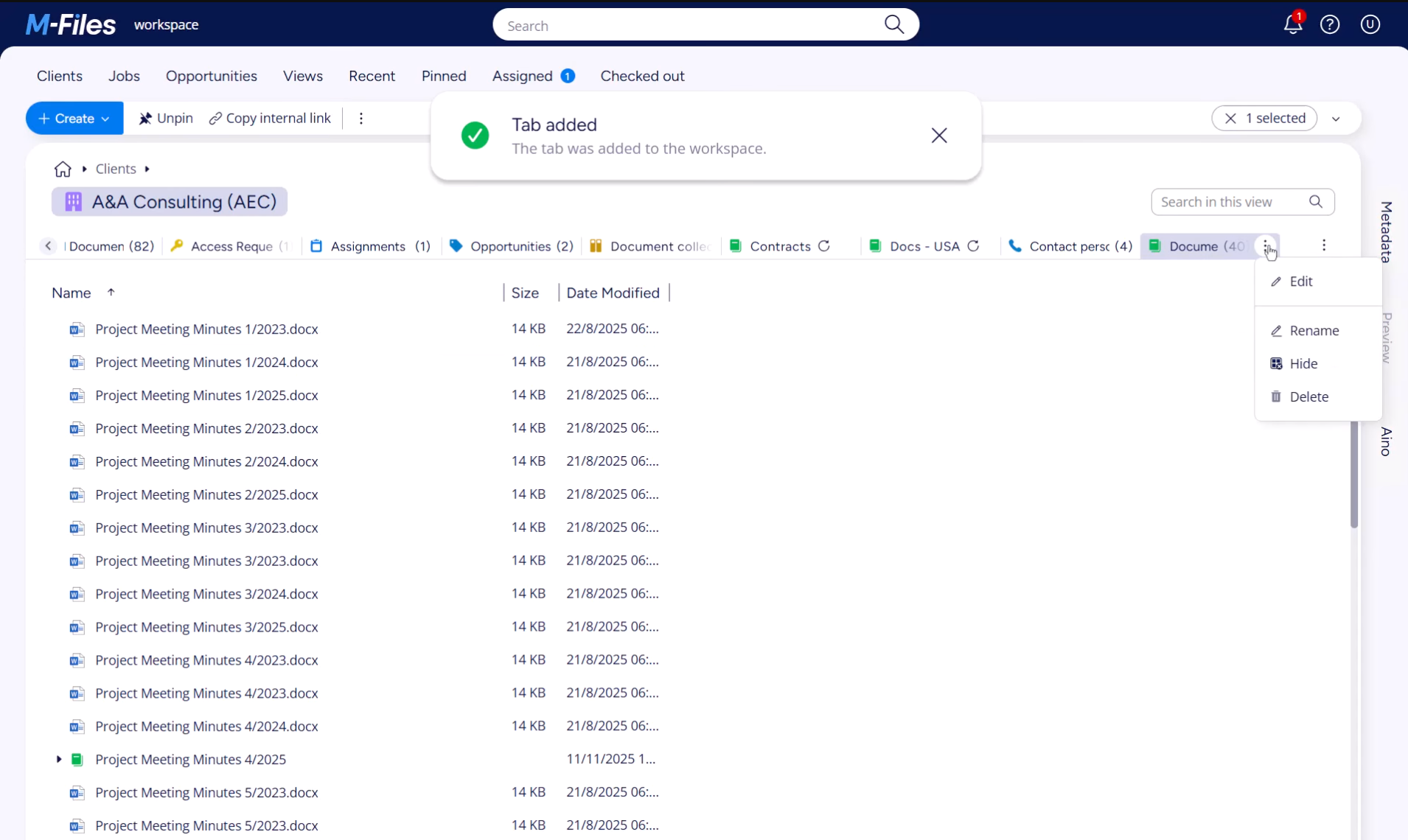
A friend of mine who works in a corporate setup introduced me to M-Files, and the feature he kept coming back to was Workflows.
When a document enters a process, like review or approval, assignments and notifications are triggered automatically based on metadata. That means you’re not spending time nitpicking, calling people, or manually tracking status. It keeps the whole process moving smoothly.
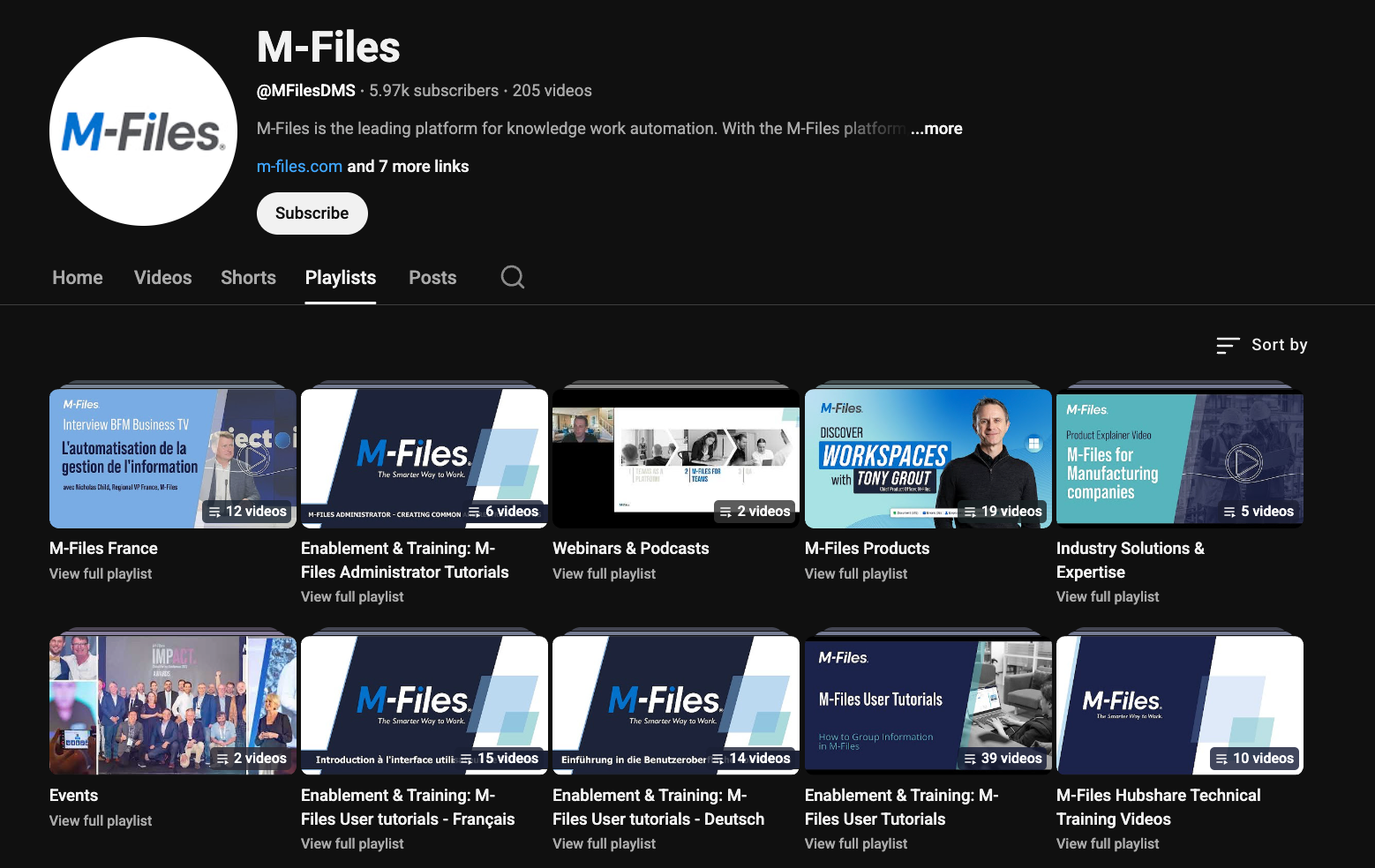
For teams using Microsoft 365, M-Files integrates directly with familiar tools like Word, Excel, Outlook, and Teams without changing how people work. If something doesn’t click right away, their YouTube channel has short tutorials and playlists that walk you through the basics.
What real users say
- "Once users get familiar with the metadata-based approach, it can save a lot of time when searching and managing files." - Arunmurugan S., Capterra
- "The initial setup was hard and took a lot of work." - Joakim N., G2
Features
- E-signatures: Integrated electronic signing via tools like Adobe Acrobat Sign
- Version control: Automatically maintains and surfaces the latest approved file version
- Workspaces: Role-based views with filters that surface only relevant documents and tasks
- Hubshare: Secure external collaboration portals for sharing documents with clients and partners
- Pre-built industry solutions: Ready-made configurations for accounting, manufacturing, and wealth management
Pricing
M-Files Essentials starts at $65/seat/month. Enterprise pricing is custom and tailored to larger compliance and governance needs. It's best suited for teams serious about long-term file structure rather than lightweight storage.
Introduction to New Features and Updates in M Files
8. Grammarly: Best for business communication
What it is: Grammarly is an AI writing assistant that checks grammar, tone, and clarity across emails, documents, and messages as you type.
What it does: Grammarly catches issues before they reach clients or leadership, and can be set up with your company's preferred tone and terminology so communication stays consistent across your whole team.
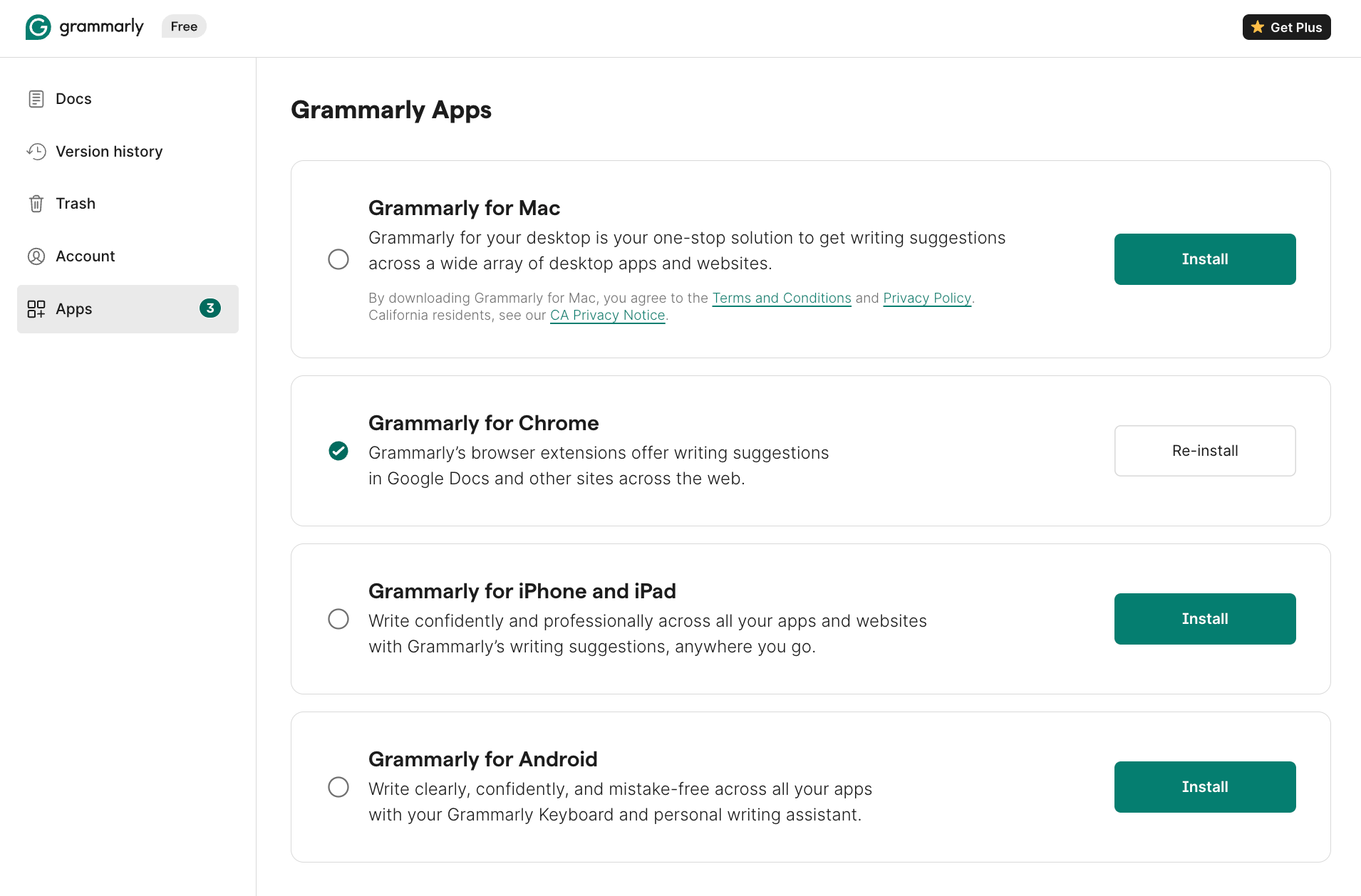
Grammarly runs inside Gmail, Slack, and Docs and flags mistakes as you type, before anything goes out.
If you’re an admin, you already know this situation. You’re sending emails on behalf of someone else, replying to clients, writing internal updates, or drafting something sensitive where tone really matters.
You don’t always have the luxury to rewrite things three times. Grammarly steps in while you’re typing and helps you say what you mean without sounding rushed, blunt, or unclear.
Even for blogs and articles, I use the Grammarly extension because it improves my writing across four clear metrics: correctness, clarity, engagement, and delivery.
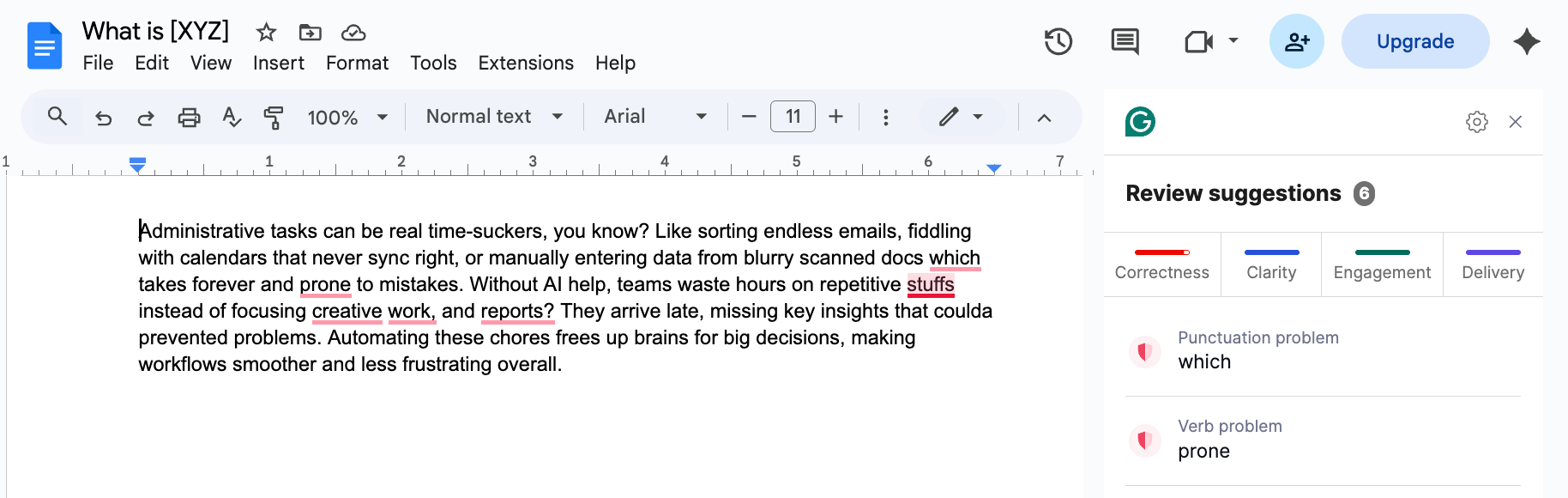
What I like is that you’re not forced to accept every suggestion. You can choose what feels important to change and ignore the rest. It also includes plagiarism and AI detection, which helps if you’re working under a clause that requires your writing to be original.
Let’s say different teams are emailing clients, partners, or vendors. Grammarly can be set up with your company’s terms, tone, and preferences so messages don’t feel all over the place.
You’re not fixing wording after the fact or explaining how something should’ve been written. The guardrails are already there.
What real users say
- "I can simply do my thing, let Grammarly do its thing, and send off stellar content to my clients." - Elna Cain, elnacain.com
- “Sometimes gives overcorrections. The premium pricing also feels a bit high for everyday users." - Harshul S., G2
Features
- In-line translation: Translates text while preserving grammar and tone suggestions
- AI Grader: Reviews writing against specific criteria or assignment-style expectations
- Plagiarism checker: Scans documents to confirm originality before sharing or publishing
- Citation finder and generator: Flags missing references and creates citations automatically
- Multilingual writing support: Real-time grammar help and in-line translation across multiple languages
Pricing
Grammarly's Basic plan is free, and the Pro plan starts from $12/month (billed annually). Enterprise pricing is available for larger organizations.
Find your voice with Grammarly | Meet Grammarly’s new tools
Ways to use AI for administrative tasks
Most admin work doesn't fail in one big moment. It fails in small, repeatable ones: the follow-up that never went out, the meeting notes nobody wrote up, the CRM field left blank after a call. AI tools fix exactly this kind of work, and they're most useful when matched to the right job.
Best ways to use AI for administrative tasks:
- Inbox triage and email management: AI can sort incoming messages automatically, keeping high-priority emails visible and moving everything else out of the way. For teams handling large volumes of client communication, this alone can recover two to three hours a week that would otherwise go to sorting, flagging, and catching up on buried threads.
- Meeting scheduling and calendar management: Back-and-forth scheduling is one of the most time-consuming parts of any admin role, and it doesn't need to be. AI can manage availability across calendars, block focus time, and reshuffle the week automatically when priorities change. The result is a schedule that stays organized without anyone manually touching it every time something shifts.
- Meeting notes, transcripts, and follow-ups: Most of what gets decided in meetings disappears within hours if nobody captures it. AI can join calls automatically, transcribe the conversation, pull out action items, and send summaries to the right people before the next task is already underway. It saves you from manual cleanup or chasing people for notes afterward.
- Document processing and file management: Invoices, contracts, and purchase orders pile up fast in any admin workflow. AI can read incoming documents, extract the relevant data, validate it against business rules, and file or post it into the right system automatically. Finding a document later becomes a matter of seconds rather than a folder search that goes nowhere.
- Reporting and business insights: Manual reporting means insights arrive after the moment has passed. AI can pull data from multiple sources, answer questions in plain language, and generate recurring reports without rebuilding the same structure every week. Teams spend time acting on information instead of compiling it.
- Multi-step work across tools: The most expensive admin work isn't any one task. It's the five-step process that touches three different apps and lands on your plate because no single approach handles all of it. AI can read an email, update a record, draft a reply, and schedule a follow-up in one go, without manual handoffs between tools or anyone having to start from scratch each time.
{{cta}}
Common mistakes to avoid when automating admin tasks
To avoid common mistakes when automating admin tasks, you need to start small, keep humans in the loop, and make sure each tool has a clear job. The goal when automating administrative tasks is less stress and fewer errors.
Here are the pitfalls to watch for:
| Mistake | What happens | How to avoid it |
|---|---|---|
| Over-automating without oversight | You turn on too many automations at once. Small errors spread, and people lose trust in the system. | Start with one use case. Keep approvals for high-risk steps. Review results often. |
| Tool sprawl and overlapping features | You end up with several tools doing the same job. Nobody knows which one is official, and data drifts out of sync. | Give each tool one job. Retire old setups. Keep your stack simple. |
| Picking a writing tool instead of an AI assistant that can take action | A writing assistant improves emails, but you still schedule, file, update systems, and chase people by hand. The work stops at drafting. | Pick a tool that can act in your apps. Use Lindy when the work needs to go beyond writing. |
| Ignoring training and simple governance | Nobody owns the automations. New staff do not know what AI can do, people bypass the process, and small changes never get documented. | Give ownership to one person or team. Document a few approved use cases. Review regularly. |
Try Lindy: The AI assistant you can text to get administrative work done
Lindy is one of the best conversational AI assistants out there. Instead of configuring triggers or building complex systems, you simply tell Lindy what you need in plain English.
Whether it’s managing your inbox, scheduling meetings, updating your CRM, or following up with leads, Lindy handles it.
Here’s what that looks like in practice:
- Get answers instantly: Text Lindy to pull information from your email, calendar, or CRM without digging through tabs.
- Send emails and follow-ups automatically: Ask Lindy to draft, personalize, and send outreach and handle replies.
- Take meeting notes and share summaries: Lindy joins meetings, writes structured notes, and sends action items afterward.
- Update your CRM without manual entry: After a call, Lindy logs notes and fills in missing fields automatically.
- Find and qualify leads in minutes: Tell Lindy your ideal customer profile and get curated lead lists ready for outreach.
- Hundreds of integrations: Lindy connects with the tools you already use, so everything stays in sync.
FAQs
1. Can administrative tasks be fully automated with AI?
Yes, administrative tasks can be fully automated with AI when they are repeatable and low risk, like scheduling, reminders, filing, and data entry. Other steps, such as approvals or policy changes, should keep a human in the loop. Lindy supports both, so you decide which parts run automatically.
2. Is AI for administrative assistants safe and compliant?
Yes, AI for administrative assistants can be safe and compliant if the platform gives you strong controls over data and actions. You should be able to limit access, require approvals, and see audit logs. Lindy is built with these controls so automation follows your policies, not the other way around.
3. How much time will using AI admin tools save?
AI admin tools can save several hours per person each week by cutting down on scheduling, email triage, data entry, and reporting. With Lindy handling repetitive administrative work, your team can spend more time on decisions and less time on repetitive clicks.
4. Do small teams benefit from AI for admin?
Yes, small teams do benefit from AI for admin because they often have no full-time assistant, so admin work falls on founders and leads. Using Lindy can offload scheduling, inbox cleanup, and reports, freeing up more time for customers and product work.
5. What platforms reduce admin with automation?
Lindy is one of the strongest options for reducing administrative work because it can handle tasks across email, calendar, docs, and business tools from a single instruction. You can also use Lindy alongside tools like Zapier, Make, or Monday.com when you already have simpler rules in place.









