How to Run a SaaS Demo with AI + Best Practices
Everett walked through running AI-assisted SaaS demos in five steps, from research and personalized scripts to live-call co-pilots and automated follow-ups, plus eight best practices.


I’ve run plenty of SaaS demos, and the biggest challenge is keeping them tight, tailored, and scalable.
That’s where AI comes in. It helps you personalize demos, handle objections, and follow up automatically without burning hours on prep.
In this guide, I’ll show you how to run a SaaS demo with AI in 5 steps, plus the best practices I use to turn more demos into paying customers.
Why Use AI for SaaS Demos?
AI can make your demos:
- Faster to prepare (auto-generate demo scripts or slide decks)
- Smarter during delivery (handle live Q&A or surface insights on the fly)
- Easier to scale (on-demand, self-serve demos for lower-touch prospects)
- More personalized (tailored to the prospect’s role, industry, or pain points)
Step 1: Start with Smart Research and Prep
A great demo begins way before the call. You need to understand your customer's job, company, problems, and goals. AI can greatly reduce the manual work here.
Here's what to do:
- Automate Lead Data:
- Instead of digging through LinkedIn and company websites, use an AI tool like Lindy that works with your CRM (Salesforce, HubSpot).
- Set up the tool to automatically grab and sort important contact info (name, job, email), company details (size, industry, money, tech they use), recent news, and social media activity.
- Set it up so that when a new lead comes in, the info gathering starts by itself. This way, you always have fresh data.
- Create a Quick Prospect Summary:
- Use AI to turn all that data into a short, useful summary about your customer.
- Ask your AI assistant specific questions to get insights that matter for your product.
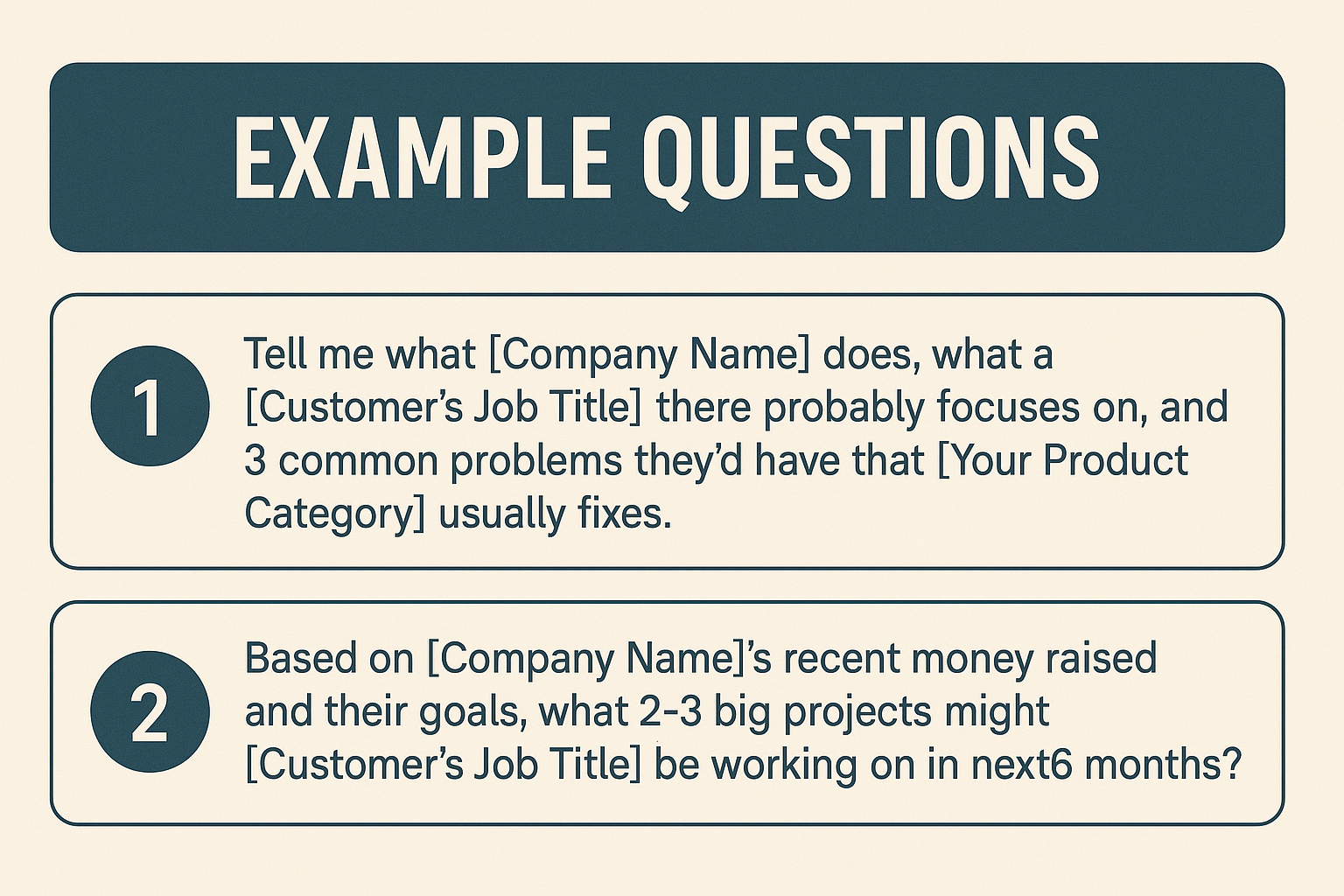
- Put Research in Your System:
- Make sure all your research is easy for your sales team to find.
- If you use tools like Google Sheets or Salesforce, link your AI platforms (like Lindy or Zapier with AI) to automatically push all this data into your CRM or a specific customer brief document.
- Make a standard "Demo Prep" template in your CRM that automatically fills with AI research. This keeps things consistent for your whole sales team.
This prep makes sure your demo talks directly about what the buyer cares about, not just what your product does in general.
Step 2: Build a Personal Demo Script
Generic demos don't work. Your story should change based on the customer's job (like a CTO versus a Head of Operations), their business type, and where they are in the buying process.
Here's how to do it:
- Use AI to Write Your Basic Script:
- Use AI to create custom demo scripts that speak to different types of buyers.
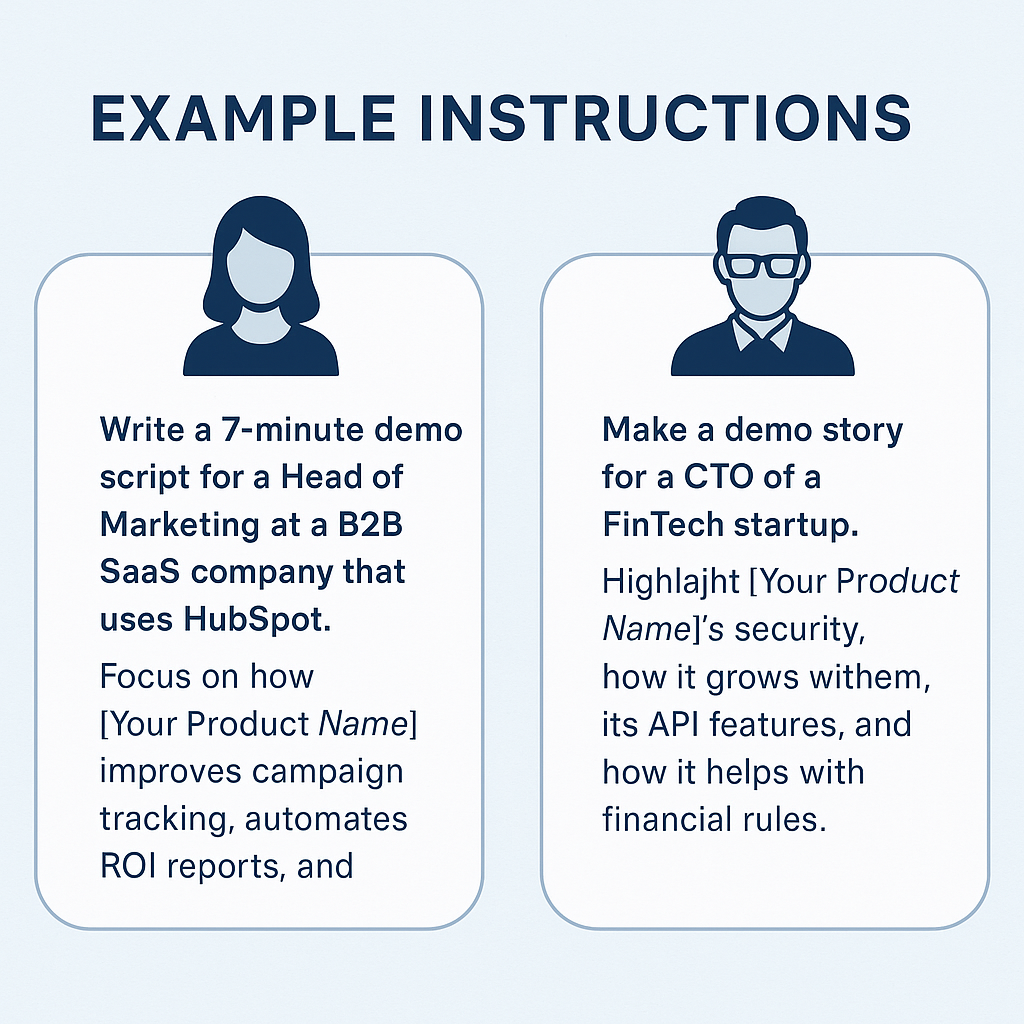
- Give your AI assistant detailed instructions based on your customer summary and what your product offers.
- Example instructions:
- Make Many Script Versions:
- Create different demo stories for various buyers (tech people, money managers, regular users, specific industries).
- Have AI make these versions automatically and save them as templates in a shared place. Label them clearly (e.g., #CTODemo, #MarketingLead).
- Practice with these different scripts inside your team. Make sure everyone can easily change their story to focus on what matters most for each audience.
- Add Pictures that Support Your Message:
- Add custom pictures that highlight your product's key benefits and features.
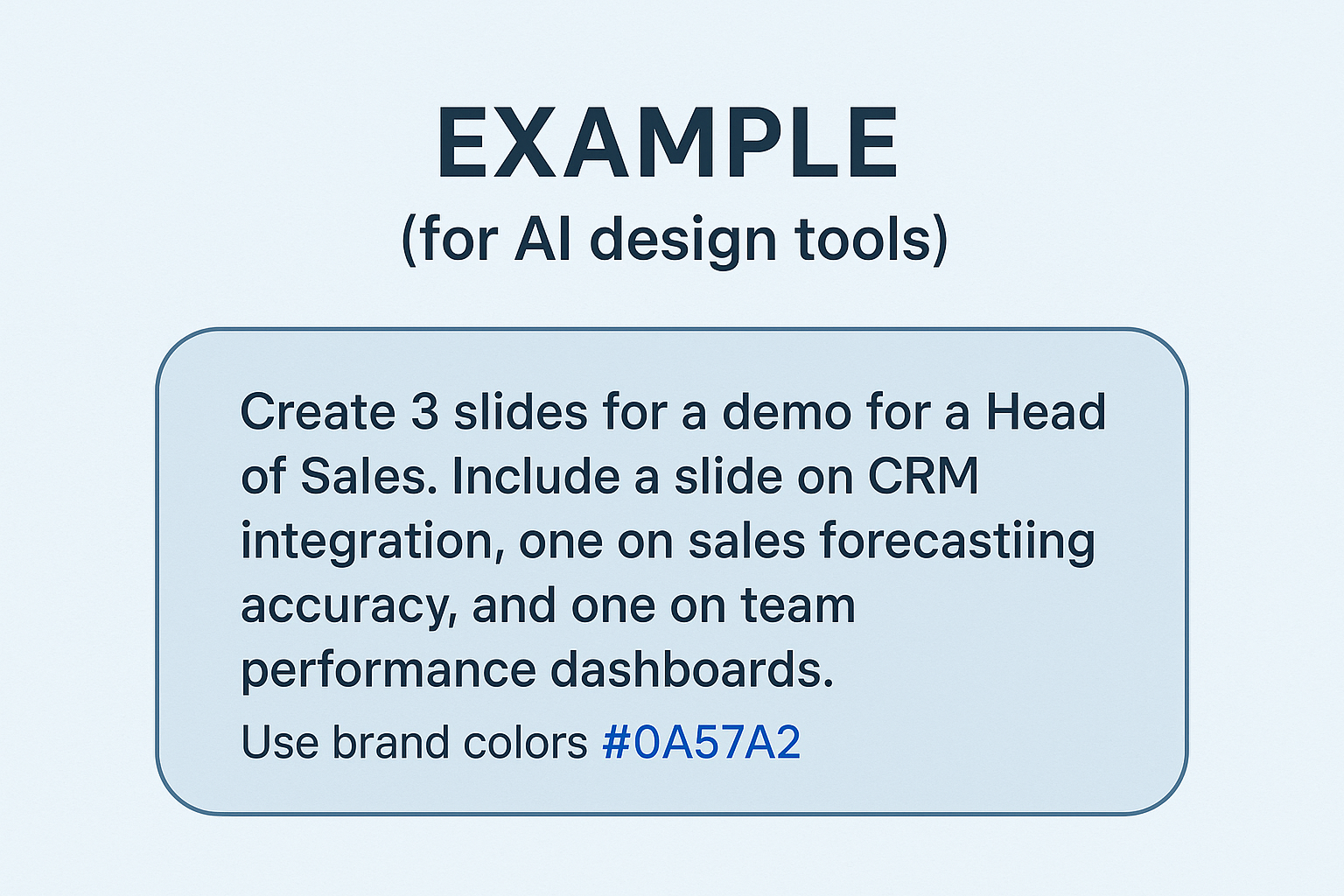
- Use design tools like Canva (which often have AI features) to quickly make slides, product tours, or even short animated clips.
- Example (for AI design tools):
- Include Customer Examples:
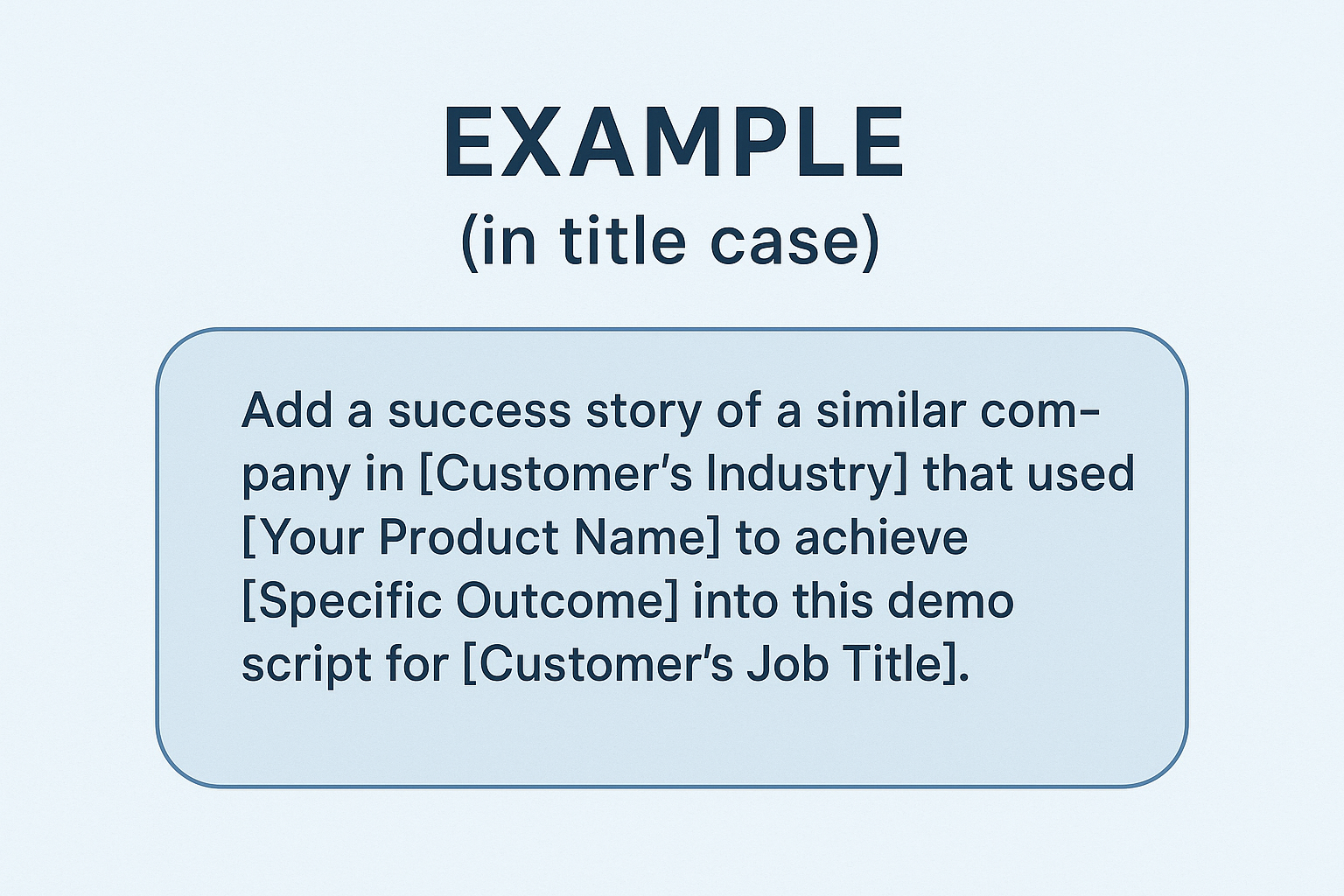
- Make your scripts better by talking about similar customer success stories or known customer problems.
- If your AI assistant can see your CRM history, old support tickets, or case studies, you can ask it to make scripts that include these things automatically.
This makes the demo feel like a personal chat, not just a product tour.
Step 3: Give the Demo with Real-Time Help
During the demo, you're not just showing things, you're guiding, listening, and adjusting. AI helps you focus on the conversation while doing other tasks in the background.
How to make your live demo better:
- Use an AI Note-Taker and Co-pilot:
- Automatically get transcripts, real-time insights, and smart Q&A help during the demo.
- Use an AI meeting helper that joins your video calls. These tools can write down what's said as it happens, pick out key points, summarize promises, and even flag possible issues.
- Teach your AI co-pilot about your internal knowledge base (FAQs, product info, competitor notes) so it can quickly show useful info or suggest answers to common questions right away, shown quietly to the sales rep.
- Get Quick Answers to Tough Questions:
- Don't say "I'll get back to you." Let an AI assistant quietly give you accurate answers immediately.
- During the demo, if a hard question comes up, you can quietly type your question into your AI assistant. It will quickly respond based on your internal documents, customer data, or product details.
- Practice using this during internal mock demos. Get good at asking quick questions and understanding AI answers without stopping the demo flow.
- See Engagement Live:
- Get immediate insights into how interested your customer is.
- Use tools that can look at how people act (like their voice tone or how long they stay on a slide). These tools can show when the customer is quiet, switches tabs, or really likes certain slides or features.
- Use these insights to adjust your speed and focus. If someone seems bored, switch to a different feature or ask a direct question to get them back. If they really like something, spend more time on it.
This real-time info helps you stay sharp and confident, without writing notes or searching for files during the call.
Step 4: Automate Follow-Ups That Don’t Feel Automatic
Most reps drop the ball after the call. The follow-up either takes too long, feels generic, or misses key discussion points. AI makes sure your follow-ups are quick, personal, and impactful.
How to automate follow-ups but keep them personal:
- Automatically Create a Summary Email:
- Make a full, custom follow-up email right after the demo.
- After the call, link your AI meeting helper to your email program. Ask your AI assistant to:
"Summarize the main points, what products [Customer Name] was interested in, and what we agreed to do next from this demo. Write a personal follow-up email that mentions our chat, includes links to case studies about [Topic 1] and [Topic 2], and attaches the one-page summary for [Feature X]."
- Set up your AI to automatically pull in details like the customer's company name, their specific problems, and what features they liked. This makes the email feel truly custom.
- Attach the Right Content Instantly:
- Automatically include materials that are most useful based on the demo.
- Set up links between your AI tool and where you store your content (like Google Drive). The AI can then find and attach whitepapers, case studies, product sheets, or testimonials based on what you talked about or what the customer showed interest in.
- Tag your content library well with keywords and how it's used. This helps AI pick the best materials for each follow-up.
- Send Updates to Your CRM:
- Stop updating your CRM by hand. Save time and keep data accurate.
- Set up AI to automatically update deal stages, log detailed call notes (summarized by AI), and assign tasks to the sales rep or others in your CRM right after the demo.
- Set clear rules for AI updates to keep your data clean. For example, "If 'next steps' are a trial, change deal stage to 'Trial Started' and create a task to 'Send Trial Access'."
- Set Reminders for Next Steps and Automate Setup:
- Make sure no follow-up actions get missed.
- If you talked about a trial, proposal, or another meeting, your AI assistant can set automatic calendar reminders. If it's linked to your product's backend, it can even set up the trial or create a custom proposal based on the demo details.
- Use if-then rules. For example, "If customer asks for a trial, automatically send trial link AND create a task for rep to check in after 3 days."
This frees you up to go to your next call while your follow-up keeps working for you, making your sales process much faster.
{{templates}}
Step 5: Learn from Every Demo and Get Better
Every demo gives you information. The best teams use AI to turn that info into smart insights.
What to look at and how AI helps:
- Common Problems or Sticking Points:
- Find out what problems customers keep bringing up.
- Use AI to read demo transcripts and listen to recordings. Ask your AI to find and group common problems customers mentioned in many demos.
- Make a "Demo Problem Playbook" based on this. For each problem, list key talking points and success stories. Train your sales team on it.

- Slide and Feature Engagement:
- See which parts of your demo people like most and least.
- AI can track how engaged people are during screen shares. It notices when customers lose interest (like long silences or switching tabs) or are very interested (like asking questions or spending more time on a slide).
- Use this data to improve your demo flow. Cut content that doesn't work, reorder slides, or spend more time on what clearly excites people.
- Rep Performance for Coaching:
- Give your sales reps clear, data-driven feedback.
- AI can track things like how much a rep talks versus listens, if they use filler words, and if they miss questions. This gives real feedback without anyone needing to rewatch every call.
- Have regular coaching sessions using AI data. Instead of just saying "you need to improve," show reps their specific data and work together on how to get better.
- Update Your Demo Scripts and Content with Insights:
- Keep making your demo content better for the best results.
- Use AI to rewrite weak parts of your demo scripts or adjust intros based on what works best. If certain phrases always lead to good outcomes, add them to your standard scripts.
- Set up a system where insights from AI analysis are regularly looked at by a demo content team (sales leaders, product marketing, top reps). This helps you keep improving.
This makes every demo a chance to learn, leading to a sales process that keeps getting better, all without extra admin work.
8 SaaS Demo Best Practices You Must Know
Even with the best AI tools, a demo will only work if you follow core demo principles. Below are tried-and-true practices that consistently improve SaaS demo performance across industries and team sizes.
1. Start With the Prospect’s Problem, Not Your Product
Don’t open with your feature set. Start by clearly naming the pain point your prospect is facing. Make them feel heard, then show how your product directly addresses that.
Use a short customer story or relatable scenario that mirrors their challenge before diving into the product walkthrough.
2. Customize Every Demo, Even If It’s 80% Reused
You can standardize most of the flow, but always personalize the intro, problem framing, and examples.
What to customize:
- Their role-specific pain points
- Relevant metrics or KPIs
- Industry language and examples
- Use cases that match their tech stack or stage
3. Keep It Short and Focused
The ideal demo is 20–30 minutes, with no more than 3–4 major value points. Don’t try to show everything, just what matters for that specific buyer.
Structure tip:
- 2 min: Re-confirm goals + pain
- 15–20 min: Focused walkthrough tied to outcomes
- 5 min: Q&A, objections, and next steps
4. Make It a Conversation, Not a Monologue
Ask questions throughout the demo, not just at the beginning or end. Get feedback, check for understanding, and involve the prospect in shaping the flow.

5. Show Outcomes, Not Just Features
Always connect features to real-world outcomes. Make sure every click or action shown ties back to either:
- Saving time
- Increasing revenue
- Reducing risk or cost
- Improving visibility or control
Use actual numbers, customer examples, or ROI benchmarks if you can.
6. Handle Objections Proactively
Don’t wait for objections at the end. Bring up common ones before the prospect does, and show how you solve them.
Example: “Some teams worry about setup time, here’s what onboarding looks like in the first week.”
This builds trust and keeps the tone confident, not defensive.
7. Always Confirm Next Steps Before Ending
Never leave a demo without clear alignment on what’s next.
End with:
- A recap of what they liked or cared about most
- Suggested next action (trial, proposal, loop in stakeholder)
- A calendar invite sent immediately if another call is needed
8. Record and Review Your Demos (Even Solo)
Use AI tools to automatically record and analyze your demos. But also, occasionally rewatch key moments yourself.
You’ll catch:
- Overused phrases
- Missed buying signals
- Gaps in storytelling
Continuous review, even for top reps, leads to sharper messaging and better results.
{{cta}}
Make Every SaaS Demo Count with Lindy
If you want to run faster, smarter, and more personalized demos, without adding more manual work, Lindy can help.
From auto-prepping your CRM to generating custom scripts, joining calls, and handling post-demo follow-ups, Lindy acts as your AI-powered sales assistant throughout the entire demo process.
Try Lindy to streamline your SaaS demos and close deals more efficiently.
Frequently Asked Questions
1. How do I know which parts of my demo to automate first with AI?
Start with high-friction tasks like lead research and follow-up emails. These are time-consuming and easy to automate. Once that’s running smoothly, layer in AI help for script writing and real-time demo support. Focus on saving time where it hurts your team’s speed and consistency most.
2. Can I use AI tools like Lindy if I’m a solo founder or small team?
Yes. Lindy is especially useful for solo founders and lean sales teams. It handles research, call notes, and follow-up without needing a large ops setup. Even setting up a basic assistant to prep briefs and write demo recaps can save hours per week and improve conversion rates.
3. How do I train an AI assistant like Lindy to support my SaaS demo?
Feed it internal documents like FAQs, help center content, product manuals, and past sales decks. Link it to your CRM and calendar. You can then create task-specific agents (e.g., “Demo Prep Agent” or “Follow-up Agent”) to help at each stage of the sales process using that context.
4. What if my product is too complex for a generic demo script?
Use AI to generate role- or industry-specific demo frameworks, not word-for-word scripts. You can then insert product-specific logic manually. Over time, keep refining your templates with real questions, objections, and customer examples. AI gets more useful the more context and feedback it receives.
5. How does AI handle compliance or data privacy during demos?
AI tools like Lindy don’t access or store your data unless configured to do so. You can limit data access to public materials or approved folders. For regulated industries, ensure your AI setup follows data protection policies and only uses information you explicitly grant access to.
6. Do I need technical skills to implement AI into my sales process?
Not at all. Most AI assistants, including Lindy, work via no-code interfaces. You simply describe what you want it to do (e.g., “prepare a customer brief from LinkedIn and CRM”), and it sets up the logic. Most setups take under an hour and can run without developer support.
7. What’s the best way to start using Lindy for demo automation?
Start with one use case, like auto-prepping demo briefs or writing follow-up emails. Connect Lindy to your CRM, calendar, and content library. Once it’s running smoothly, add agents to help during calls or qualify leads via website chat. Focus on one workflow at a time for the best results.









