18+ Best AI Voice Agents (tested & reviewed)
Lindy tested 18 AI voice agents including Vapi, Bland, and Retell across sales, support, and scheduling calls, weighing setup ease, voice quality, and conversation intelligence.


Half my inbound inquiries used to come in after 8 PM, when I was done for the day and not picking up the phone. I'd call back the next morning, and half of them had already gone with someone else.
That’s when I started trying different AI voice agents to handle those after-hours calls. Instead of guessing or hoping I would catch every call, I had something to handle them in real time.
But one good result wasn’t enough to rely on. I needed to know whether this was consistent, whether it could handle different types of conversations, and where it would break down.
So, I went all in and tested 18 AI voice agents across sales, support, and scheduling.
Some were genuinely useful, while others fell short. This guide brings together the 10 that deliver, how they work, what makes them worth considering, and which one best fits your situation.
11 best AI voice agents in 2026: At a glance
After testing tools across sales, support, and scheduling use cases, these are the 10 that delivered results worth writing about: For a broader look at personal and enterprise options, check out our roundup of the best ai voice assistants.
| Tool | Best for | Starting price | Key strength |
|---|---|---|---|
| Vapi | Developers building custom infrastructure | $0.05/min + model costs | Full-stack control, model-agnostic |
| Bland | High-volume outbound calling campaigns | $0.14/min | Self-hosted, on-script reliability |
| Retell | Inbound customer support | $0.07/min | Fast setup, strong post-call analytics |
| Leaping AI | Multichannel appointment scheduling | Custom quote | Voice and text in one platform |
| Synthflow | No-code building and deployment | $30,000/year (Enterprise) | Visual builder, full lifecycle tooling |
| ElevenLabs | Realistic, expressive voices | $6/month | Best-in-class voice synthesis |
| Goodcall | Simple small business phone answering | $79/month per agent | Simplest setup, unlimited minutes |
| PolyAI | Complex enterprise contact center calls | Contact sales | Handles ambiguous, complex conversations |
| Voiceflow | Collaborative team prototyping | Usage-based | Collaborative build environment |
| Sierra | Brand-aligned enterprise customer experience | Custom | Multi-model reliability, brand tone control |
| Cognigy | Extending an existing contact center | Contact sales | Deep telephony integrations, 100+ languages |
What are AI voice agents?
An AI voice agent holds real-time phone conversations using speech recognition, large language models, and voice synthesis to understand callers and respond naturally. In practice, they can handle tasks like support queries, lead follow-ups, booking appointments, sending payment reminders, and even basic troubleshooting without needing a human to step in right away. Businesses looking to automate these workflows often evaluate dedicated ai phone agent software to streamline communication.
And you’ve probably dealt with a traditional IVR before.
You call in; it starts listing options. You press a number, then another, then another, trying to match your problem to whatever the system expects. Half the time, you are not even sure which option fits, and before you know it, you are stuck going in circles or starting over again.
AI voice agents don’t put you through that, and they just talk to you.
You can say things however you want, change your mind halfway through, even go a bit off track, and they still keep up. They are not following a fixed script. Instead, these AI voice agents figure out what you mean in real time and respond as a person would.
How do AI voice agents work?
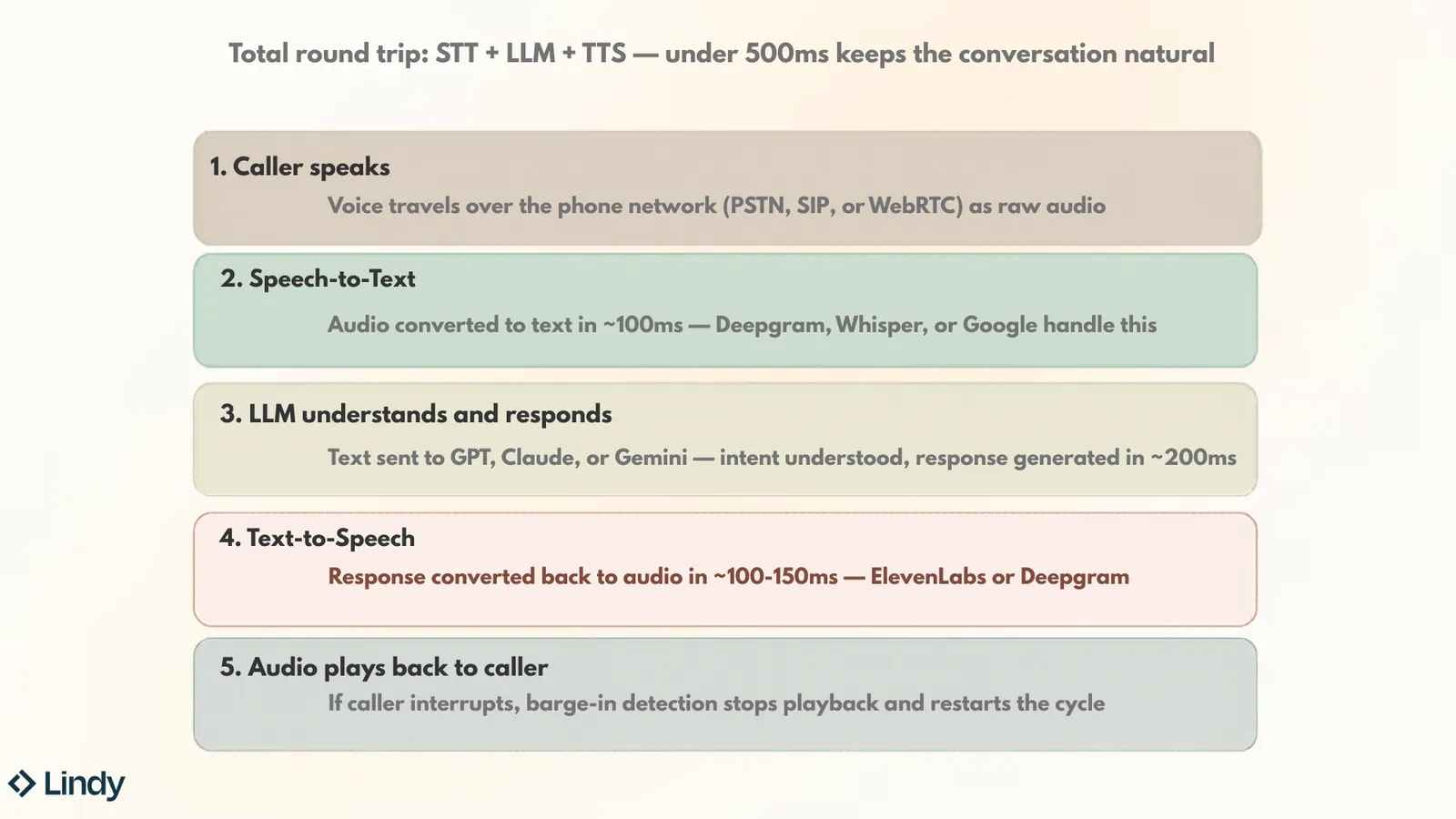
Every AI voice agent follows the same five-step cycle. It happens in under half a second (when it works well), and understanding it helps you spot which tools are fast and which ones just claim to be.
Here's what happens every time someone speaks to an AI voice agent:
- The caller speaks: Their voice travels over the phone network (PSTN, SIP, or WebRTC) as raw audio. Nothing fancy here, just sound hitting a server.
- Speech-to-text converts the audio into words: This takes about 100ms on the fastest providers. Providers such as Deepgram, Whisper, and Google handle this layer. The accuracy here matters more than you'd think. If the transcription botches a word, everything downstream falls apart.
- An LLM understands the intent and generates a response: The transcribed text gets sent to GPT, Claude, or Gemini (depending on the platform). The model figures out what the caller wants and writes a reply. This takes roughly 200ms, and it's usually the slowest step in the chain.
- Text-to-speech converts the response back into audio: The LLM's text reply gets turned into a voice. ElevenLabs or Deepgram typically powers this step, and it takes about 100-150ms on the fastest providers. This is where voice quality lives or dies. A great TTS model sounds like a real person. A bad one sounds like GPS directions.
- The audio plays back to the caller: And here's where it gets interesting. If the caller interrupts mid-sentence, barge-in detection kicks in, stops the current playback, and restarts the whole cycle from step one with the new input. This is the part most agents still struggle with.
But push past 500ms and the conversation drags. Callers hear the gap and lose patience. Latency is the single most important spec to check when comparing AI voice agents, and most marketing pages conveniently don't mention it.
Some platforms handle every step in-house (one provider, one bill, less control). Others let you bring your own STT, LLM, and TTS providers and wire them together.
The tradeoff is simple: All-in-one is easier to set up, mix-and-match gives you more control over quality and cost. If you want to compare developer-centric platforms, review the best vapi ai alternatives to find the right fit.
How I tested these AI voice agents
Getting a real read on any voice AI tool means going beyond the demo. I tested each platform across five common metrics, like setup time, call quality, interruption handling, response latency, and CRM integration. To see how top tools compare in detail, read our breakdown of the best AI voice assistants.
Each platform was put through the same outbound qualification script, asking the same questions in the same order, so response quality was comparable across tools.
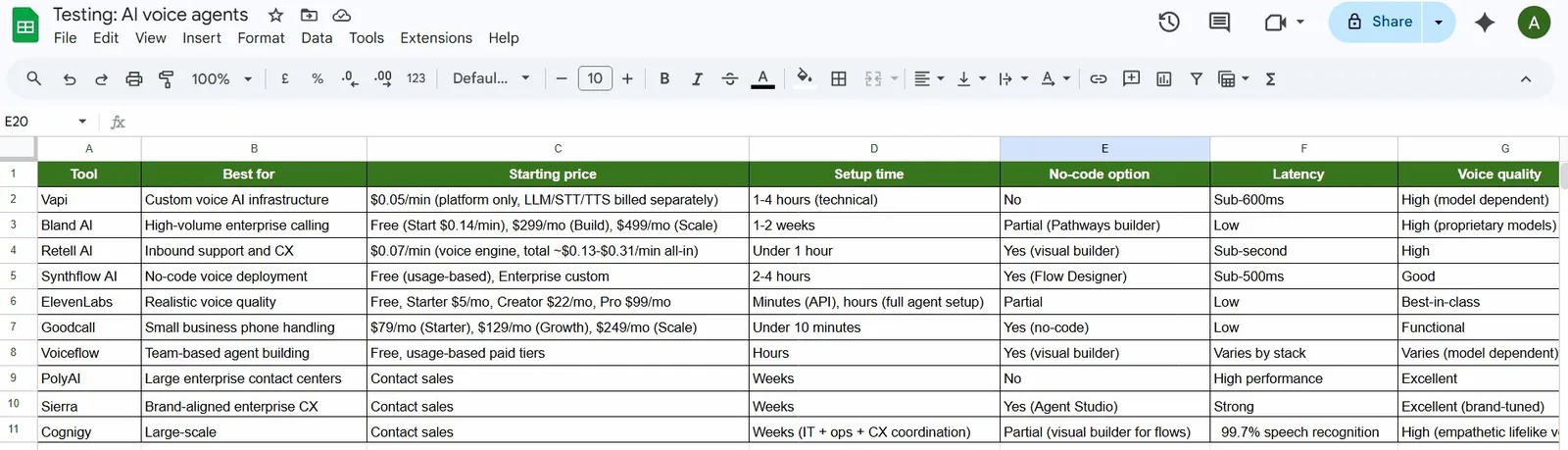
I tested how agents handle calls by introducing interruptions and changing the topic to observe their responses. I also asked off-script questions to check their adaptability. I measured response times from the caller's finish speaking to the agent's reply.
For the setup, I timed how long it took to go from a blank account to a live agent taking calls, with no outside help. I also tested the CRM integration by making calls and checking whether notes, outcomes, and contact details were recorded correctly.
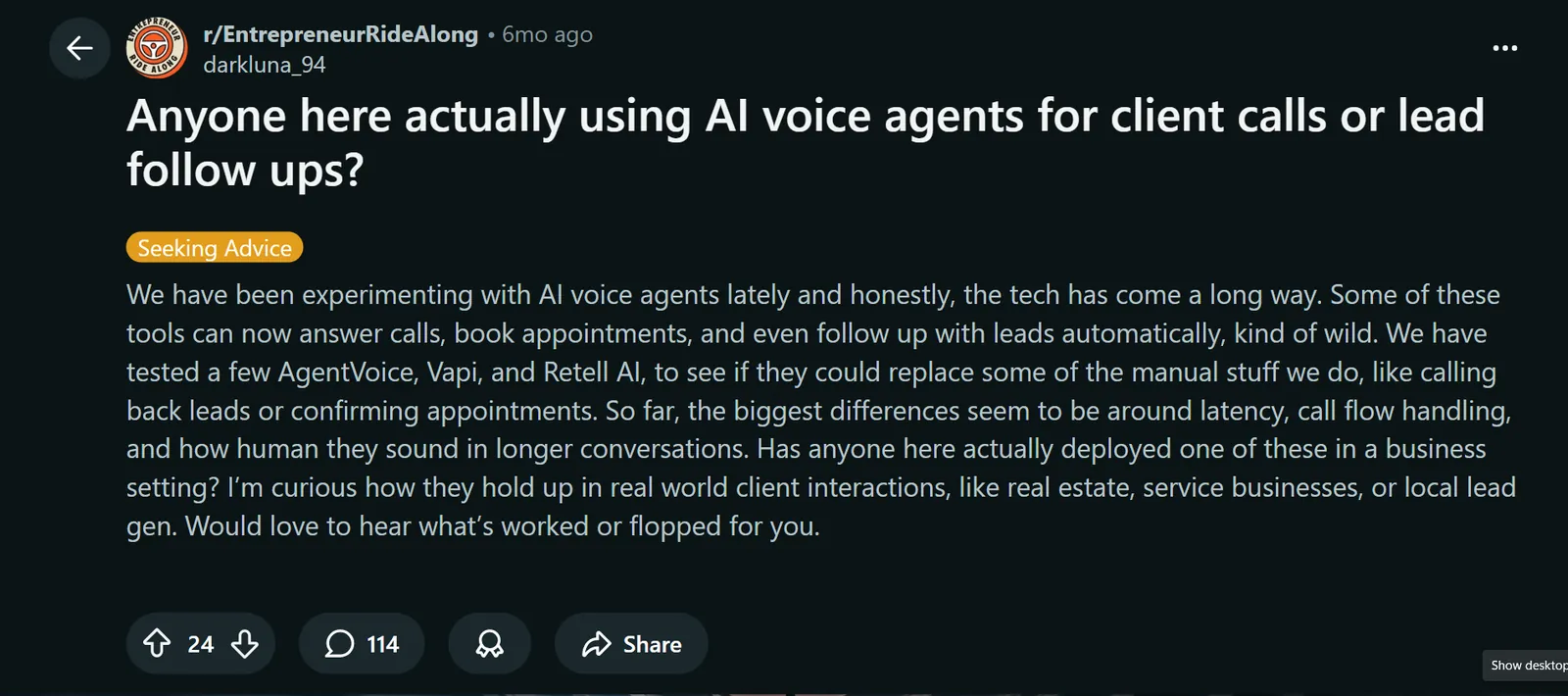
After direct testing, I hopped on Reddit and community forums to cross-reference what real teams were experiencing in production. Patterns that showed up repeatedly, whether positive or negative, carried weight in the final assessment.
Most teams were just concerned with the natural flow of conversation. An agent that sounds robotic or pauses awkwardly loses callers fast, regardless of how many features it has.
Followed by that, error recovery mattered too. The tools that handled unexpected inputs gracefully, rather than defaulting to a canned fallback, earned higher marks. Even post-call summaries and ease of initial setup rounded out the evaluation.
For the simulated call volume, I used Cekura to run parallel test calls across different personas and score the results automatically. It replaced a lot of the manual logging and made the comparisons easier to standardize across tools. I cover it in more detail in the build vs. buy section below.
To conclude my research, I took the most important metrics to rate these tools:
| Tool | Set up and ease | Voice quality | Conversation intelligence |
|---|---|---|---|
| Vapi | 3/5 | 4/5 | 5/5 |
| Bland | 2/5 | 4/5 | 4/5 |
| Retell | 4/5 | 4/5 | 4/5 |
| Leaping AI | 4/5 | 4/5 | 3/5 |
| Synthflow | 5/5 | 3/5 | 3/5 |
| ElevenLabs | 3/5 | 5/5 | 4/5 |
| Goodcall | 5/5 | 3/5 | 2/5 |
| PolyAI | 1/5 | 4/5 | 5/5 |
| Voiceflow | 4/5 | 3/5 | 4/5 |
| Sierra | 3/5 | 4/5 | 4/5 |
| Cognigy | 1/5 | 4/5 | 5/5 |
1. Best AI Voice Agent for Developers Building Custom Infrastructure
Vapi: What is it?
Vapi is the go-to platform if you want full control over how your voice agent thinks, speaks, and behaves. It gives you the components to build a voice agent the way you want.
You choose the speech-to-text provider, the language model, the text-to-speech engine, and wire them together through Vapi's API.
When I was setting up a basic inbound support agent, it took under an hour using the dashboard. Swapping ElevenLabs in for the TTS layer was a matter of changing one config field. It handles real-time streaming, phone call management, and low response latency when properly configured. Everything else is on you.
That simplicity disappears fast once you go beyond the basics. So don’t treat building anything on this tool like a weekend project.
Building a production-grade agent means writing error handling, managing JSON parsing failures, and setting up retry logic to prevent calls from dropping mid-sentence.
Ratings:
| Set up and ease | Voice quality | Conversation intelligence |
|---|---|---|
| 3/5 | 4/5 | 5/5 |
Why I picked this: Vapi is the only platform where you own the stack. Most voice AI tools lock you into their LLM and voice provider. Vapi lets you swap providers like you're switching coffee shops, one config change, and you're done. That flexibility costs you engineering time, but if you're a team that lives in code, it's worth it.
Key features
- Model-agnostic stack: Swap LLMs, STT, and TTS providers independently across OpenAI and more, so you're never locked into one vendor's stack
- Assistants and Squads: Assistants handle single-agent flows; Squads coordinate multiple specialized agents for complex routing scenarios
- Real-time tool calling: Trigger API calls, database queries, or backend actions mid-conversation without interrupting the call
- Automated testing: Run simulated calls before deployment to catch failure modes before they hit live traffic
Pros
- Full control over every layer of the stack with no vendor lock-in
- Low barrier to entry, you can run real test calls before committing to a plan
- Turn-taking and interruption handling feel natural when the stack is properly configured
Cons
- Difficult to navigate for non-developers
- Total cost per minute adds up fast once you factor in separate LLM, STT, and TTS providers
Pricing
Vapi offers a pay-as-you-go plan for platform hosting starting at $0.05/min, with $5 in free credits to start. LLM, STT, TTS, and telephony costs are passed through on top. Vapi's own estimate puts 1,000 minutes at roughly $82-$129/month all-in (about $0.08-$0.13/min), depending on the models you choose. Optional support packages start at $29/month (Core), and Pro carries a $999/month minimum.
Bottom Line
Vapi suits engineering teams building custom voice products with specific integration needs. Skip it if you don't have developer resources, as the setup cost in time and complexity will outweigh what you get.
2. Best AI Voice Agent for High-Volume Outbound Calling Campaigns
Bland: What is it?
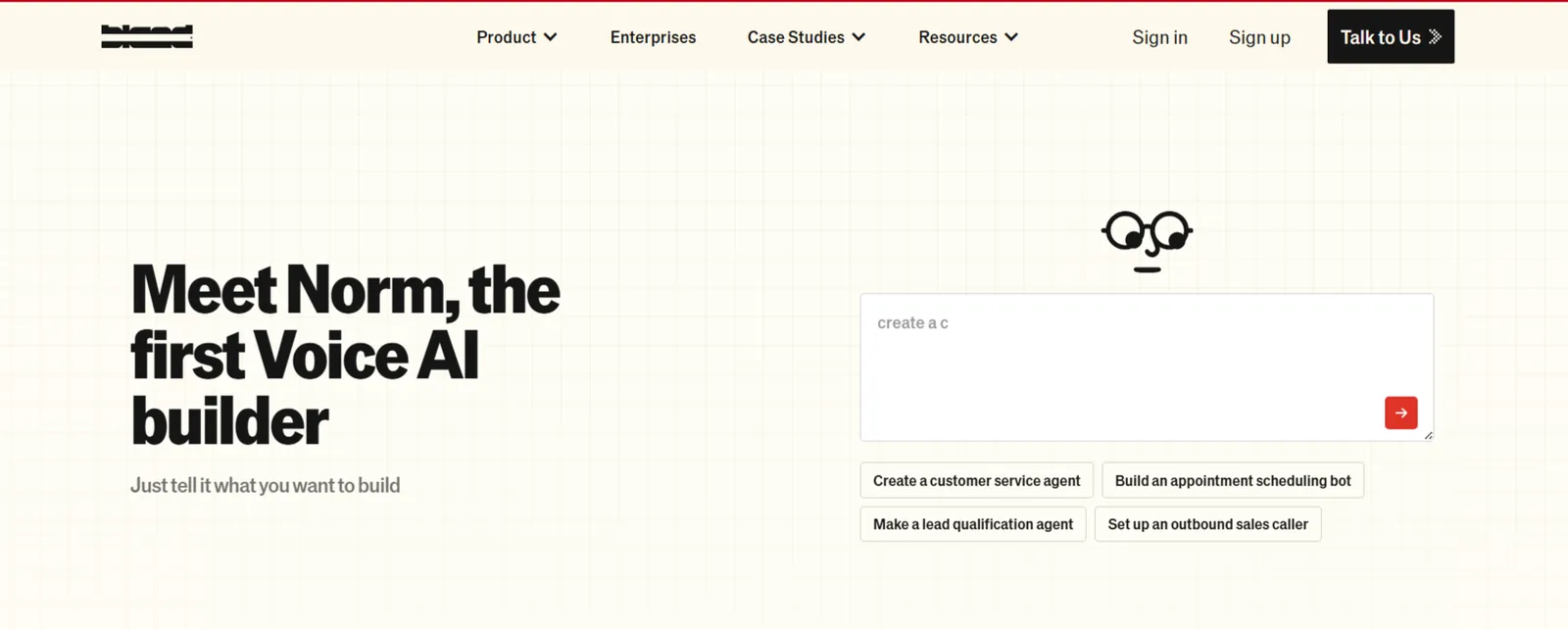
Bland is built for enterprises that need voice agents handling millions of calls without flinching on reliability or compliance. It runs its own proprietary speech and reasoning models rather than routing through third-party providers.
When I tested it for an outbound lead callback flow, the agent stayed on script through some genuinely awkward caller responses without losing the thread. I tried to confuse the AI agent on purpose, but it held on to the context.
The Conversational Pathways builder took a bit of getting used to, but once the logic was mapped out, the calls ran cleanly, and the webhook triggers fired without issues.
Getting to that point takes longer than most tools on this list. The first couple of weeks felt like learning a new mental model, not just a new interface. You’ll have to put in the time before complex use cases stop surprising you.
Bland also moves fast, so new updates occasionally mean revisiting things you thought were already figured out.
Ratings:
| Set up and ease | Voice quality | Conversation intelligence |
|---|---|---|
| 2/5 | 4/5 | 4/5 |
Why I picked this: Bland doesn't outsource its speech models to OpenAI or Google. It runs proprietary models on its own infrastructure. That matters: latency feels natural on 5,000-call campaigns, and your data never leaves the platform. If you're a contact center running enterprise-scale outbound, Bland is the only real choice here.
Key features
- Conversational Pathways: Design detailed multi-turn dialog flows that mix scripted and generative responses, with variable extraction for custom routing logic
- Self-hosted infrastructure: Models and compute run on dedicated servers, so your data stays fully contained with no third-party model exposure
- Batch calling: Dispatch thousands of outbound calls simultaneously, useful for appointment reminders, lead follow-ups, and notification campaigns
- Live API calls during conversations: Trigger external systems, check availability, or pull live data mid-call without pausing the interaction
Pros
- Latency feels natural even on difficult calls
- Clean API docs make integrations move fast
- Webhook and batch calling setup is straightforward
Cons
- Outbound call attempts ($0.015 each) and transfers ($0.03-$0.05/min) add fees on top of the per-minute rate
- Steep learning curve for complex use cases
Pricing
Bland offers a free Start plan at $0.14/min for connected calls. Paid plans are Build at $299/month ($0.12/min) and Scale at $499/month ($0.11/min). Enterprise pricing is custom through their sales team.
Bottom Line
Bland is the right fit for enterprises running high-volume calling with strict data governance needs. Teams without dedicated engineering resources or smaller operations that need quick deployment should look elsewhere.
If that describes your team, start with a simpler AI call bot instead.
3. Best AI Voice Agent for Inbound Customer Support
Retell: What is it?
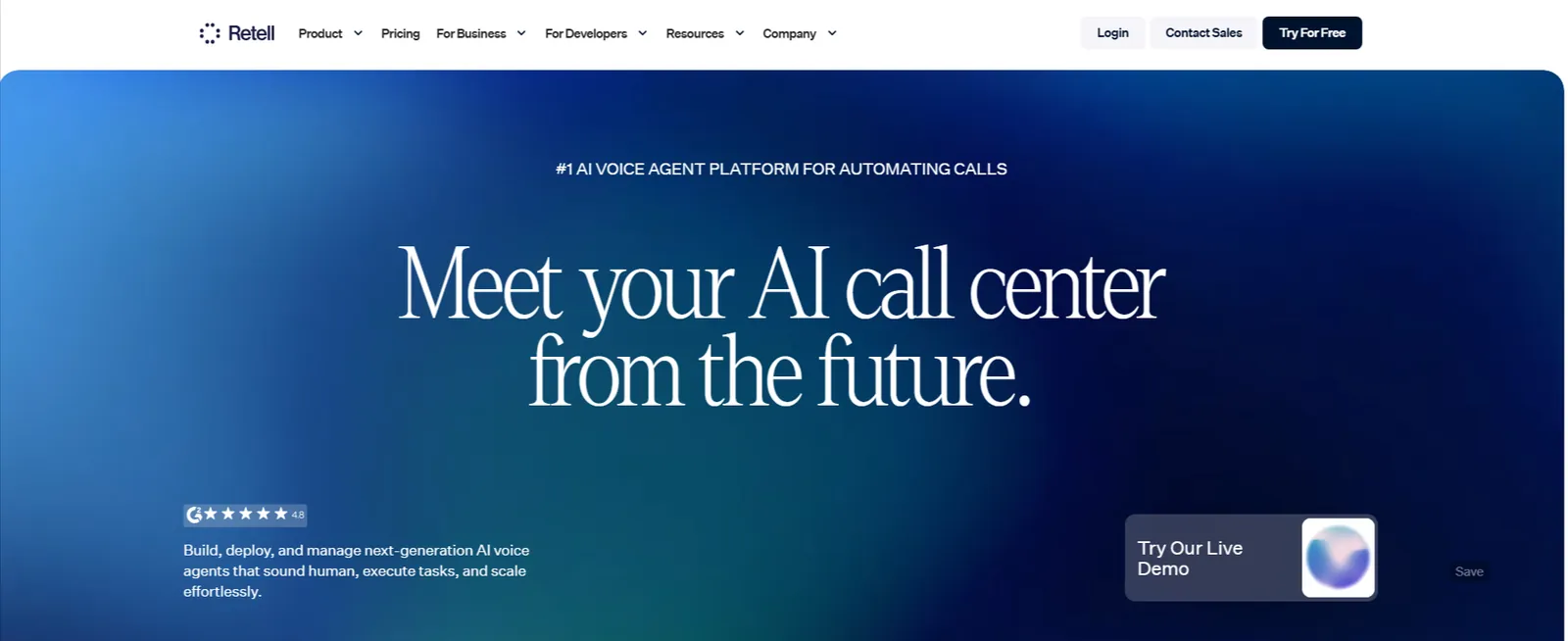
Retell is a voice AI platform built around the full call lifecycle, not just the conversation itself. You can start by building agents through a visual flow builder, connecting them to knowledge base content, configuring the conversation flow, and connecting a phone number so the agent can take calls.
With that, every call is automatically transcribed, summarized, and evaluated for sentiment, so you can see what's working and what isn't.
Post-call analysis also flags issues such as failed handoffs and low sentiment scores, making it easy to spot where the flow needs tightening without having to listen back to every recording.
When I tested it for a support use case, the agent was live and taking calls faster than I expected. The knowledge base pulled accurate answers without manual scripting, and the conversation flow held up through some deliberately awkward caller inputs.
That said, in complex flows, you still need real prompt tuning before you trust them with live traffic. Plus, the customer support is non-existent. Trustpilot reviews reflect the same concern because when your customer-facing phone lines break, you can't wait for a Discord answer.
Ratings:
| Set up and ease | Voice quality | Conversation intelligence |
|---|---|---|
| 4/5 | 4/5 | 4/5 |
Why I picked this: Retell gives you something most voice AI tools don't, and that’s post-call visibility. You get sentiment scores, failed handoff flags, and automatic issue triage the second a call ends. It's the difference between having a voice agent and having a voice agent you can improve.
Key Features
- Knowledge base integration: Upload documents and website content directly so the agent pulls accurate answers without manual scripting
- Conversation flow builder: Map structured call logic with fallback paths and escalation rules to handle complex scenarios reliably
- Broad integrations: Connects with Twilio, HubSpot, Salesforce, Make, n8n, and GoHighLevel out of the box
- SIP trunking connects to any telephony service: You can use your existing phone numbers or your familiar VoIP providers, and then connect to any telephony service using Retell SIP Trunking.
Pros
- Post-call data is useful, not just logs
- Fast to get a working agent into production
- Interruption handling feels natural on live calls
Cons
- Costs can climb at high call volumes without careful monitoring
- Edge cases in complex flows still need significant prompt tuning
Pricing
Retell AI publishes an all-in range of $0.07-$0.31/min for AI Voice Agents, broken into Voice Infra ($0.055/min), TTS ($0.015-$0.040/min), LLM ($0.0016-$0.32/min on standard tiers, depending on the model), and telephony (~$0.015/min). First 20 concurrent calls are free; additional concurrency is $8/month per line. New accounts get $10 in free credits.
Bottom Line
Retell is a strong pick for support and sales teams that want a voice agent up quickly without sacrificing visibility into call performance. Teams needing extreme infrastructure-level customization will find Vapi or Bland a better fit.
4. Best AI Voice Agent for Multichannel Appointment Scheduling
Leaping AI: What is it?
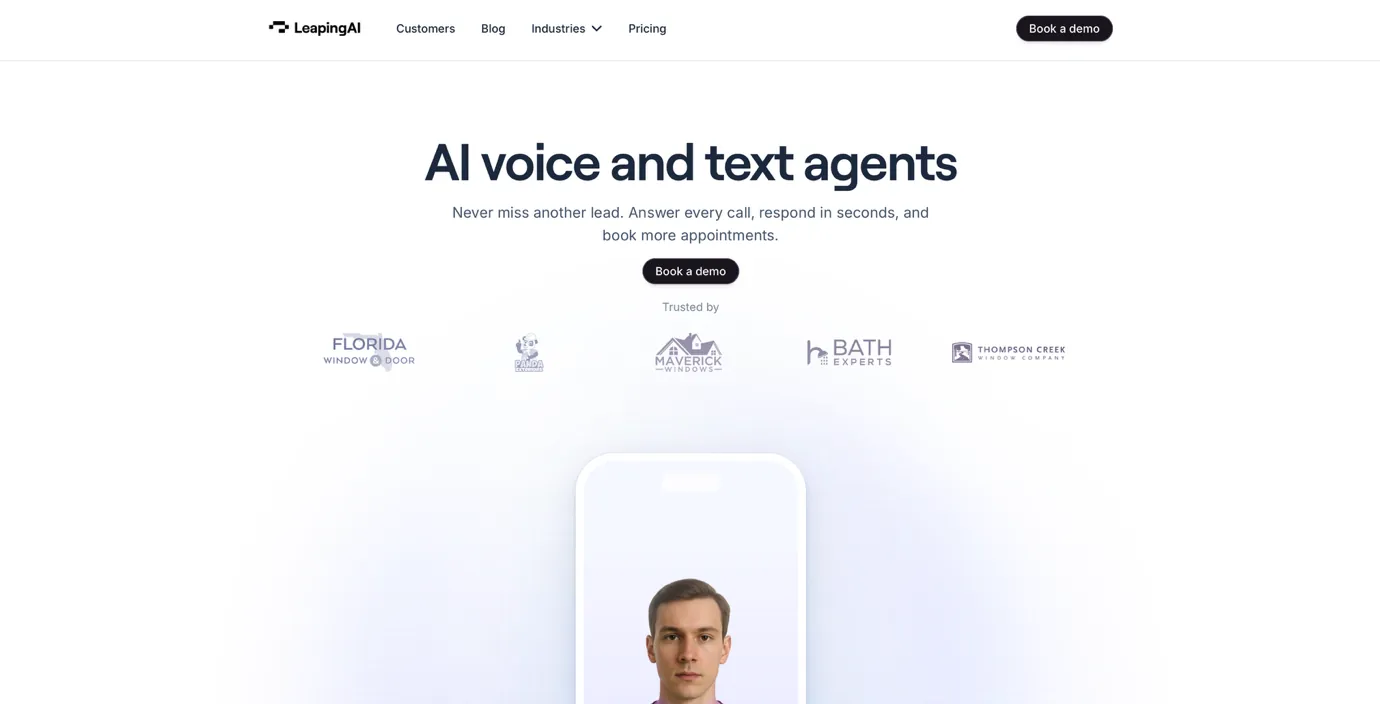
Leaping AI is built for mid-sized and enterprise teams in industries like home remodeling, roofing, travel, and real estate that need to answer a high volume of calls simultaneously, cut contact center costs, and speed up lead outreach without missing inquiries.
The dialogue builder is the most interesting part of the product. You map out conversations visually, state by state, and each state runs its own LLM configuration. Most platforms lock you into one model behavior for the entire call, but Leaping doesn't. You tune how the agent responds at each stage independently, which gives you a lot more control over where conversations go.
The voice quality held up well in testing. I ran a few calls and genuinely couldn't tell I was talking to a bot. That doesn't happen often.
To set up the knowledge base, you upload PDFs or text files and connect the agent to external data via APIs and functions. The "skills" feature lets you configure custom data manipulation and calculations mid-conversation, which adds flexibility that most no-code platforms don't offer.
The calls dashboard logs every interaction with full transcripts and audio recordings. You can export those via API, and the same API lets you trigger outbound dialing campaigns programmatically. For teams running volume-based outreach, that's a practical setup.
Leaping also handles calls and texts from the same platform. A call books the appointment; a text confirms it. The context carries across both without you rebuilding anything. That's a small thing that saves a lot of back and forth.
Ratings:
| Set up and ease | Voice quality | Conversation intelligence |
|---|---|---|
| 4/5 | 4/5 | 3/5 |
Why I picked this: Leaping AI is the only tool on this list that handles both voice and text conversations in one platform. For businesses that need to reach customers across channels without stitching together separate tools, that's a real advantage. The drag-and-drop dialogue builder also reduces the hallucination risk that plagues less structured platforms, which matters when you're running high-stakes customer conversations at scale.
Key features
- Multi-state dialogue builder: Design conversations with branching logic where each state runs its own LLM and configuration, reducing the risk of the agent going off script
- Multi-channel support: Build voice and SMS/text agents in the same platform so customer conversations carry across channels without rebuilding logic
- Skills and custom functions: Configure data lookups, calculations, and API calls mid-conversation for more dynamic interactions
- Calls dashboard: Review all interactions with transcripts and audio recordings; exportable via API for QA and analysis
- Outbound campaign triggers: Initiate dialing campaigns programmatically via API, useful for lead follow-up and appointment reminders
Pros
- Voice quality is genuinely human-like on live calls
- Supports 15+ languages and lets you bring your own phone carrier
- Handles both voice and text in one platform, no separate tool needed
- Per-state LLM configuration gives more control than most no-code builders
Cons
- API-based outbound triggering requires technical setup
- Newer platform with a smaller public track record than enterprise-focused competitors
Pricing
Leaping AI doesn't publish prices. You request a quote through its pricing page, and the price is scoped to your call setup.
Bottom line
Leaping AI is the right pick for mid-market and enterprise teams that need voice and text working together across customer service and scheduling flows. If you're running a single-channel setup and don't need that breadth, lighter tools on this list will get you there faster.
5. Best AI Voice Agent for No-Code Building and Deployment
Synthflow: What is it?

Synthflow is aimed squarely at teams who want a production-ready voice agent without touching a single line of code.
I like how the tool’s built around what they call the BELL framework. It basically covers the full agent lifecycle from building and testing to deploying and monitoring. You design conversation flows visually, set up telephony, and the agent handles inbound and outbound calls.
The workflow builder, available on Enterprise, lets agents write call outcomes back to your CRM, trigger outbound calls from a Google Sheet, or pull caller records before the conversation even starts.
For a demo appointment, the setup took about two hours, including connecting Google Calendar and configuring fallback responses. The voice quality was more natural than a typical IVR, and routine calls like scheduling and basic FAQs ran without issues.
Things got shaky when callers went off script, though.
Someone asking "Wait, can you repeat that?" mid-flow caused the agent to default back to a canned response instead of repeating itself. That's the moment a caller realizes they're talking to a bot.
Ratings:
| Set up and ease | Voice quality | Conversation intelligence |
|---|---|---|
| 5/5 | 3/5 | 3/5 |
Why I picked this: Synthflow works as a no-code builder and is genuinely fast, with some users appreciating integrations and the 24/7 availability. That said, real feedback highlights a clear limitation. Off-script moments still tend to fall apart. It works best when calls follow a predictable structure like appointment bookings or FAQs.
Key features
- End-to-end voice AI system: Manage calls, telephony, analytics, and improvements in one platform built for real-time conversations at scale
- Post-call workflows: Automatically sync call outcomes, contact details, and notes to CRMs like HubSpot and Salesforce after every call
- Simulations and custom evaluations: Test agents against simulated conversations before going live to catch failure points early
- Compliance coverage: GDPR, SOC2, and HIPAA support included, with guaranteed uptime SLA on Enterprise plans
Pros
- Works without needing technical expertise
- Voice quality clears the bar for real business calls
- Full lifecycle tooling from build to monitor in one place
Cons
- Off-script handling can be brittle
- Enterprise-only pricing, with contracts starting at $30,000 a year
Pricing
Synthflow no longer lists a self-serve pay-as-you-go plan. Its pricing page now shows a single Enterprise tier, with contracts starting at $30,000 a year and final pricing scoped around call volume, concurrency, telephony setup, integrations, and security needs. Contact sales for a quote.
Bottom Line
Synthflow is a solid pick for non-technical teams that need voice agents running fast across standard business use cases. Teams dealing with complex or unpredictable conversations will hit their limits quickly.
6. Best AI Voice Agent for Realistic, Expressive Voices
ElevenLabs: What is it?
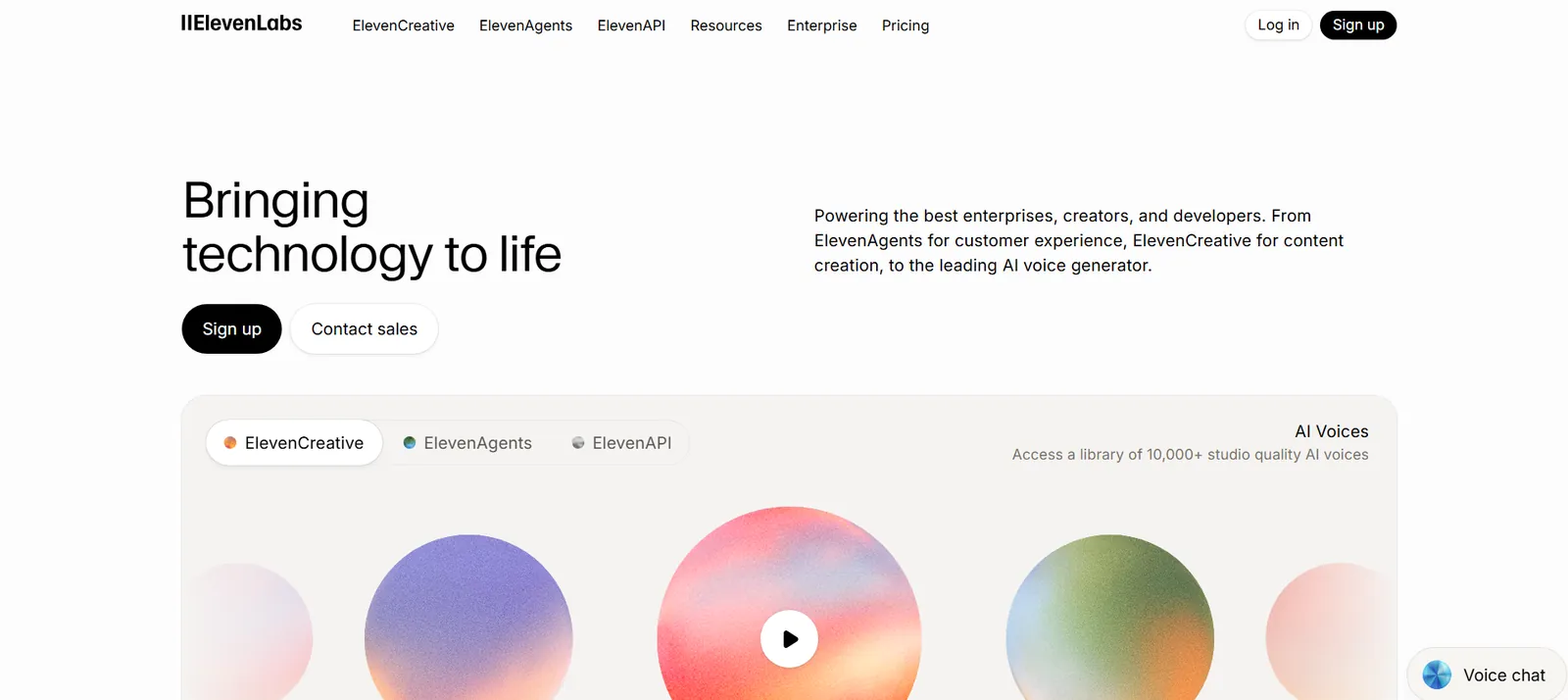
Getting voice AI to sound like a human is harder than it looks. Tone, pacing, and the small pauses that make speech feel natural are easy to get wrong. ElevenLabs handles this well, making conversations sound natural and fluid. You can even use it for narration, dubbing, audiobooks, and character voices, which makes it useful well beyond just handling calls.
Imagine a customer calling your support line late at night. Instead of hitting a static system, they’re greeted by a voice that sounds natural, understands their query, and responds in real time. This is how ElevenLabs’ agent asks follow-up questions, adapts its tone based on the situation, and guides the user toward a resolution without breaking flow.
Behind the scenes, AI text-to-speech backs every response, making the interaction feel less like a system and more like an actual conversation.
The white-label setup is straightforward enough that agencies can deploy branded agents for clients without much friction. In practice, that means you can customize the voice, behavior, and experience to match each client’s brand without rebuilding everything from scratch.
For freelancers, it makes it easier to manage multiple client accounts in parallel without turning operations into a mess.
Ratings:
| Set up and ease | Voice quality | Conversation intelligence |
|---|---|---|
| 3/5 | 5/5 | 4/5 |
Why I picked this: ElevenLabs stands out for how natural the voice sounds. In many cases, callers don’t realize they’re speaking to an AI, and some even assume it was a human agent. But nobody mentions how ElevenLabs has zero production monitoring. You don't know if it's failing until a user complains. Teams are now adding third-party tools just to get visibility. No doubt, it has a great voice quality, but it can't fix operational issues.
Key features
- Conversational AI agents: Build and deploy full voice agents for inbound and outbound calls with multi-agent workflow support
- Broad integrations: Connects with Twilio, Vonage, Genesys, HubSpot, Calendly, Stripe, and Slack out of the box
- Multilingual speech at scale: Create natural-sounding voice output in 70+ languages with native-level clarity, tone, and emotional nuance across global audiences
- Extensive voice library: Choose from 10,000+ human-like voices designed for narration, characters, support agents, and branded audio experiences
- Context-aware dialogue: Generate multi-speaker conversations where voices maintain context, tone, and emotional continuity throughout the interaction
Pros
- Available on iOS and Android for easy access
- Wide range of accents beyond just language options
- Studio-grade audio models for high-quality voice output
Cons
- Credit-based pricing is hard to forecast at scale
- Not a full telephony stack on its own for complex call routing
Pricing
ElevenLabs offers a free plan with 10k credits/month. Paid plans start at $6/month (Starter, $1 for the first month) and $11/month for the first month and $22/month for the second month onwards (Creator). Business plans start at $99/month (Pro), scaling to $299/month (Scale) and $990/month (Business). Enterprise pricing is custom.
Bottom Line
ElevenLabs is the right choice when voice quality is non-negotiable, and you need conversational agents that don't sound like robots. Teams needing deep telephony control or complex call routing logic will need to pair it with another platform.
{{templates}}
7. Best AI Voice Agent for Simple Small Business Phone Answering
Goodcall: What is it?
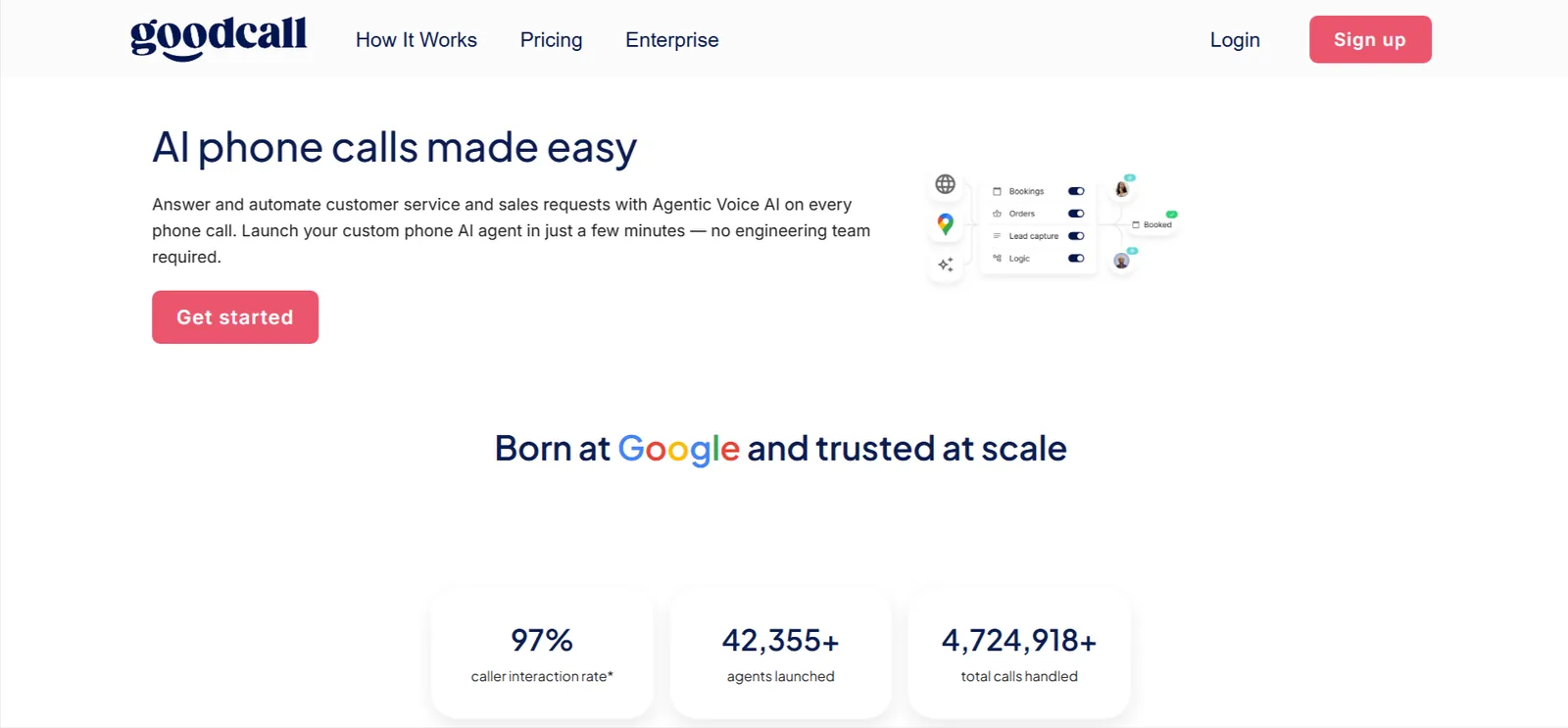
Spun out of Google's Area 120 and built with small and medium businesses in mind, Goodcall handles inbound calls, captures leads, books appointments, and answers common customer questions without any engineering. You connect your knowledge sources, configure the agent behavior through a simple interface, and it's live on your number.
Goodcall easily integrates with Zapier, Microsoft Teams, Google Calendar, HubSpot, and Genesys, covering the tools most small business owners are already using daily.
I used it for my friend’s local business, and the setup for the AI phone agent pretty much took 10 minutes. And it was ready to handle inbound appointment calls. The agent picked up calls, collected caller details, and pushed everything to a Google Sheet without any manual input.
Goodcall doesn't pretend to handle nuanced conversations; it's built for structured, repeatable call types and does those well. It's good for generic responses, but not for human-like conversations.
Ratings:
| Set up and ease | Voice quality | Conversation intelligence |
|---|---|---|
| 5/5 | 3/5 | 2/5 |
Why I picked this: Goodcall stands out for how quickly it can be set up and put into use. For many small teams, it covers the basics well and works reliably for straightforward call flows. That said, it operates more like a Level 1 solution. The pricing model, which is tied to unique callers, can become less predictable as call volume grows. For higher-volume or more complex use cases, it may not hold up over time.
Key features
- No-code agent setup: Connect knowledge sources, configure logic flows, and go live without any technical background
- Lead capture and CRM sync: Every inbound call pushes contact details and outcomes to your CRM or Google Sheets automatically
- Dynamic logic flows: Tailor call responses based on caller input, time of day, or specific trigger conditions
- Call analytics dashboard: Tracks automation rate, call duration, return callers, and resolution outcomes per interaction
Pros
- Setup is genuinely simple with no engineering needed
- Call analytics give clear visibility into what's being resolved
- Long calls don't cost extra; billing is per caller, not per minute
Cons
- Handles structured calls well but struggles with complex queries
- Limited customization depth compared to developer-focused platforms
Pricing
Goodcall offers a free trial across all plans. Paid plans start at $79/month per agent (Starter, 100 unique customers), $129/month (Growth, 250), and $249/month (Scale, 500), billed monthly, with unlimited minutes and tokens included within your monthly unique-customer allowance and $0.50 per extra customer. Annual billing saves 15%. Enterprise pricing is available for in-house call centers and custom CRM integrations.
Bottom Line
Goodcall is a practical fit for small businesses that want calls handled automatically without hiring a developer or spending weeks on setup. Teams with complex support needs or high customization requirements will outgrow it fast.
8. Best AI Voice Agent for Complex Enterprise Contact Center Calls
PolyAI: What is it?
PolyAI sits at the heavier end of the voice AI market, built for organizations running large contact centers across banking, healthcare, and retail.
Teams use PolyAI to handle the full conversation stack, from routing calls and verifying customers to managing bookings, payments, and orders, all through voice. Instead of using multiple systems, everything happens in one flow inside one tool.
I like how you can simply build the agent once and deploy it across voice, chat, and SMS without reworking the logic each time. So whether a customer calls, messages, or switches channels midway, the context stays intact.
When callers change topics mid-call, speak with heavy accents, or phrase things in ways a scripted system would usually struggle with, the agent handles it without losing context. It’s genuinely strong in these situations.
The catch is that getting there takes real effort. The setup runs for several weeks, requires cross-functional coordination, and the platform clearly expects organizations with dedicated CX resources on hand.
Ratings:
| Set up and ease | Voice quality | Conversation intelligence |
|---|---|---|
| 1/5 | 4/5 | 5/5 |
Why I picked this: PolyAI treats voice like a real conversation, reducing the back-and-forth latency that makes calls feel robotic. But it is clearly built for enterprises. Implementation takes months, costs are high, and it operates more like a managed service, which limits flexibility and ties teams closely to the vendor.
Key Features
- 130+ integrations: Pre-built connections across telephony, CRM, productivity, and vertical systems through Agent Studio
- Compliance coverage: ISO 27001, SOC 2, PCI DSS, GDPR, and HIPAA coverage, with claimed 99.9% SLA uptime on phone lines
- Visual builder with real-time insights: Design conversations without code, monitor performance, and optimize interactions using analytics and conversation-level insights
- Multi-industry use case: It covers consumer services, financial services, healthcare, hotels, insurance, restaurants, retail, telecom, travel, and utilities with tailored voice solutions.
Pros
- Extensive resources, including call recordings, blogs, and guides
- Covers diverse use cases from routing to payments and bookings
- Handles complex, multi-turn conversations with strong contextual awareness
Cons
- No public pricing, contract sizes typically start in six figures annually
- Implementation takes weeks and requires real technical resource investment
Pricing
PolyAI uses per-minute pricing (covering ongoing improvements, maintenance, and 24/7 support) with no standard rates published. All plans are scoped through their sales team based on call volume, use case complexity, and integration requirements.
Bottom Line
PolyAI is the right fit for large enterprises running high-volume contact centers where conversation quality and compliance are non-negotiable. Smaller teams or anyone needing a fast, self-serve deployment should look elsewhere.
9. Best AI Voice Agent for Collaborative Team Prototyping
Voiceflow: What is it?
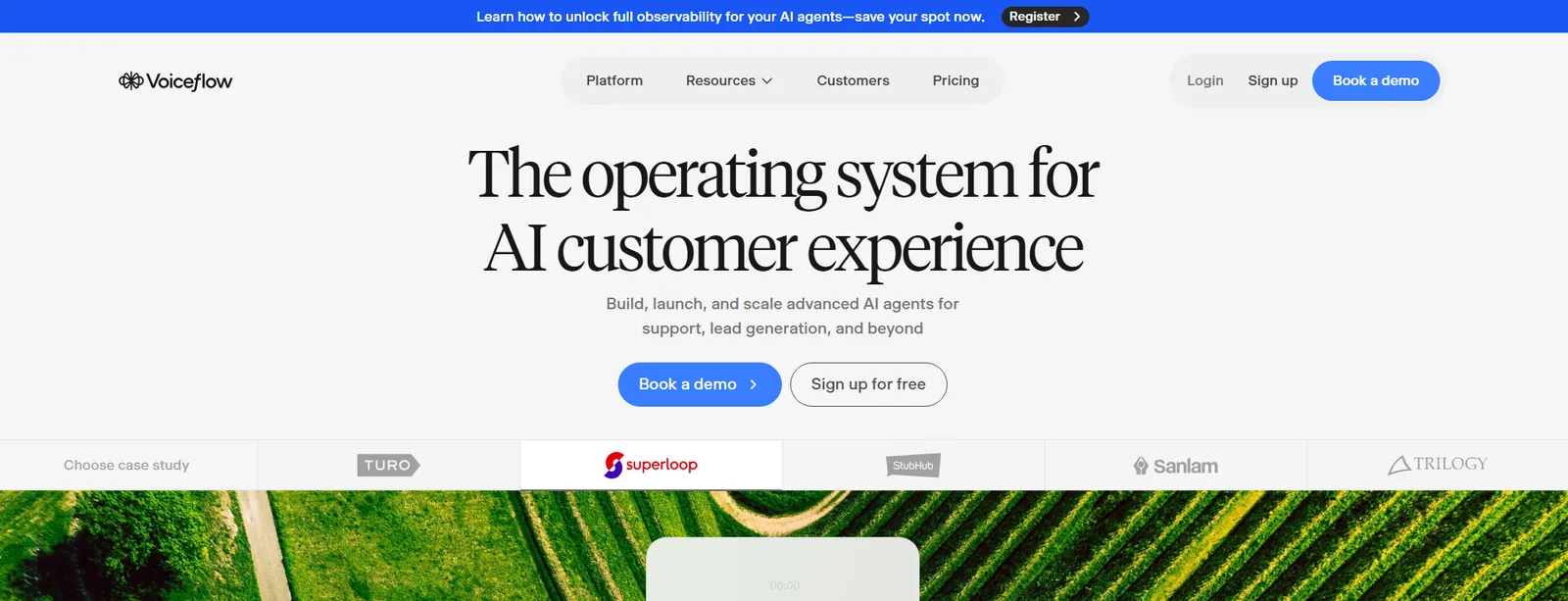
Voiceflow is where product teams, designers, and engineers can build voice agents together without stepping on each other.
Voiceflow lies at the design and build layer of voice AI. You can create agents visually using playbooks and workflows, then deploy across voice, chat, or custom interfaces from the same project. The platform is model-agnostic, which lets you run GPT, Claude, Gemini, or open-source models without locking into one provider.
And with role-based permissions, commenting, and version control, collaborative work doesn’t turn into a mess.
The visual builder made it easy to map out branching logic when building a support agent on Voiceflow. And since everything is visible on screen, explaining the flow to a non-technical stakeholder was straightforward.
Though once the logic grew past a certain point, making small changes meant tracing back through multiple steps to make sure nothing broke downstream.
Ratings:
| Set up and ease | Voice quality | Conversation intelligence |
|---|---|---|
| 4/5 | 3/5 | 4/5 |
Why I picked this: Voiceflow is the only platform on this list where product, design, and engineering can build together without stepping on each other's toes. But once conversation flows get complex, debugging becomes a maze. You still need to think like a conversation designer. Voiceflow made it team-friendly, not necessarily faster or easier. If you need easier debugging or full telephony features, explore top voiceflow alternatives to find a better fit.
Key features
- Visual agent builder: Design conversation flows with playbooks, workflows, and conditional logic in a drag-and-drop canvas
- Model-agnostic architecture: Swap between GPT, Claude, Gemini, or bring your own model without rebuilding your agent
- Collaboration tools: Real-time co-editing, role-based permissions, and commenting built into the workspace
- Observability suite: Tracks transcripts, evaluations, latency, resolution rate, and CSAT from a single analytics dashboard
Pros
- Free trial available with transparent usage-based billing
- Model flexibility means no vendor lock-in as the AI landscape shifts
- Collaboration features are genuinely useful for cross-functional teams
Cons
- Large flows get difficult to manage and debug as complexity grows
- Not a full telephony stack on its own, it needs external providers for phone deployment
Pricing
Voiceflow offers a free trial with no credit card required and transparent usage-based billing. Agency and partner plans include multi-client workspace management and white-labeling. Contact sales for Business pricing.
Bottom Line
Voiceflow suits product and CX teams that need to build, test, and iterate on voice agents collaboratively without heavy engineering involvement. Solo builders or teams needing deep telephony control will find other platforms a better fit.
10. Best AI Voice Agent for Brand-Aligned Enterprise Customer Experience
Sierra: What is it?
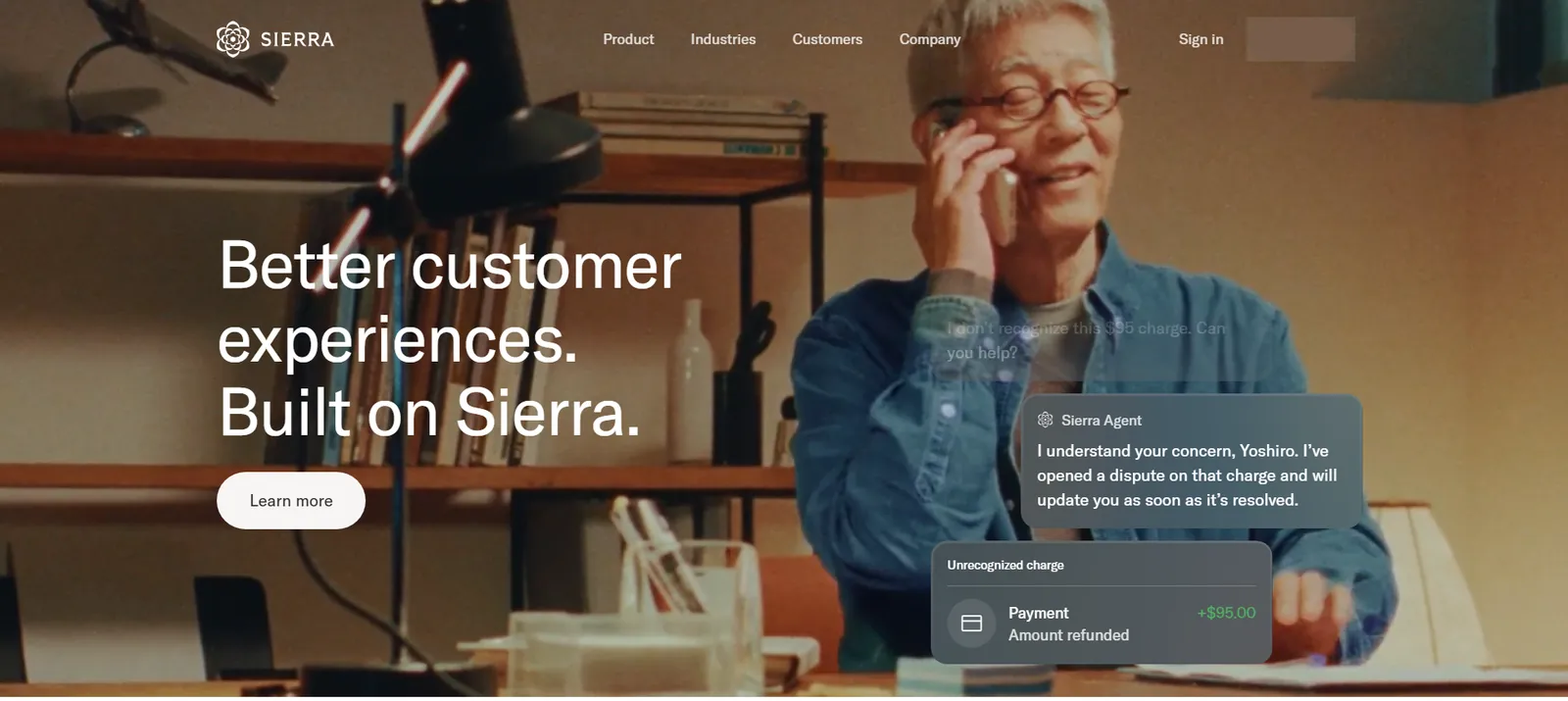
Sierra is built for consumer-facing enterprises where customer conversations carry real brand weight. It runs on a multi-model architecture across multiple LLMs rather than relying on a single provider, which improves reliability and reduces the risk of hallucinations in sensitive interactions. With its brand consistency, it's tuned to match your company's tone, vocabulary, and communication style.
Partly, people prefer Sierra because of its cross-functional setup. With product, CX, and engineering all working from the same interface, it means fewer handoffs and less back-and-forth when something needs changing.
On the downside, as an enterprise tool, there isn’t much upfront clarity on pricing. This means you often have to go through a sales process just to understand what you’ll pay. Likewise, scalability at very high volumes adds another layer of uncertainty.
And when key details around cost and technical capabilities are not fully transparent, it becomes harder to evaluate the tool with confidence before committing.
Ratings:
| Set up and ease | Voice quality | Conversation intelligence |
|---|---|---|
| 3/5 | 4/5 | 4/5 |
Why I picked this: Sierra bets enterprises will care about brand voice in phone calls. They're right, but too early. If your support center's broken, Sierra doesn't fix it. They're selling premium tooling for a market that doesn't exist yet. While its multi-model architecture is smart, scalability at truly high volumes is still hard to figure out.
Key features
- Agent Studio: Build customer journeys, configure knowledge bases, and set brand guardrails without engineering involvement
- Multi-model architecture: Runs across multiple LLMs simultaneously for reliability, fallback handling, and reduced hallucination risk
- Voice support: Handles inbound and outbound phone calls with natural pacing and brand-aligned tone
- Live Assist: Real-time AI guidance for human agents during live interactions to improve resolution rates and CSAT
Pros
- Brand tone consistency across voice and chat interactions
- Cross-functional platform works for CX, product, and engineering teams
- Multi-model setup improves reliability in sensitive customer conversations
Cons
- Scalability at very high volumes is still largely unproven
- No public pricing; an enterprise contract is required to get started
Pricing
Sierra uses outcome-based pricing tied to successful resolutions rather than per-minute or per-conversation rates. Exact pricing is not publicly listed and requires a sales conversation. Typically structured as annual enterprise contracts.
Bottom Line
Sierra is built for consumer brands where every customer conversation reflects brand values, and getting the tone wrong has real consequences. Teams looking for quick deployment or transparent pricing will find the sales-heavy process frustrating.
11. Best AI Voice Agent for Extending an Existing Contact Center
Cognigy: What is it?
Running a large contact center means dealing with high call volumes, complex routing logic, multilingual callers, and the kind of compliance requirements that rule out most self-serve tools. Cognigy is built for exactly that.
Cognigy’s Agent Copilot sits inside your existing contact center and feeds agents real-time context as calls come in. A customer calls back about their previous issue, and the agent instantly sees the full conversation history, the CRM notes, and even sentiment analysis of the call, flagging frustration. You don’t need to switch tabs or rifle through three systems.
The agent picks up, already knows what happened, and moves the conversation forward. After the call ends, it automatically transcribes everything, pulls out action items, and updates the CRM.
Teams that have deployed it in production point to the AI Agent handover capability as genuinely useful, particularly for contact centers where some calls need a human but most don't. And it cuts down on the frustrating "Let me transfer you" moments callers hate.
Ratings:
| Set up and ease | Voice quality | Conversation intelligence |
|---|---|---|
| 1/5 | 4/5 | 5/5 |
Why I picked this: Instead of building a voice AI tool, Cognigy is merging AI onto the existing contact center infrastructure most enterprises already own. That's brilliant if you're in that ecosystem. It's useless if you're building from scratch. Cognigy wins because it doesn't ask enterprises to rip and replace. It's not a voice AI company, but a contact center integration play.
Key features
- Voice Gateway: Plug-and-play integration with Avaya, Genesys, NICE, and other major telephony providers without custom SIP configuration
- Agentic AI layer: Handles autonomous multi-step reasoning, tool calls, and AI-to-human handover while maintaining full conversation context
- Multilingual support: Supports over 100 languages with real-time voice translation built into the platform
- NLU360 insights: Tracks intent success rates, automation rates, and missed opportunities across every interaction for continuous improvement
Pros
- Solid documentation with constant product updates
- Deep telephony integrations remove custom infrastructure work
- AI-to-human handover works smoothly in complex contact center scenarios
Cons
- Not built for smaller teams or anyone needing fast self-serve deployment
- Setup and deployment require collaboration between IT, ops, and CX teams
Pricing
Cognigy (now part of NiCE) does not publish standard pricing. Usage is billed per conversation, with extra charges for items like Voice Gateway concurrent lines and Knowledge AI queries, and contracts are scoped through their sales team. Enterprise contracts only.
Bottom Line
Cognigy is the right fit for large contact centers with dedicated technical resources and genuine scale requirements. Smaller teams or anyone who needs to move fast should look at lighter tools on this list first.
Build vs. Buy: Should you build your own AI voice agent?
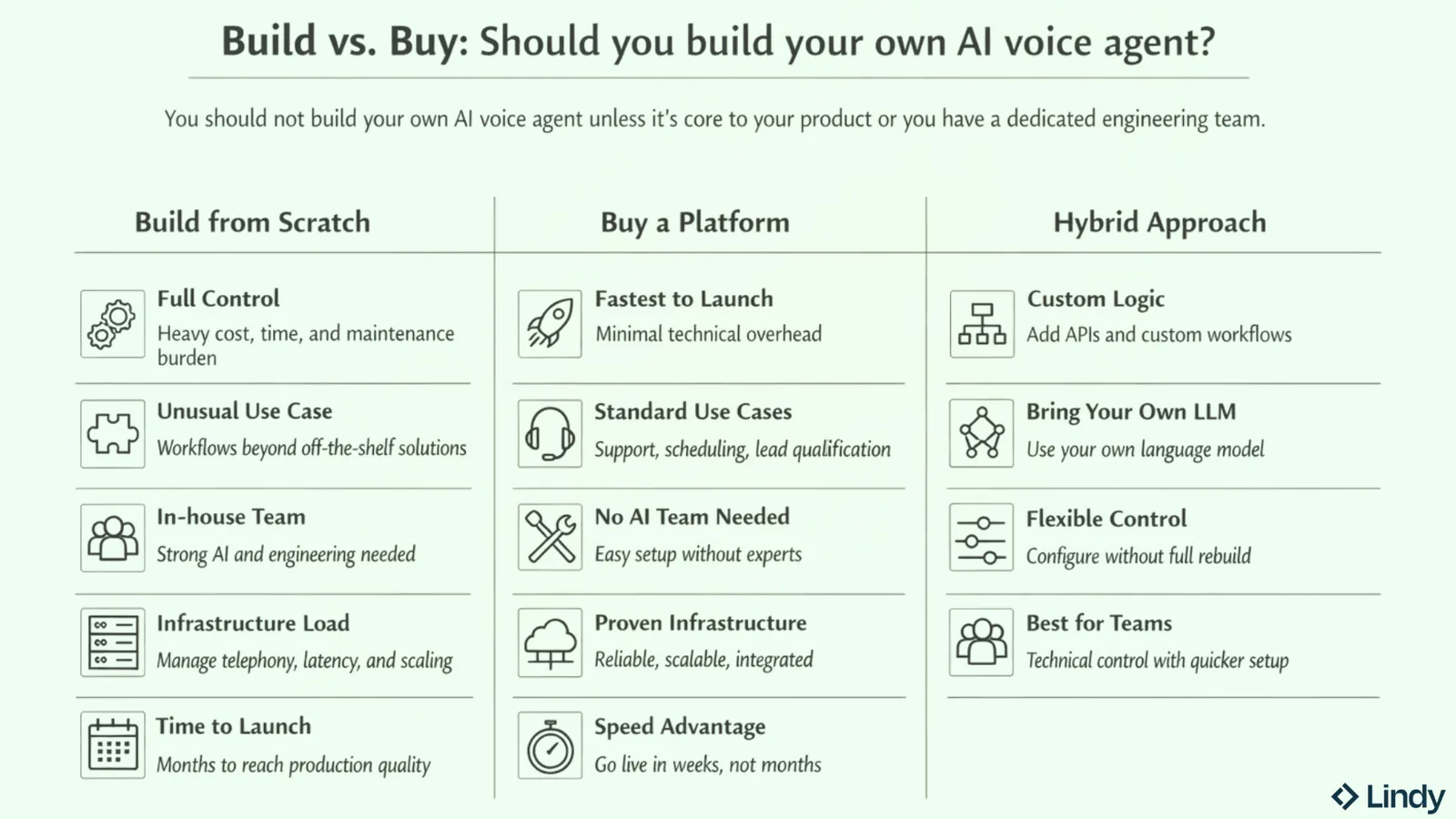
You should not build your own AI voice agent unless voice AI is core to your product or you have a dedicated engineering team that wants full control over every layer of the stack. The time and infrastructure cost of building from scratch almost always outweighs the flexibility you gain.
Here is how to think through it:
- Building from scratch makes sense when your use case is genuinely unusual, you have an in-house AI or engineering team, and the off-the-shelf options don't support the logic, data connections, or conversation design your product requires. You get full control over every layer, but you're also responsible for latency, reliability, telephony infrastructure, and ongoing maintenance.
- Buying a platform makes sense when you need something running in weeks rather than months, you don't have dedicated AI engineers, and your use case is a standard one like support, scheduling, or lead qualification. The platforms on this list have already solved the hard infrastructure problems. You configure, and the tool builds.
- The hybrid middle ground is where most technical teams land. Platforms like Vapi and Voiceflow let you bring your own LLM, wire in custom APIs, and design complex conversation logic without building telephony infrastructure from scratch. You get the control of a custom build with a fraction of the setup time.
One thing that applies whether you build or buy is that you need a structured way to test the agent before it touches real calls. That's where Cekura comes in.
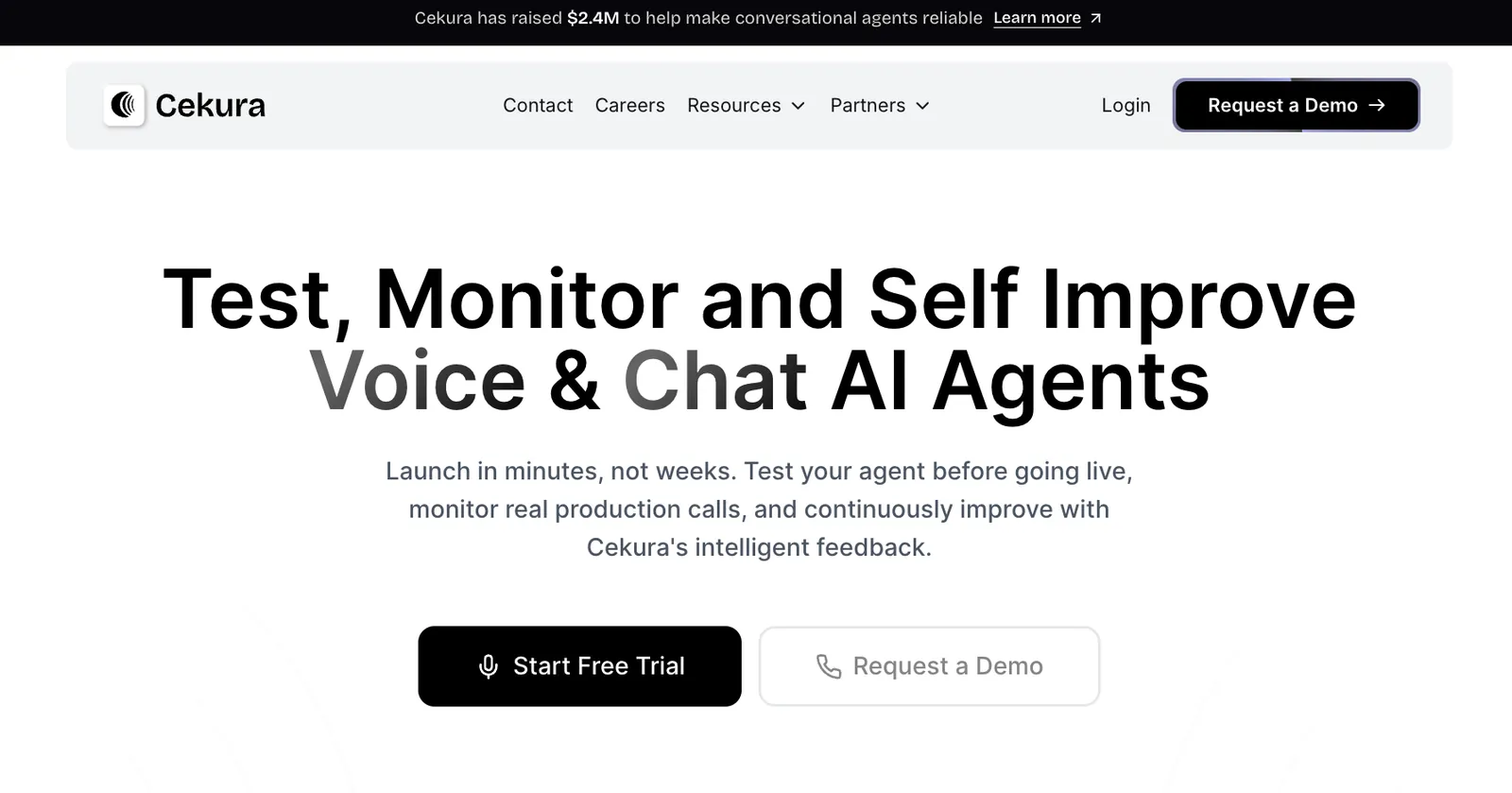
Cekura is an automated testing and observability platform for voice agents. You define what a passing conversation looks like, covering the correct information, no hallucinations, clean interruption handling, and proper tool calls. From there, Cekura simulates calls at scale across different personas and edge cases, then scores the results.
If you're building on Vapi or deploying through Retell, Synthflow, or ElevenLabs, Cekura connects directly. It's the layer most teams skip and then scramble to patch once something breaks in production.
How to choose the right AI voice agent: My verdict
To choose the right AI voice agent, start by finding the situation that matches yours. Budget, use case, team size, that's all that matters.
Here’s a quick checklist to help you decide:
- Choose Vapi if you're a developer willing to manage complexity in exchange for complete control over your stack.
- Choose Bland if you're running a high-volume enterprise, and data governance is non-negotiable.
- Choose Leaping AI if your business handles both calls and texts, and you need voice and messaging running from one platform without connecting separate tools.
- Choose Retell if you need post-call visibility and actual data to improve your agent over time.
- Choose Synthflow if your team isn't technical and you need to deploy in hours for structured call types.
- Choose ElevenLabs if voice quality is the deciding factor, and callers shouldn't instantly know they're talking to AI.
- Choose Goodcall if you're a small business that needs setup in 10 minutes and flat-rate pricing within your monthly unique-customer allowance.
- Choose PolyAI if you're a large enterprise contact center where conversations go off-script and need to stay natural.
- Choose Voiceflow if your team (product, design, engineering) needs to build together without stepping on each other.
- Choose Sierra if you're an enterprise brand where a consistent tone across voice interactions directly impacts how customers see you.
- Choose Cognigy if you're a large contact center already running Genesys, Avaya, or NICE and don't want to rebuild everything.
Not every workflow needs voice. For inbox triage, CRM updates, and follow-ups that pile up between calls, Lindy handles them via message. Text Lindy 'follow up with everyone who called yesterday' → it pulls the call list from your CRM → drafts personalized replies → you tap approve → it sends.
{{cta}}
Try Lindy: An AI Teammate That Gets Work Done for You
Lindy is one of the best conversational AI assistants out there. Instead of configuring triggers or building complex systems, you simply tell Lindy what you need in plain English.
Whether it’s managing your inbox, scheduling meetings, updating your CRM, or following up with leads, Lindy handles it.
Here’s what that looks like in practice:
- Get answers instantly: Text Lindy to pull information from your email, calendar, or CRM without digging through tabs.
- Send emails and follow-ups automatically: Ask Lindy to draft, personalize, and send outreach and handle replies.
- Take meeting notes and share summaries: Lindy joins meetings, writes structured notes, and follows up afterward.
- Update your CRM without manual entry: After a call, Lindy logs notes and automatically fills in missing fields.
- Find and qualify leads in minutes: Tell Lindy your ideal customer profile and get curated lead lists ready for outreach.
- 1,000+ app integrations: Lindy connects with the tools you already use, so everything stays in sync.
FAQs
1. How much do AI voice agents cost?
The cost of AI voice agents varies widely. Usage-based platforms like Retell AI start at $0.07 per minute. No-code tools like Goodcall start at $79 per month per agent. Enterprise platforms like PolyAI, Cognigy, and Sierra use custom pricing.
2. Can AI voice agents handle inbound and outbound calls?
Yes, AI voice agents handle inbound and outbound calls. Inbound agents answer calls, handle questions, and escalate to humans when needed. Outbound agents make calls for lead follow-up, appointment reminders, surveys, and collections. Some platforms are optimized for one direction, so confirm this before choosing.
3. What's the difference between an AI voice agent and an IVR?
IVR systems route callers through rigid menu trees using numbered options. AI voice agents hold open-ended conversations, understand natural language, and respond dynamically based on what the caller says. The experience for the caller is fundamentally different: one feels like a phone tree, the other feels like talking to a person.
4. Do AI voice agents support multiple languages?
Yes, AI voice agents support multiple languages. ElevenLabs supports over 70 languages, Cognigy supports over 100, and PolyAI handles multilingual conversations with strong accent recognition. Always test your target languages in real call conditions before deploying, since technical support and production quality are not the same thing.
5. Are AI voice agents HIPAA compliant?
Yes, several platforms offer HIPAA compliance, including Lindy, Bland, Retell, Goodcall, and Cognigy. HIPAA compliance means the platform has signed a Business Associate Agreement and meets data handling requirements for protected health information. Always verify directly with the vendor before deploying in a healthcare context.
6. Can I integrate an AI voice agent with my CRM?
Yes, most platforms integrate with major CRMs, including Salesforce, HubSpot, and Pipedrive. Retell AI, Synthflow, and Lindy all offer native CRM integrations that log call outcomes, update contact records, and automatically trigger follow-up actions. For less common CRMs, API-based platforms like Vapi offer the most flexibility.
7. Which is the best tool to test AI voice agents?
Cekura is the best tool to test AI voice agents. It runs automated pre-production tests by simulating calls across different caller personas and scoring each conversation against metrics you define, like latency, hallucinations, and interruption handling. It connects directly with Vapi, Retell, ElevenLabs, and Synthflow. It also monitors live production calls and alerts you when something breaks.









