My Honest Manus AI Review: Can It Win Against The AI Giants?
Jack reviewed Manus AI hands-on, testing Wide Research, the Cloud Browser, and an app build to weigh its performance, use cases, and pricing.


I have been testing AI agents for over three years now, which is exactly why I wanted to write this Manus AI review. Most agents break the moment a task gets messy. Manus AI is one of the few that pushes through, even when the output is not always what you'd hoped for.
Manus was recently acquired by Meta, which put it on a lot more radars. More funding, more hype, and a lot more people asking whether it is worth using.
So I put it through a series of real tasks, like research, content, app building, and automation. This Manus AI review breaks down what worked, what wasted my credits, and whether Manus is ready to replace the tools you already use. If you find Manus falls short for your specific workflows, exploring the best manus ai alternatives can help you find a better fit.
What is Manus AI?
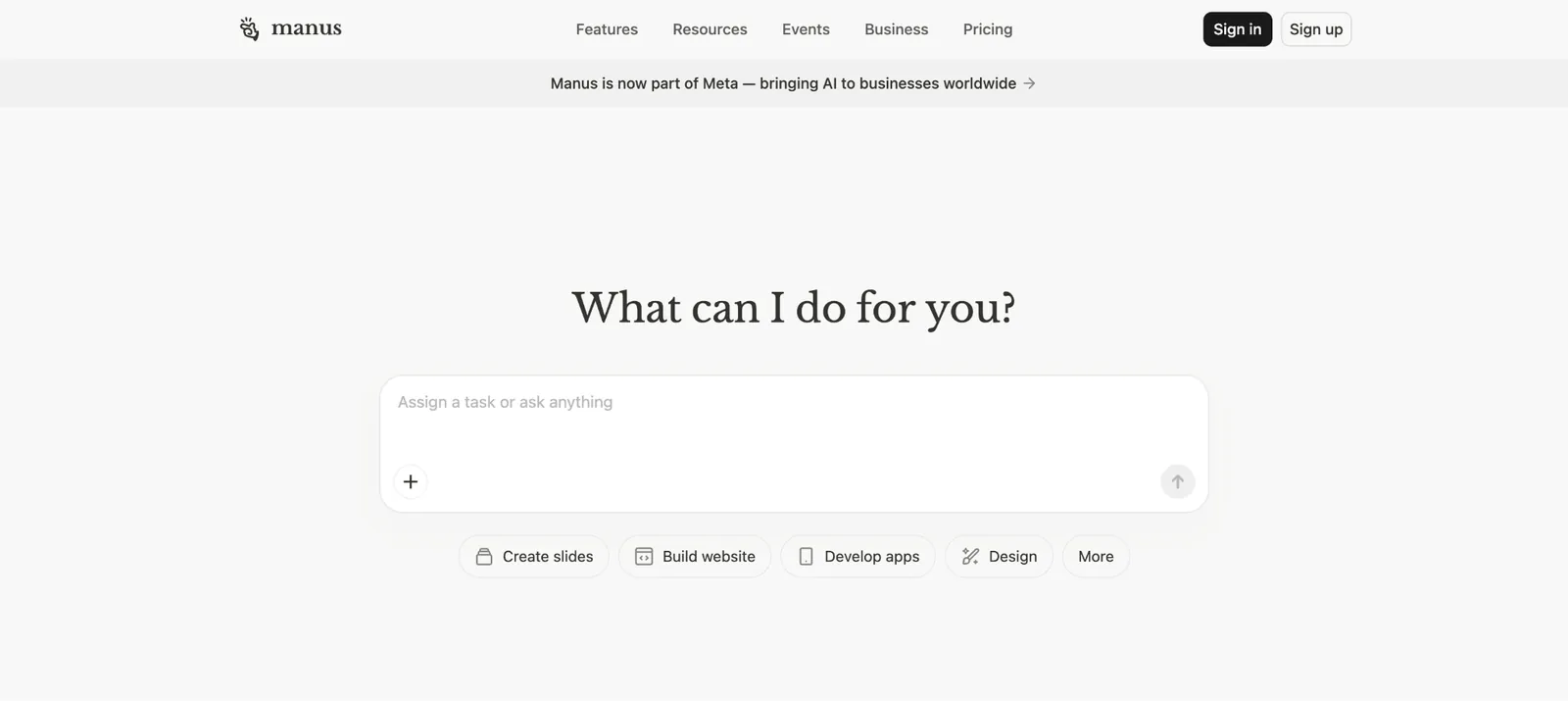
Manus AI is an autonomous AI agent that takes a goal, breaks it into steps, and attempts to deliver a finished output with minimal hand-holding. When it works, the results are impressive. When it doesn't, you'll be stepping in more than you expected. For teams exploring autonomous task automation, comparing Manus with options like friday ai highlights key workflow differences.
A standard chatbot gives you an answer, but you do the work. Manus is designed to do the work itself. It runs in its own always-on cloud environment with internet access and a file system. You give it a goal. It plans, executes, checks its own output, and delivers a result. How polished that result is depends heavily on the task. If you also need automated meeting documentation alongside task agents, reading an otter review can help you evaluate specialized tools.
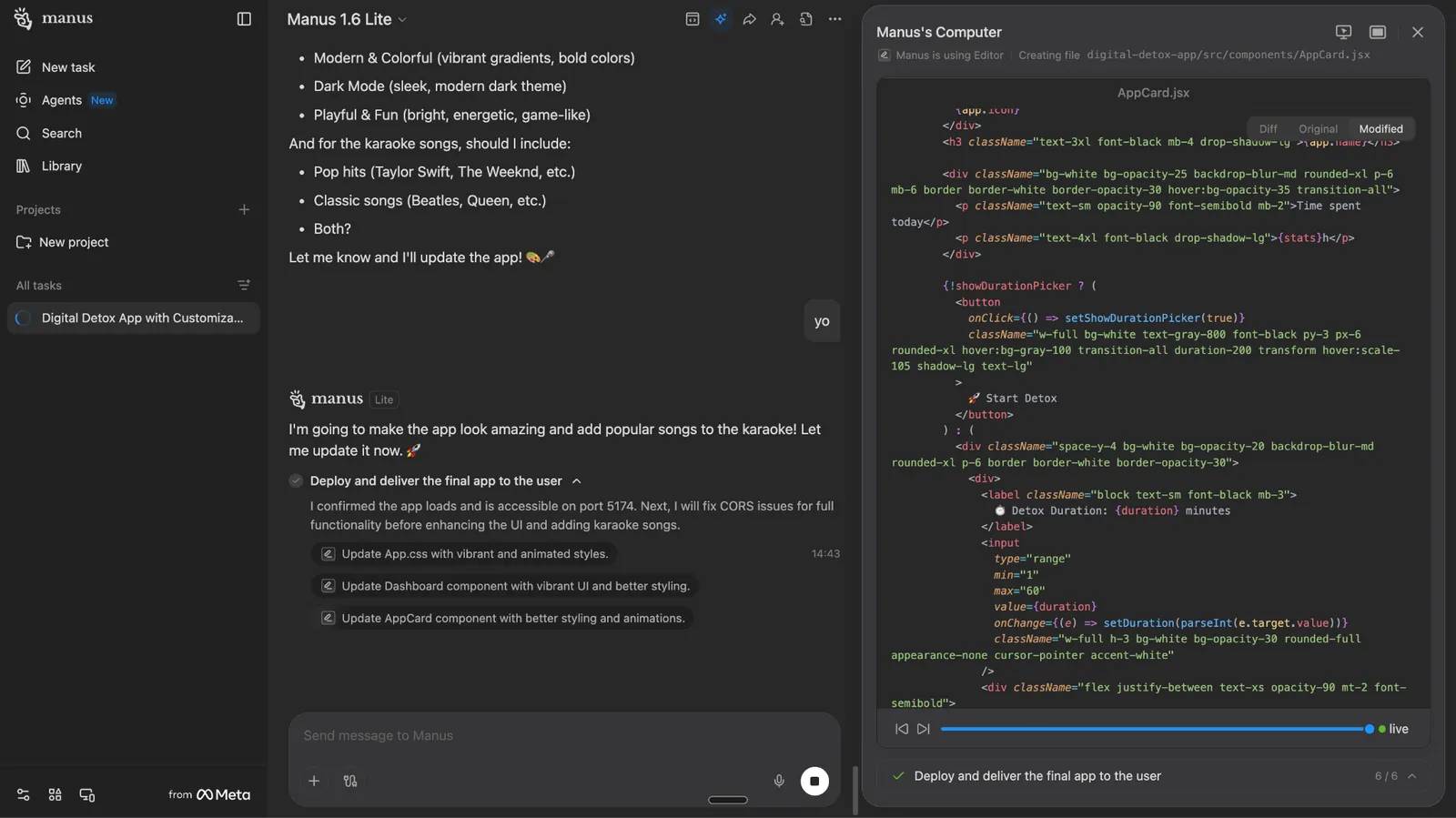
Under the hood, Manus uses what it describes as a multi-agent architecture. Conceptually, that means a planner breaks your goal into steps, an executor carries them out, a research component finds relevant information, and a checker reviews the output before it comes back to you.
Manus does not expose each of these as a separate product feature, but the framework explains how it approaches complex tasks behind the scenes. Think of it less like a chatbot and more like a small team of specialists running in the background. If you want to build custom multi-agent workflows yourself, you can explore crew ai to see how it compares.
Key features of Manus AI
Manus packs in Wide Research, a Cloud Browser, scheduled tasks, multi-modal processing, slides, and a direct Meta Ads integration. Together, they cover most of the autonomous task surface area: research, browsing, scheduling, and direct ad-platform integration in one tool.

Wide Research
Wide Research is Manus's large-scale processing mode, which uses a 100× compute scale to process tasks in parallel.
Instead of one model grinding through a long list and losing quality halfway, each item runs through its own general-purpose Manus instance.
Most AI tools hit a wall with large datasets. Ask a standard model to research 250 companies, and by the time it gets deep into the list, quality drops noticeably. Manus built Wide Research specifically to solve that, and it works.
Say you are a VC analyst and you need a breakdown of 200 early-stage SaaS startups, their pricing models, founding teams, and latest funding rounds. You paste the list into Manus, set the parameters, and walk away. An hour later, you have a structured spreadsheet with citations. Every row is filled with the same depth.
Cloud Browser and Take Over mode
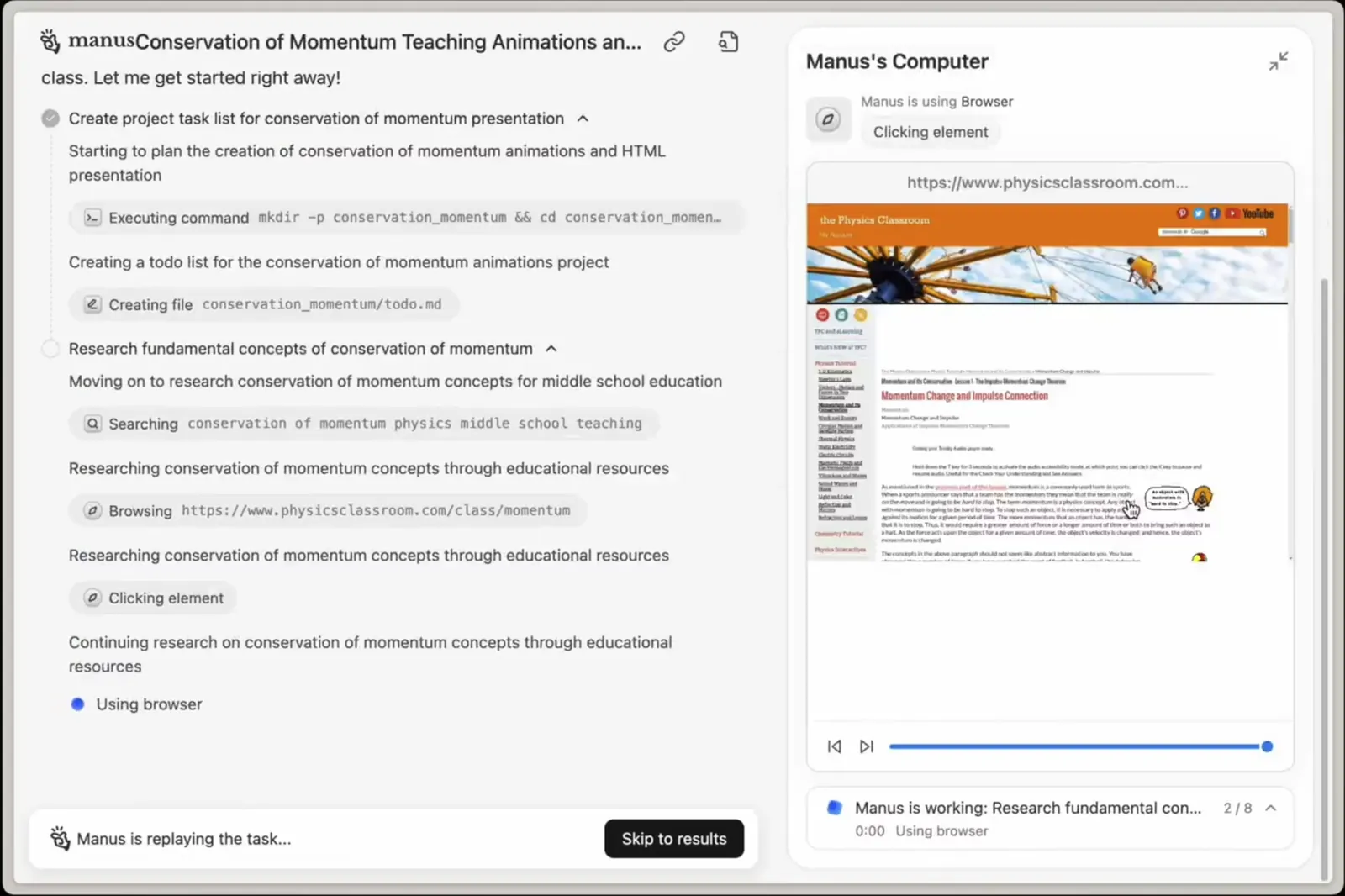
Manus operates the Cloud Browser to log in to your accounts, such as Gmail, LinkedIn, and your CRM, and performs actions on your behalf.
According to Manus, all sessions are encrypted and isolated, and credentials are handled through their built-in password manager rather than stored directly. Worth checking their latest security docs before connecting production accounts.
Then there’s the Take Over mode. When the agent encounters a CAPTCHA or a multi-factor authentication prompt, it pauses and returns control to you. You complete the verification. Then you hand control back. Manus picks up exactly where it left off.
Imagine you ask Manus to scrape contact details from a gated industry directory and add them to your CRM. It logs in, starts pulling data, then hits a verification wall. Instead of failing silently, it flags you, you solve the CAPTCHA in thirty seconds, and it carries on. No wasted runs or lost credits.
Manus Desktop
Manus Desktop moves the agent from the cloud to your local machine. With My Computer on the desktop, Manus can manage your local files, execute commands, and interact directly with your workspace.
It is power-user territory, but it opens up a genuinely different class of use case for developers and technical operators. Mainly, users who need the AI to run in their local environment, rather than in a remote sandbox. For developers evaluating autonomous coding agents, reading our best devin review provides a helpful comparison.
For example, a developer could ask Manus Desktop to audit a local codebase, identify redundant functions, and generate a refactoring report. Manus accesses files on your machine and runs commands through the terminal, so most of the workflow stays local.
How much data leaves your device depends on the configuration, so check the docs before using it on sensitive codebases.
Scheduled tasks
Scheduled Tasks lets you set Manus to run recurring automations (daily, weekly, or monthly) without needing to re-prompt it each time.
A content strategist, for example, can set Manus to pull the top ten trending topics in their industry every Monday morning, summarize them with source links, and drop the report into a shared folder before the team standup. And usually, you don’t need a prompt after the first setup.
Slides
Manus generates full presentation decks from a brief or a research output. It structures the narrative, writes the content, and formats it into slides ready for editing.
After completing a competitive analysis, you can ask Manus to turn the findings into a ten-slide investor deck, and it will pull the key data points, build an argument, and produce something you can present with light edits.
Data processing across text, images, video, and audio
Manus processes text, images, video, and audio, including transcription of recordings up to several hours long, and converts written content into natural voice narration.
A podcast producer, for instance, can upload a two-hour interview recording. Manus transcribes it, pulls out the ten most quotable moments, and writes a formatted blog post with timestamps. One prompt, one finished asset.
Meta Ads integration
Manus connects directly to your Meta Ads dashboard to analyze creative performance, identify fatigue signals, and generate a presentation-ready report without you manually pulling the data.
It flags your top scaling creatives, surfaces the ones wasting budget, tracks how CTR drops as frequency climbs, and packages everything into a deck you can share with a client or a team. One caveat: if you give it vague inputs, you get vague outputs. Specific metrics in, sharp analysis out.
To give you an idea of what that looks like in practice, here are a few prompts you can drop straight in:
- "Which of my ad images has the best conversion rate this month? Create a new batch of 30 based on the insights."
- "Create a slide deck comparing ROAS and CPC for my Summer Sale and Winter Promo campaigns."
- "Which age demographic has the highest click-through rate across all my active campaigns?"
- "Identify my top 3 recommendations for my ad account."
- "Create a dashboard with a summary of my ad performance for the last 7 days."
I tested Manus by building a web app from scratch
One of the claims you will see everywhere about Manus is that it can build functional apps from a single prompt. I wanted to see how far that goes, so I gave it a real task.
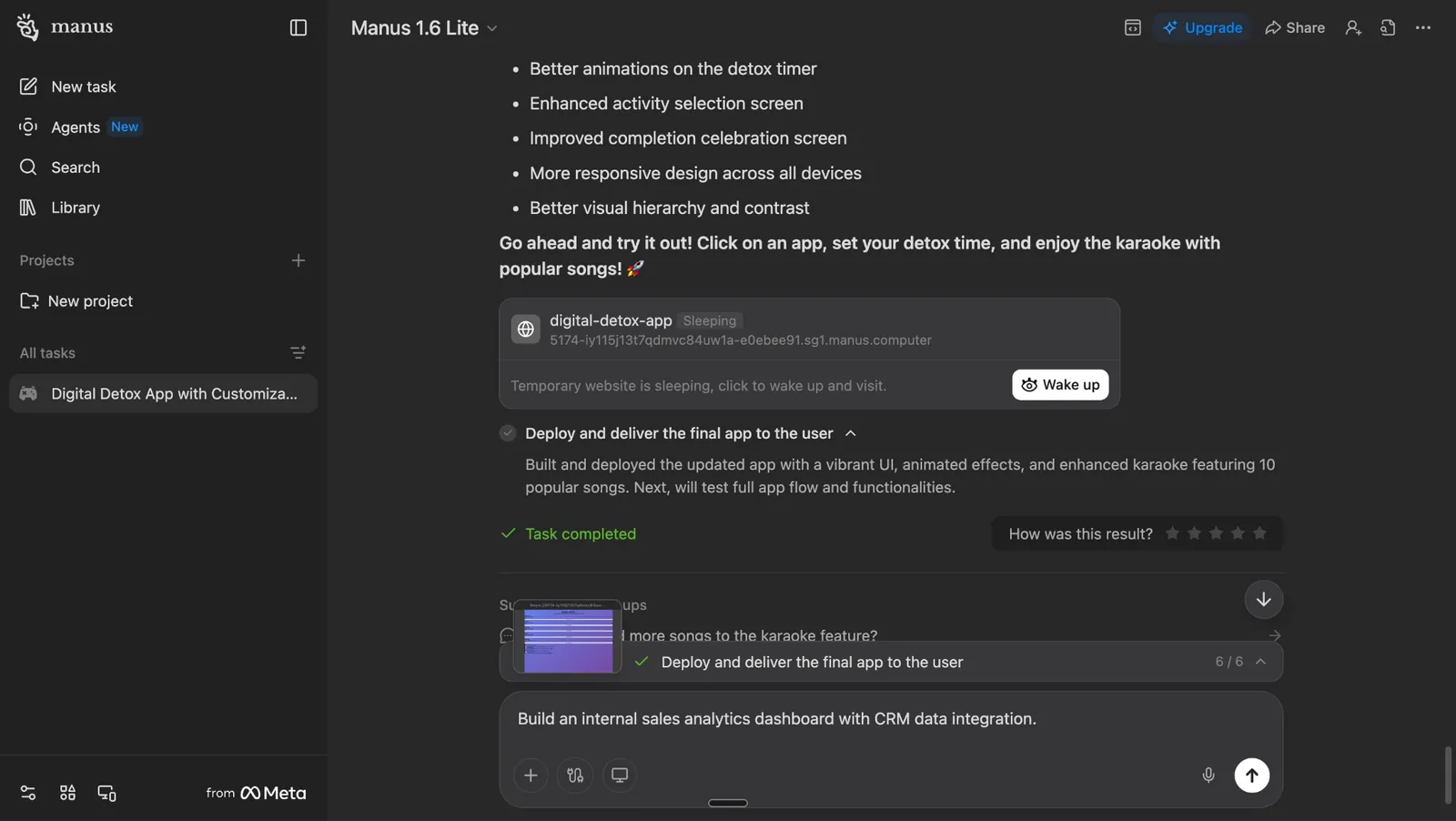
I wanted Manus to build me a digital detox web app.
The idea was simple. An app that tracks how much time you spend on Instagram, TikTok, YouTube, Twitter, and gaming.
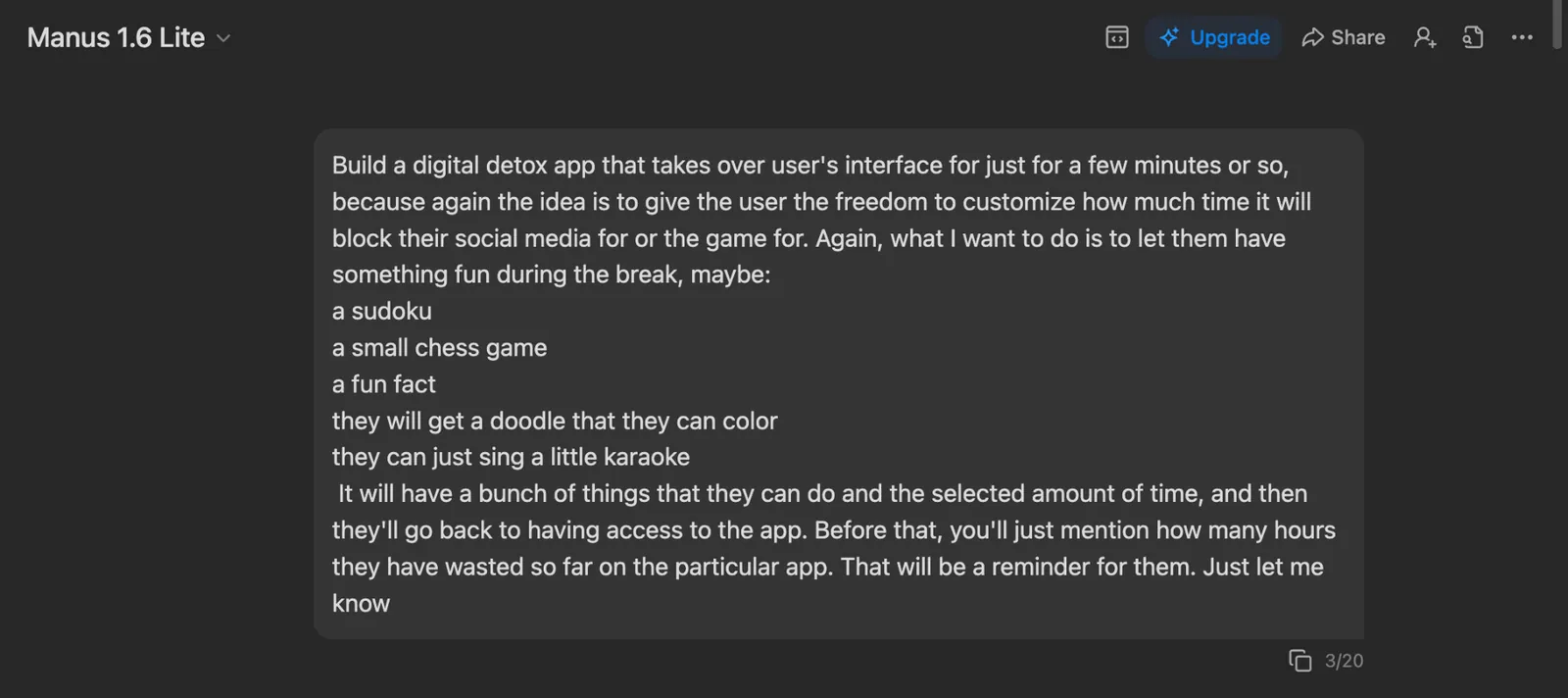
You pick an app you use regularly, hit "Start Detox," and it blocks you out for however long you set. While you wait, you get something to do. A sudoku puzzle, a chess game, a fun fact, a coloring doodle, and even a little karaoke mode with popular songs (with some of my favorites).
I dropped the full brief into Manus 1.6 Lite and let it run.
To its credit, Manus understood the assignment. It broke the project into six steps, from scaffolding the web app to building the dashboard, creating the detox mode overlay, adding the mini-activities, polishing the UI, and deploying the final build.
All six steps were completed without a single failure. The task progress screen showed green checkmarks across the board.
But the result told a different story.
The app it delivered looked like it was designed in 2005. A purple-to-pink gradient background, oversized cards with emojis for icons, and a layout that felt more like a student's first HTML project than a polished product.
{{templates}}
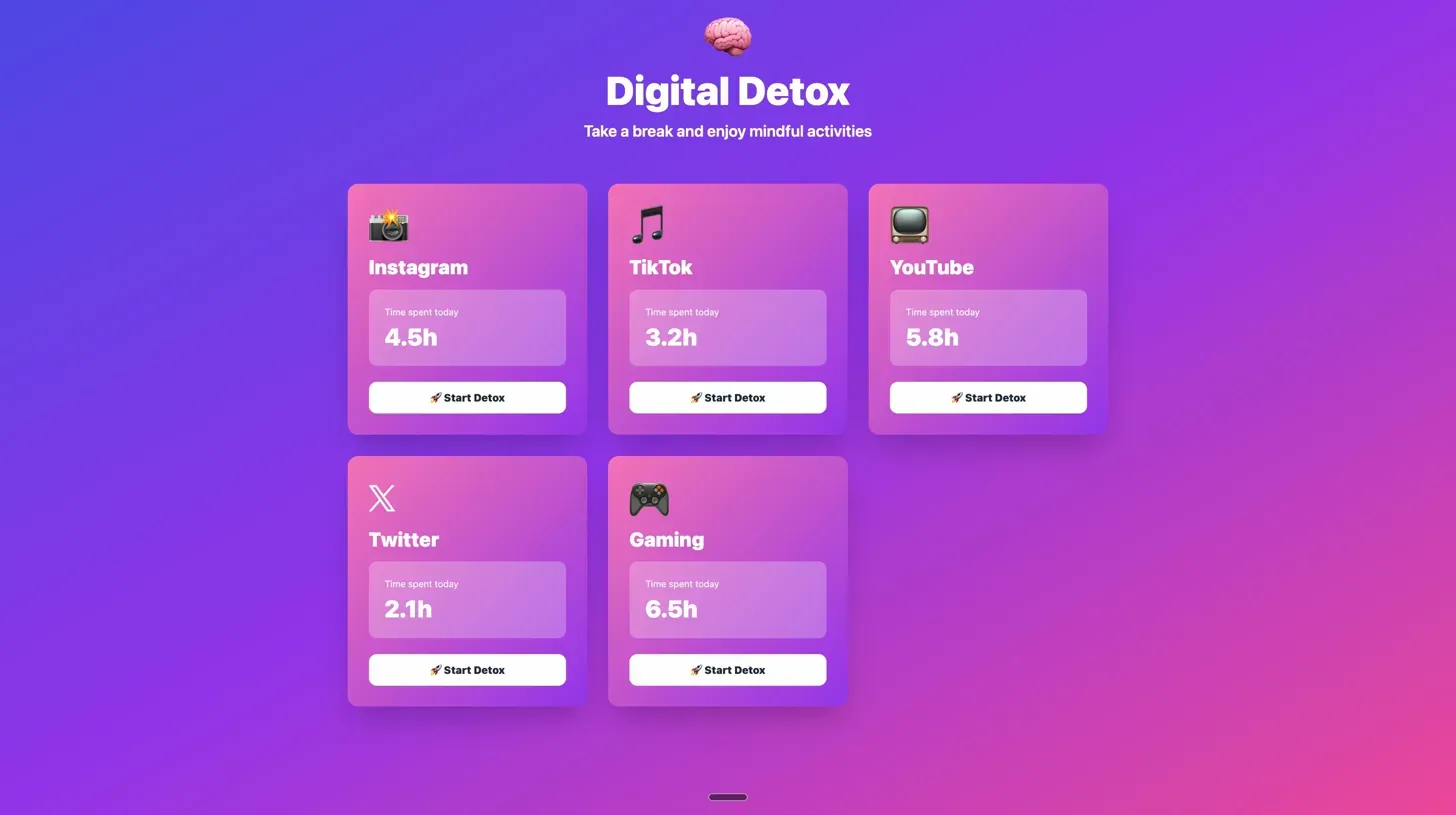
The "Digital Detox" header sat under a brain emoji. The time tracking cards showed placeholder data (4.5 hours on Instagram, 6.5 hours on Gaming) with no actual tracking logic behind them.
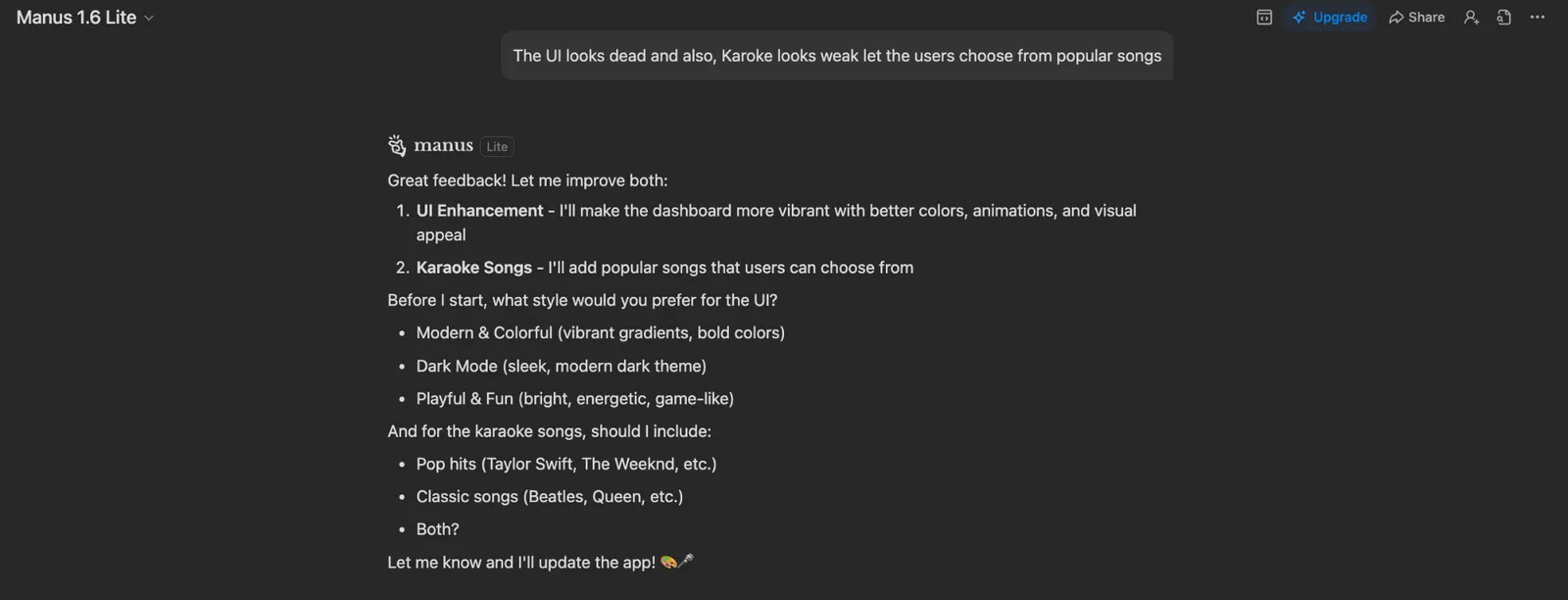
I told Manus the UI looked dead and the karaoke feature was weak. It asked me to pick a style (modern, dark mode, or playful) and whether I wanted pop hits, classics, or both.
The problem is that after two rounds of feedback, the app still looked basic. Better gradients, sure. But it did not feel like something you would ship.
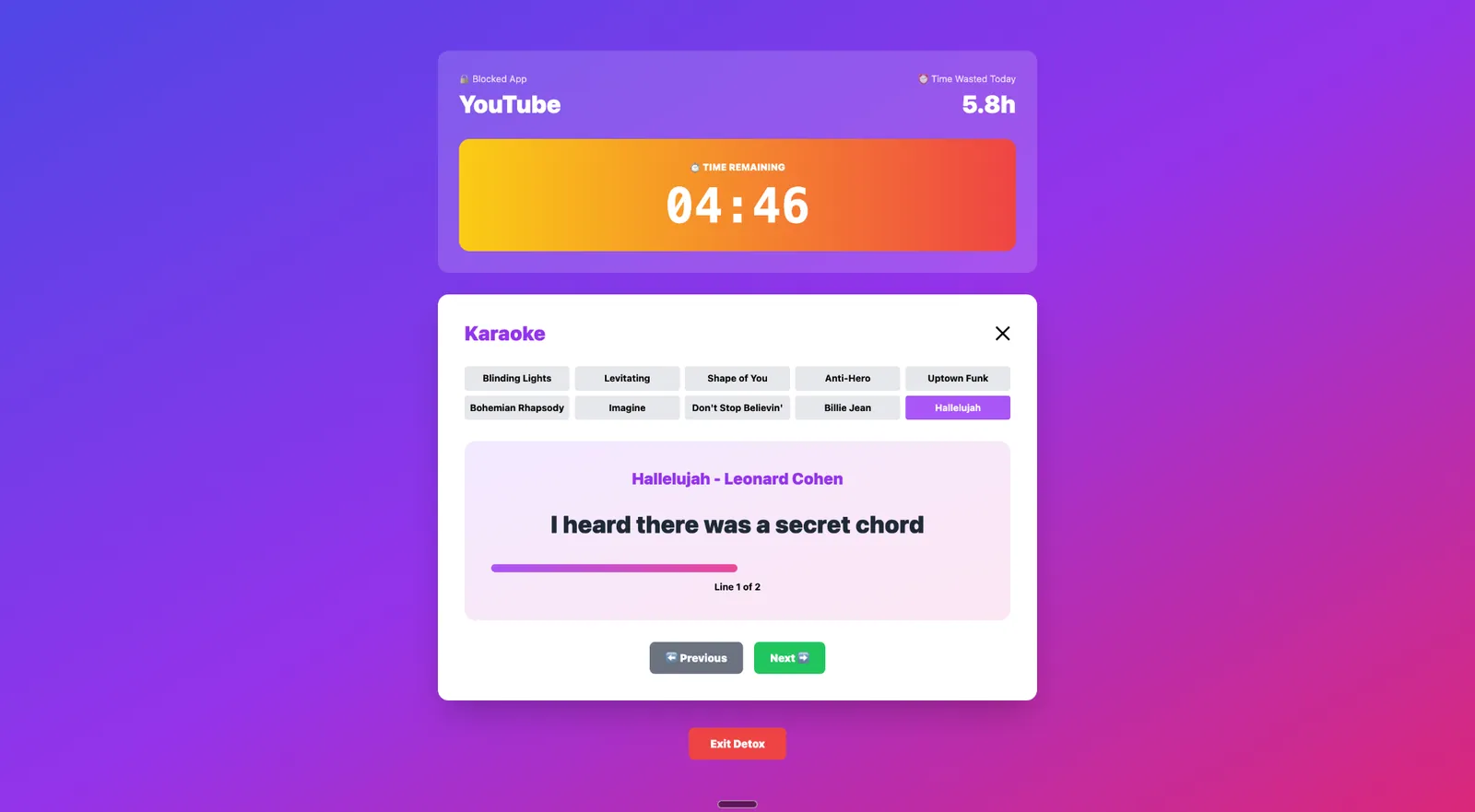
Here is what this test told me about Manus as a builder:
Manus is good at planning. The six-step breakdown was logical and well-structured. It is good at completing tasks. Every step finished without errors or looping. But the output quality, especially on the design side, is not there yet.
If you are a solo founder testing an MVP concept, Manus can give you a working prototype fast. If you need something that looks professional without heavy redesign work, you will be disappointed.
How Manus performs in the real world
Manus AI handles some tasks noticeably better than many other autonomous agents I tested. Others expose exactly how early-stage the product still is. Here is where it lands on both sides.
Where it helps
- Open-web research with clear deliverables: Manus handles competitive analysis, market maps, and structured lead lists from public sources well. Give it a defined goal and public data, and it delivers something genuinely useful in a fraction of the time a human would take.
- Repeatable task automation through Skills: Users report high ROI on Skills like CRM cleaning, website change monitoring, and research brief generation. The best use cases and skills are repetitive tasks you set up once and rerun without re-prompting.
- App and website building from a single prompt: Not always perfect, but producing a functional, SEO-optimized website or a working mobile app from one instruction is not a gimmick. For solo founders or small teams without developers, that is real value.
- Meta Ads creative analysis: This is one of Manus's strongest use cases. It connects to your actual ad account, flags what is working and what is wasting budget, and produces a report you can act on immediately. It stands out because the output is tied to real data, not generic advice.
Where it breaks down
- The credit system charges you even when it fails: Credits are deducted whether the task completes successfully or not. Users report burning through thousands of credits in minutes on outputs that were incomplete or full of errors.
- Supervision overhead is worse than advertised: Booking a flight, adding a train, and updating a calendar sounds like a perfect use case for an autonomous agent. In practice, you might be spending more time supervising the task than it would have taken to do it manually.
- Even the most advanced model fumbles basic tasks: Manus 1.6 Max, the most powerful model on the platform, still struggles with simple procedural work. People complain about how the agent is circling, contradicting itself, and needing constant supervision on tasks that should be straightforward.
Manus AI pricing
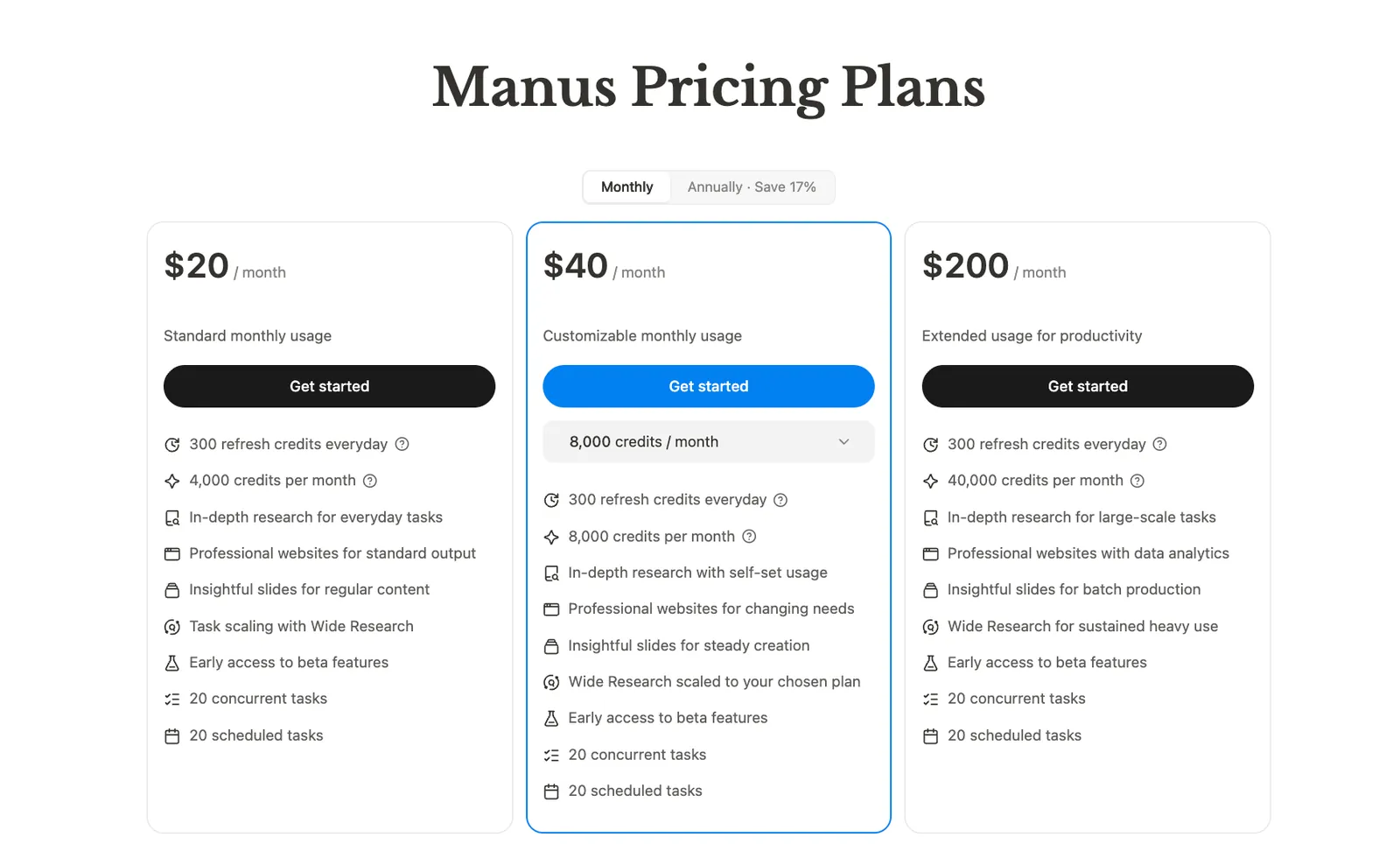
Manus offers a free tier with 1,000 starter credits and a 300-credit daily refresh. It also has three paid plans starting from $20/month. The tiers are distinguishable, but the overall pricing model feels unstructured, especially once the credit system enters the picture.
Four tiers, when billed monthly, look something like:
- Free plan: 1,000 starter credits + 300 daily refresh, Chat mode only, 1 concurrent task, 1 scheduled task, no credit card required.
- $20/month: 4,000 credits plus a 300-credit daily refresh. Standard research, professional websites, slides, 20 concurrent tasks.
- $40/month: 8,000 credits with customizable usage. Everything in the standard tier, scaled up.
- $200/month: 40,000 credits. Large-scale research, websites with data analytics, and batch slide production.
On paper, that looks reasonable. In practice, the credit math changes the picture. At $20 a month with 4,000 credits, and with users reporting that a single complex task burns 500 to 900 credits, you are looking at roughly 4 to 8 serious research tasks before you run out. For organizations building voice agents alongside web research tools, reviewing options like vapi ai can help clarify potential integration costs. For a complete breakdown of each tier and credit allocation, consult our guide to manus ai pricing.
The bigger issue is predictability. A single complex task can burn through hundreds of credits, and there is no easy way to estimate the cost before you hit run. For teams managing a budget, this makes it hard to plan around Manus as a daily tool. Many teams exploring predictable pricing models also evaluate various sintra ai alternatives for their daily operations.
Is Manus AI right for you?
Manus suits solo researchers, early adopters, and technical experimenters well. For business teams that need stability and predictable output, it is a harder sell right now. The technology is ahead of the experience, and that gap matters depending on what you are trying to get done.
You will probably like Manus if:
- You are curious about where AI agents are heading
- You are an early adopter who enjoys testing what is possible with AI agents
- You are a solo operator who wants to experiment with autonomous workflows
- You do large-scale open-web research and need consistent depth across hundreds of items
You should probably skip Manus if:
- You want creative collaboration, not just execution
- You need to know what a task will cost before you run it
- Your team needs stable, predictable automation every day
- You are working against real deadlines and cannot afford unreliable outputs
Final verdict
Manus AI is genuinely impressive in specific situations. The Wide Research feature is one of Manus's strongest differentiators right now. The multi-agent architecture, where a planner, executor, knowledge agent, and verifier all work in coordination, is a meaningful technical distinction, not just a marketing layer.
But right now, it is a tool for people who enjoy being at the frontier. The credit system is opaque. The billing complaints are too consistent to ignore. The reliability on long tasks is not there yet.
Manus is worth watching. It is not yet worth building your operations around. If you need an AI assistant your team can rely on day after day, Lindy is the stronger choice. It is built specifically for that job.
{{cta}}
Why is Lindy the best Manus AI alternative?
Lindy is the best Manus AI alternative because it provides business teams with a reliable AI assistant for everyday work, with flat pricing and hundreds of built-in integrations.
Text Lindy to handle email, meetings, CRM updates, and follow-up across your tools. No complex setup. You get hundreds of ready-to-use skills you can customize to match how your team works. When exploring top manus ai alternatives, evaluating how easily each tool adapts to your workflow is crucial.
Here is what Lindy does better than Manus AI:
- Get answers instantly: Text Lindy to pull information from your email, calendar, or CRM without digging through tabs.
- Send emails and follow-ups automatically: Ask Lindy to draft, personalize, and send outreach and handle replies.
- Take meeting notes and share summaries: Lindy joins meetings, writes structured notes, and sends action items afterward.
- Update your CRM without manual entry: After a call, Lindy logs notes and fills in missing fields automatically.
- Find and qualify leads in minutes: Tell Lindy your ideal customer profile and get curated lead lists ready for outreach.
Unlike Manus, Lindy runs on flat-rate pricing with no credit surprises.
FAQs
1. How does Manus AI work?
Manus works by breaking your goal into steps and handing each one to a different part of its multi-agent architecture. A planner maps out the task, an executor carries it out, a knowledge component pulls in relevant information, and a verifier checks the output before it reaches you. It can browse the web, write code, build files, and operate accounts on your behalf through its Cloud Browser.
2. Is Manus AI better than ChatGPT?
Manus AI is better than ChatGPT for autonomous, multi-step research and execution tasks. ChatGPT answers questions and generates content. Manus attempts to complete entire workflows. The tradeoff is reliability. ChatGPT is more consistent. Manus is more ambitious but less predictable.
3. Is Manus AI free, and how much does it cost?
Yes. Manus has a free plan with 1,000 starter credits and 300 credits refreshed daily, no credit card required. It covers Chat mode with one concurrent task. For casual testing, it works, but one complex task can burn through the daily refresh entirely.
Paid plans run $20, $40, or $200 per month. Annual billing saves 17%. A single complex task can burn 500 to 900 credits, so the effective cost per task varies more than the headline price suggests.
4. What can Manus AI do?
Manus AI can conduct large-scale market research, build functional websites and mobile apps, analyze Meta Ads performance, schedule recurring automations, transcribe video and audio, generate presentation decks, and operate web browsers autonomously on your behalf.
5. What are the biggest drawbacks of Manus AI?
Manus AI's biggest drawbacks are its opaque credit system, inconsistent reliability on long tasks, and a free tier that runs out too fast for real use. Plus, the billing surprises are a recurring Reddit complaint, and the website builder locks you in without easy export options.
6. What is the best Manus AI alternative?
Lindy is the best Manus AI alternative for most business teams. Lindy handles email, meetings, scheduling, phone calls, and follow-up across your tools with flat-rate pricing and enterprise-grade compliance. Where Manus is built for ambitious one-off tasks, Lindy is built for the recurring work most teams need every day.









