Make Vs Zapier: Our View On How They Differ & Which To Choose
Everett compared Make, Zapier, and Lindy across AI features, workflow depth, and ease of use, examining lead capture, scheduling, and customer support automation.


I spent weeks comparing Make vs Zapier (vs Lindy, of course!) to see which is better for automating workflows in 2026. Zapier is simple and widely connected, Make offers deeper visual control for advanced workflows, and Lindy is the all-around AI assistant you can text to handle the real business tasks.
How Make vs Zapier Compare: At a Glance
| Capability | Make | Zapier | Lindy |
|---|---|---|---|
| Primary Workflow Type | Visual, multi-step workflows built on a drag-and-drop canvas with AI assistance | Beginner-friendly automations across apps, with optional AI features | An AI assistant you text to run tasks and coordinate work across your tools |
| Data Handling | Transformations, filtering, branching, and AI decision-making | Transfers, mappings, and AI-powered reasoning | Understands context and takes action based on what you ask in plain English |
| Setup | Visual canvas; AI Agents use natural language goals | Copilot assists with natural language; manual mapping is also available | You tell it the outcome, not the steps, and it handles the setup behind the scenes |
| Maintenance | Agents adapt; scenarios may need occasional fixes | Agents adapt; Zaps may need occasional updates | Adjusts based on new information and flags you only when something needs attention |
| Collaboration | Connects 2,000+ apps; agents are reusable across workflows | Connects 8,500+ apps; agents can work across tools | Works across 4,000+ app integrations and handles multi-step tasks to update systems, send messages, and keep everyone in sync |
- Choose Make: If your workflows need more logic, branching, and control across multiple tools. It is a better fit for teams managing detailed operational processes, advanced support routing, or layered internal systems where seeing and shaping each step matters more than getting started quickly. To learn more about its specific features and pricing, read our best make review. Comparing these costs against standard zapier pricing can help you determine which platform best fits your budget.
- Choose Zapier: If you want the fastest way to connect apps and keep core workflows moving without much setup. It fits teams that care most about lead routing, notifications, and simple CRM updates, and who prefer something straightforward over deeper customization or a more assistant-like experience. If you are evaluating different platforms, exploring top zapier alternatives can help you make the right choice.
- Choose Lindy: If you want automation to feel more like delegating work than configuring rules. It suits teams handling scheduling, follow-ups, support context, or cross-tool coordination, especially when you want to describe what needs to happen in plain English and let the assistant carry it forward.
Meet the Contenders
Make: Best For Visual Control Over Complex Workflows
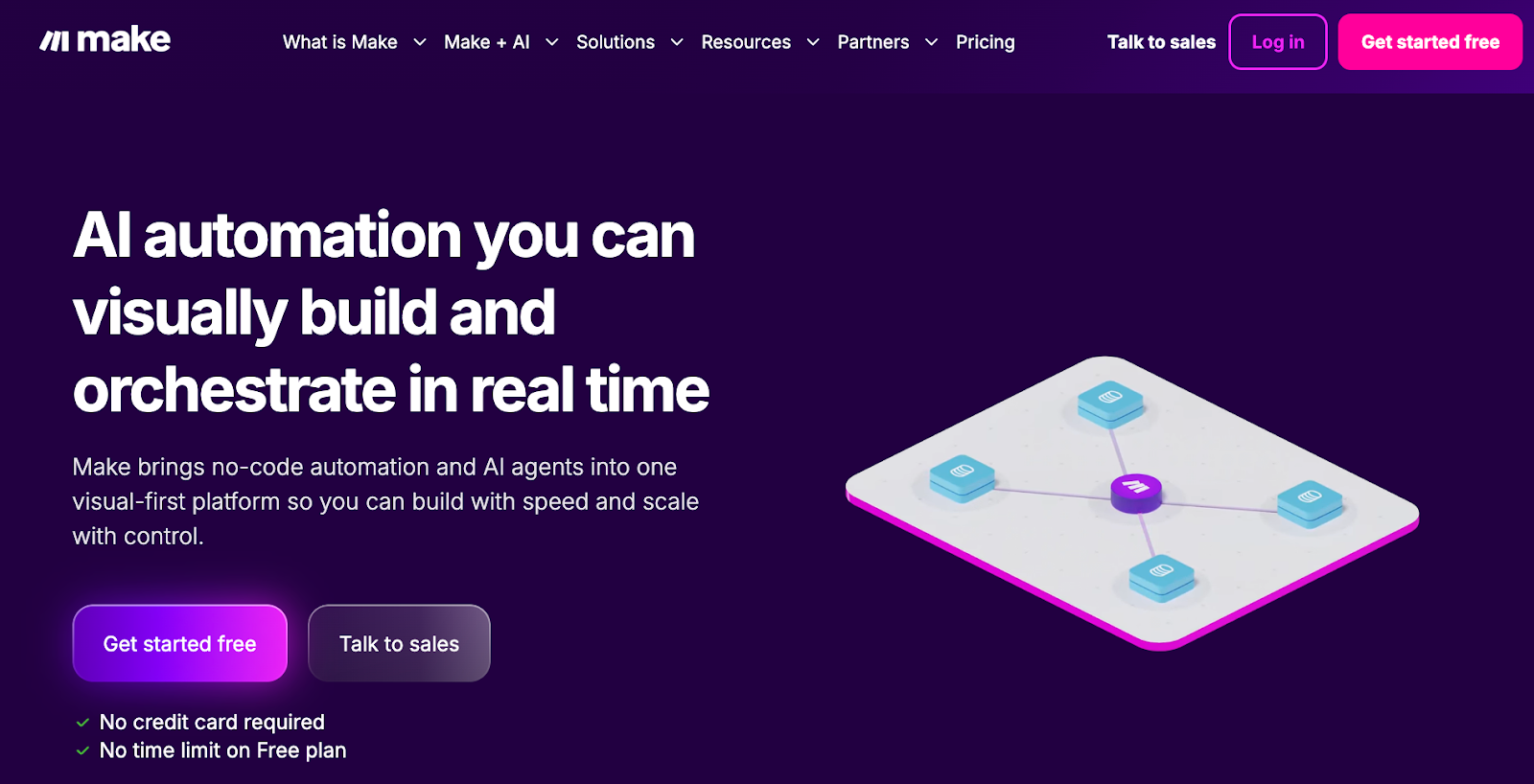
Make is built for teams that want to see the logic behind every step. Its visual canvas gives you more control over routing, filters, branching, and multistep workflows, which makes it a stronger fit for advanced automations. It takes more effort to manage than Zapier, but the tradeoff is flexibility when your processes get more detailed. If you are considering other options, you can explore top make.com alternatives that offer different workflow approaches.
Zapier: Best For Simple App-To-App Automation
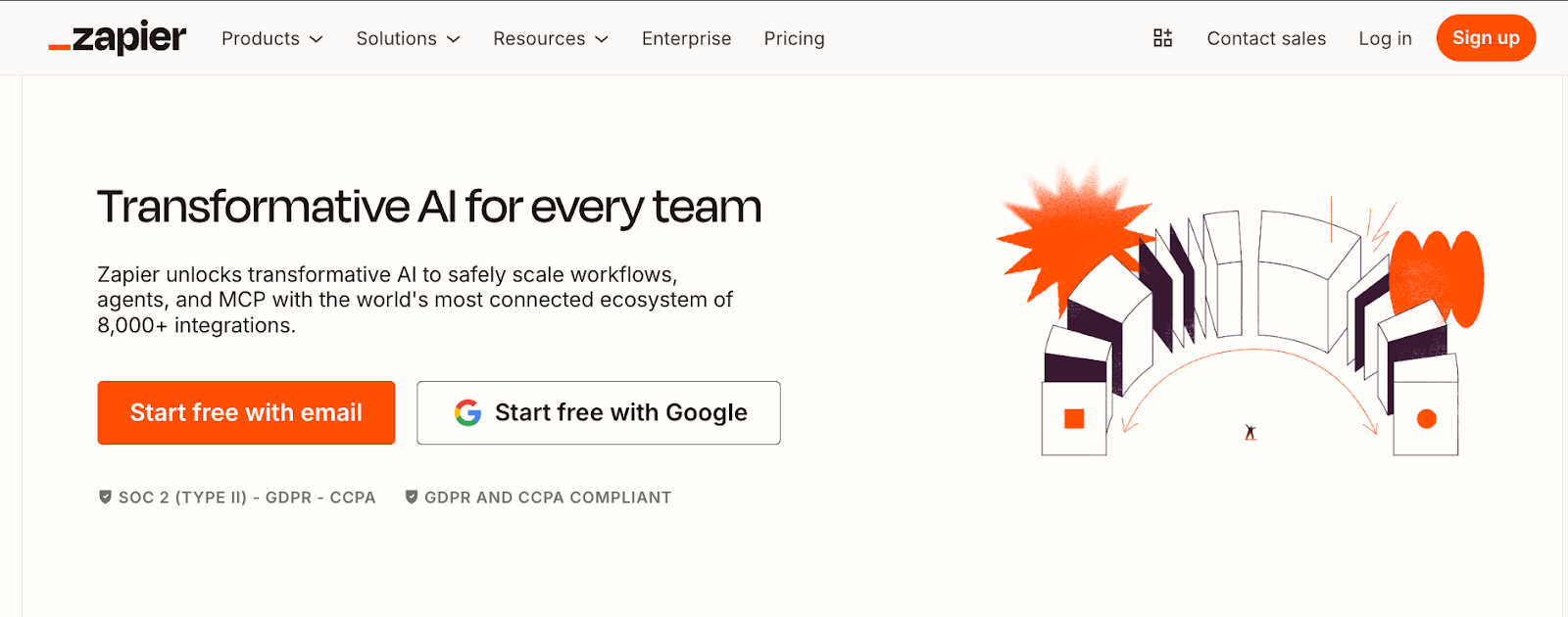
Zapier is the easiest of the three to get running if your team wants straightforward automations between tools. It works well for fast trigger-based tasks like sending form leads into a CRM, posting updates to Slack, or keeping records synced across apps. In this comparison, Zapier stands out for simplicity and breadth, especially for teams that value quick setup over deep control. If you are exploring cost-effective alternatives, evaluating pabbly vs zapier can help you compare pricing tiers and task limits.
Lindy: Best For Delegating Work In Simple Words
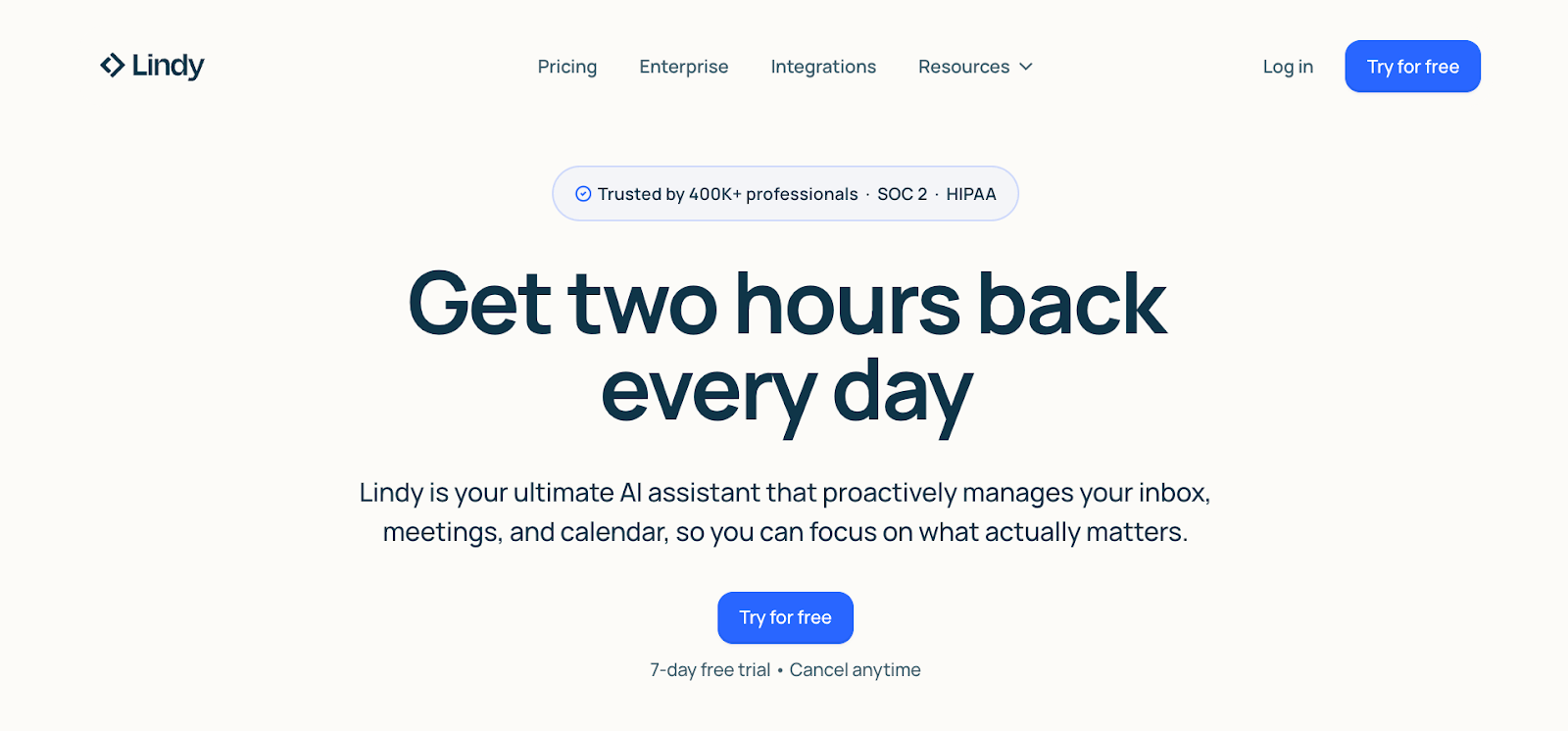
Lindy is different from Zapier and Make because you do not start by building flows. You text Lindy what you need done, and it handles the work across your tools in the background. That makes it a better fit for teams that want automation to feel more like handing work to an assistant than configuring logic step by step.
{{templates}}
Make vs Zapier: Feature Breakdown
Most teams automate a few core areas: capturing leads, managing tasks and meetings, and handling support. Here’s how each tool approaches those workflows.
Lead Capture and CRM Automation
Zapier and Make added AI to their existing automation systems, while Lindy is designed to feel like an AI assistant you can text, especially for non-technical teams that want results without configuring complex workflows.
Make
Make can enrich lead data, move information between tools, update CRMs, and keep dashboards current. Filters and Routers keep the flow efficient, skipping irrelevant leads and routing qualified ones for enrichment or outreach.
For CRM operations, Make acts as the automation layer that drives the system. It updates deal stages, triggers follow-up emails when a lead's status changes, and builds live dashboards that reflect the sales pipeline.
With Make’s AI features, you can describe what you want in plain English and let it figure out the steps for handling leads. You still have the visual canvas if you want full control, which makes it appealing to teams that like to see exactly how everything connects.
Zapier
Zapier automates lead capture by moving data from forms, ads, and sign-ups into your CRM the moment it's submitted. When someone enters their information, Zapier creates or updates the lead in tools like HubSpot, Salesforce, or Pipedrive and maps fields to keep records clean.
It also connects to ad platforms like Facebook and Google, pulling new leads into your CRM within seconds. With Zapier Agents, you can go further. Agents can research new leads, enrich them with company details, and score prospects automatically without manual setup for each step.
Lindy
Lindy acts like a sales assistant who helps manage the lead cycle end-to-end. It can research companies, enrich contact data, and score prospects so sales teams focus on stronger leads.
You can also ask the assistant to look up contact details, verify roles, and summarize what it finds into a short profile that sales can use before reaching out.
When it comes to communication, Lindy drafts personalized emails using that context, schedules multi-touch follow-ups, and can draft replies based on your knowledge base, keeping conversations moving without manual back-and-forth.
Just ask Lindy to generate leads and connect to any popular CRM, like Zoho, Vtiger, NetHunt, or Agile CRM. For example, you can ask Lindy to help with the calendar, scheduling, or advanced meeting coordination.
Winner: Zapier is the cleanest choice for fast lead routing and simple CRM handoffs. Make gives you more control, while Lindy is better once the job moves beyond capture into follow-ups and outreach.
Task, Calendar, and Meeting Automation
Zapier and Make focus on syncing data and triggering actions across tools, while Lindy is designed to feel like a scheduling assistant you can simply loop into the conversation.
Make
Make automates multistep processes with routing, filtering, and data mapping. It handles workflows that require more than a simple trigger and action. This turns your scattered task lists into a connected productivity system. For example, a new entry in a Notion “Content Pipeline” can trigger Make to create tasks in ClickUp, assign owners, and mark them complete once a blog is published.
Calendar integrations keep everything in sync across tools like Google Calendar and Notion, automatically creating, editing, or deleting events as schedules change. Make even manages permissions and clears outdated meetings.
For scheduling, Make connects with a range of tools like Zoom and Google Meet to set up calls and update Airtable or Sheets records immediately after they happen.
Zapier
Zapier automates administrative work across tasks, calendars, and meetings by keeping information consistent between apps. It syncs updates across project tools, automatically creates tasks from calendar events or form submissions, and prevents duplicate entries.
Let’s say you’ve got a meeting on the calendar. Zapier can automatically log it in Google Sheets, send a quick update to Slack, and create related tasks in Notion or Todoist, all at once.
For example, after a sales call on Zoom, Zapier can send the recording to an AI transcription service, generate a summary, and automatically email follow-up notes to your team, no manual steps required.
The result is a connected flow where scheduling, documentation, and next steps happen automatically, reducing manual busywork.
Lindy
Lindy helps you manage meetings end-to-end by checking schedules, proposing times, sending invites, and taking care of any changes that come up. It checks availability across all connected calendars, prevents double-booking, and can factor in time zones, preferences, and focus blocks when proposing times.
You can CC Lindy in an email thread, and it will coordinate meeting times automatically, much like a real assistant would.
Once you set a time, Lindy creates the invite for you. It also adds a video link if needed. If someone needs to reschedule, it handles that too.
And, once the meeting is over, Lindy further sends confirmations and reminders. At the same time, it updates your CRM and your task lists in Asana or Trello automatically.
Newbies can start with the AI Calendar Assistant or AI Scheduling Assistant, and then later try the AI Meeting Manager for more advanced meeting workflows.
You can also ask Lindy to record the meeting, summarize the discussion, pull out action items, and log them in your CRM or task manager afterward.
Winner: Lindy is the best fit here. Zapier and Make can sync calendars and trigger tasks, but Lindy handles scheduling more like an assistant by checking availability, proposing times, sending invites, and handling reschedules.
Customer Support and Ticketing
Zapier, Make, and Lindy can all automate support workflows, from logging and routing tickets to sending responses. All three now use AI to help classify tickets and draft responses, but the setup and level of control differ. The difference is in setup complexity and how much control you want over the process.
Make
Make can automatically create and manage tickets from incoming messages, forms, or chat logs, assigning them to the right person and updating status fields in real time. This removes the need for manual triage, keeping queues organized and response times consistent.
Thanks to its conditional routing, the workflows can branch based on priority, ticket type, or channel, ensuring issues go straight to the right team with personalized auto-responses when needed.
For example, a new Zendesk ticket marked “urgent” can trigger an immediate Slack alert and a priority tag in the CRM. Make’s flexibility helps support teams scale smoothly while maintaining accuracy and speed.
Zapier
Zapier centralizes support by capturing tickets the moment activity happens: a chat in Drift, an email, a form submission, or even a payment or order. It creates the ticket in your help desk (e.g., Zendesk, Help Scout) and pushes the details where they’re needed so nothing is missed.
Your teams get instant alerts, and routing rules send issues to the right queue to keep SLAs intact.
Zapier also keeps systems in sync, for example, creating a Help Scout ticket from a HubSpot form or updating Zendesk org data when a HubSpot deal is created.
With AI in the loop, it can draft a first reply in tools like Freshdesk, helping agents respond faster.
Lindy
Lindy monitors your inbox and chat channels, flags real customer issues, and helps sort them so nothing important gets missed.
When a new message comes in, it can classify it, route it to the right team, and post a summary in Slack so everyone has context before jumping in.
If the question is straightforward, like pricing or account details, Lindy can draft a reply based on your knowledge base. If it needs a human decision, it escalates it with the right context attached.
On your website, Lindy can answer frontline questions using your documentation and escalate only when needed. After the exchange, it can log the ticket, update your CRM, and keep records in sync.
You can refine how it responds over time by adjusting its instructions and knowledge base, so replies stay aligned with your team’s tone and policies.
Winner: Make stands out when support workflows need more routing logic and hands-on control. Zapier is strong for quick ticket handoffs, while Lindy fits better when you want more context around replies and escalations.
{{cta}}
Automation Models: Make vs Zapier
Make
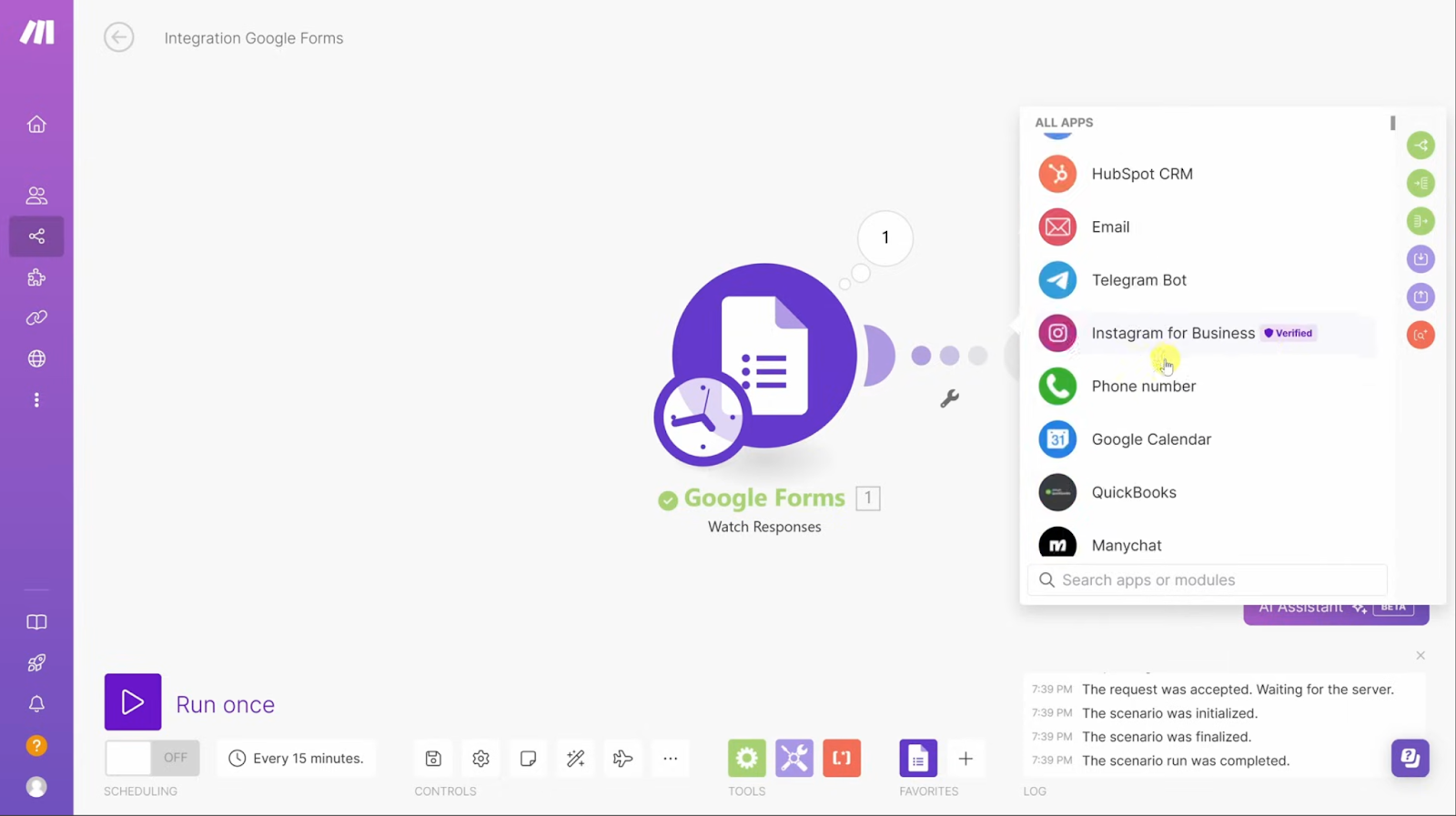
Make runs on a visual canvas. You build “scenarios” by dragging and connecting modules, each one representing an app or action.
Data moves between modules through mapping, and Filters and Routers let you control branching logic, like sending a reminder if an invoice is overdue or updating a record if it’s already paid.
AI works inside that same visual system. Instead of defining every step manually, you can describe your goal in plain English and let Make structure the flow for you. It can access 2,000+ apps and 30,000+ actions, adjusting the workflow as conditions change.
The canvas remains fully visible, which makes it appealing to teams that want both AI assistance and hands-on control.
Zapier
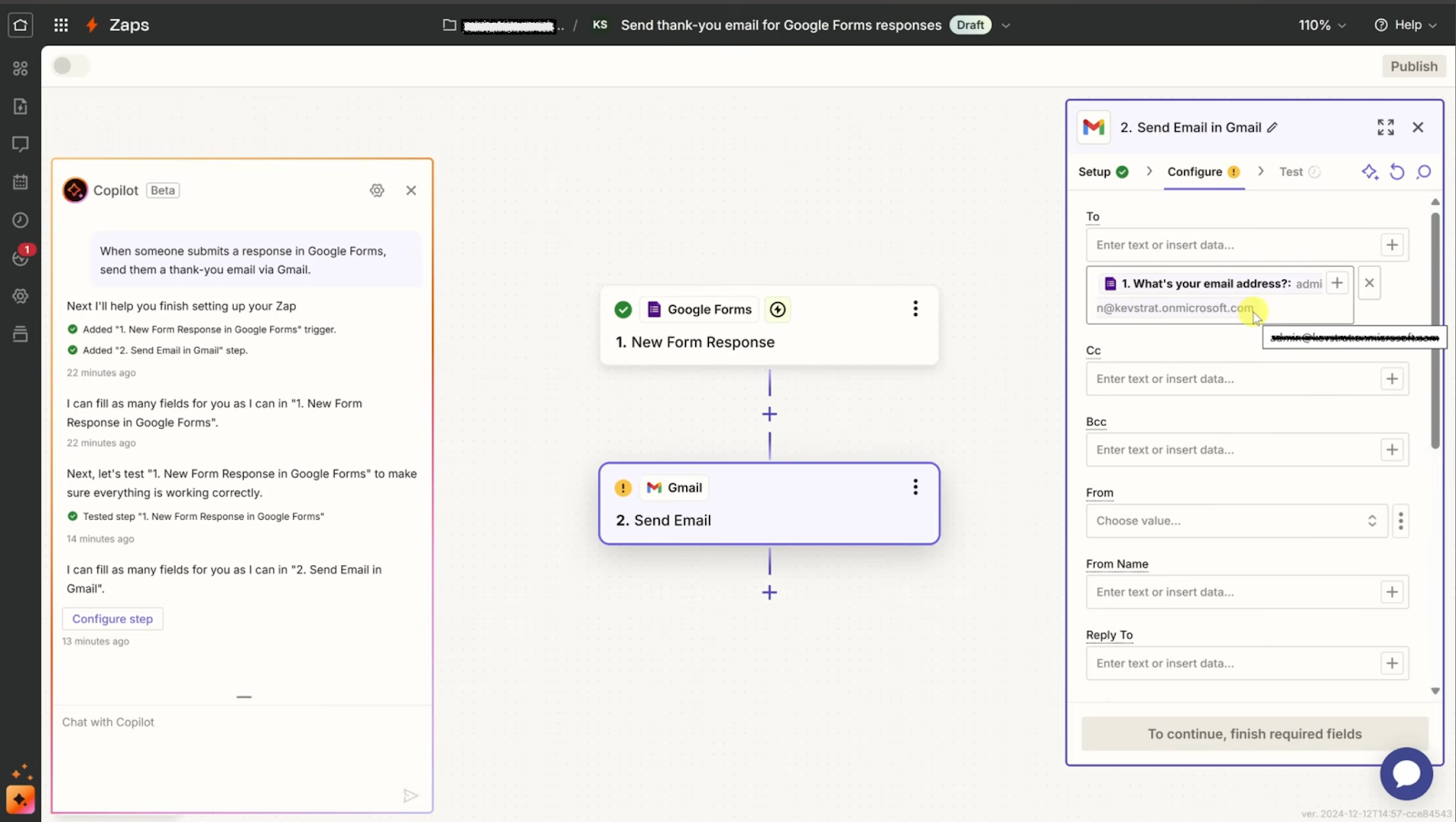
Zapier offers two ways to automate: traditional Zaps and AI-powered Agents.
Zaps follow a trigger-action model. A new lead in HubSpot, a row added in Google Sheets, or an invoice created in QuickBooks automatically triggers the next step.
Some triggers run on polling intervals, while others fire instantly.
For more complex workflows, Zapier includes filters, paths, loops, and webhooks for conditional logic.
Zapier Agents go further. Instead of setting up every step manually, you describe what you want in plain English, and the agent figures out how to get it done.
Agents can research leads, draft responses, qualify prospects, and handle support tickets across the apps connected to your Zapier account.
Zapier Copilot also helps you build automations conversationally, making setup faster for both Zaps and Agents.
Lindy
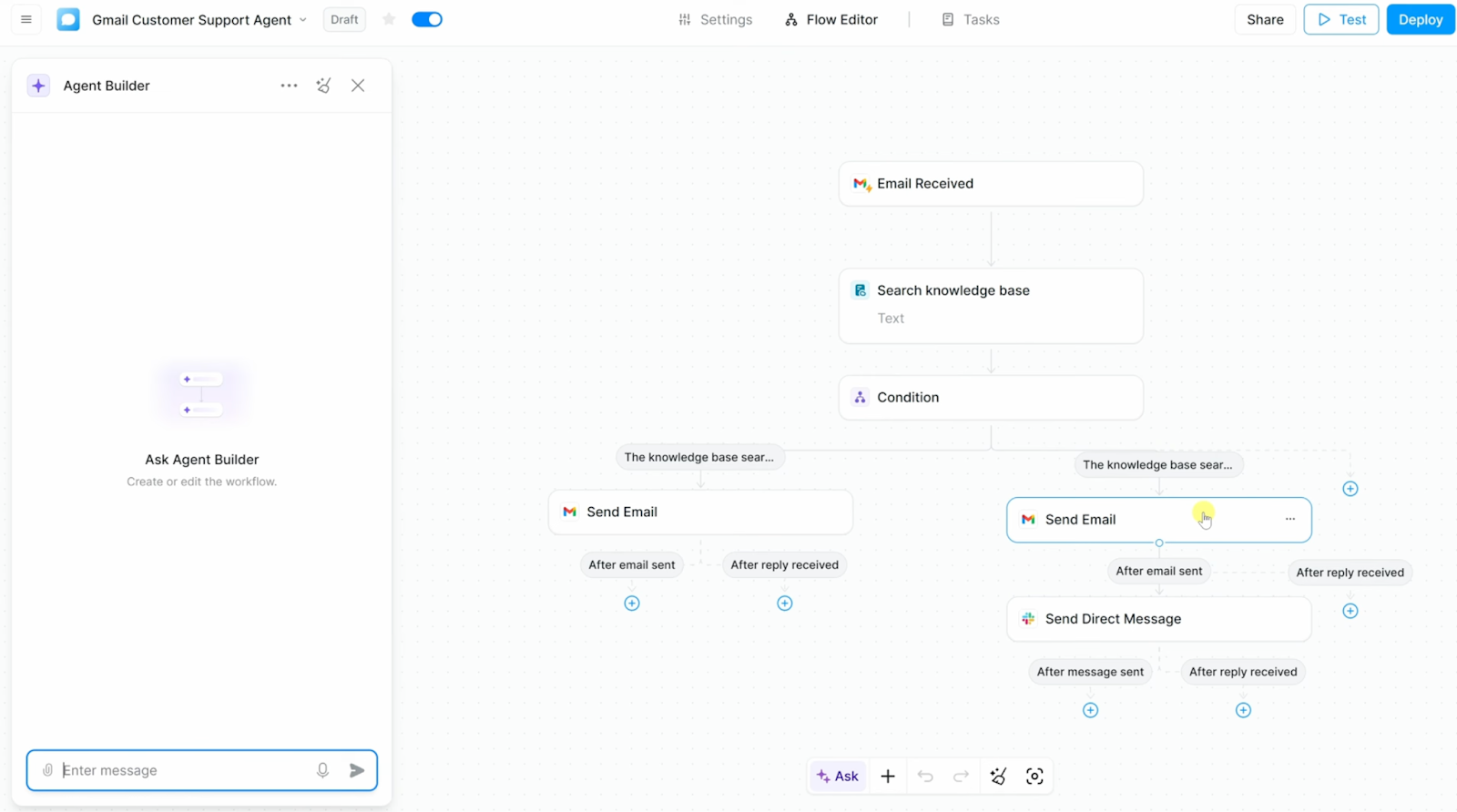
With Lindy, you don’t build flows on a canvas or configure branching logic. You make a request, and it handles the execution.
You might text:
- “Reply to Sarah with our pricing.”
- “Prep me for my 2 pm.”
- “Schedule a follow-up with the team.”
Behind the scenes, Lindy checks the relevant email thread, pulls the latest pricing details from your documents or CRM, drafts the reply in your tone, and logs the conversation once it’s sent.
If you ask for meeting prep, it reviews past emails, notes from previous calls, and any open deals in your CRM, then summarizes what matters so you walk in prepared.
If you ask it to schedule a follow-up, it checks availability across calendars, proposes times, sends the invite, and updates related records so the next step is tracked.
You are not configuring the logic. You are delegating the outcome.
Which Tool Should You Choose, Make.com or Zapier?
After testing all three, the right pick comes down to how you want automation to feel in day-to-day work. Zapier is the easiest place to start for simple app-to-app automations. Make gives you more control when your workflows get complex. Lindy is the better fit if you want to delegate work in plain English and have an AI assistant handle the follow-up across your tools.
Choose Make if you:
- Need visual control over multi-step workflows across CRMs, dashboards, project trackers, or internal systems
- Want to design detailed logic for things like lead routing, reporting, operational handoffs, or data movement between tools
Choose Zapier if you:
- Want simple automations that keep your apps in sync the moment something changes
- Need fast alerts, form routing, lead enrichment, or lightweight AI help without managing a more complex setup
Choose Lindy if you:
- Want an AI assistant to monitor your tools, summarize updates, and take action based on what matters to your team
- Need support with sales follow-ups, internal alerts, task monitoring, or response drafting without manually building workflows
What It’s Like to Work With Lindy
Teams pick Lindy when they want automation to feel less like wiring tools together and more like delegating work.
Zapier and Make can both get you to the same outcome, but they start from different places. With Lindy, the starting point is always the request.
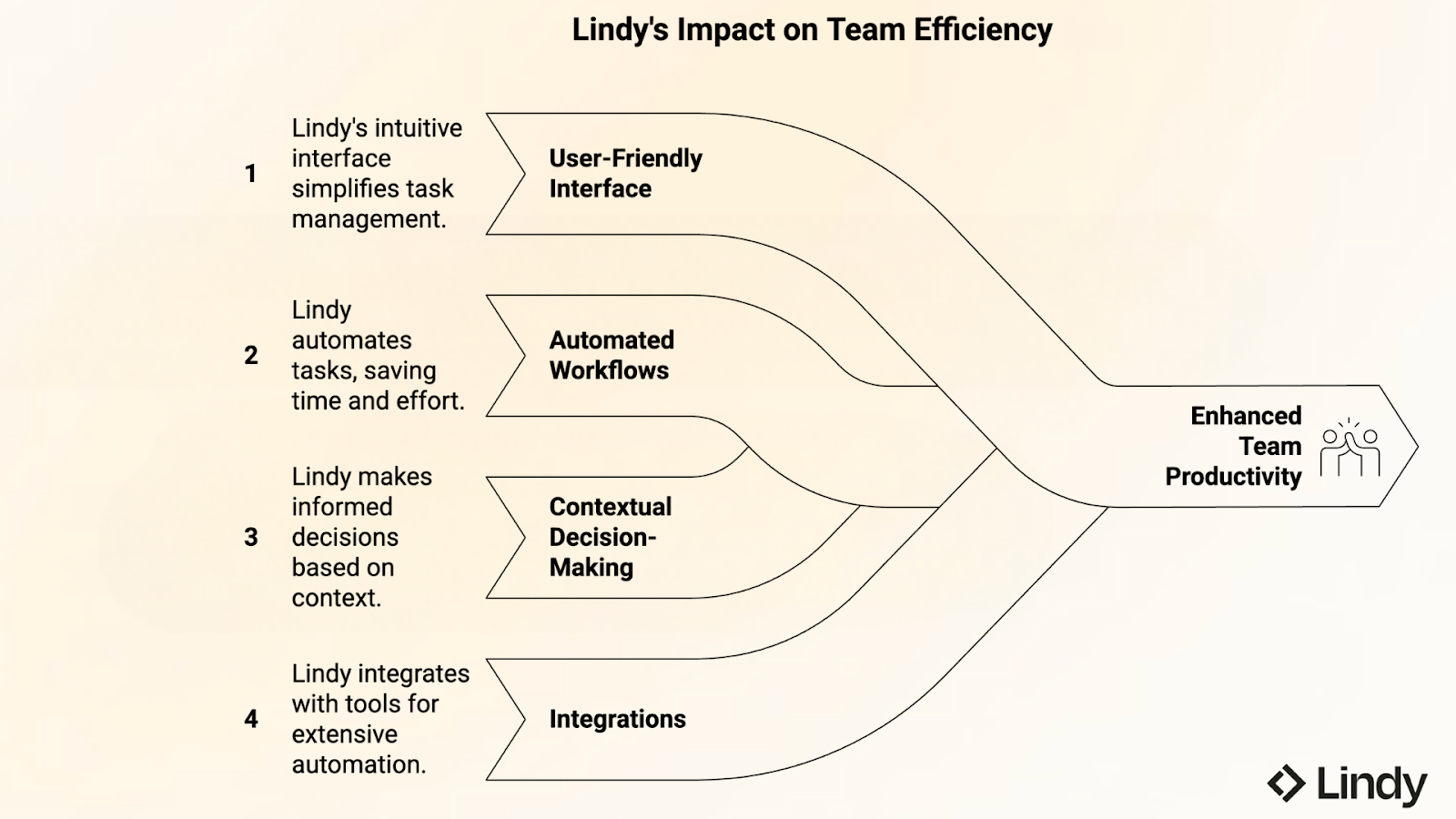
Setting up feels like giving a teammate instructions
Lindy starts with a prompt, not a flowchart. Talk to it like you would to a teammate.
You might text: “Reply to customer emails about pricing with our current rate card and alert the sales channel.” From there, Lindy sets up the actions behind the scenes, using the tools you’ve connected.
If the workflow needs one more step, you don’t go rebuild the whole thing. You just add the instruction: “Also log this lead in HubSpot.” Lindy updates what it does next time.
You get context and follow-ups without babysitting the process
Once it’s running, Lindy handles the small decisions that usually create busywork. If a message matches what’s already in your knowledge base, it drafts the reply. If it doesn’t, it escalates with enough context for a human to step in.
For example, instead of sending “new ticket” noise to Slack, Lindy can route a short summary with the customer, the issue category, and what it already tried, then tag the right person.
It also keeps workflows tidy, canceling reminders when someone replies, nudging when a thread goes quiet, and logging what happened so the team can trace the result later.
Connections are the boring part, and that’s the point
Once Lindy is linked to tools like Slack, Gmail, and HubSpot, it can move work across them without you stitching every step together.
And if you do want to pull in more specialized tooling, integrations like Apify and Pipedream let Lindy trigger a scraper or kick off a custom workflow, then bring the result back into the same thread where you asked for it.
Make vs Zapier vs Lindy: How They Differ in Real Use
At a high level, these tools solve the same problem. In practice, they feel very different. Zapier centers on triggers, Make on visual workflows, and Lindy on delegation.
Choosing the right automation tool starts with understanding what each one is built to handle:
- Zapier for straightforward automations and broad integrations: Zapier connects thousands of apps and is built around event-based workflows. If something happens in one tool, it triggers an action in another. It is a strong fit for teams that want fast setup and reliable app-to-app automation.
- Make for visual control and complex logic: Make centers around a drag-and-drop canvas where you can see and control every step. It appeals to teams that want to design multi-step workflows with detailed routing, filters, and branching logic.
- Lindy for delegation instead of configuration: Lindy is designed for teams that would rather describe the outcome than build the workflow. You tell it what needs to happen, and it coordinates the steps across your tools in the background.
Get Started with Lindy: Your Personal AI Automation Assistant
Lindy is built for teams that want results without wiring triggers or building workflows. You text Lindy what you need, and it handles the work across your tools.
Whether it’s scheduling meetings, qualifying leads, replying to support questions, or updating your CRM, Lindy understands context and takes action.
Here’s what Lindy adds to your stack:
- Handles everyday work: Text Lindy to send outreach, reply to support emails, schedule meetings, run research, or manage internal follow-ups.
- Works across 4,000+ tools: Lindy connects with Gmail, HubSpot, Slack, Notion, Salesforce, and thousands of other tools, so tasks move automatically between them.
- Takes initiative: Lindy follows up, adapts to edge cases, and only asks you for input when something actually needs a decision.
- Free to start: Get started on the free plan and run your first tasks right away. Upgrade for higher monthly task limits as your team scales.
Try Lindy free and put your first tasks on autopilot today.
FAQs
Is Zapier better than Make?
Zapier is better for simple automations and broad app integrations, while Make is better for advanced workflows that need complex logic and control. Zapier is usually easier to set up and works well for straightforward tasks with many app connections. Make offers deeper control through its visual workflow builder for more complex automation setups.
What is the main difference between Zapier and Make?
The main difference is that Zapier uses simple, trigger-based automations, while Make gives you visual control over every workflow step. Zapier focuses on connecting apps quickly with minimal setup, making it easier for straightforward automations. Make uses a visual workflow builder where you can design each step in detail, offering more control and customization for complex workflows.
How is Lindy different from Zapier and Make?
Lindy is different because it lets you delegate tasks by describing outcomes, while Zapier and Make require detailed workflow setups. Lindy is an AI assistant you text to run tasks and coordinate work across your tools.
Do Zapier and Make both offer AI features?
Yes, both Zapier and Make offer AI features, helping you automate tasks and build workflows with natural language instructions. Zapier offers AI Agents and Copilot to help structure automations and draft responses. Make integrates AI into its visual workflows, allowing users to generate or adapt scenarios from natural language instructions.
Which tool is best for non-technical teams?
Lindy is usually best for non-technical teams because you can describe tasks in plain English, while Zapier is also a good choice for simple, trigger-based automations. Lindy fits your workflow better as it comes with over 4000 built-in integrations and a user-friendly interface.
Can these tools replace a virtual assistant?
Yes, these tools can partially replace a virtual assistant by automating many routine tasks, but they still require varying levels of setup depending on the tool. Zapier and Make require workflow configuration, while Lindy is designed to feel more like delegating tasks directly.









