Make Review 2026: What the Credit Meter Really Costs
Marvin tested Make hands-on, reviewing its scenario builder, routers and filters, and credit-based pricing against alternatives like Zapier and n8n.


Make looks cheap until a test run eats your credits, or until you lose an afternoon mapping fields that won't line up.
For this Make review, I priced out the credit tiers, read the help docs, and reviewed 520 user ratings to see where the platform wins people over and where it loses them.
My short answer is that Make is worth it for branching workflows, as long as someone on your team has time to learn the builder.
Quick verdict: Is Make worth it in 2026?
My score: 4 out of 5. Make handles branching and error recovery inside a single scenario, and its Core plan costs about half of what Zapier charges for its entry plan.
The problems show up during setup. Field mapping takes time to learn, and test runs use credits just like live runs. When something breaks, the support complaints on Trustpilot describe a ticket form as the main way to reach anyone.
The ratings are divided in a similar way. Make holds 4.6 out of 5 across 351 reviews on G2 and 2.7 out of 5 across 169 reviews on Trustpilot, both as of September 2026.
On Trustpilot, 50% of reviewers give it five stars and 35% give it one, which leaves 15% spread across the three ratings in between.
Choose Make if you want routers and error handlers, with a step-level log of every run, for roughly $16 a month.
Choose Zapier if you'd rather start in a simpler editor with more app connections, which our Zapier review walks through.
What is Make.com?
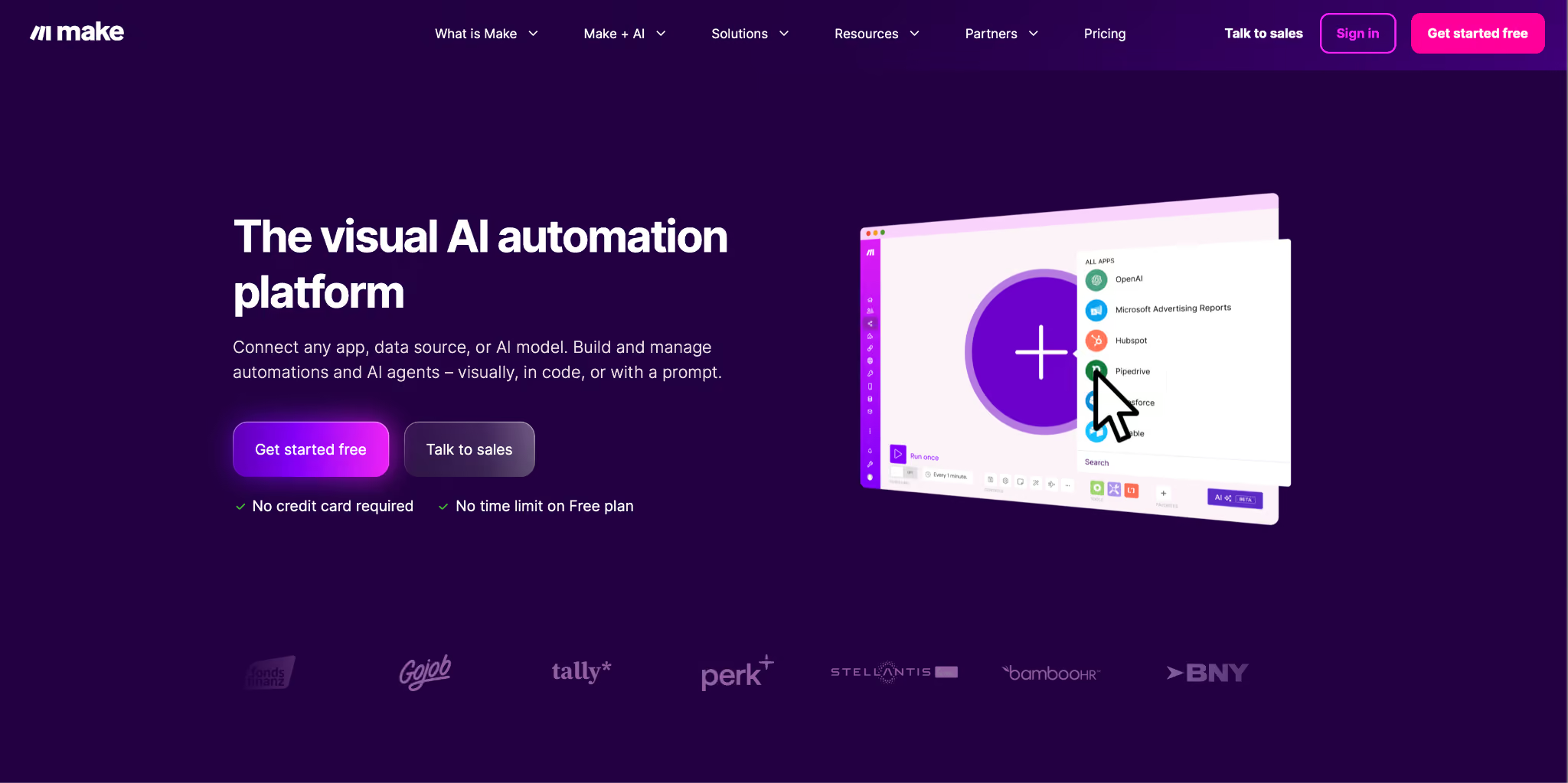
Make, the platform formerly called Integromat, is a visual automation builder owned by Celonis and has been running since 2015. You build workflows, which Make calls scenarios, by placing app modules on a canvas and connecting them.
Each module action that runs uses one credit. In my view, the platform pays off once an automation outgrows a single trigger and action. Make handles branching, loops over arrays, retries, and data that has to persist between runs.
Make features and what each one costs you
I focused on the features that came up in Make reviews where people described their own setups, and I think the logic tools are the main reason to pick Make. Its product page lists everything else.
These eight are the ones that change how a scenario behaves in production:
- Visual scenario builder. You drag modules onto the canvas, connect them, and watch data pass through each one while the scenario runs.
With more than 3,000 apps available, finding the right module takes time. Taiwo Adegbite raised this on Trustpilot, "There are 100s of modules, but which one is which?"
- Routers, filters, iterators, and aggregators. A router splits a flow by condition, an iterator loops over an array, and an aggregator merges the results back into one bundle.
Zapier covers part of this with Paths and a looping tool, and Make keeps all four tools on one canvas for finer control. Watch your volume, though, because a module placed after an iterator bills one credit for every item in the array.
- Error handlers. Make's help center lists five: Skip, Retry, Resume, Commit, and Rollback. A failed module can be retried or skipped while the rest of the run continues.
None of them is applied by default. Without a handler, a failed module ends the run with an error, and once it hits the error limit you set, Make deactivates the scenario.
- Data stores. Make describes data stores as its own database tool and allows up to 1,000 data stores per organization. You can save an event ID in one so a repeated webhook doesn't create the same record twice.
For data you need to query with joins or multi-field filters, I'd connect an external database instead.
- Maia by Make and Make AI Agents. Maia builds automations and AI agents through natural conversation, according to Make's pricing page. Make AI Agents are still labeled beta and run on Make's AI provider or your own LLM key
Credit use is where reviewers push back, and one G2 reviewer says Maia burned through her credits faster than she expected.
- App coverage. Make lists 3,000+ standard apps and 350+ AI apps. It also runs an MCP server and supports custom apps for any public API.
Enterprise apps such as Workday and ServiceNow require the Enterprise plan, so check the plan comparison before you count on one of those connectors.
- Execution logs. Make stores each run step by step, and your plan decides how long you keep them. Free keeps logs for 7 days, paid plans keep them for 30, and Enterprise keeps them for 60.
Full-text execution log search starts at Pro, which matters once you have hundreds of runs to look through.
- Security. Make has completed SOC 2 Type II and SOC 3 audits, according to its security page, and runs an ISO 27001-certified security program on the Enterprise plan. It also states GDPR adherence and uses AES-256 encryption at rest.
SSO, audit logs, and the 99.5% uptime SLA are all reserved for Enterprise, so Core and Pro accounts still get the SOC 2 Type II and SOC 3 coverage without those admin controls.
Make.com pricing: What the credit meter really bills
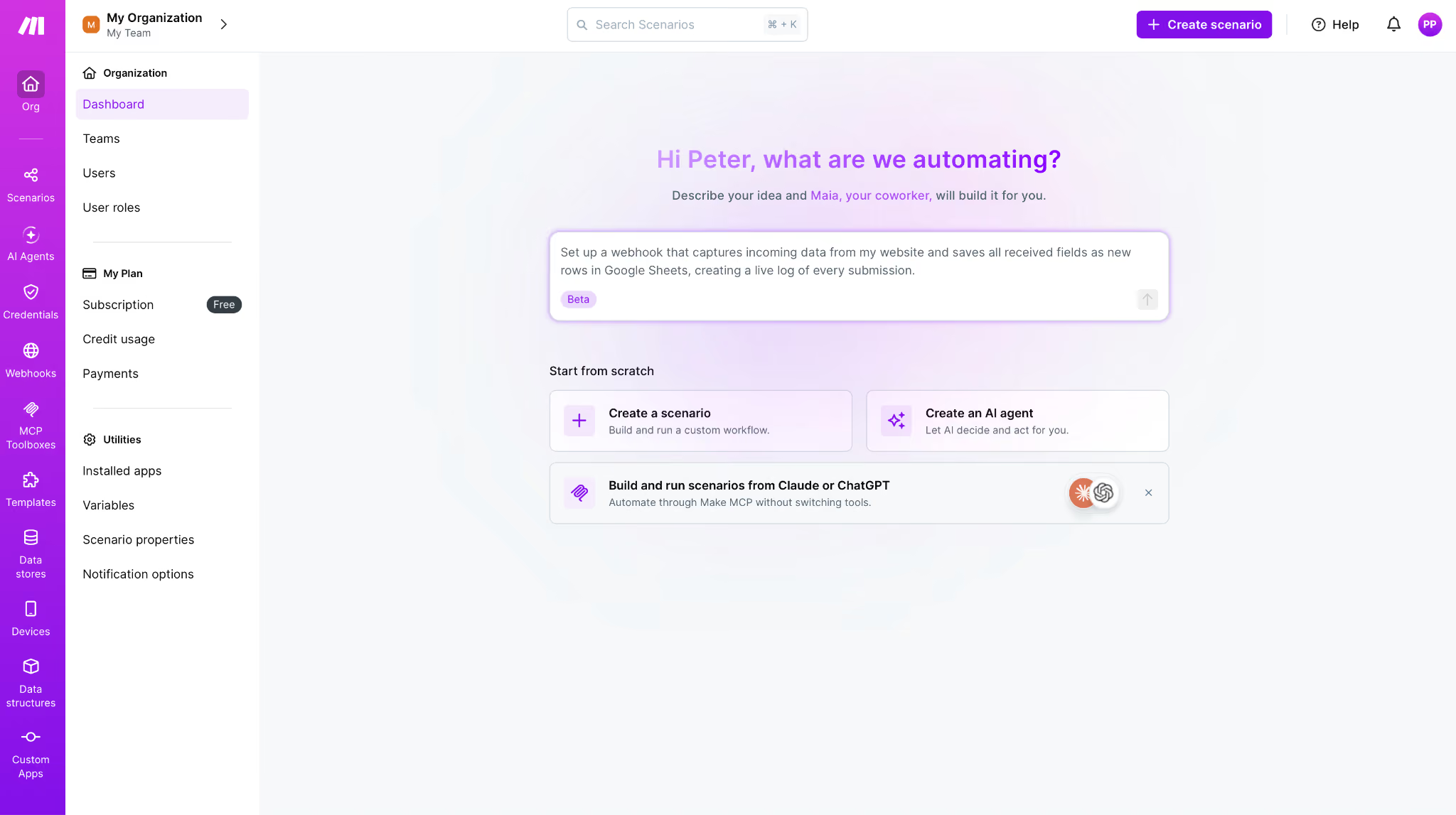
Make prices every plan against a credit volume you pick from a dropdown, and it starts at 10,000 credits a month. The definition on the pricing page is refreshingly blunt: "Each module action in your scenario, like adding a Google Sheet row or fetching Gmail account data, counts as one credit."
All paid prices here were live on Make's pricing page in September 2026, at the 10,000 credit tier. Free is capped at 1,000.
Credit volume moves the price more than the plan name does. Core at 10,000 credits is $16 a month, billed monthly. Push that same Core plan to 40,000 credits, and it becomes $51, which is the Teams price at a quarter of the volume. Four times the volume for 3.2 times the money, and you never changed plans.
The Free plan works as a trial and stops there. You're getting 1,000 credits, 2 active scenarios, a 15-minute minimum interval between scheduled runs, 5 MB file handling, and a 5-minute cap on any single execution. Core lifts the interval to one minute and removes the scenario cap.
Two things sit outside the one-credit-per-action rule if you're processing files or running code. Data transfer scales at 5 GB per 10,000 monthly credits, and the Make Code App charges 2 credits per second of execution time.
Make renamed its billing unit this year, which matters when you compare old reviews. Its help center states that "credits replaced operations as the term for Make's billing unit" while "your existing plan and pricing, including the cost of credits, remain unchanged." Anything you've read about operations still applies. For the full tier-by-tier math, we broke it down in our Make.com pricing guide.
Make.com reviews from G2 and Trustpilot
Average scores hide the detail, so I read the recent Make reviews on both sites and sorted them by what people praised and what they reported as problems.
Make replies to 88% of its negative Trustpilot reviews and typically responds within one week. I give the G2 comments more weight, because more of those reviews describe how the builder works in daily use.
What users like
The five-star reviews keep describing the same moment: a workflow that survived a failure and kept running.
Four reviews show what that looks like:
- The logic works in production. Fabien C. rates Make 4.5 on G2 and runs WordPress, webhooks, and OpenAI in a single flow.
"Once the scenario is correctly configured, the automation is very powerful," he wrote, crediting the filters, retries, error handling, and integrations for making that possible.
- Retries helped with an unstable provider. Yurii L., a .NET lead running B2B onboarding through Make, kept hitting intermittent rate limits from one provider. His scenarios used to stop without showing which records had gone through.
On G2, he wrote that "adding a retry path made the flow far more predictable."
- It handled a job Zapier couldn't, for less. Ken Carrick wanted a five-star review posted to his Facebook page, and Zapier couldn't run that automation for him. His Trustpilot review sums it up in one line, "Make offers this for free, and their plans are reasonable."
- Support resolved a billing issue quickly. Victoria Miranda took a billing problem to Make's care team and got it resolved. On Trustpilot, she described the team as "responsive, attentive, and genuinely human."
What users complain about
The one-star reviews name the bill and the support queue far more often than any feature.
- Credits run out during trial and error. Magalie O. gave Make 3.5 on G2 and explained where her credits went.
"One of my biggest frustrations was running out of credits unexpectedly, sometimes because a scenario wasn't working properly, and other times because I wasn't aware of the credit consumption for specific actions."
- An accidental loop can leave you with a negative credit balance. Melissa C. ran into one and wrote on G2, "If you make an infinity loop accidentally, you can zap all your credits and even go into a deficit."
The credits she bought afterwards went toward covering that deficit first.
- The canvas can show a different state than the scenario. Fabien also described a canvas bug on G2.
"I encountered a case where modules looked correctly connected on the canvas, but the actual scenario structure still treated them as orphaned modules, which caused unexpected webhook behavior."
- Some users struggle to reach support. Phil Laboon lost several thousand dollars after his company's account was compromised.
On Trustpilot, he wrote, "There is no support with this company, and the only way to contact anyone is for sales!!!" Make replied that its care team had taken the case, so if you expect to need phone support during an incident, factor that into the decision.
G2's summary of cons puts a steep learning curve and unclear error messages near the top, at 7 mentions each. Both line up with the complaints above, since a scenario that fails without a clear message can keep using credits while you look for the cause.
Is Make.com legit?
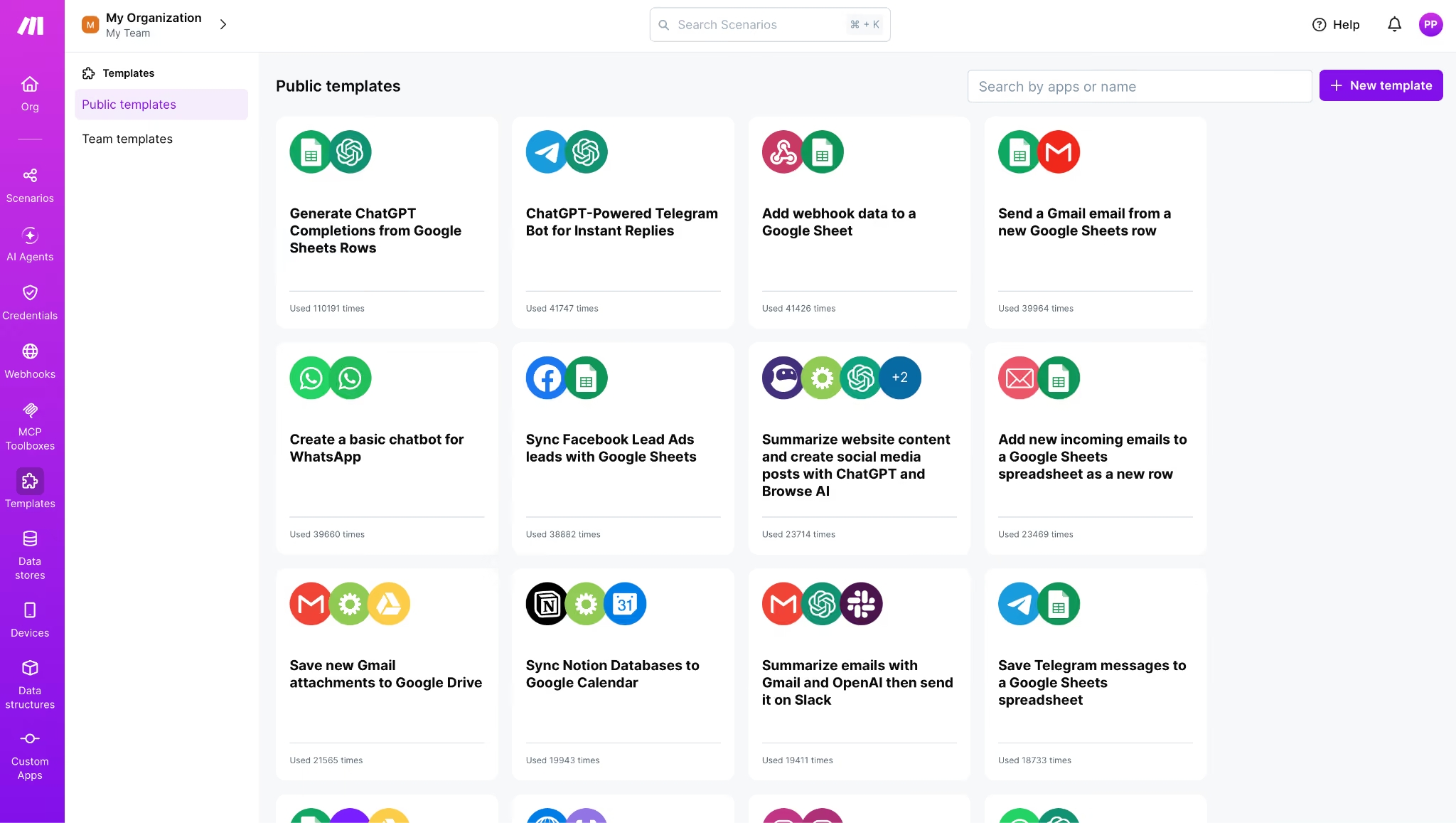
Yes. Make has been developing this platform since 2015 under the name Integromat and later as Make, and it now belongs to process-mining company Celonis. It has completed SOC 2 Type II and SOC 3 audits and runs an ISO 27001-certified program for Enterprise customers.
The 2.7 on Trustpilot reflects a different part of the experience. The one-star reviews I read center on charges people didn't expect, cancellations that failed, and difficulty reaching a person. On G2, where reviewers write mainly about using the builder, Make holds 4.6 across 351 reviews.
Building your first scenario in Make
Setup takes seven steps. In my reading, the learning curve bites hardest at steps 3 and 5, so budget your time there. The seven steps, in order:
- Pick a trigger. Choose a webhook, a scheduled poll, or an app event. On Free, scheduled runs are at least 15 minutes apart, which slows down testing.
- Add your modules and connect the apps. Each app needs a connection the first time you use it, which means authorizing Make with that app's account.
- Map the fields. This is where the learning curve shows up in the reviews I read. The mapping panel shows the output of earlier modules, including nested bundles, and you pick values out of them by hand.
- Add a router or filter. In Make, a filter sits on the connection between two modules. Zapier handles filtering as a separate step, so the placement is different if you're coming from Zapier.
- Configure an error handler before you go live. Attach Retry or Resume to the modules that call an outside service. Make's help center explains that once errors pass the limit you set, the scenario is deactivated.
- Run it once and read the execution log. The log shows each bundle at each step, so you can see where a run went wrong.
- Start with a long schedule, then shorten it. Run the scenario hourly while you're still fixing it, and keep that interval until the log comes back clean twice in a row.
If you want a faster start, you can build the first version with Maia. Review what it produced before you run it, since reviewers report that its requests count against the credit balance your scenarios use.
{{templates}}
Is Make right for you?
The split has less to do with company size than with whether someone on your team enjoys debugging a canvas.
Pick Make if:
- You run ops or RevOps work that branches across a CRM, a spreadsheet, and a marketing tool, and you want logs to audit afterwards.
- Your data includes arrays, pagination, or partial failures, and you want Retry and Rollback to keep those runs going.
- Someone on the team can map nested data, and your volume is high enough that the cost per credit affects which tool you pick.
Look elsewhere if:
- You need a two-step automation live today. Zapier's editor is simpler for that job, and our Zapier review covers where its higher price is justified.
- The work depends on a judgment call each time. Make runs the steps you define in advance.
- A bill that changes with usage is hard to budget for, or you want to reach support by phone when an account has a problem.
Make vs Zapier vs Lindy in 2026
Each of the three charges for a different unit of work, and that unit moves your cost more than the headline price does.
Make and Zapier list a flat monthly price per account, while Lindy charges per user.
Zapier's entry plan costs about twice as much as Make Core and gives you a simpler editor with more apps. Make costs less but asks you to learn its canvas.
We compare the two in more depth in Make vs Zapier. If you're also looking at AI-first builders, Gumloop vs Make covers that pairing.
Lindy as a Make alternative
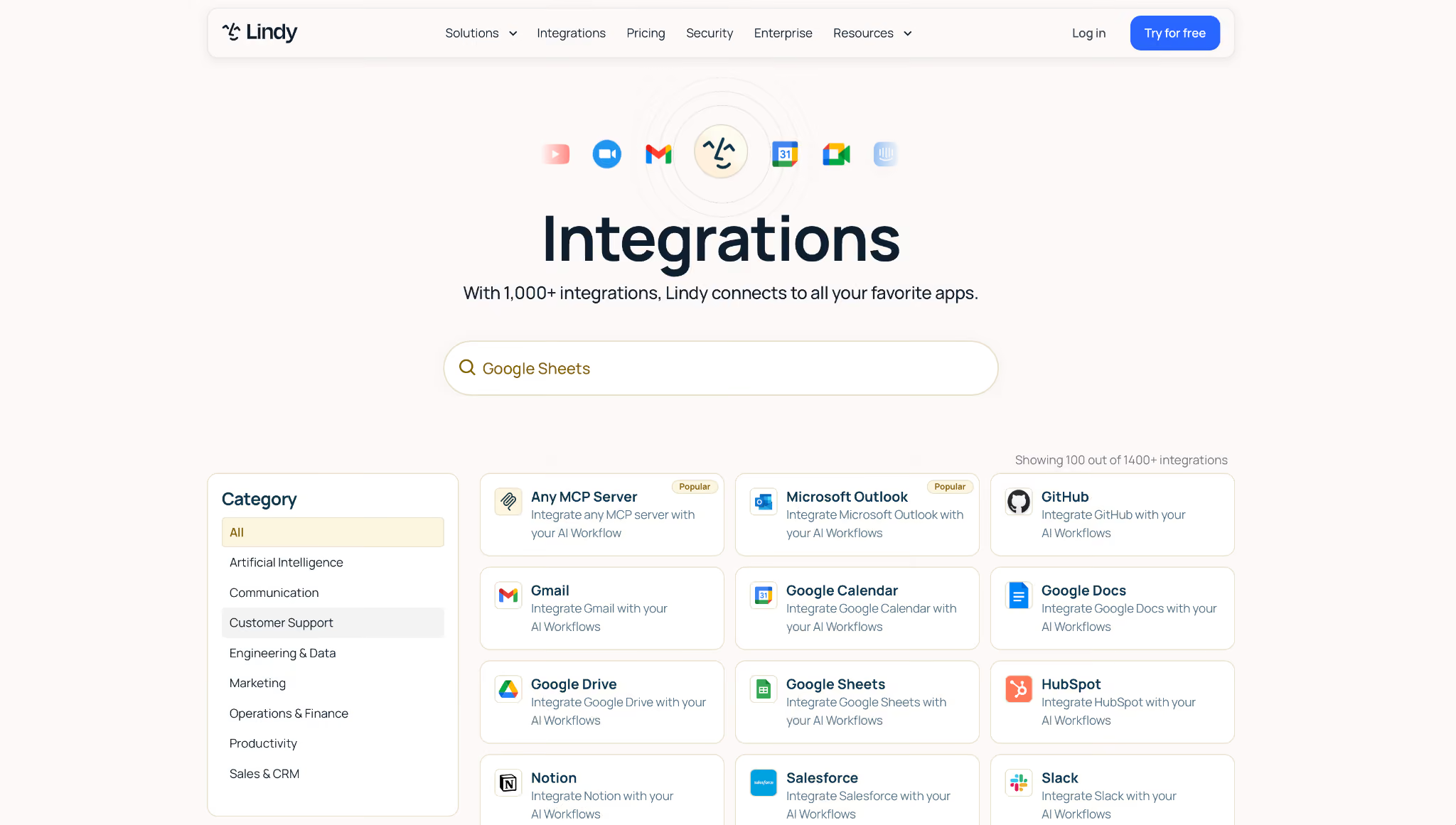
Make works well when you can map every step ahead of time. When a task needs someone to make a decision partway through, you end up writing that judgment as filters and routers.
Lindy connects to a similar app stack and adds an AI teammate that works inside your company's Slack. You @mention it in a channel, and it responds in the thread.
These are the differences you'll notice coming from a canvas builder:
- You describe the work in a sentence. A request like "Every Monday at 9, send the pipeline brief" sets up the task, and Lindy runs it on that schedule.
- Answers come with sources. Lindy pulls context from your meetings and the tools your team connects, and it cites its sources in the answer.
- It builds reports and dashboards. Lindy's site lists skills for research, data analysis, and decks, so a recurring report can come back as a finished file.
Admins keep control over actions with outside effects. Anything like sending an email, updating a ticket, or posting to another channel waits for a named approver, while read-only lookups from approved sources run on their own.
Lindy is SOC 2 Type II certified, GDPR, HIPAA, and PIPEDA compliant, and its Enterprise plan adds a signed BAA, SSO, and audit logs.
Pricing starts at $29.99 per user per month, and every seat adds 3,000 credits to a pool the whole workspace draws on.
Start with Lindy and hand it one task your Make scenarios run today.
{{cta}}
Final verdict
Make gets 4 out of 5 in this Make review because of the control it gives you. You can see each bundle at each step and decide what happens when a module fails.
Fabien C. and Yurii L., who both run Make in production, describe that benefit on G2. Plan for a learning curve before you commit, and if what you're automating depends on a decision someone has to make each time, Lindy is the better place to start.
Frequently asked questions
Can I use Make for free?
Yes. Make's Free plan includes 1,000 credits a month, 2 active scenarios, a 15-minute minimum interval between scheduled runs, and access to 3,000+ apps. It covers testing the builder, but a real business process will outrun 1,000 credits in the first week.
How much does Make cost in 2026?
Make costs $16 a month for Core with 10,000 credits when billed monthly, or $12 a month billed annually. Billed monthly, Pro is $28, Teams is $51, and Enterprise is custom. Raising the credit volume raises the price on every plan.
What is Make.com used for?
Make connects apps into multi-step workflows called scenarios. Common uses include moving CRM records, enriching and routing leads, syncing spreadsheets and databases, handling webhooks, and running AI steps inside those flows.
Is Make the same as Integromat?
Yes. Integromat became Make, and Make retired Integromat as a product in 2023. It's the same platform and scenario builder, so older Integromat tutorials still apply.
Is Make better than Zapier?
Make is better than Zapier for branching and error recovery, at a lower entry price. Zapier is better for short automations you want running the same day, and it offers 9,000+ apps with a simpler editor.
What are the limitations of Make?
The limitations that kept coming up in this Make review are a steep learning curve on field mapping and credits used up during testing and failed runs. Error handlers also have to be added by hand, and users on Trustpilot describe support as hard to reach.










