10 Gumloop Alternatives I Tested for Real Workflows (2026)
Marvin tested dozens of Gumloop competitors, including Zapier, n8n, and Make, running real workflows to weigh workflow control, integrations, and error handling.


I built my first Gumloop workflow to take demo requests from a form, enrich each lead through an API, and post a summary to Slack. It went live the same day, and I forgot about it for three weeks. Then I found that a failed enrichment call had kept it running for two days, using credits the whole time.
After my workflow broke, I paid closer attention to monitoring, retries, and cost controls. Gumloop adds an 8% orchestration fee to every run and charges 5 credits per active minute, so a run that keeps going adds up fast. There's also no free plan, only a 14-day Pro trial that asks for a card.
So I tested ten Gumloop alternatives with one question in mind: when a workflow fails, how fast can I find it, fix it, and see what it cost? I gave each tool a job it was built for, from SaaS handoffs to self-hosted setups and governed AI agents, then compared what I could see when something broke.
10 Gumloop Alternatives at a glance
- Zapier: Best for everyday SaaS automation with a short learning curve
- n8n: Best for self-hosted workflows, data control, and custom logic
- Make: Best for visual multi-step workflow building
- Stack AI: Best for governed AI agents in regulated enterprise settings
- Dust: Best for shared company knowledge and collaborative AI agents
- Clay: Best for GTM data enrichment, intent signals, and outbound workflows
- Workato: Best for governed automation across enterprise departments
- Tray.ai: Best for customer-facing integrations and enterprise AI orchestration
- Pipedream: Best for developer-led API and agent integrations
- Lindy: Best for recurring teamwork handled through Slack
How I tested these Gumloop alternatives
I gave each tool a job that matched what it was built to do. I used SaaS platforms for connected, multi-step automations. I checked agent platforms for shared knowledge, permissions, and review steps. For self-hosted tools, I focused on deployment and data controls.
Failure visibility became a core check after my Gumloop credit issue. I wanted a clear run history, useful error messages, and an easy way to retry or pause a workflow.
How to pick a Gumloop alternative
Once a workflow leaves the prototype stage, four things decide whether it holds up. Here's what to check:
- Failure visibility: Can you tell what broke and why, without digging through logs manually?
- Integration depth: Does it connect to the actual apps in your stack, not just a headline integration count?
- Control over logic: Branching, conditions, and approval steps are the things that separate a real workflow from a linear script.
- Pricing model as you scale: Credit-based, per-task, or per-seat, and whether the free tier tells you anything real about cost at volume.
I ran each tool through a job it was built to handle, then judged the result against these criteria. Self-hosted privacy tools and sales operations tools solve different problems for different teams.
What Gumloop does and why people look for alternatives
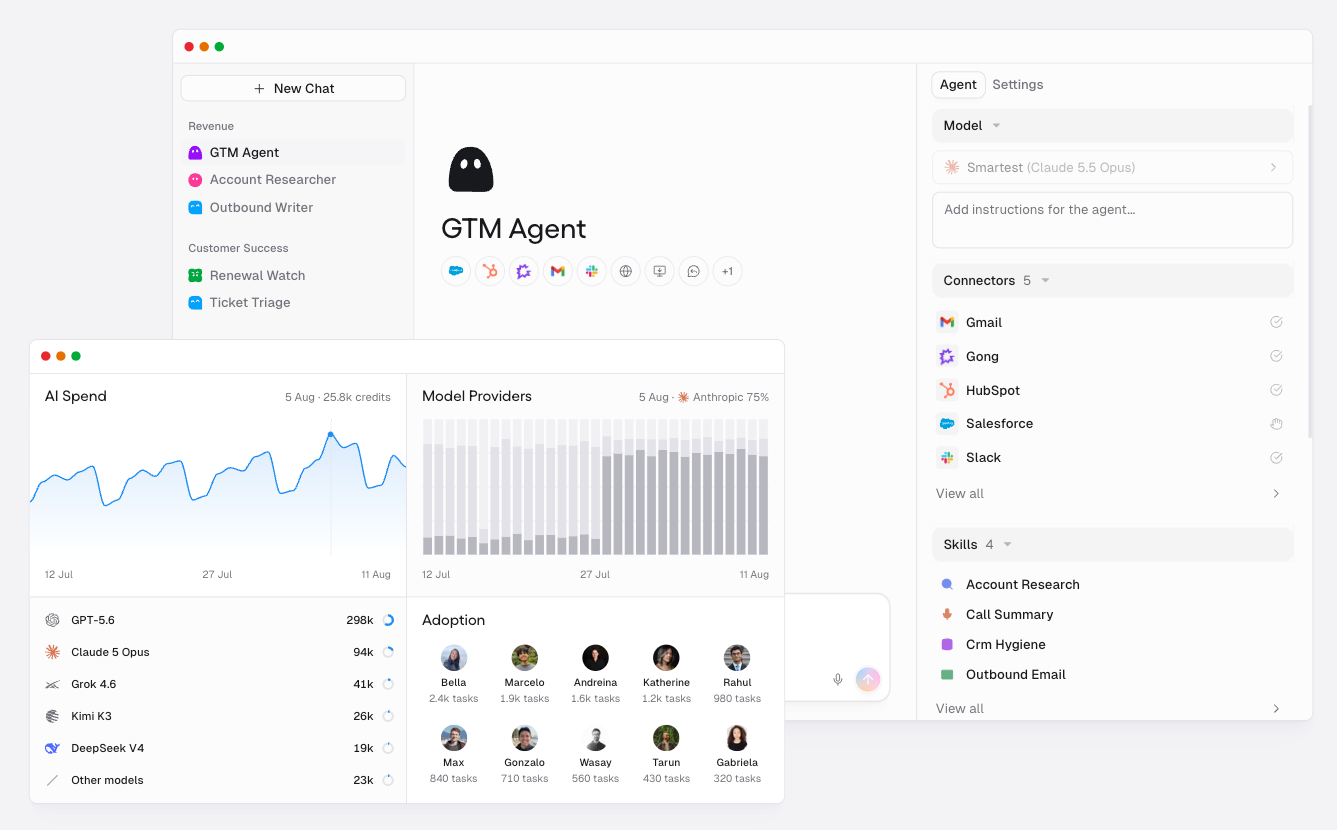
Gumloop is an AI agent platform. You tell an agent what to do, give it your tools and data, then run it on a trigger or a schedule. The older node canvas is still there.
Building my lead-routing flow on the node canvas showed why it appeals to people. I mapped the form, the enrichment lookup, and the Slack post as nodes, added an AI step to write the lead summary, and had it running that afternoon.
The trouble started after launch. Three things pushed me to look elsewhere:
- Failures went unnoticed: The enrichment call failed, the workflow kept running, and nothing alerted me for two days.
- Costs kept building: Every run adds an 8% orchestration fee, and compute runs 5 credits per active minute, so a run that hangs keeps spending. Credit use also depends on the models and tools each run calls, which makes the monthly bill hard to predict.
- No free plan to test on: Gumloop runs a 14-day free trial of Pro, which asks for a card. Pro then starts at $37/month with 20,000 credits.
Other teams leave for different reasons, such as deeper SaaS connections, self-hosted data controls, or stronger approval settings. The tools below cover each of those.
If cost is driving your search, our Gumloop pricing breakdown explains the credit model in more detail.
Gumloop alternatives: Quick shortlist
1. Zapier
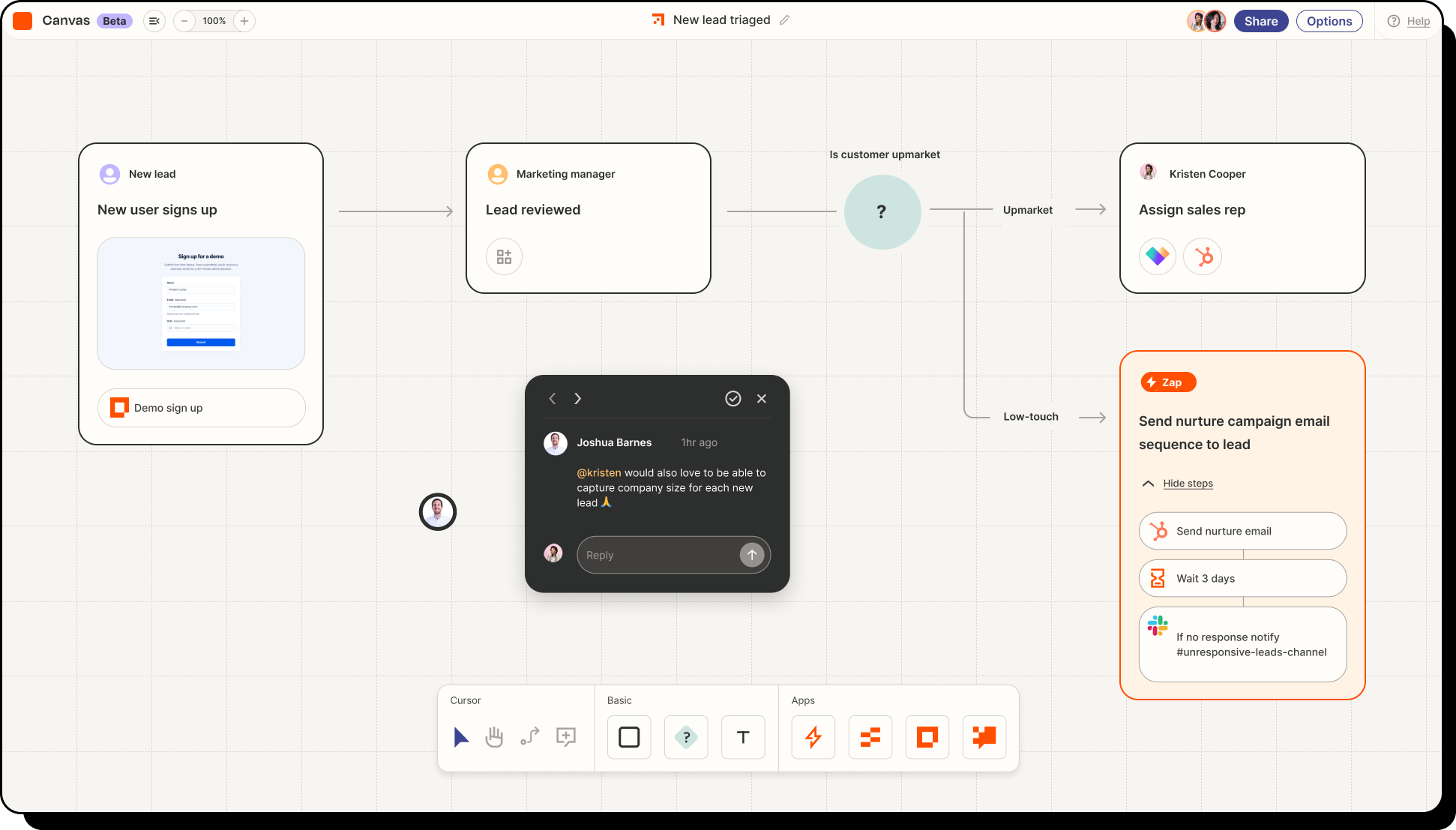
What it does: Zapier connects apps through automations called Zaps. You build each workflow without code by chaining triggers and actions across thousands of apps, and its AI Copilot can draft a workflow from a plain-language description.
Best for: Teams that want to automate everyday work across many SaaS apps with a short learning curve.
Pricing: Free plan with 100 tasks/month. Professional starts at $29.99/month, Team at $103.50/month.
Key features
- 9,000+ apps and 66,000+ triggers and actions
- Next Gen Zaps with advanced logic and automatic recovery for workflow issues
- Zapier MCP connects Claude, ChatGPT, Cursor, and other AI clients to business apps
- AI steps and agent workflows that run beside fixed automation steps
- App, action, and connection-level controls plus workflow and agent activity logs, on Enterprise accounts
What stood out to me
I noticed the value of Zapier’s Paths when I sent a lead down two different routes using one field. The canvas showed exactly where the workflow split, which let me change the condition and rerun it in a few minutes.
That clarity matters when a lead lands with the wrong rep. You can trace the decision, fix the rule, and give the team a clear answer about what happened.
What could be improved
The first thing I would check before rolling this out is task usage. One lead route can update a CRM record, post a Slack alert, and add a contact to a sequence, with each action using tasks.
AI steps also have their own task rates, which makes costs harder to estimate from the entry price alone. Zapier now includes AI steps, MCP, and Agents alongside classic Zaps, and new teams may need time to decide which parts belong in their setup.
Our Gumloop vs Zapier breakdown compares the two tools in more detail.
2. n8n
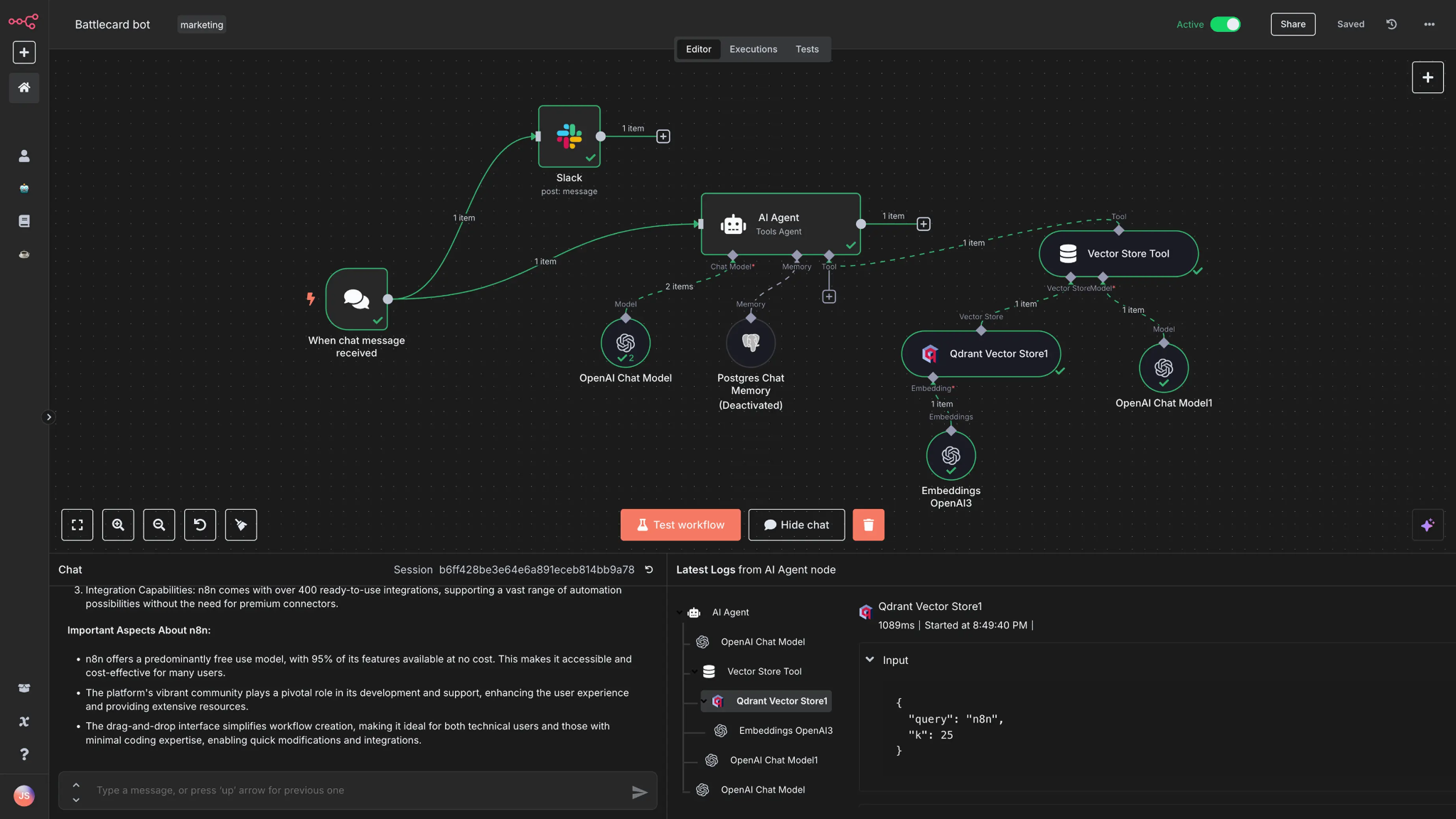
What it does: n8n is a fair-code workflow platform with a visual editor, code steps, and a self-hosted Community Edition. You connect apps and AI models on a canvas, then add JavaScript or Python in a code step when a workflow needs custom logic.
Best for: Technical teams that need self-hosted workflows, data control, and custom logic.
Pricing: The Community Edition is free to self-host. Cloud Starter is $24/month for 2,500 workflow executions. Pro is $60/month, and the self-hosted Business plan is $960/month.
Key features
- Full self-hosting through Docker, with no execution allowance to buy on the free Community Edition
- 500+ preconfigured integrations, plus HTTP Request, Code, and custom nodes
- Error workflows and automatic node retries
- Human approval steps that can pause workflows before sensitive actions
- JavaScript and Python Code nodes for custom logic beyond native nodes, though cloud Python can't import outside libraries
What stood out to me
The failure handling was what I noticed most. With n8n’s error workflows, a broken step showed up right away instead of failing silently the way my Gumloop workflow had.
I set one up to post to Slack whenever a step failed. When my enrichment call broke during testing, I saw which step had failed within seconds, whereas before it might have taken me two days to notice.
What could be improved
Setup took real effort, more than any drag-and-drop tool on this list. My first attempt took about an hour because I ran the container without a data volume, so my lead-routing workflow disappeared when I restarted it.
If you self-host, you own the upkeep: updates, monitoring, and backups don’t happen on their own.
Cloud plans come with a set number of workflow runs each month. Steps inside a run are unlimited, so a long workflow costs the same as a short one. What matters is how often it fires.
For a deeper comparison, our Gumloop vs n8n guide walks through both on the same criteria.
3. Make
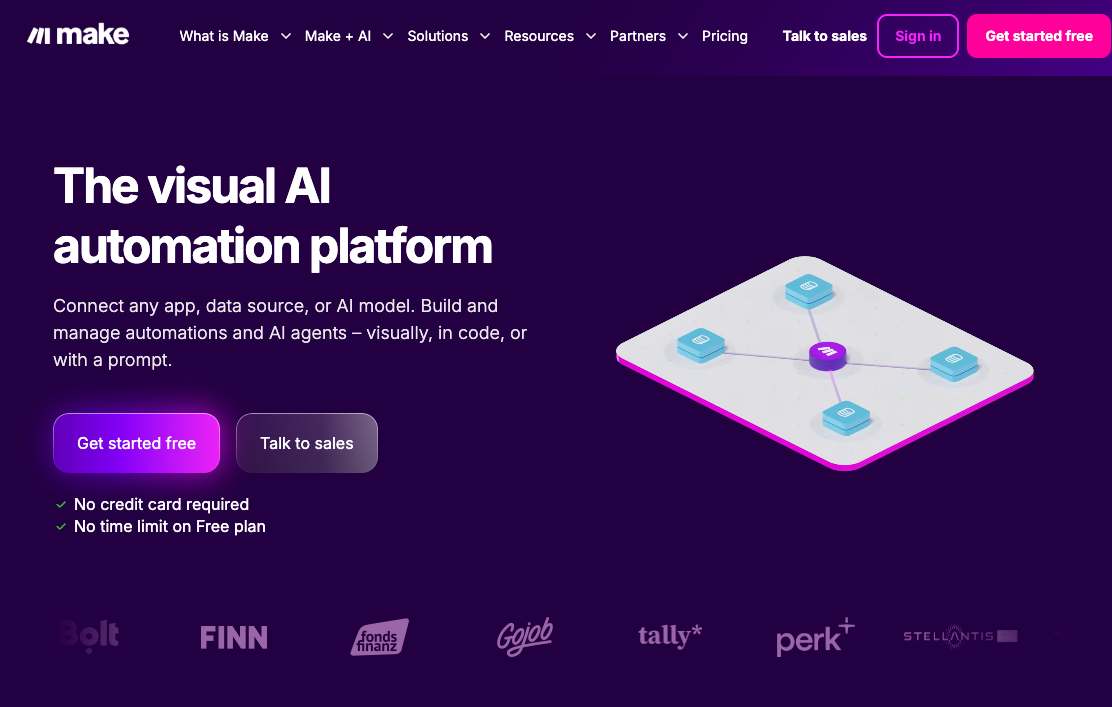
What it does: Make builds multi-step automations on a visual canvas. You link apps as connected modules, then add routers, filters, and schedules to control when a scenario runs and where each piece of data goes.
Best for: Operations teams that want a visual way to build, inspect, and adjust multi-step automations.
Pricing: Make has a free plan with 1,000 credits a month. Core starts at $16/month for 10,000 credits, Pro at $28/month, and Teams at $51/month. Paying yearly drops those to $12, $21, and $38.
Key features
- Visual builder for dragging, dropping, and connecting workflow modules
- 3,000+ verified apps plus custom API integrations
- Flow control with conditional steps and alternate paths for failed actions
- Built-in data manipulation, HTTP requests, and webhook triggers
- AI agents and a cloud-hosted MCP server on every plan
- Analytics dashboard and team roles on the Teams plan and above
What stood out to me
The first time I built something with more than two branches, I zoomed out just to see the whole shape of it on one screen. It was my lead-routing flow, with one path for enterprise leads and another for everyone else, and I could see both at once.
The single view made troubleshooting a tangled workflow noticeably easier than scrolling through Gumloop’s node list top to bottom, especially once a scenario grew past six or seven modules and I needed to trace exactly where a value stopped mapping correctly.
What could be improved
Costs rise with credit use as usage grows. Large scenarios that branch in several directions also get hard to manage. The visual clarity that helps early on starts working against you once the canvas gets crowded.
For the three-way breakdown, our Gumloop vs Make comparison covers where each one wins.
4. Stack AI
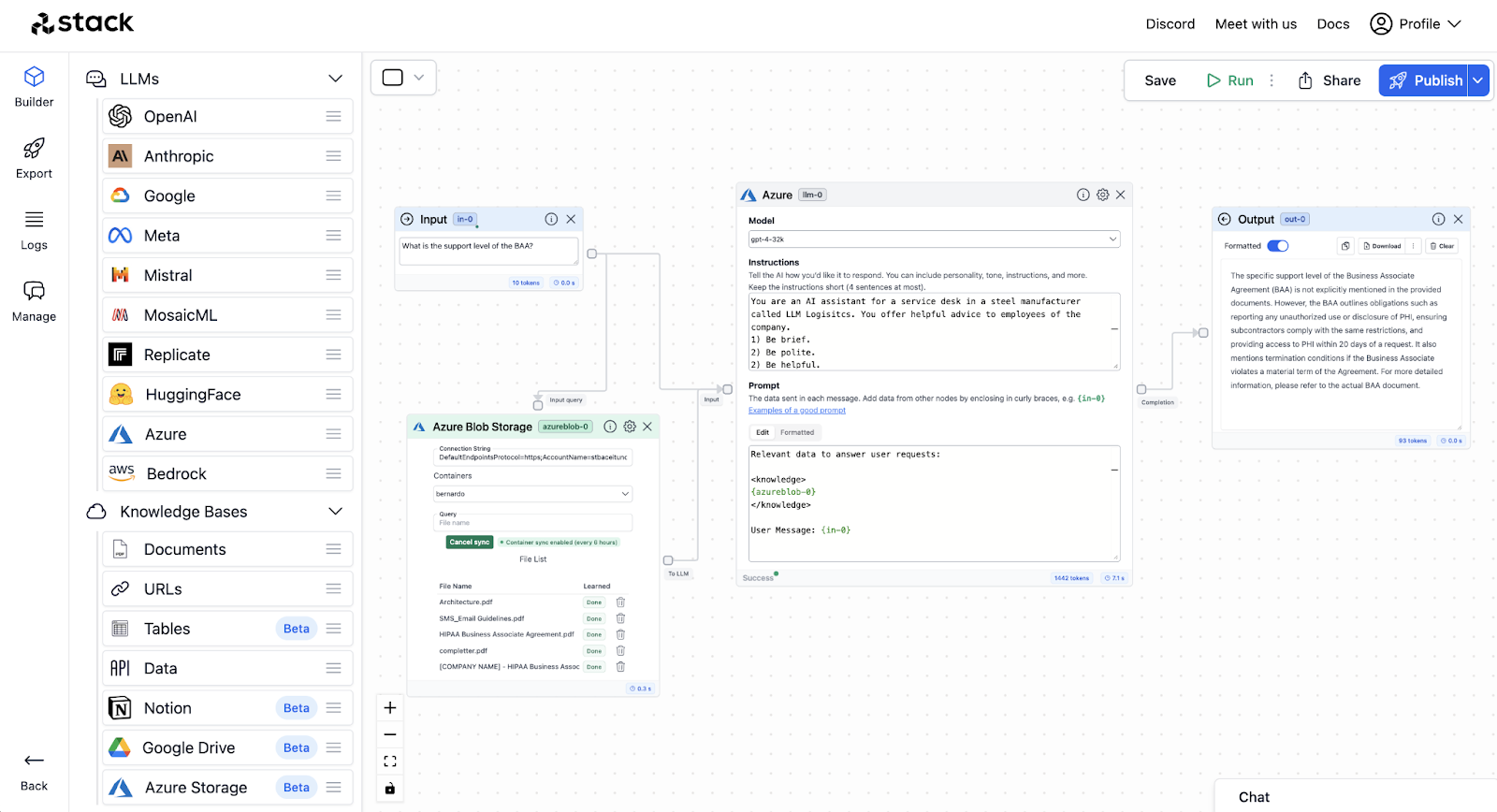
What it does: Stack AI is an enterprise platform for turning business processes into AI agents and agentic workflows. Its visual environment supports models, private knowledge, tools, human review, and deployments across cloud, VPC, and on-prem infrastructure.
Best for: Regulated or larger organizations that need AI agents with stronger governance, deployment controls, and human oversight.
Pricing: Free plan with 500 runs/month, two projects, and one seat. The only paid tier currently published is Enterprise, which uses custom pricing.
Key features
- Agentic workflow builder for multi-step business processes
- 300+ enterprise integrations that let agents read, write, and act in connected systems
- Deployment options for multi-tenant cloud, VPC, and on-premise environments
- Human review steps, audit logs, and feature controls for high-stakes actions
- Model choice, version control with project diffs, and a prompt library for governed agent development
What stood out to me
The governance controls are what set Stack AI apart. Audit logs, human approval steps, access controls, and VPC or on-prem deployment all sit close to the workflow itself.
Once I built something that touched private data, those controls felt much more relevant than another node type.
What could be improved
The pricing jump is steep. You can experiment with 500 monthly runs for free, then the next published option sends you into an Enterprise sales conversation.
The product also clearly targets IT and enterprise architecture teams. A smaller team looking for a quick Gumloop-style builder may spend more time learning the governance and deployment layers than it needs.
5. Dust
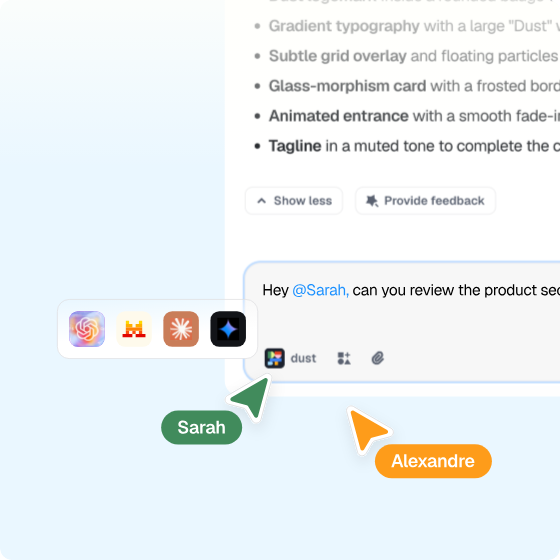
What it does: Dust calls itself a multiplayer AI platform for human-agent collaboration. Teams connect company knowledge and tools, then create and share agents that can use context from systems like Slack, CRM, documents, and other connected sources.
Best for: Teams that want several people and AI agents working from the same company knowledge and shared workspace.
Pricing: Dust has a free plan with 500 lifetime credits for up to five people. Pro costs $30/seat/month with 8,000 credits per seat, while Max costs $150/seat/month with 40,000 credits. Enterprise uses custom pricing.
Key features
- Shared knowledge, semantic search, and 70+ out-of-the-box MCP connectors
- Custom agents built with 20+ frontier and open-source models
- Model choice for each workflow, including OpenAI, Anthropic, Google, and Mistral
- Spaces, Groups, and audit logs for controlling data and tool access
- AI observability and cost controls across people and agents
What stood out to me
The shared context changed how I used the agent. I could ask for a follow-up that depended on company information already available in the workspace and didn’t have to rebuild the background every time.
That made the interaction feel closer to handing work to someone already caught up on the project than launching another isolated automation.
What could be improved
The biggest thing I had to watch was credit usage. Pro includes 8,000 credits per seat each month, and longer agent runs can burn through that allowance faster than a quick knowledge query.
I also found the setup more involved once I moved past simple questions. Tools, instructions, and accessible context all need a bit more thought, which gives you more control but also makes agent building less immediate than a basic visual workflow.
6. Clay
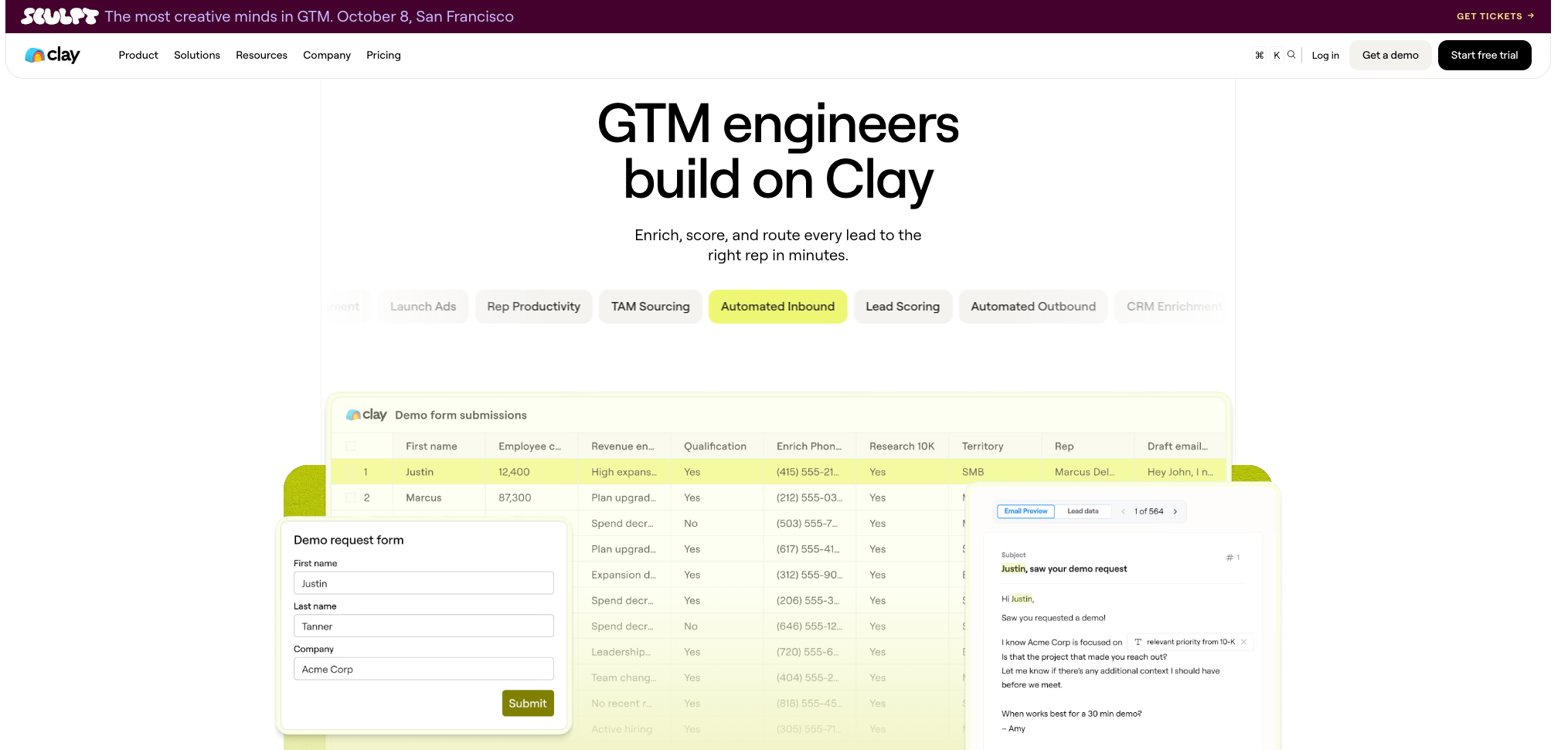
What it does: Clay is a data enrichment and outbound workflow tool with a spreadsheet-style interface, pulling from more than 150 data providers through one credit pool.
Best for: Revenue teams that need enriched prospect lists, intent signals, and outbound workflows in one workspace.
Pricing: Free plan with 100 data credits/month. Launch starts at $185/month (2,500 data credits), Growth at $495/month, and custom Enterprise pricing above that.
Key features
- Marketplace of 200+ vendors (the 150 data providers plus AI vendors) under one contract
- AI agents that research accounts, qualify prospects, and monitor engagement signals
- Live intent signals from web, first-party, and third-party data
- A shared GTM data layer that syncs records across CRM and data warehouse tools
- Workflow orchestration for routing leads, triggering outreach, ads, and other GTM plays
What stood out to me
I ran a basic enrichment flow on a lead list and saw stronger match rates right away using the waterfall setup. When data quality is the actual bottleneck, Clay addresses that directly instead of asking you to fix it with a general automation tool.
What could be improved
Once I had an enriched list, I still had to choose where the outreach ran. Clay’s own Sequencer handles email, or I could push the list to the sales tool my team already used. Either way, a finished list was only one step in getting a campaign out.
I also watched my Actions and Data Credits add up during a heavy waterfall. Successful lookups and validation steps can each use them. I’d choose the fields and providers before running a full list, especially if the ICP still needs work.
7. Workato
What it does: Workato is an enterprise automation platform built around structured "recipes," with governance features aimed at IT teams overseeing automation across departments.
Best for: IT teams running governed workflows across finance, HR, supply chain, and other connected enterprise systems.
Pricing: Workato prices its platform as a platform edition plus usage. Your total cost depends on the features you choose and how much you use.
Key features
- 1,200+ pre-built connectors across business systems
- Data masking and configurable retention policies
- SOC 2 Type II, SOC 1 Type II, and ISO 27001 certifications, plus HIPAA and GDPR compliance
- Structured recipes with versioning and rollback
- Cross-department orchestration (finance, HR, supply chain)
What stood out to me
The controls around connections and data are what Workato is really selling. I connected a CRM and a billing system in one recipe, then masked the customer email and account fields so only the steps that needed them could see the data.
The controls made the most sense for workflows crossing finance, HR, and supply chain systems, where several teams need visibility into the same process.
What could be improved
Workato publishes no prices at all, so I'd need to map a few real workflows before I could estimate a budget.
A single CRM update or Slack alert felt like a small job for a platform built to manage automation across departments.
8. Tray.ai
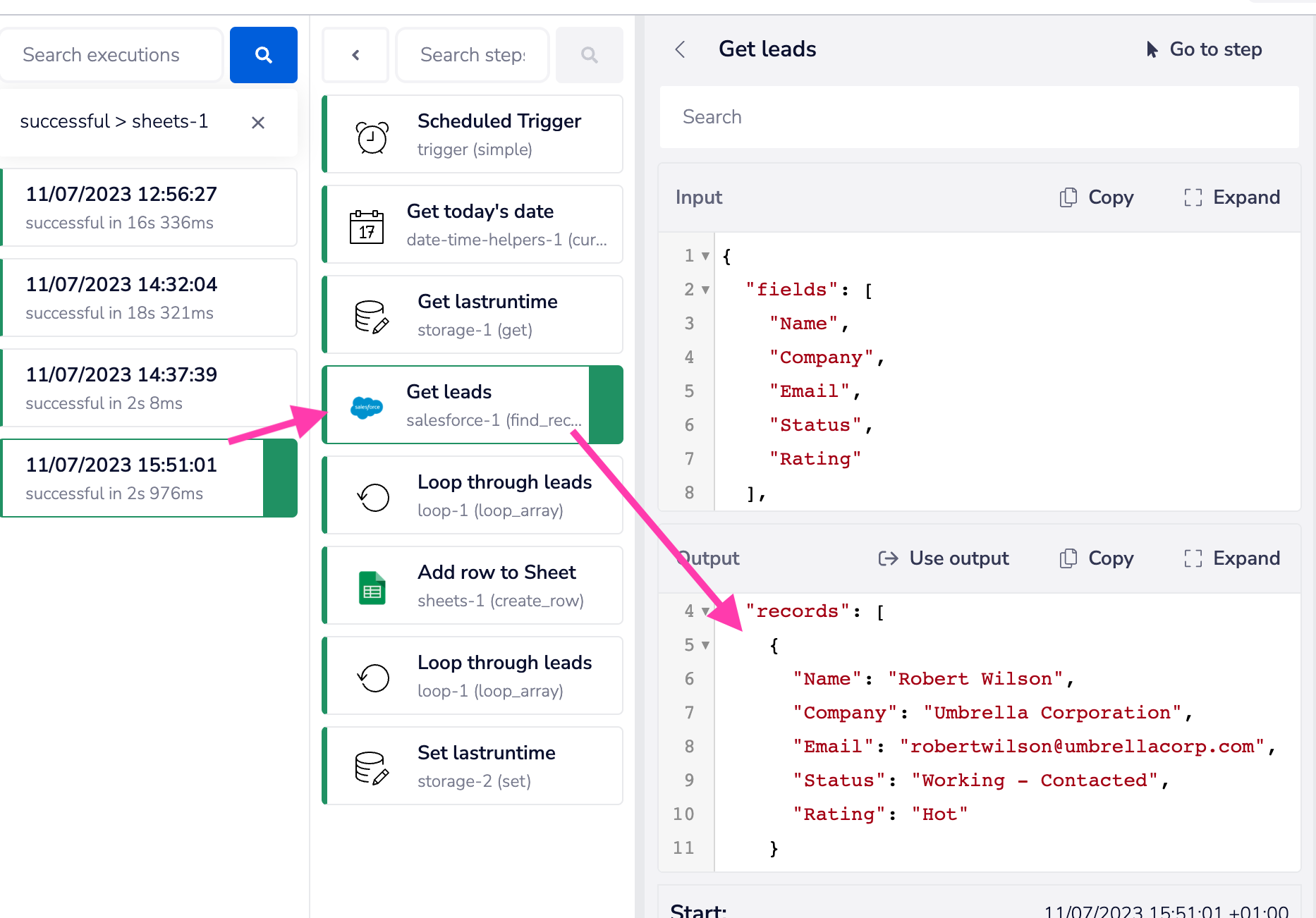
What it does: Tray.ai targets teams whose product depends on integrations, offering embedded, white-labeled connections that end users manage themselves.
Best for: Product and IT teams building customer-facing integrations and governed AI workflows.
Pricing: Tray.ai offers Pro, Team, and Enterprise plans, with add-ons available for each. Tasks cover usage across integrations, automation, MCP, and AI agents.
Key features
- 700+ connectors across SaaS apps, databases, warehouses, APIs, and files
- Process automation, data integration, API management, AI agents, and MCP governance
- Merlin Agent Builder for creating agents with a visual builder
- Shared repository, credentials, artifacts, and access controls across the platform
- Tray Helix for deploying, monitoring, securing, and managing AI-built apps
What stood out to me
During the setup, the customer-facing use case became clear. The configuration flow gives an end user a way to connect their own account and activate an integration inside a SaaS product. That makes Tray.ai a strong fit when integrations are part of what customers buy.
What could be improved
Tray.ai publishes no prices at all. Pro, Team, and Enterprise each send you to a demo, so you can start the 30-day trial on your own but you can’t size the bill without talking to someone.
The platform also asks for more planning around ownership, credentials, and a use case, which fits a product integration project.
9. Pipedream
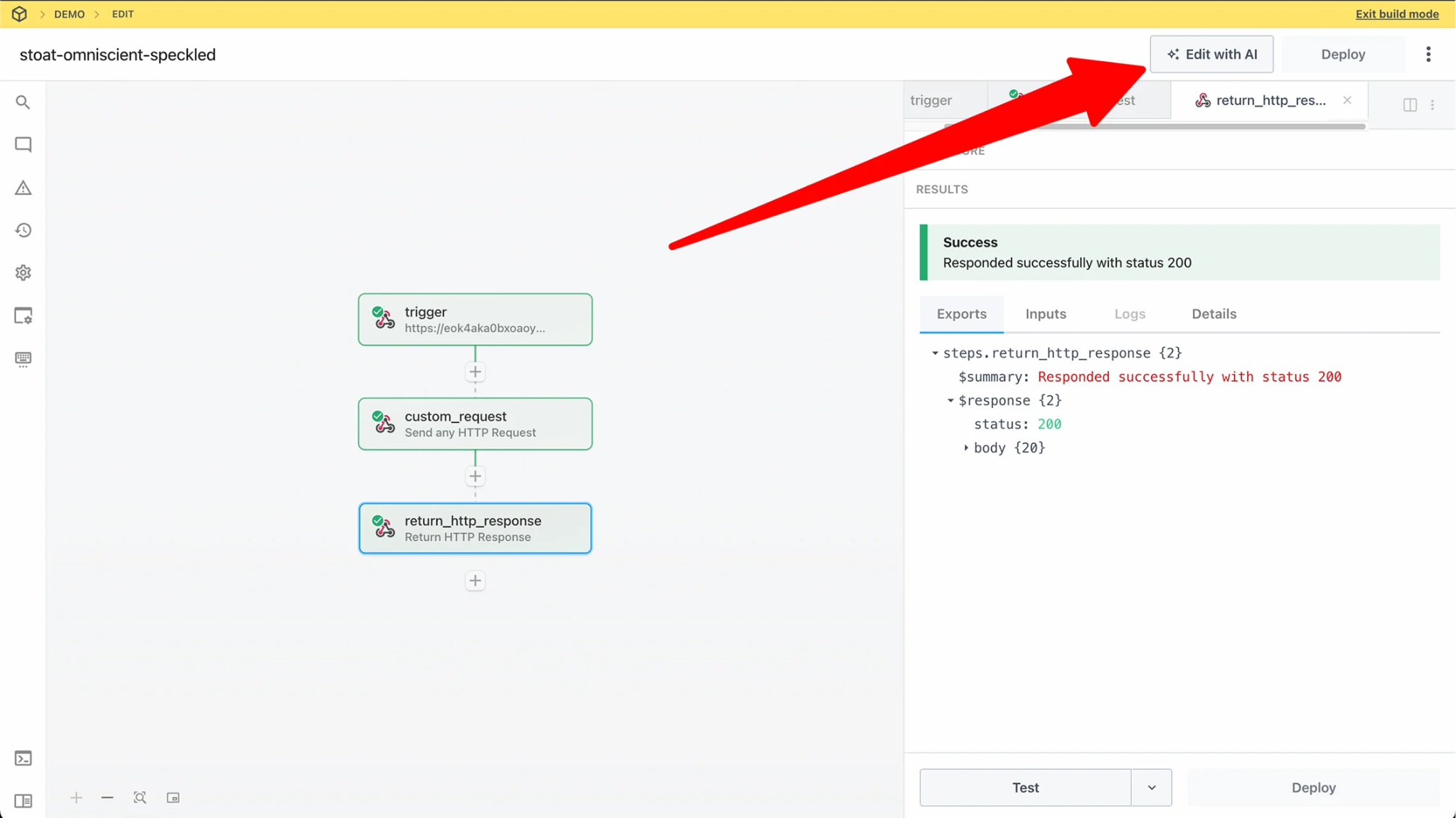
What it does: Pipedream triggers workflows from webhooks, schedules, or app events, then lets you mix code steps with prebuilt actions in the same flow.
Best for: Developers building AI agents or product integrations that need managed user authentication and API access.
Pricing: The free plan includes up to 100 credits per month. Basic starts at $45/month, Advanced at $74/month, and Connect at $150/month.
Key features
- Managed auth for 3,000+ APIs, including OAuth flows, token storage, and refresh
- 10,000+ prebuilt tools and triggers for agent actions and real-time events
- Remote MCP server with tool discovery and per-user account access
- Connect Link for adding account authorization to your product
- Raw API proxy that adds each user’s credentials to requests
What stood out to me
Pipedream was the easiest fit for the API-heavy job. I triggered the flow from a webhook, added a couple of code steps, and moved data between systems without standing anything up.
The mix of code and no-code in the same canvas is rare; most tools force you to pick one approach.
What could be improved
My first workflow moved quickly until I needed custom logic. At that point, I was writing code, which makes Pipedream a better fit for a developer-owned workflow than a drag-and-drop setup.
Pricing also took a live test to understand. Credits track execution time, and I had to watch a few runs before I could estimate the monthly cost.
10. Lindy
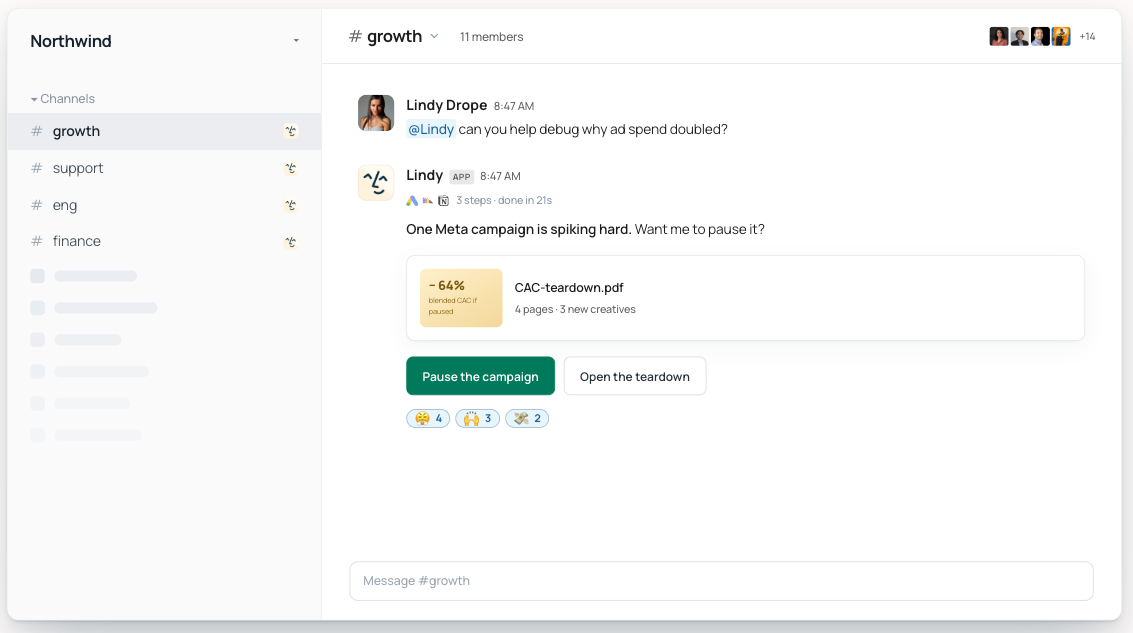
What it does: Lindy lives in Slack and connects to 1,000+ apps and any MCP server. You @mention it in a channel or DM it directly, and it works from a plain-English request instead of a workflow you build.
Best for: Teams that want an AI teammate to handle recurring work in Slack with company context and approval controls.
Pricing: Lindy offers a 7-day free trial when you start through Slack. Plus starts at $29.99/user/month with 3,000 credits, Pro costs $99.99/user/month, and Max costs $199.99/user/month.
Key features
- Slack-native teamwork through @mentions, threads, channels, and DMs
- A shared meeting library with recordings, summaries, action items, and follow-ups
- Persistent company context your team approves, carried across threads, meetings, and files
- Routines, reusable skills, and durable team memory for recurring work
- Admin guardrails and approval rules on every plan, with SOC 2 Type II and GDPR compliance. Audit logs, HIPAA compliance, and a signed BAA come with Enterprise.
{{templates}}
What stood out to me
I asked Lindy to investigate a question that would normally send me across several tools and a meeting recording. It returned the answer in Slack with links to the sources it used.
The request, context, answer, and follow-up all stayed in the same thread. That made it easy to review the result with the people already discussing the work.
What could be improved
Lindy works best in a team that already relies on Slack. Teams that need to map every node, branch, and condition visually may prefer a workflow builder.
I’d also run one recurring routine during the trial and watch credit use. Plus includes 3,000 credits per user each month, and heavier work can call for a higher plan.
Gumloop vs Zapier: Quick answer
For app-heavy workflows, start with Zapier. For AI-led work inside the flow, start with Gumloop. The question comes up when a team wants to automate a repeated task out of manual work, so list the apps the job needs and the decision the workflow has to make.
Zapier is a practical first test for familiar SaaS handoffs, such as creating a CRM record from a form or sending an alert after a meeting. Its app directory can make the first setup faster.
Gumloop fits workflows where AI needs to read, classify, research, or extract information during the process.
Build one small job in both, then check the setup, run history, and monthly usage. Our Gumloop vs Zapier comparison covers the details.
Final verdict
My Gumloop test changed what I look for. Getting a flow live in an afternoon is still the first thing I check. After that, I look at a failed run: whether I can find it, fix it, and see what it cost.
Pick Zapier for everyday SaaS handoffs, Make for visual branching, and n8n for self-hosted control. Pipedream fits developer-led API work. Stack AI, Workato, and Tray.ai suit governed enterprise projects.
Clay serves GTM teams, while Dust and Lindy help teams work from a shared company context.
Run one weekly process in the tools on your shortlist before committing. Give it real data, add an approval step, let it run for a few days, and check the error history and usage. The right Gumloop alternative should give your team a clear way to run, review, and fix that workflow next month.
{{cta}}
FAQs
1. What does Gumloop do?
Gumloop is an AI agent platform. You tell an agent what to do, give it your tools and data, then run it on a trigger or a schedule. An older node canvas is still there for building workflows.
2. How much does Gumloop cost?
Gumloop starts at $37/month on Pro, which includes 20,000 credits. There’s no free plan, but you get a 14-day Pro trial first. Credit use depends on the models and tools each run calls.
3. Is Gumloop good for building AI agents?
Gumloop is a strong fit for prototyping AI-led workflows. Teams should test a live use case early, then check the run history, retry options, and credit use before assigning it daily work.
4. Can Zapier replace Gumloop for everyday automation?
Yes. The main difference between Gumloop and Zapier is that Zapier focuses on app-to-app automation, while Gumloop centers AI steps inside the workflow. Zapier is a practical choice for common SaaS handoffs, such as routing leads or sending follow-up alerts.
5. What can Lindy do that Gumloop cannot?
Lindy takes the job from a plain-English Slack request, where Gumloop needs a workflow built first. You @mention it in a thread and it answers from approved company context, handles recurring work, and returns the result with its sources and approval controls in the same thread.










