Genspark AI Review 2026: Is it good? (tested on real work)
Marvin reviewed Genspark's multi-agent Sparkpages, AI Docs and Slides features, testing pricing tiers and support quality against alternatives like Jasper and ChatGPT.


I didn't expect Genspark to touch so many parts of my work. Research turned into slides, spreadsheets turned into summaries, and a few experiments even moved into phone calls and connected apps. This Genspark review is my take after three weeks of putting those features through real tasks.
What mattered most was whether I could start with a rough idea and end up with something useful enough to edit, share, or send. I'll cover the features I kept coming back to, the friction I ran into, and where Genspark fit naturally into my work.
How I tested Genspark
I used Genspark on my own work for three weeks, starting with the kind of tasks I’d normally split across a few different tools. A research brief would turn into a slide deck, a spreadsheet would need cleaning and summarizing, and one experiment eventually ended with Genspark making a phone call for me.
Across those three weeks, I worked through Super Agent, AI Slides, AI Sheets, AI Docs, AI Meeting Notes, SecondBrain, Call for Me, GenTeam, Genspark Claw, and the Microsoft Office add-ins.
I paid most attention to what happened once the first draft was done, because that’s where the useful details surfaced. Two slide exports lost formatting, and one Call for Me attempt spent 500 credits before the script felt ready. Those moments shaped this review as much as the features that worked on the first try.
Quick verdict on Genspark
Genspark is a strong fit for people who regularly turn rough prompts into finished deliverables. The biggest value showed up for me in research pages and slide decks, where it handled several steps I would normally do across separate tools.
The main drawback is cost predictability. Monthly credits, weekly free usage, model-specific charges, and high-credit features like Call for Me make the final cost harder to estimate before you run a task.
- Best for: Researchers, creators, founders, analysts, and small teams producing slides, docs, sheets, research, or media each week
- Starting price: Free plan available; Plus starts at $24.99/month
- What stood out: Super Agent, AI Slides, AI Sheets, broad model access, and connected business apps
- Main drawback: Credit use varies by task, model, and feature
- My verdict: Genspark can replace a few narrower AI tools if you use several of its agents regularly. It makes less financial sense when you only rely on one or two features.
What is Genspark?
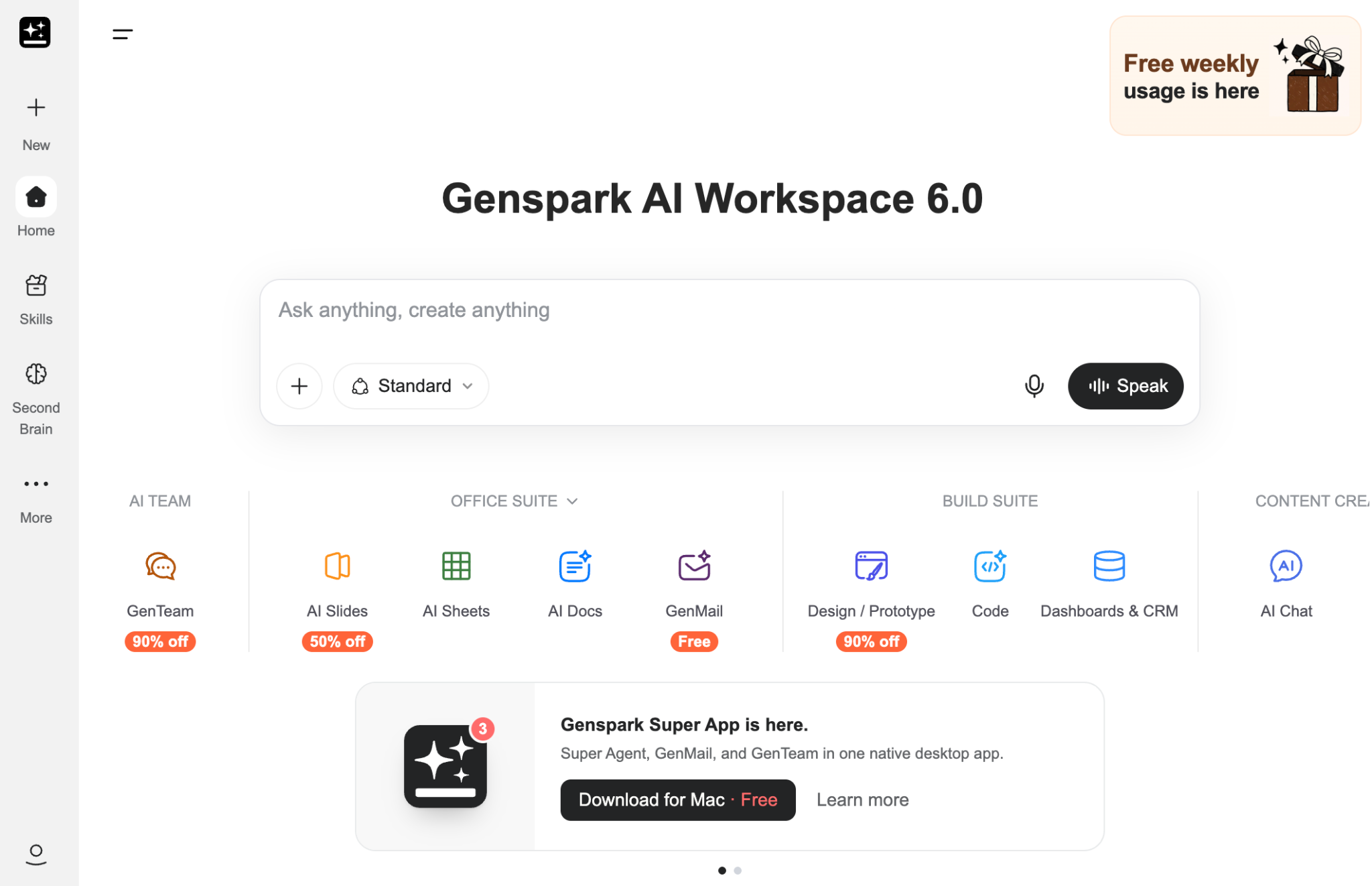
Genspark is an AI workspace from MainFunc that combines AI models, autonomous agents, creation tools, connected apps, and project memory in one product.
Its current Workspace 6.0 setup centers on SecondBrain, Super Agent, creation suites, and GenTeam.
The product can research, write, analyze data, build decks, place calls, create media, and act in connected apps.
Genspark can replace parts of several AI subscriptions if you use its agents often enough. The tradeoff appears when one workflow becomes more specialized and needs features a broader platform does not go as deep on.
Genspark features I tested
Genspark now covers much more than the Sparkpages it started with. I spent most of my three weeks with the features that could change whether I'd keep paying for it: Super Agent, AI Slides, AI Sheets, AI Docs, AI Meeting Notes, SecondBrain, Call for Me, GenTeam, Genspark Claw, and the Microsoft Office add-ins.
Our full test of Genspark’s current features goes further into each agent. Here, I’m focusing on the parts that changed how useful Genspark felt in day-to-day work.
Super Agent
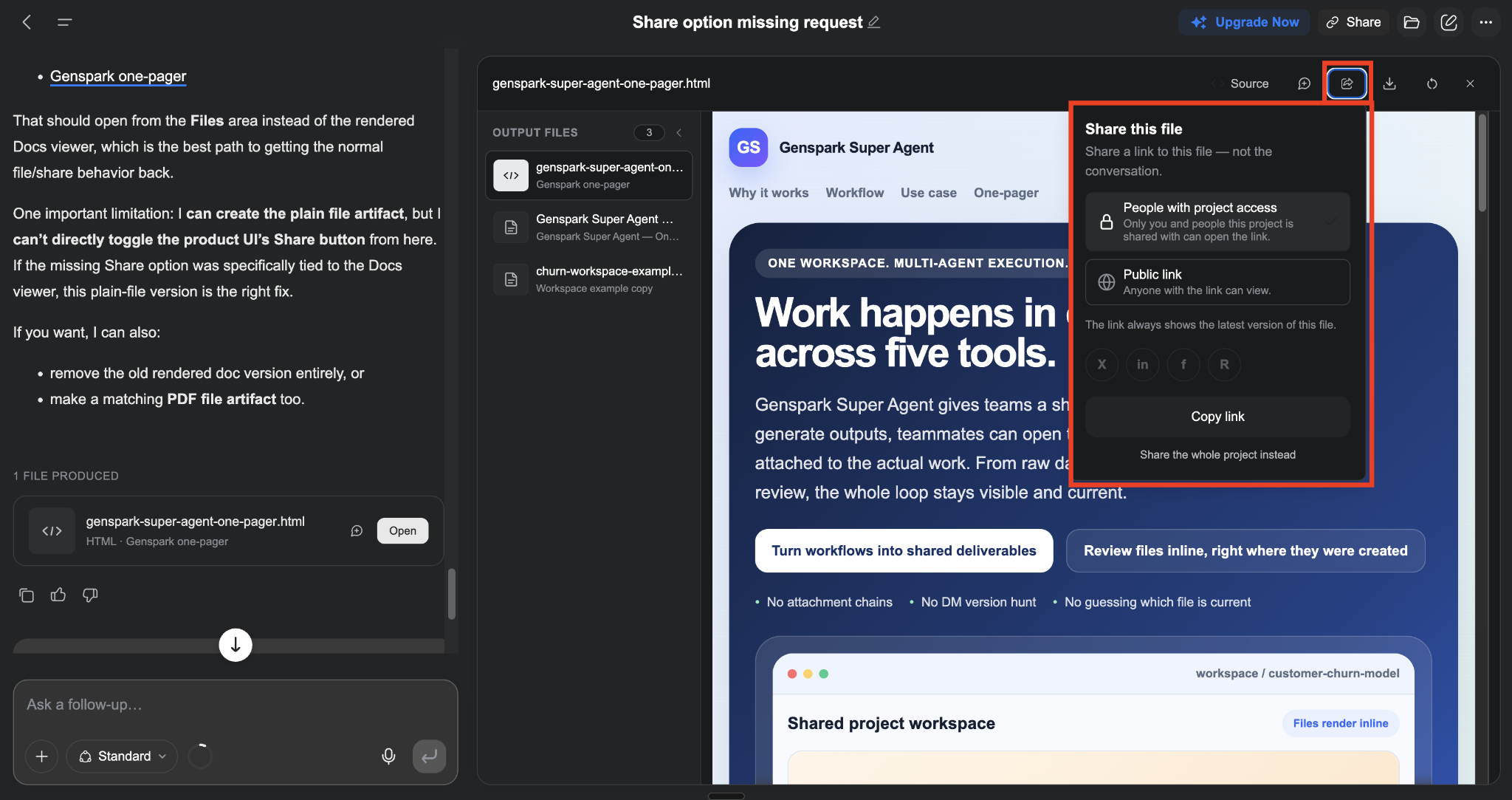
Super Agent is where Genspark started to feel different from a normal AI chat. It can plan a task, browse the web, work with files, use connected accounts, and keep going until it has something finished.
It runs inside its own sandbox with a browser and file system. Repeated workflows can also be saved as Skills, which matters if the same research or content process comes up every week.
I liked Super Agent most when the starting prompt was messy. A rough research request came back organized into usable sections with sources already attached.
That saved me from doing the boring second pass I often have to do after a long chat response. The value was in how close the output already was to finished.
AI Slides
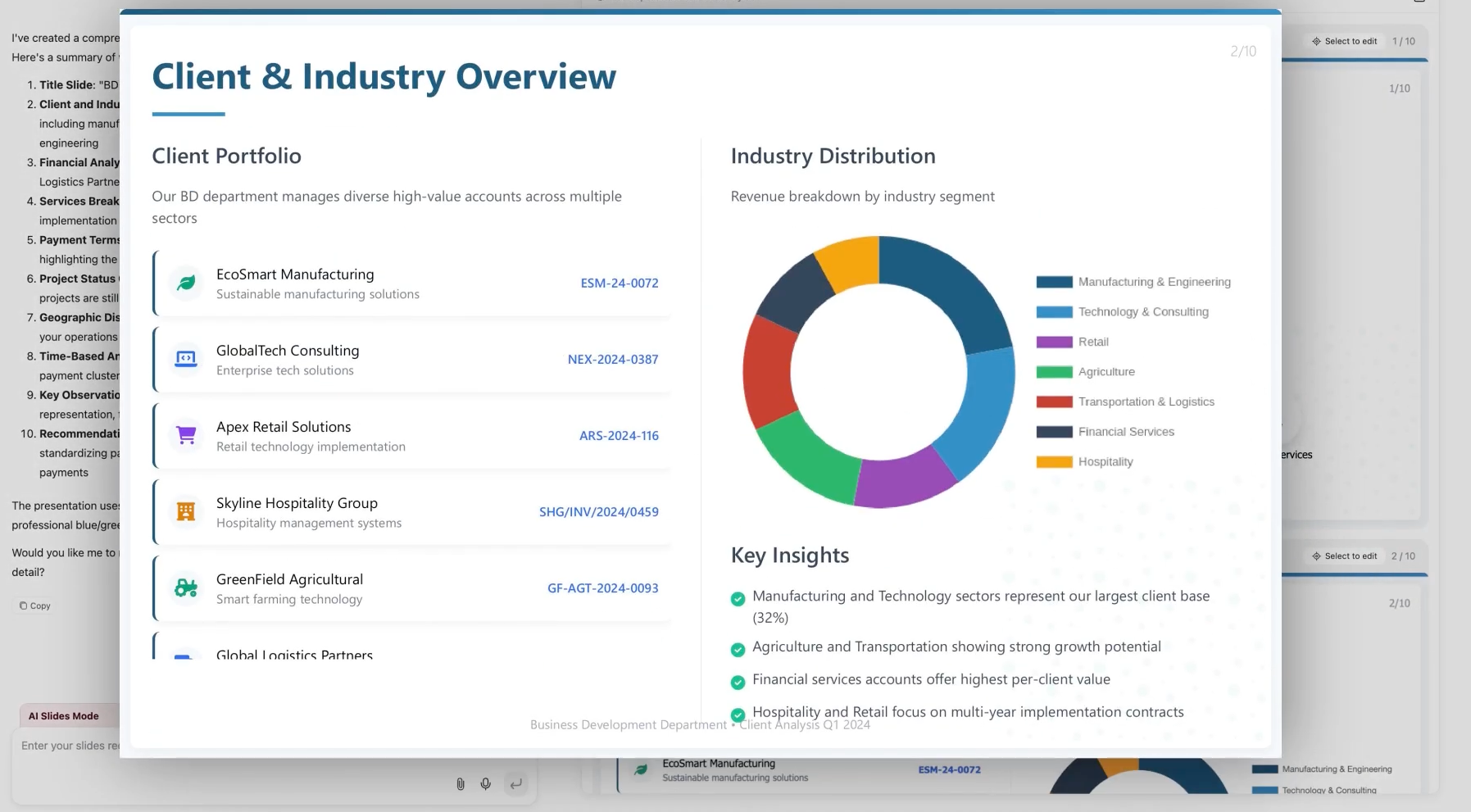
AI Slides was the feature that saved me the most time. I gave it a deck I needed that day, and it handled the initial research, structure, charts, speaker notes, and design. The editor also supports batch changes, fact checking, and exports to PDF, PPTX, and Google Slides.
Genspark can work from an existing template or brand style, and it includes more than 100 Slide Skills. The agent can also run code for calculations, data analysis, and charts.
The first draft was good enough that I could start editing content right away. That’s the part I’d pay for.
Exports still need a final check. Two decks picked up formatting issues during my three-week test, which means I wouldn’t send a generated PPTX straight to a client without opening it first.
AI Sheets
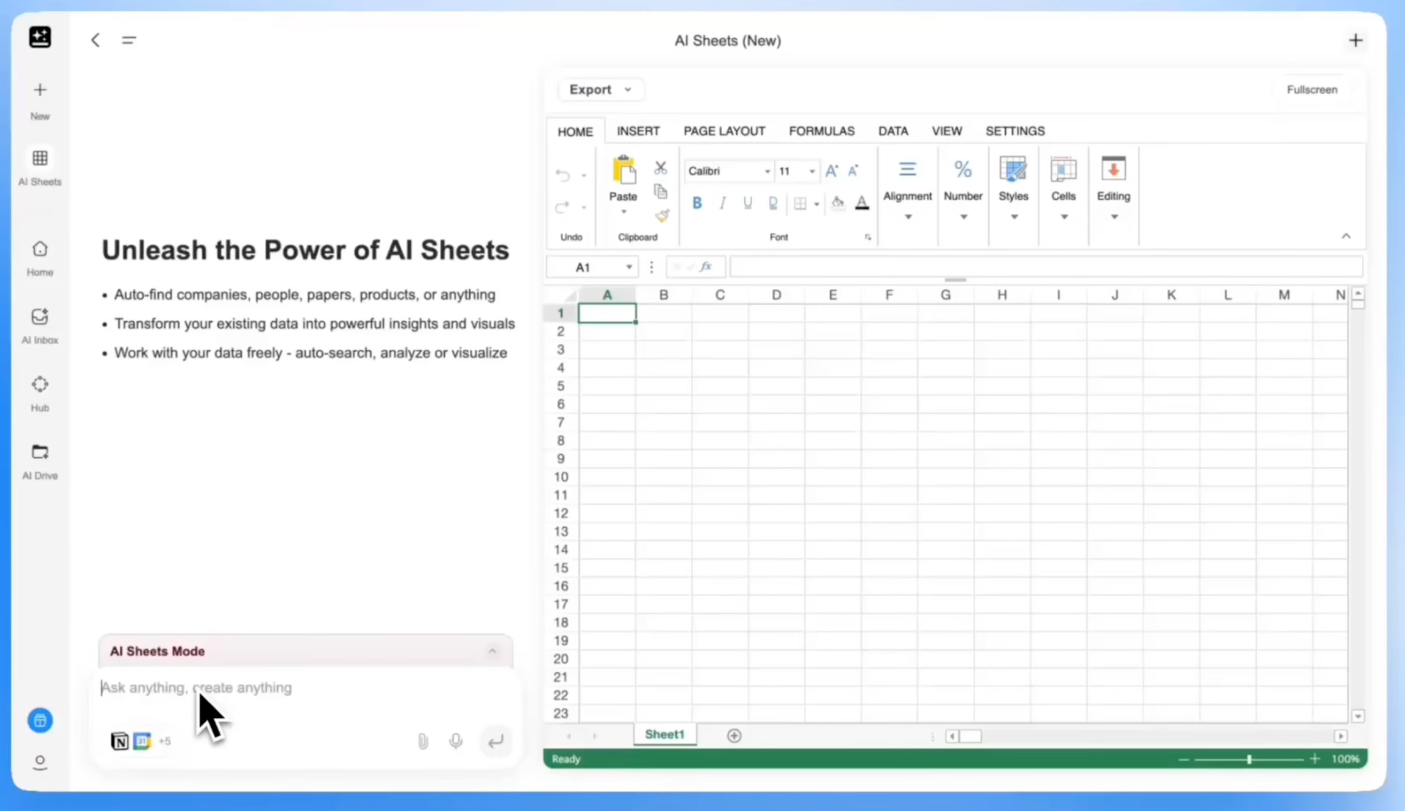
AI Sheets became more interesting once I stopped treating it like a spreadsheet chatbot.
It can collect data from the web, uploaded files, Google Drive, Supabase, and custom MCP sources. From there, it can clean the data, write formulas, calculate metrics, and build charts.
What stood out was the visibility into how it reaches an answer. Genspark can expose the SQL or Jupyter work behind more involved analysis, which makes the result easier to inspect when the numbers matter.
There is a clear ceiling for heavier Excel users. AI Sheets does not support native VBA execution, Power Query, Power Pivot, user-defined functions, or some older Excel connections.
That makes it useful for analysis and first-pass spreadsheet work. I’d be more cautious with an existing finance or operations workbook that depends on advanced Excel features.
AI Docs
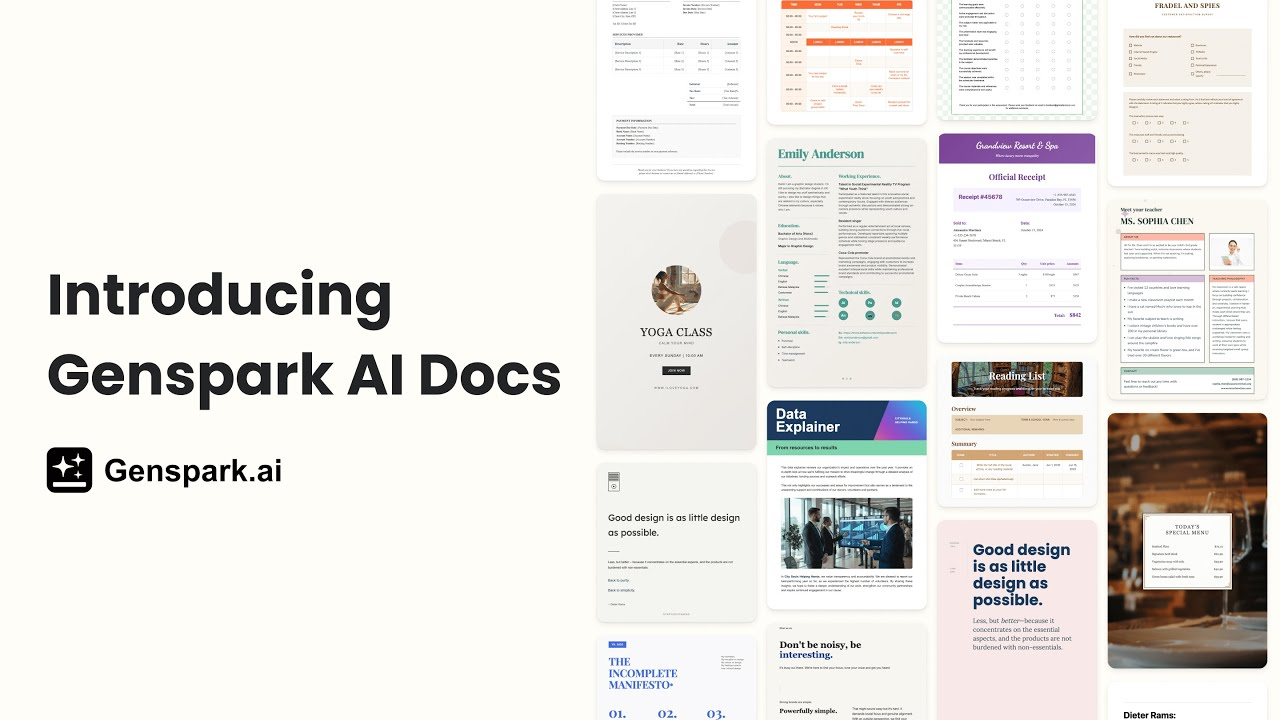
AI Docs feels closer to a working document editor than a one-shot writing tool. You can ask Genspark to rewrite or expand sections, then jump back in and edit the text yourself. It supports Rich Text and Markdown, with exports to Word, PDF, and Markdown.
The feature that changed how I used it was Save Points. Version history matters once a document has gone through several rewrites, especially when one prompt takes the draft in the wrong direction.
That makes AI Docs a better fit for proposals, reports, and technical writing than for short copy you can finish in a chat window.
AI Meeting Notes
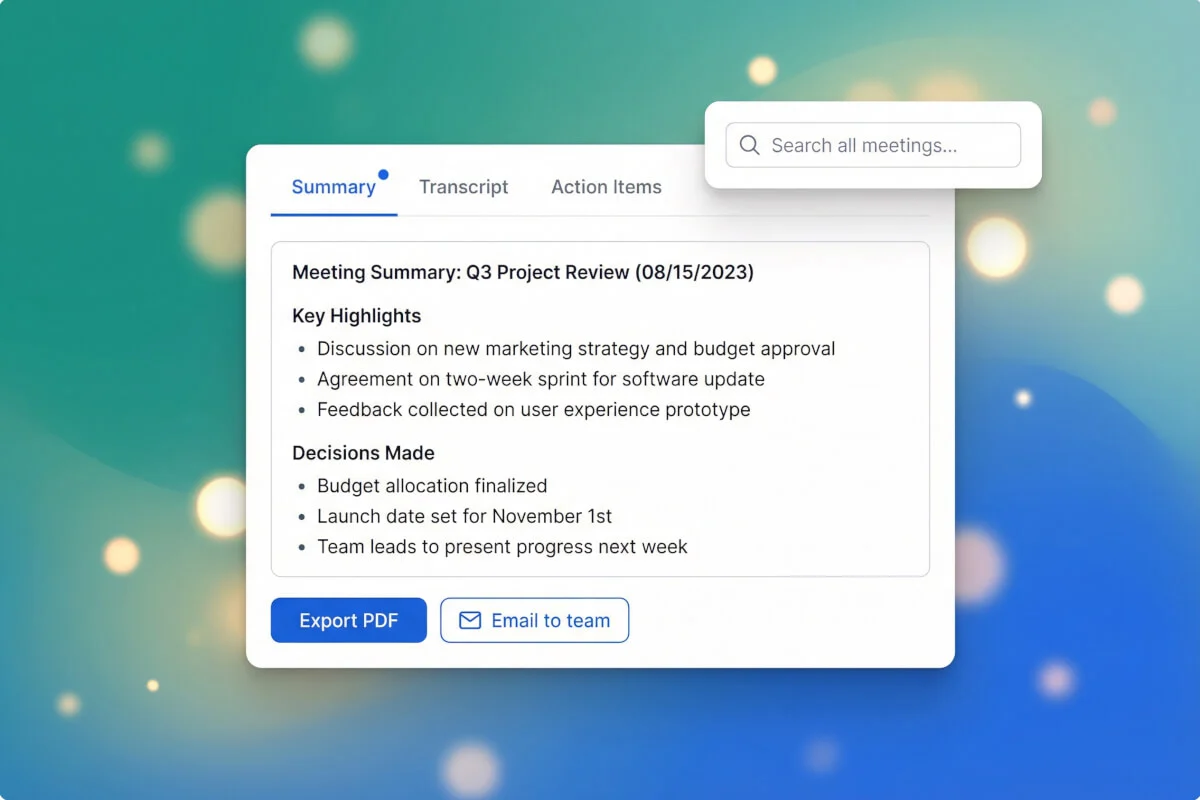
AI Meeting Notes handles the capture side of meetings. It records the conversation, creates a transcript, writes notes, and lets you ask questions about what was discussed.
The feature works across web, mobile, and Apple Watch. Calendar connections can also send Genspark’s Meeting Bot into Zoom, Google Meet, Microsoft Teams, Webex, and GoToMeeting.
Meeting Notes became more interesting once I looked at it together with SecondBrain.
The meeting gets recorded and summarized, then that context can carry into later tasks. That matters more than having another transcript sitting in a folder after the call ends.
SecondBrain
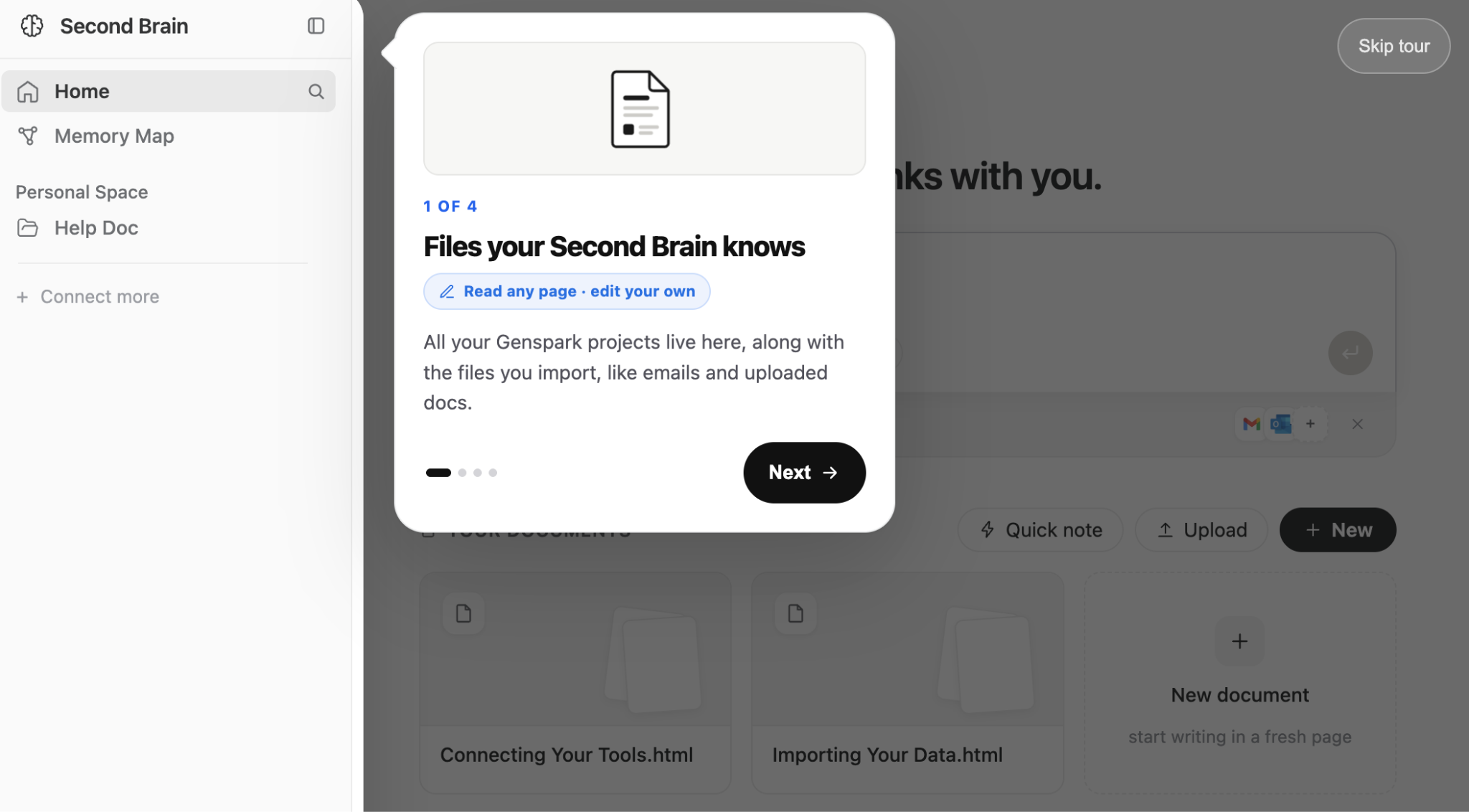
SecondBrain made Genspark feel more useful across ongoing work.
I noticed the difference once I stopped repeating the same background in every prompt. SecondBrain can pull from earlier projects, meeting notes, uploaded files, and connected tools, then pass the relevant context into Super Agent.
Gmail, Google Calendar, Outlook, Slack, Notion, HubSpot, Salesforce, Google Workspace, and Microsoft 365 are all supported.
A meeting from Monday can shape a research task later in the week. A file uploaded days ago can still inform the next prompt.
For me, this is where Genspark starts to feel more persistent. The context carries forward, which cuts down on the repeated setup that makes a lot of AI tools tiring to use over time.
Call for Me

Call for Me is one of Genspark’s more unusual features. You give it a contact, a goal, and a voice, then it makes the phone call and returns a transcript.
The feature itself is easy to understand. The credit cost changed how I used it.
Genspark charges 500 credits per call for the real-time voice model, with extra credits used for analysis and the summary.
One test call burned those 500 credits before I was fully happy with the script. After that, I started treating the prompt like something I needed to approve before sending.
That’s the bigger lesson here. Call for Me can remove a manual task, but mistakes feel more expensive when every attempt has a visible credit cost.
GenTeam
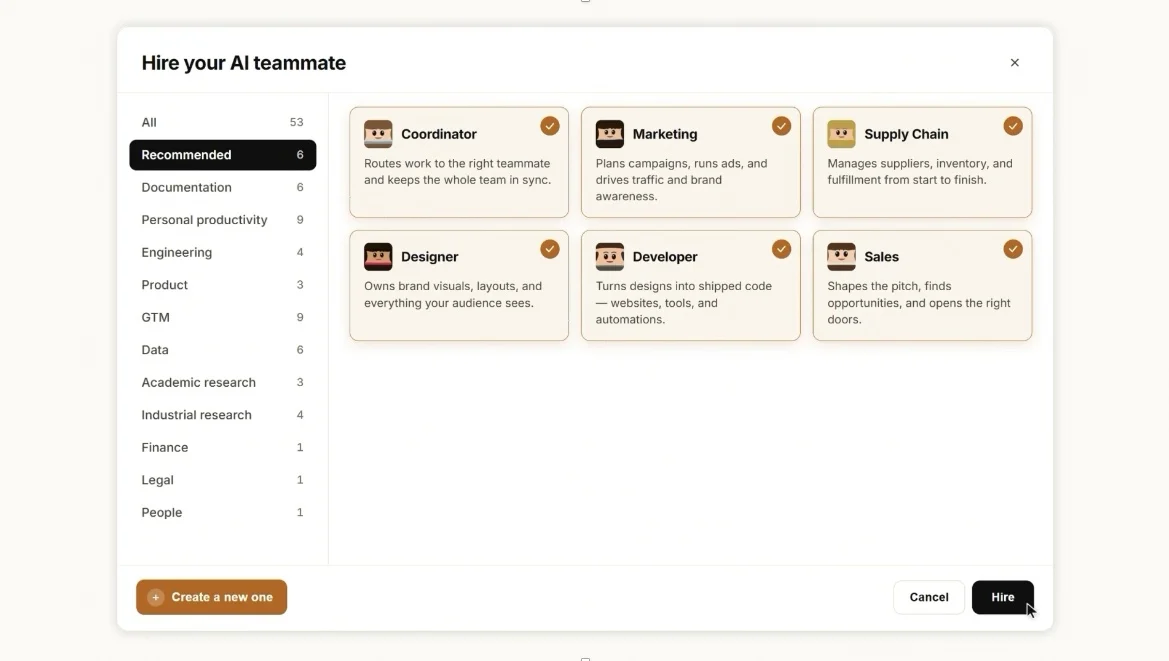
GenTeam is aimed at shared agent work. People and agents can collaborate inside the same channel, with agents researching, creating files, posting results, and building temporary web previews.
This feature made more sense to me as a workspace than as another AI capability.
A team can keep the task, discussion, agent output, and finished files in one place. That becomes useful when several people need to review or build on the same work.
Solo users may get less from it. The value rises once several people are assigning work to agents and need a shared record of what happened.
Genspark Claw
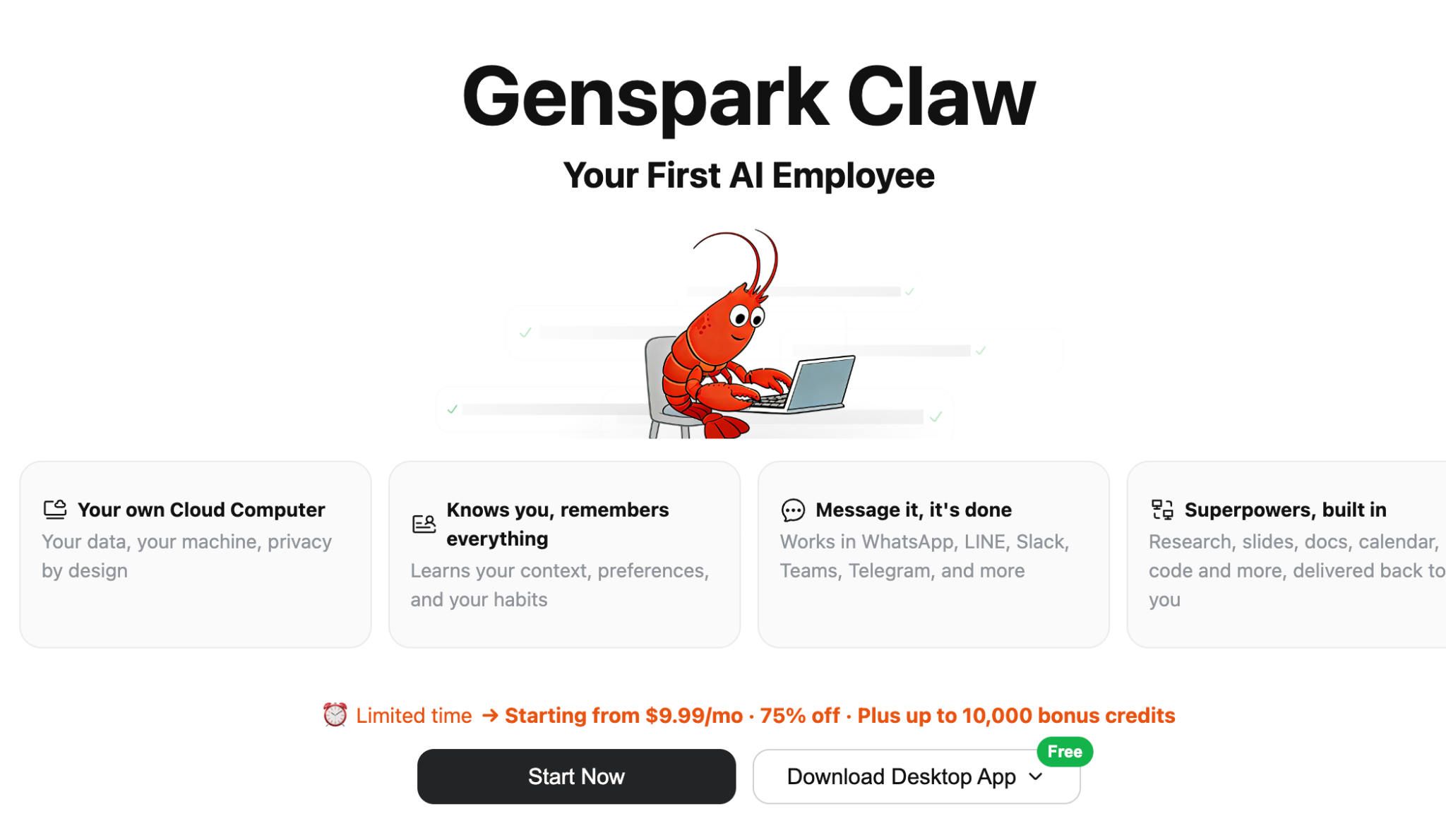
Genspark Claw takes Genspark beyond browser-based tasks. It can work on your computer through the desktop app or run on a dedicated Genspark Cloud Computer.
Local mode uses your own machine and your existing Genspark credits. The cloud option can keep working 24/7, but it requires a separate Cloud Computer subscription.
That pricing detail matters.
An always-on agent sounds appealing if you want tasks to keep running after you close your laptop. The extra subscription also means Claw can change the total cost of Genspark more than the main plan comparison suggests.
I’d decide whether I needed cloud mode before judging the value of the higher Genspark tiers.
{{templates}}
Microsoft Office add-ins
Genspark’s Microsoft Office add-ins put the agent directly inside Word, Excel, and PowerPoint.
You can draft text in Word, analyze spreadsheet data in Excel, or work on charts and slide layouts in PowerPoint without bouncing between apps.
I found this more useful than I expected because a lot of AI work breaks down at the handoff. The answer might be good, but then you still have to copy it over, fix the formatting, and keep editing somewhere else.
Keeping Genspark beside the file removes a few of those annoying steps. For anyone who spends most of the day in Office, I can see this becoming one of the features they use most often.
Genspark reviews: What users are saying
- Current Trustpilot rating: Genspark has 3.8/5 from 420 reviews as of September 22, 2026.
- Current G2 rating: Genspark has 4.3/5 from 11 reviews.
- What G2 users like: Reviewers repeatedly praise AI Slides, multi-step research workflows, custom agents, and the ability to turn broad prompts into finished deliverables. Several also mention useful data analysis and file-handling features.
- What G2 users dislike: Credit consumption comes up most often. Reviewers also mention trouble finding features in the interface, occasional integration issues, and inconsistent output when repeating the same instructions.
- Reddit context: Credit usage is also the dominant concern there. Annual subscribers describe credits disappearing faster than expected and limited visibility into what consumed them, while several users also complain about slow or unanswered support requests.
Genspark pros and cons after three weeks
My personal take after three weeks is pretty mixed. Genspark can save a surprising amount of time when the job ends in a deck, report, spreadsheet, or other finished deliverable. Most of my hesitation comes from the credit model and a few extra costs that make heavier use harder to budget.
Pros
- Finished outputs come together quickly: Research, slides, docs, and sheets can move from prompt to editable deliverable in one workspace.
- The model library is broad: Plus and Pro include access to current text, image, video, and audio models from several providers.
- Slides and Sheets go beyond plain text generation: Both agents include editors, calculations, charts, imports, and exports.
- Connected apps make the agent more useful for work: Genspark supports email, calendars, Slack, CRM tools, cloud files, and many other services.
- SecondBrain reduces repeated context setup: Past projects, meetings, files, and connected tools can feed later tasks.
Cons
- Credit use takes effort to budget: Monthly credits, free weekly usage, model charges, and feature-specific costs make task pricing variable.
- Call for Me is expensive for casual use: Each call starts with a fixed 500-credit voice charge before analysis and summary usage.
- Cloud Claw costs twice: The always-on cloud version sits outside the normal Plus or Pro membership, and every scheduled task or check-in it runs spends credits on top of that.
- AI Sheets still has Excel limits: VBA execution, Power Query, Power Pivot, and user-defined functions sit outside its current feature set.
- Exports still deserve a final check: I had two slide exports lose formatting during my three-week test.
My personal take on Genspark
Genspark earned its keep when I needed a finished deck, sheet, or report at the end of the job. Super Agent made research easier to work through, and AI Slides gave me a usable first deck fast enough to save real editing time.
I got less value from Genspark on small jobs. A quick rewrite or one-off question rarely made the agent workflow feel necessary, and I became much more aware of the credit meter once I started using calls and premium models.
The bigger change for me was everything around the individual agents. SecondBrain, connected apps, Office add-ins, GenTeam, and Claw make Genspark useful across ongoing work, especially when context needs to carry from one task into the next.
I’d keep using it for research-heavy work, presentations, and multi-step jobs where the finished output saves enough time to justify the credits. For lighter everyday tasks, the cost and setup feel harder to justify.
Is Genspark worth the price?
Genspark has a free plan with 100 daily credits, which is enough to test the agents properly. Paid plans start at $24.99/month for Plus and go up to $249.99/month for Pro, with Team seats at $30/month. Unused monthly credits don’t roll over.
Plus is the plan I’d start with. It covered my day-to-day research and slide work, and I only ran low when I leaned on the flagship models. Pro only makes sense if you’re creating content at high volume every day.
For every plan, credit allowance and annual discount, see our full Genspark pricing breakdown.
Genspark vs ChatGPT
Genspark and ChatGPT cover a lot of the same ground, but they started to feel different once I used them for real work. Genspark Plus costs $24.99/month, while ChatGPT Plus costs $20/month.
I still reach for ChatGPT first when I want to think something through, ask follow-up questions, work with files, or move between research and writing in the same conversation.
Genspark made more sense when I already knew what I wanted at the end. A deck, spreadsheet, document, or phone task fits its agent setup well because the product is built around getting to a finished output.
The difference became clearer during testing. ChatGPT felt more natural for open-ended work. Genspark felt stronger when the job had a defined deliverable and I wanted the tool to take on more of the assembly.
Genspark vs Claude
Genspark and Claude also overlap across research, writing, coding, files, and connected work. Claude Pro costs $20/month when billed monthly, while Genspark Plus costs $24.99/month.
Claude is the one I’d lean toward when the work is mostly writing, reasoning, coding, or long-form analysis. I find it easier to stay inside one thought process there and keep refining the same piece of work.
Genspark becomes more interesting when the week is messier. One day might need a deck, the next a spreadsheet, then a research brief or phone task. Its dedicated agents make more sense in that kind of mix.
For me, the choice comes down to the shape of the workload. Claude suits deeper thinking around one task. Genspark suits weeks where several different deliverables keep landing on the desk.
{{cta}}
Is Genspark right for you?
Genspark works best when you will use several parts of the workspace. Paying for Plus makes more sense if Slides, Sheets, Docs, Super Agent, and the model library all save you time during the same month.
Genspark is a good fit for:
- Researchers who want sourced reports and reusable project context
- Founders and marketers producing decks, docs, images, and research
- Analysts who want AI help inside spreadsheets and Excel files
- Teams that want shared agents, connectors, and centralized billing
- People who want access to several model families from one account
A different tool may fit better for:
- People who mainly need one AI chat assistant
- Spreadsheet users who rely heavily on VBA, Power Query, or Power Pivot
- Teams that need a fixed monthly spend with little variation by task
- People who want an always-on cloud computer included inside the base subscription
Genspark alternatives worth considering
Genspark covers a lot, but the best alternative depends on what you want to replace. Our 7 best Genspark alternatives in 2026 compare options for research, presentations, content creation, and broader AI work.
For team workflows, Lindy is the one I’d look at first. It works from Slack, connects to company tools, and can carry context from meetings, files, email, and other apps into recurring work such as CRM updates, support triage, follow-ups, and scheduled reports.
Genspark still makes more sense when slides, sheets, docs, media generation, and access to several AI models are the main reason you’re paying for the tool.
Final verdict
Genspark works best as a production tool for people who create a lot of different deliverables. Slides, research pages, spreadsheets, docs, and calls all benefit from having dedicated agents behind them.
The real test is whether those agents reduce enough manual assembly to justify the credits. Track a month of real work and compare the time saved with the credits spent before moving beyond Plus.
FAQs
1. Is Genspark worth the money?
Yes, if you use several of its agents regularly for research, slides, sheets, docs, and other finished work. Plus at $24.99/month is the tier I’d start with to see whether the time savings justify the credits.
2. Is Genspark a good AI tool?
Yes. Genspark is strongest when you want a finished deck, spreadsheet, document, report, or research page from one prompt. It’s less useful for quick questions or short writing tasks.
3. Is Genspark safe to use?
Genspark is safe enough for general work, with one caution. Its Team and Enterprise documentation lists AES-256 encryption at rest and TLS in transit, and it publishes a privacy policy. I'd still review the policy before uploading sensitive company or personal data.
4. Is there anything better than Genspark?
Yes. Lindy, Zapier, Gamma, Beautiful.ai, Plus AI, Canva, Manus, ChatGPT, Perplexity, Kortix, and You.com are the alternatives we recommend, depending on whether you care most about recurring team work, presentations, everyday AI work, research, open-source control, or parallel task execution. Our Genspark alternatives guide breaks down where each one fits.
5. How much does Genspark AI cost?
Genspark has a Free plan. Plus starts at $24.99/month, Pro at $249.99/month, Team at $30/seat/month, and Enterprise uses custom pricing. Credit allowances also affect how much work each plan can handle.










