I tested Genspark AI's 2026 features: Here's what worked
Lindy tested Genspark AI's Super Agent, Slides, and Sheets features, breaking down its $24.99 monthly pricing and multi-model fact-checking research approach.


Genspark AI is an all-in-one workspace with a Super Agent that handles research, slides, data, and calls. Here's my guide with what each feature does, what it costs, and when to use it.
Genspark AI features: TL;DR
| Feature | What it is | What it does | Best for |
|---|---|---|---|
| Super Agent workspace | One “do-everything” AI agent in a full workspace UI. | Figures out what you want, chooses tools, runs research, builds outputs like reports, slides, sheets, websites, and more. Uses multiple AIs to fact-check and reduce hallucinations. | Users who want an AI that plans and executes work, not just answers prompts. |
| AI Chat (Mixture of Agents) | Chat interface powered by several underlying models. | Mixes ChatGPT, Claude, Gemini, and others. Uses a reflection tool to combine the best parts of each answer into one “super response”. | Creative and complex prompts where answer quality matters more than speed. |
| “Call for Me” voice agent | Phone-calling AI agent. | Makes business or personal calls, handles phone trees, talks to humans, then returns a transcript and a clear summary.Can check things like stock, availability, and details for you. | Busy users who want to outsource phone calls and basic phone-based research. |
| AI Slides | AI slide deck generator. | Creates structured slide decks from prompts using templates.Avoids walls of text, supports AI edits and drag-and-drop tweaks, and can fact-check slide content.Exports to PowerPoint, PDF, or web. | Turning research or ideas into client-ready presentations and lead magnets. |
| AI Sheets & data tools | Data research and analysis environment. | Finds data (for example, YouTube videos and their metrics), fills tables in real time, and auto-writes Python in a Jupyter notebook to visualize results. | Analysts and creators who need quick, visual insights from live web data. |
| Image, video, and site generation | Creative and web-building tools. | Image Studio and video tools use a mixture of models (Gemini V2, Luma AI, PixVerse, etc.). Can recreate websites from a URL and output the underlying code for landing pages. | Marketers and founders who need assets, simple sites, or landing pages fast. |
| Personal AI assistant & integrations | Connected assistant across Gmail, Drive, Calendar, and more. | Summarizes unread email, pulls out action items, drafts replies, checks your calendar, and preps for meetings.Supports integrations with Microsoft and Google tools (like Gmail, Drive, and Calendar), plus select custom integrations. | Knowledge workers who want a “true” assistant plugged into their daily tools. |
| Genspark AI Browser | Desktop browser with built-in AI on every page. | Provides a browser environment with built-in AI tools for summarizing content, automating research, and streamlining common web tasks.Super Agent can find the best deals, summarize YouTube videos, autopilot browser tasks, and clean up your browsing with an ad-free experience. | Users who want AI baked into their browser for research, shopping, and automation. |
What Is Genspark AI? (Simple Explanation)
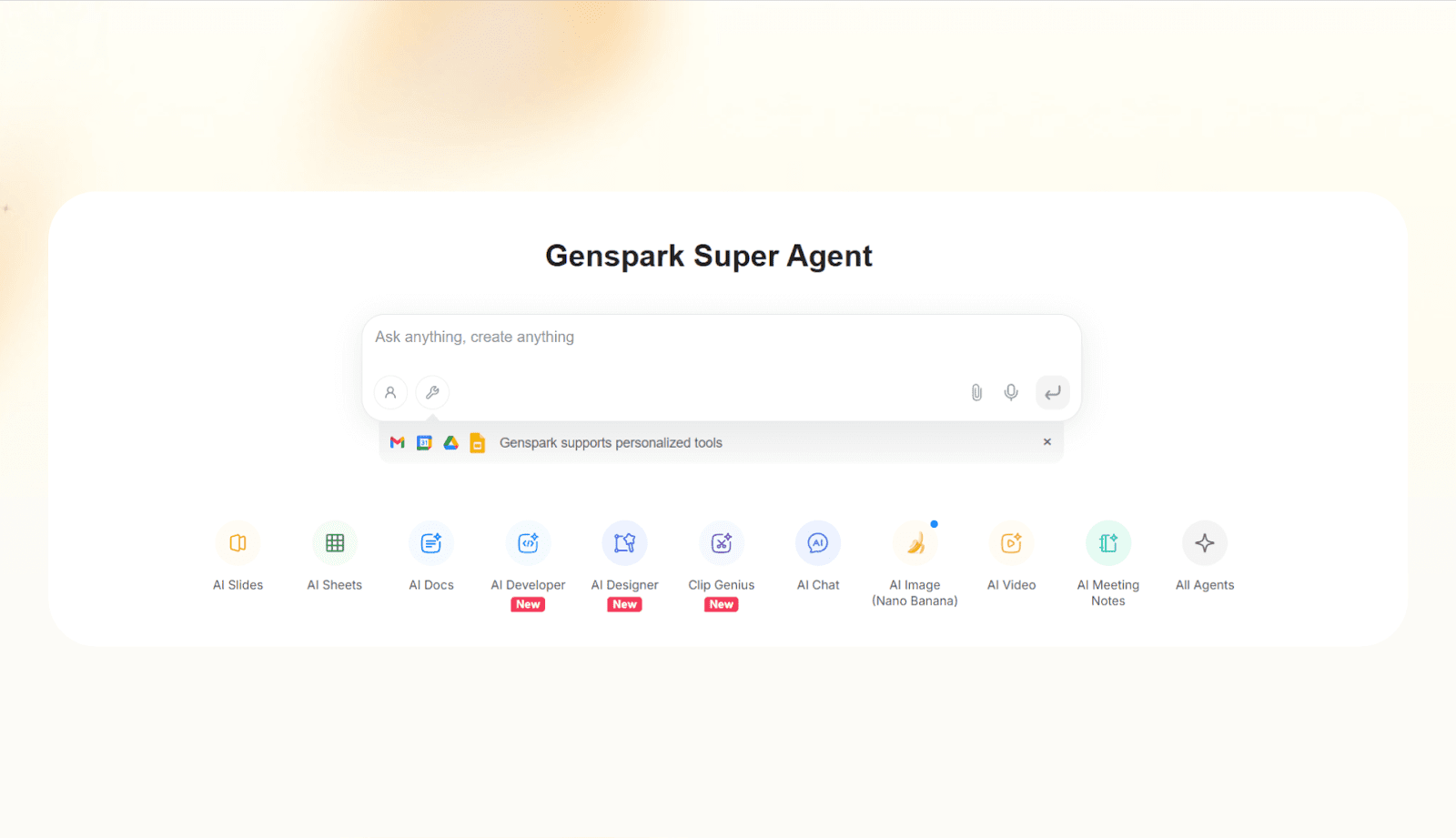
GenSpark is an AI-driven workspace and content creation platform that consolidates various tools into one service. It uses a system of specialized AI agents to handle tasks like content creation, file organization, and data synthesis. If you are looking for other platforms that combine these features, exploring a dedicated genspark alternative can help you compare options.
You can think of Genspark as:
AI search + AI agents + content creation (slides, sheets, images) + an AI-powered browser = all in one workspace.
genspark review.Genspark's AI reads your prompt, picks the right tools, and may search the web, run multiple models, and compare answers before delivering a report, deck, table, or call summary. Multiple AIs fact-check each other to reduce hallucinations. For a detailed evaluation of how these capabilities perform in real-world testing, read our full
Genspark AI features in 2026
Genspark works like a central command center for AI work. The Super Agent decides what to do, then different tools handle research, calls, slides, sheets, and more. Platforms like this represent a broader shift toward comprehensive ai productivity tools that handle entire workflows autonomously.
1. Genspark’s Super Agent
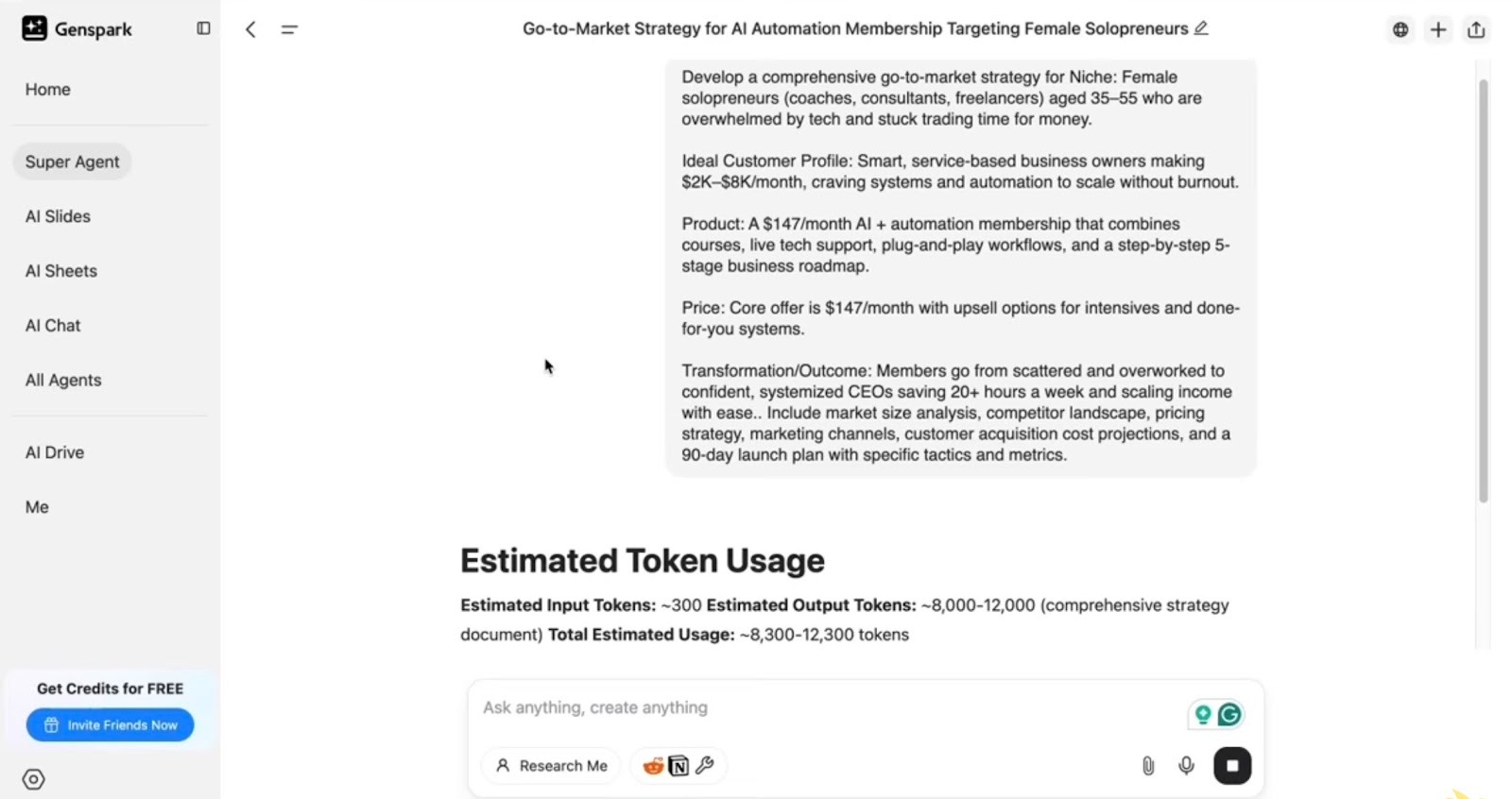
At the center of the platform is Genspark’s AI agent called the Super Agent. It is designed to think about your request, pick tools, and run multi-step workflows: To explore broader productivity tools in this category, consider evaluating modern ai work assistant app software.
- Understands the job: When you type a prompt, the Super Agent first figures out what outcome you really want. For example, “help me get ready for tomorrow’s meetings” turns into sub-tasks like reading your calendar, summarizing who you are meeting, and pulling key details about each person.
- Mixture of agents in AI Chat: In AI Chat, the Mixture of Agents option blends ChatGPT, Claude, and Gemini. The system then runs a reflection step to keep the strongest parts from each answer. This is useful for complex topics where one model alone often misses context.
- Action-taking agents: The “Call for Me” agent can call a shop, move through an automated menu, speak with a human, and return a transcript with a clear summary. Other agents draft emails, suggest times based on your calendar, and prepare briefings before your meetings.
These Genspark AI agent features give you something closer to a digital helper that can think, check, and act, instead of a model that only replies in text To build a similar custom tool for free, explore our guide covering the best how to make your own ai assistant.
2. Genspark AI Search Engine
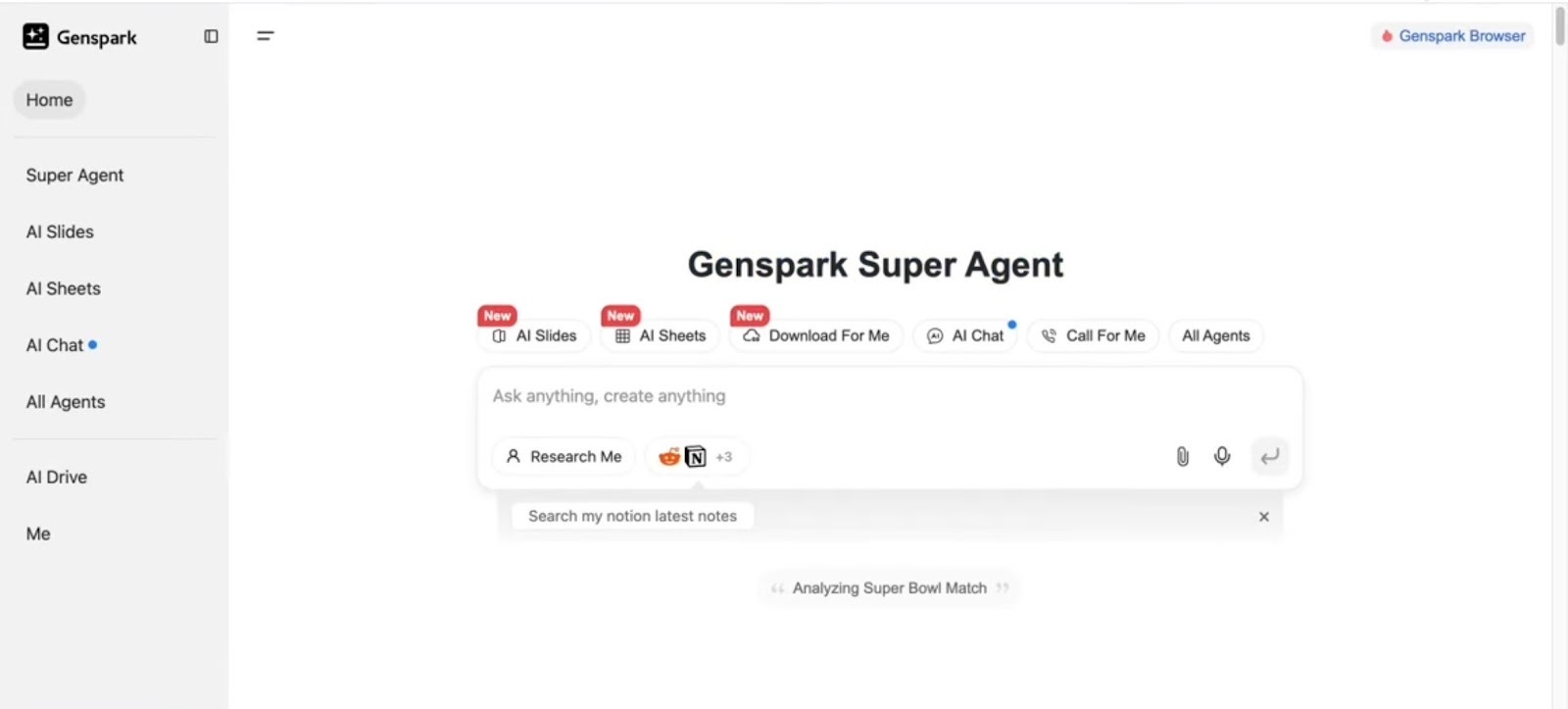
Genspark behaves like a research engine. When you ask a question, the Super Agent runs searches, opens sources, and has multiple AIs check each other before you see an answer.
Here is what that means in real use:
- Tool-based research: For a prompt like “analyze the donut shop business in my city,” the agent will search for relevant articles, read them, and pull out the parts that matter. You see the result as a clear report.
- Multi-model fact-checking: Several AIs work together and compare answers. This extra step reduces confident but wrong claims. It is slower than a single call but more reliable for research, planning, and decision-making work.
- Evidence-driven answers: Because the Super Agent is reading real pages and documents, you can trace the reasoning instead of wondering where a claim came from. This matters when you use Genspark AI search engine features for real business decisions.
In short, for queries where “close enough” is not good enough, Genspark acts more like a junior analyst than a standard search bar.
3. Workspace and Creation Tools
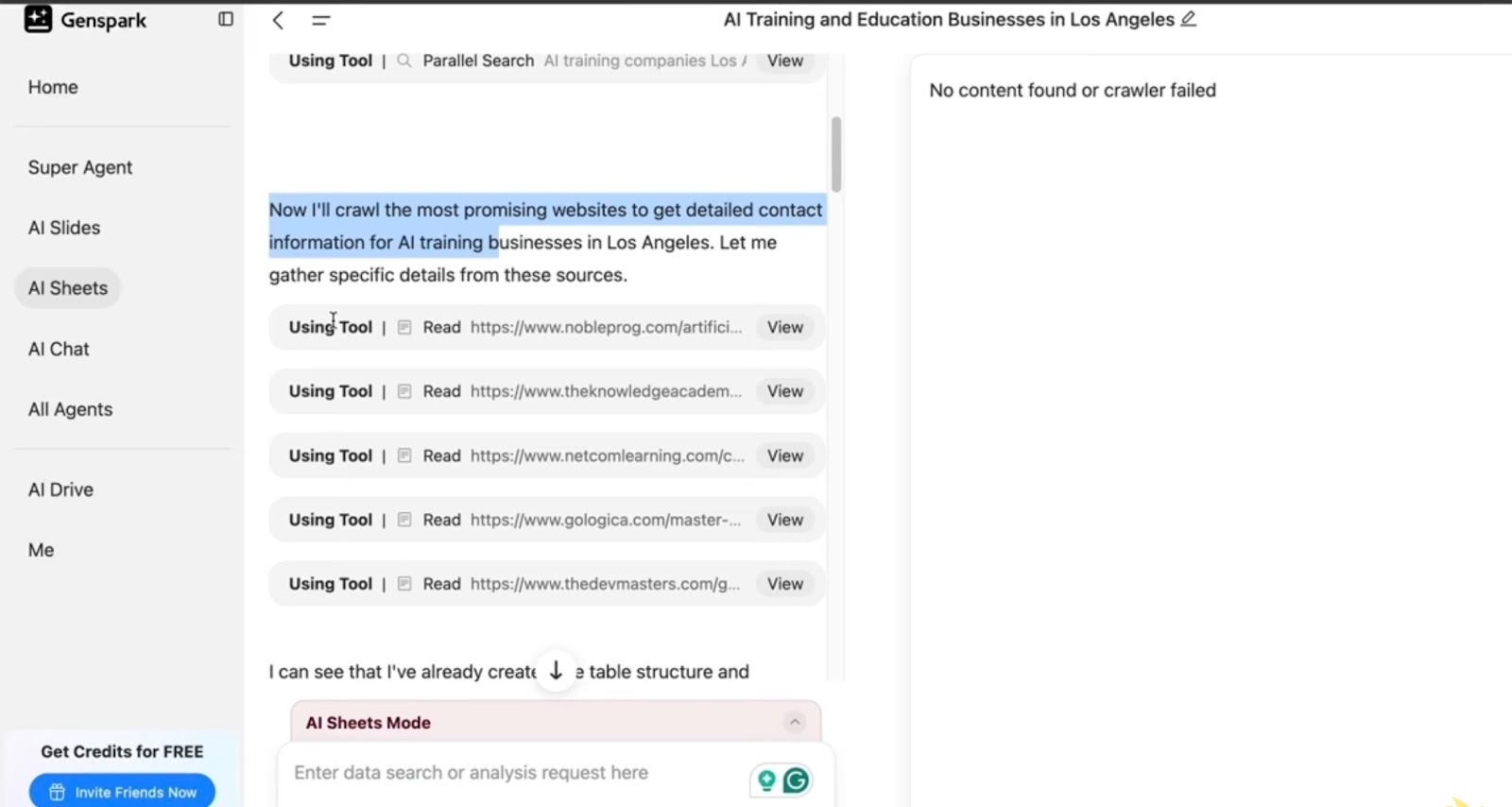
The Genspark AI platform includes a set of creation tools inside the same workspace. You move from idea to research to finished asset without swapping tools.
AI Slides
AI Slides turns prompts into slide decks that look close to something a human would present.
- You can start with pre-built templates or save your own.
- The agent creates a clear structure with titles, key points, and summary slides instead of dumping walls of text.
- You can use Advanced Edit for drag and drop tweaks or ask the AI to rewrite sections, shorten text, or adjust tone.
With the fact check option, you can click one button, and Genspark builds a fact check prompt for that slide. The result shows which points have strong sources, which claims lack support, and what data might be better. For client decks or public talks, this saves a lot of manual checking.
Slides can be presented in the browser or exported to PowerPoint, PDF, or a public web link. In practice, you often get 80 to 90% of the way there, then polish inside PowerPoint.
AI Sheets and data analysis
AI Sheets is where the Super Agent works like a research analyst.
- It can search for items like “top 20 YouTube videos on AI automation,” then pull views, likes, comments, duration, tags, and more into a live table.
- With one click, you can ask it to visualize the data, and it will write Python code in a Jupyter notebook to build charts and basic reports.
This suits creators, marketers, and analysts who need quick competitive scans or content research without spending hours in spreadsheets.
Image, video, and site creation
The workspace also includes an Image Studio and video tools.
- Image Studio can create visuals from prompts or turn images into simple videos.
- For video, Genspark uses a mixture of Gemini V2, Luma AI, and PixVerse. You can leave selection on auto for quality or turn it off when you want to save credits.
For websites, you can paste a URL and ask Genspark to recreate the site. It reads the layout, design, and copy, then rebuilds a similar version with editable code.
This is handy for landing pages and lead magnets when you want a fast starting point and plan to fine-tune later in your own stack.
Together, these Genspark features make the workspace feel like a production studio that sits on top of the Super Agent.
4. Integration and platform capabilities
Genspark AI is built as a platform that plugs into your existing tools.
- Personal AI assistant with tool access: You can connect Gmail, Google Drive, Google Calendar, and Microsoft tools. Once linked, the assistant can summarize unread mail, pull out action items, draft replies, and suggest times that match your calendar.
- Meeting preparation: Before a day of calls, you can ask for a short brief on everyone you are meeting. The agent gathers information on each contact and gives you an overview in one place. This is especially useful for sales, consulting, or partnership roles.
- Custom MCP tools: Supports integrations with Microsoft and Google tools (like Gmail, Drive, and Calendar), plus select custom integrations. Data retention controls are in place to help manage privacy and access.
Because these capabilities live inside one AI platform, Genspark starts to act like an operating layer that sits over your email, files, and schedule.
Genspark pricing in 2026
Genspark uses a credit-based system:
- How credits work: Each action consumes credits. A search, a slide deck, a fact check, or a call all draw from the same pool. This makes it easy to estimate cost once you understand your typical usage.
- Free plan: The free plan gives around 100 credits/day. That is enough for light use, such as a small number of searches or simple tasks. It is useful for testing the Genspark AI features and getting a feel for the workspace.
- Paid plans (from $24.99/month): These plans come with higher credit limits, supporting more intensive tasks like repeated AI Slide generation and phone calls. For this suite of features, Genspark’s pricing is notably below many comparable AI research and creation tools on the market. Reviewing the detailed breakdown of genspark pricing can help you choose the right plan for your team.
One thing to note is that some flows use credits more than once. For example, you spend credits to create slides, and again when you run fact checks on them.
For teams, it helps to look at the pricing page, map your main workflows, and then decide how many credits you actually need.
Top Genspark AI use cases in 2026
Genspark works best when you need research, structured outputs, or multi-step tasks. Here are the top use cases based on how the platform is built. If your main focus is automated meeting transcription, reviewing otter ai alternatives can help you select a dedicated voice assistant.
1. Deep research and complex reports
Most AI tools give you a quick answer. Genspark scans through sources and builds something you can actually share:
The founder is checking a new product idea
A founder wants to launch a new AI service and needs to know if the space is crowded. They ask Genspark to review 5 or 6 competing sites, pricing pages, and customer reviews. The Super Agent runs searches, opens pages, and pulls key details into a structured report with sections for audience, offer, pricing, and common complaints.
The founder reads this report with their team and uses it to decide how to position the product or whether to pause the idea.
The strategy manager is doing a quarterly market review
A strategy manager must brief leadership on what happened in the market in the last 3 months.
They give Genspark a list of main competitors and a date range. Genspark looks for new features, pricing moves, funding news, and major campaigns, then groups everything under headings like product, marketing, and partnerships.
The manager edits the draft, drops what is not relevant, and sends it as a pre-read for the planning meeting.
Compliance lead catching up on a new rule set
A compliance lead hears about a new regulation and needs a quick but accurate overview.
They paste links to the original documents and ask Genspark to explain what changed, who is affected, and what the main deadlines are. Genspark reads the text and highlights the parts that matter, instead of giving a vague summary.
The lead turns this into a short note for executives plus a checklist of tasks for their own team.
2. Code assistance and technical work
Genspark can help debug code, suggest architecture, and validate technical decisions. These scenarios show where it fits into dev workflows:
Solo developer stuck on a bug
A solo developer hits a repeat error in a Python script and cannot see the issue. They paste the error message and the main file into AI Chat with Mixture of Agents turned on. Genspark tests different fixes from several models, picks the one that fits the code, and explains the change in plain English.
The developer applies the fix, confirms it works, and saves the explanation in a doc so they understand the root cause later.
Technical founder shaping a small system
A founder wants to build a browser automation tool and is unsure about the layout of services. They describe what the tool should do, what tech stack they prefer, and any limits on hosting. Genspark suggests a simple architecture, outlines how each part connects, and points out where cost or complexity might grow.
The founder uses this as a first draft for their design document and then adjusts it based on feedback from their engineering partner.
Data analyst checking a pipeline before launch
An analyst has built a flow that pulls YouTube stats, joins them with CRM data, and feeds dashboards.
They describe each step and share sample tables with Genspark. The agent walks through the pipeline and highlights risky joins, missing filters, and metrics that might confuse non-technical readers.
The analyst tightens the pipeline, adds validation steps, and feels more confident before rolling the dashboards out to the wider team.
3. Long-form content
Genspark handles drafts, outlines, and structured documents when you need more than a quick chat response. Here's how teams use it for content work:
SaaS marketer writing a whitepaper
A marketer is asked to write a ten-page whitepaper on AI automation for support teams.
They share a brief, a few internal case studies, and some anonymized numbers with Genspark. The agent writes a draft with clear sections for context, problem, approach, and results, and weaves the examples in.
The marketer adjusts tone, adds quotes and visuals, and then sends the final copy to design. He also reuses the same outline in AI Slides to get a matching slide deck.
Course creator planning a module
A creator wants to add a module on using AI for admin work. They ask Genspark for a lesson plan, key talking points, and a simple checklist for learners. Genspark returns a list of lessons, what to cover in each, and suggested practice tasks.
The creator edits this into their own voice and uses it as their recording script and course outline.
The product team cleaning up messy API docs
A product team has outdated and hard-to-read API documentation. They paste rough endpoint notes and several support tickets that show where users get stuck. Genspark rewrites the content into clearer descriptions, adds sample requests and responses, and builds a small FAQ from the tickets.
The team checks the technical details, updates anything that has changed, and publishes the new docs on their site.
4. Multi-agent task chains
Research to slides to data in one flow. The Super Agent chains tasks so you don't have to switch tools:
Strategy manager going from research to slides
A strategy manager needs a snapshot of their industry and a slide deck for the board. They ask Genspark to review the market, list key trends, and suggest three strategic options. Genspark writes a structured report with sections and bullet points.
The manager then asks Genspark to turn that same report into a slide deck. The agent passes the main points into AI Slides, creates a draft presentation, and the manager only needs to tweak wording and layout.
Creator building a YouTube content flow
A creator wants to find video topics that actually perform, not just guess. They ask Genspark to find strong videos in their niche and push the results into AI Sheets. The table shows titles, views, likes, comments, and duration.
Next, they ask Genspark to explain which patterns are linked to higher engagement and to draft a script for one promising angle in AI Docs. The creator then edits and records from that script.
Consultant handling client prep and follow-up in one place
A consultant has limited time but wants to show up well prepared and organized.
Before the call, they ask Genspark to summarize the client’s site, recent news, and the background of key people. After the call, they paste rough notes and ask Genspark to write a clean recap, list action items, and draft a follow-up email.
The consultant reviews the recap, adjusts the email wording, and sends it, without having to rewrite everything from scratch.
5. AI search and knowledge retrieval
Genspark pulls answers from the web and your connected tools. Once done, it organizes them in one place:
Product lead choosing between tools
A product lead must pick a tool out of several options. They give Genspark a shortlist and ask for pricing, main features, and limits for each one. Genspark reads each site in detail and writes a simple comparison with pros and cons.
The lead uses this document to argue for a choice, and others can see the reasoning instead of relying on gut feel.
The founder is trying to untangle notes across apps
A founder has ideas and decisions spread across email, docs, and calendar events. They connect Gmail, Docs, and Calendar, then ask Genspark for a summary of everything linked to one theme, like onboarding tests. Genspark pulls related content together and writes an overview with links back to each source.
The founder finally sees the full history of that topic in one place and can decide what to do next without digging.
Operations lead explaining a complex topic to non-technical teams
An operations lead needs to explain multi-agent AI to HR and finance, who are not technical. They ask Genspark for a simple guide and a short list of common questions with honest answers. Genspark writes a clear explanation with concrete examples and avoids heavy jargon.
The lead removes anything too technical, shares the doc with both teams, and later uses AI Slides to turn the same content into a short internal session.
Genspark AI vs Lindy

Genspark and Lindy both use AI agents, but they are pointed at very different jobs.
How agents behave
- Genspark leans toward agent autonomy. You describe the outcome. The Super Agent breaks the work into steps, picks tools, and runs them for you. It might search the web, build slides, analyze data, and draft content inside one flow.
- Lindy leans toward agent control. You design clear workflows once, then Lindy agents follow those steps the same way every time. They live inside your tools and behave more like reliable AI employees than one big open-ended agent.
Main focus
- Genspark is strongest as a research and creation workspace. It works best when you need in-depth search, multi-model answers, and outputs like reports, slide decks, data tables, images, and simple sites. It feels like a studio that starts from a prompt and ends with ready-to-edit assets.
- Lindy is strongest in operational automation. It does great when you want agents to sit inside email, calendar, CRM, and ticketing. The goal is to take over repeatable workflows such as scheduling, inbox triage, follow-ups, or record updates with high reliability.
When to choose each
- Choose Genspark when your main work is research, content, or exploration. For example, market analysis, strategy memos, whitepapers, slide decks, course outlines, and data scans. You care about richer answers, fact-checking, and flexible outputs.
- Choose Lindy when your main work is running the business day to day. For example, “handle inbound email and draft replies,” “book meetings and send reminders,” “log call notes into the CRM,” or “move tickets through a process.” You care about accuracy, guardrails, and agents that behave like trained staff.
Many teams will use both. Genspark for thinking, exploring, and packaging ideas. Lindy for turning clear, repeatable processes into AI employees that run in the background.
Genspark AI vs ChatGPT

ChatGPT has evolved from a conversational AI into a full platform. It now has AI agents and can handle code, images, browsing, data analysis, and multi-step tasks.
Genspark takes a different approach with a unified workspace. You can go from research to slide deck, data table, or report without switching tools. Multiple AI models fact-check each other before you see the final output.
Genspark AI vs Perplexity
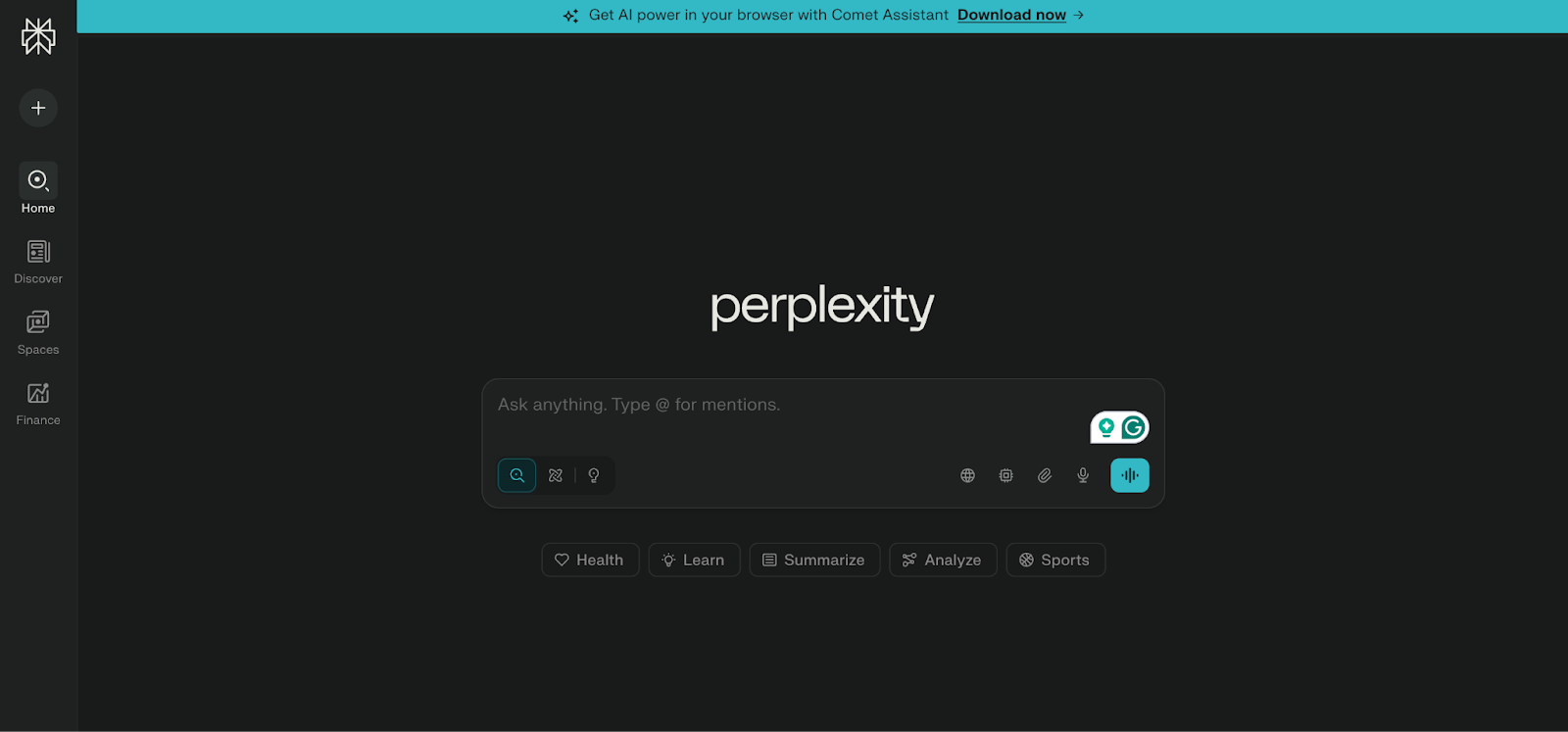
Both tools prioritize good search and citations, but they present results in distinct ways.
Perplexity focuses on giving a clean, cited answer right in the chat view, with links you can click. Genspark goes further into “workspace” mode. It can turn that research into slide decks, data tables, or website code and keep working on those outputs with fact-checking and edits in the same flow.
Genspark AI vs Claude
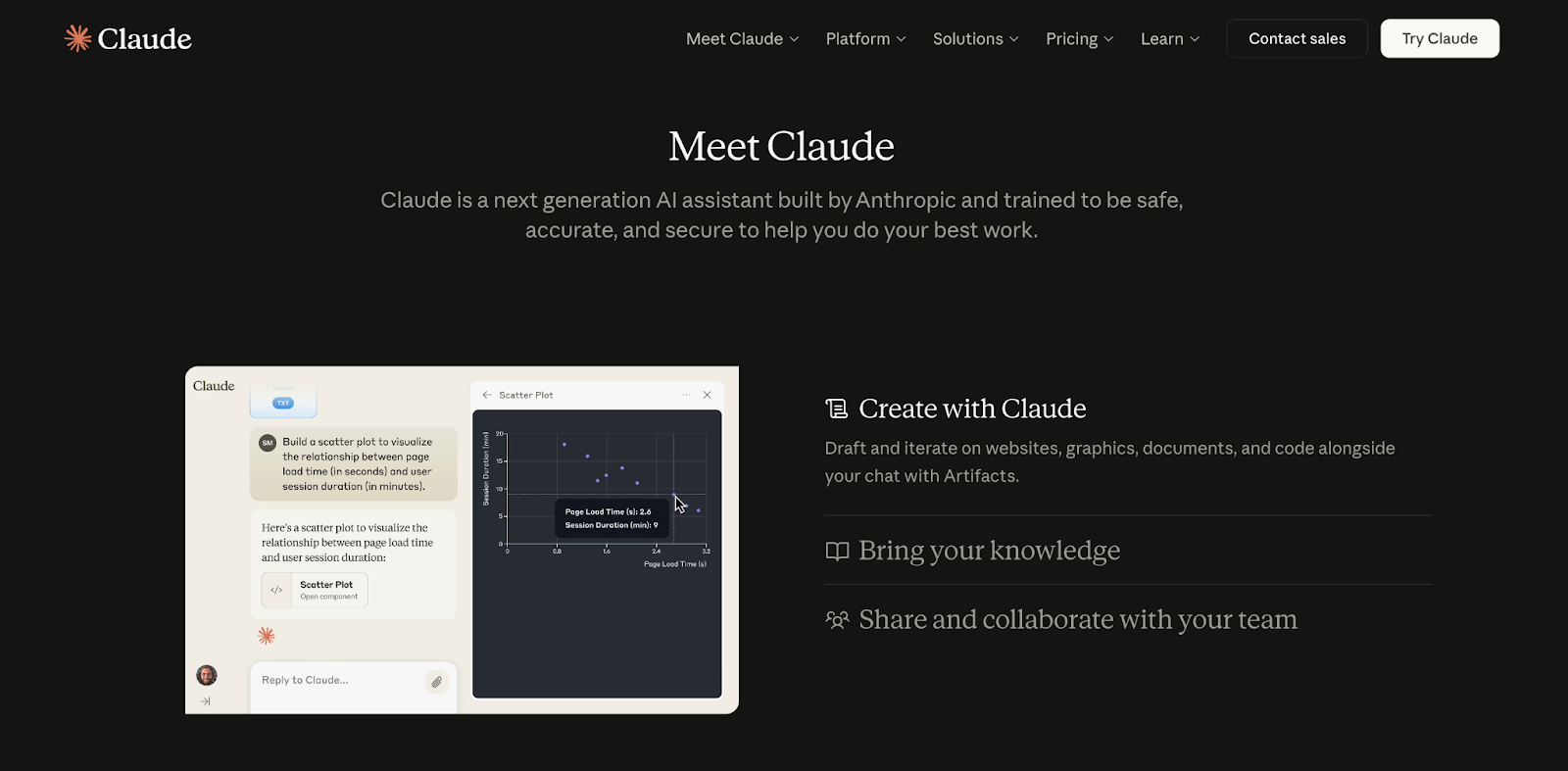
Claude is a strong general AI model with a large context window and a careful safety focus. Many people use it for long reading, careful writing, and sensitive tasks.
Genspark wraps several models, including ones like Claude, inside its own Super Agent. It uses them as parts of a system that can search, fact-check, and act. If you mainly want one calm, thoughtful model, Claude alone is a good fit.
Who should use Genspark AI in 2026
Genspark is best for people who want an AI workspace that thinks through a task, checks sources, and creates structured outputs. It is less about small chat replies and more about doing heavy research and content work.
You will likely get value from Genspark if you are:
- Researchers and analysts: You spend a lot of time in tabs, PDFs, and spreadsheets. You need clear summaries, comparisons, and reports you can share, not raw links.
- Consultants and strategy leaders: You often prepare briefs, decks, and written updates for clients or executives. You care about accuracy, narrative, and being able to show where your claims came from.
- Marketers, creators, and educators: You turn ideas and research into whitepapers, slide decks, lessons, videos, and landing pages. You want a tool that can help you plan, draft, and structure everything in one place.
- Founders and operators: You need fast, decent answers on markets, tools, and options, plus first drafts of docs, investor updates, and pitch decks. You may not have time to do deep manual research for each question.
- Early AI adopters and power users: You already use ChatGPT or Claude, but feel limited by a plain chat window. You want a workspace where an AI can call tools, build assets, and run small workflows end to end.
A simple way to decide:
- If you need research, drafting, and content assets in one place, Genspark is a good fit.
- If you need repeatable workflows inside email, calendar, CRM, and internal tools, a product like Lindy is often a better choice, because it acts more like an AI employee than a research studio.
Want an AI that actually runs your business workflows?
Lindy uses conversational AI that handles not just chat, but also lead gen, meeting notes, and customer support. It handles requests instantly and adapts to user intent with accurate replies.
Here's how Lindy goes the extra mile:
- Fast replies in your support inbox: Lindy answers customer queries in seconds, reducing wait times and missed messages.
- 24/7 agent availability for async teams: You can set Lindy agents to run 24/7 for round-the-clock support, perfect for async workflows or round-the-clock coverage.
- Support in 30+ languages: Lindy’s phone agents support over 30 languages, letting your team handle calls in new regions.
- Add Lindy to your site: Add Lindy to your site with a simple code snippet, instantly helping visitors get answers without leaving your site.
- Integrates with your tools: Lindy integrates with tools like Stripe and Intercom, helping you connect your workflows without extra setup.
- Handles high-volume requests without slowdown: Lindy handles any volume of requests and even teams up with other instances to tackle the most demanding scenarios.
- Lindy does more than chat: There’s a huge variety of Lindy automations, from content creation to coding. Check out the full Lindy templates list.
Try Lindy free and automate your first 40 tasks today.
FAQs
- Is Genspark an AI search engine or chatbot?
Genspark is both an AI search engine and a chatbot, but it acts most like an AI workspace. Genspark can answer questions in chat, search the web with its Super Agent, cross-check sources, and then turn the results into slides, docs, sheets, or other assets you can edit.
- Are Genspark agents better than custom workflows?
Genspark agents are better than custom workflows when your work is varied and research-heavy. Genspark agents can plan steps, choose tools, and create assets on the fly. Fixed custom workflows are better when your process is stable, such as a set support or sales pipeline.
- Is Genspark suitable for business teams?
Genspark is suitable for business teams that focus on research, analysis, and content. Teams can share Genspark outputs, reuse prompts and templates, and connect email and calendar tools. For strict, repeatable operational workflows, many teams still pair Genspark with structured agent platforms like Lindy.









