Clay Review 2026: What You Get, What You Pay, and Alternatives
Marvin reviewed Clay, examining how it handles lead-data enrichment, research, and lead scoring, plus its pricing tiers, real user feedback, and alternatives for outbound teams.


In this Clay review, I tested how well Clay handles lead enrichment and AI research for day-to-day outbound work. Clay excels at turning messy lists into clean lead data, but it's not built to run full workflows across your tools.
Clay review: TL;DR
| What matters | What you need to know |
|---|---|
| Best use case | Clay works best for lead enrichment and go-to-market (GTM) research. It shines when your job starts with a messy list. |
| What Clay does | Clay turns a raw list into a usable outbound list. It enriches records, fills missing fields, and helps you segment leads. |
| What Claygent adds | Claygent is Clay’s AI research feature that helps answer research questions. It can check public websites and pull details when normal data providers don’t have the information. |
| What it is not | Clay is not a CRM. It usually sits before your CRM or sequencer to prep better data. |
| Where it falls short | Clay is not built for end-to-end workflow execution. Long workflows across many systems often need extra tools. |
| Setup reality | You will spend time on setup. You pick providers, set the enrichment order, and tune prompts so outputs stay clean. |
| Pricing | Clay pricing is credit-based. Cost is easy to start with, but harder to forecast at scale. |
What is Clay?
Clay is an AI-driven sales and marketing platform that acts like a super-powered spreadsheet. It helps businesses automate lead research, data enrichment, and personalized outreach.
Clay connects to data providers and lets you combine their results into a single, clean view. It also supports AI-driven research and intent signals, so you can spot the right accounts and personalize outreach faster.
Clay is built mainly for:
- Growth teams
- RevOps teams
- Sales and outbound teams
Clay is not a CRM. It usually sits before your outreach tool or CRM. It helps you prepare better data and segments, then push the best leads into the rest of your stack.
How much does Clay actually cost?
Clay uses a credit-based pricing model. Your monthly cost depends on how many enrichment lookups and AI research actions you run. This makes it flexible for testing, but costs can become harder to predict as your usage grows.
Clay pricing plans at a glance:
| Plan | Price | Credits | Key feature |
|---|---|---|---|
| Free | $0/month | 1,000/month | Includes Claygent |
| Starter | $149/month | 2,000/month | Bring your own API keys |
| Explorer | $349/month | 10,000/month | Webhooks + sequencing integrations |
| Pro | $800/month | 50,000/month | CRM integrations |
| Enterprise | Custom | Custom | Unlimited rows, hourly syncing, and dedicated support |
Clay pricing pros
- Pay for usage: If your enrichment volume is low, costs can stay reasonable
- Good for small teams and testing: You can start light, prove a play, then scale credits as needed
Clay pricing cons
- Spend can scale fast: Large lists and multi-step enrichment can burn credits quickly
- Monthly cost can be hard to forecast: The same workflow can cost very different amounts at 500 rows vs 50,000 rows
- AI-heavy steps can increase usage: Claygent-style research and custom AI queries tend to use more credits, especially when run at scale
What Clay does best: Enrichment, research, and lead scoring
Clay is built for one flow. It helps you enrich leads, add research context, then score and route the best fits into outreach. It works well in a spreadsheet-style setup, but costs and setup effort can rise fast at scale, and bigger workflows often need other tools.
Lead enrichment from dozens of data providers
Clay helps you take a rough list and fill in missing details like job titles, company size, industry, and contact data. The value is that you are not relying on one database to be perfect. If one source has gaps, another one may have what you need. For personal contact lookups and public records, our comprehensive been verified review explores how alternative data tools compare.
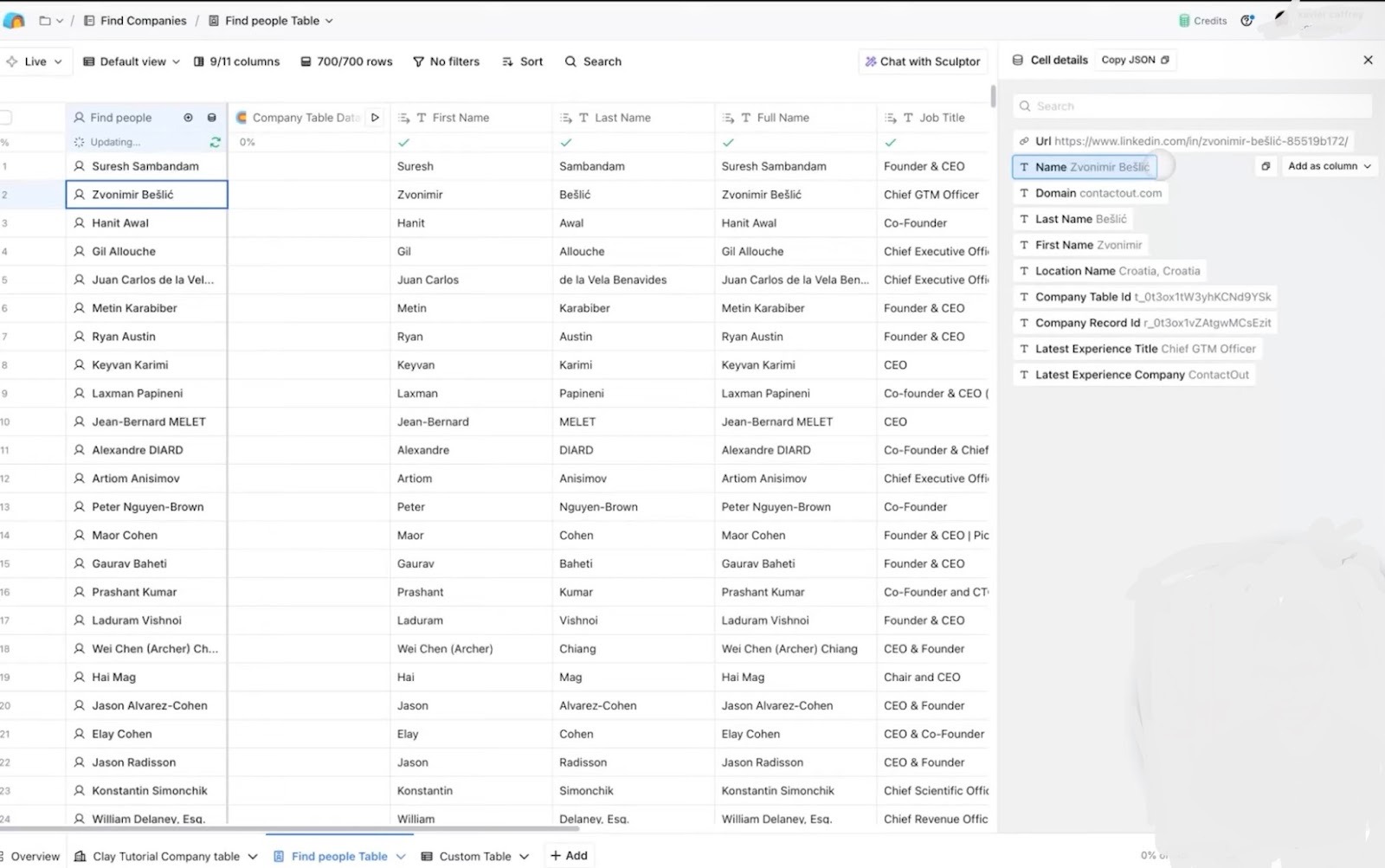
This is where waterfall enrichment matters. You choose an order of sources, and Clay tries them one by one until it finds a match for the field you want. It’s a practical way to improve coverage on bigger lists without jumping between tools or running the same lookup by hand.
AI-powered research using prompts and templates
After enrichment, teams usually want a layer of context that helps with targeting and personalization. With Clay’s AI prompts, you can ask the same question across many rows and save the answers as clean columns. For example, you can capture what a company does, who they sell to, or which category they fit into.
Once you have a prompt that returns usable outputs, you can reuse it across new lists and workflows. That helps you avoid one-off answers that are hard to filter, and it keeps your table easy to sort, score, and segment.
Claygent agents for automated enrichment tasks
Claygent is useful when the fields you need are not sitting in a database. It can check public pages and return specific answers you can store in your table, like whether a company has a pricing page, what they sell, or which market they seem to target. This is often the difference between “a filled sheet” and “a list you can actually write to.” If you want to complement research with automated content creation, exploring the best friday ai tools can streamline your messaging.
To keep results clean, the best approach is to ask narrow questions and expect short, structured answers. Teams also tend to run Claygent after they have narrowed the list with basic enrichment, so the deeper research runs only on accounts that already look like a fit. If you are also evaluating custom AI agent platforms, reading the best chatbase review offers useful insight into chatbot builder capabilities.
Lead routing and scoring logic
Once your table has the right fields, Clay lets you score leads with title match, company size, industry fit, and similar signals. That turns a long list into a ranked list, so you can start with the best fits instead of working top to bottom. To further improve lead prioritization beyond basic scoring rules, many revenue teams integrate predictive sales ai into their outreach workflows.
You can bucket leads into segments and hand them to the right owner or motion. For example, enterprise accounts go to one team, and smaller accounts go to another, or certain industries go into a dedicated sequence. The point is to reduce manual sorting before outreach starts.
Spreadsheet-style workflows
Clay is built around a spreadsheet-style table, so everything stays visible in one place. You can see inputs, enrichment results, research outputs, and scoring side by side. That’s helpful because you can spot problems early, like a provider returning the wrong company or a prompt producing messy text.
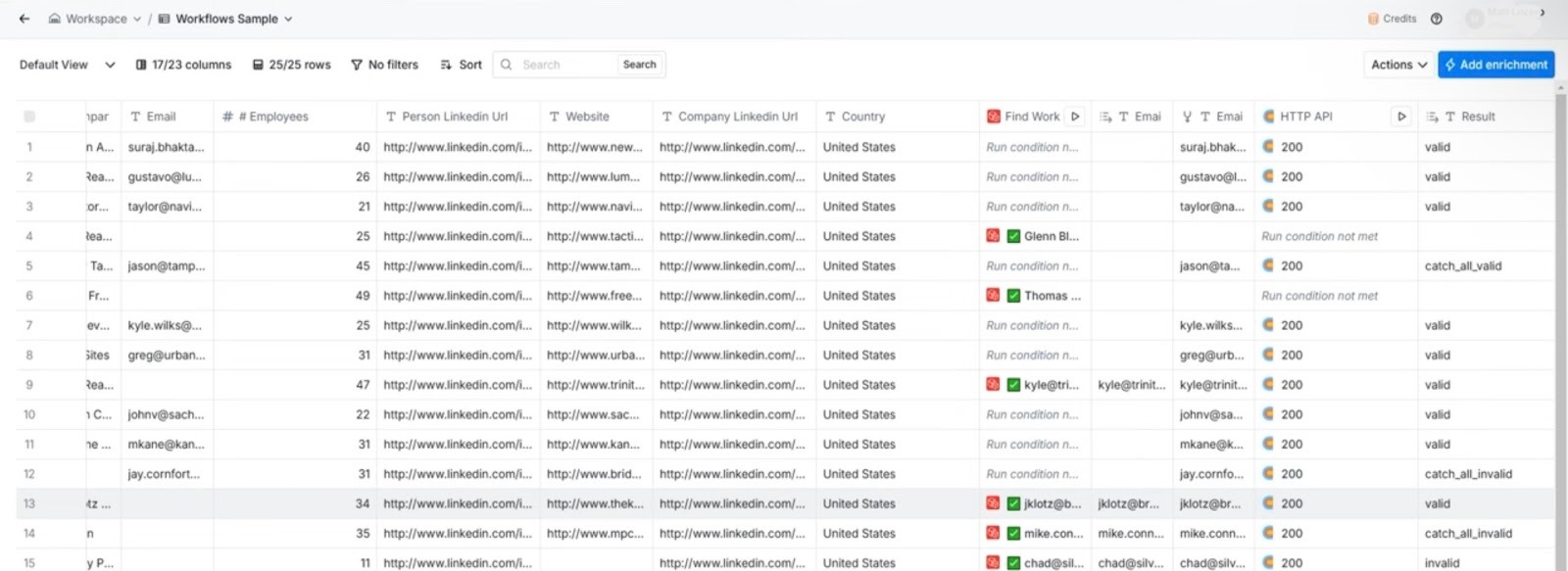
This format also makes iteration simple. If a column looks off, you adjust the step and rerun it without rebuilding your whole workflow. And once the list is ready, it is easier to pass clean, structured data into your next tools for outreach or CRM updates.
Limitations to note
Clay feels smooth on small tests. The friction shows up when you scale.
Here’s where Clay fails to be efficient:
- Credits can be hard to control: A few enrichments plus Claygent questions look harmless. Run that across thousands of rows, and the spend rises fast. That’s why many teams struggle to forecast cost.
- Setup takes real effort: You’re choosing providers, setting the enrichment order, writing prompts that return clean outputs, and adding rules for edge cases. If one step breaks, you often debug the chain to find where the data went wrong.
- Complex workflows can still spill into other tools: Clay can enrich, score, and support outbound. But for full end-to-end processes across many systems, like tasks, approvals, and multi-step ops flows, teams often add extra automation tools. That can bring tool sprawl back.
Clay reviews: what real users are saying
Across Reddit, G2, and GTM communities, Clay reviews follow a clear pattern. People like it most when they use it for enrichment and research, then hand off the results to the rest of their outbound stack.
Pros
- Excellent enrichment depth: Users often point to strong coverage across providers. Waterfall-style enrichment helps fill gaps when one source is missing key fields.
- Powerful for outbound research: Many teams say Clay speeds up account research. Claygent-style steps help pull useful website context for better personalization.
- Flexible, spreadsheet-style workflow: Advanced users like the control. You can test rules, prompts, and scoring in one place without heavy engineering support.
Cons
- Steep learning curve: New users say setup takes time. You have to pick providers, order steps, and tune prompts so outputs stay clean.
- Pricing scales fast: Credit spend can rise quickly on large lists. Many users say costs are hardest to predict once they move from tests to real volume.
- Not a full automation platform: Teams often mention tool sprawl. Clay can prep data and support outbound, but broader workflows may still need Lindy, Zapier, Make, or custom work.
Overall, Clay reviews are strongest on data quality and speed, and weaker on ease of setup and cost predictability.
My personal take on Clay
I see Clay as a research and enrichment engine first. When an outbound team starts with a rough list, Clay can clean it up fast. You can enrich records, add context, and build tighter segments without doing manual lookups all day.
On the downside, I feel execution can be improved. Clay does a solid job, but once you need a workflow to run end-to-end across tools, you start stitching pieces together. That might mean adding Lindy, Zapier, or Make, pushing updates into a CRM, creating tasks, and managing follow-ups somewhere else.
So Clay often becomes one part of a larger stack. It prepares data well, but it does not always replace the “do the work” layer. That gap matters more as workflows grow across sales, ops, and support.
If the goal is better lead data and faster research, Clay fits. If the goal is fewer tools and agents that run full workflows, Lindy is usually the stronger option.
Is Clay right for you?
Clay is a good fit if you want better lead data and faster GTM research, and you are okay working in a flexible, spreadsheet-style setup.
Clay is a good fit if you:
- Care a lot about data coverage and quality
- Like testing workflows and improving them over time
- Run outbound or GTM workflows and need stronger enrichment
- Want to build lists, score leads, and segment audiences in one place
You should avoid Clay if you:
- Prefer simple, predictable pricing each month
- Do not want to manage credits, providers, and workflow logic
- Want AI agents that take action across tools without extra setup
- Need end-to-end workflow automation for full business processes
If your main goal is to get things done across tools with less manual effort, a single assistant like Lindy is usually the better path.
The best Clay alternative for end-to-end workflows: Lindy
Lindy is the best Clay alternative when you want an AI assistant that handles the work after your lead list is ready.
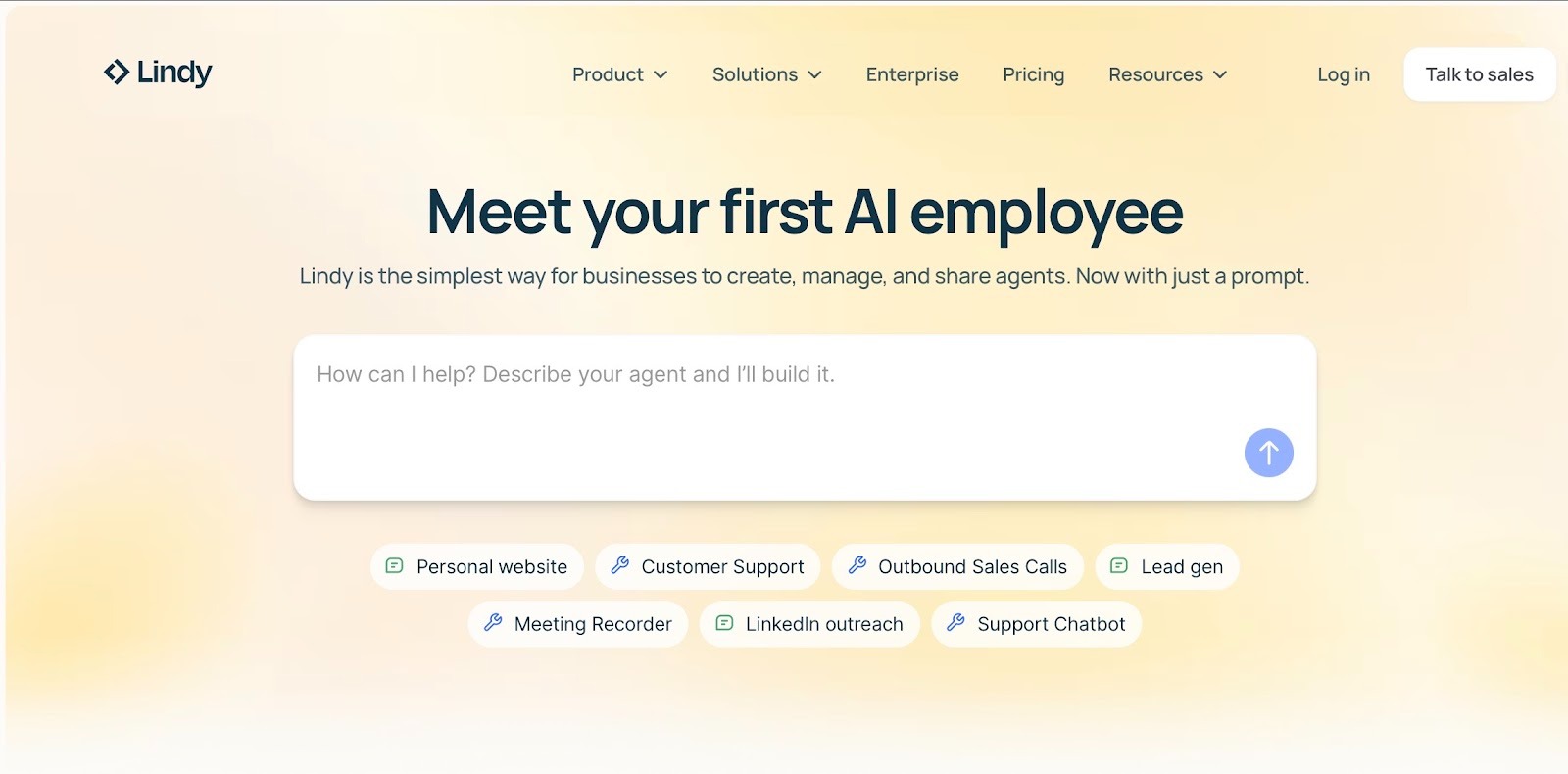
As your AI assistant, Lindy can route leads, update your CRM, create tasks, or send follow-ups. It works across 4,000+ apps, so the next step happens without extra tool setup.
Clay can handle a lot of inside GTM work. But when you need longer workflows across many tools, you may end up adding more software to finish the job. That’s where Lindy stands out, helping you move from lead prep to the next action without stitching tools together.
Use both if: Clay is your enrichment tool, and Lindy handles the follow-up actions.
Choose Lindy alone if: You want fewer tools and prefer simply texting or asking your assistant to handle the work.
Final verdict: Great for GTM prep, limited for full automation
Clay is a strong tool for GTM teams that care about lead data. It helps you go from a rough list to enriched, usable leads, with research and signals layered in. If your goal is better targeting and faster outbound prep, Clay is a solid choice in 2026.
The main limit is what happens after enrichment. When you want a workflow to run from start to finish, across several tools, Clay often becomes one part of the stack. That can mean more setup, more handoffs, and less predictable cost as you scale.
If you mainly need enrichment and outbound research, Clay is worth it. If you want an AI assistant that takes action for you and helps you get more done with fewer tools, Lindy is the better long-term pick.
FAQs
1. What does Clay do?
Clay helps GTM teams find leads, enrich contact and company data, and add research context with AI. It also supports scoring, routing, and list building, so outbound teams can move from a raw list to a usable target list faster.
2. Is Clay an AI tool?
Yes. Clay is an AI tool. It includes AI features like Claygent for web research and AI prompts for cleaning, formatting, and enriching data. The AI helps improve lead records and personalization inputs, but Clay is still mainly a GTM data platform, not a full agent automation suite.
3. Is Clay expensive?
It depends on usage. Clay is credit-based, so costs rise with list size, enrichment volume, and AI-heavy steps. Small teams running light workflows can keep spending reasonably, but large-scale enrichment often makes the monthly cost harder to predict.
4. What is Claygent pricing?
Claygent is priced through Clay’s credit system, not as a separate fixed add-on. Claygent access can be included in the plan, but the real cost comes from how many credits your Claygent runs consume, especially when applied to many rows.
5. Is Clay a CRM?
Clay is not a CRM. It usually sits before your CRM and outreach tools, helping you enrich, research, score, and segment leads, then push clean data into systems like Salesforce or a sequencing tool.
6. What is the best alternative to Clay?
Lindy is the best alternative to Clay when you want an AI assistant that takes action after your lead list is ready. With Lindy, you can ask your assistant to update your CRM, route leads, create tasks, and trigger follow-ups across your tools.










