


13 Best AI Tools for Business That You MUST Know In 2025


What are AI-powered chatbots?
AI-powered chatbots are software applications that use artificial intelligence to simulate human conversations. They use AI algorithms, such as natural language processing (NLP) and machine learning (ML), to understand user queries and generate appropriate responses.
Unlike basic chatbots that only follow scripts or fixed rules, AI chatbots can understand different ways people ask things. They learn from past conversations and get better over time.
For example, if someone visits your website and asks about an order, an AI chatbot can find the answer, explain it clearly, or even help place a new order. If the question is too hard, the chatbot can send it to a human team member.
These bots can be used on websites, WhatsApp, Instagram, and other platforms. They help businesses reply faster, save time, and give customers a better experience without needing someone to be online all the time.
The 10 Best AI Chatbots For Businesses
- Lindy: Best AI Chatbots for Businesses
- Intercom: Best AI Chatbot for Website Integration
- Tidio: Best AI Chatbot for eCommerce Stores
- Manychat: Best AI Chatbot for Social Media Messaging (Instagram, Facebook)
- Dialpad: Best AI Chatbot with Voice + Phone Support
- Botpress: Best AI Chatbot for Appointment Booking and Scheduling
- Chatfuel: Best AI Chatbot for WhatsApp Business
- Chatbase: Best AI Chatbot You Can Train on Your Own Data
- Zendesk AI: Best AI Chatbot for Customer Support Automation
- HubSpot Chatbot: Best AI Chatbot with CRM Integration
1. Lindy: Best AI Chatbots for Businesses
- What does it do? Lindy gives you AI chatbots that you can add to your website or Slack. These chatbots answer customer or team questions by pulling answers from your documents and past support tickets.
- Who is it for? Great for businesses that want to reply to customer questions quickly, without needing a human to step in every time.
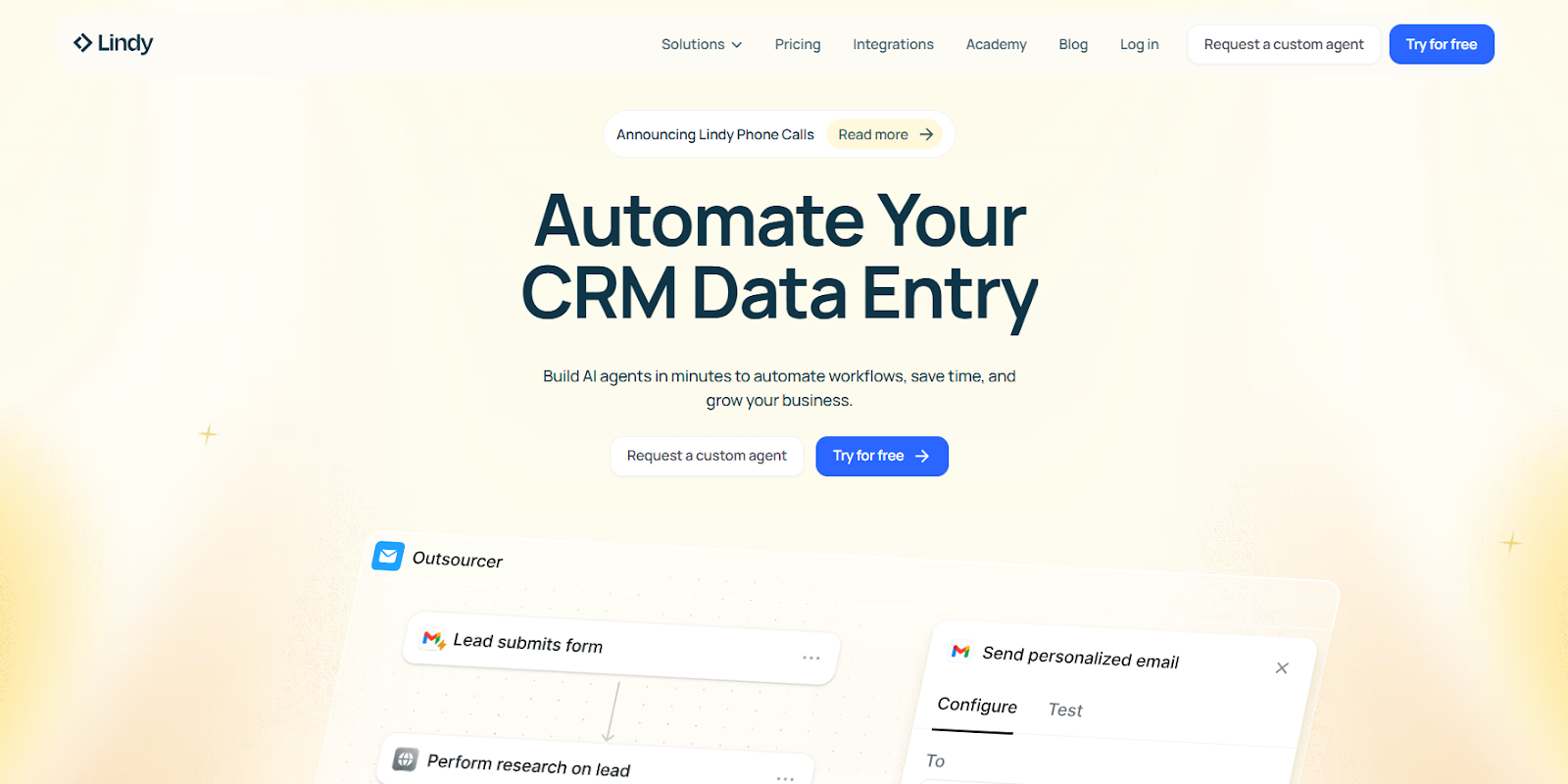
We built Lindy to be more than just another AI chatbot. Think of it as a full-time teammate that helps you automate real business tasks, from answering customer queries to scheduling meetings, summarizing documents, updating CRMs, and more.
With Lindy, you don’t need to touch code. Just open our visual builder, add a few instructions, and your AI agent is ready to go. You can train it on help docs, websites, internal files, or connect it to tools like Slack, Notion, Gmail, Salesforce, or HubSpot. Lindy pulls in that knowledge and uses it to act, not just reply.
You can run multiple AI agents at once here, each with its own role. One can handle support tickets, another can prep sales calls, and a third can manage calendar bookings.
All of them share context and communicate with each other in the background, so nothing falls through the cracks.
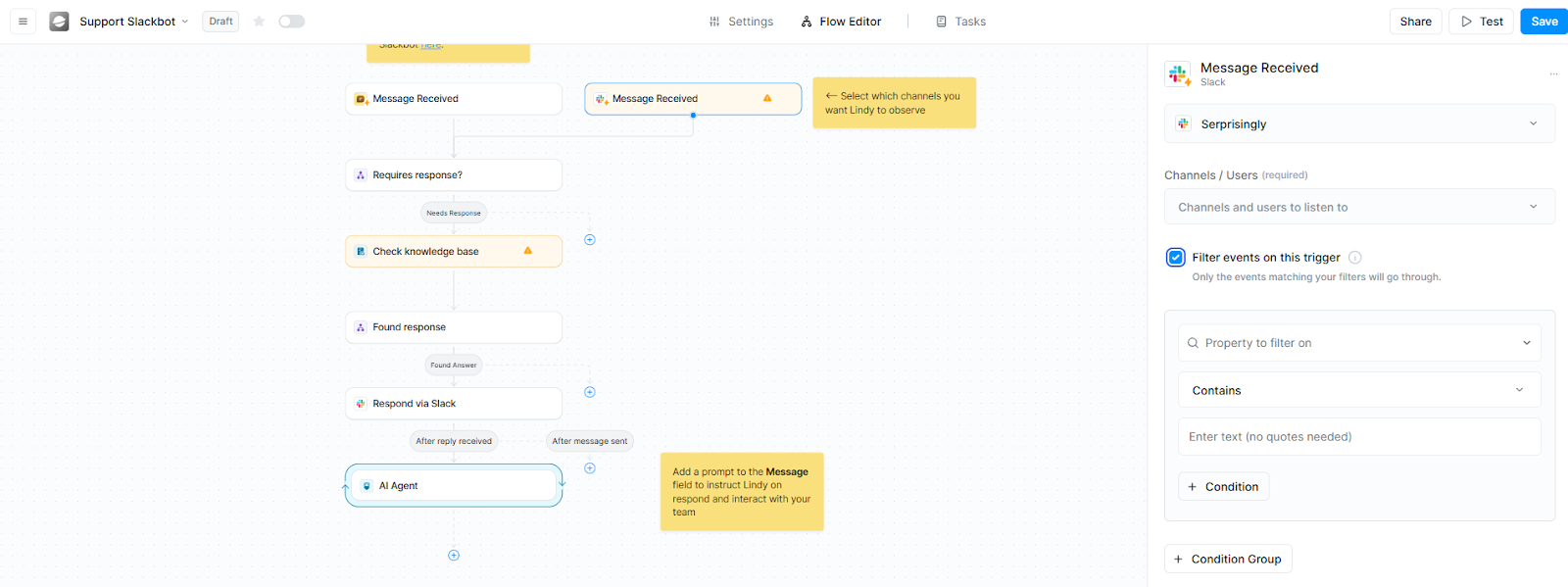
We also made sure Lindy fits right into your workflow. Add it to your site, Slack workspace, or share it through a public link. And when conversations need a human touch, Lindy knows when to hand things over.
With human-in-the-loop (HITL) modules, Lindy can pause to ask for your confirmation before taking critical actions, so you're never left out of the loop.
If your team manages too many tools, answers the same questions over and over, or loses time to repetitive tasks, Lindy can step in and take care of it, all while learning and improving with every conversation.
Pros
- 24/7 accessible Lindy Academy
- Has ready-to-use templates to speed up setup
- Lets you add multiple sources to the knowledge base
- Good for both customer and internal support use cases
Cons
- Setup might be overwhelming, as Lindy offers complete automation
Pricing
Lindy offers a range of pricing plans to suit different business needs:
- Free Plan: This plan is available at no cost and includes 400 credits per month, allowing up to 400 tasks. It supports a knowledge base of up to 1 million characters and provides access to over 100 integrations.
- Pro Plan: Priced at $49.99 per month, this plan offers 3,250 credits monthly, supporting up to 50,000 tasks. It includes 30 phone calls per month, a knowledge base capacity of up to 20 million characters, and access to over 4,000 integrations.
- Business Plan: At $299.99 per month, this plan provides 15,000 credits monthly. It encompasses all features of the Pro Plan, offers unlimited phone calls in over 30 languages, priority support, and expands the knowledge base capacity to 50 million characters.
{{templates}}
2. Intercom: Best AI Chatbot for Website Integration
- What does it do? Intercom is an AI-powered customer service platform that includes AI chatbots, support tools, and automation features to help businesses offer faster and better customer support.
- Who is it for? Best for companies that want to combine live chat, AI support, and automation in one place, especially those that get a high volume of customer queries.
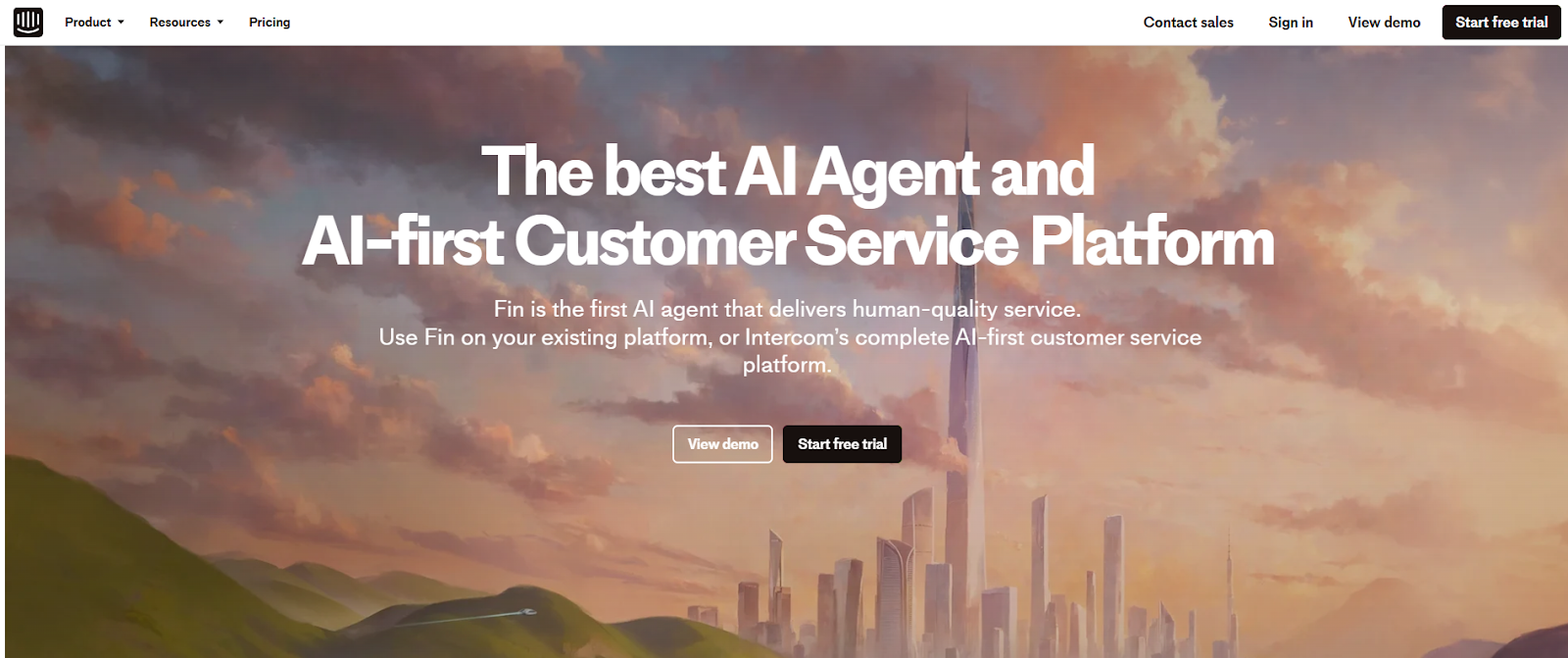
Intercom’s Fin AI Agent was one of the fastest support bots I tested. It responded to common questions in seconds, with surprisingly accurate answers. You don’t need to write long FAQs for it to work, either.
Fin pulls from your existing Help Center to craft contextual replies that sound natural and confident. During testing, it handled a majority of tier one support queries without ever needing a handover to a human.
What stood out was Intercom’s AI Copilot. Instead of replacing agents, it works alongside them by suggesting replies, filling in ticket context, and prompting follow-up questions in real time. Even newer agents could hold complex conversations thanks to that backend guidance.
I also found the Messenger setup refreshingly intuitive. It took just a few clicks to match the widget with my site’s branding and decide what shows up, like articles, ticket links, or just a clean “Chat now” button.
This widget works across web and mobile, and the same dashboard lets you manage conversations from channels like WhatsApp, Facebook, SMS, and email.
Beyond that, Intercom offers a full suite of support tools: a no-code Help Center builder, an AI-powered inbox, agent performance tracking, and automation workflows.
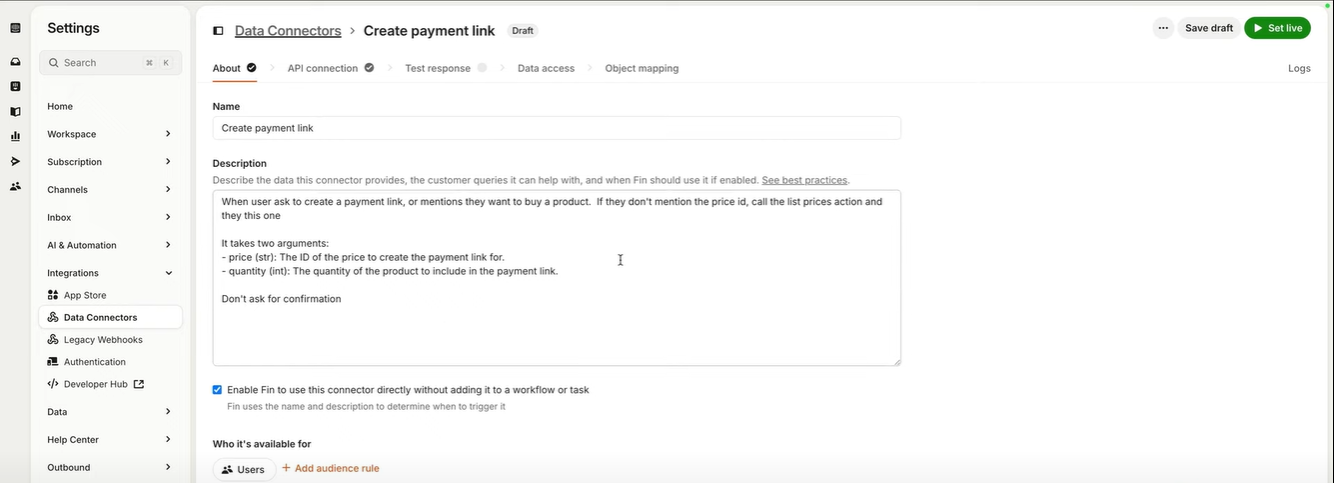
It can feel like a lot in the beginning, but the platform walks you through everything with setup guides. You can even test all this during the 14-day free trial without using a credit card.
Pros
- Includes over 450 integrations for apps you may already use
- Allows content targeting and audience segmentation for messaging
- Includes support for custom roles, permissions, and team management
- Built-in tools for quick phone calls, surveys, product tours, and screen sharing
Cons
- Takes time to fully explore and set up all features
- Advanced features can increase the overall cost quickly
Pricing
Intercom offers a 14-day free trial with full access to all platform features. It also offers the following plans:
- Essential Plan: Priced at $29 per seat/month when billed annually. This plan includes the Fin AI Agent ($0.99 per resolution), Messenger, Shared Inbox, a Ticketing system, pre-built reports, and a public Help Center.
- Advanced Plan: Priced at $85 per seat/month when billed annually. This plan includes all features from the Essential Plan, plus multiple team Inboxes, a workflow automation builder, round-robin assignment, a private and multilingual Help Center, and 20 free Lite seats.
- Expert Plan: Priced at $132 per seat/month when billed annually. This plan includes all features from the Advanced Plan, plus SSO & identity management, HIPAA support, service level agreements (SLAs), multi-brand Messenger/Help Center, and 50 free Lite seats.
3. Tidio: Best AI Chatbot for eCommerce Stores
- What does it do? Tidio is an all-in-one customer service tool that helps businesses chat with website visitors, answer questions, and run email campaigns all from a single dashboard.
- Who is it for? Great for small and mid-sized e-commerce businesses that want to boost sales, handle support, and stay connected with customers in real time.
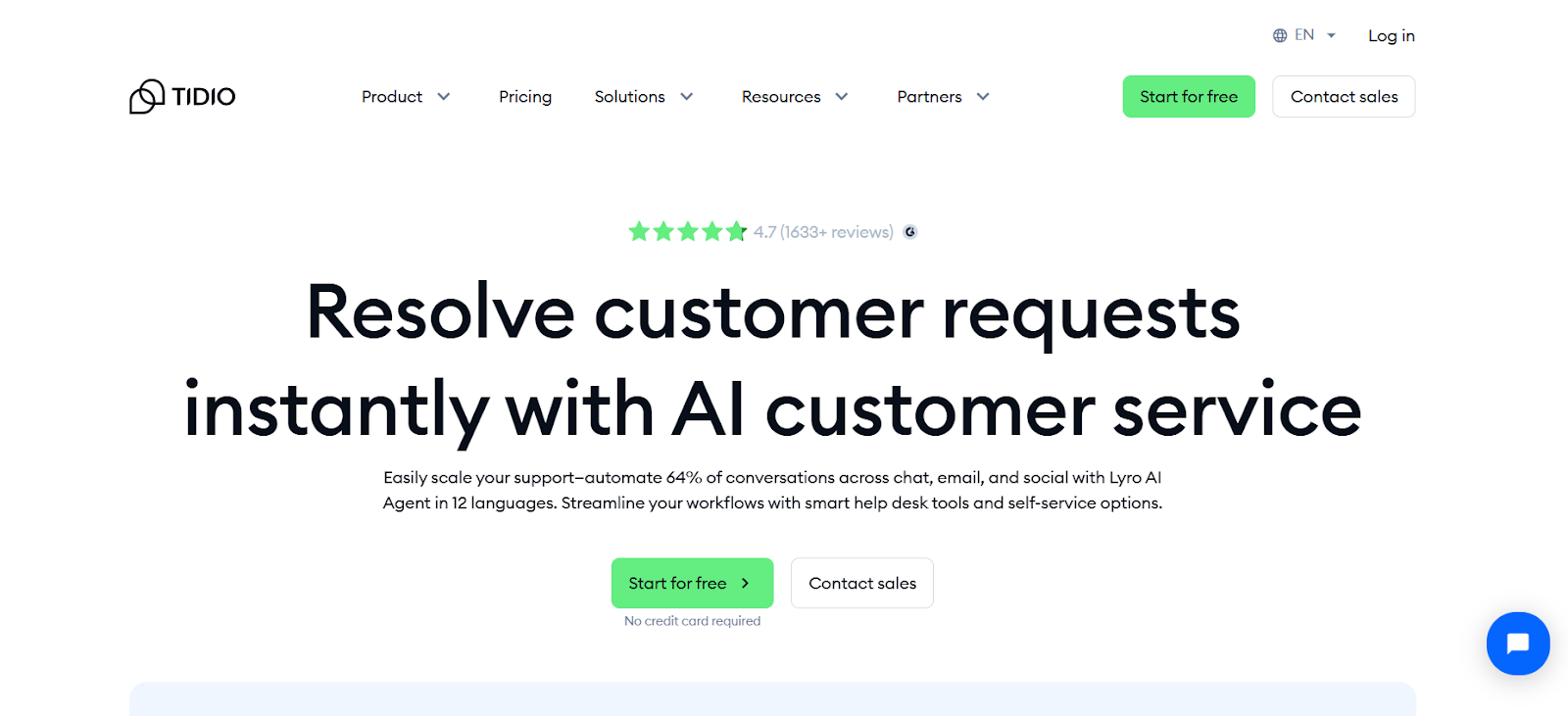
Tidio’s interface is clean, and the left panel puts everything within reach; your inbox, website visitor tracker, campaign tools, and chatbot settings all sit in one place. I didn’t have to bounce between tabs to get work done, which immediately made the workflow smoother.
The chatbot builder is where Tidio really stands out. You get a library of templates for common use cases like sales, lead capture, and customer support.
I tested Lyro, Tidio’s AI chatbot, and found it refreshingly human in tone. Unlike basic bots that stick to scripts, Lyro could understand context and adjust its responses on the fly.
Lyro also integrates well with popular support tools. With Lyro Connect, you can plug it into platforms like Zendesk, HubSpot, or Salesforce without much hassle. This makes it easier to manage conversations and data across systems.
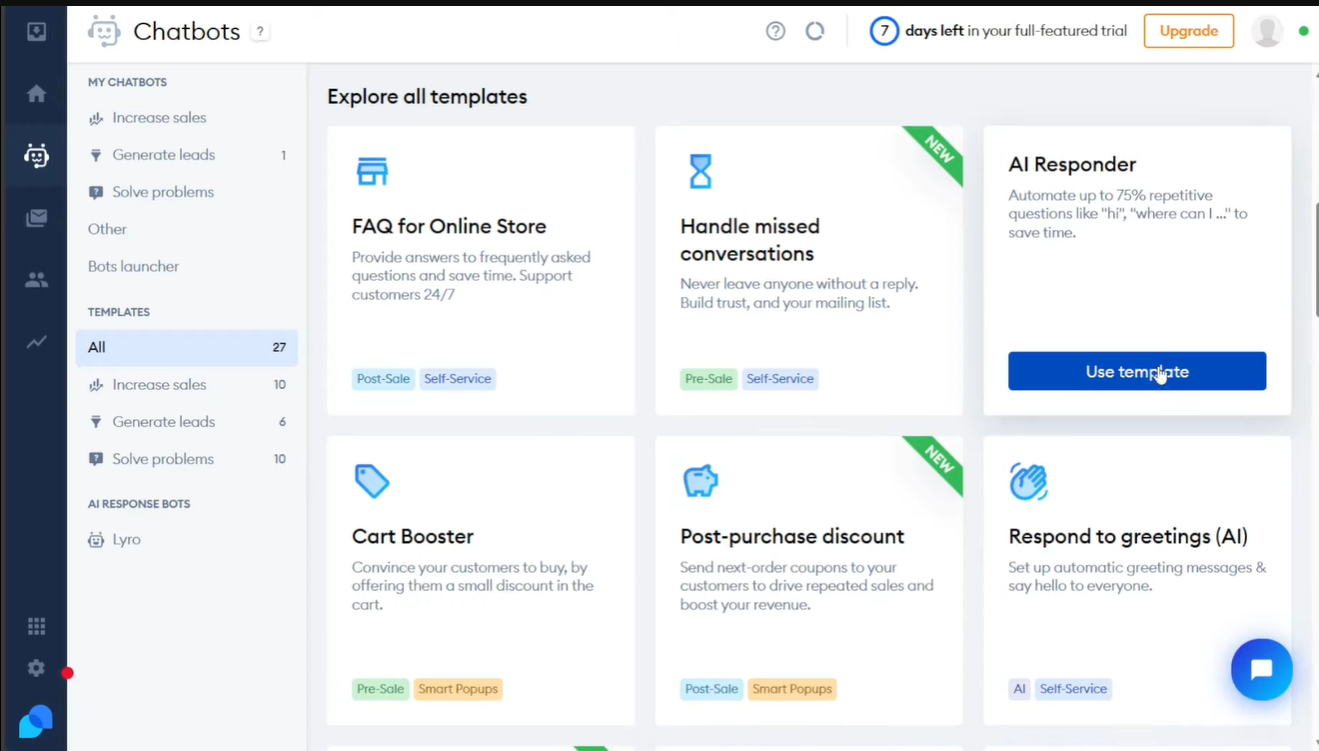
Tidio also gives you the option to build Flows, which are simple automation paths for handling FAQs or routing messages.
What I liked most is that you can use both Flows and Lyro together. It’s not an either-or situation. You can let the AI handle open-ended questions while Flows take care of the repetitive stuff. That kind of flexibility is rare and genuinely useful.
Pros
- Pre-built templates help you get started faster
- Offers built-in email marketing tools alongside chat features
- Allows the use of both rule-based and AI-powered chatbots together
- The Analytics tab gives insight into agent performance and customer intent
Cons
- Lyro Connect is only included in higher-tier plans
- Not available for industries like healthcare, gambling, and finance
Pricing
Tidio offers a 7-day free trial with full access to all platform features. It also offers the following plans:
- Starter Plan: Priced at $24.17/month when billed annually. This plan includes 100 billable conversations, basic analytics, a live visitors list, and operating hours settings. It also provides 50 Lyro AI conversations (one-time) and 100 Flows visitors.
- Growth Plan: Starts at $49.17/month when billed annually. This plan includes up to 2,000 billable conversations, advanced analytics, Tidio power features, and permissions. It also offers 50 Lyro AI conversations (one-time) and 100 Flows visitors.
- Plus Plan: Starts at $749/month. This plan includes a custom quota of billable conversations, a dedicated success manager, custom branding, multisite support, departments, multi-language support, OpenAPI access, and support over live chat. It also provides up to 5,000 Lyro AI conversations and a custom number of Flows visitors.
- Premium Plan: Starts at $2,999/month. This plan includes unlimited billable conversations, a guaranteed 50% Lyro AI resolution rate, priority service with premium support, a super admin role, analysis and monitoring, and Lyro as a managed service. It also offers up to 10,000 Lyro AI conversations and a custom number of Flows visitors.
4. Manychat: Best AI Chatbot for Social Media Messaging (Instagram, Facebook)
- What does it do? Manychat is a chatbot platform that helps businesses automate conversations on Instagram, WhatsApp, Facebook Messenger, and other messaging apps.
- Who is it for? Ideal for businesses that use social media to talk to customers, run promotions, or generate leads.
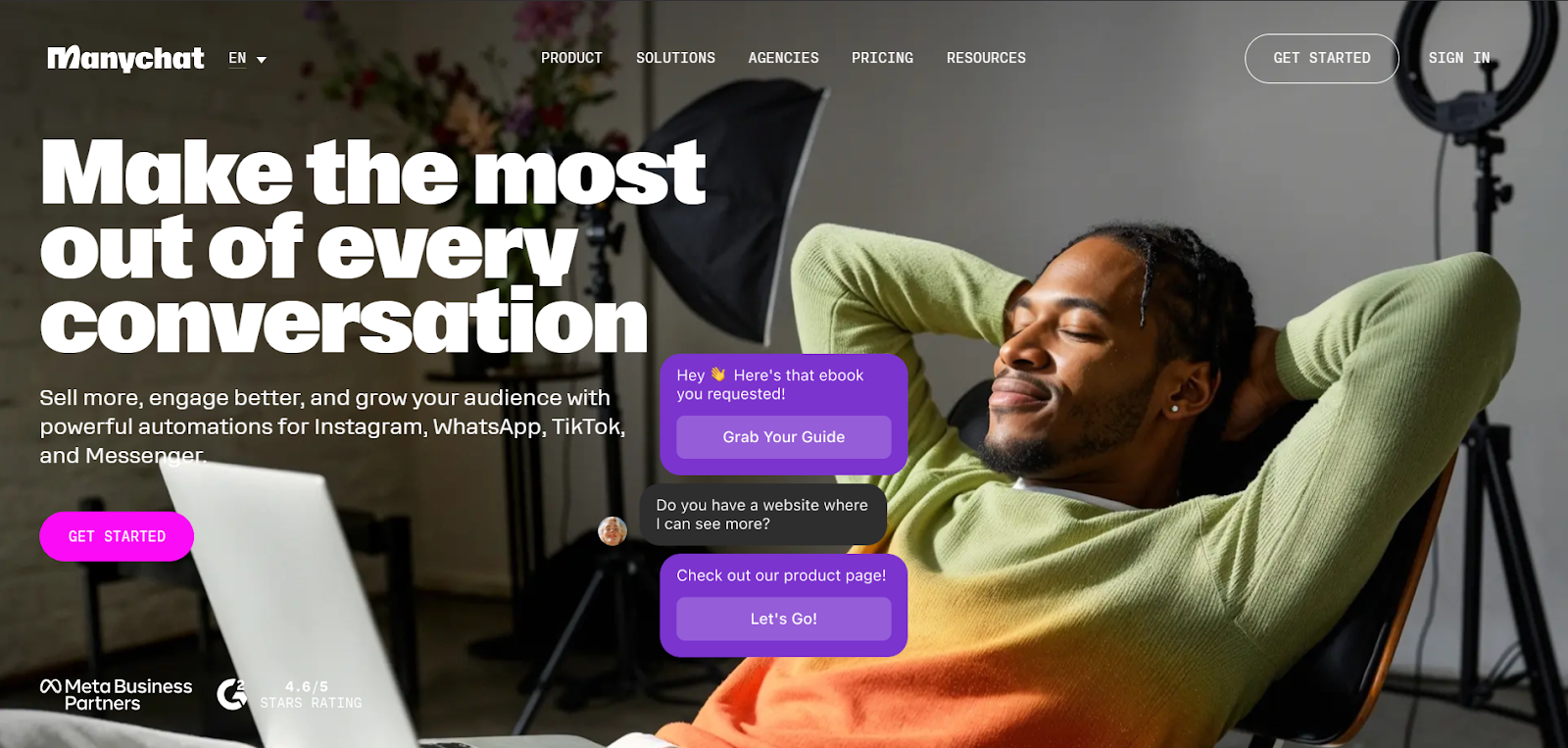
Getting started with ManyChat was surprisingly smooth. The chatbot connected with my social channels almost instantly, and I was able to start testing automations within minutes.
What really caught my attention was the AI add-on, which bundles several tools to make conversations more dynamic and less robotic.
The AI Flow Builder Assistant was a time-saver. Instead of building logic from scratch, I got a prebuilt structure for things like booking appointments or collecting leads.
The drag-and-drop interface was intuitive, though I still had to double-check the setup to make sure everything ran as expected. Even so, it cut my setup time by half.
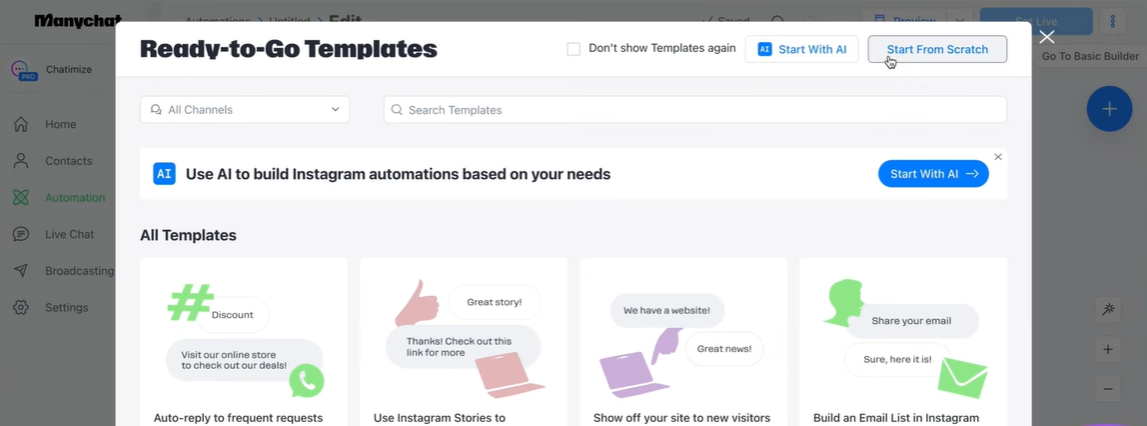
I also used the AI Text Improver to polish responses. It helped rephrase clunky messages, adjust tone, and even translate content for global campaigns. For businesses with an international audience, this feature alone can make a big difference.
Another tool I liked was AI Step. It handled microtasks inside the chat, like capturing names and emails, and it did so by understanding natural language rather than depending on rigid forms. This made the conversation flow feel a lot more human.
Lastly, AI Intention Recognition stood out. Instead of keyword matching, it focused on the meaning behind customer questions.
So even when someone asked about their order unusually, the bot got it right. That made the overall experience feel more intelligent and personal.
Pros
- Helps qualify leads and promote products automatically
- Supports multiple languages for global audience engagement
- Lets you build flows for complex and simple tasks side by side
- Available on multiple platforms, including Instagram, WhatsApp, Facebook, and Telegram
Cons
- Advanced Growth Tools are only available with the Pro plan
- Some AI-generated flows may need editing and testing before going live
Pricing
ManyChat offers a 14-day free trial with full access to all platform features. It also offers the following plans:
- Free Plan: Provides access to basic features for engaging up to 1,000 contacts at no cost. This plan includes unlimited custom chatbot flows, basic Growth Tools, 10 customer Tags, and access to Instagram Direct Messages, Facebook Messenger, and TikTok (Beta). Note that once the 1,000-contact limit is reached, messaging capabilities are restricted, and contacts cannot be deleted or unsubscribed.
- Pro Plan: Starts at $15/month, with pricing scaling based on the number of contacts. This plan includes all Free Plan features, plus unlimited contacts, advanced Growth Tools, unlimited Tags and Custom Fields, ManyChat Analytics & Insights, various tools integrations, ManyChat branding removal, and access to additional channels like WhatsApp, SMS, and Email.
5. Dialpad: Best AI Chatbot with Voice + Phone Support
- What does it do? Dialpad is an AI-powered platform that brings together voice calls, video meetings, and messaging in one app.
- Who is it for? Perfect for businesses that need a powerful communication system, especially those with remote or hybrid teams that rely on voice and video to stay in sync.
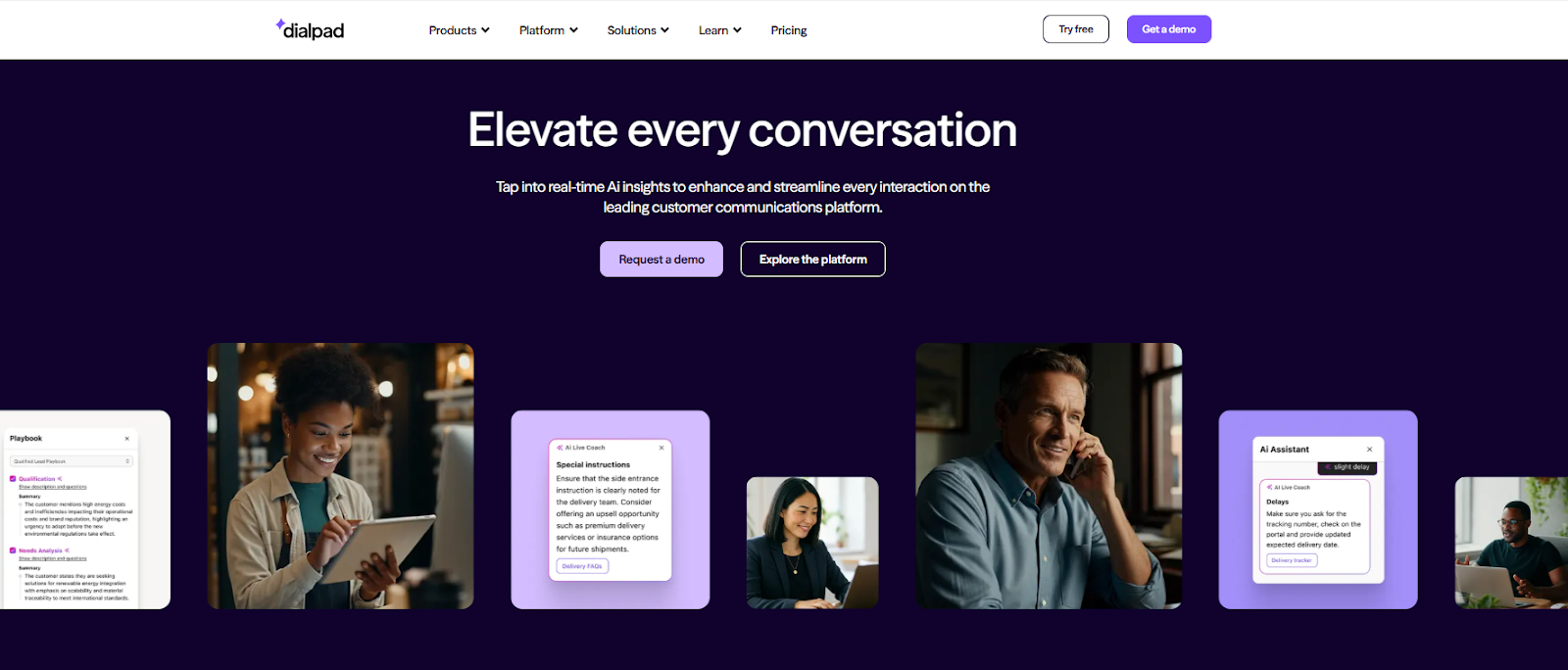
Dialpad stood out the moment I started using it for both meetings and customer support. It’s more than just a calling tool. Using Dialpad’s AI features made every part of communication feel smarter and less manual.
During calls, Dialpad auto-generated transcripts, live notes, and meeting summaries. I didn’t have to jot things down or worry about missing details. It felt like having a silent assistant working in the background.
When I switched to Dialpad Support, the platform became a real-time help desk. Agents got live coaching tips and relevant info while chatting with customers, and managers could track everything from response times to conversation quality using built-in analytics. It’s designed to improve support on the go, not just after the fact.
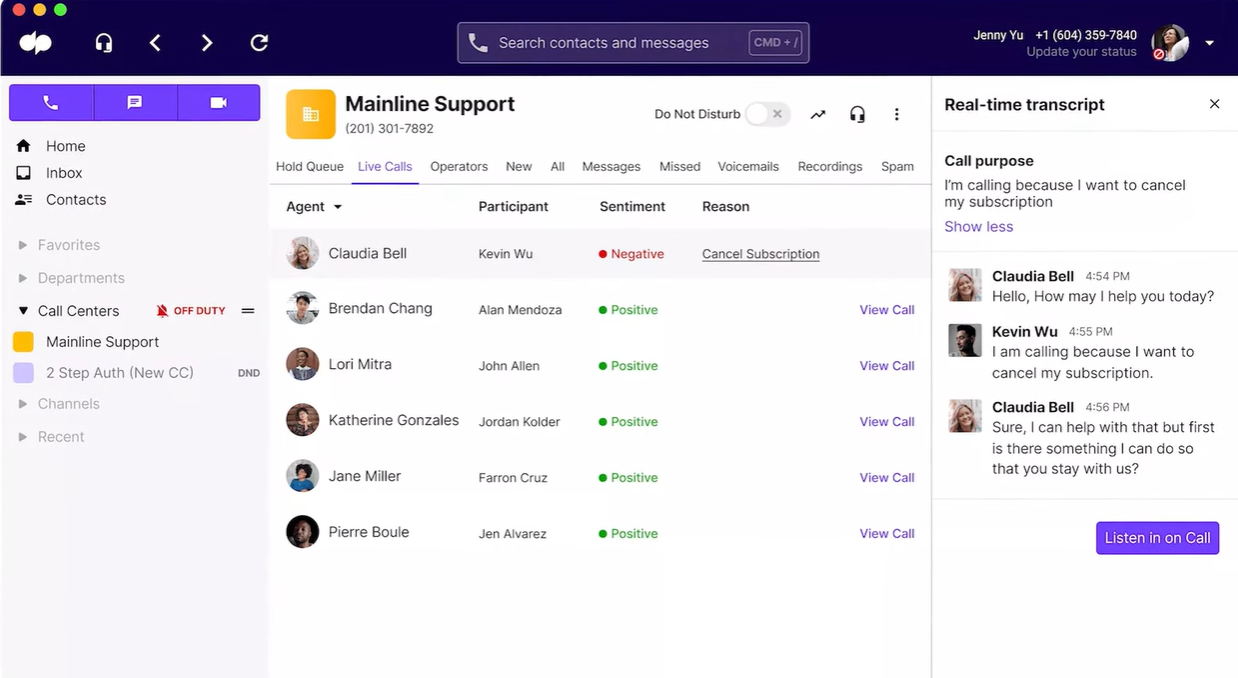
I also tested Dialpad Sell, which focuses on sales teams. It offered tools like automatic lead logging, call summaries, and in-the-moment guidance that helped keep conversations on track. It’s especially handy for reps handling multiple deals or learning the ropes.
All of this runs on a cloud-based system that felt consistently fast. I could switch from desktop to mobile without dropping a call, manage chats on the move, and never noticed a delay in syncing.
The AI recap feature deserves a special mention. It boiled down long meetings into short, readable highlights that made post-call tasks way easier. The initial setup takes some time, but once it's done, you get a full communication suite that actually feels helpful.
Pros
- Built-in sentiment analysis helps teams stay focused
- Offers enterprise-grade security and 100% uptime SLA
- Developer tools are available for custom integrations and features
- Great for hybrid teams with voice, video, and messaging in one platform
Cons
- Can feel complex for new users during the setup
- AI transcription may have occasional inaccuracies during fast or noisy conversations
Pricing
Dialpad offers a 14-day free trial with full access to all platform features. It also offers the following plans:
- Standard Plan: Priced at $15/user/month when billed annually, or $27/user/month with monthly billing. This plan includes unlimited calling, unlimited AI meetings for up to 150 participants, SMS, MMS & team messaging, AI-powered call & voicemail transcriptions, integrations with Google Workspace & Microsoft 365, real-time analytics & reporting, and web & chat support.
- Pro Plan: Priced at $25/user/month when billed annually, or $35/user/month with monthly billing. This plan includes all features from the Standard Plan, plus 24/7 live agent support, CRM integrations (Salesforce, Zendesk, HubSpot, Zoho & more), Microsoft Teams integration, support for up to 10 office locations, multiple phone numbers per account, open APIs & Webhooks, global SMS capabilities, local number support in 70+ countries, and up to 25 ring groups (departments).
Dialpad offers different plans for its products like Dialpad Connect, Dialpad Support, and Dialpad Sell. The exact pricing depends on the plan and features chosen.
6. Botpress: Best AI Chatbot for Appointment Booking and Scheduling
- What does it do?
Botpressis a platform that helps you build AI chatbots using a visual design studio called Botpress Studio. - Who is it for? Ideal for businesses and developers who want full control over how their chatbot works, especially if they need to handle bookings, answer FAQs, or integrate with other tools and services.
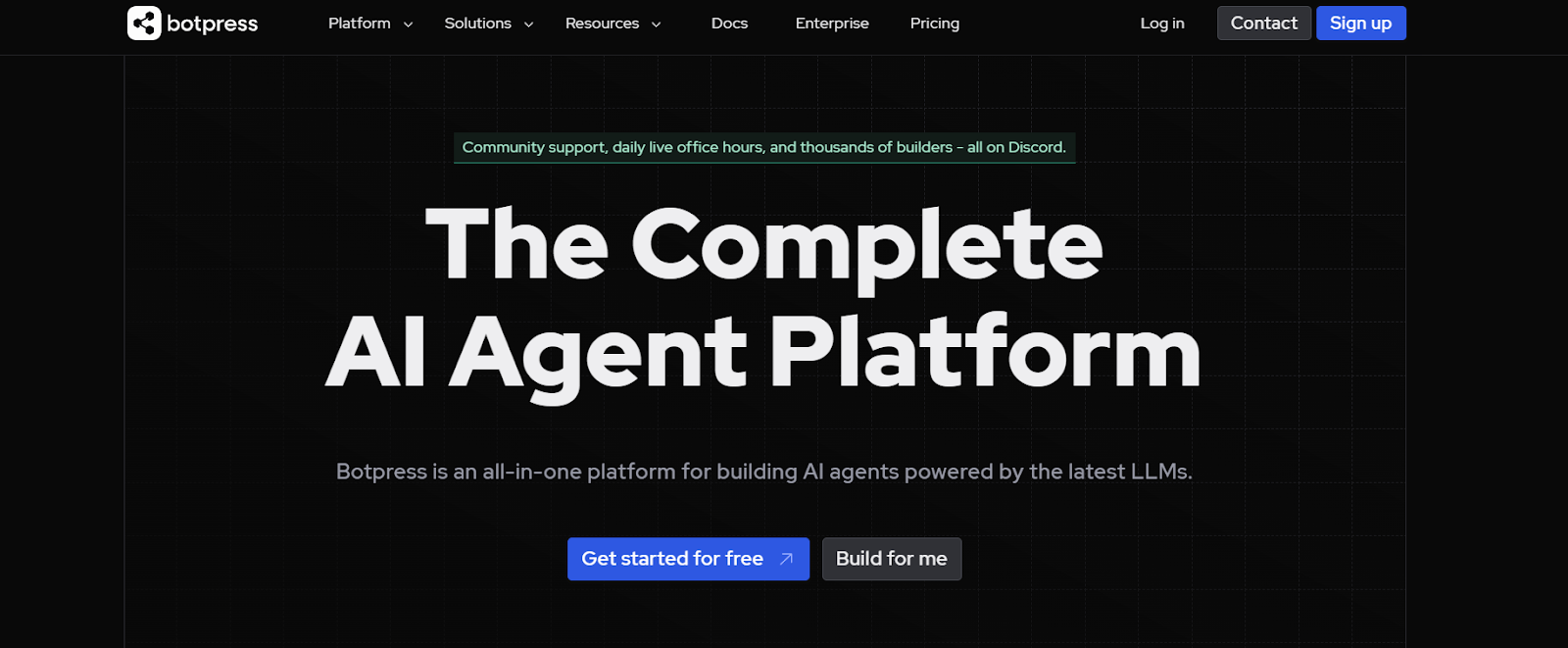
Botpress Studio is a builder’s playground. I started by creating a chatbot from scratch, and the visual flow editor made it easy to map out conversations step by step. You can drag and connect blocks, called nodes, for actions like collecting input, searching a knowledge base, or sending responses.
For more complex flows, you can also inject your own code, which gives Botpress a nice balance between low code and full customization.
What I appreciated most was the testing experience. The built-in emulator let me run live conversations inside the Studio, so I could fix logic gaps or edit responses on the fly before pushing anything live.
The Knowledge Base feature also stood out. You can upload a document with customer information, and the bot will instantly reference it to answer questions during chat sessions. Unlike a basic keyword search, it actually understands what to look for.
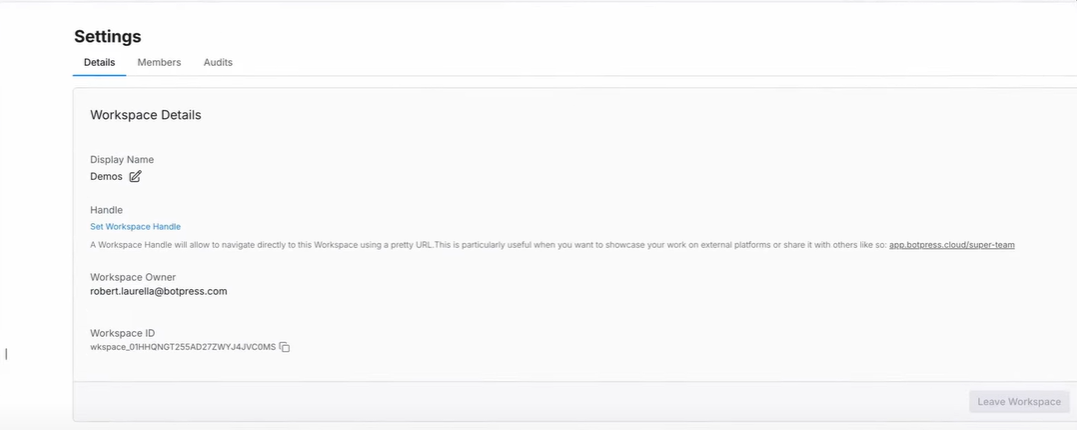
Botpress supports integrations with tools like WhatsApp, Slack, Messenger, Calendly, and HubSpot. This means you can connect your chatbot to multiple platforms without writing long integration scripts. You can also choose which AI model runs the bot. Options include OpenAI, Anthropic, Hugging Face, or even a custom model.
Once I was done, publishing was simple. Botpress generated a link I could use to embed the chatbot on my site. The whole process, from setup to deployment, was hands-on but smooth, and I never felt lost at any step.
Pros
- Supports both no-code and code-based development
- Lets you bring your LLMs or choose from built-in providers
- SOC 2 Certified and GDPR Compliant for better data protection
- Offers conditional logic and fallback to AI when the knowledge base has no answer
Cons
- The setup process can be technical for non-developers
- Some features may require a learning curve despite the visual builder
Pricing
Botpress offers a free plan with full access to all platform features. It also offers the following plans:
- Pay-as-you-go Plan: Priced at $0/month. This plan includes a visual building studio, integration hub, agent analytics, platform API access, and community support. It also provides a $5 monthly AI spend credit. Additional bots can be added at $1/month each. Optional add-ons are available to customize your plan.
- Plus Plan: Priced at $89/month, or $79/month when billed annually. This plan includes all features from the Pay-as-you-go Plan, plus the ability to hand off conversations to a live agent, removal of ‘powered by Botpress’ branding, custom analytics, increased usage limits, and a 25% discount on included add-ons. Additional bots can be added at $1/month each.
- Team Plan: Priced at $495/month, or $445/month when billed annually. This plan includes all features from the Plus Plan, plus real-time collaboration, domain whitelisting, role-based access control (RBAC), enhanced knowledge bases, increased usage limits, and live chat support. Additional bots can be added at $1/month each.
7. Chatfuel: Best AI Chatbot for WhatsApp Business
- What does it do? Chatfuel helps businesses automate customer messages on WhatsApp, Instagram, Facebook Messenger, and through web chat.
- Who is it for? Great for businesses that rely heavily on WhatsApp or social messaging to handle customer inquiries, promote products, or manage post-purchase conversations.
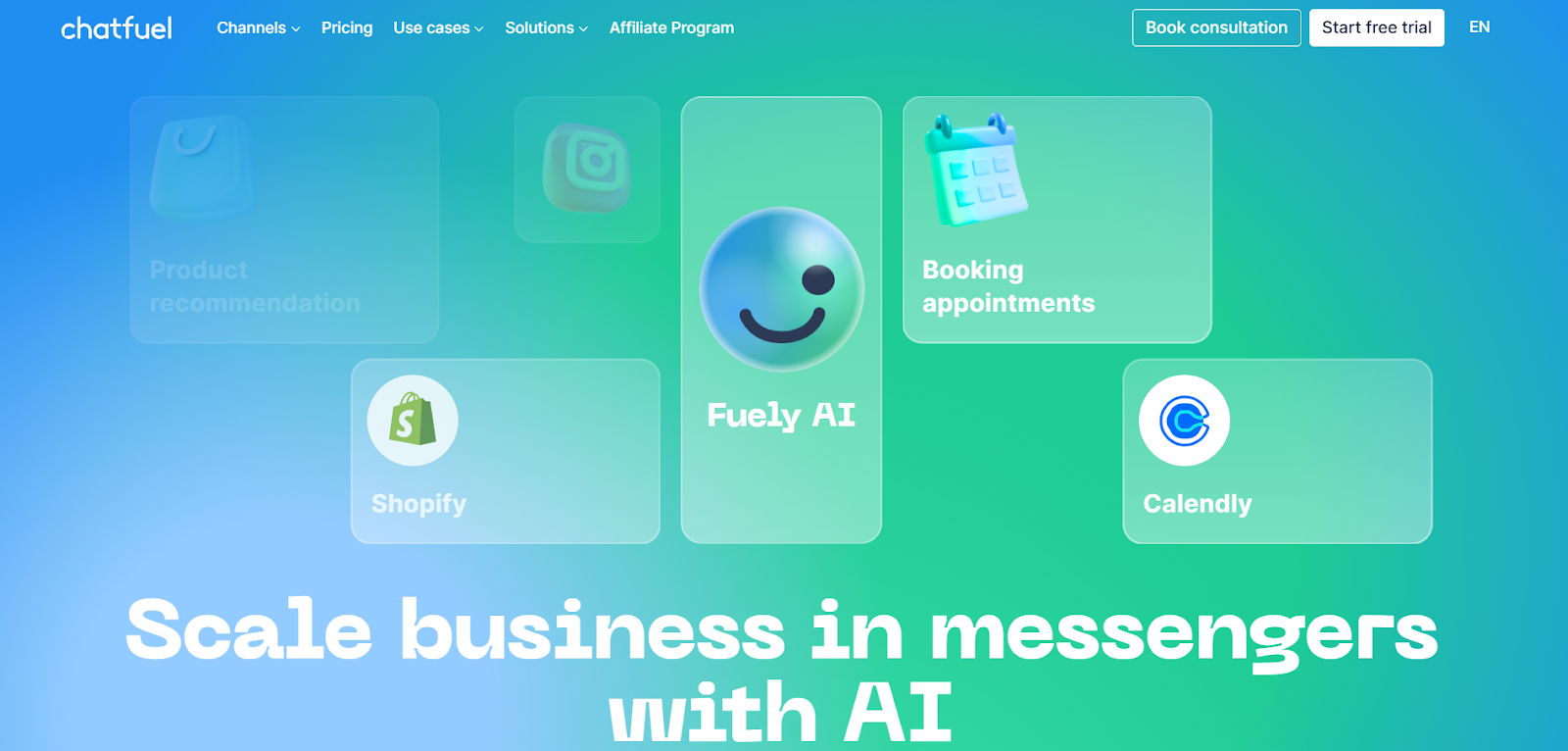
Chatfuel combines no-code automation with AI in a way that feels both approachable and powerful. You can start with the visual flow builder to create actions like sending welcome messages, answering FAQs, or scheduling appointments.
The blocks are tied to keywords or user triggers, and while it’s beginner-friendly, there’s enough depth to build more advanced flows as your needs grow.
What makes Chatfuel stand out is its AI agent feature. I didn’t need to touch any code to get started. Just select a few skills, share some basic business info, and the assistant is ready to jump in.
It can answer product questions, handle complaints, and even know when to escalate a conversation to a human. Since it uses ChatGPT in the background, the replies sound natural, more like a real conversation than a rigid script.
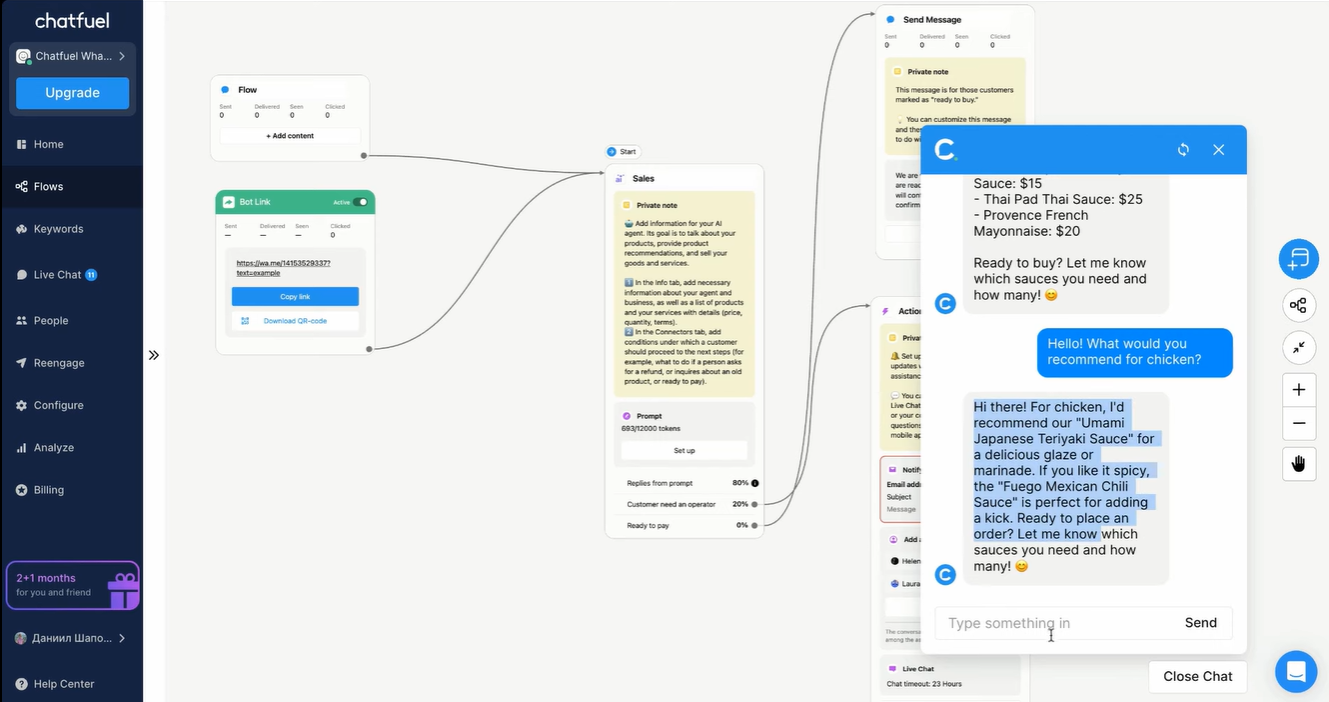
The live chat section was another highlight. I could monitor all active conversations in one dashboard, switch between automated and human responses, and even jump into chats manually when needed. This made it easy to keep tabs on bot performance and customer sentiment.
Chatfuel also supports features like Broadcasts and Segmentation, which let me target specific customer groups with tailored messages.
From capturing leads and guiding purchases to collecting feedback and handling returns, it covers the full customer journey. And with integrations for tools like Shopify, Google Sheets, Stripe, and CRMs like Kommo, I could plug it right into my existing workflow without missing a beat.
Pros
- Offers templates for specific campaigns, like peak season sales
- Includes a WhatsApp website button and link generator to boost visibility
- Free Udemy course and 24/7 support help users get up to speed quickly
- Supports industries like Education, Beauty, Healthcare, Real Estate, and more
Cons
- Pricing is a bit expensive
- Some AI features may still need human review in complex scenarios
Pricing
Chatfuel offers a 7-day free trial with full access to all platform features. It also offers the following plans:
- Business Plan: Priced at $1,019.99/month. This plan includes automation for Facebook and Instagram, with 1,000 conversations per month. Additional conversations are charged at $0.02 each. Features include live chat, shared inbox, agent assignment, mobile inbox app, triggering flows from live chat, contact import/export, audience segmentation, and integrations with Google Sheets, ChatGPT, Stripe, Zapier, and JSON API.
- Enterprise Plan: Offers custom pricing starting from $300/month. This plan includes all features from the Business Plan, plus a personal account manager, 10 hours of bot-building services, and bulk pricing options.
8. Chatbase: Best AI Chatbot You Can Train on Your Own Data
- What does it do? Chatbase lets you build custom AI chatbots powered by your business data.
- Who is it for? Great choice for businesses that want to train a chatbot on their documents, websites, or systems and provide accurate, secure, and on-brand customer support.
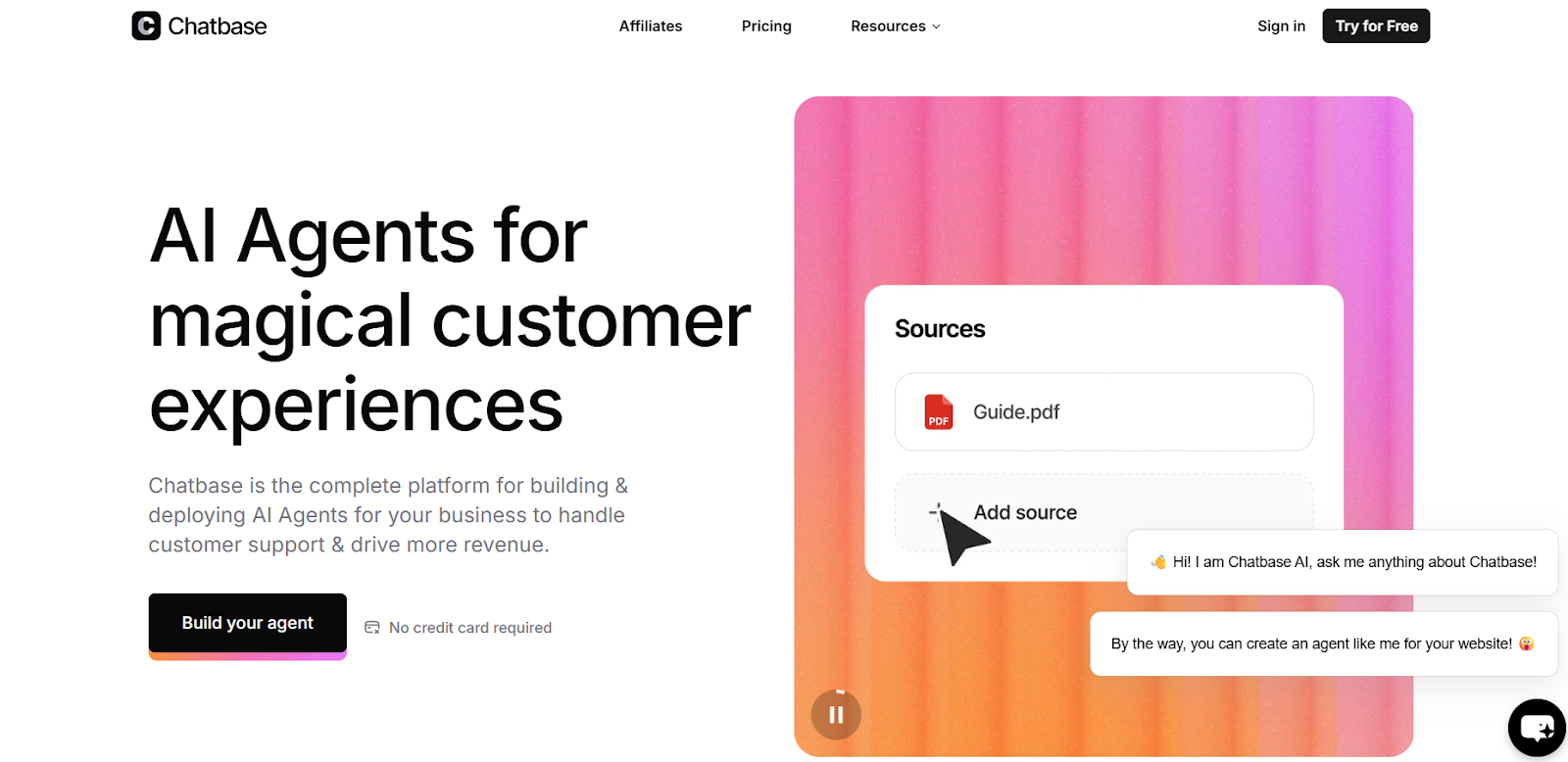
Chatbase makes it simple to build an AI chatbot trained on your own content. You can paste a website link or upload PDFs, and the bot learns from that material almost instantly.
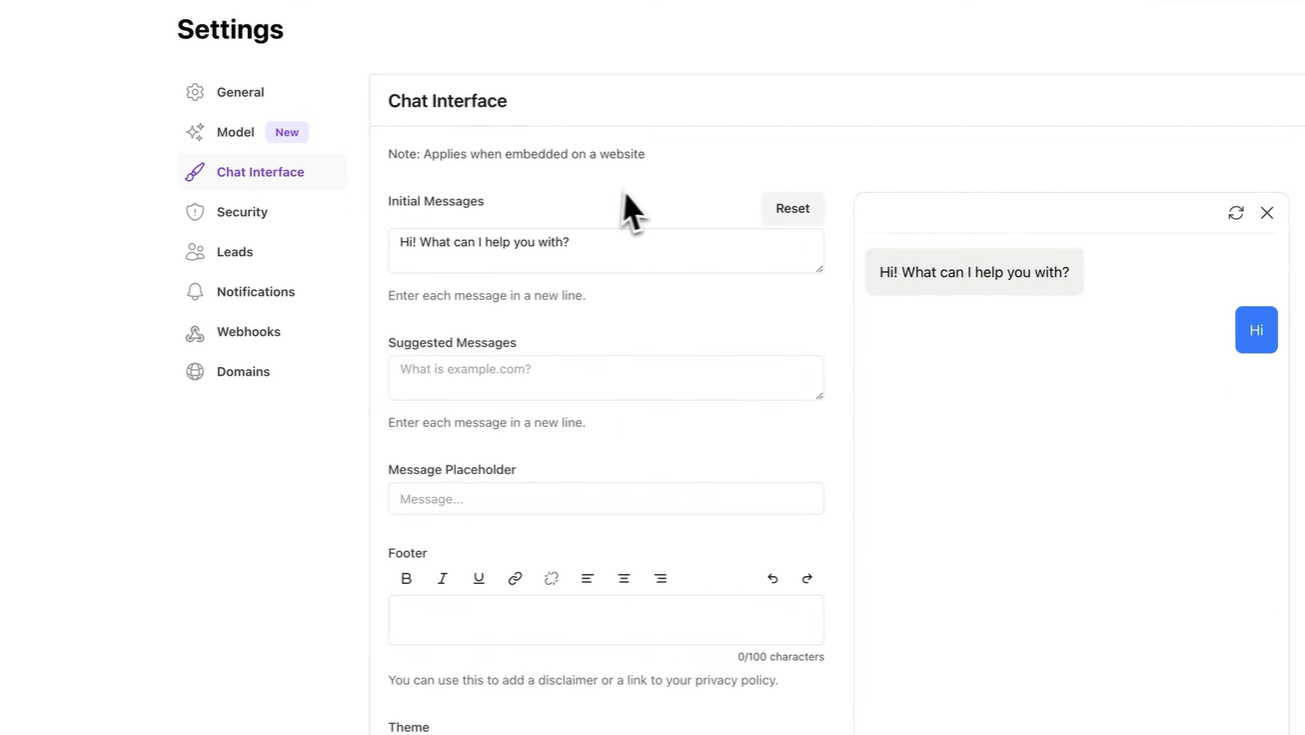
I was able to rename the chatbot, tweak its appearance, and set instructions that shaped how it responded, all without touching code.
One of the things you’ll appreciate is how easily it integrates with tools you already use. After connecting it to my CRM and help desk, the bot pulled in real-time customer details like order status or subscription info. When it didn’t have an answer, it followed the fallback rules I set and routed the conversation to a human without any hiccups.
You also get a solid dashboard with stats like chat volume, traffic sources, and the bot’s confidence scores. It gives you a clear sense of what’s working and what needs refining.
Deployment is flexible, too. You can embed the chatbot on your site, share a direct link with teammates on Slack, or run it across channels like WhatsApp and Messenger. Chatbase does a good job of meeting your audience where they already are.
Pros
- Offers CSV/PDF export for lead data collection
- Supports white-label branding and custom themes
- Provides real-time translation across 80+ languages
- Includes confidence scores to track response accuracy
Cons
- AI performance depends heavily on the quality of training data
- Some features (like advanced actions) may require extra setup time
Pricing
Chatbase offers a free plan with full access to all platform features. It also offers the following plans:
- Hobby Plan: Priced at $40/month. This plan includes 2,000 message credits per month, access to advanced models, 1 AI agent, 5 AI Actions per agent, 33 MB per AI agent, unlimited links to train on, API access, integrations, and basic analytics.
- Standard Plan: Priced at $150/month. This plan includes all features from the Hobby Plan, plus 12,000 message credits per month, 10 AI Actions per agent, 3 team members, and 2 AI agents.
- Pro Plan: Priced at $500/month. This plan includes all features from the Standard Plan, plus 40,000 message credits per month, 15 AI Actions per agent, 5+ team members, 3 AI agents, and advanced analytics.
9. Zendesk AI: Best AI Chatbot for Customer Support Automation
- What does it do? Zendesk is a complete AI-powered customer experience (CX) platform that helps businesses deliver fast, personalized, and scalable customer service across all major channels.
- Who is it for? Best for growing businesses that want a full suite of support tools, especially those looking to combine live agents with AI automation to handle high volumes of customer inquiries.
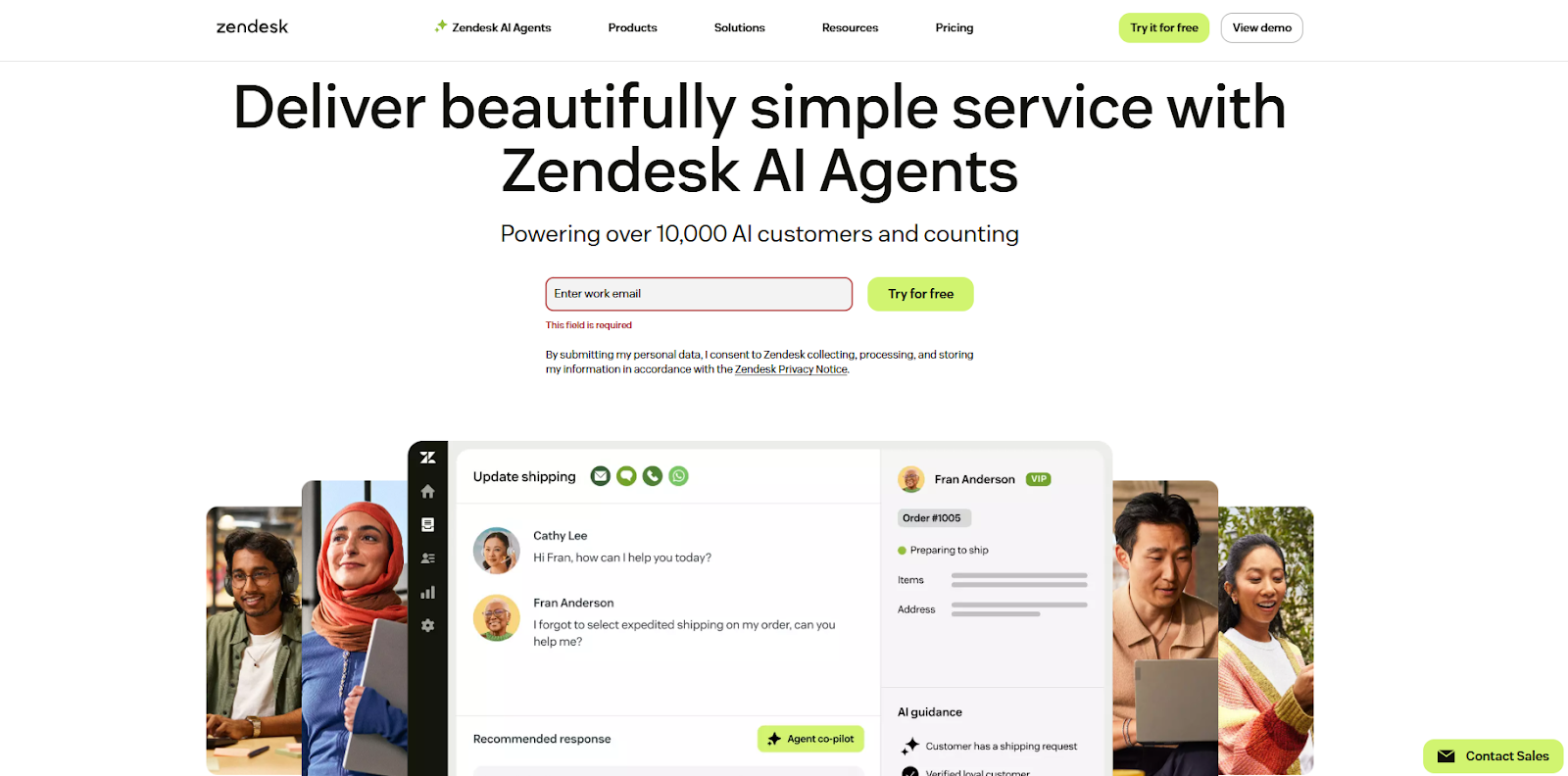
Zendesk’s full suite feels like it was designed for teams that need both scale and simplicity. The AI agents are trained specifically for customer support, using generative AI and Zendesk’s own intent models to understand queries and respond naturally.
I was surprised by how fluid the conversations felt, the bots didn’t just follow scripts, they actually understood context and delivered helpful replies even in multi-step flows.
You can build automation flows and plug them directly into the messaging system to handle common questions before they reach a human.
When agent intervention is needed, the Agent Workspace makes it easy to step in. It brings together email, chat, social, and even phone conversations into a single view, so nothing gets lost when switching between channels.
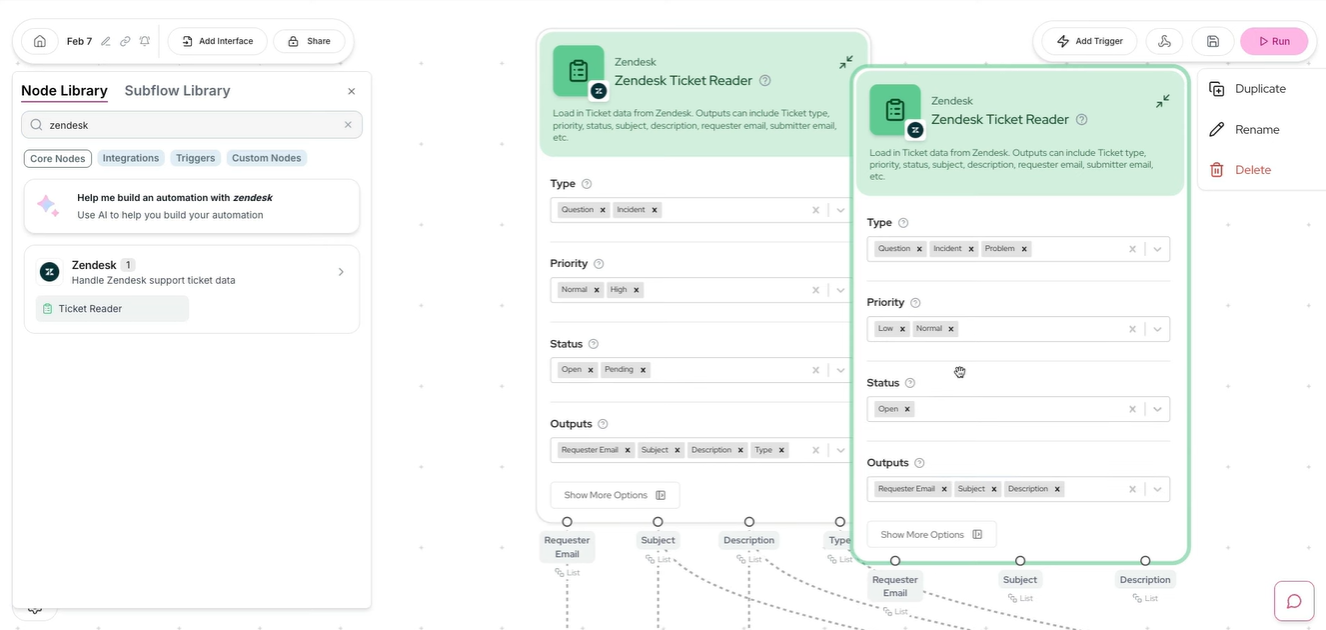
Zendesk also includes a customizable Help Center where customers can find answers on their own, reducing ticket volume. I found the automation builder simple to use, with triggers and conditions that helped speed up first responses.
Voice support is built right in through Zendesk Voice, which is especially useful for handling complex or sensitive issues.
Reporting is another strong point, ready-to-use dashboards show key metrics out of the box, and you can build custom reports to dig deeper into agent performance or customer trends.
Pros
- No-code Bot Builder for easy automation setup
- Continuous messaging across devices with full conversation history
- Helps scale agent productivity through AI-assisted workflows and analytics
Cons
- Full setup may take time for teams new to CX platforms
- Some advanced AI capabilities are only available through add-ons
Pricing
Zendesk offers a 14-day free trial with full access to all platform features. It also offers the following plans:
- Suite Team: Priced at $55/user/month when billed annually. This plan includes a ticketing system, email, chat, voice, social messaging, help center, AI agents, generative search, prebuilt analytics dashboards, 1,000+ apps and integrations, pre-defined responses (macros), customized business rules (triggers and automation), online support from the Zendesk team, and digital onboarding and adoption resources.
- Suite Growth: Priced at $89/user/month when billed annually. This plan includes multiple ticket forms, light agents, service level agreements (SLA), customer satisfaction ratings (CSAT), multilingual support and content, a self-service customer portal, and business hours.
- Suite Professional: Priced at $115/user/month when billed annually. This plan includes customized and live analytics, side conversations, skills-based routing, integrated community forums, data location options, HIPAA compliance, access to Sunshine Conversations, and eligibility for the Advanced AI add-on.
- Suite Enterprise: Priced at $169/user/month when billed annually. This plan includes a sandbox, content blocks, customized agent roles, dynamic, contextual workspaces, extended queue size and wait times, up to 300 help centers, ticket queues to avoid agents cherry-picking, business rules analysis, and visual data alerts.
10. HubSpot Chatbot: Best AI Chatbot with CRM Integration
- What does it do? HubSpot’s free chatbot builder lets you create AI-powered bots that qualify leads, book meetings, answer FAQs, and hand off chats to human agents.
- Who is it for? Perfect for small and growing businesses that want to automate customer conversations while keeping everything connected to sales, marketing, and service tools.
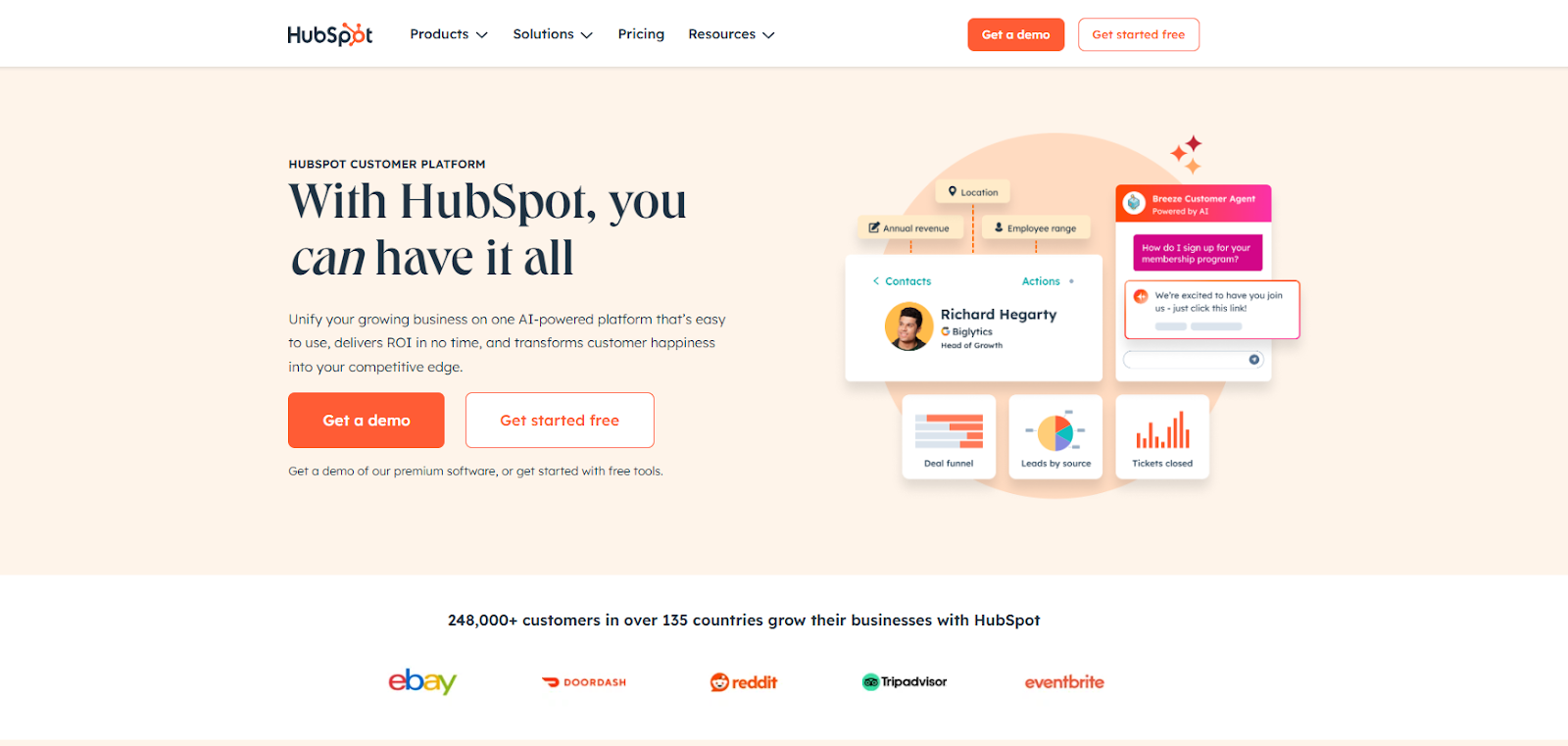
HubSpot’s chatbot builder makes it surprisingly easy to get up and running. You can build conversations using a visual drag-and-drop editor, no coding needed.
There are ready-to-use templates like “Concierge” or “Lead Qualification,” and you can customize everything to match your tone, flow, and brand.
What really clicked for me was the way it connects with HubSpot’s Smart CRM. The bot automatically pulls in contact details, avoids asking questions it already knows the answer to, and updates responses in real time.
You can use it to book meetings, qualify leads, or route chats to different teams depending on what users say.
You also get quick reply buttons, so visitors can interact without typing, just tap and go. Every conversation lands in a shared inbox, where your team can step in if needed.
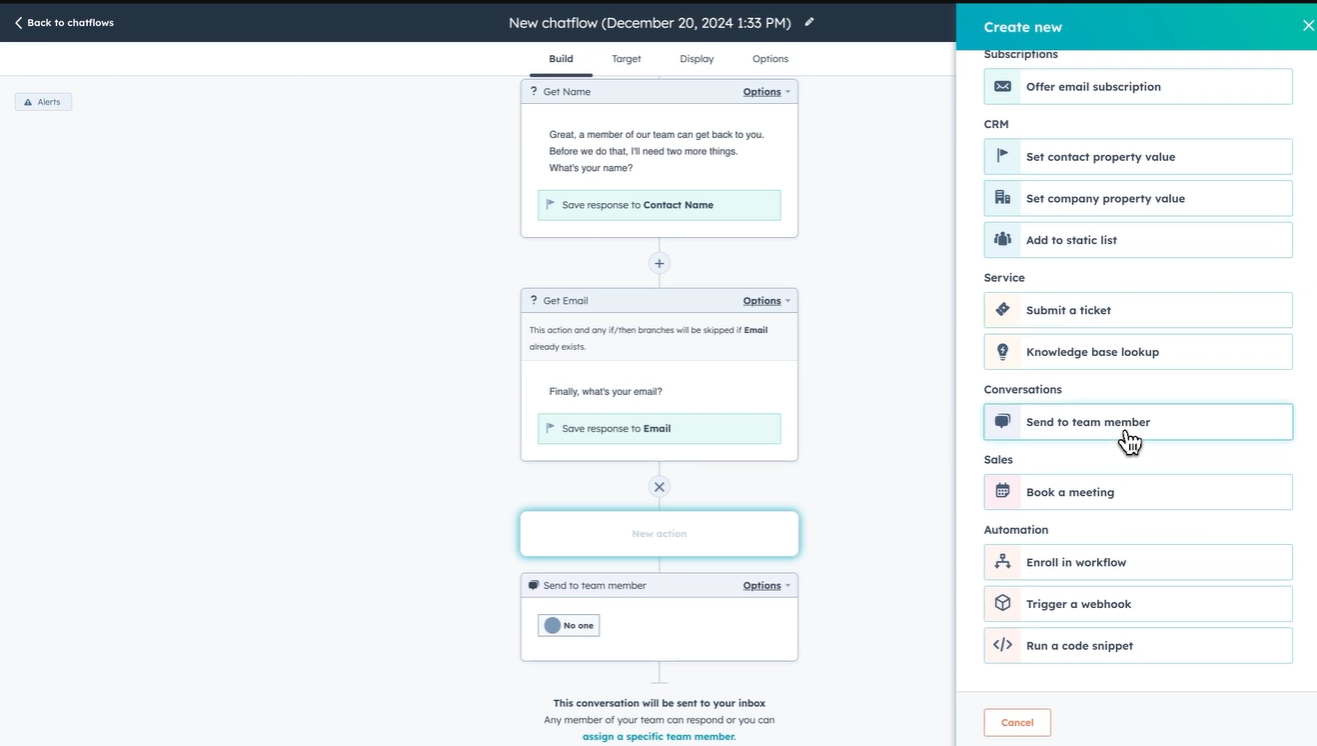
Customization goes deeper than just colors. You can adjust how the bot appears on desktop or mobile, tweak typing delays to make the flow feel natural, and even set fallback messages or round-robin rules for busy teams.
For anyone already using HubSpot, the chatbot feels like a natural extension. It’s easy, efficient, and neatly plugged into everything you already rely on.
Pros
- Free to start, with plenty of room to grow
- Works across websites, desktops, and mobile
- Seamlessly connects with email and ticketing tools
- Comes with editable chatbot templates for different goals
Cons
- Requires installation of tracking code on non-HubSpot websites
- Some advanced features need paid HubSpot Hubs (like Service Hub Pro)
Pricing
HubSpot offers a 14-day free trial with full access to all platform features. It also offers the following plan:
- Marketing Hub Professional: Priced at $890/month, billed annually. This plan includes 3 Core Seats, with additional Core Seats available at $50/month each. It provides 2,000 marketing contacts, with additional contacts billed at a tiered rate. Key features include campaign management, SEO tools, social media management, custom reporting, and lead scoring. Onboarding is required for a one-time fee of $3,000.
- Marketing Hub Enterprise: Priced at $3,600/month, billed annually. This plan includes 5 Core Seats, with additional Core Seats available at $75/month each. It provides 10,000 marketing contacts, with additional contacts billed at a tiered rate. Key features include multi-touch revenue attribution, adaptive testing, custom behavioral events, advanced Salesforce integration, team-based partitioning, and custom objects. Onboarding is required for a one-time fee of $7,000.
How I Tested the Best AI Chatbots for Businesses
To figure out which AI chatbots are actually worth your time, I didn’t just skim through feature lists. I signed up for each one, built real bots, and tested them in scenarios that reflect how a business might actually use them. This wasn’t about ticking boxes. It was about seeing how each tool performs when put to work.
Here’s what I focused on during testing:
Was it easy to set up?
Getting started should be smooth, especially for someone without a technical background. I looked for platforms that offered visual builders, templates, and clear onboarding. The goal was to see how quickly you can build something usable from scratch.
Could it understand real conversations?
To check how well it picked up on intent, I asked each bot common customer questions in different ways. It wasn’t just about getting the right answer. It was about how naturally the bot responded and whether it adapted to different phrasings.
How capable was the AI?
Some bots were great with simple answers but struggled with anything deeper. I tested how well they pulled information from uploaded documents, websites, and knowledge bases. I also looked at whether they could keep track of context across a conversation.
Could it handle real tasks?
I used each chatbot for things like booking meetings, qualifying leads, and answering support questions. Some tools leaned more toward support, while others worked better for sales or marketing tasks. I took note of which ones were best suited for which use case.
Did it play well with other tools?
During my test, I connected the bots to CRMs, spreadsheets, calendars, and support software. A good chatbot should fit into your workflow, not create extra work. I checked how smooth and useful those integrations were.
How easy was it to customize?
You should be able to make a chatbot feel like part of your brand. I explored how much control I had over tone, behavior, and appearance. Some tools made it easy to adjust everything from trigger timing to fallback messages. Others were more rigid.
Was the pricing fair for what it offered?
I looked at what you get for free and what is locked behind a paid plan. Some tools offer a lot even at the entry level, while others require a subscription just to get the basics. I compared the value at each tier, especially from the perspective of small teams or growing businesses.
Trying each chatbot first-hand gave me a clear sense of which tools are easy to use, which ones are actually intelligent, and which are worth betting on for real business needs.
Benefits of AI Chatbots for Businesses
AI chatbots aren’t just about automating replies, they’re about making your business sharper, faster, and more responsive without burning out your team.
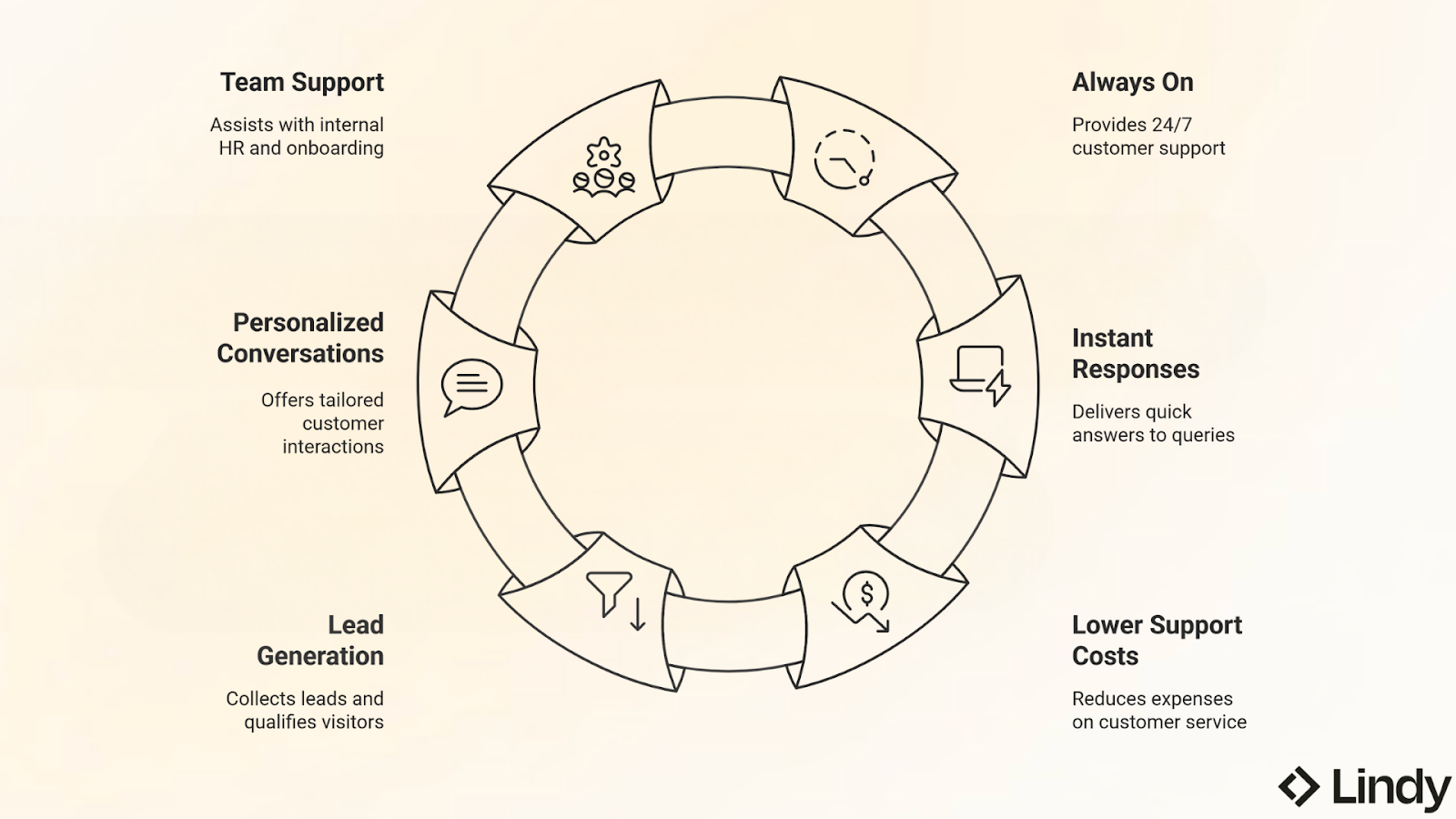
Here’s how they help:
- Always On: AI chatbots don’t need breaks. They handle queries around the clock, which means your customers can get help even when your team is off the clock.
- Instant Responses: No one likes waiting for a reply. A chatbot can respond in seconds, answering common questions before a human even gets a chance to read the message.
- Lower Support Costs: Instead of hiring extra staff for repetitive questions, a chatbot can take care of the basics like, order status, account issues, return policies, so your team can focus on the harder stuff.
- Lead Generation That Works While You Sleep: Whether it’s collecting emails, booking meetings, or qualifying visitors, chatbots can work behind the scenes to feed your pipeline without being pushy.
- Personalized Conversations: Connected to a CRM like HubSpot or Salesforce, a chatbot can greet customers by name, remember past interactions, and deliver a more tailored experience.
- Support for Your Team Too: AI chatbots aren’t just for customers. Internal bots can answer HR questions, walk new hires through onboarding, or surface company policies, saving everyone time.
How to Use AI Chatbots for Your Business
You don’t need to be technical to start using an AI chatbot. Most tools today are built with simplicity in mind. Here's a quick walkthrough of how to go from zero to live bot in under an hour:
- Choose the Right Tool
Start by picking a chatbot that fits your main goal, whether that’s helping customers, qualifying leads, or assisting your internal team. If you need help across all three, tools like Lindy offer flexible agents that can switch contexts easily. - Feed It Your Content
Upload documents, connect your help center, or plug in your CRM so the bot has useful answers ready to go. The better the source material, the smarter the bot. - Use Templates or Build from Scratch
Most platforms come with templates for common flows, such as lead capture, order status, or appointment booking. You can tweak these or build your own with simple blocks. - Don’t Forget Human Handoff
Even the best AI won’t handle everything. Set up conditions where the chatbot can bring in a human when the conversation gets tricky or emotional. - Test Conversations Like a Real User
Try asking your bot the same questions a customer might. See how it responds, fix any gaps, and test again. It doesn’t need to be perfect, but helpful. - Launch and Learn
Once your chatbot is live, track how it’s doing. Look at what people are asking, where the bot gets stuck, and how many conversations lead to real outcomes. Use that data to keep improving.
How Can Lindy Help?
If you’re spending too much time switching between apps, replying to repetitive questions, or chasing down leads, Lindy can help take that off your plate. You can create AI agents that handle real work across your business. No coding, no complex setup.
For example, one Lindy can answer customer queries directly in Slack using your internal docs and wikis. Another can summarize investor calls or sales meetings, then send action-ready notes straight into your CRM. You can even delegate tasks like booking meetings, sending follow-up emails, or tracking support tickets, all handled by Lindy, working in sync.
You can build these agents in minutes using a visual builder, connect them to tools like Gmail, Notion, or Salesforce, and customize everything from their tone to their response triggers. Once it’s running, you can build out more flows, loop in multiple AI agents, and scale from there.
Whether you're automating onboarding, prepping reports, or scaling customer support, Lindy gives you AI that actually gets things done.
Try Lindy for free and see how much time you can save this week.
{{cta}}
Frequently Asked Questions
1. Can I use a chatbot if I don’t know how to code?
Absolutely. Most modern chatbot tools are built for people who have zero technical background. You can create one by simply typing out questions and answers, dragging a few blocks, and hitting publish. Tools like Lindy are especially beginner-friendly. You can train a chatbot just by uploading documents or connecting it to your calendar or inbox. No coding. No confusion. Just real tasks getting done.
2. How do chatbots help businesses grow?
Chatbots offer businesses various avenues for growth by enhancing customer engagement, reducing costs, and boosting efficiency. They enable 24/7 availability, instant customer service, and personalized interactions. By automating routine tasks and providing personalized experiences, chatbots help businesses scale operations, improve lead generation, and ultimately increase sales.
3. Are chatbots good for small businesses?
Chatbots like Lindy and Hubspot are generally good for small businesses, offering numerous benefits in areas like customer service, sales, and operations. A chatbot can answer FAQs, take orders or bookings, and give updates to customers. This saves your team a lot of time and helps your business look professional, even if it’s just you running things.
4. Can I train a chatbot using my content?
Yes! You can upload your website, help articles, PDFs, or FAQs into the chatbot. It will read and understand them, so it can give the right answers when customers ask something related. This makes your chatbot smarter and more helpful. Tools like Lindy even let you Chat with PDF for quick summaries and queries.
5. Do voice chatbots work?
Yes, voice chatbots, also known as voice bots or AI voice assistants, do work and are increasingly effective. They can answer phone calls, talk to people naturally, and help with common questions just like a human phone assistant. They’re great for saving time on routine calls.
6. Can I link a chatbot with my CRM?
Definitely, many chatbot platforms can connect directly with CRMs like HubSpot, Zoho, or Salesforce. This lets the chatbot collect customer info and send it straight into your system, so your sales and support teams can follow up easily.
7. Is it safe to use AI chatbots for customer data?
Yes, it’s safe as long as you choose a chatbot from a trusted company. Good chatbot tools protect your data using things like encryption, secure servers, and privacy controls. Always check if the tool follows rules like GDPR or other local privacy laws.
Lindy, for example, is designed with security in mind. It gives you control over what your AI agents can access, keeps customer data encrypted, and supports features like role-based permissions and custom domain hosting. So you can focus on helping customers without worrying about compliance.











Blog
Related Articles
.avif)

.avif)

%20(1).png)
%20(1).png)

The AI assistant that runs your work life
Lindy saves you two hours a day by proactively managing your inbox, meetings, and calendar, so you can focus on what actually matters.
