Best AI Chatbots for Businesses 2026: 20+ Tested, 10 Picked
Marvin tested AI chatbots including ChatGPT, Claude, and Intercom across real business workflows, evaluating accuracy, agentic capabilities, and integrations with existing tools.


“My order is wrong” became my quickest test for an AI chatbot. I watched to see whether it asked a useful follow-up question or pasted a help article that missed the problem.
A good answer was only the start. I checked whether the bot could find the right company information and take the next step. If it had enough detail to help but still left a messy ticket for a person to sort out, I counted that as a miss.
Over several weeks, I tested more than 20 chatbots across support, lead qualification, document analysis, and connected workflows. I looked at their answers, knowledge retrieval, integrations, and ability to act after answering.
10 Best AI chatbots for business: TL;DR
- Lindy: Best AI teammate that answers from your company knowledge and does the work
- ChatGPT: Best for general-purpose work across teams
- Claude: Best for knowledge work and document analysis
- Google Gemini: Best for teams using Google Workspace
- Perplexity: Best for research and competitive intelligence
- Intercom: Best for website customer support
- Zendesk AI: Best for customer support automation for growing teams
- Tidio: Best for ecommerce customer service
- Dialpad: Best for voice and phone support
- Manychat: Best for social media messaging
How I tested these AI chatbots
I wanted to know what happened when a request was unclear, the answer was buried in a document, or a customer needed someone to take over. I used five checks to compare how each tool handled those moments:
- Answer quality: Did it understand the request, ask for missing details, and give a useful response?
- Knowledge retrieval: Could I trace an answer back to the right document or company information?
- Follow-through: Could it book a meeting, update a record, or hand the conversation to the right person?
- Connected tools: Did CRM, calendar, and messaging connections carry the full context across?
- Team control: Could people review conversations, take over a chat, and manage who had access?
I kept checking what the rep received. If the bot had already asked about budget and timing, those answers should be there when a person steps in. Having to ask the visitor again made the handoff feel unfinished.
What are AI chatbots for businesses?
AI chatbots for businesses handle conversations with customers or employees. They can answer questions using company information, ask for missing details, and help with the next step. Some book meetings, create tickets, or update connected records.
Some chatbots answer customers on a website or in a support inbox, while others help employees find information and finish work across their apps. If calls are part of your workflow, the Bland AI alternatives comparison covers tools built for phone conversations.
Business chatbot platforms vs general AI assistants
ChatGPT, Gemini, Claude, and Perplexity sit in your team's browser and handle drafts, analysis, and research. They have no built-in help desk, so they rarely face customers directly.
Platforms like Intercom, Zendesk, and Tidio plug into your website and inbox. They answer customers from your help center and hand tough cases to a person. Dialpad covers phone support, and Manychat handles social DMs. Most teams end up with one of each.
10 Best AI chatbots for business: Quick comparison
1. Best AI Chatbot for Business Automation
Lindy: What is it?
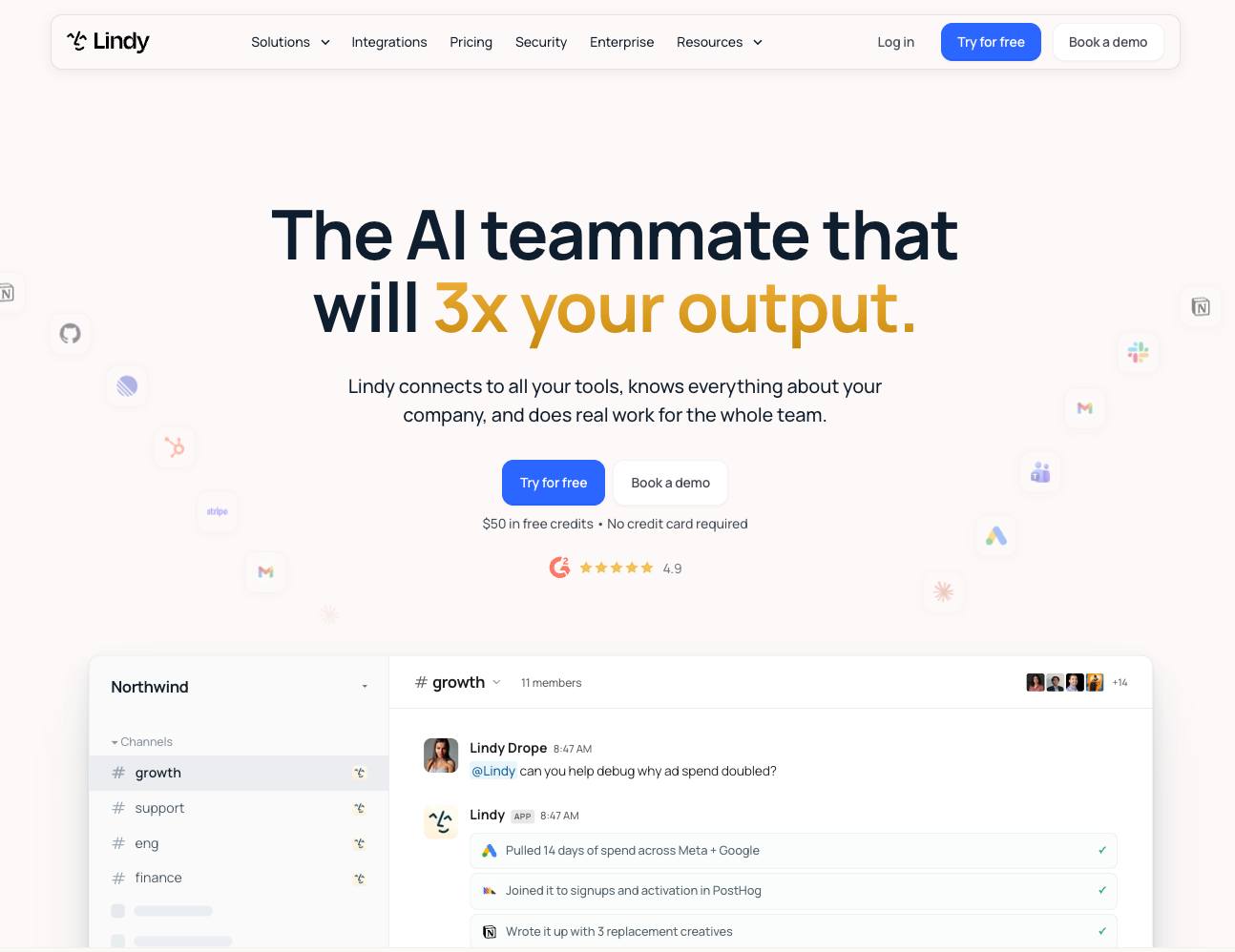
Lindy is an AI teammate that lives in your Slack, connects to your tools, and knows your company. It answers team questions with sources, handles support replies, and finishes tasks like CRM updates and meeting follow-ups.
Who is it for? Teams that want one teammate for company knowledge, support replies, meeting follow-ups, and CRM updates, with no code and no IT ticket.
Key features
- Slack-native answers: @mention Lindy in a channel and it replies with team context and citations.
- Shareable live pages: Ask Lindy for a dashboard or report and it builds a live page on its own link. Pages stay private to your workspace until you approve a public link.
- Shared meeting library: Lindy records and summarizes team meetings, sends follow-ups, and lets anyone chat with past calls.
- Admin guardrails: Set each connected tool to always allow, require approval, or "Don't offer". In shared Slack threads, Lindy waits for approval before it sends an email or updates a ticket.
- Integrations and skills: Connect Slack, Notion, Gmail, Salesforce, HubSpot, and 1,000+ other integrations, or start from ready-made templates and 40+ built-in skills.
Pricing: Lindy has a free plan with $50 in credits that last 7 days, with no credit card required. Team costs $29.99/user/month for 3,000 credits, pooled across your team. Enterprise pricing is custom.
What stood out for me
It takes very little setup to get a useful answer. I asked a plain question in Slack, such as what customers had pushed back on during recent sales calls, and Lindy returned the main themes with a source attached to each one.
I also liked how context carries across conversations and teammates. When a request needed a person to step in, the handoff included enough history to continue without retracing the entire exchange.
What could be improved
Lindy runs on credits, and bigger jobs like dashboards or heavy scheduled workflows use more of them. Monthly credits don't roll over, though top-up credits stay until you use them, so heavy months may call for more monthly credits or a top-up.
{{templates}}
2. Best AI Chatbot for General-Purpose Work Across Teams
ChatGPT: What is it?
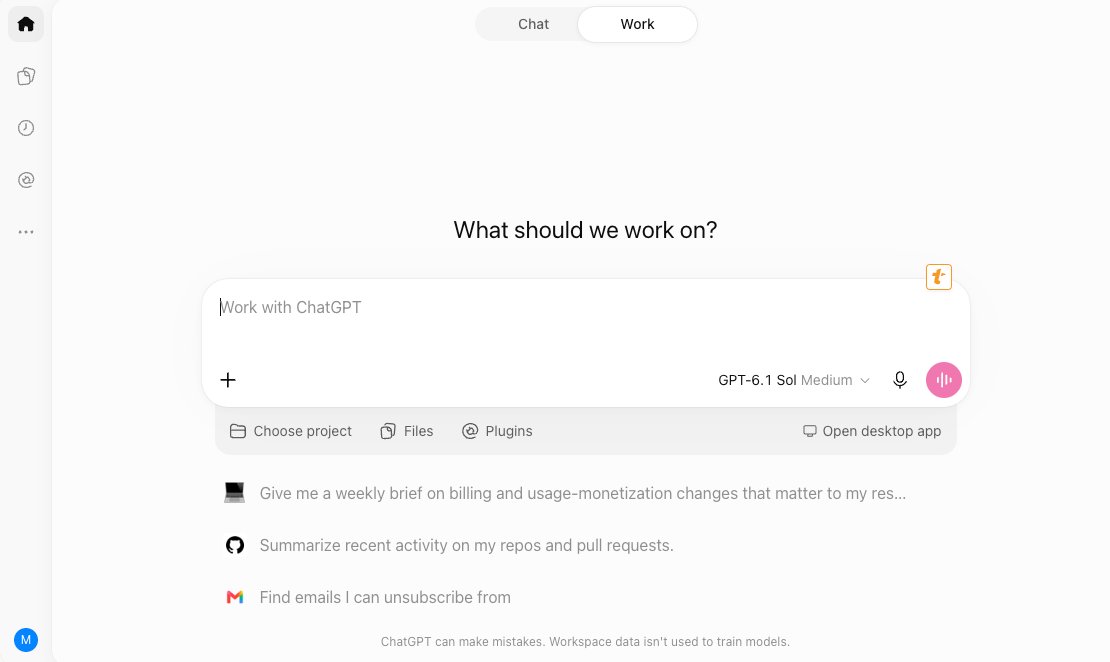
ChatGPT is OpenAI's conversational AI platform for writing, coding, data analysis, and workflow automation. You type a request in plain language, and it drafts, explains, or analyzes the answer in a chat, and it can pull from connected company files such as Google Drive and SharePoint.
Who is it for? Businesses that want one versatile tool across marketing, sales, engineering, and support.
Key features
- Connectors: Google Drive, SharePoint, GitHub, and Dropbox link ChatGPT to your company knowledge, and responses cite their source files.
- Agents and Deep Research: Multi-step workflows run from a single prompt, and Deep Research pulls from dozens of sources into structured reports.
- Writing blocks and data analysis: Business and Enterprise plans include OpenAI's latest models, writing and code blocks for drafting in chat, and data analysis.
- Codex: It generates, debugs, and refines code across your repositories.
- Security: Business and Enterprise plans don't train on your data by default and include SOC 2 Type 2 compliance. OpenAI offers a HIPAA agreement only on sales-managed Enterprise and Edu accounts.
Pricing: Free plan available. Business starts at $20/user/month on annual billing ($25 monthly), with a two-seat minimum. Enterprise pricing is custom.
What stood out for me
One workspace covered several kinds of work. I could draft a campaign, clean a spreadsheet, and ask for an unfamiliar repository to be explained without moving between specialist tools.
Answers drawn from connected company sources included citations. When I needed to verify a detail, I could open the original file without searching through old Slack threads or wikis.
What could be improved
ChatGPT lacks a built-in customer chat widget and help desk. Teams serving customers will need another platform for routing, ticket management, and agent handoffs.
I’d also review any answer before it reaches a client, especially when it combines information from several company sources.
3. Best AI Chatbot for Knowledge Work and Document Analysis
Claude: What is it?
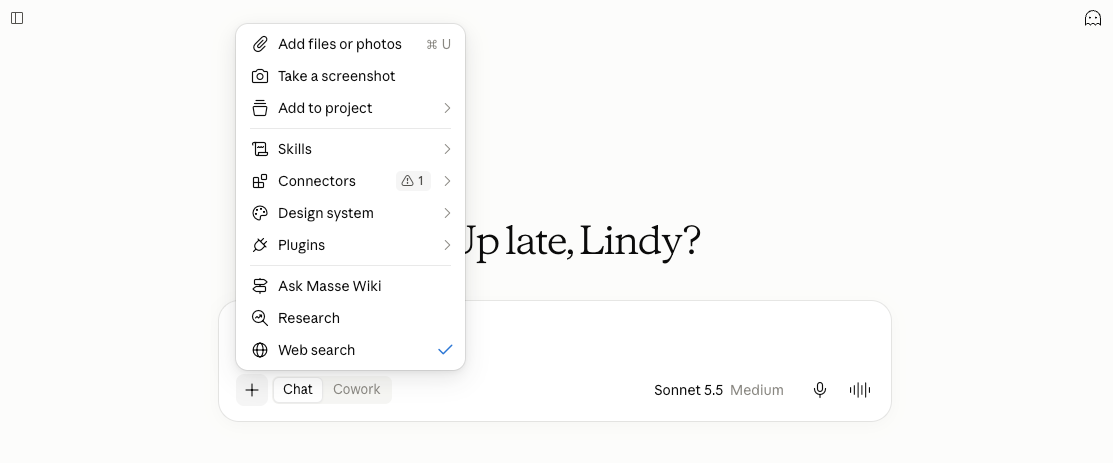
Claude is Anthropic's AI assistant for deep reasoning, document analysis, and complex problem-solving across business workflows. You chat with it in plain language, and you can upload files like PDFs, spreadsheets, and documents for it to read, summarize, and work from.
Who is it for? Teams that work with large documents, codebases, and nuanced writing, especially engineering, product, HR, and marketing.
Key features
- Projects: Persistent workspaces where uploaded files, spreadsheets, and notes stay available across every chat.
- Artifacts: Code, charts, formatted documents, and interactive apps appear in a side panel, where you can tweak, test, and download them.
- Code execution and file creation: Claude runs code on the spot, so a CSV becomes trends, metrics, and charts you can download.
- Thinking settings: On hard problems like debugging a multi-file codebase, turn on thinking and raise the effort level, then open a summary of how Claude worked through it.
- Team workspace: Team plans add shared projects, admin controls, and central billing.
Pricing: Claude plans start at $20/month for Pro, billed monthly. Max starts at $100/month. Team costs $25/seat/month for Standard or $125/seat/month for Premium. Self-serve Enterprise starts at $20/seat/month billed annually, plus usage fees. A free plan is available.
What stood out for me
Projects changed how I'd run a long piece of work. Open a chat inside one and the context is already loaded, so there is no re-uploading the brief or repeating instructions.
Seeing a summary of Claude's thinking is the other win. It lets you catch a bad assumption early, before it costs an hour of backtracking.
What could be improved
Customer support features are the main limitation. Claude lacks a customer-facing chat widget, ticket queue, routing rules, and live-agent handoffs. Adding those tools would let support teams manage conversations without paying for a separate platform such as Zendesk or Intercom.
4. Best AI Chatbot for Teams Using Google Workspace
Google Gemini: What is it?
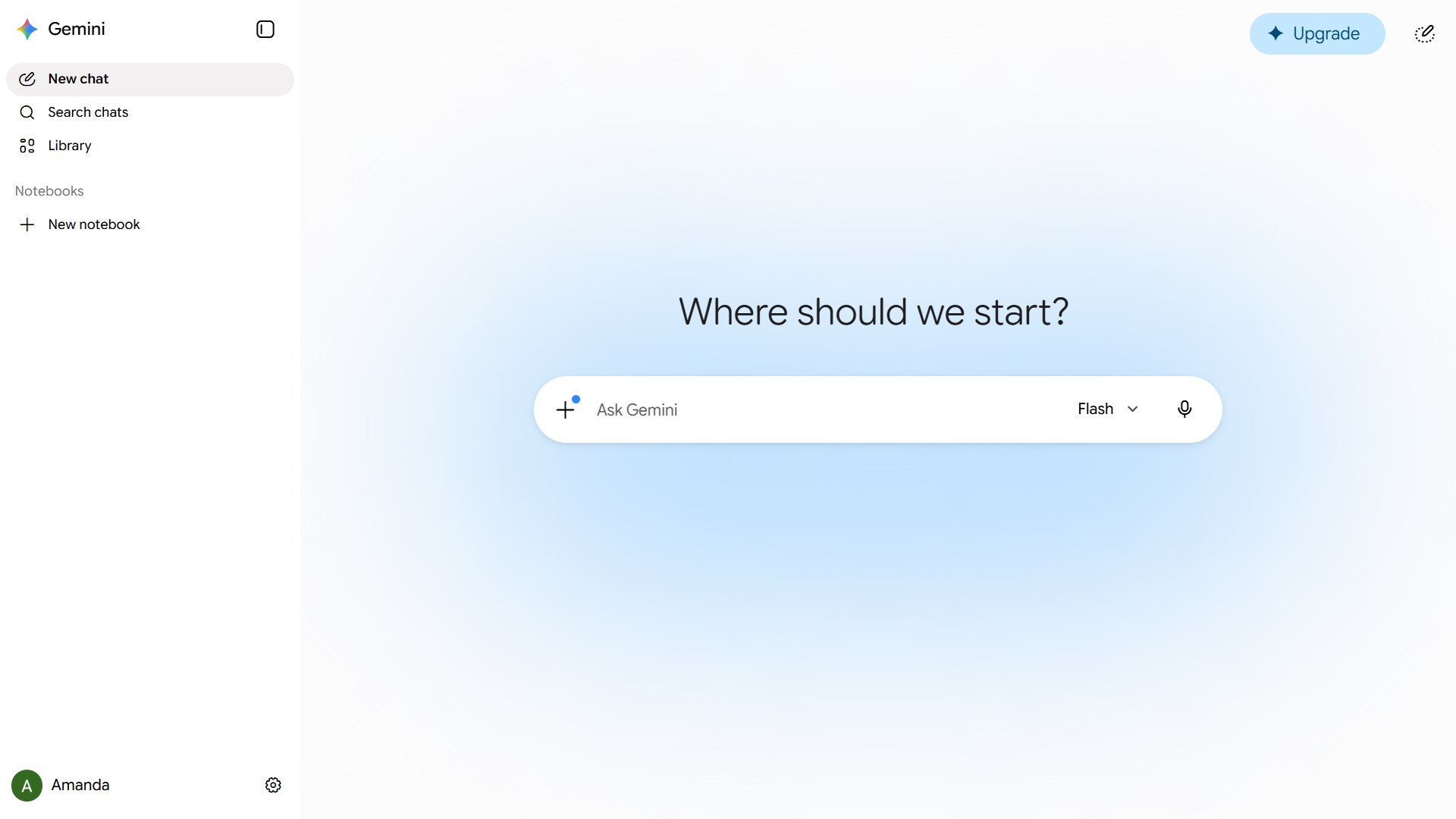
Gemini is Google's AI assistant, built into Gmail, Drive, Docs, and Chrome to help with research, document analysis, and communication tasks. It answers questions, summarizes documents, and drafts messages using the emails, files, and web pages open in those apps.
Who is it for? Teams already on Google Workspace who want AI help without switching between apps.
Key features
- Workspace apps: It operates across Gmail, Drive, Calendar, and Keep, so one prompt replaces jumping between tabs.
- Chrome integration: While you read dense articles or compare products, Gemini pulls key takeaways and extracts specs or pros and cons from the page.
- Gemini Live: A conversational mode for thinking out loud. Change direction mid-sentence or interrupt with follow-up questions.
- File uploads: Drop in a spreadsheet, user manual, or syllabus and Gemini pulls out the details without manual parsing.
- Email drafting: Tone adjusts to context, from casual Slack-style messages to formal client emails.
Pricing: Gemini plans start at $4.99/month for Google AI Plus, with Pro at $19.99/month and Ultra from $99.99/month. A free plan is available.
What stood out for me
Gemini feels most useful inside Gmail and Drive, where I could ask it to find a restaurant a client recommended or summarize a spreadsheet without opening the file and copying its contents into another tab.
I also found Gemini Live helpful during early planning, especially when I wanted to talk through a strategy before I had enough structure for a document or presentation.
What could be improved
Workspace settings can create an uneven experience across a team because admins control which Gemini features and connected apps each employee can access. This can make rollout and troubleshooting harder.
Teams that rely on Microsoft 365, Slack, or other ecosystems may also need more setup to bring their company context into Gemini.
5. Best AI Chatbot for Research and Competitive Intelligence
Perplexity: What is it?
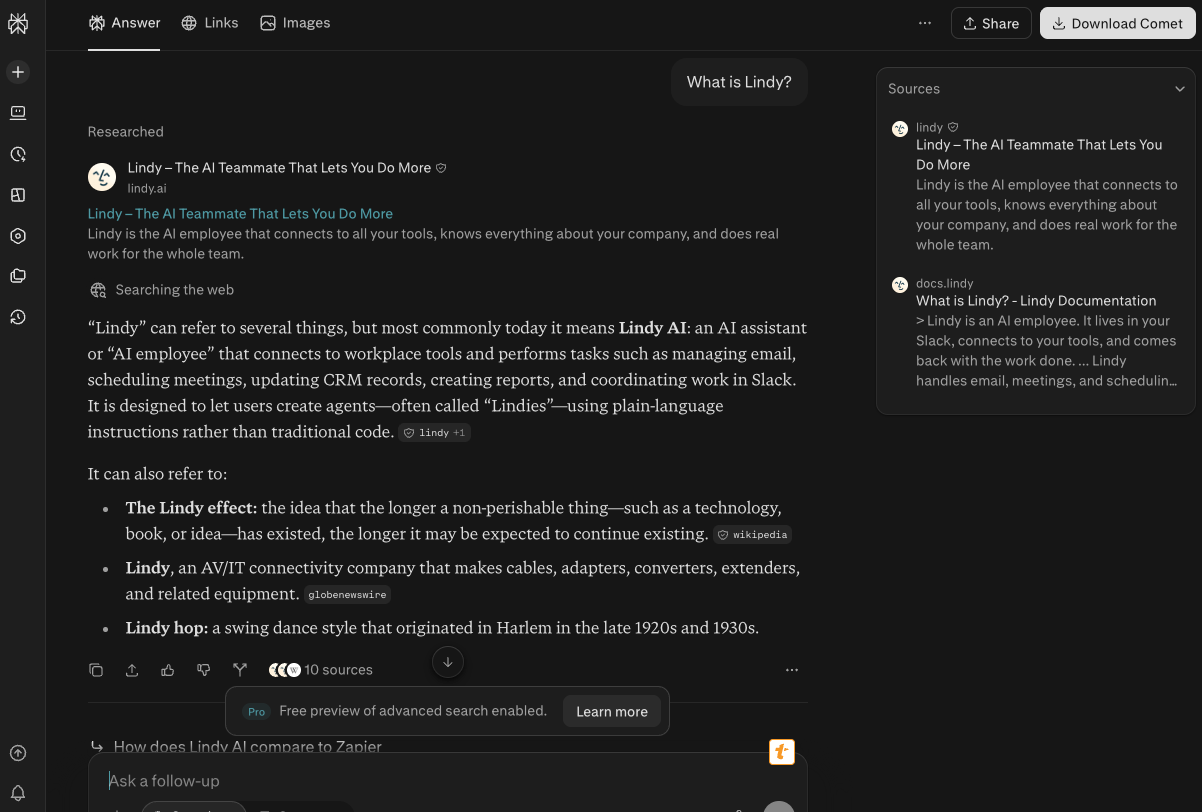
Perplexity is an answer engine that delivers real-time, cited research across the web and internal company data. It answers a question in plain language and attaches a source link to each claim, so every answer can be checked against where it came from.
Who is it for? Sales teams, investors, R&D departments, and anyone who needs fast research backed by verifiable sources.
Key features
- Cited answers: Each claim comes with the source it was pulled from.
- Focus modes: Academic mode scans research papers, Finance mode reads official company reports, and Social mode pulls from Reddit threads and community discussions.
- Deep Research: Generates full reports for due diligence, market analysis, and competitive audits.
- Projects: Organize research by project, add custom instructions like "format answers as bullet points," and share with teammates.
- Comet browser: An agentic assistant that monitors product stock, publishes products to Shopify, tests promo codes, and writes spreadsheet formulas from open pages.
Pricing: Perplexity plans start at $20/month for Pro, with Max at $200/month. A free plan is available.
What stood out for me
Perplexity makes verification part of the answer by placing sources beside its claims. When I asked about a competitor’s pricing model, I could open each citation and check the details within seconds.
For customer research, Social mode helped surface recurring complaints from Reddit threads and community discussions that were easy to miss in polished company pages.
What could be improved
Perplexity lacks built-in help desk and CRM workflows, which limits what happens after the research is complete. A finding still needs to be copied into another system before a team can act on it.
Source quality also varies across the web. I’d open the citations behind any claim that could affect pricing, strategy, or a customer decision.
6. Best AI Chatbot for Website Customer Support
Intercom: What is it?
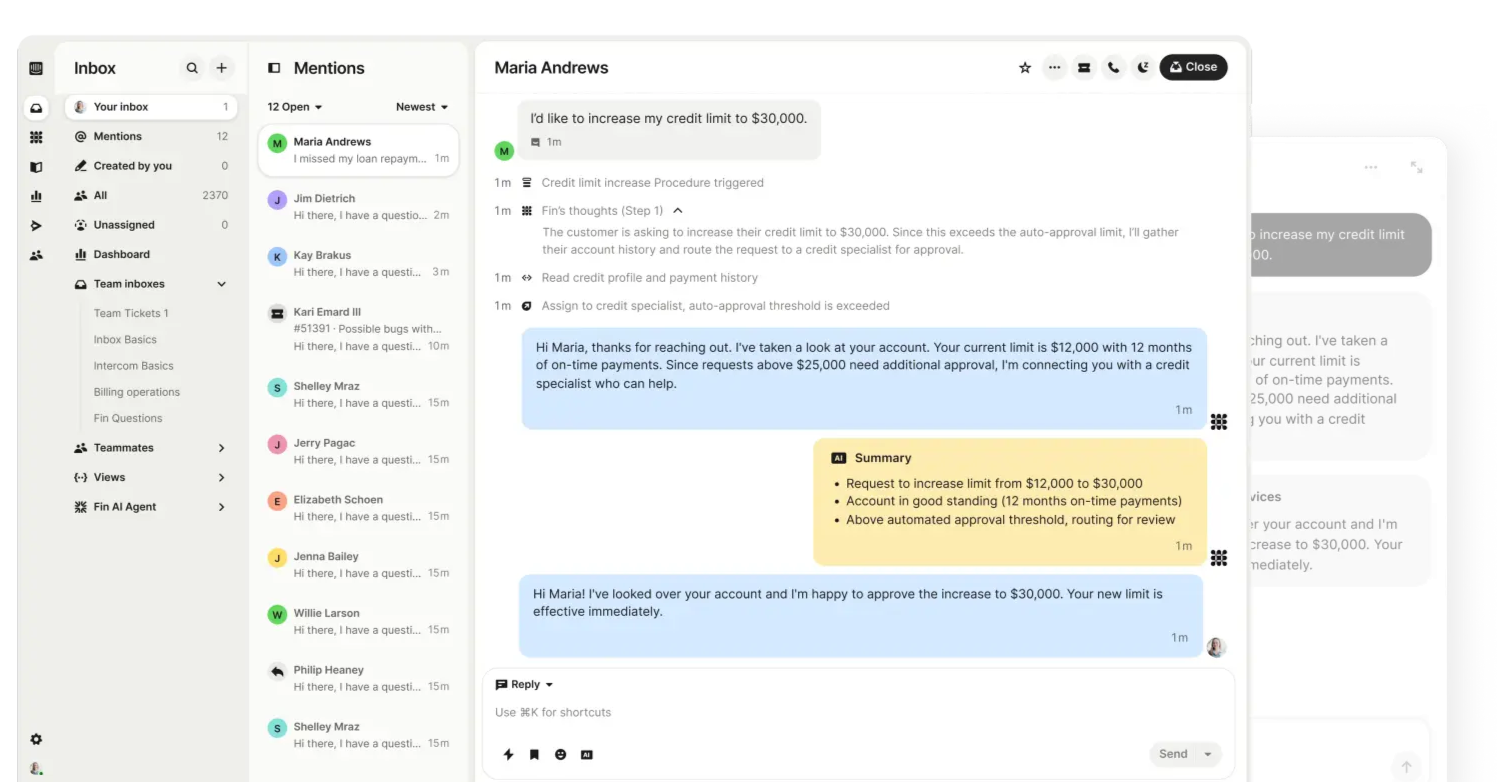
Intercom is a customer service platform with an AI agent called Fin, a shared inbox, and a Messenger widget for web and mobile. Fin answers common customer questions from the company's Help Center, and human agents take over the harder conversations in the same inbox.
Who is it for? Companies that want live chat, AI support, and automation in one place, especially those with a high volume of customer queries. Our best customer service chatbots comparison covers 11 tools built for round-the-clock support.
Key features
- Fin AI Agent: Pulls from your Help Center to answer common questions in seconds.
- AI Copilot: Works alongside human agents by suggesting replies, filling in ticket context, and prompting follow-up questions.
- Messenger: A branded widget for web and mobile, with WhatsApp, Facebook, SMS, and email managed from one dashboard.
- Support toolkit: A no-code Help Center builder, an AI-powered inbox, agent performance tracking, and automation workflows.
Pricing: Intercom plans start at $29/seat/month for Essential, with Advanced at $99/seat/month and Expert at $139/seat/month. Fin AI Agent costs $0.99 per resolved outcome. A free trial is available.
What stood out for me
Fin answered common support questions within seconds and pulled its replies from the existing help content. I didn’t have to rewrite the knowledge base or build a long FAQ before it could handle useful conversations.
During testing, most tier-one questions stayed with Fin and reached a resolution without a human handoff. Messenger also took only a few clicks to match the site’s branding and control what visitors could see.
What could be improved
Per-resolution pricing makes the bill harder to predict because the $0.99 outcome fee sits on top of Intercom’s seat costs. A successful month with more automated resolutions can also become a more expensive month.
The interface packs in a lot of settings for inboxes, workflows, Messenger, and Fin, which made the first setup feel dense even with the guided instructions.
The naming now takes extra explanation. Intercom renamed its company Fin in May 2026, while Intercom remains the help desk product. Salesforce completed its acquisition of Fin in September 2026, and Fin AI Agent continues to work with other help desks such as Zendesk.
7. Best AI Chatbot for Support Automation at Growing Teams
Zendesk: What is it?
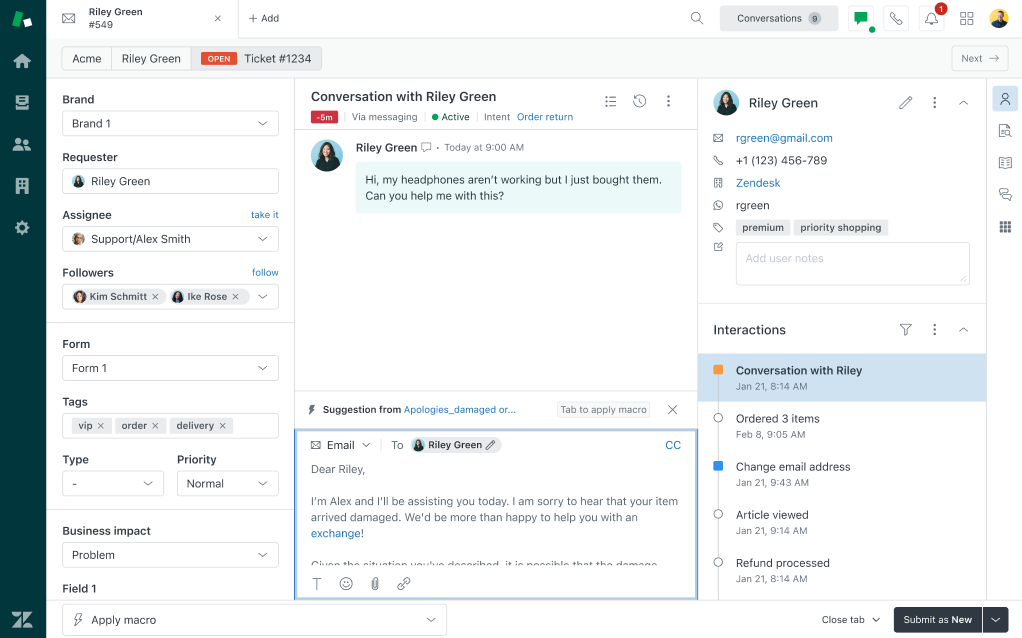
Zendesk is a customer service platform that combines AI agents, a ticketing workspace, and messaging across email, chat, social, and phone. The AI agents answer common questions and hand harder ones to human agents, who work from the same Agent Workspace.
Who is it for? Growing businesses that want a full suite of support tools, especially teams that pair live agents with AI automation to handle high inquiry volumes.
Key features
- Support-trained AI agents: Generative AI plus Zendesk's own intent models to understand queries and respond naturally.
- Agent Workspace: Email, chat, social, and phone conversations in a single view.
- Help Center: A customizable self-service hub that reduces ticket volume.
- Automation builder: Triggers and conditions that speed up first responses.
- Voice and reporting: Zendesk Voice is built in, and ready-made dashboards sit beside custom reports on agent performance and customer trends.
Pricing: Zendesk plans start at $25/agent/month for Support Team, or $19 billed annually. Suite Team costs $69/agent/month ($55 billed annually), and Suite Professional costs $149/agent/month ($115 billed annually). Suite Enterprise + Copilot uses custom pricing.
What stood out for me
Zendesk's bots read the context well enough to land a helpful reply partway through a multi-step flow.
Automation flows plug into the messaging system, so common questions get answered before they reach a human. When one does, the Agent Workspace keeps the whole thread in one place.
What could be improved
AI agent costs rise with automated resolution volume, which makes the base seat price an incomplete estimate. Support Team includes five automated resolutions per agent each month, while additional committed resolutions cost $1.50 each. I’d estimate expected volume before choosing a plan.
8. Best AI Chatbot for Ecommerce Customer Service
Tidio: What is it?
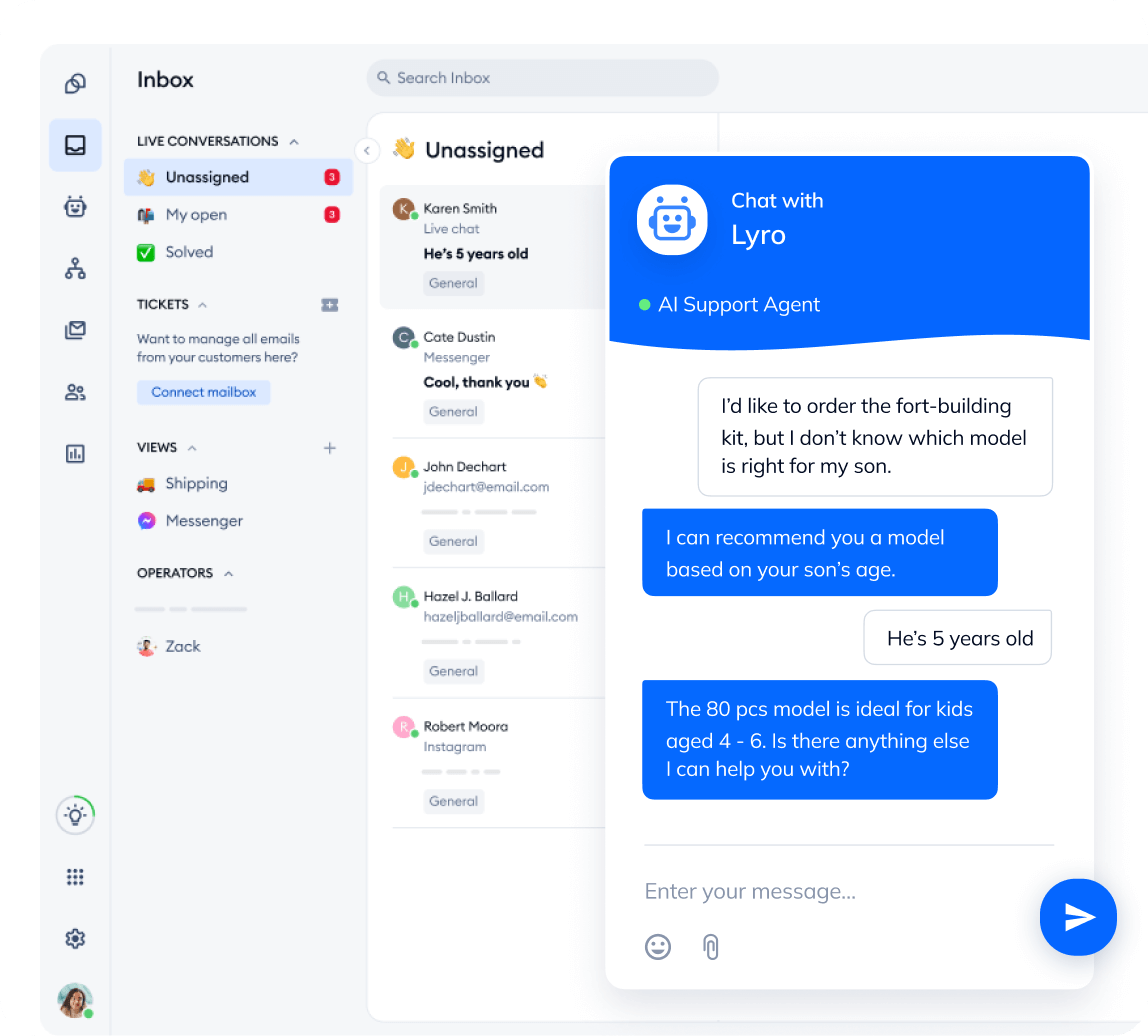
Tidio is a customer service tool for chatting with website visitors, answering questions, and running email campaigns from one dashboard. Lyro, the AI responder, answers product and support questions, and live chat lets a person step in when a shopper needs help.
Who is it for? Small and mid-sized ecommerce businesses that want to boost sales, handle support, and stay connected with customers in real time.
Key features
- Chatbot builder: A template library covers common cases like sales, lead capture, and customer support.
- Lyro AI: Understands context and adjusts its responses on the fly.
- Lyro Connect: Plugs into Zendesk, HubSpot, or Salesforce without much hassle.
- Flows: Simple automation paths for FAQs and message routing. Run them alongside Lyro for order tracking or appointment booking.
- One dashboard: Inbox, visitor tracker, campaign tools, and chatbot settings sit in a left panel.
Pricing: Tidio plans start at $29/month for Starter, with Growth from $59/month and Plus from $300/month plus usage fees. Premium pricing is custom, and a 7-day free trial is available.
What stood out for me
What surprised me most was how naturally Lyro adjusted its replies after reading the conversation context. Its answers felt specific to the customer’s question and avoided the stiff wording I expect from a scripted chatbot. Having everything in one panel also cuts down tab switching during a support session.
What could be improved
Tidio meters human-handled conversations and Lyro conversations separately, which makes the monthly cost harder to estimate for a busy store. I’d model both types of usage before choosing a plan.
Free, Starter, and Growth also cap teams at 10 seats. Larger teams need Plus, which starts at $300 per month and adds usage fees.
9. Best AI Chatbot for Voice and Phone Support
Dialpad: What is it?
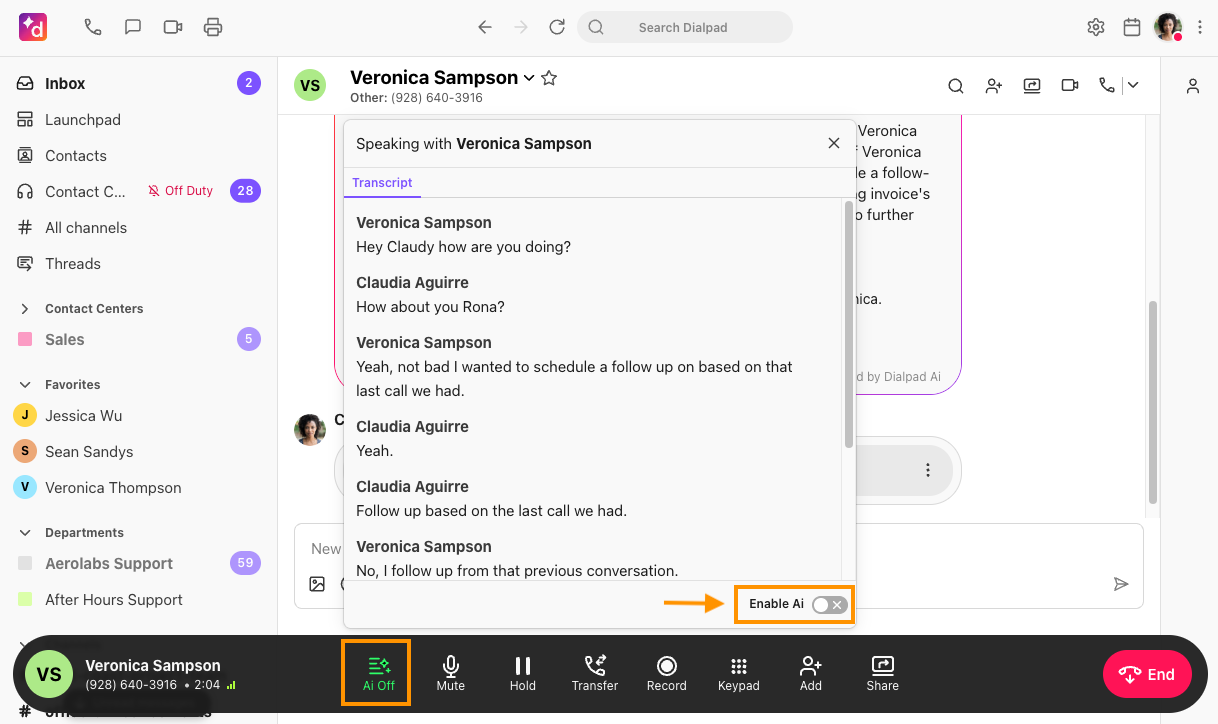
Dialpad is an AI-powered platform that brings voice calls, video meetings, and messaging into one app. Call AI transcribes conversations, takes live notes, and writes summaries, while Dialpad Support gives agents coaching tips during customer chats and calls.
Who is it for? Businesses that need a strong communication system, especially remote or hybrid teams that rely on voice and video to stay in sync.
Key features
- Call AI: Auto-generated transcripts, live notes, and meeting summaries, plus an AI recap that boils long meetings down to short highlights.
- Dialpad Support: Live coaching tips and relevant info for agents mid-chat, with analytics on response times and conversation quality for managers.
- Dialpad Sell: Automatic lead logging, call summaries, and in-the-moment guidance for sales reps.
- Cloud-based calling: Move between desktop and mobile without dropping a call.
Pricing: Dialpad Support, its contact center product, starts at $95/user/month, or $80 billed annually. Dialpad Connect, its calling and meetings plan, starts at $27/user/month for Standard and $35 for Pro. Enterprise pricing is custom, and Connect comes with a 14-day free trial.
What stood out for me
Using Dialpad for meetings and customer support in the same week showed me its range. Live notes, transcripts, and summaries appeared during each conversation without any manual note-taking, which felt like having an assistant follow every call.
During one call, I moved from desktop to mobile without reconnecting, and the conversation continued while the notes stayed current.
What could be improved
Initial setup requires more planning than a basic chatbot. Phone numbers, routing rules, permissions, and contact center workflows all need to be configured before a team can use the full system.
Teams looking mainly for website chat may also pay for calling, meetings, and routing features they won’t use. Dialpad’s contact center products cost more than its base communication plans.
10. Best AI Chatbot for Social Media Messaging
Manychat: What is it?
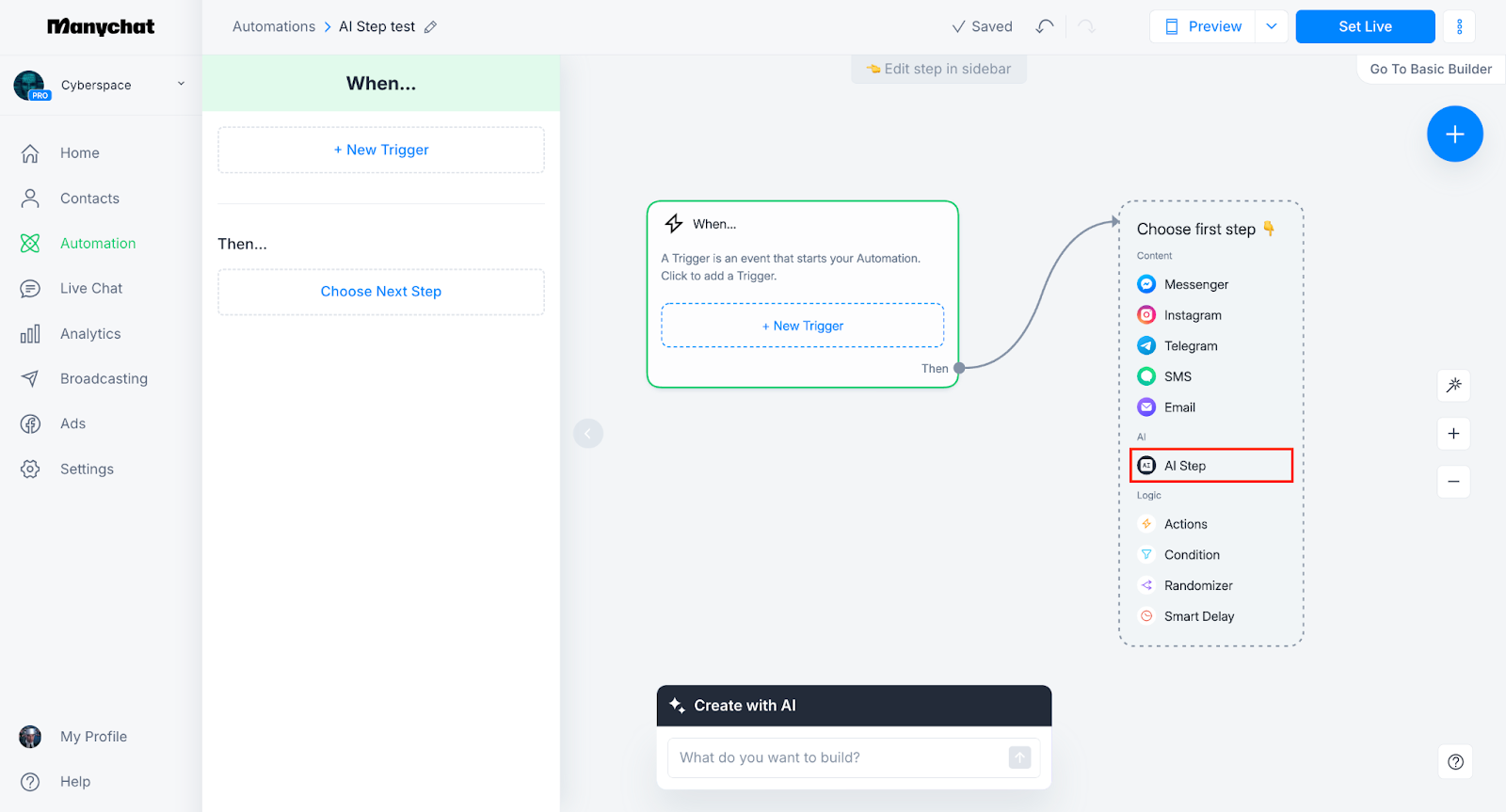
Manychat automates replies to comments and direct messages on Instagram, TikTok, Facebook Messenger, WhatsApp, and Telegram. A comment or keyword triggers a DM flow that sends the promised link, collects an email, and tags the contact for follow-up.
Who is it for? Creators, social-first brands, and ecommerce stores that win customers in DMs and want to capture leads without staffing an inbox all day.
Key features
- Templates: More than 60 ready-made templates reply to comments, greet new followers, and share links in DMs the moment someone engages.
- Lead capture: The automation builder collects emails and contact details, then tags and segments contacts for follow-up.
- Manychat AI: Available on the Pro plan, it learns your business and tone of voice, replies to DMs, and answers FAQs. Pro also adds broadcasts on WhatsApp, Telegram, and Messenger.
- Inbox AI: Custom labels and rules sort incoming conversations, and higher plans add more users and inbox seats.
Pricing: Manychat plans start at $17/month for Essential, with Pro at $39/month, Business at $99/month, and Advanced at $199/month. A free plan is available, while Essential and Pro include 14-day free trials.
What stood out for me
The comment-to-DM flow was the feature I kept coming back to. When someone commented on a post, Manychat sent the promised link by DM within moments and continued the conversation from there.
For brands with an active Instagram audience, that shortens the path from engagement to lead capture. Nobody has to monitor comments or copy email addresses into another tool.
What could be improved
Manychat offers limited support management compared with a dedicated help desk. There’s no full ticketing system or help center for tracking complex customer issues.
Pricing rises with active contacts, which can make audience growth more expensive. I’d estimate the monthly contact count before choosing a plan, especially for accounts running frequent campaigns.
Two more builders worth a look
If you want a bot trained on your own documents, two builders belong on the shortlist next to the picks above.
- Chatbase builds AI agents trained on your documents, website, and help content, then puts them on a website widget or messaging channels. The free plan includes 50 message credits a month and one agent, paid plans start at $40/month ($32 billed yearly), and every plan includes one agent, with extra agents at $25 each per month.
- Microsoft Copilot Studio is Microsoft's builder for custom agents. Internal agents come with Microsoft 365 Copilot at $30/user/month, paid yearly, while agents for websites and apps need a standalone plan: pay-as-you-go with no upfront commitment, or a pre-purchase plan that saves up to 20%. Both standalone plans require an Azure subscription.
Chatbase fits teams that want a bot trained on their help docs and live quickly, while Copilot Studio fits teams already on Microsoft 365 that want custom agents billed by usage. Both bill by credits, so estimate your monthly conversation volume before choosing.
Best AI chatbots by business goal
The best chatbot depends on where the conversation begins and what needs to happen next. A support question, sales inquiry, and internal research request each call for a different tool.
Customer support
Intercom fits teams handling a large volume of repeat questions. Fin AI Agent answers from approved support content, costs $0.99 per resolution, and passes unresolved conversations to an agent with the context attached.
Zendesk combines AI with a full support operation, including tickets, messaging, routing, and agent tools. Every plan includes a monthly allowance of automated resolutions, and resolutions beyond it are billed.
Tidio gives ecommerce stores a lighter setup for common product and order questions, and it has a free plan for testing. Dialpad focuses on customer conversations over the phone.
Lead generation
Manychat turns activity on Instagram and WhatsApp into sales conversations. A comment, keyword, or message triggers a DM flow that collects contact details and guides the person toward an offer. WhatsApp access starts on the Pro plan.
Lindy takes over once a lead needs follow-up. It drafts replies, schedules calls, and updates CRM records, and your team can ask it in Slack what a prospect said on past calls.
Dialpad Sell supports sales calls with live coaching, transcripts, and automatic record updates.
The AI lead generation chatbots guide focuses on capturing interest, while our AI sales chatbots roundup covers qualification and conversion.
Internal productivity
ChatGPT works well for drafting, analysis, and questions that draw from connected sources such as Google Drive, SharePoint, and GitHub. Claude keeps project files and instructions together, which helps with work that continues across several conversations.
Gemini fits teams working in Google Workspace, where it pulls context from Gmail, Drive, and Calendar. Perplexity is stronger for sourced research, giving each claim a link you can open and verify.
Lindy lives in Slack and answers questions from your meetings and connected tools, with citations. It also handles work that crosses several apps, such as updating a project board after a meeting or sending reminders before a deadline.
Our AI agents for small businesses guide ranks tools by ease of setup and real-world value.
Free AI chatbots for your business
Free plans let you pilot a chatbot before committing budget. Each one caps something, whether messages, contacts, or AI conversations, so use them to test fit with real questions.
- ChatGPT, Claude, Gemini, and Perplexity: All four have free plans with usage limits, enough to test drafting, analysis, and research. Shared workspaces and admin controls need a paid plan.
- Tidio: The free plan includes 50 conversations a month and 10 seats, plus a one-time allowance of 50 Lyro AI conversations. It is an easy way to test a support chatbot on a live store.
- Manychat: The free plan covers 25 active contacts across two channels, with up to four live triggers. Messages carry "Powered by Manychat" branding, but it is enough to test a comment-to-DM flow.
- Lindy: The free plan gives you $50 in credits for 7 days, with no credit card required, so you can give it real work like Slack questions or meeting follow-ups before you pay.
- Intercom, Zendesk, and Dialpad: All three start with paid plans, so budget for them from day one.
For a no-cost start, pick by goal. Tidio suits customer support, Manychat suits social leads, and ChatGPT or Claude suit internal work. Move to a paid plan when you need your own knowledge base, integrations, or team controls.
AI chatbots vs AI agents
Ask a traditional chatbot "What's your refund policy?" and it replies with the policy. It follows set conversation flows and answers from the content you gave it.
An AI agent can take the next step too. It can look up the customer's record, log the ticket, update your CRM, or schedule a follow-up in another app.
In a sales flow, one agent qualifies the lead, another books the demo, and a third drafts the follow-up with the meeting notes. Anything with outside impact, like sending an email, can wait for a person to approve it.
Agents take more setup than a basic chatbot, and heavier workloads can raise usage costs. Many teams do fine with a single chatbot for support answers. Consider an agent when answers need to trigger work in other apps.
How to set up an AI chatbot for your business
Setup takes an afternoon on most platforms. This is the order I'd follow:
- Pick one job: Start with support, lead capture, or internal questions. A narrow first job is easy to judge, like how many refund questions it answers correctly.
- Gather your sources: Pull together the help center, FAQ, pricing page, and your 20 best past support tickets.
- Connect the sources: Upload files or link Google Drive, Notion, Slack, or your help desk. Skip outdated docs, because the bot will repeat them.
- Write the rules: Set the tone, the off-limits topics, and when to hand off to a human. Require approval for anything that sends an email or edits a record.
- Test with messy questions: Run 20 to 30 real, vague questions, including angry ones. Fix wrong answers by adding the missing source.
- Launch small: Start on one channel, such as your website or a single Slack channel, and read the conversations weekly for the first month.
If you would rather build from scratch, this walkthrough shows how to build an AI chatbot without coding in eight steps.
How to choose the right AI chatbot for your business
Match the tool to your workflow before you compare features. Six checks narrow the field:
- Data handling: Ask where customer data goes and whether it trains models. ChatGPT Business and Enterprise don't train on your data by default. Lindy is SOC 2 and GDPR compliant, with HIPAA and a signed BAA on Enterprise.
- Integrations: List the tools your team touches daily, such as your CRM, inbox, calendar, and help desk. Check each one for a native connection, since built-in integrations save setup time.
- Compliance: Healthcare, finance, and legal teams should verify HIPAA or industry certifications before a trial. Not every plan includes them.
- Team size: A solo founder can run one chatbot on a free plan. Teams of 10 to 50 need shared knowledge bases and role-based permissions. Enterprises add SSO, audit logs, and dedicated support.
- Control: Test how much you can shape the bot. Can it learn your brand voice, follow your handoff rules, and run custom workflows?
- Pricing model: Each tool bills differently. ChatGPT Business charges per seat, Intercom's Fin adds $0.99 per resolution, Manychat follows active contacts, and Lindy runs on credits. Estimate your monthly tickets, leads, and internal questions, then price each model against that volume.
FAQs
1. What's the best AI chatbot for small business?
Tidio is the easiest start for an ecommerce store, with a free plan and Starter at $24.17/month on annual billing. ChatGPT and Claude cover writing and research at $20 per seat. Lindy suits teams that want scheduling and follow-ups handled for them.
2. Are there free AI chatbots for business?
Yes. ChatGPT, Claude, Gemini, Perplexity, Tidio, Manychat, and Lindy all have free plans. Tidio's free plan covers 50 conversations a month and Manychat's covers 25 active contacts, so expect to upgrade once real traffic arrives.
3. How do I set up an AI chatbot for my business?
Start with one job, such as answering refund and shipping questions. Upload your help docs, FAQ, and a few past support tickets, then write rules for tone and when to hand off to a person. Test with 20 to 30 real questions, launch on one channel, and review conversations weekly.
4. Are AI chatbots secure for business data?
They can be, but protections differ by vendor. ChatGPT Business and Enterprise don't train on your data by default. Intercom, Zendesk, and Dialpad each report SOC 2 Type II compliance.
HIPAA comes on Intercom's Expert plan, as a Zendesk add-on from Suite Professional, and on Dialpad with a signed agreement. Lindy is SOC 2 and GDPR compliant, with HIPAA on Enterprise. Confirm on each trust page before buying.
5. How much do AI chatbots cost?
Costs range from free to custom enterprise quotes. ChatGPT Business and Claude Team start at $20 per user on annual billing, Lindy Team at $29.99 per user per month, and Intercom at $29 per seat on annual billing plus $0.99 per resolution. Zendesk starts at $25 per agent per month, or $19 billed annually.










