


The 20 Best Free & Paid AI Websites in 2026: Tested & Ranked


I spent the last two weeks testing over 40 different AI websites across writing, design, research, and automation. Here are my best picks if you’re exploring what free and paid AI websites can actually do in 2026.
Best AI websites by use case
Here are the 10 leading AI websites organized by use case, so you can easily find the right tool for your business. Below, you’ll find details about each one, along with additional tools for specific niches.
This table compares the top tools side-by-side so you can quickly see which one fits your needs:
Other AI websites worth exploring: Many websites focus on very specific problems like voice generation, design, presentations, research, or workflow automation. Tools like ElevenLabs, Canva AI, Grammarly, Gamma, Descript, Otter.ai, Make, and Elicit each excel in their own niche and are widely used across creative, research, and business workflows.
What are AI websites?
AI websites are browser-based tools that use artificial intelligence to help you create, automate, or analyze something online. You open them in your browser, type what you need, and they generate content, answer questions, edit files, build designs, or handle tasks for you.
For example, Lindy is an AI assistant that helps you manage tasks like scheduling meetings, updating your CRM, or following up with leads.
Most AI websites are a type of SaaS tool, but not every SaaS tool is AI-driven. Your traditional SaaS tools follow fixed rules. AI websites respond to prompts, learn from patterns, and generate new outputs. AI apps, on the other hand, are usually mobile or desktop-based.
Instead of clicking through menus and setting up rules, you describe what you want in plain English. The tool writes the email, designs the image, edits the video, or analyzes the data.
At times, you don’t need a software installation either. AI websites live in your browser and update instantly without downloads.
How people are using AI websites in 2026
People are using AI websites mainly to save time on everyday work. More professionals rely on AI for daily productivity, automating small tasks, speeding up research, and creating content. These websites help them automate small tasks, speed up research, create content, and simplify workflows.
You’ll often see threads like the one above where people from completely different fields ask the same question, “What can AI actually help me do at work?” The answers tend to fall into a few clear patterns.
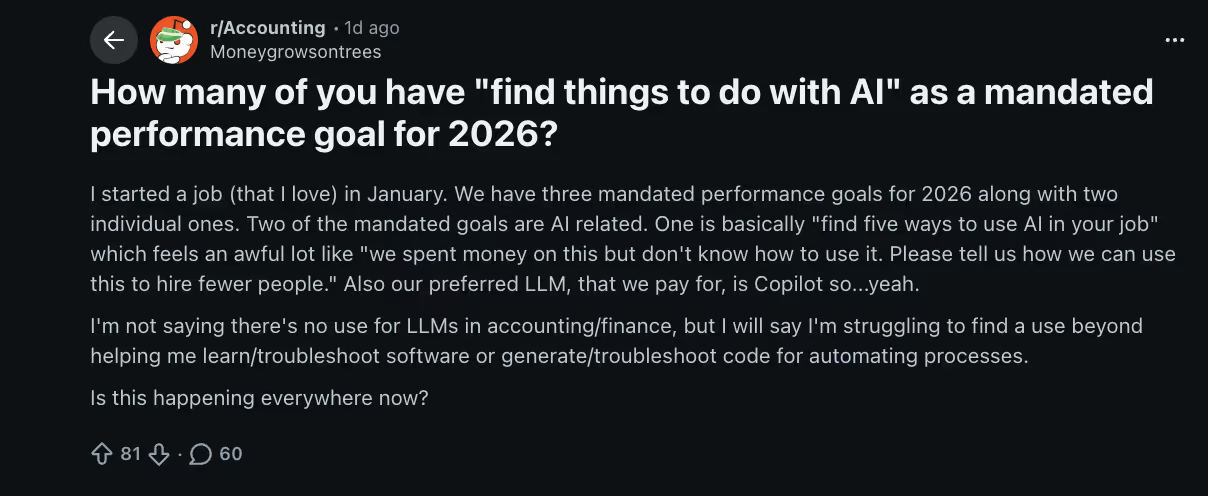
When you break it down, most real-world AI usage falls into a few clear categories:
- Automating repetitive admin tasks: One of the most common uses is simply offloading routine work. People are using AI websites to summarize meetings, draft emails, organize notes, update CRMs, and schedule follow-ups. Instead of spending hours on small operational tasks, the AI handles the first pass.
- Generating marketing and content assets: Marketing teams, founders, and creators are using AI websites to generate blog outlines, social posts, ad copy, images, and presentations. The AI usually produces the first draft quickly, which humans then edit and refine instead of starting from scratch.
- Conducting faster research with citations: Research is becoming dramatically faster. Tools like Perplexity and NotebookLM help users gather sources, summarize documents, and extract key insights. Instead of opening dozens of browser tabs, people can review structured research results in minutes.
- Building websites without developers: AI website builders are making it possible to launch simple sites without coding. Users can describe their idea and generate layouts, sections, and copy automatically. This has become especially popular with startups, small businesses, and solo creators.
- Replacing multiple SaaS tools with one AI website: Another growing trend is consolidation. Instead of switching between separate tools for writing, research, planning, and automation, people increasingly rely on a single AI website that can handle multiple types of work in one place.
- Improving productivity across remote teams: Remote teams are using AI websites to summarize discussions, capture action items, and share updates automatically. This reduces the need for long meetings and helps teams stay aligned even when they work across different time zones.
1. Lindy: Best versatile AI assistant
What it does: Lindy is an AI assistant designed to handle both personal and professional work that usually eats up your day. Instead of switching inboxes, calendars, and task lists yourself, Lindy steps in to manage those moving pieces and get work done.
Why users love it: People like Lindy because it quietly handles the small coordination tasks that slow down a workday. You can text it to schedule meetings, follow up on conversations, or pull context before a call. You interact with it through simple messages, so there’s no complex dashboard to learn. The best part? You stay in the loop while Lindy handles the complex tasks automatically.
Think of Lindy less like another dashboard and more like an AI teammate that works across your tools. You can ask it to research a company before a meeting, summarize a long thread, track down a file from an old conversation, or update records across your workspace.
Imagine you’re preparing for a client meeting tomorrow. You text Lindy, “Research Acme Corp before my meeting tomorrow and pull notes from my last conversation with them.”
Within seconds, Lindy gathers recent company updates, surfaces past emails and meeting notes, and highlights anything worth knowing before the call.
Lindy doesn’t just summarize meetings or collect notes. It can draft follow-up emails, update CRM entries, and schedule tasks automatically. Because it integrates with over 4,000 tools, those updates happen automatically across your workspace.
For busy professionals, Lindy starts to feel like a second brain. It keeps track of conversations, tasks, and updates across your tools so things keep moving even when you’re not actively managing them.
Key features
- iMessage-first interface: Lindy works through simple text-style conversations. You can manage emails, tasks, and schedules from one place without jumping between dashboards or learning new software.
- Enterprise-grade security: Lindy is built with privacy first. Your data stays under your control, encryption is standard, and approvals are built in for sensitive actions. It also follows major standards like GDPR, HIPAA, SOC 2, and PIPEDA.
- Voice-matched drafting: Over time, Lindy learns your tone and writing style. It drafts replies that sound natural and close to how you usually communicate.
- Dedicated support and onboarding: Lindy provides hands-on support and guided onboarding so enterprise teams can set things up quickly. Clear resources and help from the team make it easier to start using Lindy across your workflows.
- Model flexibility and monitoring: Lindy lets you choose which AI model powers your assistant. Built-in evaluation tools help test performance and keep responses reliable over time, while audit logs track actions and integrations so teams can easily review what changed and when.
Limitations
- Access requirements: Because Lindy acts as a proactive assistant, it needs access to your email, calendar, and other work tools to operate effectively.
- Short trial period: The free trial lasts seven days, which may not be long enough for some users to experience the full benefits of its personalized workflow memory.
Pricing
Lindy offers a 7-day free trial, so you can test the assistant with your own workflow before committing. After that, the main plan starts at $49.99/month for the Plus tier, which includes the core AI work assistant features.
Best alternative
Manus AI is a good alternative for users who want to hand off more involved, multi-step tasks. For example, it can browse the web, work inside logged-in tools, gather information, and return finished output instead of just giving suggestions. Lindy fits better when you want a conversational AI assistant to help manage day-to-day work across email, meetings, follow-ups, and CRM updates.
{{templates}}
2. ChatGPT: Best chatbot brainstorming ideas
What it does: ChatGPT works like a research analyst you can talk to. It handles multi-step reasoning, drafts professional emails, executes complex coding tasks, and restructures messy thoughts into clear narratives.
Why users love it: People stick with ChatGPT because of the cognitive gain. It genuinely helps you think better. ChatGPT also gives you different voice personas and lets you customize how it behaves and responds. Its memory system also tracks previous conversations, sometimes even your first message, which keeps long-term projects connected rather than resetting each session.

People use ChatGPT for nearly everything now. Drafting pitch decks, polishing CVs, breaking down contracts, mapping out new product ideas, etc. It’s become the go-to place for turning rough thoughts into structured work.
With the recent updates, ChatGPT introduced GPT-5.4 Thinking. When you turn it on, it doesn’t rush. It slows down and works through a problem step by step.
For example, I used it to compare three SaaS pricing models and stress-test their margins under different growth scenarios. Instant mode gave me a quick summary. Pro mode pointed out weak assumptions, highlighted risks, and walked through the logic more carefully.
ChatGPT also handles broader context now. You can upload up to 20 files in one message, which makes analyzing contracts, research papers, or product docs far smoother.
Key features
- Codex macOS app: A desktop command center for developers to manage multiple coding agents, run longer background tasks, and review clean diffs in an organized workflow.
- Interactive code blocks: Write, edit, and preview mini-apps or diagrams in real time using a split-screen code view directly inside chat.
- Agent mode: Allows ChatGPT to control a browser and autonomously complete multi-step tasks such as booking travel, shopping, or filling out forms.
- True multimodality: Generate Sora videos, create images with GPT Image 1.5, and hold real-time voice conversations without switching tools.
- Deep research: Run multi-step research workflows that cross-reference sources and return structured, cited reports instead of simple summaries.
- Canvas workspace: A dedicated space for writing and coding where you can edit specific sections without regenerating the entire response.
- Project knowledge base: Add Slack channels, Google Drive folders, or upload up to twenty files in one message to ground outputs in your own data.
Limitations
- Reliability and nuance: It can deliver overconfident answers, show formatting inconsistencies in long outputs, and miss subtle nuance without careful prompting.
- Relative context limits: The 256k token context window for Thinking models still trails competitors like Gemini’s 1-million-token capacity.
Pricing
ChatGPT has a free plan with limited GPT-5.3 access and capped usage. Paid plans start at $8/month for Go, which expands messages, uploads, and memory.
Best alternative
ChatGPT’s alternative depends on your main use case. Try Lindy if you want an AI assistant that can take action across your tools instead of just generating text. Choose Gemini if you need a much larger context window and tighter Google Workspace integration for heavy document work.
3. Perplexity: Best for research and search
What it does: Perplexity is an AI-powered research engine that automates research, data analysis, and multi-step workflows. It runs multiple searches at once, pulls information from different sources, and turns the findings into structured reports or spreadsheets.
Why users love it: People like Perplexity because it works in parallel. Instead of checking five tabs yourself, it researches multiple angles at once. It also shows its work in real time, so you can see which sources it’s reading and how the report is coming together. And the outputs aren’t just summaries. It can draft emails, build spreadsheets, and organize findings into something usable.
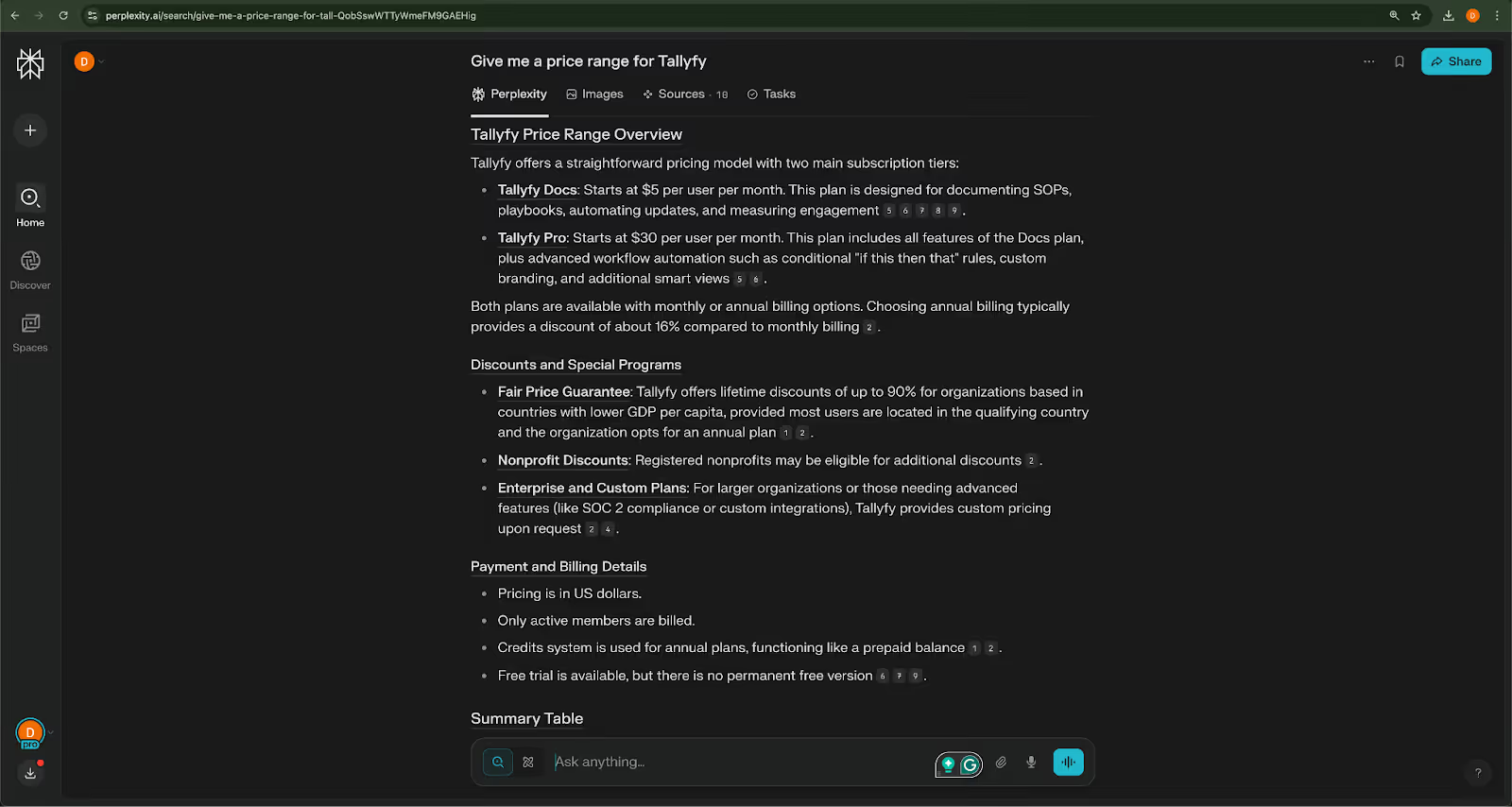
Whether you’re sizing a market, tracking competitors, or gathering background for a report, Perplexity saves you time. Instead of switching tabs and scrolling through PDFs, it pulls everything together and gives you structured, cited results you can actually use.
My brother keeps using Perplexity for his thesis. He’s a lit major writing a postmodern paper on absurdist literature, and he uses it to pull critical essays, trace themes across authors, and quickly compare interpretations without drowning in footnotes.
With Perplexity Computer, research turns into execution. It operates in a virtual workspace where AI agents don’t just gather information. They organize it, structure it, and complete multi-step tasks end to end.
It keeps getting better with each rollout. That said, some users on Reddit still feel the $200 Max plan is a stretch unless you’re replacing serious manual research work.
Key features
- Perplexity Tasks: Set recurring alerts for competitors, industries, or specific topics and get summarized updates automatically instead of repeating the same searches every day.
- Email assistant (Max plans): Helps organize your inbox, draft smarter replies, and handle scheduling without jumping between separate tools.
- Create files and apps: Turn research into editable documents, spreadsheets, presentations, or lightweight apps without leaving the workspace.
- Image generation: Generate or edit images directly inside search when you need quick visuals to support your research.
- Memory: Remembers past searches and preferences, so follow-up queries feel more connected instead of starting from scratch.
- Draw to search (Android): Sketch or highlight something on your screen to instantly trigger a visual search on mobile.
Limitations
- High financial barrier: Full access to Perplexity Computer and advanced reasoning requires the $200 per month Max plan.
- Messaging platform gaps: No direct integration with common mobile messaging apps like iMessage or Telegram for on-the-go task management.
Pricing
Perplexity has a free plan if you just want basic AI-powered search and light research. For more advanced features like Perplexity Computer, better research models, and automated monitoring tasks, you’ll need one of the paid plans. They start at $20/month and scale up for heavier professional use.
Best alternative
You.com is often seen as a potential alternative, especially since it lets you switch between different AI models and modes. But if you scroll through Reddit discussions, a lot of users still say they prefer Perplexity for serious research. You.com is flexible, but Perplexity feels more focused and reliable for extensive work.
4. Midjourney: Best for generating graphics and visuals
What it does: Midjourney is an AI image generator that creates high-quality, artistic, and realistic images from text-based prompts. It creates graphics, illustrations, and concept art with strong structural accuracy and artistic depth.
Why users love it: Compared to images from GPT or other multipurpose AI tools, Midjourney results usually have richer detail, stronger composition, and more polished textures. With style references and personalization, you can lock in a specific look. Instead of random images each time, it produces visuals that feel consistent across a project.
Back in 2022, Midjourney started as a small beta group on Discord. Today, it’s grown into a go-to AI website that creators use for serious creative and professional work.
The new web-based Create page makes everything cleaner and more controlled, especially if you’re managing large volumes of images.
For example, if you’re building a brand mood board or generating 200 product mockups, it’s much easier to organize, sort, and revisit your assets without the old Discord-style chaos.
V8 improves text rendering and structural coherence, which used to be weak spots. The new instruction-based Edit Model is the bigger shift. Instead of regenerating images and hoping for better results, you can now tell it exactly what to change.
Whether you're designing brand visuals, mood boards, or high-resolution prints, Midjourney now feels precise. That said, the highest-quality outputs can get expensive fast.
Key features
- 2K resolution mode: Generates high-definition images with significantly more detail, built for professional prints and premium visual projects.
- Instruction-based editing: Modify specific parts of an image using written directions instead of regenerating from scratch.
- Multi-image blending: Combine multiple reference images to merge compositions, styles, and color palettes into one cohesive output.
- Style and Omni references: Pin visual styles or objects so the model maintains consistency across different prompts and scenes.
- Smart organization folders: Create directly inside folders and use Saved Searches to automatically sort and manage large asset libraries.
- Integrated video animation: Turn static images into short, animated clips using the Starting Frame feature for added motion.
Limitations
- Premium resolution costs: The 2K mode costs significantly more per generation. This usually adds up for high-volume projects.
- Technical parameters: Advanced controls like image weighting and aspect ratios need learning specific syntax, which may overwhelm beginners.
Pricing
Midjourney offers four subscription tiers, starting with the Basic plan for $10/month. Higher tiers have perks like faster generation speeds, Stealth Mode, and more GPU hours, with annual plans offering a discount.
Best alternative
DALL·E is a simpler alternative, especially for users who already use ChatGPT. It’s easier to use conversationally and follows prompts closely, making it more approachable for beginners who don’t want to learn parameter-heavy controls. On the downside, you might not get an ideal result if you get lazy with the prompting.
5. Gemini: Best for Google Workspace users
What it does: Gemini is Google’s AI assistant built directly into Workspace. It helps you write, analyze large documents, process media files, and move between Gmail, Drive, Docs, and YouTube without switching tools.
Why users love it: People who already live inside Google apps find Gemini incredibly convenient. It works across Gmail, Drive, and even YouTube transcripts without copy-pasting. The multimodal support also stands out. You can upload text, audio, images, or video and get analysis in one flow. And with the 3.1 Pro model, its reasoning has improved noticeably, especially on logic-heavy tasks.
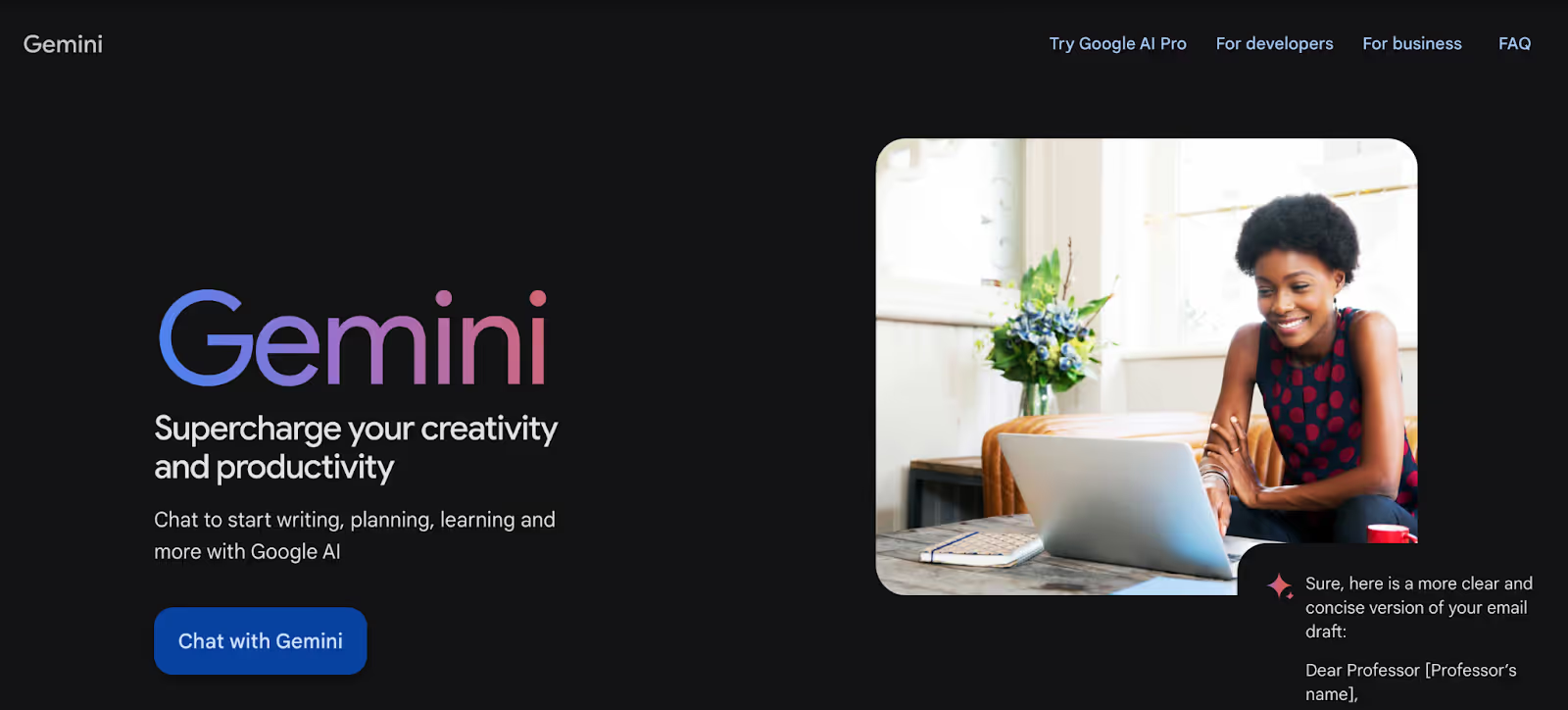
Gemini somehow keeps popping up in the conversation. Last year, it was Nano Banana grabbing attention for image generation. This year, it’s Lyria 3, Google’s new music generation model. Describe a vibe, say, “an upbeat indie pop anthem about a lonely sock finding its soulmate”, and Gemini turns it into a studio-like record.
The Gemini app itself feels easier to use now.
On your phone, you can adjust smart home settings, set reminders, send messages, or even use the camera to ask what you’re looking at. Gemini is starting to blur into how you control devices, search your own photos, tweak settings, or create media.
But I’ve also had sessions where Gemini just dragged. Just slower than I’d like when I’m in the middle of something. Especially in Thinking mode. You ask something simple, and it still takes its time.
I’m not the only one. Just check Reddit, and you’ll find a lot of people say the same thing. The answers are solid, sometimes great. But not every task needs that level of processing, and the wait can feel unnecessary.
Key features
- Massive 1-million token context: Gemini can process extremely large PDFs, datasets, or even full codebases in one go. You don’t have to split files into smaller chunks just to make them fit.
- Gems: Create reusable AI setups for tasks like budgeting, marketing planning, or study prep. Instead of rewriting instructions each time, you save them and reuse them.
- Nano Banana image studio: Generate polished visuals or professional headshots with strong prompt accuracy. You can also refine and edit images through simple conversational instructions.
- Audio overviews: Turn research papers or notes into podcast-style summaries you can listen to while commuting or reviewing material.
- Guided learning mode: Acts more like a tutor, walking you step by step through concepts instead of just giving direct answers.
- NotebookLM sync: Connect your private research files for more grounded responses. This keeps outputs tied to your own documents instead of generic summaries.
Limitations
- Video generation limits: Even on paid plans, high-quality video creation has daily caps.
- Slower advanced reasoning: The Thinking mode improves accuracy for math and code, but takes longer to respond.
Pricing
Gemini offers a free plan for basic chat and search tasks. Paid plans start at $7.99/month for Google AI Plus, while Google AI Pro starts with a one-month free trial and then moves to its standard paid tier at $19.99/month. More advanced access, including higher limits and premium features, is available through Google AI Ultra.
Best alternative
If Google integration isn’t your priority, Perplexity and Lindy are common alternatives. Perplexity leans into research depth, while Lindy acts like a personal assistant. It focuses on handling versatile tasks across apps rather than just analyzing information.
6. Zapier: Best for productivity automation
What it does: Zapier connects your apps and automates repetitive workflows without code. You start by setting up a trigger and an action. From there, Zapier handles things like sending new leads to your CRM, creating tasks from emails, or updating spreadsheets automatically.
Why users love it: Zapier has been a long-time favorite because it automates the repetitive work that teams quietly put off. That could mean turning form submissions into tasks, routing support tickets automatically, syncing data between tools, or sending reminders without someone babysitting the process. Just set a trigger, define an action, and it runs in the background.
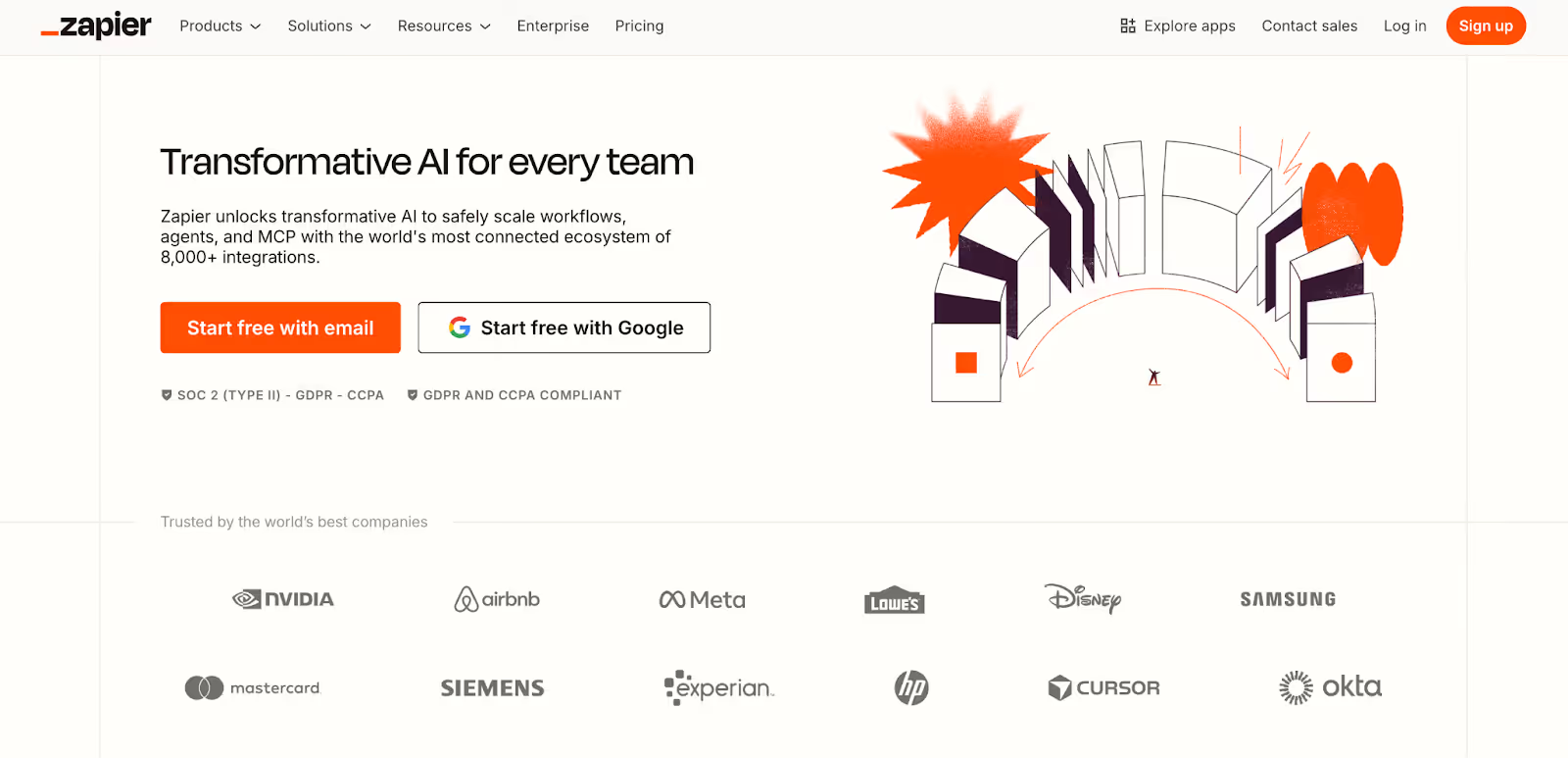
Zapier uses Zaps, which are basic if-this-then-that workflows connecting two or more apps. For example, when someone fills out a Typeform, their details go to HubSpot, a Slack alert is sent, and a follow-up task is created in Asana.
With 8,000+ supported apps, most teams do not need to change their stack to make this work.
It is especially helpful for small teams without dedicated ops support. A founder can automate onboarding emails. A marketing team can route inbound leads. A support team can auto-tag and assign tickets.
Though AI orchestration makes drafting workflows easier, you still need to review the logic yourself.
If something breaks, it usually comes down to configuration. The interface can also feel overwhelming for beginners.
Not to mention, multi-step Zaps chew through your task limits on lower plans. I’ve had basic workflows hit the cap faster than expected because every small step counts. On the free tier, especially, your credits run out pretty quickly.
Key features
- Zapier Copilot: Describe the workflow you want in plain language, and Zapier drafts the structure for you. You can refine it instead of building from scratch.
- Visual canvas: Map out your entire automation as a diagram before activating it. You see how data moves and where conditions apply.
- AI formatter tool: Pull structured information from messy emails, clean signatures, and standardize dates automatically before sending data into other apps.
- Autonomous AI agents: Build assistants that handle multi-step workflows, call other agents, and follow specific organizational rules without constant supervision.
- Zapier Tables: Store and manage structured data directly inside Zapier so your workflows don’t always depend on external databases.
- Advanced logic paths: Create conditional branches and filters so automations only run when specific criteria are met, instead of firing blindly.
Limitations
- Task limits add up fast: Every step in a workflow counts as a task, so the free 100-task limit disappears quickly.
- Complex logic can get overwhelming: Once you add multiple conditions or branching paths, it still requires careful setup, even with AI help.
Pricing
Zapier offers a free plan with 100 tasks per month and simple two-step workflows. Paid plans start at $29.99/month for multi-step automations, with team and enterprise tiers available for larger setups. You can also find add-ons for AI Agents and Chatbots.
Best alternative
Make often comes up for people who want more visual control over how their workflows are built. The interface feels more technical, but if you like tweaking logic and seeing every step laid out, it can be a better fit. If you’d rather keep things simple and just text an AI assistant to get things done, Lindy is the easier option.
7. Fathom: Best for meeting notes
What it does: Fathom joins your virtual meetings and takes notes for you. It records the call, generates a transcript, and turns the conversation into a structured summary with clear action items. Instead of scrambling to write things down, you get organized notes waiting after the meeting ends.
Why users love it: Fathom’s main appeal is honestly the free tier. You get unlimited recordings and transcripts, which is rare for an AI note-taker. Everything stays private by default, so nothing’s shared unless you choose to. And if you’re already using HubSpot or Salesforce, action items can sync automatically, which saves you from the usual post-meeting copy-paste routine.
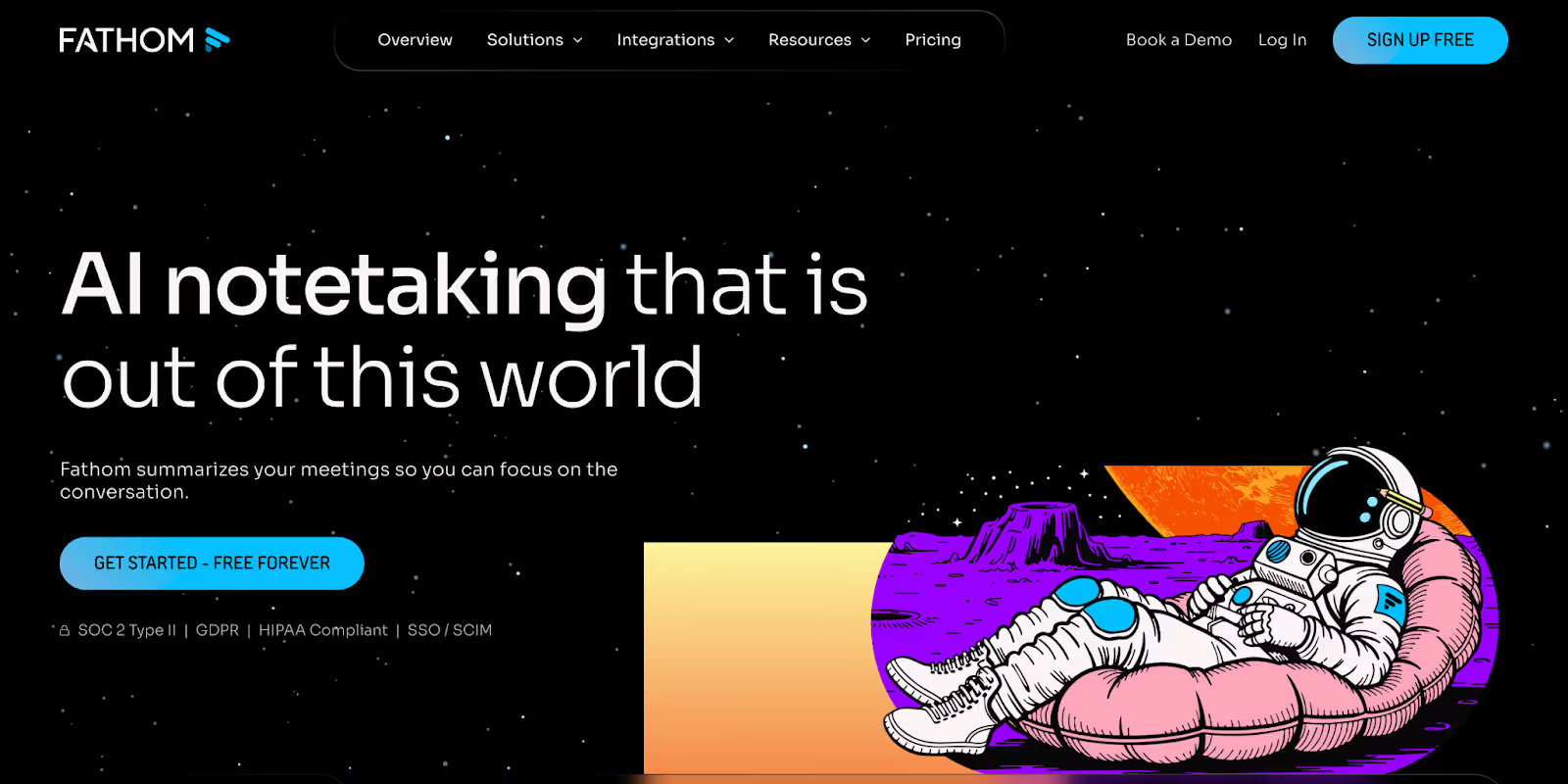
On a client call where pricing shifts, timelines change, and new requirements surface halfway through, it’s easy to miss something. Instead of scrambling to capture every detail, Fathom records the conversation and organizes it afterward.
When you open the summary, decisions and action items are already separated. If you’re looking for something specific, you can search the transcript instead of replaying the entire meeting.
For follow-ups, you can ask Fathom to draft an email based on what was discussed. Structured templates shape recaps differently for sales calls and internal interviews, so the output fits the context.
And if you’re like me and connect with clients and teams every day, the free plan starts to feel underwhelming.
Yes, Fathom covers the basics well. But once you start sharing calls with teammates, the limits show up. Agencies, sales teams, or anyone handling multiple clients will likely need keyword alerts and custom vocabulary, and those sit behind the paid plans.
Key features
- Cross-platform connectivity: Download the desktop app and extension, and Fathom joins Zoom, Microsoft Teams, or Google Meet automatically. You don’t have to change your meeting setup.
- Ask Fathom AI: Chat with your recordings in plain English. You can pull out decisions, draft follow-up emails, or revisit specific parts of the conversation instantly.
- Specialized summary templates: Apply structured templates for sales calls, interviews, or internal meetings. The summaries adjust to match the type of conversation you had.
- Live interaction widget: During meetings, you can mark action items or highlight key moments. Fathom keeps recording quietly while you stay focused on the discussion.
- CRM syncing: Action items don’t just sit in notes. They can automatically turn into tasks inside HubSpot, Salesforce, or Asana without manual copy-paste.
- AI Scorecards: Business plans include performance analytics and coaching insights. Teams can track communication patterns and identify areas that need improvement over time.
Limitations
- Processing delay: After a meeting ends, you’ll need to wait a few minutes before the full transcript and AI-generated summary appear in your dashboard.
- Advanced features paywalled: Automated keyword alerts, extended CRM field syncing, and performance analytics are limited to higher-tier paid plans rather than the free version.
Pricing
Fathom has a free forever plan with unlimited recordings. Paid plans start at $20/user/month for the Individual plan. Team pricing is $19/user/month with a two-user minimum, and Business costs $34/user/month with more advanced admin and data controls.
Best alternative
Otter.ai is a strong alternative if real-time transcription speed matters more. It works across web and mobile, supports in-person recordings, and offers detailed search across past conversations. If you’re looking for more of an AI assistant that can sit alongside meetings and help coordinate follow-ups across tools, Lindy is positioned differently.
8. NotebookLM: Best for document analysis
What it does: NotebookLM is a research assistant that reads your uploaded documents and answers questions strictly based on them. It helps turn dense material into summaries, study guides, FAQs, and structured insights.
Why users love it: NotebookLM is equally useful to a student as it is to a researcher, a marketer, or a data science engineer. The reason is simple. It acts like a focused research partner that only works with your material. Upload your documents, and it reads them, connects ideas, and answers with citations you can actually verify.
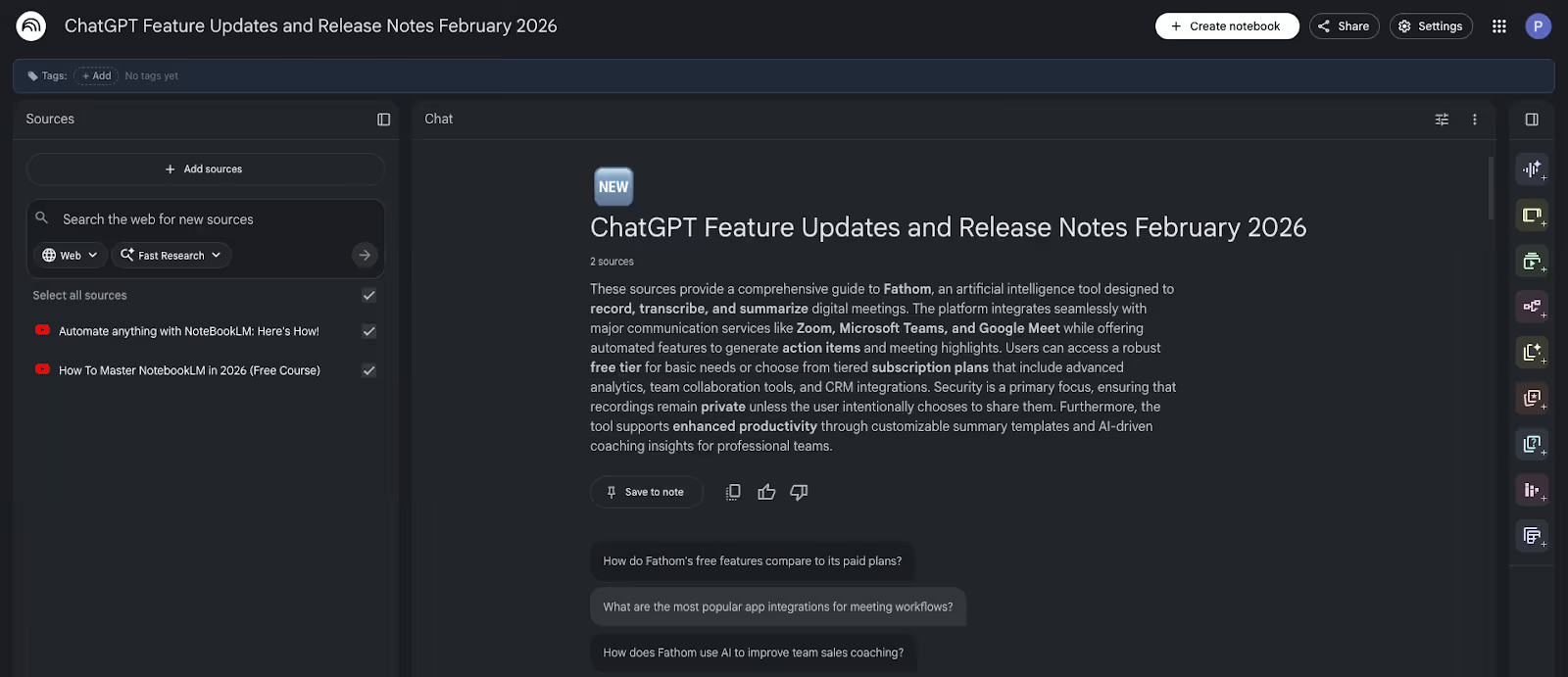
I’ve been using NotebookLM for a while, and it’s literally like my research workspace. You get to upload your PDFs, lecture notes, reports, or transcripts, and it works only with those. This saves you from endless prompting and hallucination issues, which GPT still struggles with.
Students can turn a semester’s worth of readings into study guides or quizzes. Analysts can pull structured insights from messy research folders. Writers can chat with their own material instead of flipping between tabs.
And there’s more. NotebookLM even throws up follow-up questions, which helps when you’re stuck staring at a paragraph thinking, “Okay, but what now?”
Open the Studio panel, and you’ll see different formats built around the same source set. One click turns your documents into a podcast-style overview. Another gives you a slide deck. You can generate a structured brief without rewriting anything.
Key features
- Interactive audio overviews: Generate AI-hosted podcasts from your documents, including debate or critique formats. You can even jump in and ask follow-up questions live.
- Dynamic video overviews: Create narrated explainer videos with charts and visuals to simplify dense research across more than 80 languages.
- Visual knowledge mapping: Instantly build interactive mind maps linking themes across documents, then click nodes to explore deeper with follow-up chats.
- Professional slide decks: Turn long reports into structured presentation slides with auto-generated charts, useful for classes, workshops, or internal briefings.
- Custom Studio reports: Produce long-form briefs or training-style documents tailored to your notebook’s subject instead of generic summaries.
- In-depth web research tool: Pull in additional web sources directly inside the tool, generate reports, then add vetted material into your document library.
Limitations
- Source and collaboration limits: Large research projects hit the source cap quickly, forcing you to split work across notebooks. There’s no true real-time collaboration either, so teams still have to switch external tools.
- Limited editing and integrations: Audio Overviews cannot be trimmed or edited once generated, and exports are basic. There’s no API or direct integration layer, so moving insights into other tools often means manual copy-paste.
Pricing
NotebookLM is free to use with standard limits, including up to 50 sources and core features like audio overviews. For more headroom, you’ll need a Google AI plan, with pricing starting at $7.99/month for Google AI Plus. Pro and Ultra plans add better models, higher limits, and priority access.
Best alternative
If you want something more integrated into your daily writing workflow, Notion AI is a solid alternative. It blends note-taking and generative drafting inside the same workspace. While NotebookLM is stronger for document-grounded research and citation-heavy work, Notion AI feels smoother for everyday brainstorming, outlining, and task-linked writing.
9. Shortwave: Best for email management
What it does: Shortwave is an AI-powered email client built to turn your inbox into a structured task list. It uses intelligent triage, natural language commands, and tight calendar syncing to help you clear, schedule, and respond without drowning in threads.
Why users love it: People turn to Shortwave because they’re simply tired of managing cluttered inboxes. It brings order to the chaos by surfacing important emails first and bundling newsletters or low-priority updates together. Long threads get summarized, so you’re not endlessly scrolling. Over time, the inbox starts feeling manageable instead of overwhelming.
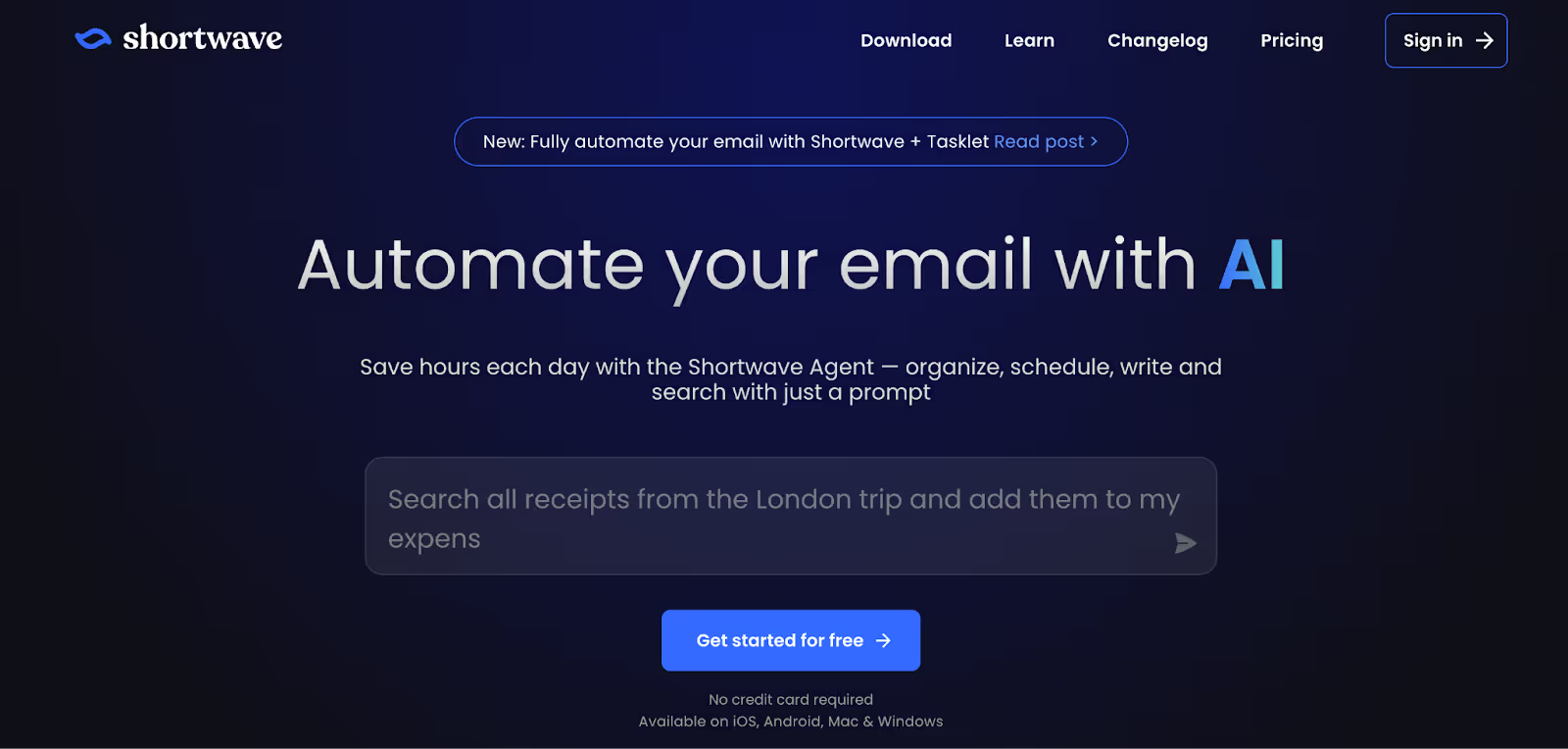
Shortwave feels like a modern revival of Google Inbox, but more disciplined. It pushes you to treat your inbox like a workspace that needs clearing before real work begins. Messages are bundled and triaged into action-oriented lists so important emails do not get buried under newsletters and updates.
The AI Assistant sits in the sidebar, ready to summarize long threads or schedule meetings using natural language.
For teams, shared labels and private comments turn email into a searchable collaboration space without screenshots or back-and-forth forwarding.
Say you run a small SaaS team. Billing complaints, product feedback, random cold pitches, and newsletters all hit the same inbox. With AI filters, you set simple rules once. Billing emails get labeled and starred. Cold outreach gets archived. Product discussions surface as important. Instead of reacting all day, your inbox quietly sorts itself.
Key features
- Inbox Splits: Divide your inbox into focused sections like clients, newsletters, or custom filters. You handle each category on your own time instead of everything competing for attention at once.
- AI-Powered Search: Ask questions in plain English to find buried details or specific attachments. You don’t need to remember exact keywords or dig through endless threads.
- Delivery Schedules: Decide when emails actually land in your inbox. Non-urgent messages can arrive later, so your day isn’t constantly interrupted.
- Team Collaboration Threads: Share live email threads with teammates and comment privately inside the conversation. It cuts down forwarding chains and messy screenshots.
- Smart Bundling: Related emails get grouped into one clean item. You can archive, snooze, or delete entire bundles in a single move.
- AI Writing & Autocomplete: Draft replies in your tone with suggestions that pull context from past emails. It feels less like auto-fill and more like assisted writing.
Limitations
- Gmail-Only Support: Shortwave works exclusively with Gmail accounts, so users on other email providers cannot use it as a full replacement.
- Cluttered Interface: The density of AI tools, sidebars, and chat panels can feel crowded if you prefer a simpler, minimalist inbox.
Pricing
Shortwave offers a free personal plan with limited search history and a small email signature. The Pro plan costs $18 per seat/month and unlocks extended search history and advanced AI features.
Best alternative
Superhuman is a strong alternative for professionals who want a fast, minimalist inbox experience with advanced keyboard shortcuts. It focuses more on speed and precision than on extensive AI automation. For high-volume Gmail or Outlook users who prioritize responsiveness over automation features, it is a compelling option.
10. Teal: Best for resume building
What it does: Teal is an AI-powered career website that combines an ATS-optimized resume builder with a job application tracker. It helps you tailor resumes and manage your entire job search in one place. On top of that, it offers a wide range of free tools, so you can build, edit, and download resumes.
Why users love it: Teal holds a 4+ rating on Trustpilot, and most reviews appreciate its structure. People rely on Teal to organize their job search instead of managing spreadsheets, drafts, and scattered reminders. Honestly, the combination of a resume builder, version tracking, and a follow-up system is the main selling point.
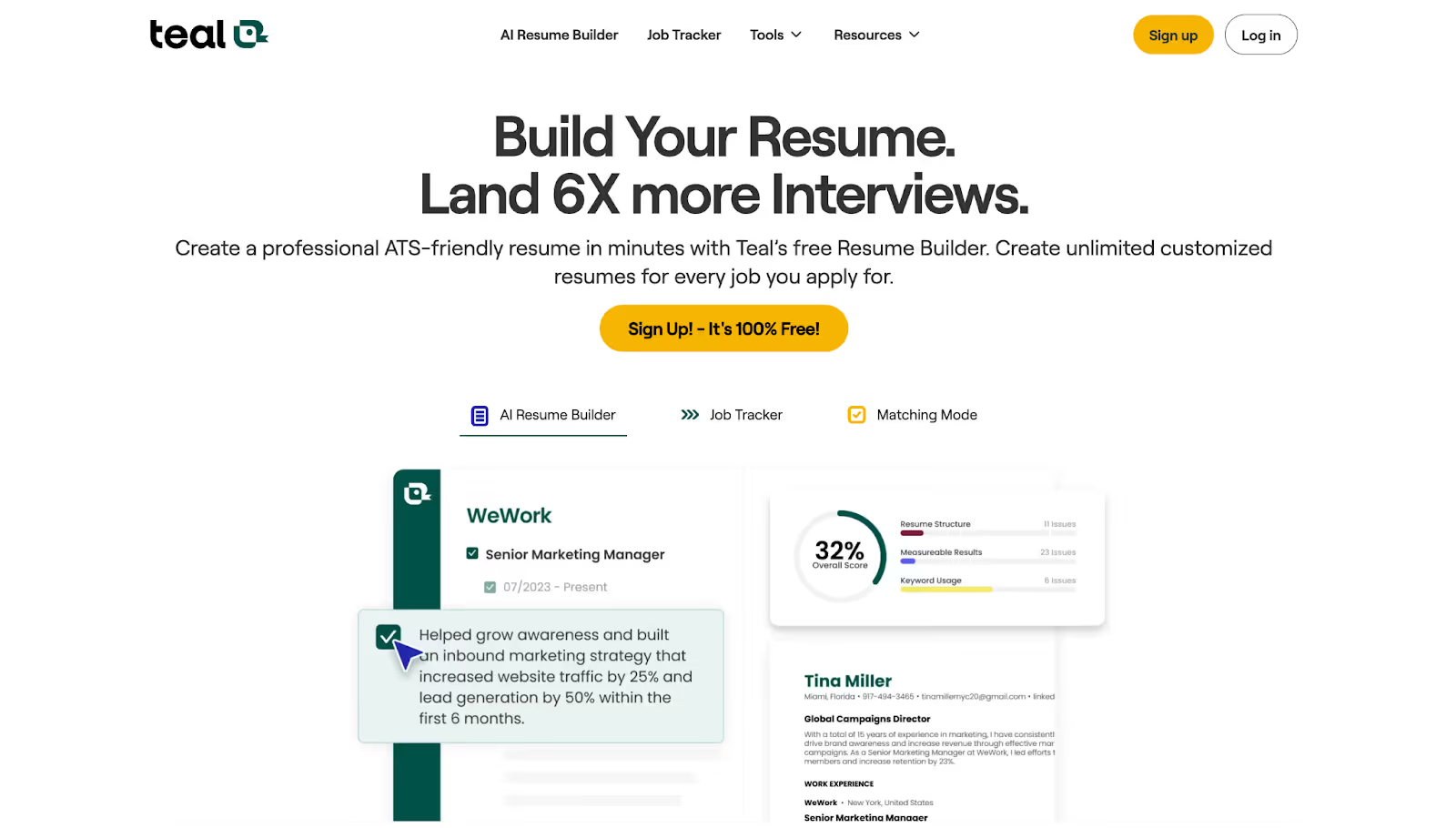
Most job seekers are not short on experience. They struggle with translating that experience into something Applicant Tracking Systems can understand. Teal focuses directly on that gap. Instead of starting from a blank page, you get metric-driven bullet suggestions based on your background.
The Chrome extension lets you save job postings from over 40 boards directly into your tracker.
Everything syncs with your resume versions. It replaces scattered spreadsheets with a structured system, complete with match scoring and keyword suggestions.
But if you ask me, aside from the free tools and that huge template library, beginners would probably love Teal for its resources alone. They don’t just hand you a builder and leave you there.
In fact, my sister, who’s not much of a tech geek, watched a few of their YouTube videos and started using Teal on his own. There are walkthrough videos as well as dedicated playlists for getting started.
Key features
- Real-time match scoring: Compares your resume against a specific job description and gives you a clear alignment score. It then highlights prioritized suggestions so you know exactly what to fix first.
- Achievement-focused bullet generator: Turns basic job duties into metric-driven bullet points. It pushes you to show results with percentages, revenue impact, or time saved instead of vague responsibilities.
- LinkedIn profile integration: Import your professional history directly from LinkedIn or an existing PDF. It gives you a structured draft instantly, so you are not starting from scratch.
- Automated cover letter writer: Generates job-specific cover letters in seconds. The drafts are tailored to the role and reflect the employer’s stated requirements.
- 15-factor resume analysis: Runs a detailed audit of your resume. It flags formatting gaps, weak verbs, and structural issues that could hurt your credibility.
- Strategic keyword scanner: Extracts essential hard and soft skills from job postings. It shows you exactly where to add them so your resume passes ATS filters.
Limitations
- Premium Feature Paywall: Advanced AI suggestions, deeper keyword insights, and premium templates require a Teal+ subscription.
- AI Credit Restrictions: Free users receive limited AI credits, which can restrict automated content generation for heavy users.
Pricing
The core resume builder and job tracker are free forever, with unlimited resume versions and downloads. Teal+ costs $13/week and unlocks advanced analysis, premium templates, and expanded AI features.
Best alternative
LinkedIn Resume Builder is useful if you want to quickly generate a resume directly from your profile. It is convenient and fast. However, it lacks Teal’s match scoring, keyword scanning, and job tracking system, making it more suitable for simple, standardized applications rather than targeted, ATS-focused submissions.
11. Claude: Best for creative writing and coding
What it does: Claude is built for serious writing and complex thinking. It handles long-form projects without losing consistency and supports advanced reasoning. Claude can work with your files, browser, and even your terminal, making it useful for writers, developers, and teams who need more than surface-level assistance.
Why users love it: Writers like Claude because the prose feels nuanced and human. It avoids the stiff, boilerplate tone that creeps into other models. Developers and researchers like it because it doesn’t choke on big projects. And then there’s Cowork. This feature acts on tasks by organizing files or processing documents directly on your machine.

With Opus 4.6 and Extended Thinking mode, Claude handles multi-step reasoning and keeps consistency across long texts. Depending on plan and deployment, Claude supports context windows from around 200,000 tokens up to one million tokens in select higher-tier and API configurations.
A one-million-token context window helps maintain thematic consistency across large manuscripts. In my research, I found a writer on YouTube walking through how they used Claude to plan a whole book without losing the plot halfway through. It clicked for me why people like Claude for long-form work.
If you’re a developer, this is where Claude gets practical.
Upload project files once through the Files API and stop pasting context every time. Citations show exactly where answers came from. Structured outputs return clean JSON. Skills let you bake in internal standards so it responds like it actually knows your codebase, not just the internet.
Claude Code also lives in the terminal. So refactoring, debugging, or even pushing GitHub PRs feels built into your workflow.
Key features
- Autonomous Cowork agent: Executes multi-step tasks directly in your local folders. It can organize screenshots or reconcile invoices into clean, structured spreadsheets without manual sorting.
- Claude Code terminal: Lives inside your terminal and helps triage issues or refactor code. It can even submit GitHub pull requests without leaving your development workflow.
- One-million token context: Upload extremely large datasets, even book-length material. Claude maintains detailed reasoning without losing track of narrative threads or technical logic.
- Live research investigations: Runs systematic, multi-angle web searches across hundreds of sources. It delivers structured, cited reports within minutes.
- Claude in Chrome: A browser extension that summarizes selected websites. It can extract live data and generate performance-style reports directly from active pages.
- MCP plugin skills: Add specialized workflows through marketplace or GitHub integrations. This allows tailored processes like resume generation or sales pipeline management.
Limitations
- Usage credit management: High-powered tasks and large-context queries can consume credits quickly, requiring users to wait for reset cycles.
- Desktop persistence requirement: Cowork and terminal-based tasks require the desktop app to remain open, or the execution stops.
Pricing
Claude comes with a free plan that works across iOS, Android, and desktop, so you can use it pretty much anywhere. Paid plans start at $20/month and give you access to other Claude models, priority access during peak times, and integrations like Claude in Excel and PowerPoint.
Best alternative
Gemini 3 is a strong alternative if you prioritize speed and Google integration at a lower cost. While it may not match Claude’s long-form endurance, it performs well for concise reports, structured reasoning, and everyday productivity tasks. And if you’d rather just text an AI assistant and have it actually get work done across your tools, Lindy is a solid option to consider as well.
12. Framer: Best AI website builder (no-code)
What it does: Framer is a no-code website builder that turns plain-English prompts into responsive, interactive websites. You describe what you want, and it generates structured layouts, components, and a live site you can publish without touching code.
Why users love it: Framer combines design flexibility with AI-assisted layout generation for modern web experiences. Designers like that it doesn’t box them into rigid templates. Startups use it to move from design to live site without relying on engineering for every update. The AI also solves the blank canvas problem by generating full structures, so you refine instead of starting from zero.
Instead of dragging blocks into fixed grids, Framer lets you design freely and watch it publish clean, live code in the background. With new AI updates, you get a ready-made first draft in minutes. You describe your industry, audience, or layout goals, and it builds sections in real time.
I love how Framer works equally well across different layouts. The tablet and phone versions are generated automatically, so you don’t have to rebuild everything. And you can still fine-tune them to get the spacing and readability right.
For teams, the live canvas becomes a collaboration space. Comments happen directly on the design, so feedback moves faster than static mockups. There is a learning curve if you want full layout control.
But once you get it, the output looks custom and not template-heavy. However, these pre-made templates can be limiting, too.
A friend who used Framer for his portfolio noticed the site slowing down as he added more components. In his case, it was a GIF section with testimonials and reviews added, and that alone started affecting loading speed.
Key features
- AI component generator: Describe what you need, like a gallery or contact form. Framer generates a styled, responsive component that you can adjust instantly.
- Dynamic CMS collections: Manage blog posts or product listings from one central hub. Any update automatically reflects across all connected pages.
- Wireframer layout tool: Block out page structures quickly to focus on hierarchy and flow. It helps align with clients before refining visual details.
- Advanced hosting & multi-site: Host multiple projects under one unified domain. Set custom headers for stronger branding and security control.
- Design system elements: Create reusable components with multiple variants, such as button styles. This keeps visual consistency across complex multi-page sites.
- Built-in SEO & performance tools: Automatically generates sitemaps and handles lazy loading. You also get a search preview to see how pages appear in results.
Limitations
- Learning curve: The creative freedom comes with complexity. It takes time to fully understand advanced layout controls compared to simpler builders.
- AI layout polish required: AI-generated sections provide structure fast. But they often need manual edits and brand-specific imagery to feel unique.
Pricing
Framer offers a free plan that’s good for learning the tool and building simple site drafts. Paid plans start at $15/month for the Basic tier, which lets you connect your own domain and publish a live site.
Best alternative
Webflow is better suited for teams that want better control over HTML and CSS structures. It’s more technical and scalable for complex, database-heavy builds, while Framer leans into a faster, design-first workflow.
Other AI websites you should have a look at
If you’re working with audio, design, writing, automation, or research, there are a few more tools worth knowing about. Tools like ElevenLabs, Canva AI, Grammarly, Gamma, Descript, Otter, Make, and Elicit each focus on solving a specific problem really well.
13. ElevenLabs: Best for AI voice generation
If you’ve ever used older text-to-speech tools, you probably remember voices that sounded flat and robotic. ElevenLabs is a big leap from that. You type a script, and the voice that comes out actually sounds natural, with pauses, tone shifts, and emotion that make it feel like a real person speaking.
A lot of creators use it for narration. You’ll see it powering YouTube videos, podcasts, audiobooks, and even product demos. Instead of hiring voice actors for every project, people can generate high-quality voiceovers on demand.
You can also design voices, adjust tone and pacing, or even clone your own voice using short recordings. Then there’s a speech-to-speech feature, where you record your voice and swap it for another style while keeping the same rhythm. For creators, it’s like having a voice studio built into your laptop.
14. Canva AI: Best for quick marketing design
Instead of complicated tools and layers, in Canva, everything works through simple drag-and-drop controls.
The layout revolves around the left sidebar. That’s where you grab photos, icons, shapes, and text elements, then place them directly onto the canvas. Frames help images snap neatly into position, which makes layouts feel polished without much effort.
The newer Magic Studio tools add an AI depth to the process.
You can remove backgrounds from images, reposition subjects using Magic Grab, or generate design variations in seconds. It speeds up tasks that used to take several steps in traditional design software.
For small businesses, the Brand Kit keeps logos, fonts, and colors organized so every graphic stays consistent. Whether you're creating social posts, presentations, or quick marketing visuals, Canva keeps the process simple and fast.
15. Grammarly: Best for writing clarity and tone correction
Grammarly has evolved far beyond a basic grammar checker. Today, it works more like a writing assistant that helps you refine not just what you say, but how it sounds to the reader.
Before sending an email or message, Grammarly predicts how the tone might be interpreted. It might flag that something sounds too abrupt, unclear, or overly formal.
There’s also a Humanizer tool that rewrites stiff paragraphs so they sound more conversational. It’s especially helpful when AI-generated drafts or quick messages feel robotic.
Students benefit from features like the AI assignment checker, which compares your response against a prompt to see whether you actually addressed the question.
And if you switch to Spanish or French while typing, Grammarly adjusts instantly and offers suggestions in that language.
16. Gamma: Best for AI-powered presentations
Gamma changes the way presentations are created. Instead of starting with a blank slide deck, you can start with your content, notes, bullet points, or even a link. Within seconds, Gamma generates slides with layouts, headings, and images already in place.
Since the interface uses cards instead of traditional slides, editing feels smooth.
If a section looks too dense, you can ask the AI to shorten it or make it more visual. Gamma restructures the slide automatically, saving you from manually adjusting formatting.
Another useful feature is Presenter Mode, which shows talking points on your screen while the audience only sees the slides. This helps you stay on track without cluttering the presentation itself.
For people who build decks often, Gamma dramatically reduces the time spent on formatting and layout, letting you focus more on the story you're trying to present.
17. Descript: Best for podcast and video editing
Editing video traditionally means dealing with timelines, clips, and audio waveforms. Descript approaches content creation differently by turning video editing into a text editing process. Once you upload your recording, Descript automatically transcribes everything that was said.
From there, editing works like a document. If you delete a sentence in the transcript, the corresponding part of the video disappears as well.
Instead of scrubbing through footage, you scroll through text and make adjustments quickly.
Descript also includes several helpful AI tools. Like, the Studio Sound improves audio quality, so recordings made on basic microphones sound clearer and more professional. It can also remove filler words and awkward pauses automatically.
For creators publishing on YouTube or podcasts, features like Layouts add visual elements such as captions or zoom effects with minimal effort.
18. Otter.ai: Best for live meeting transcription
Otter captures conversations so you don’t have to take notes manually. Once connected to your calendar, the OtterPilot assistant can automatically join Zoom and Google Meet calls; for Microsoft Teams, participants may need to admit Otter manually.
As people speak, the transcript appears live on screen. The system also identifies speakers, which makes long discussions easier to review later. If someone shares slides, Otter captures screenshots and inserts them directly into the notes.
After the meeting, the transcript becomes searchable. Instead of replaying a long recording, you can simply ask the AI questions like “What deadlines were discussed?” and it pulls the relevant section instantly.
Using Otter, your team can also create action items directly inside the transcript, turning discussions into trackable tasks.
19. Make.com: Best for visual workflow automation
Make is a workflow automation tool designed for people who want powerful automation without writing code. It connects thousands of apps and lets you build automated processes visually.
Each workflow is built as a scenario made of connected modules. When data enters the system, it moves from one module to the next, triggering actions in different tools like Slack, Gmail, or a CRM.
Make works with logic. It has routers and filters that allow different paths depending on conditions. For example, you could notify your team only when a YouTube video crosses a certain view threshold. Likewise, you can use iterators and aggregators for cleaning and organizing messy data before sending it to other systems.
For smaller teams, especially, automation like this can dramatically expand what a few people can accomplish.
20. Elicit: Best AI for academic research
Elicit is built specifically for academic research, especially tasks like literature reviews and source discovery. Instead of returning generic summaries, it focuses on extracting structured insights from research papers.
You begin with a research question. The system searches academic databases and gathers relevant studies, then organizes them into a table showing methods, results, and citations. This makes it easier to compare findings across multiple papers.
Researchers often use Elicit to screen large numbers of studies quickly. The interface highlights which papers directly address your topic and which ones only mention it briefly.
If you already have a specific paper, you can upload the PDF and chat with it. The AI can summarize findings, identify limitations, or explain specific sections.
How I selected these AI websites
Over the last two weeks, I tested more than 40 AI tools across writing, research, design, productivity, and automation. The goal wasn’t to chase hype. It was to see which AI websites actually hold up when you try to use them in real work.
To keep things fair, I tracked every tool in a scoring sheet and evaluated them across multiple criteria:
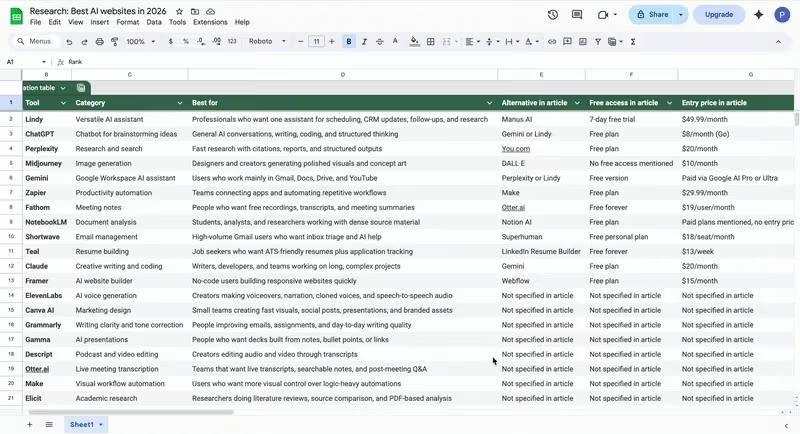
Here are the main factors I considered:
- Practical usability in real workflows: A lot of AI tools look impressive in demos but fall apart once you try to use them daily. I tested each website inside real tasks like writing articles, summarizing research, organizing emails, generating images, or automating simple workflows.
- Output quality and reliability: Speed is nice, but accuracy matters more. I looked at how consistent the outputs were, whether the AI hallucinated information, and how often the results actually needed fixing.
- Feature depth and versatility: Some tools are great at one thing but limited beyond that. Others can handle multiple tasks inside the same interface. I evaluated how much real capability each website offered once you moved past the basic features.
- Pricing transparency: AI pricing can get confusing quickly. I checked whether tools clearly explained their limits, credits, and upgrades, and whether the paid tiers felt reasonable compared to what you get.
- Community adoption and sentiment: Tools that survive usually have strong communities. I looked at how widely each product is used and what people say about it across reviews, forums, and real workflows.
- Use-case dominance: Finally, I asked a simple question. Is this one of the best tools for its specific job? For example, Midjourney dominates AI art, while Perplexity excels at research. The goal was to highlight the strongest option for each category.
The result is the shortlist you see in this guide. Instead of listing every AI website out there, I focused on the tools that consistently delivered the best results in real testing.
Try Lindy: The AI assistant you can text to get work done
Lindy is one of the best conversational AI assistants out there. Instead of configuring triggers or building complex systems, you simply tell Lindy what you need in a conversational tone.
Whether it’s managing your inbox, scheduling meetings, updating your CRM, or following up with leads, Lindy handles it.
Here’s what that looks like in practice:
- Get answers instantly: Text Lindy to pull information from your email, calendar, or CRM without digging through tabs.
- Send emails and follow-ups automatically: Ask Lindy to draft, personalize, and send outreach and handle replies.
- Take meeting notes and share summaries: Lindy joins meetings, writes structured notes, and sends action items afterward.
- Update your CRM without manual entry: After a call, Lindy logs notes and fills in missing fields automatically.
- Find and qualify leads in minutes: Tell Lindy your ideal customer profile and get curated lead lists ready for outreach.
- Works with 4,000+ integrations: Lindy connects with the tools you already use, so everything stays in sync.
{{cta}}
FAQs
What are the best AI websites in 2026?
The best AI websites in 2026 are ChatGPT, Claude, Lindy, and Otter. ChatGPT is best for writing, research, and problem-solving. Claude is strong for long-form thinking and document work, Lindy is best for getting work done across your tools, and Otter is great for recording and summarizing meetings.
Are AI websites free to use?
Yes, many AI websites are free to use, at least with basic limits. Most websites offer a free plan so you can test features before committing to a subscription. However, advanced capabilities like larger usage limits, premium models, or automation tools usually require a paid plan.
Which AI website is best for productivity?
Lindy is the best AI website for productivity because it helps manage daily work across your inbox, calendar, CRM, and other tools. You can use it to schedule meetings, update records, follow up with leads, and handle repetitive tasks without jumping between apps.
What AI website is best for research?
Perplexity is the best AI website for general research because it helps you gather sources, summarize findings, and get structured answers quickly. If you’re doing academic research or literature reviews, Elicit is the better fit. And if you want an AI assistant that can pull insights from your emails, documents, or meetings while helping with everyday work, Lindy is another strong option.
Can AI websites replace SaaS tools?
AI websites can replace some SaaS tools for basic tasks like writing, research, and automation, but they cannot fully replace specialized SaaS platforms. Dedicated tools still offer deeper features for areas like project management, analytics, design, and customer support.
Are AI websites safe to use?
Yes, AI websites are generally safe to use, especially when they come from well-known parent companies. Most of these companies follow standard security and privacy practices. Still, it’s a good idea to avoid sharing sensitive information and always review how each tool handles your data.











Blog
Related Articles
.avif)


.avif)

%20(1).png)
%20(1).png)

The AI assistant that runs your work life
Lindy saves you two hours a day by proactively managing your inbox, meetings, and calendar, so you can focus on what actually matters.
