


I Tested AI Note-Taker Tools in 2026: These Are the Top 7


After testing popular AI note taker tools across sales calls, team syncs, and client meetings, these 7 stood out for their transcription accuracy and integrations. Read my detailed reviews to help you decide which one to choose depending on your use case in 2026.
What is an AI note taker?
An AI note taker is software that records meetings, transcribes conversations, and turns them into searchable notes, summaries, and action items. They integrate with platforms like Zoom, Google Meet, or Microsoft Teams to capture discussions automatically and organize them for later review.
AI note-takers usually work in three ways:
- Join meetings as a bot and record the conversation
- Record audio locally from your device during the call
- Process recordings you upload after the meeting
Top 7 AI note takers: At a glance
I focused on each tool, what it’s best for, whether it joins calls as a bot, and what you can expect in terms of integrations and pricing. Here’s a side-by-side comparison of the top AI note taker apps:
Let’s now explore these in detail.
1. Lindy: Best AI assistant for meeting notes and follow-ups
What it does: Lindy is an AI assistant you can text to take meeting notes, summarize conversations, and handle follow-ups. Instead of just generating a recap, Lindy can send summaries, assign action items, and update your tools based on what happened in the meeting.
Who it’s for: Lindy is best for founders, operators, and teams that want more than notes. If you regularly leave meetings with tasks to assign, emails to send, or CRM updates to make, Lindy fits naturally into that workflow.
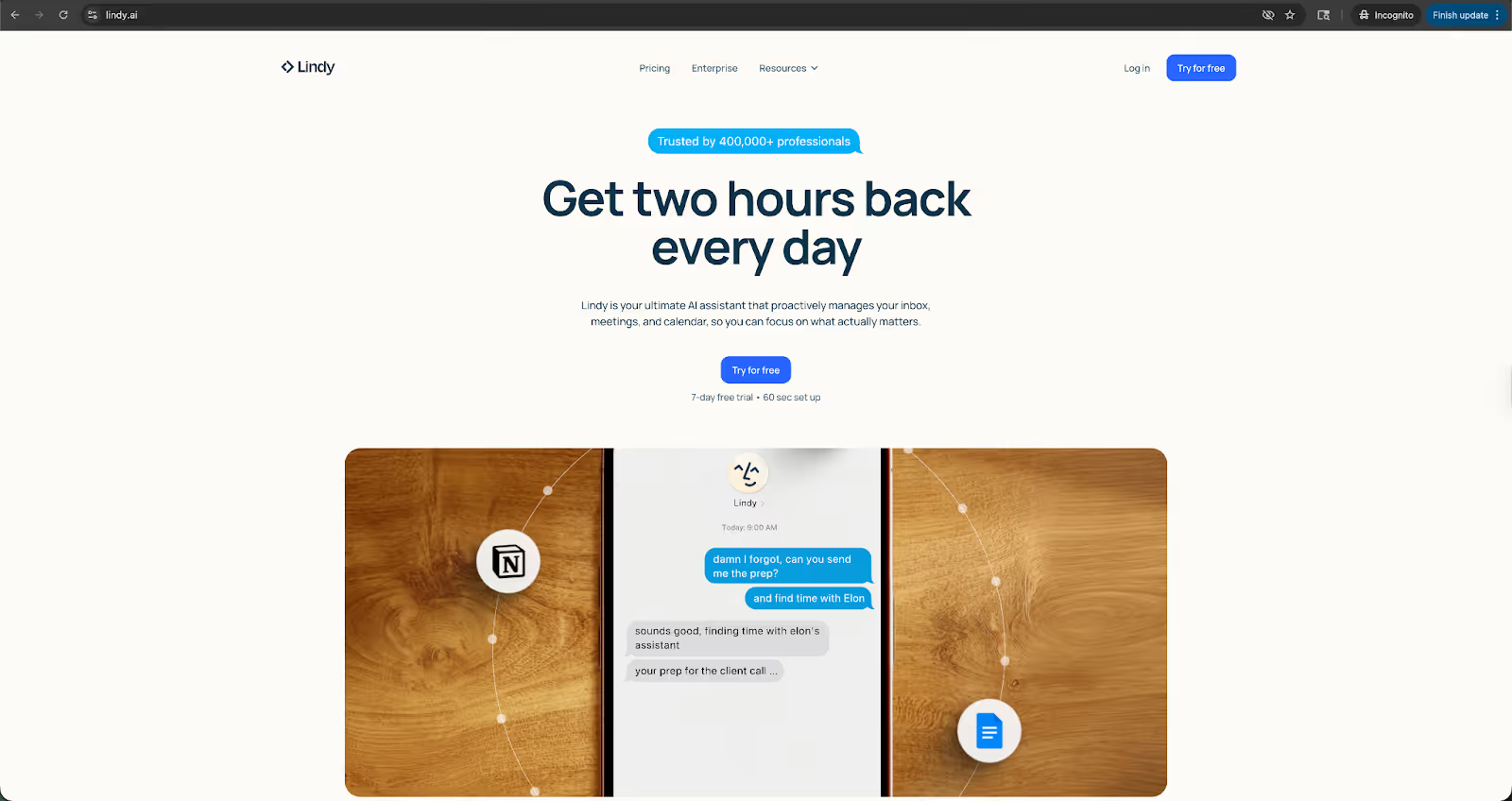
I tested Lindy during a mock client strategy call I set up with my colleague. It produced clean and structured summaries, but what stood out was what happened after. Instead of copying notes into Slack or drafting follow-up emails manually, I could simply tell Lindy what to send and to whom.
In one case, I asked Lindy to send a recap to the team and assign action items. It handled the follow-up without me switching between tools. Lindy feels less like a passive note recorder and more like texting an assistant to take care of the admin work.
Key features
- AI-generated meeting summaries and structured notes
- Action item extraction and task assignment
- Automated follow-up emails and Slack updates
- CRM updates after calls
- Works without adding a meeting bot
- 4,000+ integrations with business tools
- Ready-to-use templates for post-meeting tasks like summarizing, assigning tasks, and more
- SOC 2 and HIPAA compliant for privacy-focused teams
Pros
- Does more than transcripts and executes tasks, follow-ups, and summaries
- iMessage Lindy about the tasks on iPhone or Android
- No visible bot joins meetings
- Simple, assistant-style interaction
- Strong integration ecosystem
- Human-in-the-loop control for edge cases
Cons
- More powerful than needed if you only want transcripts
- Requires initial setup to align with your tools
- Higher starting price than basic note takers
Pricing
- No free plan, only a 7-day free trial
- Paid plans from $49.99/month, billed monthly
Bottom line
If you just want a transcript, there are simpler AI note-taker tools. But if you want an assistant that helps you capture meeting notes and then handles the follow-ups automatically, Lindy stands out.
{{templates}}
2. Otter: Best for real-time team collaboration
What it does: Otter is an AI note taker that joins your meetings, records conversations, and generates real-time transcripts with searchable summaries and action items.
Who it’s for: Otter works best for teams that want a shared, searchable meeting archive. It’s useful for fast-moving startups, internal teams, and anyone who needs live captions during meetings.
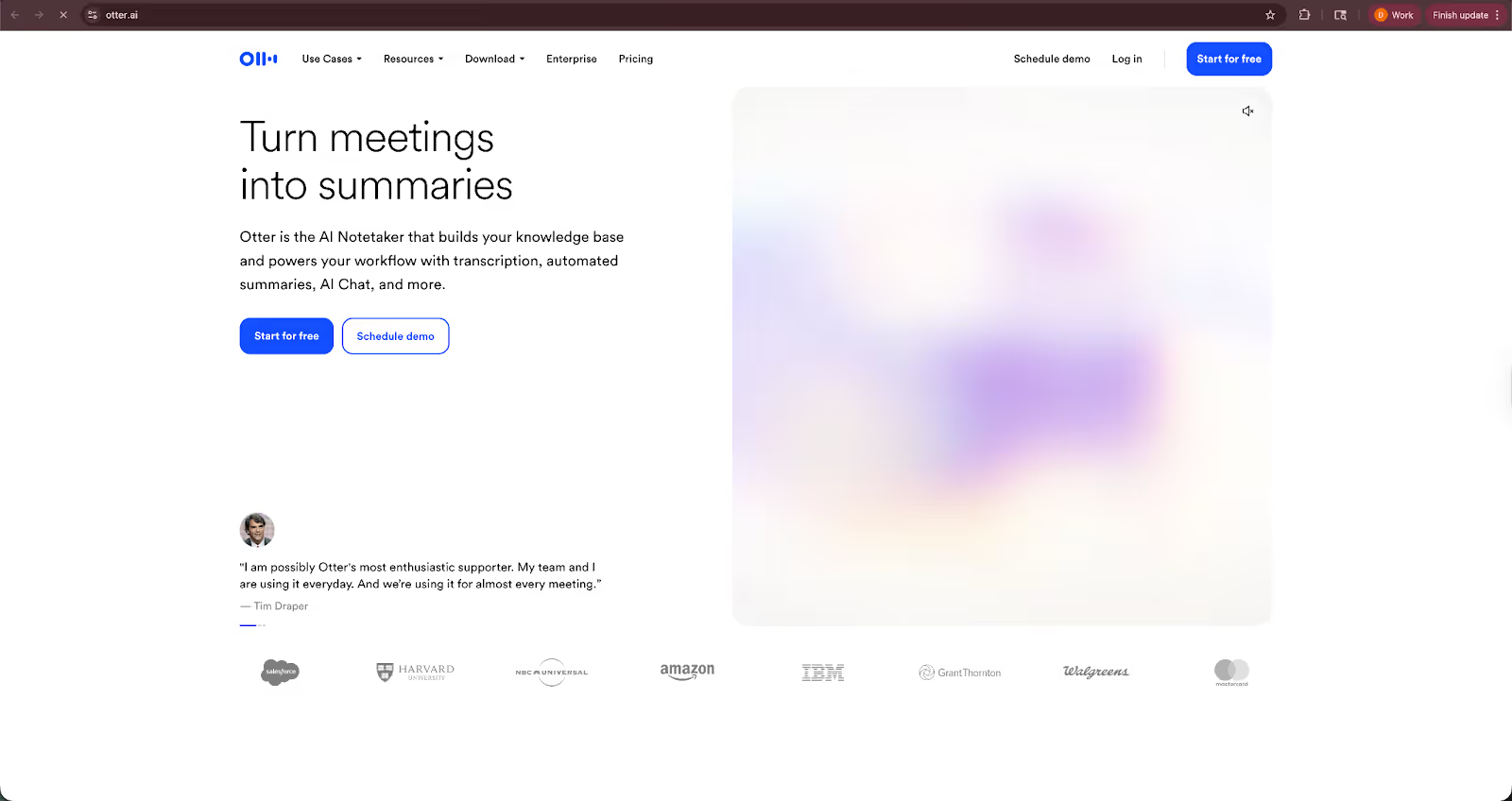
I tested Otter across internal planning calls and a sales demo. The live transcription is fast and surprisingly readable, even when speakers talk over each other. The searchable transcript and keyword highlights make it easy to jump back to specific moments without rewatching a full recording.
However, Otter struggled to label speakers during noisy discussions. It occasionally mixed up speakers when two people jumped in quickly. The summaries are great for high-level recaps, but I still found myself checking the transcript for nuance before sending notes externally.
Key features
- Real-time transcription during Zoom, Google Meet, and Microsoft Teams calls
- Automated meeting summaries with key takeaways
- Action item detection
- Speaker identification
- Searchable meeting library
- Team workspace with shared folders
- Integrations with tools like Salesforce and HubSpot
Pros
- Fast, accurate live transcription
- Strong search functionality across past meetings
- Easy sharing for teams
- Reliable free plan for light users
Cons
- Requires a bot to join meetings
- Inaccurate speaker identification in fast-paced discussions
- Summaries may miss subtle context
Pricing
- Free plan with 300 monthly transcription minutes
- Paid plans from $16.99/user/month, billed monthly
Bottom line
If you want a reliable AI note taker that captures meetings in real time and builds a searchable archive for your team, Otter is a good option. Just be comfortable with a meeting bot joining your calls.
3. Fireflies.ai: Best for CRM-heavy sales teams
What it does: Fireflies.ai joins your meetings, records and transcribes conversations, and then syncs summaries, notes, and action items into tools like Salesforce and HubSpot.
Who it’s for: Fireflies is best for sales teams, revenue ops, and customer success teams that live inside their CRM. If your priority is logging calls, tracking deal insights, and keeping records clean, it fits naturally into that workflow.
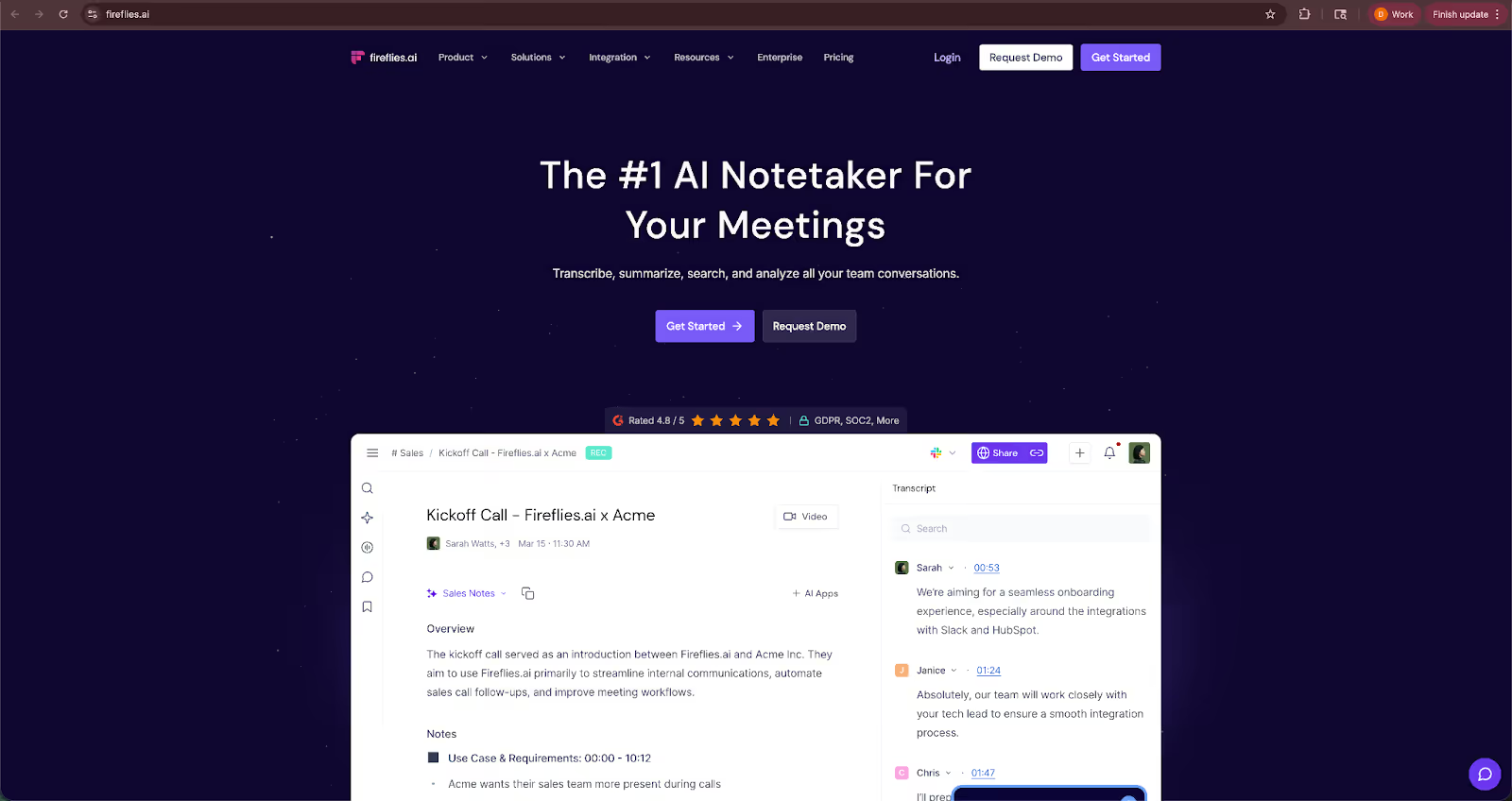
To test Fireflies, I set up a mock sales discovery call and a client onboarding session with one of my colleagues. The transcription quality was on par with Otter, and the AI-generated summaries were more structured around objections, next steps, and key talking points.
Where it stood out was CRM sync. It pushed notes and call data into the CRM with minimal manual cleanup, which saves time for reps. The interface, though, feels slightly more utilitarian. Fireflies is capable, but not as polished as some newer tools.
Key features
- Automatic meeting transcription
- AI summaries with call insights
- Action item and task detection
- CRM integrations with Salesforce, HubSpot, and Pipedrive
- Collaboration tools with comments and highlights
- Search across meetings and keywords
Pros
- Strong CRM integrations
- Structured summaries for sales conversations
- Good transcription accuracy
- Generous free plan
Cons
- Requires a bot to join meetings
- The interface can feel busy
- Some advanced features locked behind higher-tier plans
Pricing
- Free plan with unlimited transcription minutes
- Paid plans from $18/seat/month, billed monthly
Bottom line
If you want the meeting data synced directly into your CRM, Fireflies is a practical AI note taker tool. It suits revenue teams that care about structured insights, not just transcripts.
4. Krisp: Best for noise-free meetings with built-in transcription
What it does: Krisp reduces background noise on calls and can also record, transcribe, and summarize meetings without sending a visible bot into the conversation.
Who it’s for: Krisp is best for professionals who deal with frequent background noise, like remote workers, consultants, and teams in busy environments, and want cleaner audio alongside meeting transcripts.
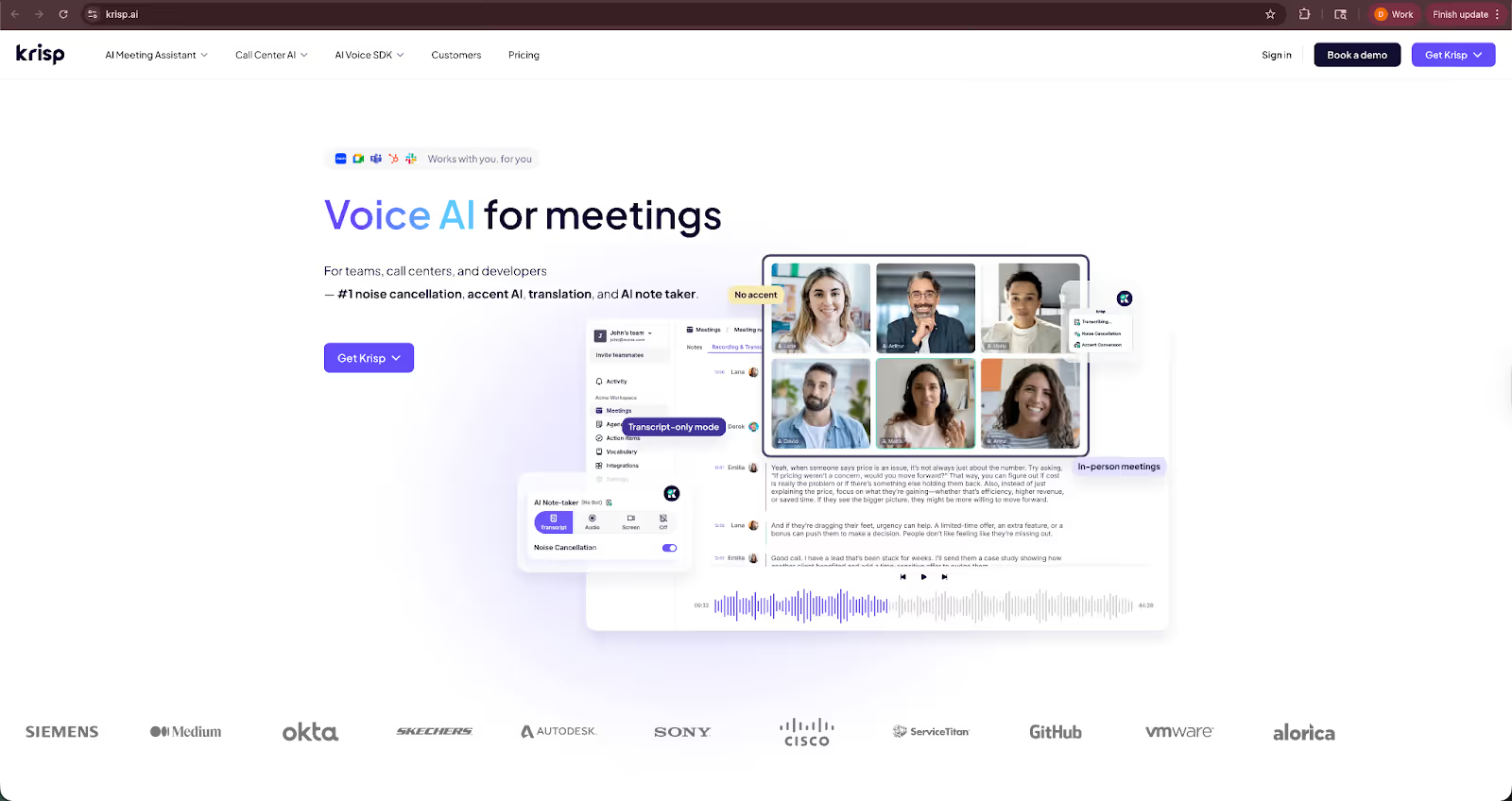
I tested Krisp during a call with background typing and ambient noise intentionally left on. The noise cancellation was the standout feature. The voices came through clearly, and it noticeably reduced the distractions.
The transcription quality was good for straightforward conversations, though not as detailed as Otter or Fireflies when it came to structured summaries. It feels more like a productivity add-on than a dedicated meeting intelligence tool. For everyday calls, it does the job well.
Key features
- AI noise cancellation for speaker and listener
- Meeting transcription and summaries
- Speaker identification
- Works across Zoom, Google Meet, and Teams
- No visible meeting bot required
Pros
- Excellent noise cancellation
- No bot joins the meeting
- Simple interface
- Useful for remote setups
Cons
- Transcription not as structured as sales-focused tools
- Fewer CRM integrations
- Some features limited to paid plans
Pricing
- No free plan, only a 7-day free trial
- Paid plans from $16/user/month, billed monthly
Bottom line
If clean audio is your top priority and you want transcription with it, Krisp is a practical AI note taker. It’s not the most advanced for CRM syncing or analytics, but it keeps meetings clear and documented without adding a bot to the call.
5. Tactiq: Best for live captions inside Google Meet and Zoom
What it does: Tactiq provides live transcription and AI-generated summaries during meetings, primarily through a browser extension that works with Google Meet, Zoom (web), and Microsoft Teams.
Who it’s for: Tactiq is best for individuals who live in Google Meet or browser-based Zoom calls and want lightweight, real-time captions without adding a visible meeting bot.
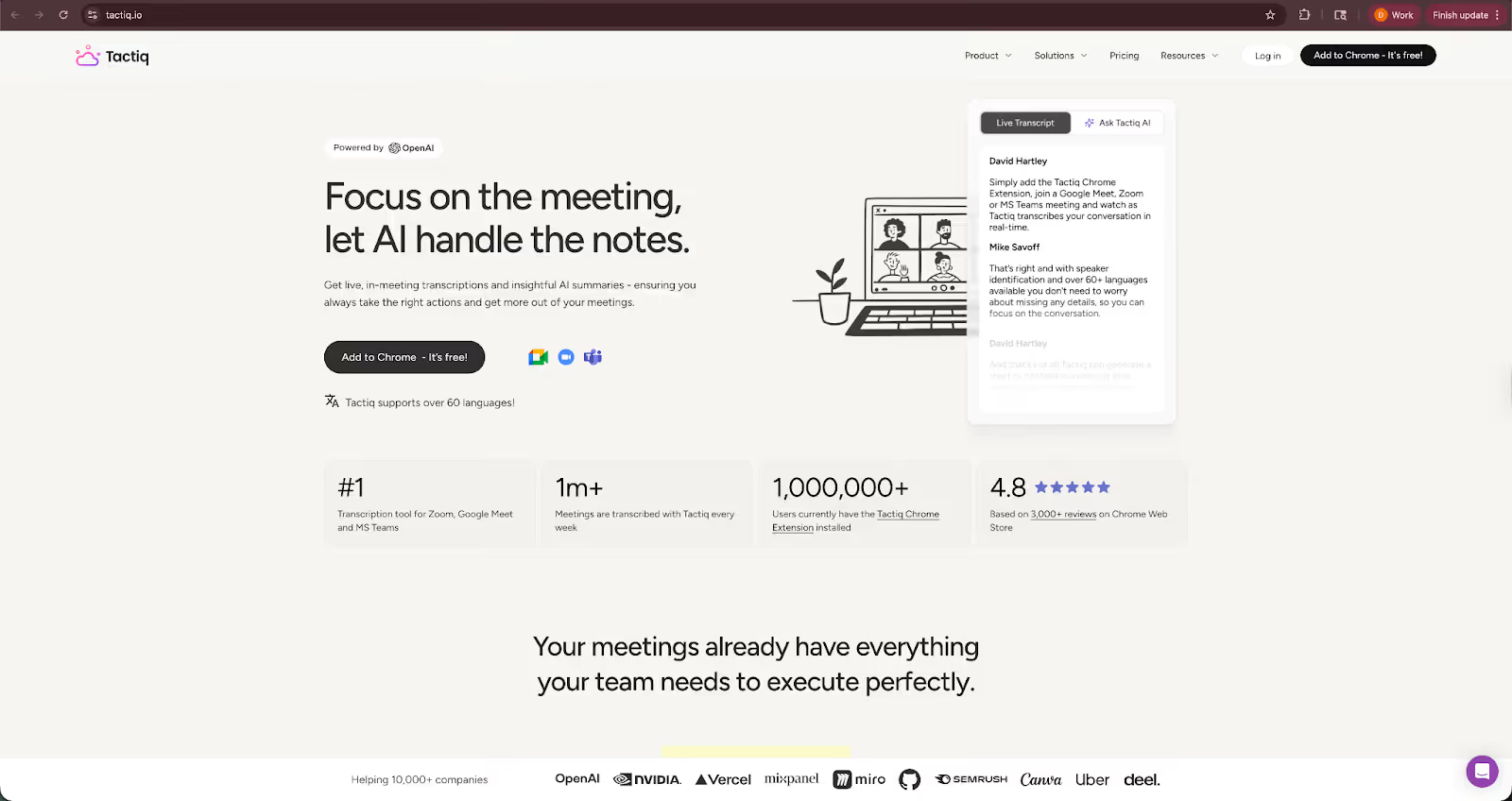
I tested Tactiq during a Google Meet strategy session and a short Zoom web call. The real-time captions appear directly on the side of the screen, which makes it easy to highlight important moments as the conversation happens.
The summaries are decent for quick recaps, especially for internal meetings. However, since it relies on a browser extension, it feels more limited than full meeting intelligence platforms, especially if your team uses desktop apps or switches devices often.
Key features
- Live transcription inside Google Meet, Zoom, and Teams (browser-based)
- AI-generated summaries and follow-up notes
- Highlight and tag important moments during the call
- Speaker identification
- Export transcripts to Google Docs or other tools
Pros
- No bot joins the meeting
- Lightweight and easy to activate
- Real-time captions during calls
- Simple export options
Cons
- Limited to browser-based meetings
- Fewer CRM integrations
- Not ideal for complex, multi-tool workflows
Pricing
- Free plan with 10 transcripts/month
- Paid plans from $12/user/month, billed monthly
Bottom line
If you want a simple AI note taker that works directly inside your browser and gives you live captions without a meeting bot, Tactiq works well for teams. Just keep in mind it’s best suited for lightweight use, not full-scale sales operations.
6. Fathom: Best free AI note taker for sales calls
What it does: Fathom joins your online meetings, records and transcribes conversations, and generates AI-powered summaries with clear highlights and next steps.
Who it’s for: Fathom is best for sales reps, founders, and customer success teams who want structured summaries without paying upfront. It’s particularly appealing for teams running frequent discovery and demo calls.
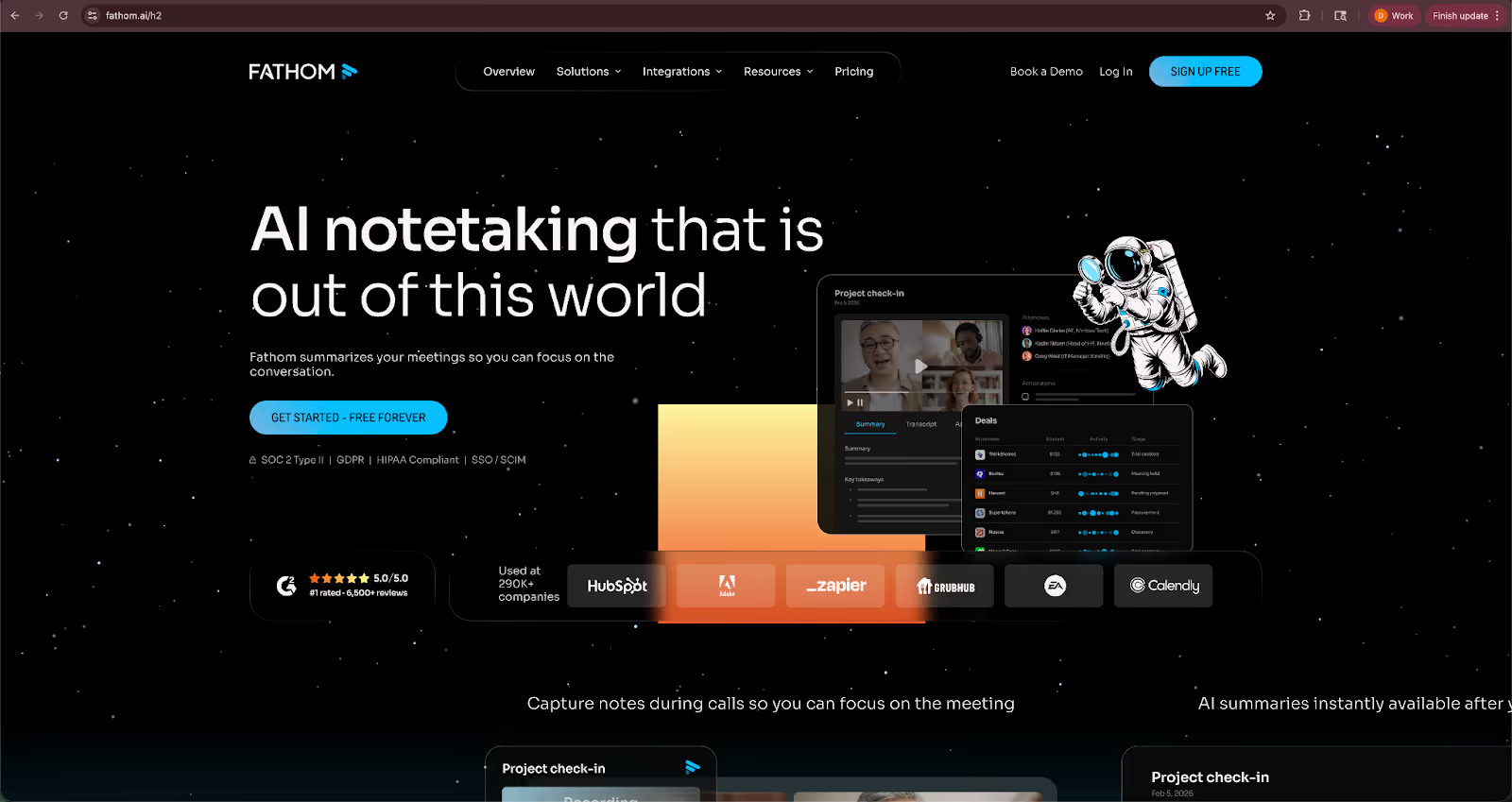
I tested Fathom during a simulated product demo and a follow-up sales call. The summaries were clean and well-organized, often broken into sections like pain points, objections, and next steps, which makes sharing recaps simple.
One thing I appreciated was how easy it was to grab short clips from a call and send them to teammates. That said, since it relies on a meeting bot, it’s not ideal if your clients are sensitive to extra participants joining the call.
Key features
- Automatic Zoom recording and transcription
- AI-generated summaries with structured sections
- Highlight key moments during the call
- Clip and share short video snippets
- Basic CRM integrations
Pros
- Strong free plan
- Structured, sales-friendly summaries
- Easy sharing of call highlights
- Simple setup for non-technical users
Cons
- Requires a bot to join meetings
- Primarily focused on Zoom
- Limited functionality outside sales use cases
Pricing
- Free plan with unlimited recordings and transcriptions
- Paid plans from $20/user/month, billed monthly
Bottom line
If you’re in sales and want a free AI note taker that delivers structured call summaries and easy sharing, Fathom is a solid starting point. Just make sure you’re comfortable with a bot joining your Zoom meetings.
7. Granola: Best minimalist AI note taker for founders
What it does: Granola records your meetings locally and turns them into structured notes and summaries, without sending a bot to join the call.
Who it’s for: Granola is best for founders, operators, and small teams who want simple, well-written meeting notes without heavy CRM workflows or intrusive bots.
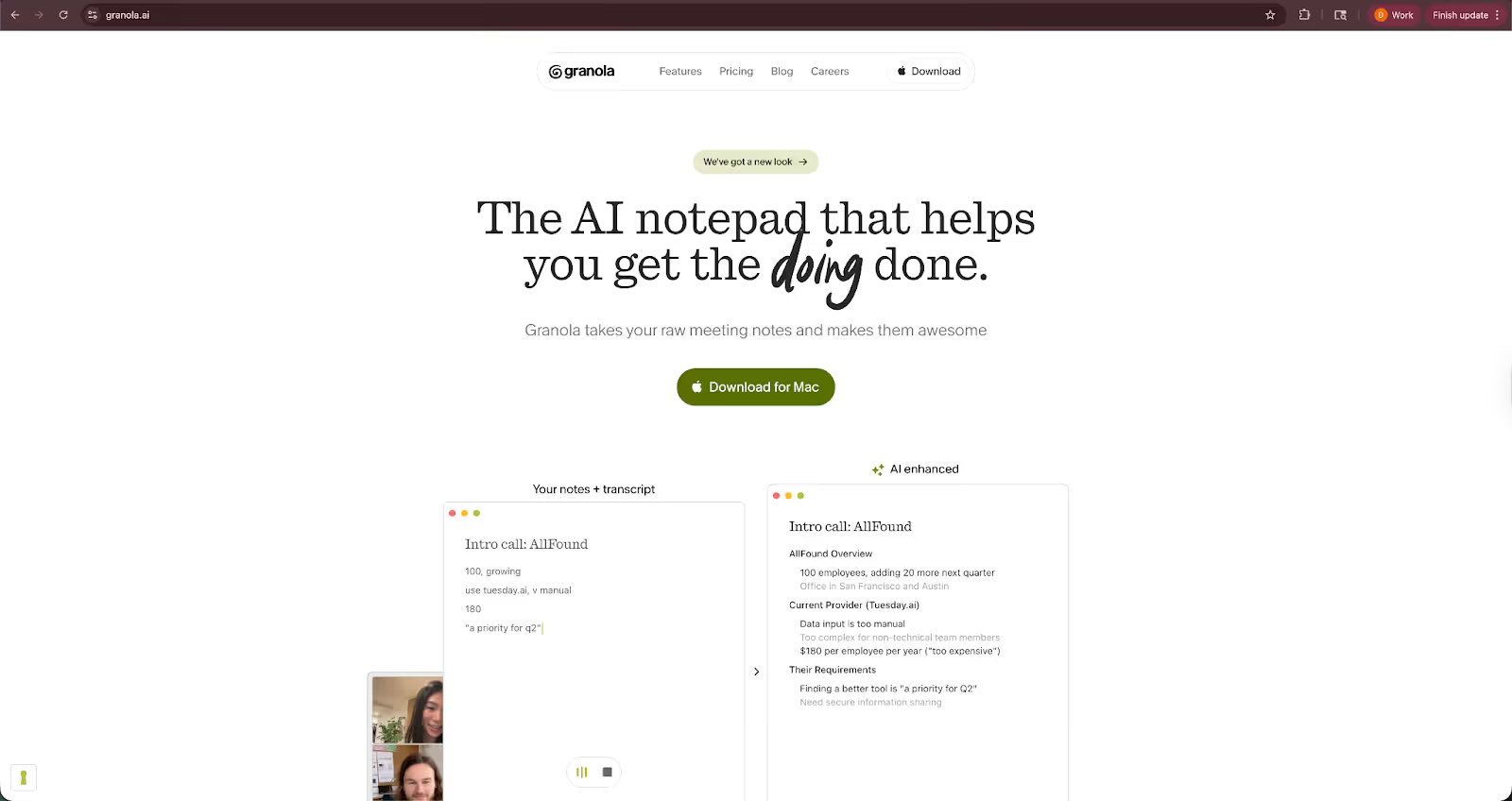
I tested Granola during an internal planning call and a one-on-one check-in. The interface is refreshingly minimal, with no clutter or dashboards packed with analytics. After the meeting, the notes look more like thoughtfully structured summaries than raw transcripts.
It doesn’t try to overwhelm you with deal intelligence or call scoring. That makes it lighter and easier to adopt, but also less suited for large sales teams that need deep CRM syncing.
Key features
- Bot-free meeting recording
- AI-generated structured summaries
- Clean, distraction-free interface
- Basic organization of meetings and notes
- Designed for individual and small-team use
Pros
- No bot joins your meetings
- Minimal, easy-to-use interface
- Clear and readable summaries
- Good fit for founder-led teams
Cons
- Limited CRM integrations
- Fewer analytics and sales-focused features
- Not built for enterprise-scale workflows
Pricing
- Free plan with limited capabilities and limits
- Paid plans from $14/user/month, billed monthly
Bottom line
Granola works well for teams that want a simple AI note taker that captures meetings without adding complexity. It’s especially appealing for founders and small teams that care more about clean notes than CRM automation.
{{templates}}
How I tested these AI note takers
I tested each AI note taker in mock calls I set up with my colleagues, including a sales discovery call, an internal planning session, and a technical discussion with interruptions and overlapping speech.
After each meeting, I reviewed the transcript, summary, and follow-up flow to see how much manual cleanup was required. Here’s what I looked for:
Transcription accuracy
I compared transcripts against the actual recordings to check how well each tool handled fast speakers, cross-talk, and industry jargon. I paid attention to speaker labeling errors and how often I had to correct names or misheard phrases.
Summary quality
I reviewed the AI-generated summaries to see whether they captured key decisions, objections, and next steps, not just a generic recap. I also checked whether the tool clearly separated the action items or buried them inside paragraphs.
Workflow impact
I measured how much time each tool saved after the meeting. Did I still need to copy notes into Slack, manually update the CRM, or draft follow-up emails? Is the tool capable of reducing those extra steps?
Ease of use
I evaluated how quickly I could set up the tool, connect it to Zoom or Google Meet, and start recording. I also looked at how intuitive it was to search past meetings and share notes with others.
Additional factors I considered
These weren’t the primary testing criteria, but they matter depending on your team. Here are those parameters:
- Pricing clarity: I reviewed free plan limits, storage caps, and per-user pricing to understand how costs scale as meeting volume increases.
- Integrations: I checked how well each tool connected with CRMs, email platforms, and collaboration tools.
- Bot presence: I noted whether a visible bot joined the meeting and how that might affect client-facing calls.
Which AI note taker should you choose?
The right AI note taker depends on how you run meetings and what happens after them. Some tools focus on transcripts and searchable archives, while others excel at CRM-heavy sales teams. A few go further and help you handle post-meeting tasks automatically.
These scenarios may help you decide:
Choose Lindy:
- If you want more than meeting notes
- If you need an AI assistant that you can text to send follow-ups, assign action items, and update your tools
- If reducing post-meeting admin work is more important than just generating transcripts
Choose Otter:
- If you want real-time transcription with live captions during meetings
- If your team needs a searchable archive of past conversations
- If collaboration and shared notes matter more than CRM automation
Choose Fireflies.ai:
- If your sales or customer success team lives inside a CRM
- If you want structured call summaries tied to deals and accounts
- If syncing notes into Salesforce or HubSpot is a priority
Choose Krisp:
- If background noise is a constant issue in your calls
- If you want cleaner audio alongside basic transcription
- If you prefer a tool that doesn’t add a visible bot to meetings
Choose Tactiq:
- If you mostly use Google Meet in your browser
- If you want lightweight live captions without installing heavy software
- If you don’t need deep CRM integrations
Choose Fathom:
- If you’re in sales and want structured summaries for demos and discovery calls
- If you want a strong free plan to start with
- If you’re comfortable with a bot joining Zoom meetings
Choose Granola:
- If you’re a founder or a small team that prefers a minimalist setup
- If you want clean notes without complex dashboards
- If you want a bot-free experience focused on simplicity
My final verdict
After testing each AI note taker across different meeting types, I found that most tools do one or two things better than the rest. Some work well for live transcription, while others focus on CRM syncing. A few prioritize simplicity and clean summaries.
Based on my testing, Lindy stands out if your goal is to reduce what happens after the meeting. Instead of just generating notes, it helps send follow-ups, assign action items, and update your tools without jumping between apps. If post-meeting admin work is your bottleneck, Lindy addresses that with ease.
That doesn’t mean the others fall short. Otter is strong for real-time collaboration. Fireflies and Fathom work well for sales teams tied to CRM workflows. Granola keeps things clean and distraction-free. Krisp improves audio quality while still giving you transcripts. Tactiq is practical for lightweight, browser-based meetings.
The right AI note taker depends on how you run meetings and what slows you down afterward. I reached for Lindy most when I wanted fewer manual follow-ups. For straightforward transcription and summaries, the other tools fit specific needs without extra complexity.
Lindy: The AI assistant that handles your meeting follow-ups
Lindy is an AI assistant that captures your meetings and also handles repetitive post-meeting tasks like emails, task assignments, summaries, and notifications.
Here’s why Lindy stands out among AI note-taker tools:
- Just tell it what you need: You don’t need technical skills or a complicated setup. Just text Lindy in plain English, and it handles the task, whether that’s sending a follow-up, updating your CRM, or organizing notes from a meeting.
- Go beyond notes and get things done: Instead of only generating summaries, Lindy can send recap emails, assign action items, update deal records, and notify your team. It works like an assistant that takes care of the admin work after your meetings.
- Affordable to scale: Once you get comfortable with Lindy, you can upgrade to paid plans to handle even more follow-ups, updates, and ongoing tasks, all by just sending a message.
Frequently asked questions
What is the best AI note taker?
Lindy is the best AI note taker because it captures meeting notes and helps handle follow-ups, assign action items, and update your tools without switching between apps. If you only need real-time transcription, pick Otter. Fireflies works well for CRM-heavy sales teams. But for reducing post-meeting admin work end-to-end, Lindy stands out.
Are AI note takers accurate?
AI note takers are generally accurate for clear audio and structured conversations. Most tools handle standard business calls well, but may struggle with heavy accents, cross-talk, or technical jargon. You should still review summaries before sending them externally.
Are AI note takers legal and secure?
Yes, AI note takers are generally legal and secure, but you must follow local consent laws and check each tool's privacy standards before use. For security, most tools offer encryption and compliance standards, but you must check data storage and privacy policies before using them for sensitive conversations.
Do AI note takers join meetings?
Some AI note takers join meetings as visible bots that record and transcribe calls. Others run locally on your device or work through browser extensions without adding a participant. If you prefer a bot-free experience, tools like Granola, Krisp, Tactiq, and Lindy operate without joining as a visible attendee.
Is there a free AI note taker?
Yes, Otter, Fireflies, Fathom, and Tactiq are some of the AI note takers that offer free plans with limited minutes or features. These entry-level free plans help you test transcription and summaries before upgrading.
How much time can an AI note taker save?
An AI note taker can save several hours per week if you attend frequent meetings. Instead of writing notes, drafting follow-ups, and updating tools manually, you get transcripts and summaries automatically. Tools like Lindy can do more and handle tasks for you too.











Blog
Related Articles
.avif)

.avif)

%20(1).png)
%20(1).png)

The AI assistant that runs your work life
Lindy saves you two hours a day by proactively managing your inbox, meetings, and calendar, so you can focus on what actually matters.
