



Create a *Notion page* for every new meeting
Lindy creates a Notion page for each new meeting so your notes stay organized automatically.
End every meeting with a record already saved
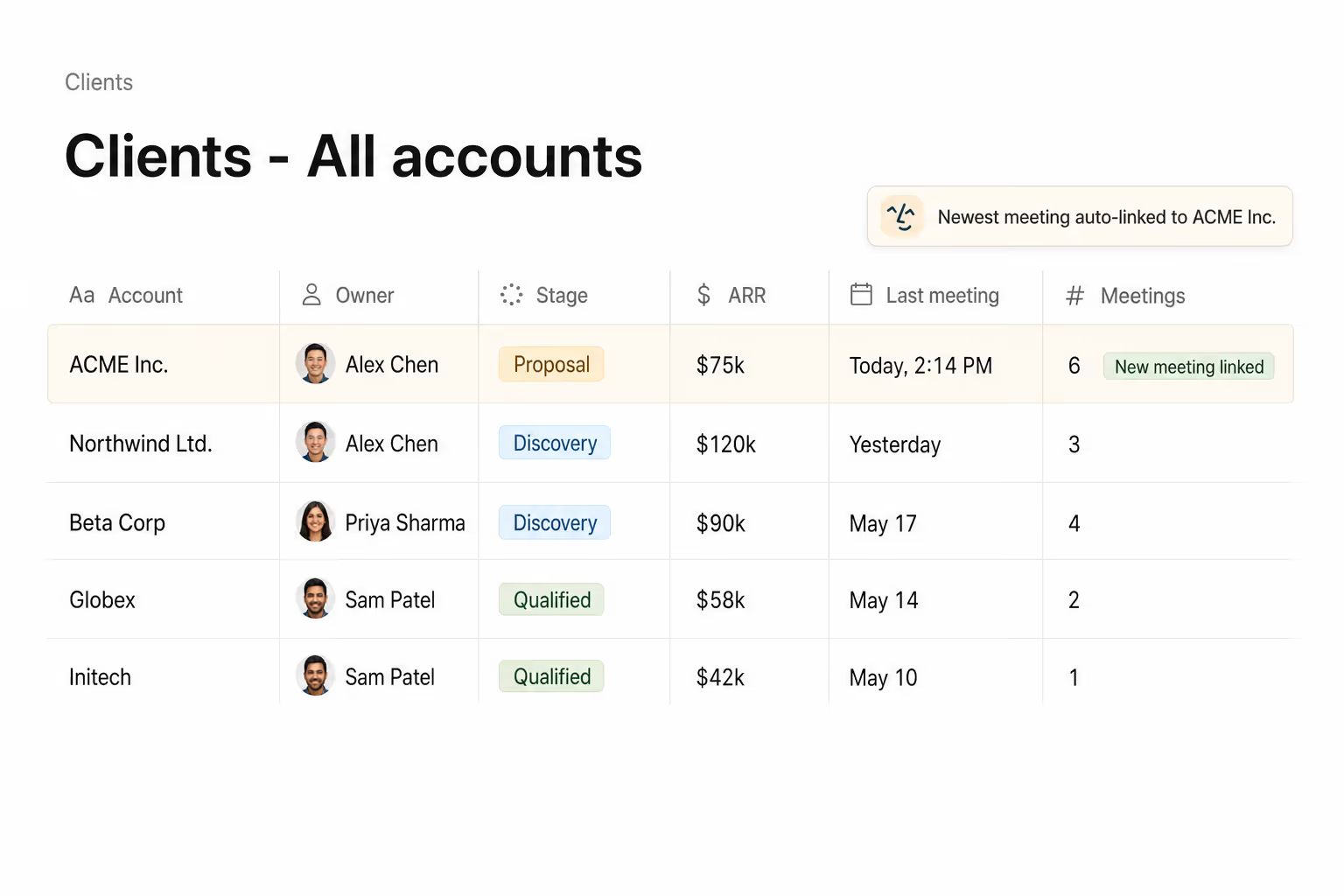
Find every meeting with a client in one click
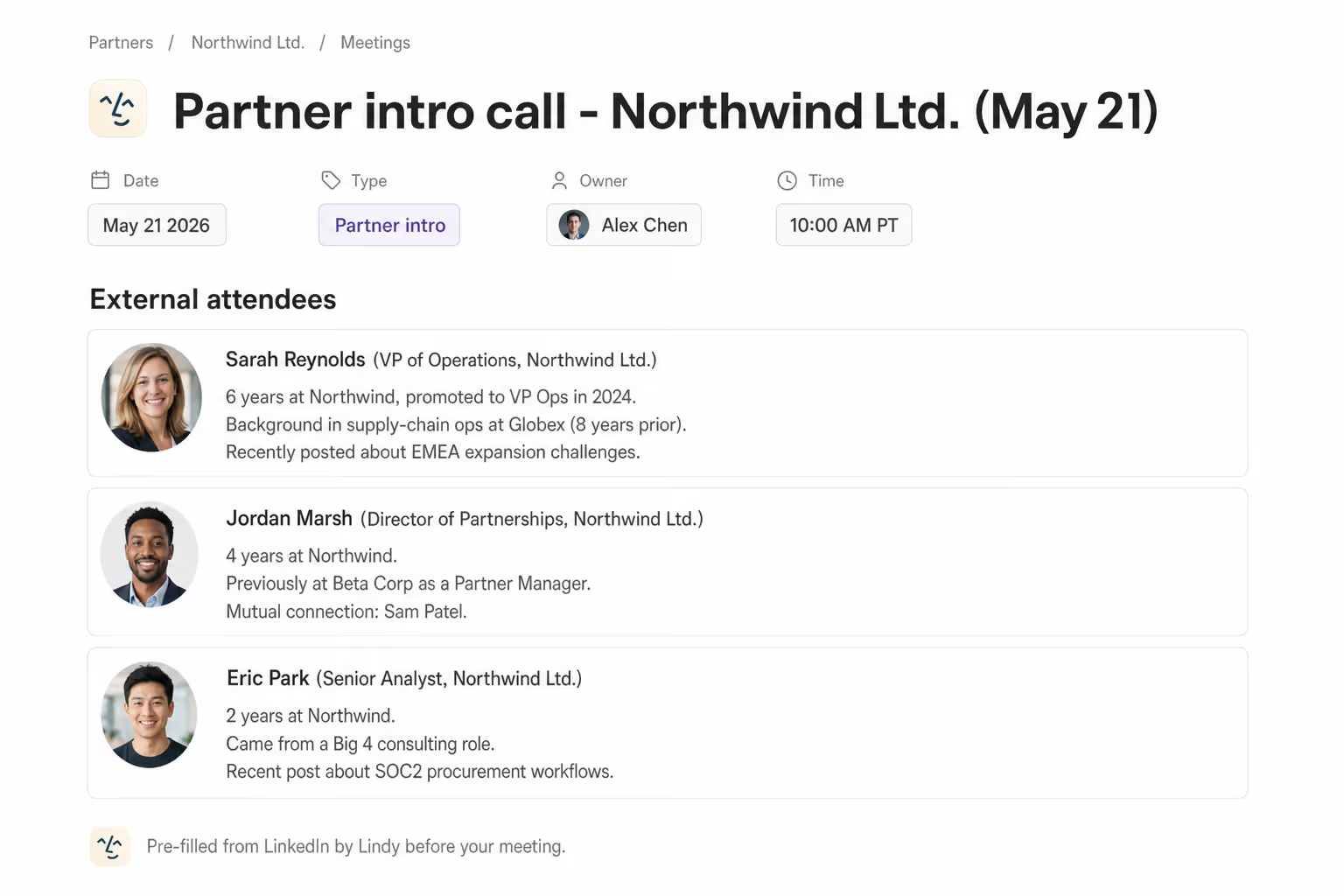
Open the meeting with everyone researched







Supercharge your Notion meetings with AI.
Every meeting ends with good intentions, but without a dedicated place to capture notes, action items get scattered across sticky notes, random docs, and memory.
Lindy automatically creates a new Notion page for every meeting on your calendar, so you always have a clean, organized place ready to go before the call even starts.

Lindy checks your Google Calendar each morning and sends you a summary of the day's meetings.

Lindy pulls your Calendly meeting details and sends you a prep brief beforehand.

See what Lindy can do for you
Every customer meeting has a record in Notion
Lindy creates a structured Notion page for each meeting with attendees and action items, so customer history lives in one place reps can find later.

Campaign meetings build a real archive
Lindy creates a Notion page for every campaign meeting, so launch decisions and discussions form a searchable history instead of disappearing.

Your boss's meeting history builds itself
Lindy creates a Notion page for every meeting your boss takes, so you have a clean record to reference for every contact.

Meetings turn into institutional knowledge
Lindy creates a Notion page for every meeting, so the team builds a real archive of decisions over time without anyone owning the chore.

Every important meeting lives somewhere you can find
Lindy creates a Notion page for every meeting, so you can return to past conversations and decisions whenever they matter again.

Summarise more than just Slack
Summarising Slack is just the start. Here's what else Lindy can do.

Lindy reads your inbox overnight and sends you a clean digest of what matters before you start your day.

After every call Lindy writes structured notes and sends you a summary so nothing gets lost.

Lindy reads your Zendesk or Intercom queue and delivers a daily overview of open issues and priorities.
Not sure if Lindy can do it? Just ask.
Text your question and Lindy replies with exactly what it can do for you. No account, no sign-up. Just send a message.
Try for freeMore ways to use Lindy
Plenty more in the library. Pick the next one that fits your day.

Lindy reads your meeting notes and turns them into a clean, organized Google Doc.

Lindy reads your Gmail support emails and sends each one to the right person.
Lindy watches for triggers and sends follow-up emails through Gmail automatically.
Lindy pulls your Calendly meeting details and sends you a prep brief beforehand.

AI Agents for Notion
Manually creating a Notion page for every meeting is the kind of tedious task that's easy to skip, and then you end up with no record of what was discussed or decided.
When you connect Lindy to Notion, it can create a structured page for each new meeting, pull in attendee details, and even drop in a summary or action items once the call wraps up.

A skill shows you a real-world task Lindy can handle for you. It's there to inspire you and show what's possible, not a pre-built workflow you have to follow.
Yes. Sign up, connect the apps the skill needs, and you're ready to go. Most skills are up and running in minutes.
Lindy is your AI assistant. You tell it what you need in plain language and it takes care of the work, across your apps, on your schedule.
Each skill page lists exactly which apps are involved and whether they are required or optional. If you already use those apps, you're good to go.
No. Just tell Lindy what you want it to do and it figures out the rest. Skills are there to show you what's possible and get you started.
Almost certainly. Skills show what's possible, not what's limited. If you don't see what you need, just ask Lindy directly and it will figure it out.