




Send *automated follow-up emails* with Gmail
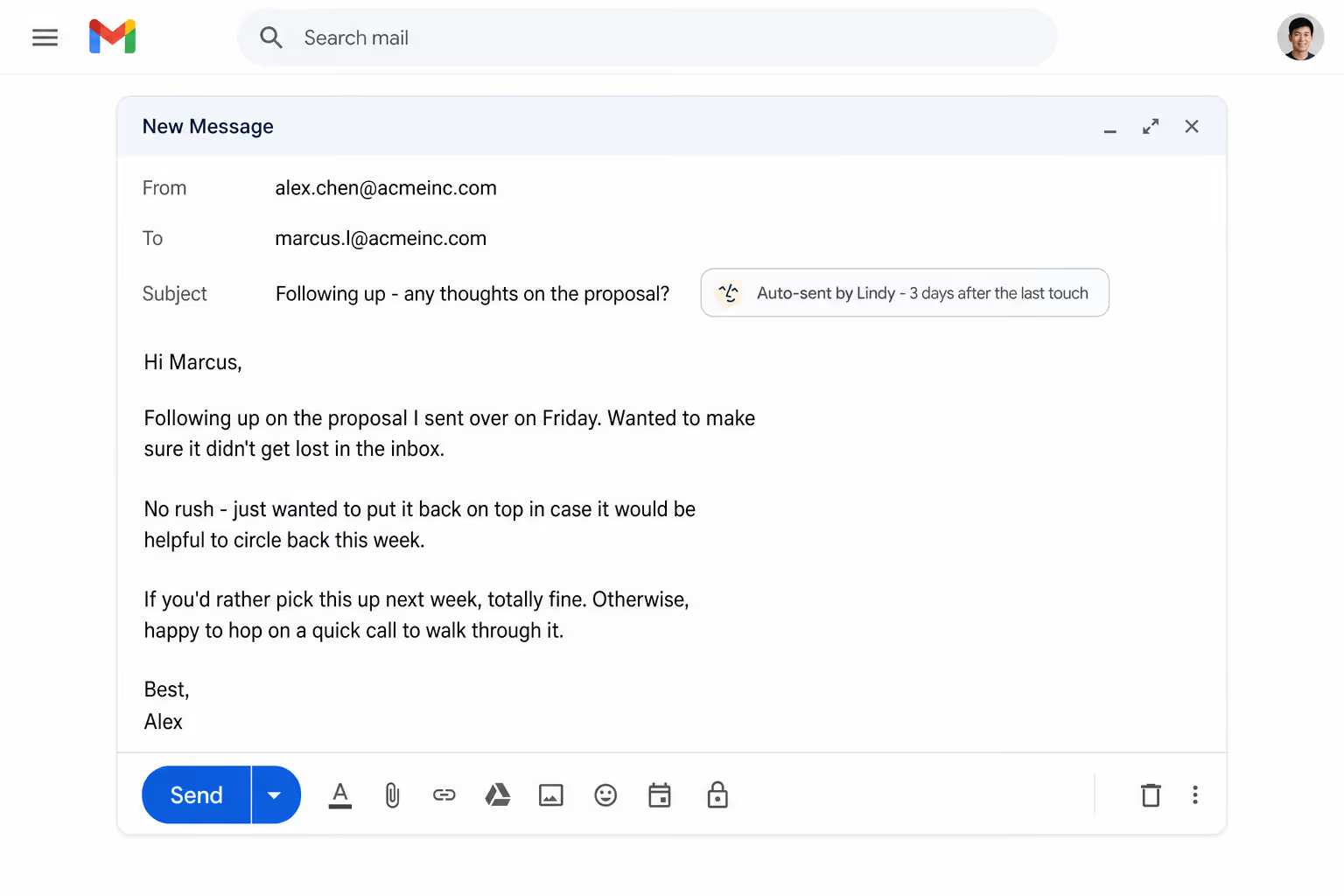
Lindy watches for triggers and sends follow-up emails through Gmail automatically.
Never lose a deal to your own forgetfulness
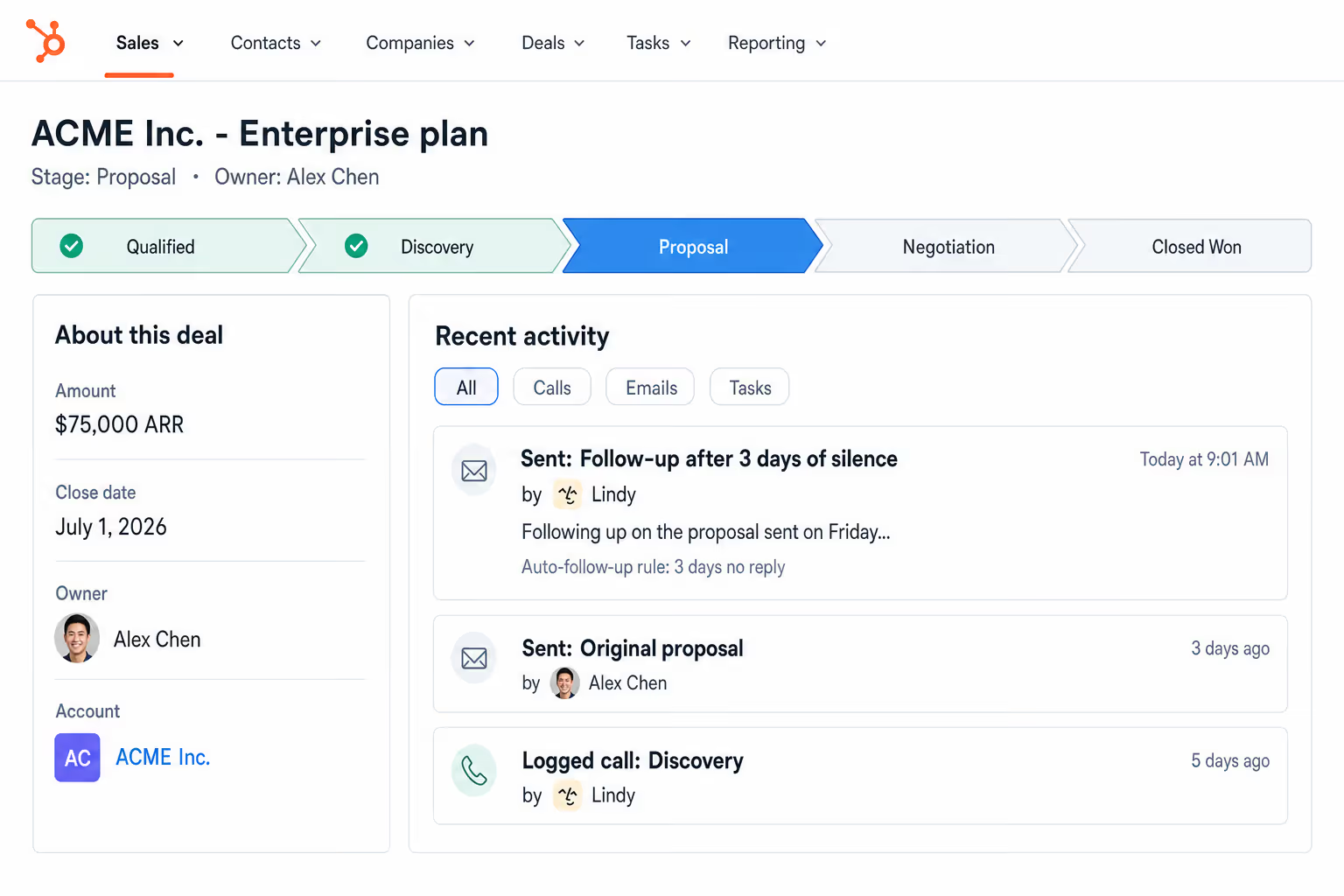
Keep the CRM honest without lifting a finger
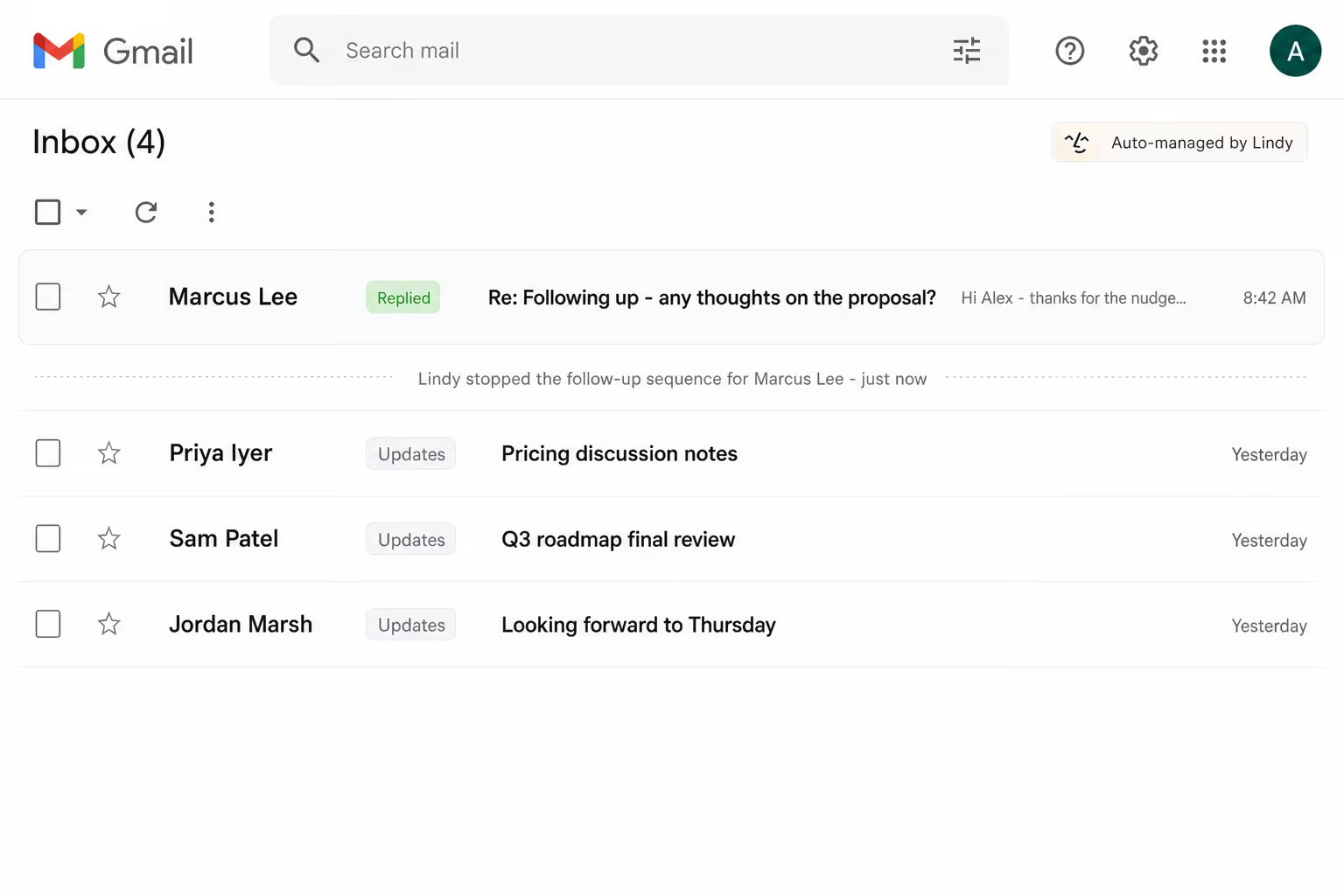
Never send an awkward chase to a warm lead






Automate your Gmail with AI.
Following up with leads, clients, or applicants manually is tedious, and it's easy to let people slip through the cracks when you're juggling everything else.
Lindy monitors your triggers and automatically sends personalized follow-up emails through your Gmail account at exactly the right time, so no one gets forgotten.
Lindy reads your Gmail threads and drafts replies that match how you write.

Lindy reads each Typeform submission and sends a personalized Gmail reply automatically.

See what Lindy can do for you
Every deal gets the follow-up it needs
Lindy sends personalized follow-ups whenever a prospect goes quiet, so deals keep moving without you tracking who you owe an email.

Nurture every contact without a sequencing tool
Lindy follows up automatically after every campaign touch, so leads stay warm and you never lose a hand-raiser to slow response time.

Your boss never drops a follow-up again
Lindy follows up on your boss's behalf when a thread goes silent, so important contacts never fall off the radar.

Follow-ups happen without anyone remembering them
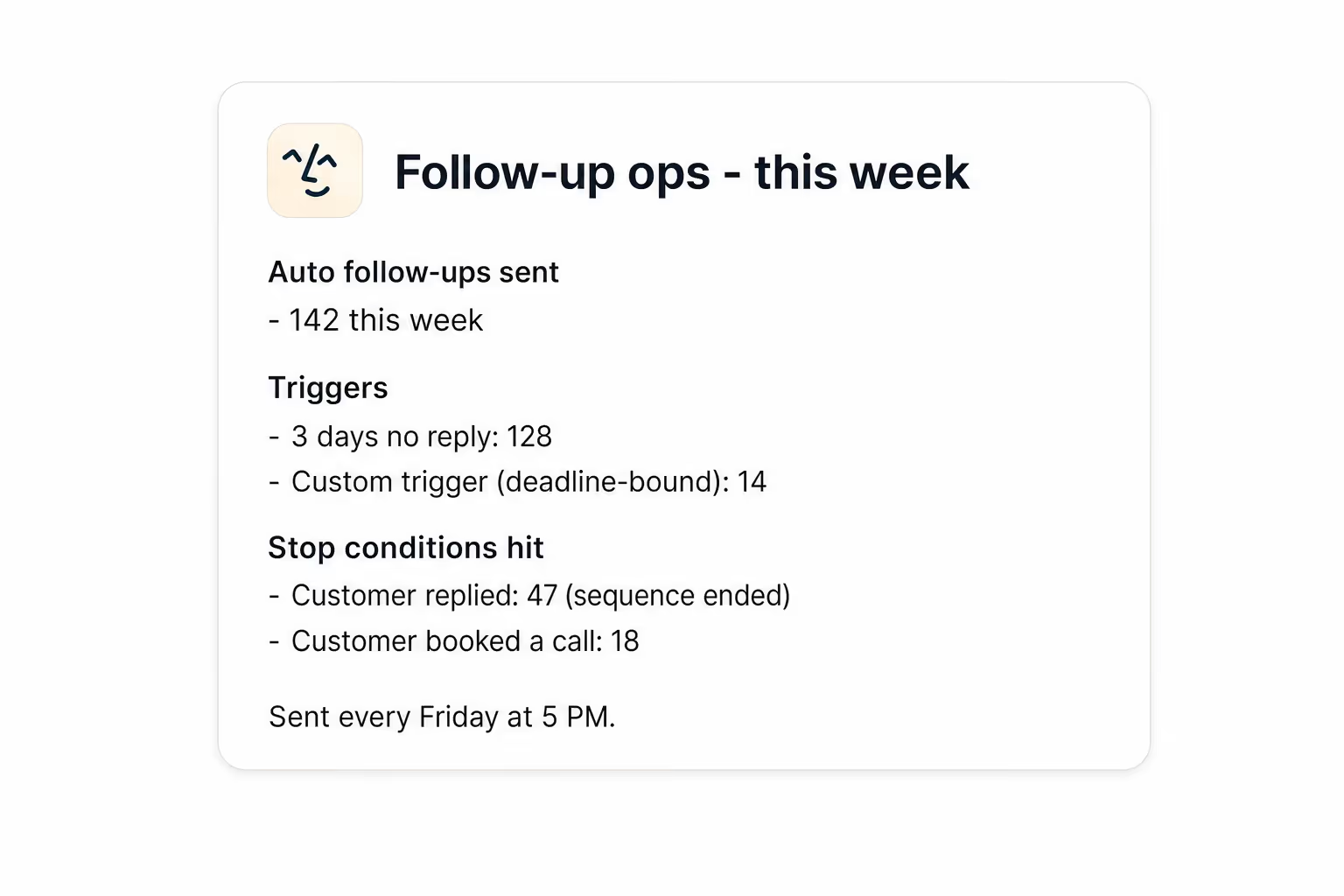
Lindy sends automated follow-ups across the team, so commitments get closed out without manual chasing.
Important relationships stay alive
Lindy follows up automatically on threads that go quiet, so investor, partner, and key client conversations don't stall on your end.

Summarise more than just Slack
Summarising Slack is just the start. Here's what else Lindy can do.

Lindy reads your inbox overnight and sends you a clean digest of what matters before you start your day.

After every call Lindy writes structured notes and sends you a summary so nothing gets lost.

Lindy reads your Zendesk or Intercom queue and delivers a daily overview of open issues and priorities.
Not sure if Lindy can do it? Just ask.
Text your question and Lindy replies with exactly what it can do for you. No account, no sign-up. Just send a message.
Try for freeMore ways to use Lindy
Plenty more in the library. Pick the next one that fits your day.

Lindy pulls company and role data and adds it to new HubSpot leads automatically.
Lindy watches your Gmail and texts you the moment a VIP sends you an email.

Lindy records your Zoom calls and turns them into text automatically.
Lindy listens to your calls and logs notes straight into HubSpot for you.


AI Agents for Gmail
Keeping track of who needs a follow-up email and when is a mess when you're doing it by hand in Gmail, and things inevitably fall through the cracks.
When you connect Lindy to Gmail, it can send follow-up emails on a set schedule, adjust the message based on whether someone replied or not, and stop the sequence automatically once you get a response.

A skill shows you a real-world task Lindy can handle for you. It's there to inspire you and show what's possible, not a pre-built workflow you have to follow.
Yes. Sign up, connect the apps the skill needs, and you're ready to go. Most skills are up and running in minutes.
Lindy is your AI assistant. You tell it what you need in plain language and it takes care of the work, across your apps, on your schedule.
Each skill page lists exactly which apps are involved and whether they are required or optional. If you already use those apps, you're good to go.
No. Just tell Lindy what you want it to do and it figures out the rest. Skills are there to show you what's possible and get you started.
Almost certainly. Skills show what's possible, not what's limited. If you don't see what you need, just ask Lindy directly and it will figure it out.