What Is Claude AI? My Guide to Models, Uses & Pricing


Claude is an AI assistant and family of AI models built by Anthropic. You can use it to write, research, analyze documents and images, build software, search the web, and complete work across connected apps.
I started using Claude with a 90-page vendor agreement I had been avoiding. I asked it to find the renewal terms, and it surfaced a clause on page 61 requiring 90 days' notice to avoid another 12-month commitment. I had skimmed past it twice.
Since then, I've used Claude for writing, research, file analysis, and code. This guide explains how it works, which model fits each job, what the plans cost, and how Claude compares with ChatGPT.
What is Claude AI?
Claude AI is the name for both the chat assistant you talk to and the Anthropic models behind it. The assistant gives you a chat interface, while the models also power Claude Code, workplace integrations, and products built through the Claude API.
You can type a request, upload a file, share an image, or connect an approved app. Claude reads the information available in the conversation and returns a response in plain language.
Anthropic's leadership includes siblings Dario Amodei and Daniela Amodei, who co-founded the company and serve as CEO and president, respectively. Anthropic was founded in 2021 and operates as a public benefit corporation.
Claude now reaches beyond the chat window:
The word Claude can therefore mean the assistant you open in a browser, a specific model such as Claude Opus 5.5, or the wider set of Anthropic products. The context around the name tells you which one someone means.
How Claude works
Claude turns your instructions and context into a response one token at a time. A token is a small piece of text, and the model predicts which one should come next based on patterns learned during training.
Your prompt is only one part of the request. Claude may also use the conversation history, uploaded files, connected sources, web results, tool outputs, and Anthropic's system instructions. Two design choices help explain how Claude behaves:
Constitutional AI guides its behavior
Anthropic trains Claude with Constitutional AI, a method built around a written set of principles. These principles guide Claude toward helpful, honest, and safe responses while giving it rules for handling sensitive requests.
During training, Claude critiques and revises answers against this constitution. Human feedback and additional safeguards also influence its behavior, though the system can still make mistakes or apply a boundary inconsistently.
I ran into one of those boundaries while preparing security training. Claude explained how phishing attacks use urgency, trust, and fear, then helped me create a list of warning signs. When I asked for a targeted email aimed at a real company, it declined and offered a clearly labeled training example.
A large context window holds more material
A context window measures how much information Claude can consider during one request. More context helps when you’re working with a long report, months of transcripts, or a software repository spread across many files.
All four current models, Fable 5.1, Opus 5.5, Sonnet 5.5, and Haiku 5.5, support up to 1 million tokens. One million tokens works out to roughly 555,000 English words on current models, though language, formatting, conversation history, and product limits affect the usable amount.
For my 90-page vendor agreement, the larger context window meant Claude could review the whole document while answering a narrow question about renewal terms. I still opened the original clause and checked the wording before acting on its answer.
What Claude is used for
Claude is mainly used for writing, research, document analysis, coding, and work across connected apps. Its value comes from giving it source material and a clear outcome, then checking the response against the original information.
Writing and editing
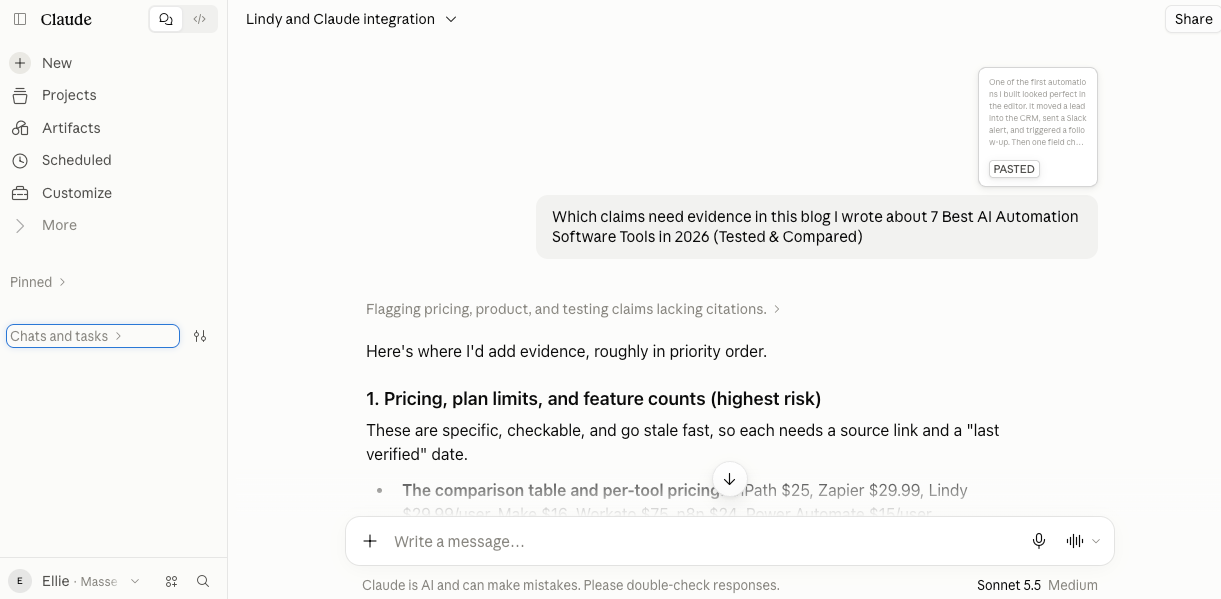
Claude can draft emails, reports, briefs, blog outlines, product copy, and presentations. It can also revise an existing draft for clarity, tone, structure, or a specific audience.
I find it more useful as a second reader than as a blank-page writer. I paste in a rough draft and ask where the argument slows down, which claims need evidence, and which paragraphs repeat the same point. The feedback gives me a concrete editing list.
Research and source comparison
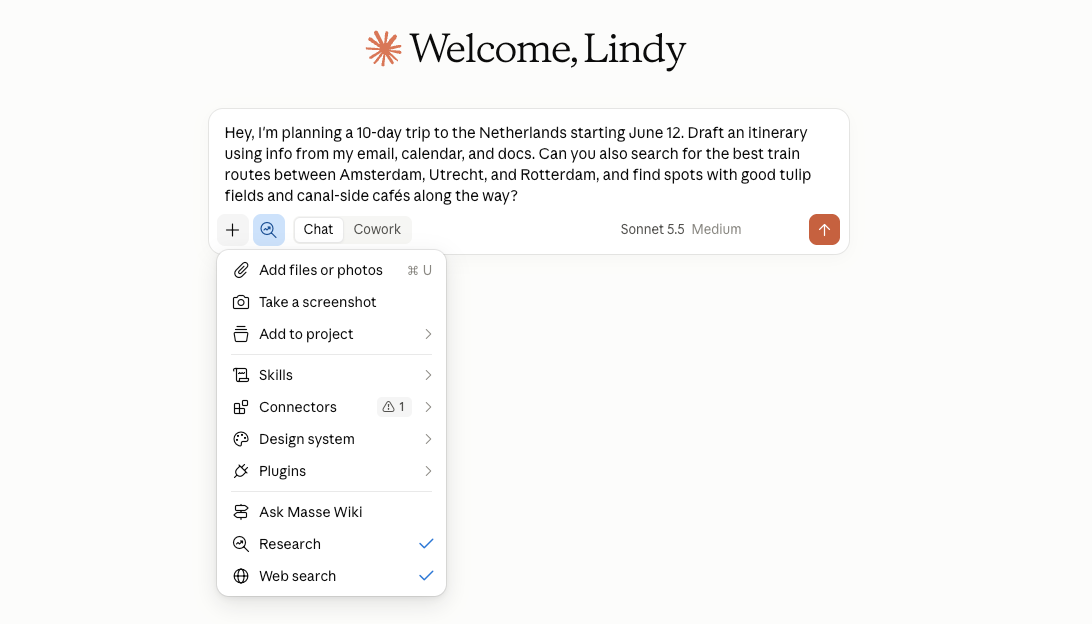
Claude can search the web, summarize sources, compare conflicting claims, and turn research into a table or report. Its Research feature can work across the web and approved connected sources.
I ask Claude to separate confirmed information, reasonable inferences, and unresolved questions. This small instruction makes weak spots easier to find before a claim reaches a client or published article.
Documents, images, and data
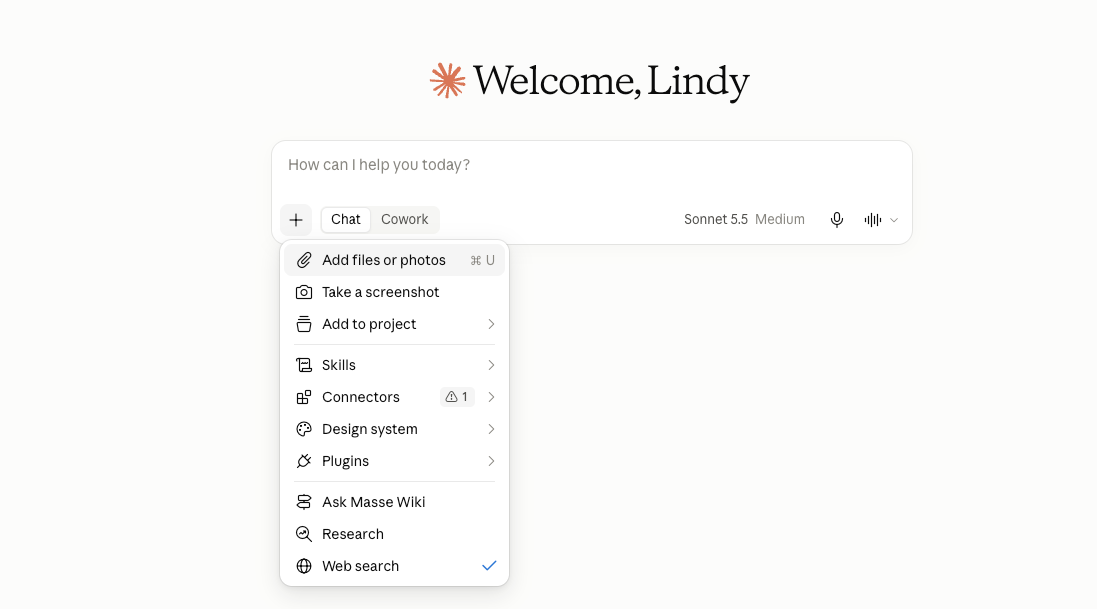
You can upload PDFs, spreadsheets, presentations, charts, screenshots, and images. Claude can summarize the material, extract details, compare sections, explain a chart, or answer questions about a file.
For high-stakes work, treat the response as a faster way to locate and organize information. Check the original contract, financial record, medical document, or policy before making a decision.
Coding with Claude Code
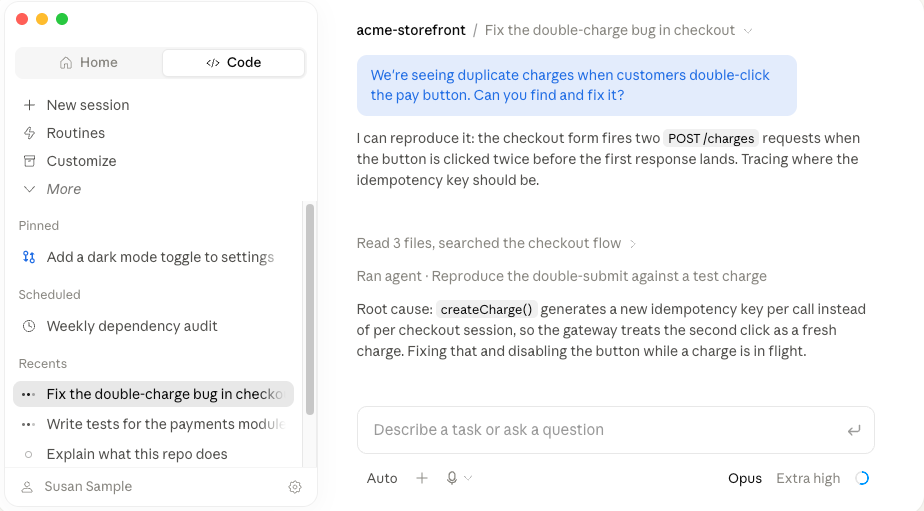
Claude Code is Anthropic's coding tool for software development. It can inspect a repository, explain unfamiliar code, edit several files, run commands, write tests, and help diagnose failures.
I used it to rename a function referenced across 40 files and update the matching tests. Claude Code found the references, proposed the changes, ran the test suite, and showed me the diff for review.
Approval and permission behavior depends on how Claude Code is configured. Developers should review changes, protect sensitive credentials, and keep version control in place before letting any coding agent work across a repository.
Claude Code comes with every paid Claude subscription, beginning with Pro. API users can also pay by token through a Claude Console account.
Work across connected apps
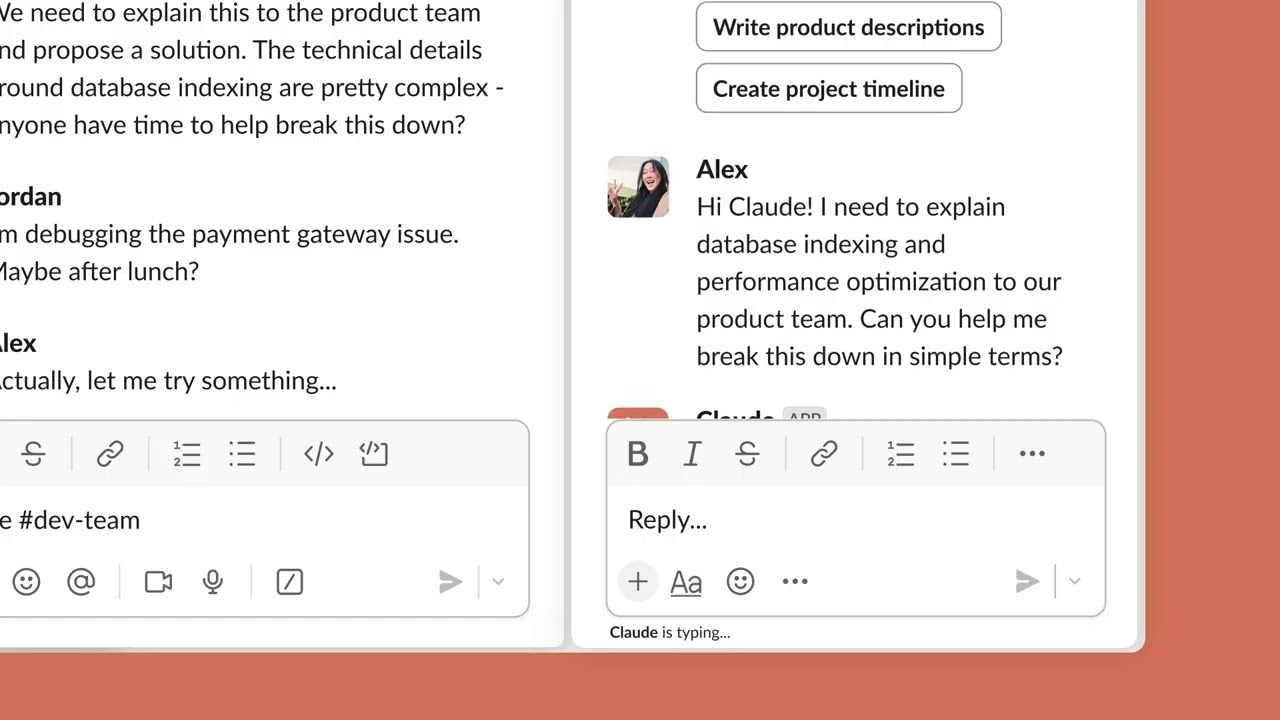
Claude can work with supported apps and services through connectors, browser tools, and workplace products. Examples include Claude in Chrome, Claude for Microsoft 365, and Claude Tag, which brings @Claude into Slack.
Access depends on the plan and workspace settings. Team and Enterprise administrators can control connectors, sharing, and other organization-level features.
{{templates}}
Claude models compared
Anthropic offers four general Claude models with different trade-offs in speed, reasoning, and cost. The current Claude model documentation recommends Opus 5.5 for most API workloads, while Fable 5.1 is built for harder reasoning and long-running agent work.
Here are the current models and where each one fits:
I use Haiku for extraction and formatting, Sonnet when speed matters, and Opus for work with several connected decisions. Fable carries the highest API price, so I save it for jobs the other models can’t handle.
Your plan controls which models you can use in the Claude app. Free includes Sonnet and Haiku, while Pro adds Opus. Fable is available on Pro through usage credits, and the higher-priced Max plans, covered in the next section, give it up to 50% of weekly limits.
For a closer look at Anthropic’s recommended model, read the Claude Opus 5.5 guide.
Anthropic also offers Claude Mythos 5.1 through trusted-access programs for vetted cyberdefenders and life scientists. It’s the same underlying model as Fable 5.1, without Fable’s added safeguards for cybersecurity and biology, which places it outside the standard Claude app lineup.
Claude pricing and the free plan
Claude’s current plans start with a free tier, while paid subscriptions cost $20/month for Pro or $17/month with annual billing. Max starts at $100/month, and organizations can choose Team or Enterprise.
What the free plan includes
Claude AI has a free plan with chat on web, desktop, and mobile, plus web search, file creation, code execution, memory, connectors, and Artifacts.
It works well for occasional questions, document analysis, and testing Claude with your own files.
Usage limits vary with conversation length, file size, model choice, and tool use. Larger jobs can reach the free allowance faster, making Pro easier to budget for daily work.
API usage is billed separately by token. Opus 5.5 costs $4 per million input tokens and $20 per million output tokens, while smaller models cost less. Our Claude pricing guide compares every plan, API rate, usage limit, and credit option.
Claude vs ChatGPT
Claude and ChatGPT both handle writing, research, coding, web search, and file analysis, but their models and surrounding tools differ.
The quickest comparison is one of your own tasks. Give Claude and ChatGPT the same file, prompt, and output format, then compare factual accuracy, editing time, and how much checking each response needs.
Our Claude vs ChatGPT comparison runs this comparison across nine factors. If neither fits your workflow, the Claude alternatives and AI tools like ChatGPT guides cover more options for coding, writing, research, and business work.
{{cta}}
How to try Claude on a real task
The easiest way to see what Claude AI can do for you is to test it on material you already know. A familiar source lets you judge whether the summary is accurate and whether the answer missed anything important.
Start with this short test:
- Choose a document you understand. A report, policy, proposal, or public contract works well. Remove confidential information unless your organization's data policy allows the upload.
- Ask for a structured summary. Request the five main points, any deadlines or obligations, and the passages supporting each finding.
- Ask what remains uncertain. Have Claude list ambiguous wording, missing context, and claims it could not verify.
- Check the original source. Open every important passage and compare it with Claude's interpretation.
- Try a follow-up task. Ask for an email, decision brief, or action list based on the verified findings.
This test shows you more than a generic prompt because it measures reading, reasoning, source use, and finished work in one sitting.
FAQs
1. Is Claude AI free?
Yes, Claude AI is free to start. The Free plan includes Sonnet and Haiku, web search, file tools, memory, connectors, Artifacts, and up to five projects. Pro costs $20/month or $17/month billed annually and adds Claude Code, Research, Opus, and higher usage.
2. Who owns Claude AI?
Anthropic owns and develops Claude AI. Dario Amodei and Daniela Amodei co-founded Anthropic with other former OpenAI employees in 2021. Anthropic is a privately held public benefit corporation backed by investors that include Amazon and Google.
3. What is Claude used for most?
Claude is commonly used for writing, research, coding, and document analysis. People also use it to search the web, compare sources, create files, analyze images, and complete tasks through connected apps.
4. Can Claude access the internet?
Yes, Claude can access current information when web search is enabled. It can search public pages and cite the sources it used. On Team and Enterprise, an owner must enable web search for the workspace before members can turn it on in a chat.
When web search is off, Claude answers from its model knowledge, the conversation, uploaded files, and connected sources available to the chat.
5. Is Claude better than ChatGPT?
Claude can be better for long documents, careful editing, and repository-level coding, while ChatGPT may fit image, voice, and mixed-media work better. Results vary by model and task, which makes a side-by-side test with your own files more useful than a universal winner.
6. Why is Claude controversial?
Claude is controversial mainly because of Anthropic’s dispute with the Pentagon. In late February 2026, the Pentagon moved to label Anthropic a supply chain risk after the company asked for safeguards against mass domestic surveillance and fully autonomous weapons. Anthropic sued to overturn the label in March.
A smaller debate followed in October 2026, when a usage policy update banning “sustained and needless abusive or cruel behavior” toward Claude drew criticism from people who think it treats software like a person.









