Slack Alternatives: 11 Best Team Chat Apps by Price and Use


Last spring, I needed the exact wording of a contract term our team had agreed on in a Slack thread. I searched and found nothing. Slack's free plan only lets you access 90 days of message history, and the thread was 140 days old.
Losing access to that conversation got me looking for Slack alternatives that wouldn't leave important messages out of reach. I wanted something affordable, easy for a team to adopt, and useful for everyday work without paying for features we'd barely touch.
I tested 11 Slack alternatives on projects ranging from a three-person freelance job to a 120-person company. Here’s what each does best, what it costs, and which features are worth considering before moving your team.
11 Slack alternatives at a glance
- Microsoft Teams: Best for companies already on Microsoft 365
- Google Chat: Best for Google Workspace teams
- Zoom Workplace: Best for teams that live in video calls
- Pumble: Best free Slack alternative with unlimited history
- Discord: Best for voice-first and community-style teams
- Flock: Best for small teams that want polls and to-dos built in
- Twist: Best for async, thread-based conversation
- Mattermost: Best self-hosted option for security-focused teams
- Rocket.Chat: Best for deep open-source customization
- Element: Best for encrypted, decentralized chat
- Zulip: Best for topic-based threading in busy channels
How I tested these alternatives
I tested each tool with a real task and a small group, then noted what stood out and what could be improved. The setup changed with the tool: a three-person freelance project for Google Chat, a two-week event plan for Flock, a weekend server install for Mattermost, and a friend’s 120-person company for Teams.
Each test came down to five things:
- Setup effort: How long it took to get a group working.
- Message history and search: Whether older messages stayed findable on the free plan.
- Integrations: Whether the apps my team already uses had an equivalent.
- Admin and upkeep: What admins get, and what self-hosting asks of whoever runs the server.
- Day-to-day fit: How voice channels, threads, polls, or topics felt in real use.
Message history carried the most weight, since a 90-day limit caused my original problem. I priced every tool at monthly billing from its pricing page, except Microsoft Teams, which lists only yearly prices. Mattermost, Rocket.Chat, and Element don’t publish paid prices, so those entries say to contact sales.
Why look for a Slack alternative?
Most teams leave Slack for one of three reasons. Here’s what I heard most often, and what I ran into myself.
- The free plan forgets: Slack's free tier keeps 90 days of message history, allows up to 10 apps, and limits huddles to 1:1 calls. A channel that felt like a team memory in month one turns into a blank page by month four. Paid plans keep unlimited history, and upgrading restores access to the previous 12 months of messages.
- Per-seat costs add up: Pro costs $8.75 per user monthly, Business+ costs $18, and Enterprise+ requires a quote. A 40-person team on Business+ pays $720 monthly, with costs rising as headcount grows.
- You may already own a chat app: Most Microsoft 365 business plans include Teams, and every Google Workspace plan includes Google Chat. Paying for Slack on top means paying twice for the same job.
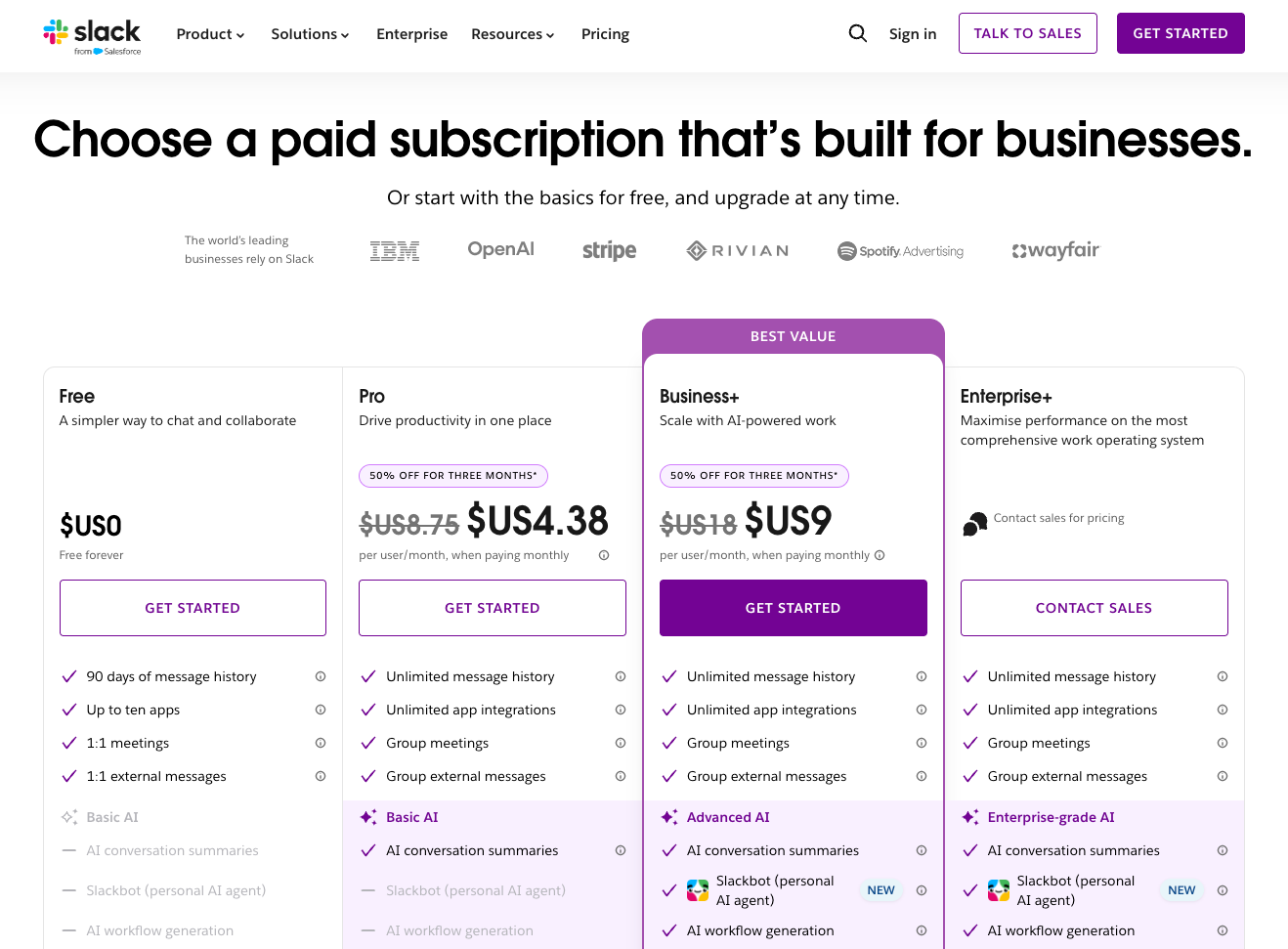
Slack now includes AI features in its paid plans at no extra cost. Pro covers thread summaries and huddle notes, while Business+ adds the Slackbot AI agent, AI search, and daily recaps. Some older comparisons still list a $15 per user monthly AI fee.
Slack alternatives: Quick shortlist
Slack alternatives for teams already on Microsoft or Google
If your company already pays for Microsoft or Google, start here. Seats you already own cost nothing extra.
1. Best for Microsoft 365 Companies
Microsoft Teams: What is it?
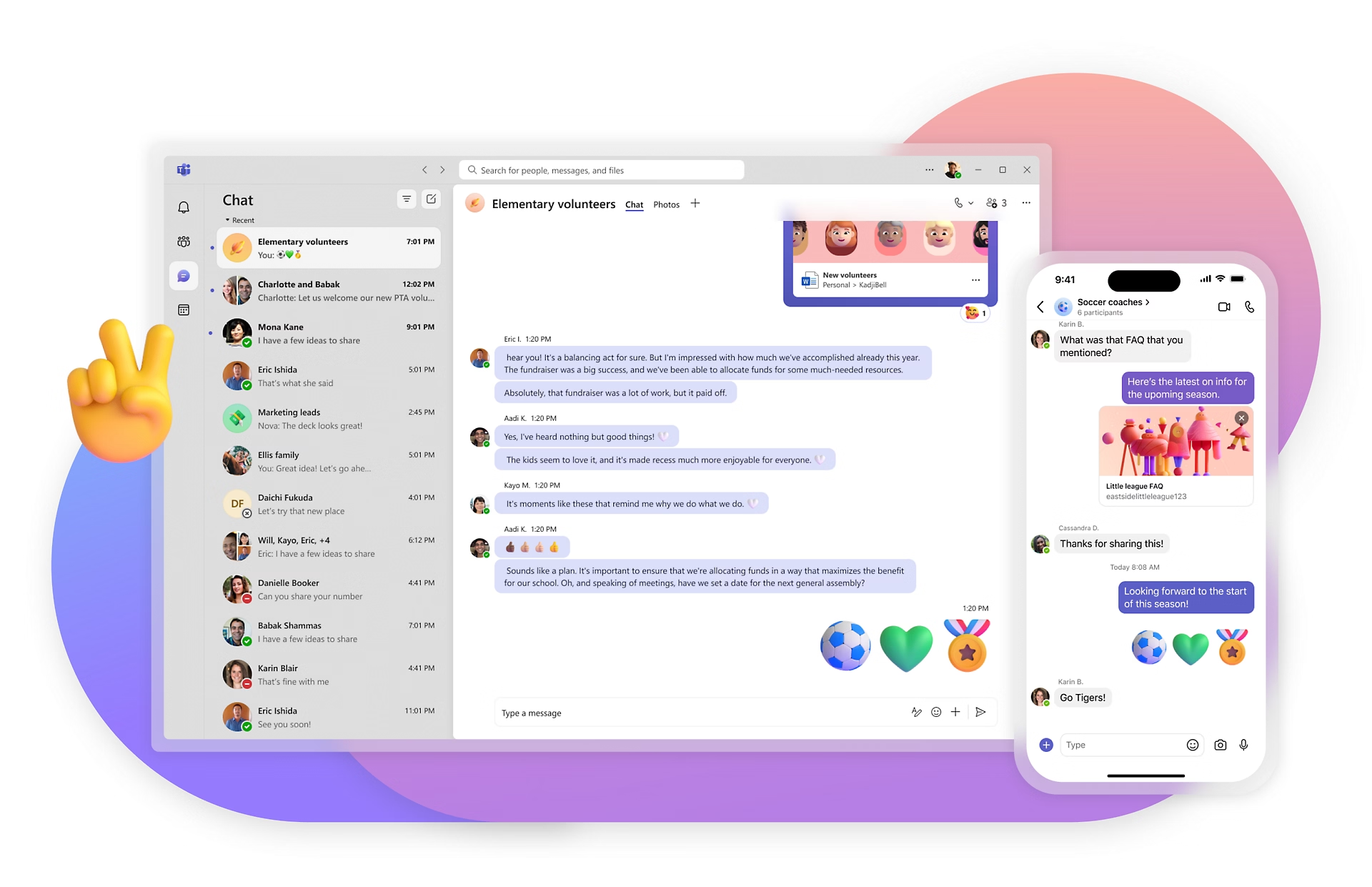
Teams combines chat, channels, video meetings, and file storage inside the Microsoft 365 apps your company likely uses already.
Best for: Large organizations and any team already on Microsoft 365.
Pricing: Teams is free for individuals, with unlimited chat, group calls of up to 60 minutes with 100 participants, and 5 GB of cloud storage. For businesses, Teams Essentials costs $4 per user per month, paid yearly, and Microsoft 365 Business Basic, which includes Teams, costs $7 per user per month, paid yearly.
Pros
- Canceling Slack took one afternoon of admin work for a 120-person team
- Single sign-on and admin controls come from your existing Microsoft setup
- Bundling with Microsoft 365 can bring your chat cost close to zero
Cons
- The interface carries a lot of menus, and new hires need a walkthrough
- Channels are heavier to set up than Slack's, which slows quick side conversations
- Third-party app choices are smaller than Slack's
What stood out to me
Teams can save companies a surprising amount of money when they're already paying for Microsoft 365.
I tested it with a friend who runs operations at a 120-person logistics company. His team had been paying for Slack and Microsoft 365 for two years without realizing Teams was already included. Canceling Slack removed an entire line item from their budget.
What could be improved
Teams could make its notification settings easier to manage. During the first week, his team missed important channel messages while getting alerts from channels they barely used.
With separate settings for chats, channels, and meetings, notifications became confusing enough that someone had to spend an hour helping everyone configure them.
2. Best for Google Workspace Teams
Google Chat: What is it?
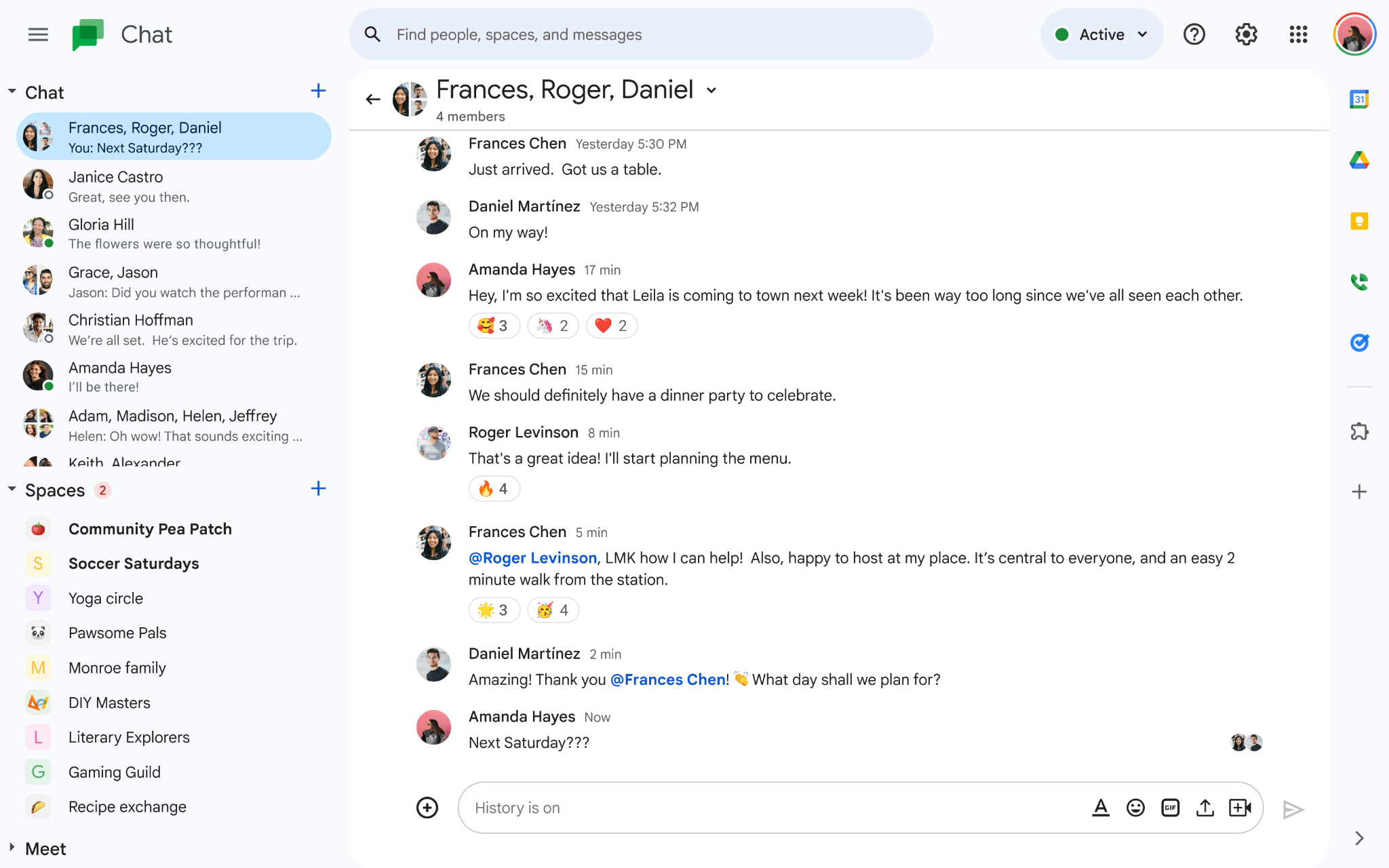
Google Chat gives Workspace users direct messages and spaces (its version of channels) that sit next to Gmail, Calendar, Docs, and Meet.
Best for: Teams that run on Google Workspace and want chat without another invoice.
Pricing: Google Chat comes with every Workspace plan (Starter, Standard, Plus, and Enterprise). Workspace starts at $8.40 per user per month on a monthly plan, or $7 with a one-year commitment.
Pros
- Zero added cost if you have Workspace
- Spaces connect directly to Docs, Drive, and Calendar
- Search benefits from Google's strength at finding things
Cons
- Fewer integrations and customization options than Slack
- Threading feels less polished in busy spaces
- Value drops fast for teams that don't use Google's other apps
What stood out to me
Google Chat’s connection with Google Docs made collaboration feel effortless. I set up a space for a three-person freelance project in about two minutes, and sharing a Doc link brought up a live preview with comment counts. It saved us a dozen back-and-forth messages asking everyone to open the file.
What could be improved
Google Chat could offer more ready-made integrations for everyday workflows. On the same project, I wanted a bot to post daily task summaries, something I could set up in Slack within minutes.
Google Chat's limited options meant building the automation myself, which could become a bigger headache for teams that rely heavily on bots and automated updates.
3. Best for Video-Heavy Teams
Zoom Workplace: What is it?
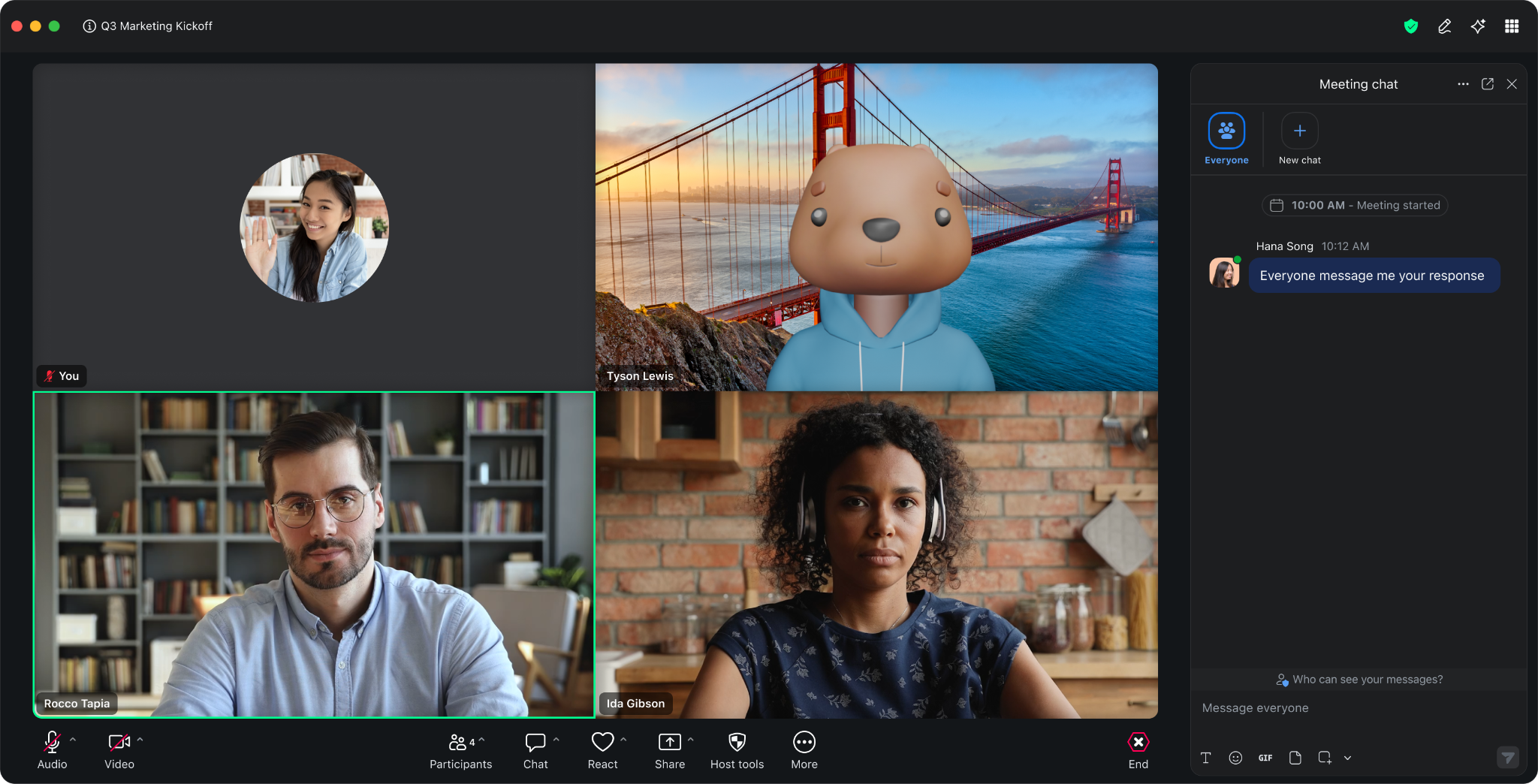
Zoom Workplace pairs Zoom's meetings with team chat, a shared whiteboard, a phone system, and docs.
Best for: Teams that spend more time on video calls than in text threads.
Pricing: A free plan exists with chat and meetings capped at 40 minutes for group calls. Pro costs $16.99 per user per month, billed monthly.
Pros
- Starting a meeting from a chat takes one click
- Most employees already know the Zoom interface
- Chat sits beside phone, whiteboard, and meeting recordings
Cons
- Text chat feels like the secondary feature
- Price is higher than chat-first tools
- Channel organization is basic
What stood out to me
I tested Zoom Workplace with a four-person client services team over one week. Having meeting chats tied to each call made back-to-back client meetings much easier to manage. I could stay in one window during calls, and afterward, all the notes and shared links were right where I needed them.
What could be improved
Everyday messaging could use more attention. I found channels harder to organize than in Slack, especially when juggling conversations outside meetings. At $16.99 per user per month, the price is hard to justify for teams that spend more time messaging than joining calls.
Free Slack alternatives
Free plans can look generous at first, but the real test comes as your team grows. Check how much message history, storage, and user access you get before committing.
4. Best for Unlimited Free Message History
Pumble: What is it?
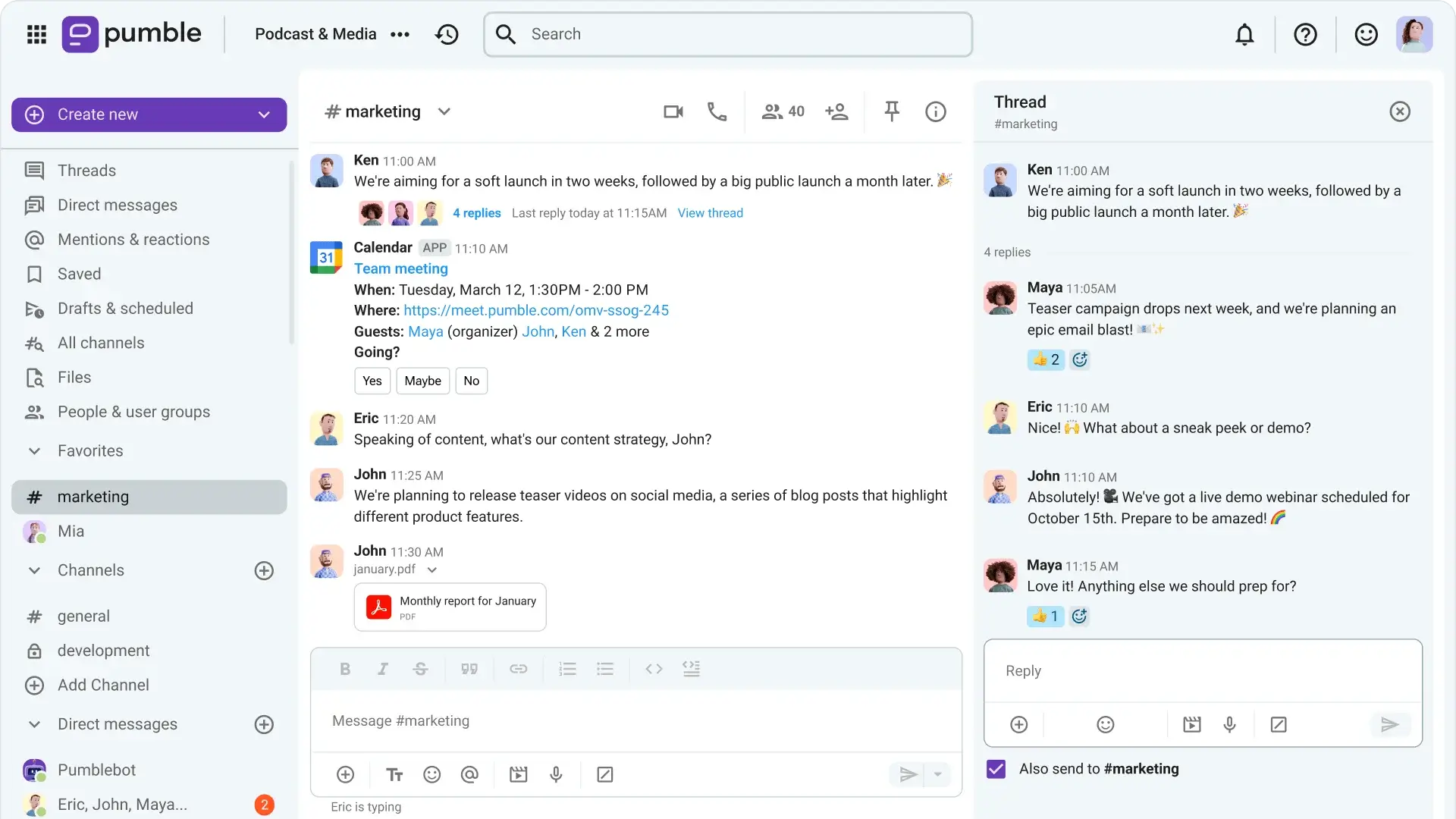
Pumble is a Slack-style chat app with channels, threads, direct messages, and calls, built to undercut Slack on price.
Best for: Teams that want Slack's layout and a free plan that keeps your history.
Pricing: The free plan allows unlimited users and unlimited message history, with 10 GB of workspace storage. Pro is $2.99 per user per month. Business is $4.99. Enterprise is $7.99.
Pros
- Unlimited message history on the free plan answers the biggest Slack complaint
- The layout looks familiar, so a switch takes minutes
- Paid tiers cost a fraction of Slack's
Cons
- The app directory is much smaller than Slack's
- Advanced workflow automation is limited
- Free workspace storage tops out at 10 GB
What stood out to me
Pumble's free message history made switching from Slack surprisingly easy. I imported a small team's channels on a Friday afternoon, and by Monday, nobody was asking where old conversations had gone. I could even search for messages from months earlier without upgrading, which solved the exact problem that pushed me to look for Slack alternatives.
What could be improved
Pumble could use a wider selection of integrations. The team relied on several Slack apps for calendar alerts and form submissions, but some had no Pumble equivalent. For teams running dozens of Slack integrations, the smaller catalog could mean extra setup work or losing workflows they depend on.
5. Best for Voice-First Teams and Communities
Discord: What is it?

Discord started as a gaming chat app and now runs servers for study groups, creator communities, and plenty of small companies.
Best for: Voice-first teams, communities, and groups that like drop-in audio rooms.
Pricing: Discord is free for small teams. Optional per-person Nitro plans cost $2.99 per month (Basic, with 50 MB uploads) or $9.99 per month (1 GB uploads and HD streaming). Prices vary by country, so check User Settings > Nitro in the app.
Pros
- Persistent voice channels let people join a conversation without scheduling a call
- Free tier includes unlimited message history
- Roles and permissions are flexible
Cons
- Workplace features like admin reporting and compliance controls are thin
- The look and tone suit communities more than business teams
- Mixing work and personal use on one account confuses people
What stood out to me
Discord's always-open voice channels made quick conversations easier. I tested one with a six-person design team, keeping the channel open throughout the day for anyone who needed a quick answer.
People could hop in with headphones, ask a question, and get back to work. It cut down on the constant "got a minute?" messages.
What could be improved
Discord needs better admin and compliance tools for larger teams. When I tried to keep the design team’s work server separate from their personal accounts, Discord couldn’t draw a clear line, so work channels and personal servers sat side by side.
I could see it working for a small creative team, but those limitations would make me hesitant to recommend it to a 50-person company.
6. Best for Built-In Polls and To-Dos
Flock: What is it?
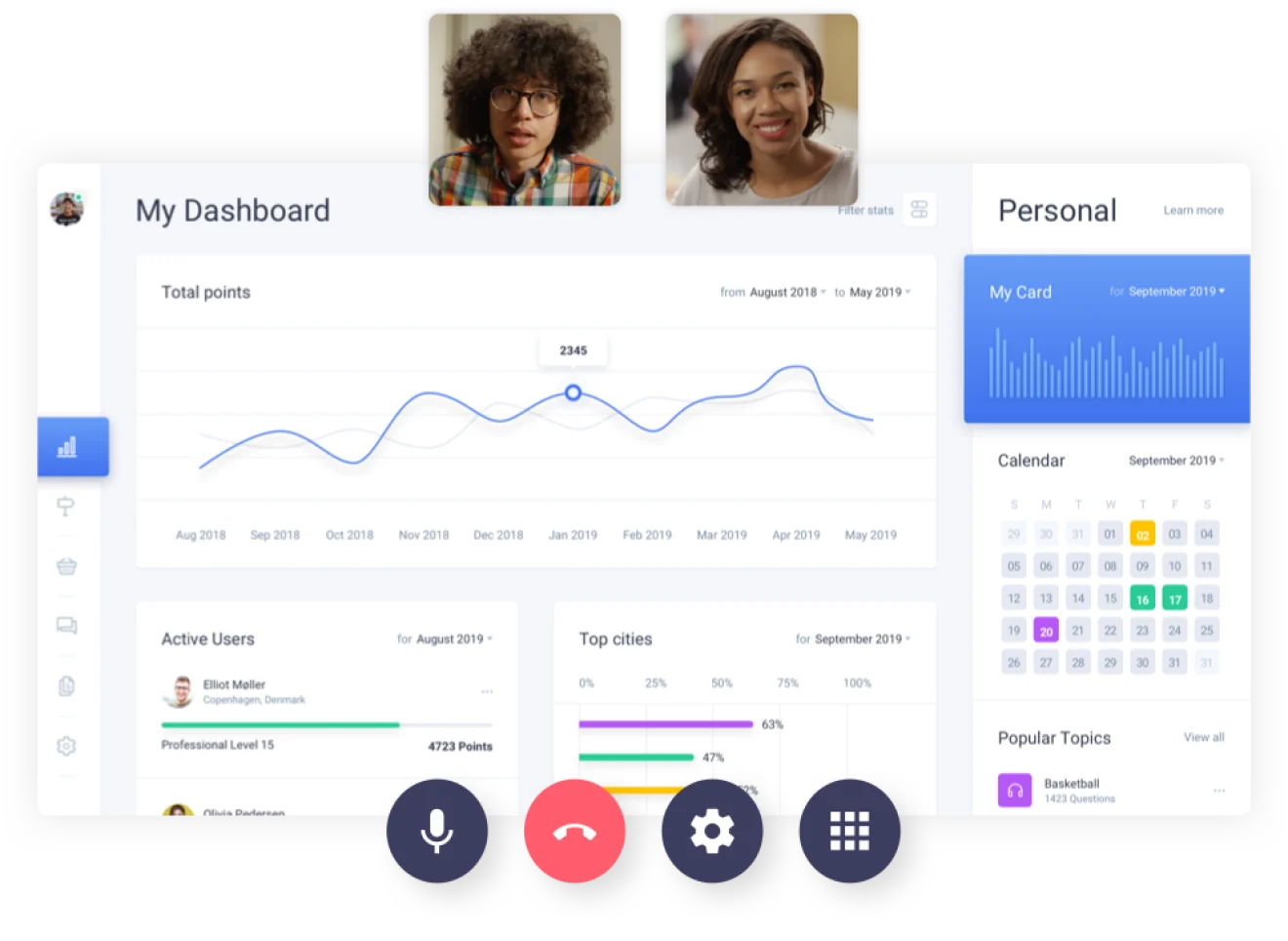
Flock offers channels, direct messages, video calls, and lightweight task tools such as to-dos and polls.
Best for: Small teams that want polls, reminders, and to-dos without another app.
Pricing: The free plan covers up to 20 people and searches only your 10,000 most recent messages. Pro costs $6 per user per month, billed monthly.
Pros
- Built-in polls, reminders, and to-dos cut the number of other apps you need
- Per-seat cost below Slack’s
- Simple interface with little setup
Cons
- Free plan search stops at 10,000 messages
- Smaller integration library and user community than bigger rivals
- Less polish in mobile notifications
What stood out to me
Flock's built-in polls made group decisions surprisingly quick. I used it for a two-week event-planning project with five people, and a simple channel poll settled our venue debate in an hour. We got everyone's input without adding another app or chasing replies.
What could be improved
Flock’s free plan search limits made it harder to revisit older conversations. When I tried finding a venue quote from the first week, I ran into the search restriction. Slack’s free plan has the same kind of limit, so Flock doesn’t fix the history problem.
{{templates}}
7. Best for Async Conversation
Twist: What is it?
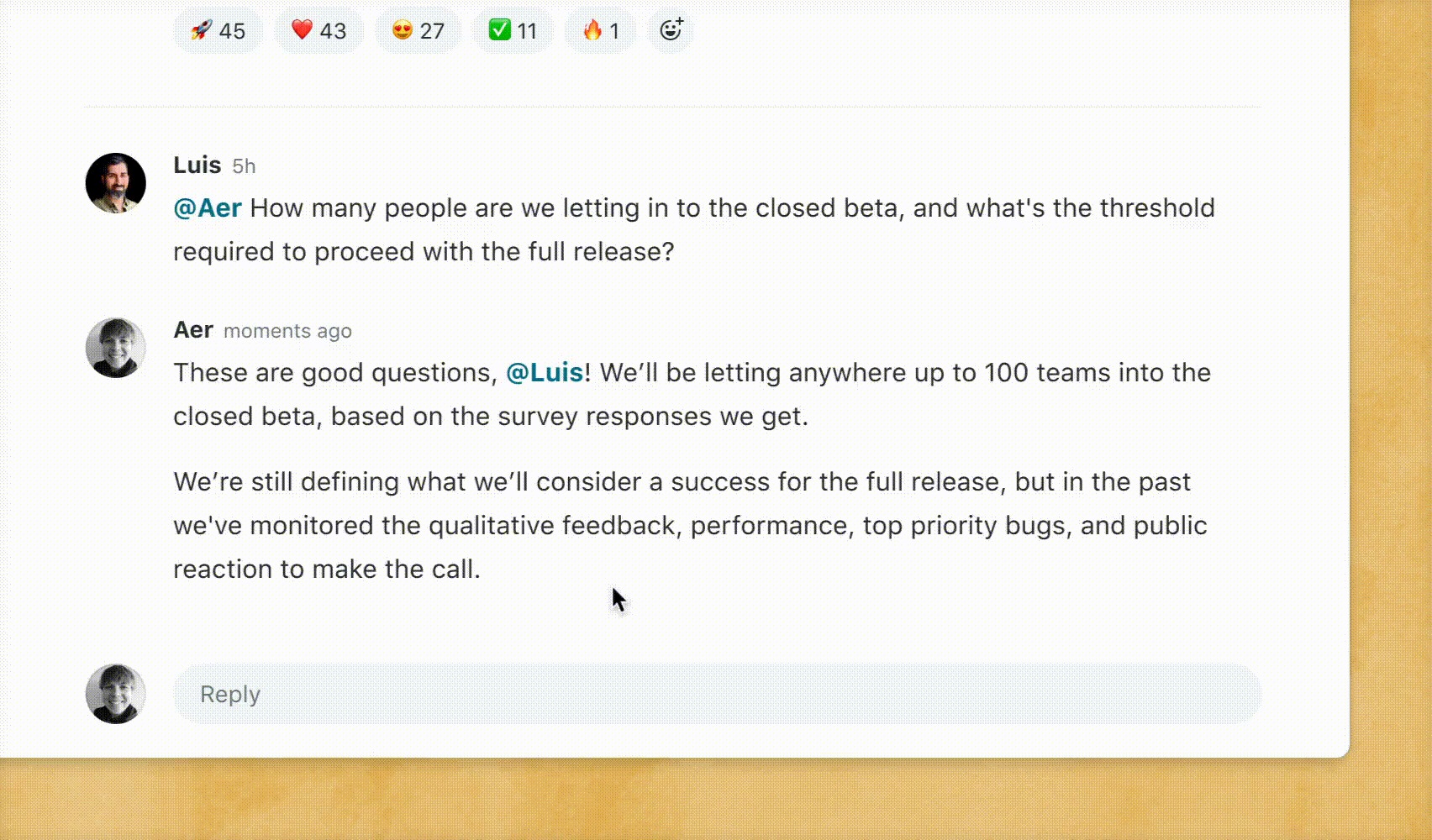
Twist, from the makers of Todoist, organizes conversation into threads inside channels so messages stay readable after the moment passes.
Best for: Remote and cross-timezone teams that talk asynchronously.
Pricing: The free plan shows only the last month of messages. Unlimited costs $8 per user per month, billed monthly.
Pros
- Overnight updates read in a few threads each morning
- Notifications are calmer, with no pressure to reply instantly
- Clean integration with Todoist and common tools
Cons
- The thread-first design feels slow for fast back-and-forth
- Fewer integrations than Slack
- Free plan shows only one month of history
What stood out to me
Twist's titled threads made catching up across time zones much easier. I tested it with two colleagues working different hours, and each morning I could open three threads and quickly understand what happened overnight. Everything stayed organized by topic, saving me from scrolling through long conversations to find updates.
What could be improved
Twist's thread-based messaging made quick exchanges feel unnecessarily formal. Even a simple "lunch at 1?" needed its own thread, adding friction to conversations that should take seconds. Teams that rely on rapid back-and-forth messages might find the format frustrating.
Open source and self-hosted Slack alternatives
Self-hosting suits teams with strict data rules, such as healthcare, government, finance, and defense contractors. You pick the server, and you take on the upkeep.
8. Best for Self-Hosted Security
Mattermost: What is it?
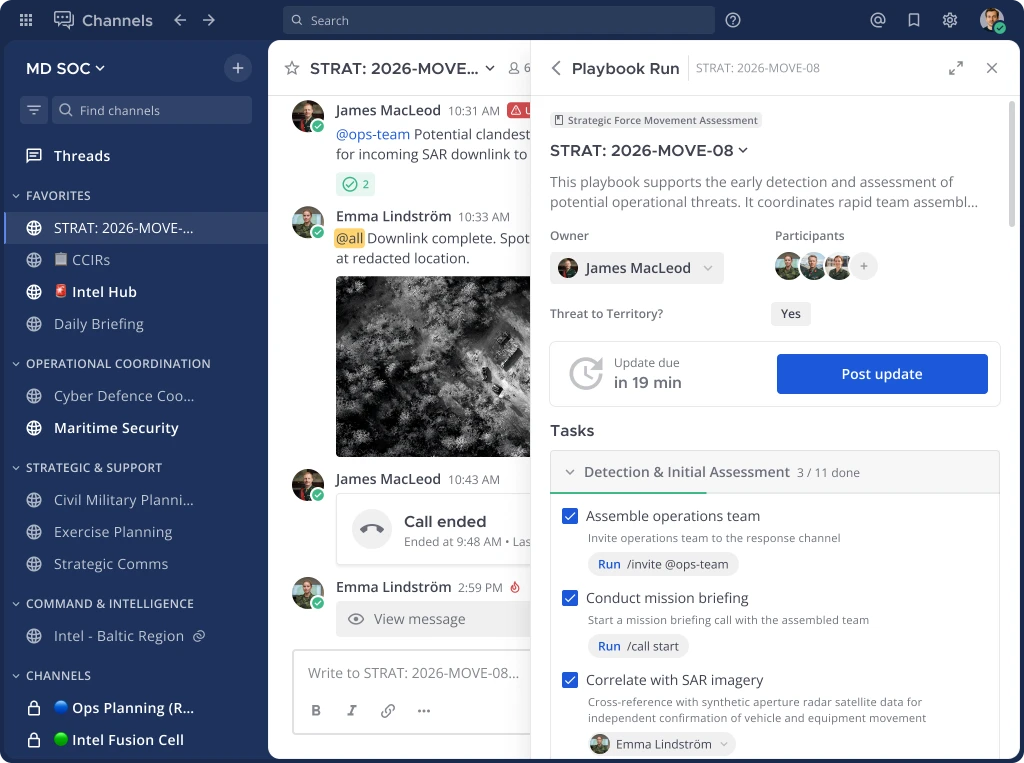
Mattermost is an open-source team chat platform with channels, threads, playbooks for incident response, and deep admin controls. You can host it on your own servers or in a private cloud.
Best for: Security-focused and regulated teams that need data on infrastructure they control.
Pricing: The official pricing page lists Professional, Enterprise, and Enterprise Advanced plans with no public prices, so you contact sales. A free edition is available for technical evaluation.
Pros
- Full control over where data lives
- The Slack-like layout lets a test group start without training
- Active developer community and many integrations
Cons
- Needs an IT person to install, patch, and back it up
- Paid pricing requires a sales conversation
- Interface feels more utilitarian than Slack's
What stood out to me
Mattermost’s Slack-like layout made it easy to use from day one. I installed it on a small cloud server over a weekend, and setup took about an hour. With familiar channels, threaded replies, and direct messages, my test group could jump straight in.
What could be improved
Self-hosting Mattermost comes with ongoing maintenance responsibilities. I forgot to configure backups until Sunday night, which reminded me how much work falls on whoever manages the server.
Between security patches, updates, and backups, teams without dedicated IT support would need to set aside time each month to keep everything running.
9. Best for Open Source Customization
Rocket.Chat: What is it?
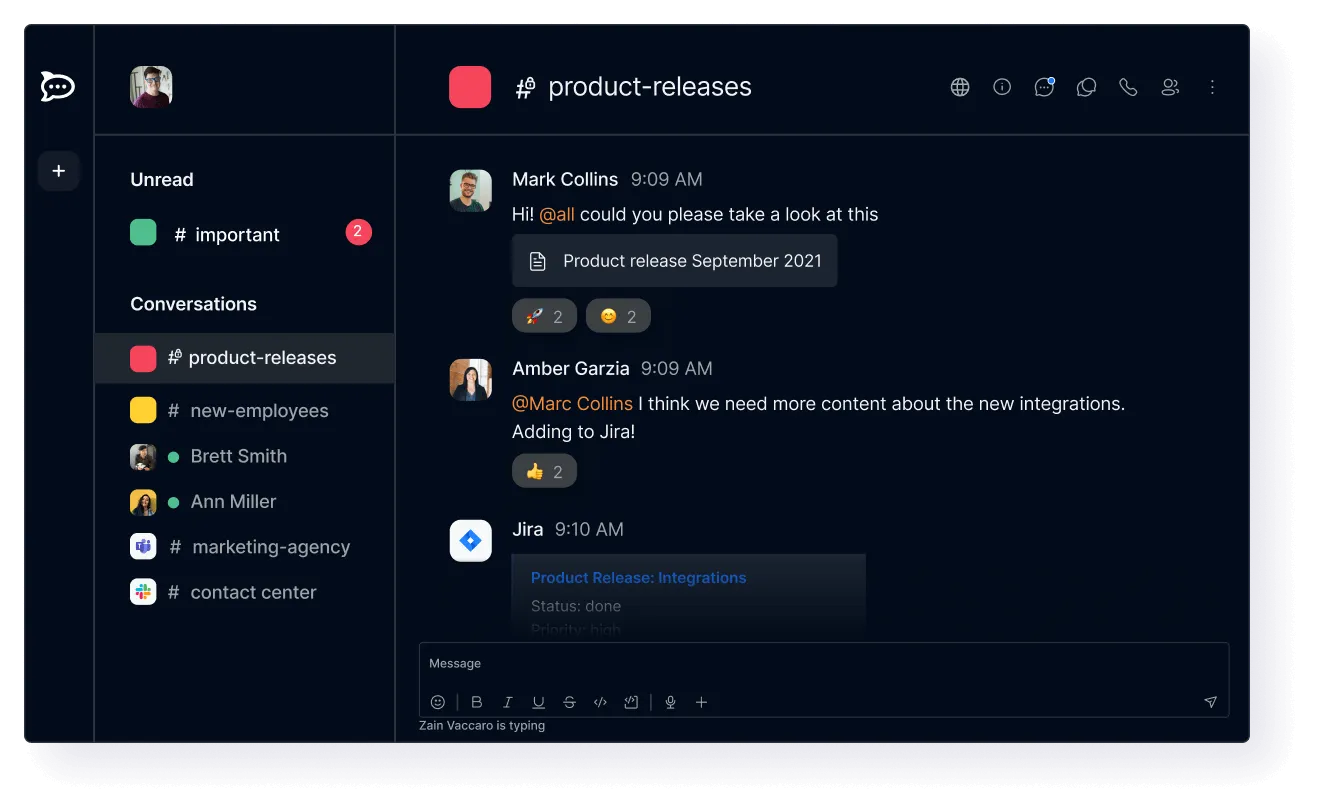
Rocket.Chat is an open-source chat platform with channels, omnichannel customer messaging, and extensive customization of themes, bots, and permissions.
Best for: Teams with developers who want to shape the platform and host it themselves.
Pricing: Rocket.Chat offers a free self-managed Starter workspace and a free Community edition. The paid Commercial, Government, and Defense plans have no public prices, so you contact sales for a quote.
Pros
- Highly customizable, including white-label branding
- Supports federation and several messaging channels in one inbox
- Free Community edition for self-hosting
Cons
- Setup and tuning take developer time
- Some advanced features sit behind paid tiers
- Documentation can send you across several pages to finish one task
What stood out to me
Rocket.Chat gave me control over the workspace's branding and integrations. I worked with a developer to replace the default logo, update the interface colors, and connect an internal bot that posted project updates to a team channel. We had everything working in one afternoon without building a chat app from scratch.
What could be improved
Rocket.Chat demands more technical work than most Slack alternatives. Setting up a self-hosted workspace means configuring a server, managing SSL certificates, and keeping the database and application updated.
Even connecting our internal bot required API credentials and webhook configuration. Teams without a developer would need outside help for setup, troubleshooting, and ongoing maintenance.
10. Best for Encrypted, Decentralized Chat
Element: What is it?
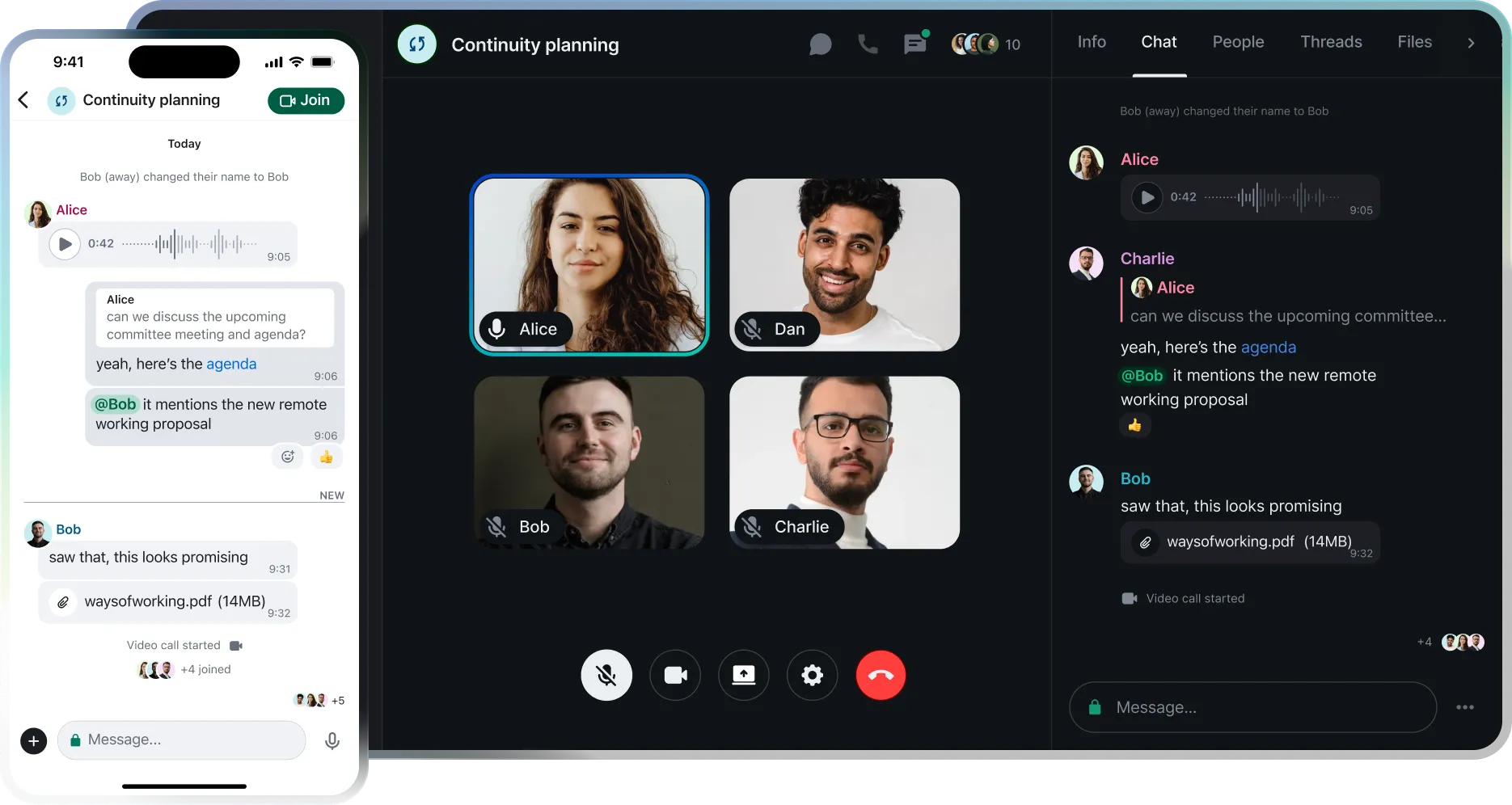
Element is a chat app built on the Matrix protocol, with end-to-end encryption and the ability to connect with other Matrix servers.
Best for: Privacy-first teams and organizations that want decentralized, encrypted messaging.
Pricing: Element’s Community edition is free to self-host for up to 100 users, but it is meant for non-professional use and evaluations. Enterprise (100+ users) is priced per seat per month, and the air-gapped Sovereign plan is priced per deployment.
Pros
- Shared files get the same encryption as messages, with no per-message setup
- Federation lets separate organizations message each other
- Strong open source community
Cons
- Interface has a learning curve for non-technical users
- Encryption key management can confuse new members
- Fewer workplace integrations than mainstream tools
What stood out to me
Element's end-to-end encryption worked automatically across the entire room, including messages and shared files. I tested it with three people discussing sensitive client details, then checked the room's security settings to confirm encryption was enabled. Everyone could join the conversation and exchange files without manually configuring encryption for each message.
What could be improved
Element's device verification and encryption key management made onboarding harder than expected. I had to verify each person's devices, and one teammate lost access to older messages after switching phones without properly setting up key recovery.
Teams unfamiliar with encryption would need guidance on device verification and recovery keys before using Element for important conversations.
11. Best for Topic-Based Threading
Zulip: What is it?
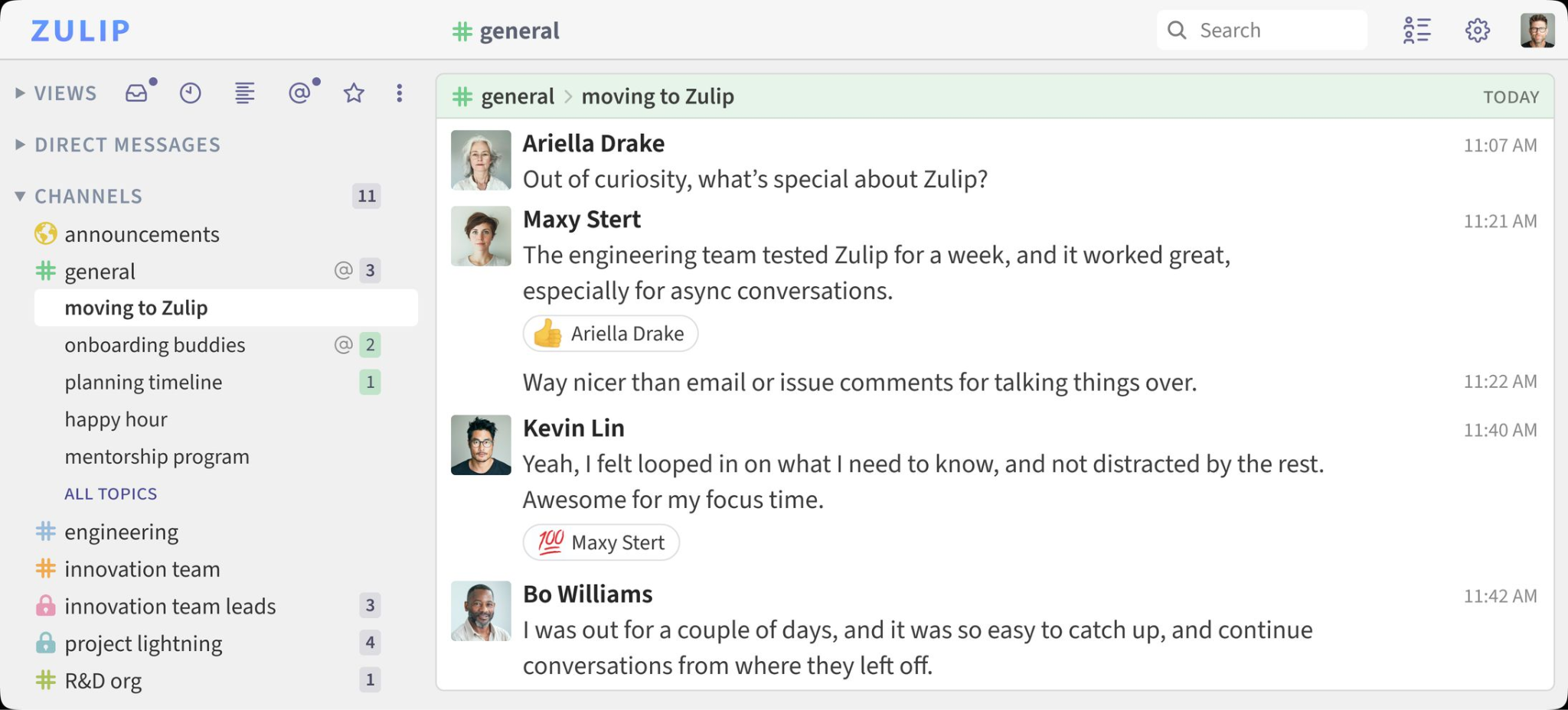
Zulip is an open-source team chat app that splits every channel into topics, so each conversation keeps its own thread. You can self-host it for free or pay for Zulip's cloud hosting.
Best for: Teams with busy channels that need conversations to stay readable.
Pricing: Zulip is free to self-host. Its free cloud plan searches only your 10,000 most recent messages. Cloud Standard costs $8 per user per month and adds unlimited search history, and Plus costs $12 per user per month with a 10-user minimum.
Pros
- Topics keep each conversation separate, so busy channels stay readable
- Old questions stay findable under their topic days later
- The full open source software is free to self-host
Cons
- Posting without a topic is easy to forget, so new users need a short habit-building period
- The free cloud plan searches only 10,000 recent messages
- Fewer third-party apps than Slack
What stood out to me
Zulip’s topic-based conversations kept our research discussions organized, even in a busy channel. I tested it with a four-person group, using topics like “survey draft” and “budget” to separate conversations. On Thursday, I found Tuesday’s answer under the same topic without digging through unrelated messages.
What could be improved
Zulip’s topic system takes some getting used to. During our first week, two teammates kept posting under the wrong topics, leaving conversations scattered until we agreed on a naming convention.
Other options worth knowing
Your team might already have messaging features inside its project management tools. Asana and ClickUp let teammates discuss tasks, share updates, and keep feedback close to the work. If most conversations revolve around projects and deadlines, check whether those features cover your daily needs.
AI is another feature worth exploring. You can create a Slackbot without coding to handle repetitive questions, post updates, or automate routine tasks. For more advanced workflows, our Viktor alternatives comparison covers AI coworkers that can take on work across your apps.
And if your team keeps losing useful information in old conversations, consider where that knowledge should live. Our guides to Notion AI alternatives and knowledge management software can help you organize project decisions, meeting notes, and shared resources where everyone can find them.
How to choose a Slack alternative
I'd start by checking what your team already pays for. You might have a perfectly good Slack alternative sitting inside an existing subscription, especially if your company uses Microsoft 365 or Google Workspace.
From there, narrow your options based on how your team communicates:
- Already using Microsoft 365? Start with Teams. You may already have chat, meetings, and file sharing covered under your subscription.
- Working mainly in Google Workspace? Google Chat keeps conversations close to Docs, Drive, and Calendar, making it convenient for teams that live in Google's apps.
- Spending most of your day on video calls? Zoom Workplace keeps each meeting's chat attached to the call, so notes and links stay in one place.
- Need free messaging with searchable history? Pumble is worth testing. Its free plan offers unlimited message history and users, though you should check integration limits.
- Prefer quick voice conversations? Discord's always-open voice channels work well for small creative teams and communities.
- Working across time zones? Twist organizes discussions into titled threads, making overnight updates easier to follow.
- Want polls and to-dos built in? Flock adds polls, reminders, and to-dos for small teams, though its free plan search stops at 10,000 messages.
- Need control over hosting and data? Mattermost and Rocket.Chat offer self-hosting options, though you'll need someone to handle maintenance.
- Handling sensitive conversations? Element offers end-to-end encrypted messaging, with extra setup around device verification and key recovery.
- Dealing with busy channels that need organized threads? Zulip splits every channel into topics, so each conversation stays easy to follow.
Team size changes the decision, too. A five-person team might care most about free message history and easy setup. At 50 people, I'd pay closer attention to per-seat costs, integrations, and how much admin work the platform creates. Beyond 100 employees, permissions, compliance requirements, and support deserve a closer look.
Before committing, I'd run a one-week pilot with a real project. Import an existing channel, invite a few teammates, connect the apps you use daily, and test notifications across desktop and mobile.
On day five, try finding an old message, sharing a file, and adding a new teammate. Those small tasks reveal limitations that feature comparison tables often miss.
I learned to take message history limits seriously after my own 140-day surprise. A one-week pilot could save your team from finding a dealbreaker after everyone has moved over.
{{cta}}
Final verdict
For most teams, the cheapest good answer is the software they already pay for: Teams for Microsoft shops and Google Chat for Workspace shops. Without either, try Pumble first, since its free plan keeps unlimited history for unlimited users and fixes the 90-day wall that sent me searching in the first place.
Groups that talk mostly by voice can start with Discord, and teams with busy channels can try Zulip's topic-based threads.
Teams that need control over their data should look at Mattermost or Rocket.Chat, and both require a sales conversation for paid pricing. Element suits privacy-first groups, though its free Community edition is meant for non-professional use.
Slack is still a strong product, especially with AI included in its paid plans. If Pro at $8.75 per user fits your budget, the switch may not be worth the effort. If the 90-day history limit or the $18 per user Business+ bill is what’s bothering you, one of these Slack alternatives will likely fit.
FAQs
1. Who is Slack's biggest competitor?
Microsoft Teams is Slack's biggest competitor, thanks to its integration with Microsoft 365. Companies already paying for Microsoft 365 can use Teams for messaging, meetings, and file sharing, making it an attractive option for cutting software costs.
2. What is replacing Slack?
Many teams are replacing Slack with Microsoft Teams, Google Chat, and Pumble. Teams and Google Chat appeal to companies consolidating their software, while Pumble attracts smaller teams looking for free messaging and unlimited history. Mattermost and Rocket.Chat serve teams that need self-hosting.
3. What is the best open-source Slack alternative?
Mattermost is the best open-source Slack alternative for teams that want a familiar chat experience with self-hosting. Rocket.Chat offers extensive customization, Element focuses on encrypted communication, and Zulip organizes conversations into topics for easier asynchronous collaboration.
4. Does anyone still use Slack?
Yes, Slack remains a popular workplace messaging platform for startups, remote teams, and large companies. Its channels, integrations, and workflow automation remain useful, although per-seat pricing and free-plan history limits encourage some teams to explore alternatives.
5. What is the best free Slack alternative?
Pumble is the best free Slack alternative for teams that need unlimited message history. Its free plan supports unlimited users and includes 10 GB of workspace storage. Discord is another option for teams that prioritize voice chat and community discussions.









