Manus AI Pricing 2026: What Each Plan Really Costs
Everett broke down Manus AI's credit-based pricing across Free, Pro, and Team plans, comparing costs from $20 to $200 against other AI agent platforms.


I was midway through setting up Manus for a research project when I realized I had no idea how many credits I was burning.
The task looked simple enough: pull competitor data, summarize it, and generate a slide deck. Twenty minutes later, Manus handed me a finished deck. It was good. But when I checked my credit balance, I'd burned through hundreds of credits on a single run.
That's the thing about Manus AI pricing that nobody explains upfront. The plans look straightforward on paper: $20, $40, or $200 a month. Those are starting prices. Pro slides up from each one as you add credits. But the credit system underneath is where things get interesting, and expensive, if you're not paying attention.
I went through Manus's pricing page, credit rules, and help docs to work out what each plan gets you and when you hit the ceiling.
Here's how the numbers break down.
Manus AI pricing plans at a glance
Manus sells three plans: Free, Pro, and Team. Pro is where the choice happens: you pick a monthly credit level, and the price follows the level you pick. The structure is credit-based throughout, so your actual cost depends on how complex your tasks are. The level you pick sets your monthly ceiling, but usage determines what you spend. For comparison with other AI assistant options, reviewing otter ai pricing can help you evaluate subscription costs.
Here's what each plan costs and who it's built for:
| Plan | Starting prices | Baseline Credits | Best for |
|---|---|---|---|
| Free | $0 | 300 daily refresh credits | Testing Manus and small tasks |
| Pro (Standard level) | $20/month | 4,000 credits/month | Regular personal usage |
| Pro (Customizable level) | $40/month | 8,000 credits/month | Power users and creators |
| Pro (Extended Monthly Usage) | $200/month | 40,000 credits/month | Heavy research and production workloads |
| Team | $20/seat/month | From 4,000 credits per seat | Teams collaborating on projects |
All plans use a credit-based system, and usage scales quickly depending on the complexity of your tasks. For a complete breakdown of features beyond pricing, read our full Manus AI review. If you are also comparing meeting transcription tools, checking the fireflies ai pricing can help you plan your budget.
What each Manus plan gets you
Each Manus plan covers the same core credit system but differs in how many credits you get, which features unlock, and how many tasks you can run at once. The jump from Free to Pro Standard is significant. The jump from Standard to Extended is mostly about volume.
Here's how each plan breaks down on features, limits, and trade-offs:
Free: $0/month
What's included: 1,000 credits when you sign up, then 300 daily refresh credits, access to Chat mode, 1 concurrent task, and 2 scheduled tasks
Best for: Anyone testing the platform or exploring Manus before committing to a paid plan
Pros:
- No credit card required
- Good way to test how Manus works
- Enough daily credit to test a real task without paying
Cons:
- Limited to one concurrent task
- Credits run out quickly for larger projects
- No advanced creation tools like slides or websites
This plan is generous for a free tier and works well for testing simple tasks, running small research prompts, or exploring the interface before upgrading.
Pro (Standard): from $20/month, or 17% less billed annually
What's included: From 4,000 monthly credits, 300 daily refresh credits, Wide Research, slide generation and website deployment, plus up to 20 concurrent and scheduled tasks
Best for: Regular users who want to run research tasks and generate projects without worrying about daily credit limits
Pros:
- Supports larger research and generation tasks
- 4,000 credits cover a normal research month without daily limits getting in the way
- Unlocks every Manus model version, not just the Lite one the free plan gives you
Cons:
- No way to see what a task will cost before you run it
- 4,000 credits is one heavy research week for most people
It's an ideal starting point for individuals who want to use Manus regularly for research, building projects, or generating presentations.
Pro (Customizable): from $40/month, or 17% less billed annually
What's included: Everything in the $20 level (Wide Research, slide generation, website deployment, 20 concurrent and scheduled tasks) with the monthly credit floor raised from 4,000 to 8,000.
Best for: Power users, creators, and researchers who rely on Manus frequently for generating content or running deeper research
Pros:
- Handles more demanding workloads
- Better suited for continuous research tasks
- Twice the credit ceiling when 4,000 stops lasting the month
Cons:
- 8,000 credits still won't cover daily slide or site generation
- Same features as the $20 level: you're paying only for more credits
This plan works well for users who depend on Manus daily for research, generating slides, or creating projects that require larger workloads.
Pro (Extended): from $200/month, or 17% less billed annually
What's included: The same feature set again, with the monthly credit floor at 40,000. What you're buying at this tier is volume.
Best for: Teams, researchers, and professionals running large projects or high-volume workloads
Pros:
- Ten times the $20 level's credits, for people running jobs daily
- Ideal for large research jobs and content generation
- Handles sustained workloads without constant credit limits
Cons:
- $200 a month whether you use the credits or not
- Unused credits vanish at the cycle end, so a slow month is money gone
This plan is designed for heavy users who rely on Manus for large research projects, batch content generation, or production-level workloads. If you want to compare how other tools handle credit-based pricing, our Relevance AI pricing breakdown covers the details.
Team: from $20/seat/month, or 17% less billed annually
What's included: From 4,000 credits per seat per month, shared credit pools across the team, team usage analytics, internal access controls, shared slide templates, single sign-on (free at 30+ seats, otherwise $150/month on top), and data training opt-out
Best for: Teams collaborating on research, projects, and content generation inside Manus
Pros:
- Built-in collaboration tools
- One heavy user can draw on a quiet teammate's credits
- You can see who is burning credits before the bill arrives
Cons:
- Overkill for solo users or very small teams
- Credits scale with team size, so costs grow as headcount grows
If you're a startup or SMB, this plan is overkill. But for larger organizations, you can turn Manus into an internal AI tool. If you are considering other agent frameworks, reviewing the CrewAI pricing will help you compare your options.
What does a task actually cost in credits?
The sticker price is the easy part. What most people want to know is how fast the credits actually go.
Manus charges credits per task, and the cost scales with three things: the LLM tokens used for planning and output, the virtual machine time for browser automation and file work, and any third-party APIs the task pulls from.
In practice, that means simple tasks (a quick lookup, a short summary, a basic chat response) use a fraction of your daily refresh. Standard research jobs sit in the middle. Heavy tasks like Wide Research runs, slide deck generation, and website deployment can consume several hundred credits in a single run.
On the $20 plan, 4,000 credits cover a normal month of moderate research work. One heavy task can take a significant chunk of that in a single session. If you run those jobs daily, the $20 level will cap out before the month ends. If your work is mostly quick lookups and summaries, 4,000 credits is more than enough.
The only way to know your exact usage is to watch the credit meter on your first few real tasks before committing to a plan.
Which Manus AI plan should you choose?
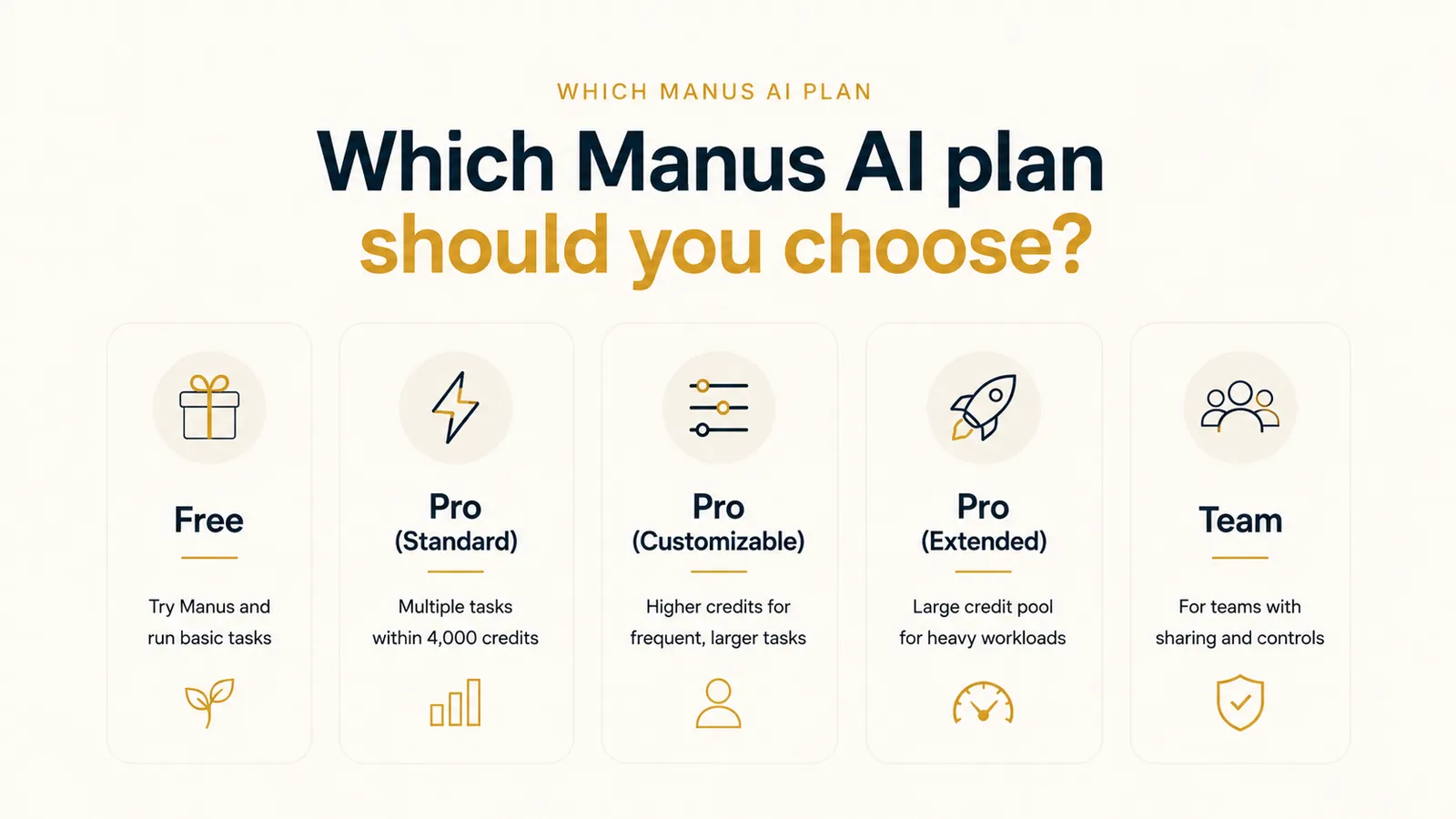
The right Manus AI plan comes down to three things: how often you run tasks, how complex those tasks are, and whether you need team-level sharing and controls. Casual users and light researchers rarely need more than the $20 Standard plan. Heavy users and teams will hit that ceiling fast.
Here's how to match your workflow to the right plan:
Choose Free if you:
- Want to try Manus without spending anything
- Are testing how the credits work before committing
- Only run one-off tasks like quick research agents or basic prompts
Choose Pro (Standard) if you:
- Need multiple tasks running in parallel
- Expect moderate monthly usage within the 4,000 credit allowance
- Want to run research tasks regularly or generate slides and small projects
Choose Pro (Customizable) if you:
- Run multiple larger tasks throughout the week
- Run more research and slide work each month than 4,000 credits cover
- Need a higher monthly credit allowance for consistent usage, but you don't need team plans for multiple members
For most solo users, $20 is the level that matches a normal month. Step up to $40 only once you've watched yourself hit the 4,000 ceiling.
Choose Pro (Extended) if you:
- Generate content or presentations at scale
- Need a large monthly credit pool for sustained workloads
- Run large research jobs or multiple heavy tasks every day
- Need to run several heavy tasks at once, every day, without watching the credit meter
Choose Team if you:
- Have multiple people using Manus across a team
- Want shared credits and centralized usage analytics
- Need shared credits and access controls across a team
Is Manus AI worth the money?
Manus AI is worth the money if you run enough research or slide work to use 4,000 credits a month, and you don't mind watching the meter.
The free tier is usable and lets you test simple tasks like summarizing text, running research prompts, or creating slides. Pro Standard ($20/month) is the most balanced option for solo users who want to generate projects regularly without running out of credits too quickly.
You may find Manus less appealing if you don't track your usage carefully. The credit system offers flexibility, but the total Manus AI cost can feel unpredictable if your workloads change month to month.
The Extended level ($200/month) makes the most sense for solo creators and researchers running large jobs at scale. Teams that want shared credits and access controls should look at the Team plan instead.
Manus is worth it if you:
- Have enough usage volume for the credit model to make sense
- Use features like Wide Research or the browser operator for deeper tasks
- Want to run research-heavy tasks or generate projects like websites and slides
Skip Manus if you:
- Need predictable, task-based billing
- Want more control over how your workflows behave
- Prefer ready-made skills over open-ended prompts
Manus AI alternatives & pricing comparison
The credit math is what pushed me to look elsewhere. Here are the five tools that came closest to what Manus does.
Let's compare them by use cases, pricing, and features:
| Tool | Starting price (billed monthly) | Best for | Standout Features |
|---|---|---|---|
| Manus AI | Starts free; paid from $20/month, 7-day trial on the $40 level | Autonomous agent tasks, research, creative output | AI slides, Wide Research, browser operator, and Manus Skills |
| Lindy | 7-day free trial, paid plans from $29.99/month per user | Recurring business work across Slack, email, and calendar | AI teammate with hundreds of integrations, 40+ built-in skills, and no workflow setup required |
| n8n | Free (self-hosted); Cloud from $20/month | Teams building custom automation on open-source infrastructure | Workflow automation with 400+ integrations and a self-hostable option |
| CrewAI | Free (open-source framework) plus a free hosted plan (50 workflow runs/month); Enterprise custom | Dev teams building multi-agent systems | Open-source with role-based agent orchestration and a hosted platform |
| Dust | From $24/seat/month (billed yearly) | Team-level AI agents connected to company data | Model-agnostic, 50+ native integrations |
| Vocode | Free (open-source; no hosted price published) | Voice-first automation | Open-source phone-agent library, last release Aug 2024 |
Manus offers stronger autonomy for research-heavy and creative tasks, especially for solo users. Lindy is the better fit for teams that need recurring business work handled across Slack, email, and calendar without any setup overhead. If you find these limitations too restrictive, you can compare other Manus AI alternatives to suit your workflow.
Lindy vs Manus AI: Which should you choose?
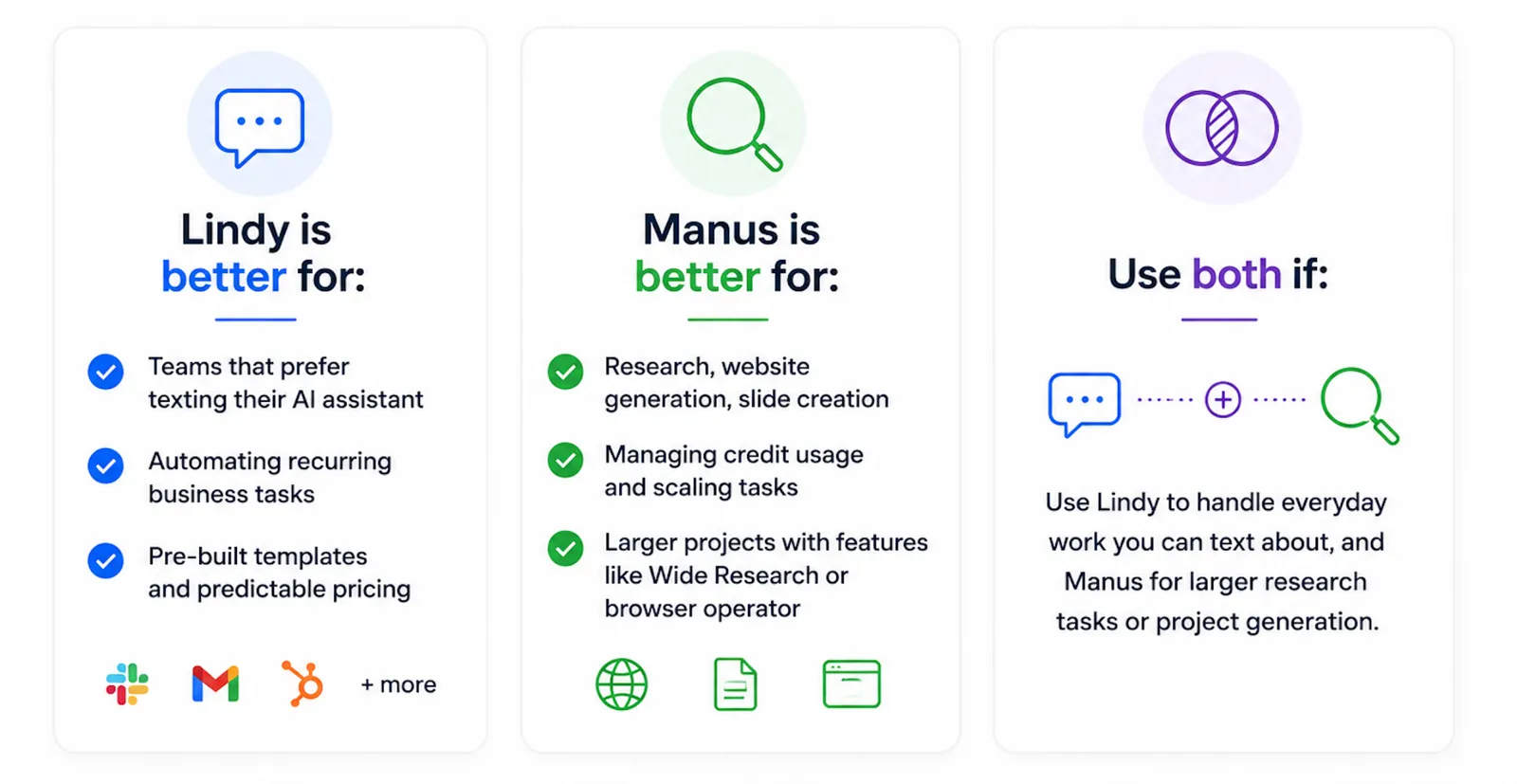
Choosing between Lindy and Manus AI should depend on the kind of control, visibility, and structure you need.
Lindy is better for:
- Automating recurring business tasks like lead routing, inbox triage, or internal ops
- Users who want built-in skills and predictable pricing without worrying about credits
- Teams that want an AI teammate in Slack to handle tasks across email, calendar, and their tool stack
Lindy connects to hundreds of integrations, making it a strong fit for teams that want their AI teammate to take action across the tools they already use.
Manus is better for:
- Experimenting with research, website generation, and slides
- Users who don't mind managing credit usage and adjusting tasks as they scale
- Running larger projects with Wide Research or the browser operator
Use both if:
- You want an AI teammate in Slack handling the recurring work with Lindy, but also want to experiment with larger research tasks or project generation using Manus.
Final thoughts on Manus AI pricing
Manus AI suits users who want to run tasks like research, website creation, or slide generation. The credit-based model gives flexibility, but it also creates uncertainty, especially if your usage patterns change month to month.
If you want an AI teammate your whole team can reach in Slack or by text, Lindy will usually be easier to manage long-term. Manus makes more sense if you don't mind tracking your credits and running bigger projects like research, content generation, or automated browsing tasks.
{{templates}}
Try Lindy, your AI teammate
Lindy is an AI teammate that lives in your Slack, connects to all your tools, and handles real work for the whole team. @mention Lindy in any channel and it answers in the thread. DM it and it works as a personal assistant with access to your email, calendar, and memory.
Here's what Lindy handles:
- Inbox management: Lindy drafts replies in your voice, labels incoming mail, and keeps your inbox from piling up.
- Meeting prep and follow-up: Lindy joins your calls, takes notes, and has the follow-up drafted and waiting for your approval.
- Recurring routines: Set a routine in plain English and Lindy runs it on schedule. No triggers, no setup required.
- Research and reports: @mention Lindy to pull a competitive brief, triage a support queue, or summarize a week of calls into a proposal.
- Works across your stack: Lindy connects to hundreds of integrations including Gmail, Slack, HubSpot, Notion, and more.
Lindy starts at $29.99/month per user on the Plus plan, with a 7-day free trial for new teammates who join through Slack.
{{cta}}
Frequently asked questions
How much does Manus AI cost per month?
Manus AI pricing starts at $20/month for the Pro plan with Standard Monthly Usage. The Customizable level starts at $40/month and the Extended level starts at $200/month. The Team plan starts at $20/seat/month. All plans use a credit-based system where more complex tasks consume more credits from your monthly pool.
Is Manus AI free to use?
Yes. Manus gives new users 1,000 credits at signup, then refreshes 300 credits every day. It covers basic Chat mode and Manus 1.6 Lite in Agent mode, with support for one concurrent task. It's enough to run simple research prompts or test the platform before committing to a paid plan.
How do Manus AI credits work?
Manus AI credits are consumed every time Manus completes a task, with cost scaling by complexity. Simple lookups use fewer credits; deep research or slide generation can burn through hundreds in a single run. Your monthly credits refresh at the start of each cycle and don't roll over, so heavy users can hit the limit early. Add-on credits you buy separately do carry over.
How does Manus AI pricing compare to Lindy?
Manus AI pricing starts at $20/month with a credit-based model, while Lindy starts at $29.99/month per user on the Plus plan. Manus suits autonomous research and content generation tasks. Lindy is built for recurring business work across Slack, email, and calendar, with a 7-day free trial for teammates who join through Slack.
What's the best alternative to Manus AI?
Lindy is the best Manus AI alternative for teams that need reliable, recurring business automation. It lives in your Slack, connects to hundreds of integrations, and handles inbox management, meeting prep, and follow-ups without any workflow setup. For developer-focused orchestration, CrewAI is worth considering. For voice automation, Vocode is the stronger fit.









