IFTTT vs Zapier: Cost, Features, and Alternatives in 2026
Michelle compared IFTTT, Zapier, and Lindy on features, pricing, and ease of use, weighing simple trigger automations against deeper app integrations and AI workflows.


IFTTT fits personal and smart-home tasks, while Zapier handles multi-step business workflows. That difference became obvious when I used IFTTT to control lights and Zapier to move a new lead through several work apps.
IFTTT took minutes to set up. Zapier needed more planning, but I felt comfortable trusting it with customer data and processes that affected the team.
I compared both on app support, workflow logic, reliability, and pricing. I also included Lindy for teams that want AI to interpret requests and carry the work across connected tools.
IFTTT vs Zapier: TL;DR
- Choose IFTTT if you want simple, low-cost automations for your phone, social accounts, or smart home, and one trigger with one action is enough.
- Choose Zapier if you run business workflows with several steps, conditions, and apps like HubSpot, Slack, and Google Sheets.
Choose Lindy if you want an AI teammate in Slack to run multi-step work from plain-English instructions, and you can budget for credits.
Meet the contenders
These three tools can all move work between apps, but they’re built for different kinds of jobs. Here’s the quickest way to understand where each one fits:
IFTTT: Best for personal and smart-home tasks
IFTTT connects apps and devices through simple rules built around an event and a response. I use it to mute my phone when a meeting begins, and the automation took only a few minutes to configure.
Its strength is handling lightweight routines in the background with little upkeep, especially across phones, personal apps, and smart-home devices.
Zapier: Best for multi-step business automation
Zapier connects business apps through Zaps, which start with a trigger and continue through one or more actions. I use it to move Typeform leads into HubSpot, send a welcome email, and notify the sales team in the same workflow.
This structure fits teams moving data between marketing tools, CRMs, spreadsheets, and support platforms through a predictable series of steps.
Lindy: Best for work requiring AI reasoning
Lindy lives in Slack, connects to your work tools, and follows instructions written in everyday language. It can search connected sources, answer questions with citations, join meetings, send follow-ups, and update CRM records.
IFTTT vs Zapier vs Lindy comparison
Zapier is my pick for business automation because it offers deeper workflow logic and far more app integrations.
IFTTT fits personal routines and smart-home devices where setup speed matters most.
Lindy enters the shortlist when a workflow needs AI to interpret context, choose the next step, and complete the follow-through.
IFTTT vs Zapier feature comparison
The feature lists look similar until you build a workflow with more than one step. IFTTT reaches the finish line faster for personal routines, while Zapier gives business teams more room to add logic, fix errors, and connect work apps.
App integrations
IFTTT connects 1,000+ services, with strong coverage across smart-home devices, mobile apps, and personal tools. Finding Philips Hue, Google Nest, or an Android setting took little effort because these use cases sit near the center of its catalog.
Zapier connects 9,000+ apps, including HubSpot, Salesforce, Slack, Airtable, and many smaller business tools. When I mapped a Typeform lead workflow, every app I needed already had a connector.
Winner: Zapier for business software, while IFTTT remains the stronger choice for consumer apps and connected devices.
Multi-step workflows and AI
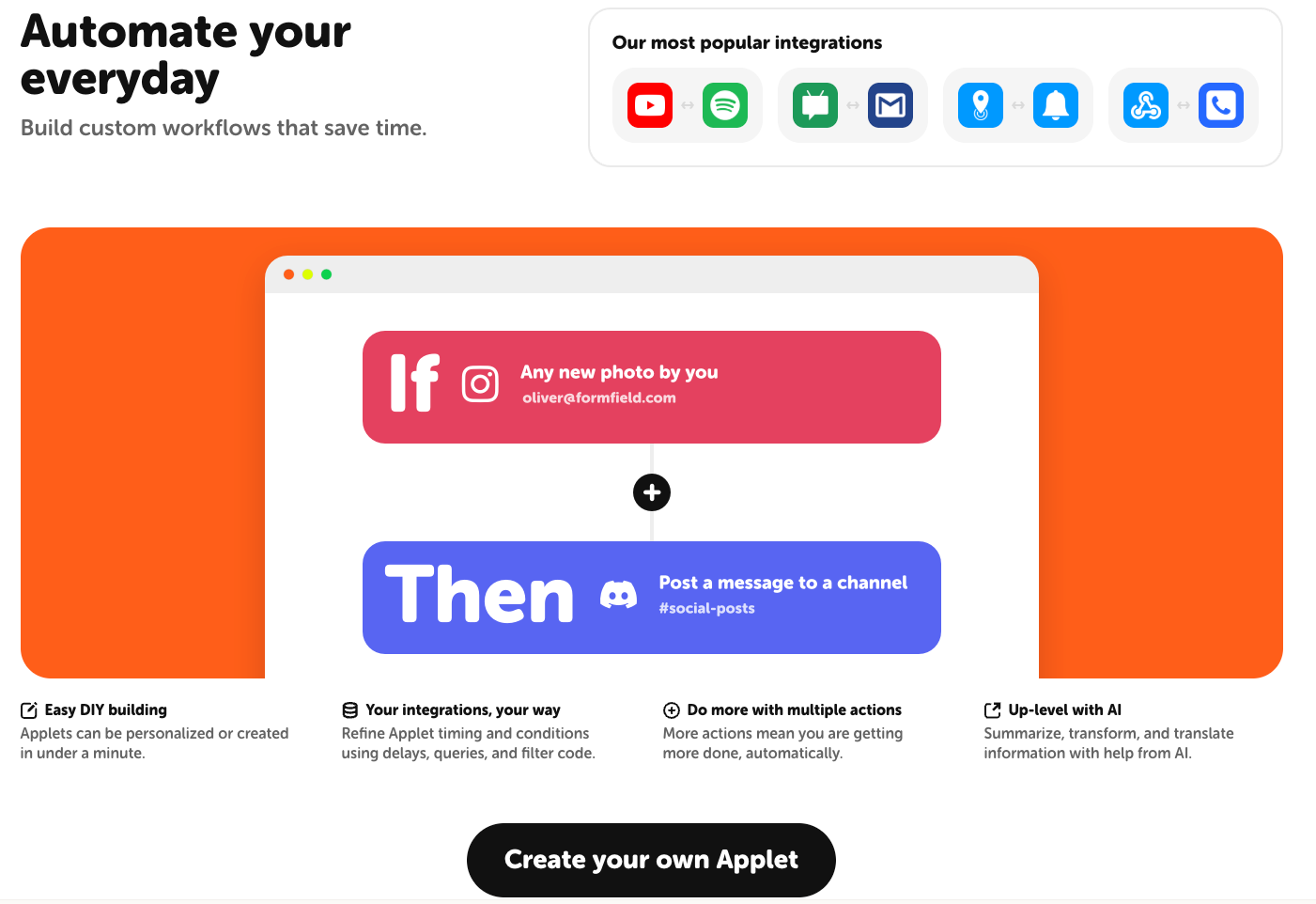
IFTTT keeps its core model simple, with one trigger followed by an action. Pro supports multiple actions, while Pro+ adds queries, filter code, conditional logic, developer tools, and AI services.
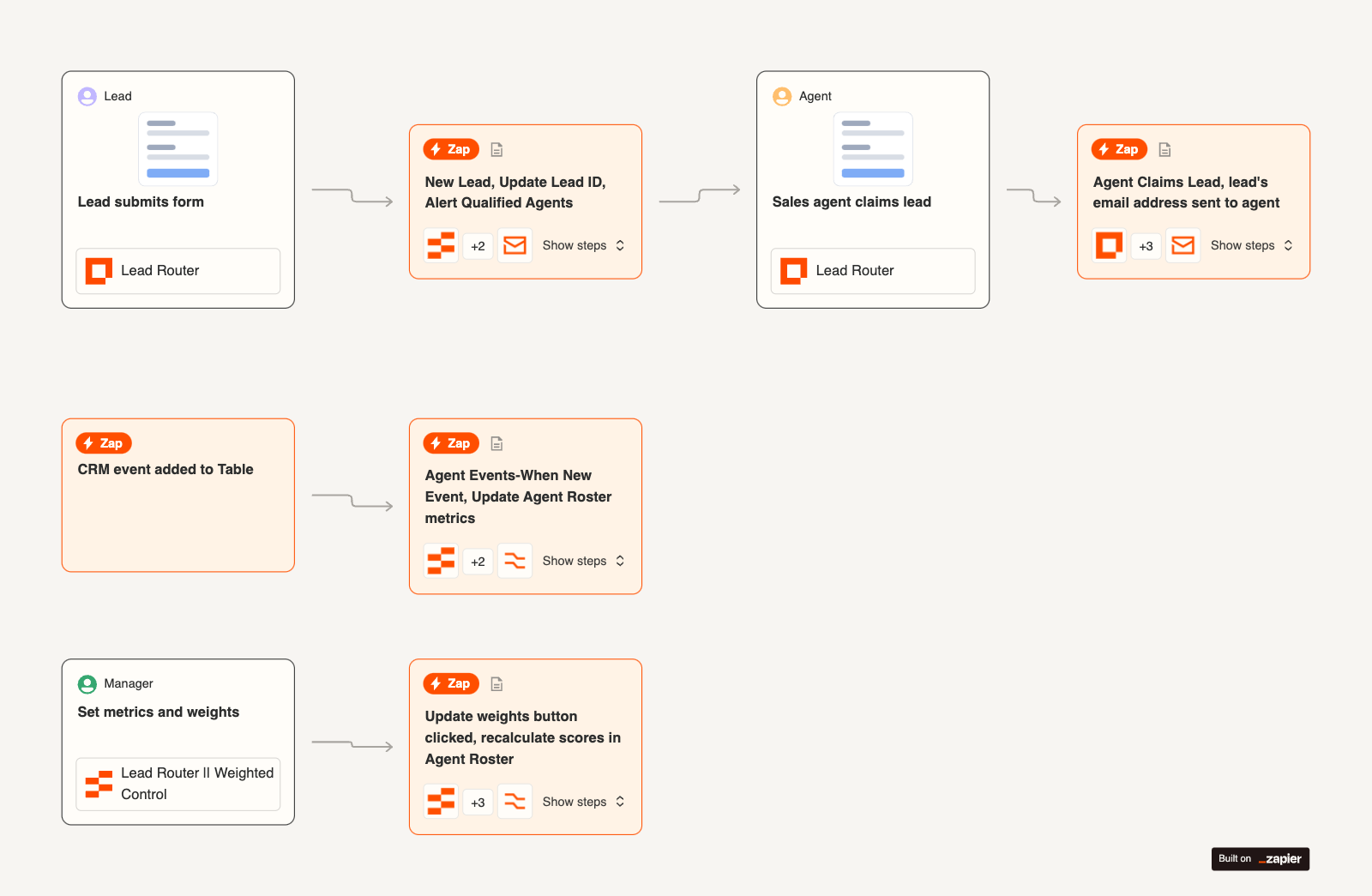
Zapier gives each workflow more structure. Paths split a Zap into branches, Filters control which records continue, Formatter cleans incoming data, and Delay pauses an action until the right time. Zapier Copilot can also draft and refine a workflow from a plain-English request.
I noticed the difference as soon as my lead workflow needed separate routes for qualified and unqualified prospects. IFTTT would need Pro+ for that, since conditional logic starts there.
Winner: Zapier once the process needs branching, data cleanup, or several connected steps.
Reliability and troubleshooting
IFTTT polling triggers run every hour on Free and every five minutes on Pro or Pro+. Real-time triggers can fire faster, but availability depends on the connected service. The activity feed shows failed trigger checks and delayed runs.
Zapier records every workflow run in Zap History, giving you the input, output, and status for each step. Autoreplay can retry temporary failures up to five times, which helped me recover a broken business workflow without resending every record manually.
Winner: Zapier for stronger recovery tools, although a large Zap with several branches can still take time to debug.
Ease of use
IFTTT has a shorter setup path. You choose an event, choose the response, connect the account, and turn on the Applet. Community Applets also cover many familiar routines, including lights, phone settings, weather alerts, and reminders.
Zapier guides beginners through each trigger and action, but every added filter, field mapping, and branch brings another decision.
My first IFTTT routine took minutes, while the equivalent business workflow in Zapier needed testing before I trusted it with new leads.
Winner: IFTTT for speed, especially when the automation involves one event and one outcome.
Smart-home automation
IFTTT connects smart-home products across brands such as Philips Hue and Google Nest through cloud-based Applets, plus Alexa through add-on services like Voice Monkey. A routine can turn on lights at sunset, adjust a thermostat when you leave, or trigger an alert from a connected device.
Zapier focuses on workplace software, with limited support for connected-home routines. IFTTT’s cloud-based setup is easier to configure, although an internet outage can interrupt Applets controlling essential devices.
Our IFTTT alternatives guide covers options with local control, stronger privacy, and more advanced smart-home features.
Winner: IFTTT for its wider device support and easier setup.
IFTTT vs Zapier pricing in 2026
IFTTT still offers a free plan, although it limits you to two Applets. Zapier's free plan includes 100 tasks per month and two-step Zaps, which is enough to test a simple business workflow.
IFTTT prices plans around Applet limits, which makes monthly spending easier to predict. Zapier bills by completed action tasks, meaning a longer workflow consumes several tasks each time it runs.
For example, a Zap with four actions uses 800 tasks after 200 runs, passing the 750-task allowance on the entry Professional plan. Filters, Paths, Formatter steps, and Delays do not count toward task usage.
Our Zapier pricing breakdown explains how task usage affects the final bill and when a higher tier costs less than buying extra tasks.
IFTTT vs Zapier vs Make and n8n
Make and n8n belong in this comparison because both handle business workflows at a lower entry price than Zapier. Their setup experience differs widely from IFTTT, especially once a workflow needs branching, data cleanup, or custom logic.
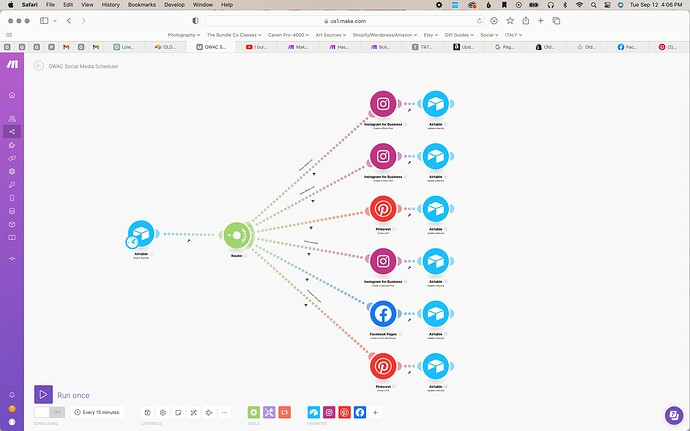
When I rebuilt a lead-routing workflow in Make, the visual canvas made every branch easy to follow. I could watch the record move through filters, CRM updates, and notifications on one screen.
The free plan includes 1,000 credits per month, while Core costs $16/month for 10,000 credits on monthly billing. Most module actions use one credit, while some AI features consume more.
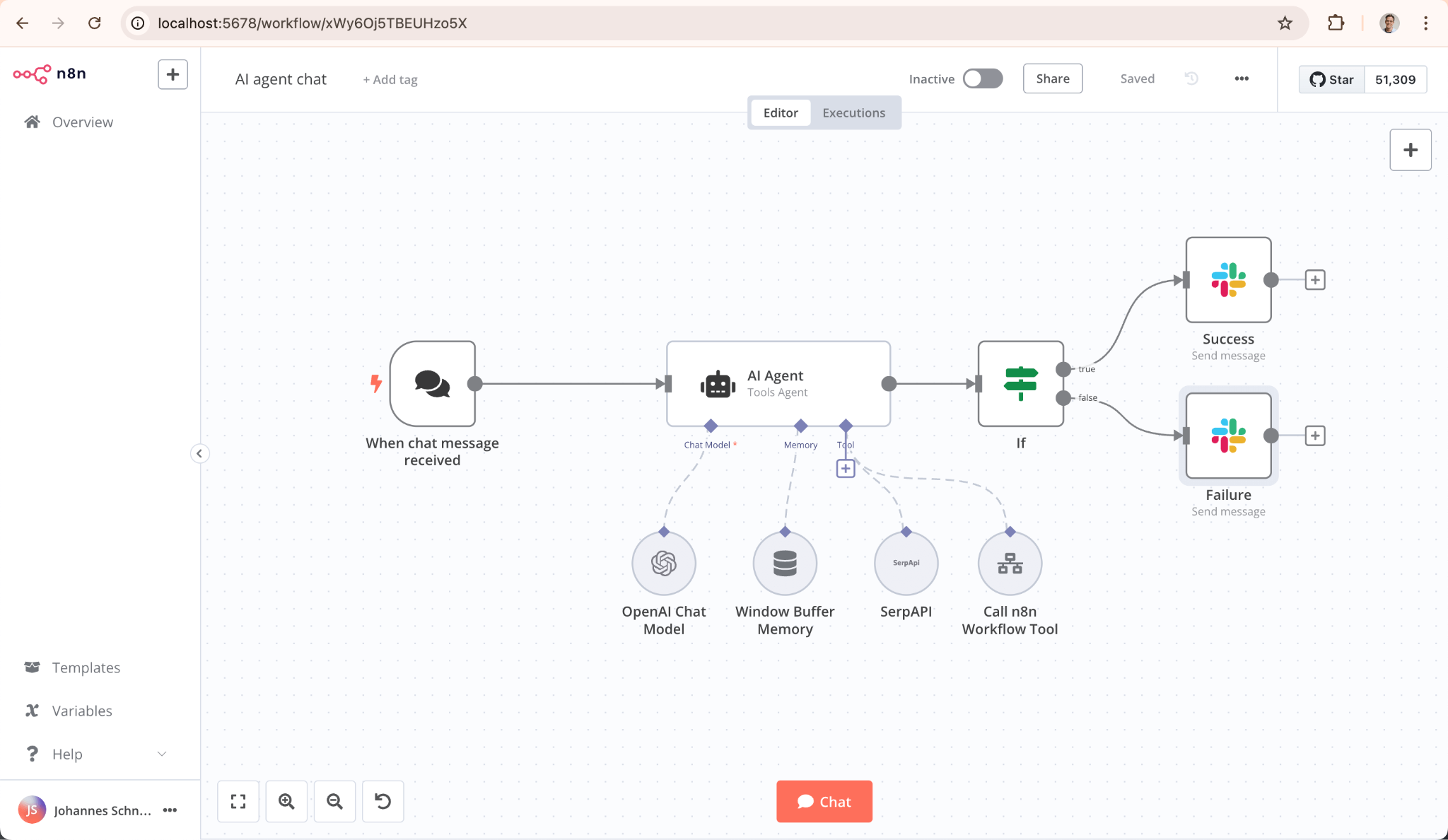
n8n gave me more technical control, including code steps, API requests, and self-hosting. Its Community Edition is free to host yourself.
n8n Cloud Starter costs $24/month, billed monthly, and includes 2,500 workflow executions with unlimited steps. Each complete workflow run counts once, even when it contains several actions.
Make fits teams wanting a visual builder and a lower starting cost. n8n fits technical teams prepared to manage a more involved setup or host the software themselves. Self-hosting can reduce subscription costs, but server maintenance and troubleshooting still require time.
Our Make vs Zapier vs Lindy comparison covers visual automation in more detail, while n8n vs Zapier vs Lindy focuses on technical control, hosting, and execution-based pricing.
A third option with Lindy
Lindy works as your company’s brain inside Slack. It connects to approved meetings, files, messages, and business tools, then uses the shared context to answer questions and finish work for the team.
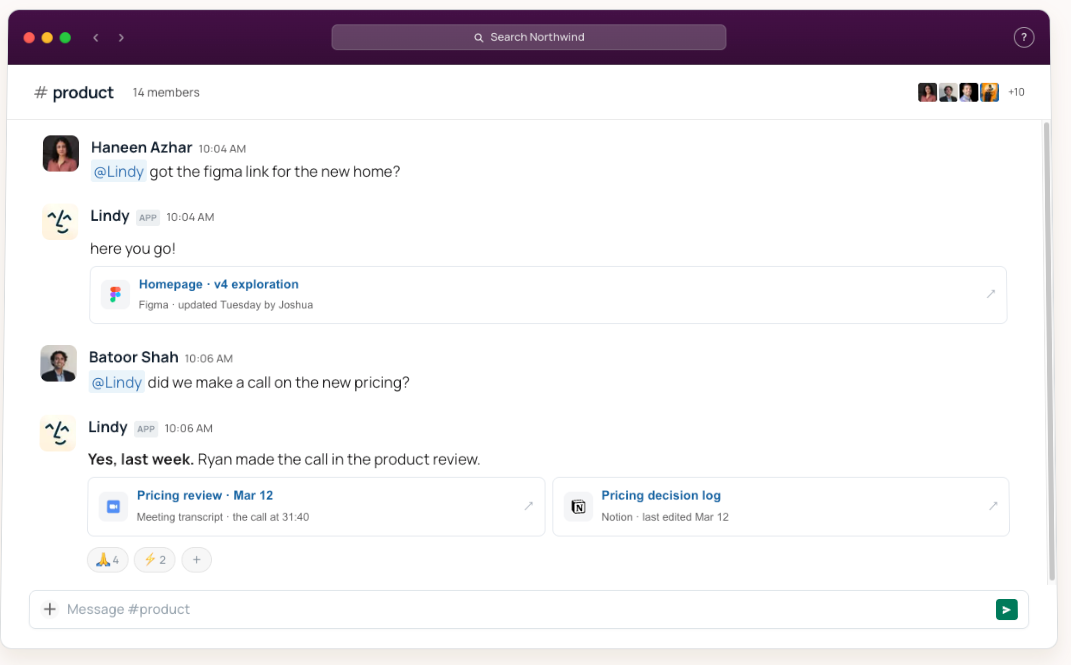
The useful moments are often small. Someone asks for the latest homepage Figma link, while another teammate wants to know whether the new pricing was approved. Lindy finds the file, confirms the decision, and links the meeting transcript and decision log behind its answer.
IFTTT and Zapier run workflows built step by step. Our Zapier alternatives guide compares more options.
{{templates}}
What Lindy does well
- Company answers with sources: Mention Lindy in a channel to search Slack history, meetings, Google Drive, Notion, Gmail, and other approved sources. Every answer includes citations.
- Personal help in direct messages: In a DM, Lindy can work with your email, calendar, and private memory without carrying personal context into public channels.
- A shared meeting library: Lindy records and summarizes team meetings, identifies action items, sends follow-ups, and lets coworkers ask questions about earlier calls.
- Finished reports and files: It can process data, write and run code, and create reports, dashboards, and financial models. Completed files land in shared folders with permissions and version history.
- Recurring routines: A request such as “Every Monday at 9, send the pipeline brief” becomes ongoing work. Reusable skills and team memory help Lindy apply earlier context each week.
- Admin guardrails: Each tool and action can be allowed, blocked, or held for approval. Lindy is SOC 2 and GDPR compliant, and HIPAA with a signed BAA comes on the Enterprise plan.
Where Lindy falls short
Lindy depends on the sources your team connects. Missing meeting history, documents, or tool access can leave it without the context needed to answer or complete a request.
Its work also uses credits, with reports and other involved assignments consuming more than a quick Slack question. Lindy supports 1,000+ integrations, while Zapier offers a larger app catalog.
For a simple trigger such as copying a form response into a spreadsheet, Zapier may be easier to predict. IFTTT remains the stronger choice for smart-home devices and personal routines.
Lindy pricing
Lindy has a Free plan with $50 in credits that last seven days, no card needed. The Team plan starts at $29.99/user/month for 3,000 credits, and Enterprise pricing is custom. Teammates who join through Slack also get a seven-day free trial before their seat is billed.
What real users say
G2 reviews point to clear patterns for each tool. Here's what users liked and disliked about IFTTT, Zapier, and Lindy.
IFTTT
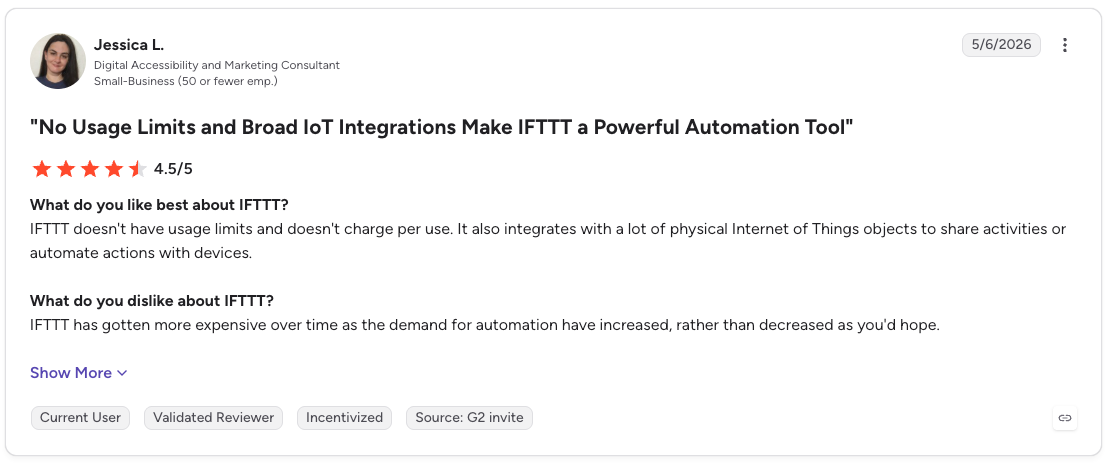
Pros: “IFTTT doesn't have usage limits and doesn't charge per use. It also integrates with a lot of physical Internet of Things objects to share activities or automate actions with devices.” - Jessica L., G2 review
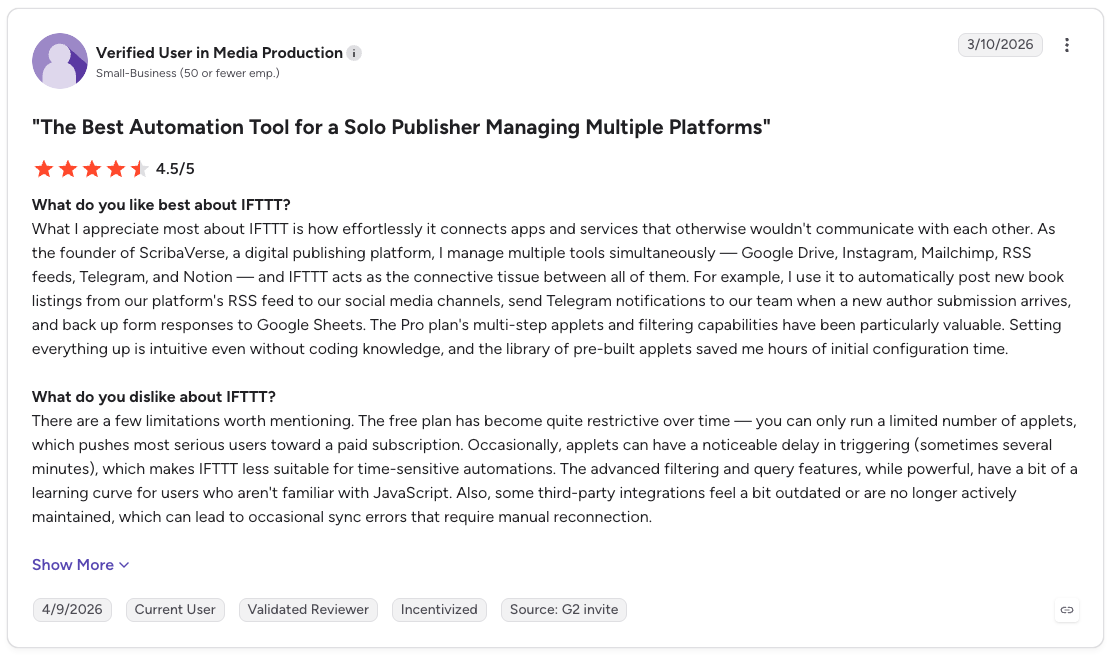
Cons: “There are a few limitations worth mentioning. The free plan has become quite restrictive over time — you can only run a limited number of applets, which pushes most serious users toward a paid subscription. Occasionally, applets can have a noticeable delay in triggering (sometimes several minutes), which makes IFTTT less suitable for time-sensitive automations.” - Verified User in Media Production, G2 review
Zapier
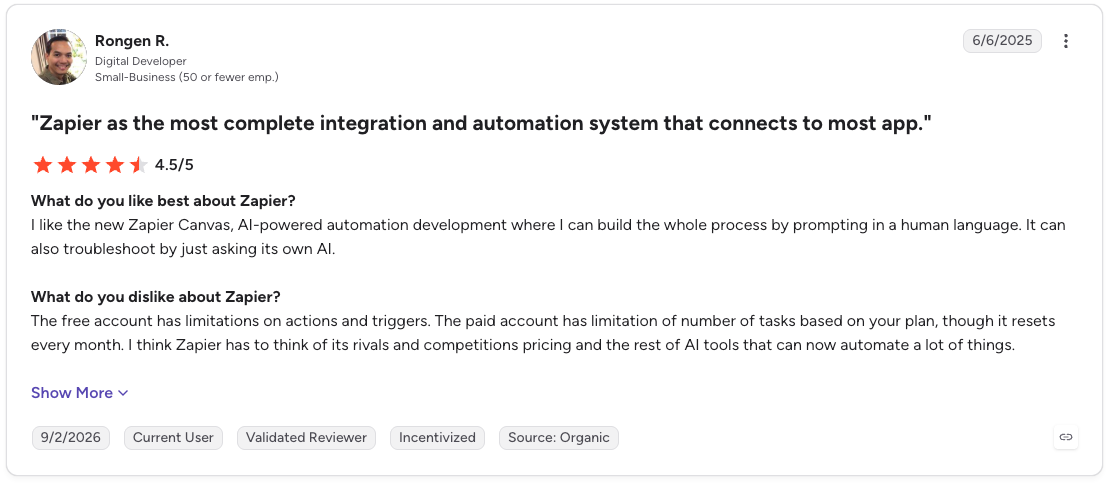
Pros: “I like the new Zapier Canvas, AI-powered automation development where I can build the whole process by prompting in a human language. It can also troubleshoot by just asking its own AI.” - Rongen R., G2 review
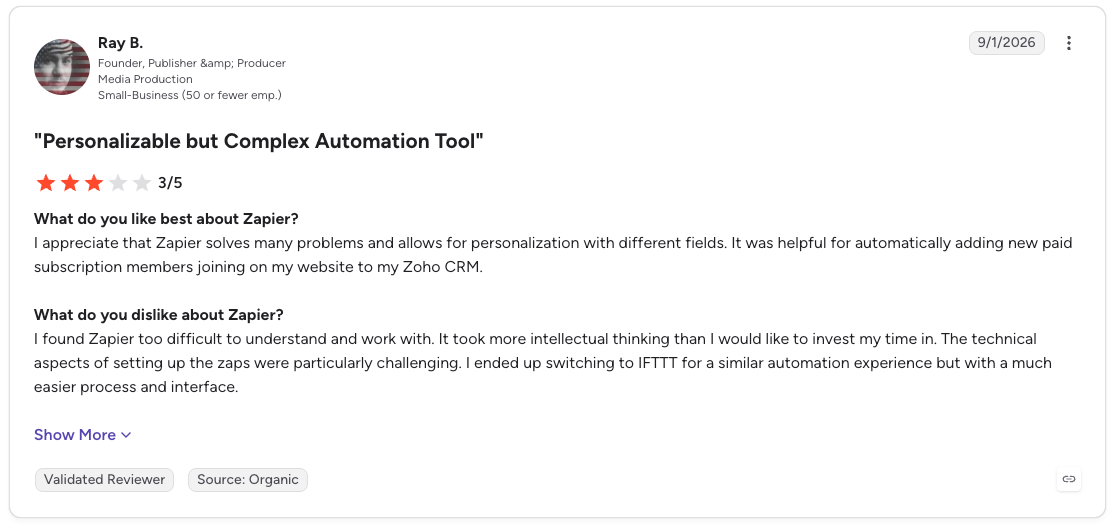
Cons: “I found Zapier too difficult to understand and work with. It took more intellectual thinking than I would like to invest my time in. The technical aspects of setting up the zaps were particularly challenging. I ended up switching to IFTTT for a similar automation experience but with a much easier process and interface.” - Ray B., G2 review
Lindy
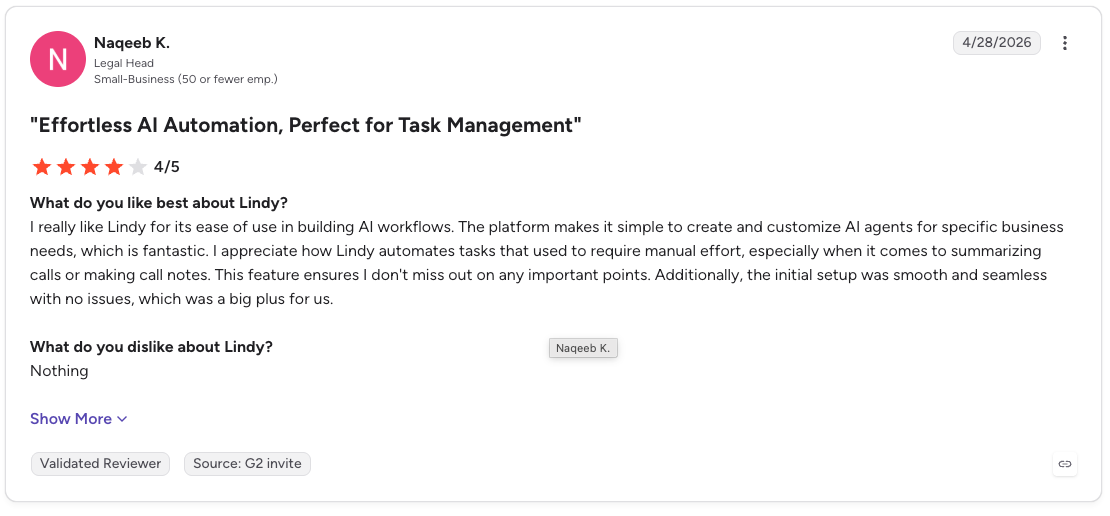
Pro: “I really like Lindy for its ease of use in building AI workflows. The platform makes it simple to create and customize AI agents for specific business needs, which is fantastic. I appreciate how Lindy automates tasks that used to require manual effort, especially when it comes to summarizing calls or making call notes.” - Naqeeb K., G2 review
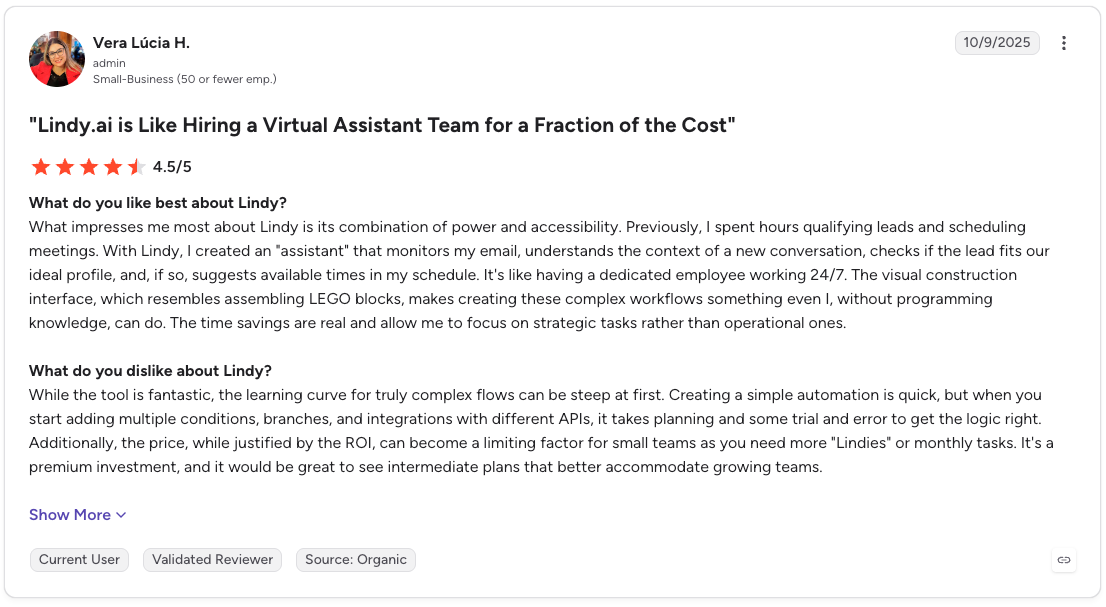
Con: “While the tool is fantastic, the learning curve for truly complex flows can be steep at first. Creating a simple automation is quick, but when you start adding multiple conditions, branches, and integrations with different APIs, it takes planning and some trial and error to get the logic right.” - Vera Lucia H., G2 review
{{cta}}
Which tool should you choose?
Choose based on how the work begins. If it starts with a device event, use IFTTT. If it follows a fixed business process, use Zapier. If a teammate starts by asking a question or describing an outcome in Slack, consider Lindy.
Choose IFTTT if you:
- Want personal routines such as muting your phone during meetings or syncing calendar events
- Need a quick way to connect smart-home devices from different brands
- Can complete the job with a simple trigger and action
Choose Zapier if you:
- Need several business apps to follow a predictable sequence
- Use conditions, branching, formatting, delays, or detailed run logs
- Want access to more than 9,000 app integrations and can budget around task usage
Choose Lindy if you:
- Want teammates to ask questions across meetings, files, Slack history, and connected tools
- Need cited answers, finished reports, meeting follow-ups, or recurring work delivered in Slack
- Prefer plain-English requests with admin permissions and approval controls
My final verdict
In the IFTTT vs Zapier matchup, Zapier remains my pick for structured business automation. When each step is known in advance, its app catalog, branching tools, and run history give teams strong control over the workflow.
IFTTT fits personal and smart-home routines. It gets a simple automation running quickly and covers connected devices Zapier leaves outside its main focus.
Lindy fits work where the steps depend on company context. I’d test it when a teammate needs to find a decision, pull evidence from several sources, or turn a Slack request into a completed report. Check its app connections and expected credit use before moving recurring work over.
FAQs
1. What is the main difference between IFTTT and Zapier?
The main difference is workflow depth and audience. IFTTT focuses on personal productivity and smart-home Applets, while Zapier supports multi-step business workflows across more than 9,000 apps.
2. Is IFTTT still free?
Yes. IFTTT's free plan includes two Applets with unlimited runs at standard speed. Multi-action Applets begin with Pro, which costs $4.99/month, or $2.99/month billed annually, and raises the limit to 20 Applets.
3. What is better than IFTTT?
Zapier is a stronger fit for business workflows, while Home Assistant offers more local control for smart homes. Lindy fits teams that want to search company knowledge and complete work from Slack. IFTTT remains easier for simple routines across personal apps and connected devices.
4. What is better than Zapier?
Make is worth considering for visual workflows, and n8n gives technical teams a self-hosted option. Lindy is a good match for teams that want a Slack-based AI teammate to answer questions and finish work using company context. Zapier remains attractive when app coverage is the priority.
5. Which is better for home automation, Home Assistant or IFTTT?
IFTTT is better for quick, cloud-based routines across brands, while Home Assistant is better for local control and privacy. Home Assistant is free and open source, though you need compatible hardware or a local installation.









