7 Best Genspark AI Alternatives in 2026: Tested and Ranked
Marvin reviewed seven Genspark alternatives to test if the "all-in-one" ai workspace is actually better then ai tools like Kortix, ChatGPT, and Perplexity, ranking each on sourcing reliability, actionability after research, and ease of use.


I asked Genspark to research a competitor teardown and set up the follow-up tasks in my CRM. It handed me a clean report and stopped right there. I spent the next hour building those CRM entries myself, the exact work I paid credits to skip.
Most teams turn to Genspark because it promises to handle everything: research, slides, coding, phone calls. And that's exactly where it starts to strain, egging users to search for Genspark alternatives.
For example, workflow-heavy teams need the research to trigger a CRM update or a Slack message on its own. Similarly, teams building a client deck need slides that hold their brand and charts already in place. They don’t want to constantly clean them up before anyone sees it.
As someone who has spent enough time using Genspark and the tools people switch to, I can confidently say a single all-in-one workspace won't cover both jobs well. It'll create more credit anxiety and export cleanup than it saves.
So, I've compiled a list of alternatives that fit these four categories:
- Everyday business tasks
- Presentation makers
- Generalist AI tools
- Research and developer tasks
Let's see where each one earns its spot.
11 best Genspark alternatives: TL;DR
- Lindy: Everyday business tasks.
- Zapier: App-connected workflow automation
- Gamma: Quick AI-generated decks
- Beautiful.ai: Auto-designed slide layouts
- Plus AI: Slides inside PowerPoint and Google Slides. To compare how these alternative tools perform against the primary platform, read our detailed genspark review.
- Canva: Brand-consistent presentation design
- Manus: Autonomous multi-step research
- ChatGPT: General research, writing, and problem-solving
- Perplexity: Research you can trace to a source
- Kortix: Open-source automation you fully own
- You.com: Developer search APIs
What is Genspark?
Genspark is an AI workspace that includes a Super Agent, a system that routes each task across more than 80 AI models. Instead of just answering a prompt, it tries to complete the task end-to-end.
Its key features include:
- AI-generated slides and presentations
- Deep research with cited sources
- AI meeting notes and transcription
- A coding agent that builds websites and apps
- Image and video generation
- AI phone calls that book appointments or make inquiries on your behalf
Pricing runs on a credit system. The free plan gives you around 100 credits a day, and paid plans jump to $24.99 or $249.99 a month for 10,000 to 125,000 credits.
Why look for Genspark alternatives?
Genspark offers a wide toolkit in one place. Research, slides, a coding agent, and even outbound phone calls all run through a single Super Agent, and for plenty of use cases, that's the whole appeal. You're not juggling five subscriptions to get five different jobs done.
Where it starts to wear on people is a handful of specific spots:
- Credit costs that are hard to predict: The free plan gives you a small daily allowance, then the jump to a paid tier is steep, and a single deep research task or slide deck can burn through more credit than you expected. You end up watching a usage meter instead of just doing the work.
- Research that doesn't turn into action: Genspark is good at pulling together information. The problem is that the report just sits there, and someone still has to turn it into an email, a CRM update, or a next step.
- Slides that need cleanup before they're presentation-ready: A deck can look finished inside Genspark's browser interface. But it can fall apart after you export it to PowerPoint or PDF, with misplaced text or weird formatting that needs fixing.
- No collaboration features: Genspark offers centralized billing and admin on the team plans, but there's no shared workspace or features for a few people to work on the same project inside Genspark.
- Support that's slow when something goes wrong: Several reviewers mention long waits on support tickets, with unanswered billing questions. That's a bigger deal once you're relying on the tool daily, not just testing it out.
It’s why teams start looking for tools like Genspark.
How I tested these Genspark alternatives
Genspark's own community isn't shy about the gaps. Search r/genspark_ai, and you'll find threads warning people off the platform over pricing, alongside people already on a paid plan asking the community which tool they switched to instead.
The jump from Genspark's Plus plan to Pro is hard to justify when the work you get out of it barely changes. Compare that against Lindy or Perplexity at a similar monthly cost, and the value tips away from Genspark fast.
I ran comparable queries and requests across all 11 tools here and paid attention to speed, accuracy, and how much each one did after producing an answer. What I looked for:
- Sources you can verify: Whether the tool cites where its answer came from, since that matters most for anything you'd have to defend later
- Follow-through: Whether the tool took the next step after generating something, like sending an email, updating a CRM, or exporting a deck cleanly, instead of stopping at the output
- Ease of setup: How much friction there was getting from signup to a working result, especially for non-technical users
- Cost per task: What a realistic task costs under each tool's pricing model, not just the advertised starting price.
11 best Genspark AI alternatives: Quick comparison
| Tool | What it's for | Why it beats Genspark | Pricing (billed monthly) |
|---|---|---|---|
| Lindy | Turns research into finished actions | Acts inside your inbox, calendar, and CRM | $29.99/user/month |
| Zapier | Connects apps and automates handoffs between them | Reaches 9,000+ apps, including enterprise systems | $29.99/month |
| Gamma | Fast, polished decks from one prompt | Sets the design bar for AI slide tools | $12/seat/month |
| Beautiful.ai | Slides that redesign themselves as you type | Keeps layouts consistent, unlike Genspark's repeating designs | $14.50/user/month (billed yearly) |
| Plus AI | Builds decks inside PowerPoint or Google Slides | Skips the export step; the deck stays native | $15/user/month |
| Canva | Decks that stay on-brand automatically | Applies your brand kit more reliably than Genspark | $18/month |
| Manus | Large-scale research across hundreds of items | Parallel sub-agents keep quality consistent at scale | $20/month |
| ChatGPT | Everyday research, writing, and business tasks | Automates recurring tasks across your connected apps | $20/month (Plus) |
| Perplexity | Research with citations you can trace | Sources every claim instead of one synthesized summary | $20/month |
| Kortix | Open-source automation you fully own | Runs as one session, ends in a reviewable diff | $40/seat/month |
| You.com | Search APIs for products you build | Powers web search for enterprises like Alibaba, Amazon, and Databricks | $5 per 1,000 API calls |
Let’s explore these tools in detail, starting with the ones that help with the most common business workflows. Before diving into each alternative, review the core genspark ai features to see how they compare.
Everyday business tasks
These are the tools that pick up where Genspark's research and generation stop. They turn those tasks into automated workflows that keep running without you babysitting them.
Best Genspark alternative for everyday business tasks
Lindy
Lindy is an AI teammate that lets you offload everyday business tasks. You can simply text it or tag it inside Slack the way you’d text a human assistant.
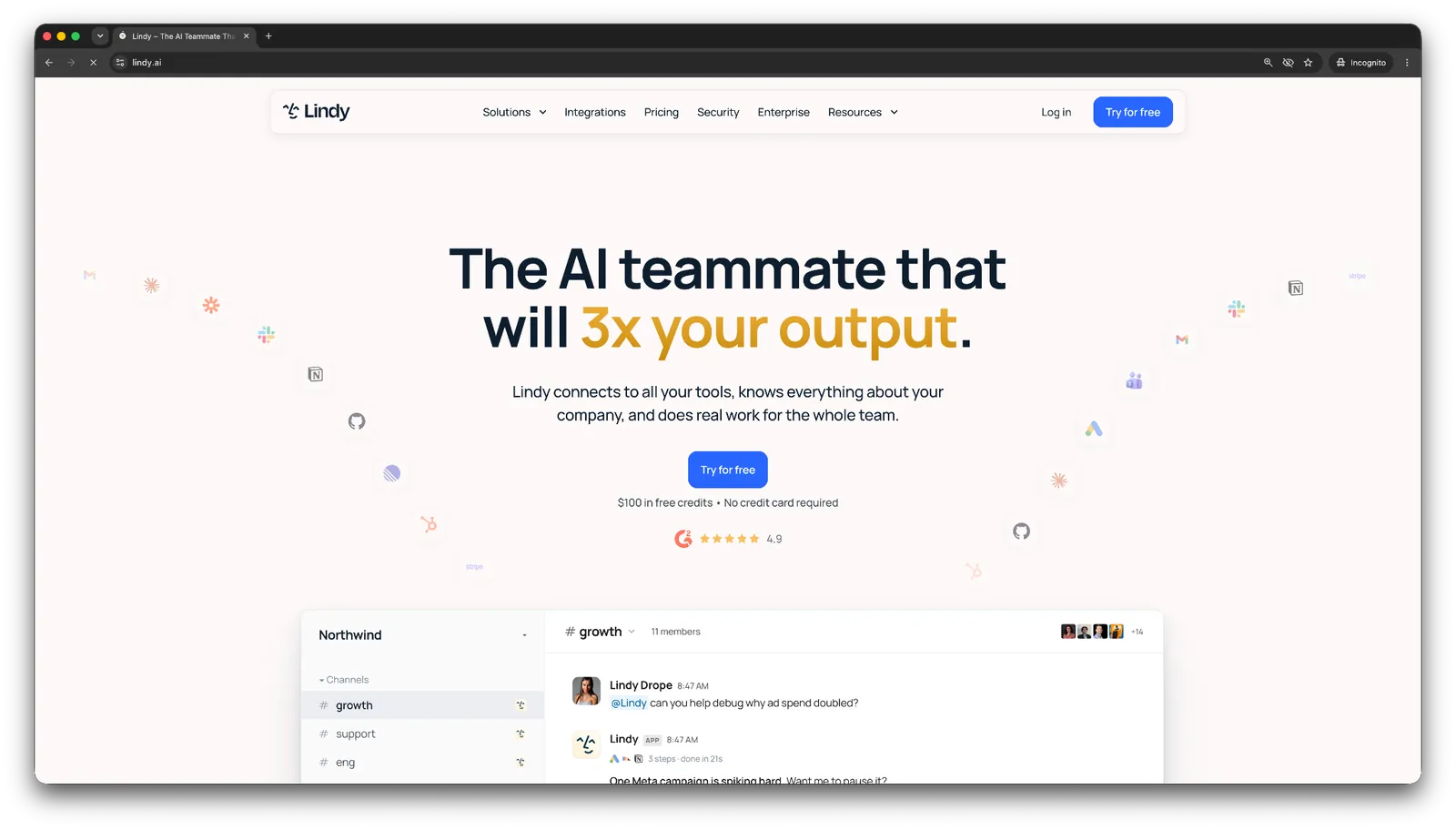
Genspark will find everything you need to know about a lead, a competitor, or a market, then hand it to you as a document. Lindy takes that same information and drafts the email, books the call, updates the CRM record, and tells your team what happened.
If you use Genspark for the research and then spend the rest of the day manually pushing that output into the tools where the work gets done, you could save a lot of time with Lindy.
I rate Lindy highly for these tasks:
Research and follow-up
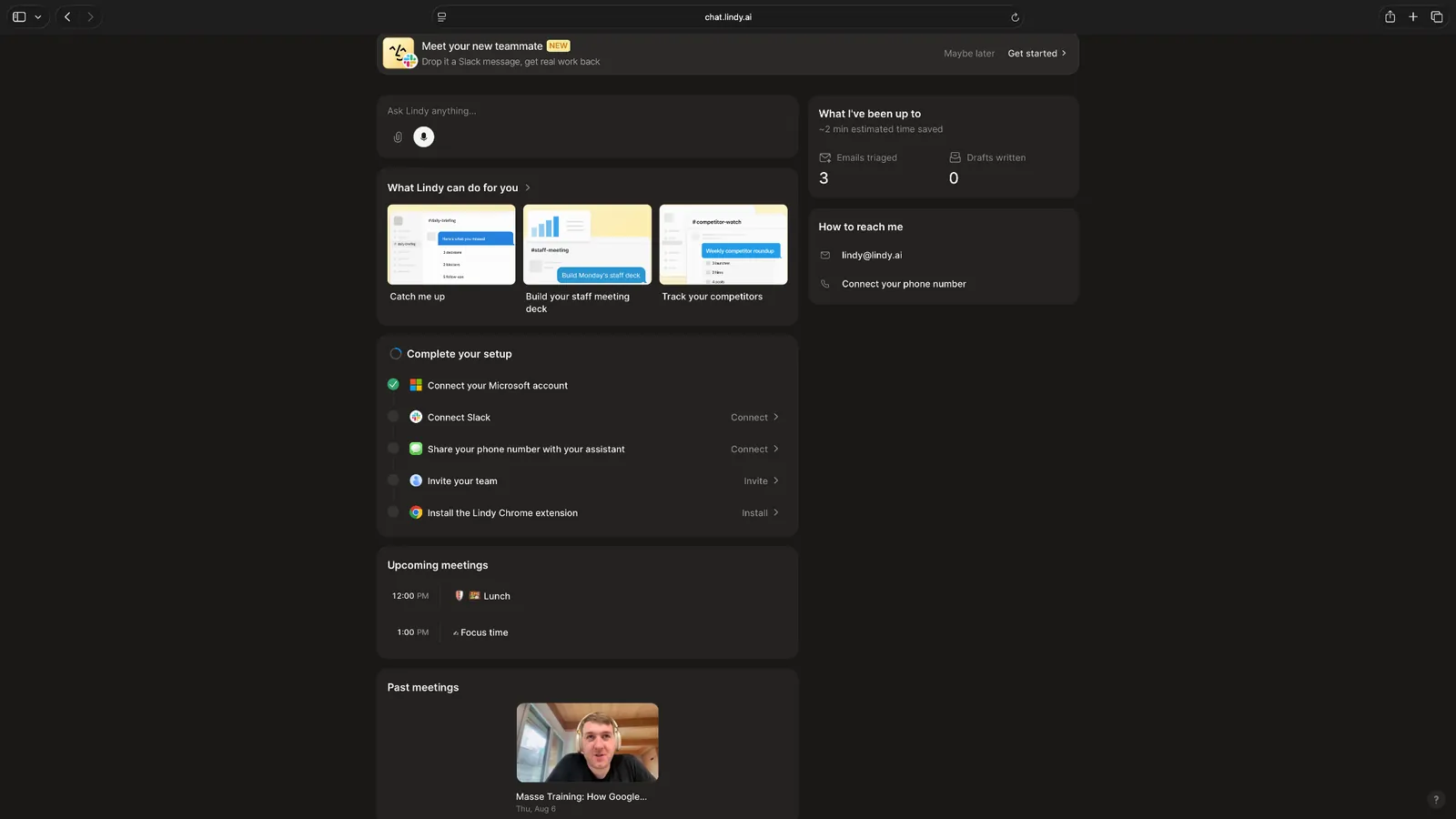
Ask Lindy to look into a prospect, a competitor, or an industry trend, and it’ll create a crisp summary for you. You can then ask it to draft the follow-up email, add a note to the CRM record, and flag the account for your next call.
Once you connect your inbox, Lindy sorts incoming mail against the labels and rules you give it, moves anything low-priority out of the way, and flags what needs your attention. You tell it how to draft replies in your voice, and it holds them for your approval before anything goes out.
Meetings and calls
Lindy preps you before a meeting with attendee background and past email context, joins the call to record and transcribe it, then sends a recap with action items to everyone who attended.
It also runs an outbound phone agent that can call a lead, ask qualifying questions, book the meeting, and log the outcome straight into your CRM. That's the closest match to Genspark's AI Phone Call Assistant, except the call here ends with a scheduled meeting instead of just a transcript.
App integrations
Whenever you text Lindy a task, it checks whether it already has access to the apps it needs and gives you a link to connect on the spot if it doesn't. If you'd rather set everything up front, the Connections page lets you manage every integration and the specific actions Lindy can take through it.
Why it beats Genspark
- It closes the distance between finding information and acting on it. Genspark hands you a report, and Lindy turns that same context into a sent email, a booked meeting, or an updated deal stage, without you copying anything yourself.
- It remembers your history. Lindy can access your past emails and meetings, so when it drafts a reply or preps you for a call, it's pulling from context that Genspark doesn't retain between sessions.
- It can take action across the tools you already use for business. With 1,000+ integrations, Lindy connects to HubSpot, Salesforce, Slack, Notion, and Gmail natively.
Pros
- Turns research and conversations into finished actions instead of another report to act on yourself
- Approval steps for any action you'd rather review before it goes out
- SOC 2 Type II, GDPR, and PIPEDA compliance across all plans, with HIPAA and a signed BAA on Enterprise
- Strong specifically for email, meetings, scheduling, and CRM follow-up
- Set up common workflows in minutes using ready-made skills instead of building from scratch
Cons
- Credits can run down fast on heavy days, so a busy inbox costs more than a quiet one
- It only helps inside apps you've connected, so the first week goes on hooking up your inbox, calendar, and CRM before it earns its keep
Pricing
- A Free plan with $50 in credits that last 7 days, no credit card required
- The Team plan starts from $29.99/user/month, billed monthly, for 3,000 credits pooled across the team, with larger credit tiers and a custom Enterprise plan
{{templates}}
Best Genspark alternative for app-connected workflow automation
Zapier
Zapier automates the steps between the apps you use, so an action in one tool triggers a task in another without you moving data or actions between apps by hand.

Why it beats Genspark
- It integrates with 9,000+ apps, including enterprise systems like SAP, Workday, and NetSuite that Genspark has no reach into at all.
- Zapier Agents can read your inbox, run research, and then trigger any of those app connections as an action, so the research and the follow-up task live in the same automated step instead of two separate tools.
- The workflow behaves the same way every time instead of depending on how an AI model happens to interpret a prompt that day.
Pros
- The widest app catalog of any automation tool, including presentation and slide integrations for Google Slides and PowerPoint
- Works for both simple two-step automations and more advanced multi-app workflows
- A genuinely free plan for light, recurring automations, not just a time-limited trial
Cons
- Costs climb quickly once your task volume or step count grows past the entry tiers
- Building anything beyond a basic Zap takes real setup time, despite the no-code pitch
Pricing
- A free plan with 100 tasks a month and two-step Zaps
- Paid plans start from $29.99/month, billed monthly
Presentation makers
Genspark can put a deck together, but these four tools focus specifically on slide creation, and it shows in the polish and control you get once you need something client-ready.
Best Genspark alternative for quick AI-generated decks
Gamma
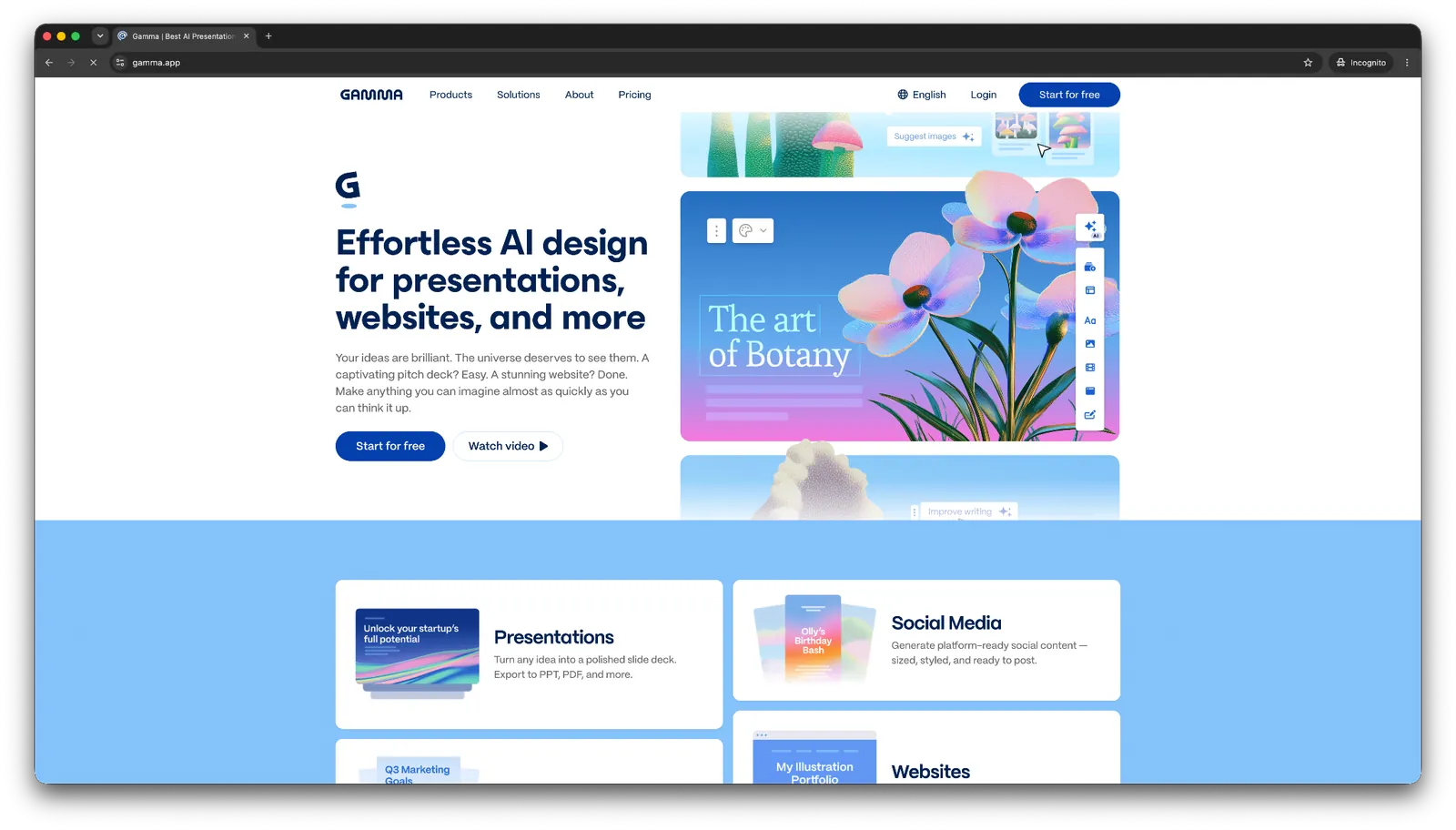
Gamma turns a prompt, an outline, or an uploaded file into a polished, web-native deck in about a minute, using a scrollable card format instead of fixed slides.
Why it beats Genspark
- Its design output sets the bar other AI presentation tools get compared against, while Genspark treats slides as one feature among many rather than the main event.
- The card format is built for sharing as a link, so you're not exporting a file just to send someone a deck. View and engagement analytics come with the Pro plan.
- The free plan offers usable export options, including PDF, PPTX, PNG, and Google Slides. Genspark’s export process needs cleanup before anyone can use it.
Pros
- Consistently strong visual design straight out of the first draft
- Fast, from a rough prompt to a finished deck in a couple of minutes
- Works beyond slides too, for documents and simple websites from the same prompt
Cons
- Decks can start to look alike after you've made a few, since the card format leaves less room for structural variation
- PPTX exports can shift text boxes and substitute fonts, so heavier PowerPoint users still end up doing cleanup
Pricing
- A free plan with 400 one-time credits, enough for roughly 3 to 10 presentations
- Paid plans start from $12/seat/month, billed monthly
Best Genspark alternative for auto-designed slide layouts
Beautiful.ai
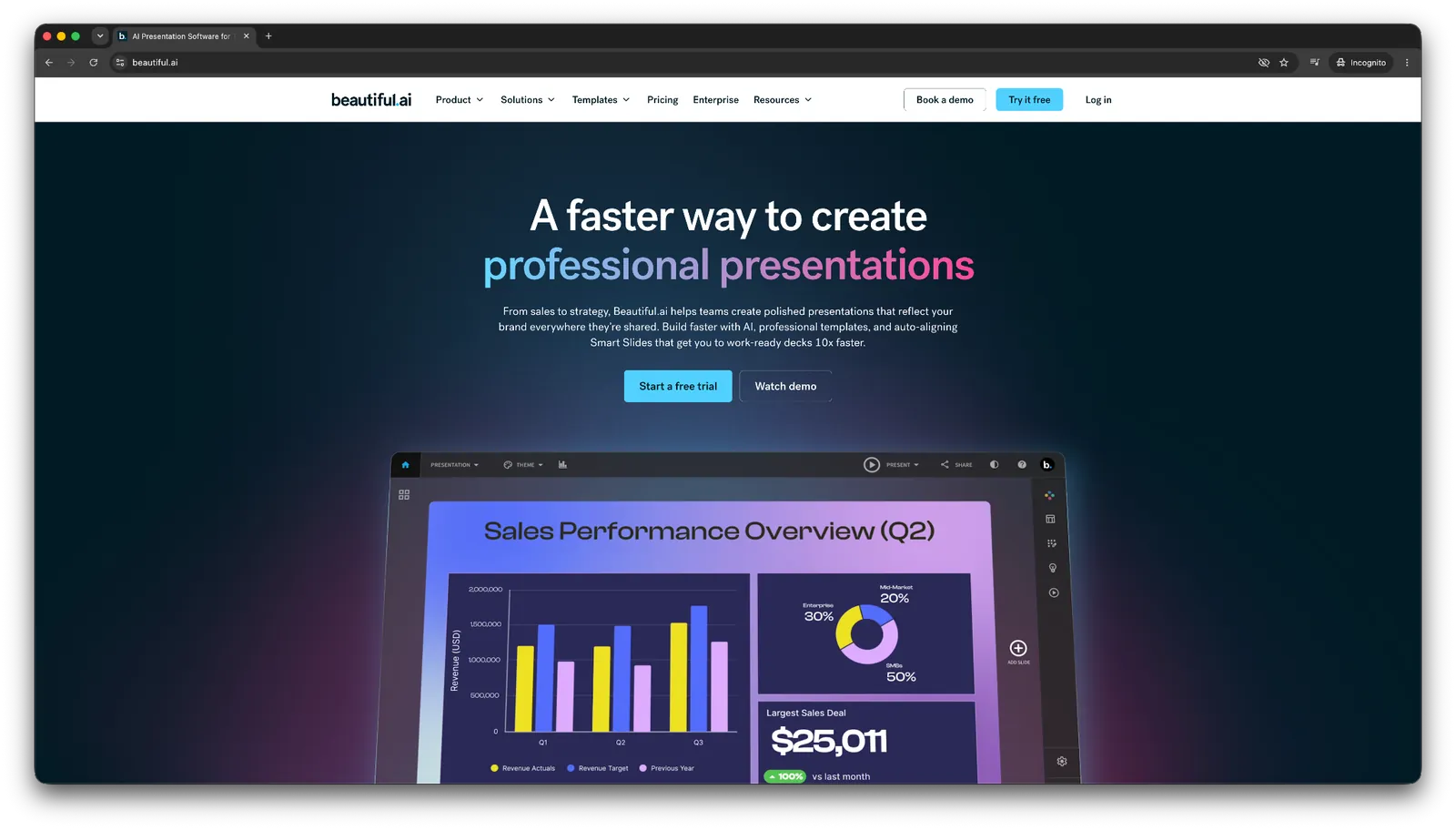
Beautiful.ai rebuilds spacing, alignment, and layout automatically every time you add or move content. It makes it possible by using a Smart Slides system instead of static templates that you adjust by hand.
Why it beats Genspark
- The auto-layout system keeps every slide in a deck visually consistent, instead of the repeating, generic layouts people run into with Genspark's Professional mode.
- It's built around presentation editing specifically, so features like slide hierarchy and spacing get the attention a bolted-on slide feature inside a broader agent workspace doesn't get.
- Team plans include real-time co-editing, version control, and locked slides, plus control over who can view and edit each deck. Genspark's team plan offers admin roles and billing control.
Pros
- Auto-adjusting layouts cut a lot of the manual design and cleanup time out of building a deck
- Consistently polished output without needing any design background
- Templates organized by use case make it quick to start from something relevant
Cons
- The Smart Slide system controls the layout for you, so you can't freely reposition elements when you want something outside its rules
- DesignerBot can draft an initial deck, but it can't research a topic or add slides once you're partway through a project
Pricing
- A 14-day trial with full Pro or Team access that requires a credit card upfront
- Paid plans start from $14.50/user/month, billed yearly
Best Genspark alternative for slides inside PowerPoint and Google Slides
Plus AI
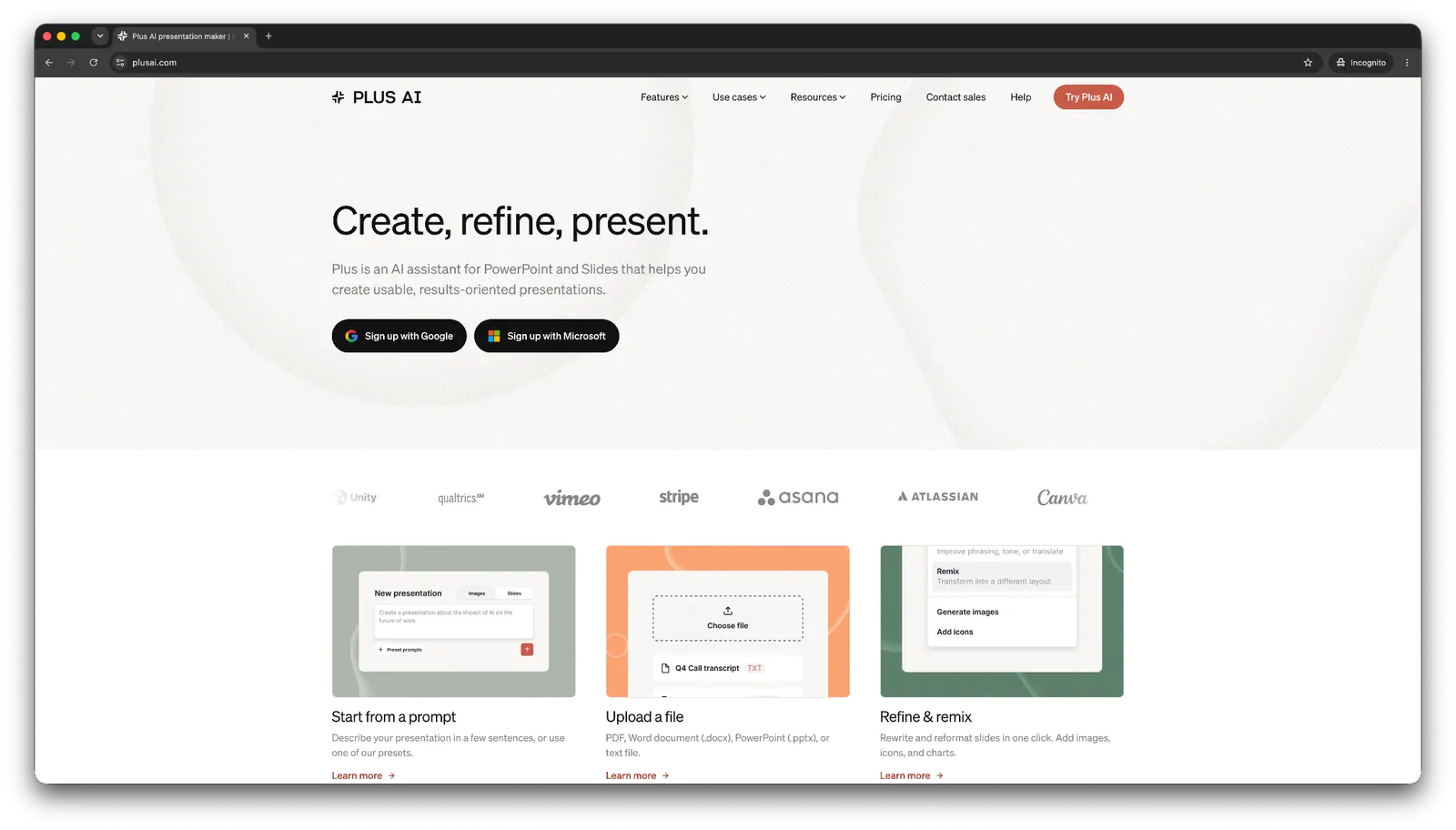
Plus AI is an add-in that generates and edits slides directly inside PowerPoint and Google Slides, so you never leave the app you're already presenting from.
Why it beats Genspark
- There's no export step at all, since the deck is built natively in PowerPoint or Slides from the start, instead of looking polished in a browser and needing cleanup once it lands in PowerPoint.
- Chat-based editing lets you rewrite or remix one slide at a time without regenerating the entire deck.
- It works with PowerPoint and Google Slides, so it fits whichever app your team already uses. This way, you don’t need to ask everyone to adopt a new app.
Pros
- Decks stay native to PowerPoint or Slides the entire time, so nothing needs reformatting after the fact
- Chat-based editing makes small fixes fast without touching the rest of the deck
- Credits carry across both platforms, so switching between PowerPoint and Slides doesn't cost you twice
Cons
- Customer support is a recurring complaint, with several users reporting slow or no response
- Data-heavy exhibits like waterfall or Gantt charts still need manual work, similar to what Genspark also struggles with
Pricing
- A 7-day free trial with 1,000 AI credits across both PowerPoint and Google Slides
- Paid plans start from $15/user/month, billed monthly
Best Genspark alternative for brand-consistent presentation design
Canva
Canva generates decks from a prompt or pasted content, then applies your saved logos, colors, and fonts through its Brand Kit. This way, you don’t need to restyle it manually later.

Why it beats Genspark
- If you get the Pro plan or above, the Brand Kit applies your logo, colors, and fonts across a generated deck automatically. It’s more reliable than Genspark's custom template uploads, which often don't hold onto brand elements.
- The Pro plan comes with more than 100 million photos, icons, videos, and graphics built into the editor. So, you're not hunting for stock photos somewhere else.
- The same account handles social posts, documents, and other marketing assets your team already needs. The slides fit into a workflow you already run without needing a separate tool just for decks.
Pros
- Real-time collaboration lets non-designers on the team edit and comment directly on a deck
- Brand Kit keeps every deck on-brand without manual restyling
- A massive built-in asset library removes the need to source visuals elsewhere
Cons
- AI-generated deck structure and quality trail dedicated presentation tools like Gamma and Beautiful.ai
- PowerPoint exports can lose Canva-specific design elements
Pricing
- The free plan is genuinely usable, with 1.6M+ templates and up to 20 Standard or Premium AI uses per month
- Paid plans start from $18/month, billed monthly
Generalist AI tools
The two tools in this category are worth knowing because they specialize in the two things people lean on Genspark for most: broad research and everyday problem-solving.
Best Genspark alternative for autonomous multi-step research
Manus
Manus is an autonomous AI agent that splits a research task into hundreds of parallel sub-agents, each working with a fresh context, and then merges their findings into one finished report.
Why it beats Genspark
- Wide Research runs hundreds of sub-agents in parallel, rather than having a single model process a growing context window. This way, the quality holds up on large batches.
- It delivers finished outputs directly, including slides, data analysis, and full reports, and works through a cloud browser and desktop app, and connects with Gmail, Notion, Slack, and HubSpot.
- The free plan needs no card at all and gives you 300 daily credits with one task running at a time, a much lower bar to actually try it than Genspark's jump from a thin free tier straight to a steep paid one.
Pros
- Handles large, repetitive research jobs, like comparing 100 products or profiling 250 companies, without the quality dropping off partway through
- Produces finished deliverables instead of chat answers you still have to act on
- Works through a cloud browser, desktop app, and API, so it fits into however your team already operates
Cons
- The credit system is confusing, and it's not always clear what a given task will cost before you run it
- Some users report slow loading times and inconsistent results on certain outputs, like image exports
Pricing
- A free plan with 300 daily credits, one concurrent task, and no credit card required
- Paid plans start from $20/month, billed monthly
Best Genspark alternative for general research, writing, and problem-solving
ChatGPT
ChatGPT handles everyday research, writing, and troubleshooting in a single chat, and ChatGPT Work extends that into multi-step business tasks that pull from your connected apps.
Why it beats Genspark
- ChatGPT Work connects to more than 1,400 plugins, including Slack, Gmail, Salesforce, GitHub, and SharePoint, and can pull data, coordinate across them, and pause for your approval on anything consequential, closer to a real team tool than Genspark's more isolated workspace.
- Scheduled automation runs recurring tasks, like a weekly KPI dashboard or a pre-call CRM review, without you triggering them each time, which fills exactly the follow-through gap Genspark leaves open.
- It's simply more familiar. Most teams already have ChatGPT open for writing and research, so switching doesn't mean learning an interface from scratch.
Pros
- ChatGPT Work produces finished deliverables like spreadsheets, dashboards, and presentations instead of another chat answer to act on
- Broad familiarity means little onboarding time for most teams
- Connects directly to tools you likely already use, including Slack, Salesforce, and Google Drive
Cons
- Outputs still need a check before you rely on them for anything important
- Full Work capabilities and higher usage limits sit behind the Plus plan or higher
Pricing
- A free plan gives access to limited features
- Paid plans start from $8/month on Go, billed monthly. Expanded ChatGPT Work access needs Plus at $20/month.
Research and developer tools
Best Genspark alternative for research you can trace to a source
Perplexity
Perplexity searches the web in real time and returns answers with citations attached to every claim, instead of a single synthesized summary.

Why it beats Genspark
- Every answer comes with sources you can trace, whereas Genspark's Sparkpages synthesize findings into a clean summary that's harder to verify or defend later.
- Pro Search and Focus narrow research to specific source types, like academic journals, for topics that need more rigor than a general web search.
- The Comet browser puts research directly into your browsing session on Windows, Mac, iOS, and Android, drawing on your browsing history for context instead of a separate research tab.
Pros
- Available across iOS, Android, Windows, and Mac
- Uploaded files are searchable alongside web results
- Collections keep research organized across multiple sessions
Cons
- Pro Search is capped tightly on the free plan
- Task execution is limited on the free plan, which is built for search, while Perplexity Computer and the Comet agent get more room on paid plans
Pricing
- A free plan with basic research access
- Paid plans start from $20/month, billed monthly, for deeper search and expanded limits
Best Genspark alternative for open-source automation you fully own
Kortix
Kortix is an open-source AI command center where your agents, skills, and connected tools live as files in a git repo you control, instead of inside a closed vendor platform.

Why it beats Genspark
- It finishes what Genspark starts. A research-and-push-to-Notion task runs as one session and comes back as a reviewable diff, instead of stopping at research and leaving you to copy the output over by hand.
- You bring your own model keys, so the cost of a task stays visible and yours to control, rather than running on Genspark's infrastructure and credit pricing with no line-item visibility.
- It can be fully self-hosted, on your own cloud, VPC, or even air-gapped, which matters if your industry doesn't allow data to leave your own systems.
Pros
- Nothing goes live without a human reviewing the change first
- Runs on your own model keys, so per-task cost stays visible
- Open-source with no licensing cost, and self-hosting is a real option
Cons
- Its git-repo setup is developer-first, so non-technical teams need engineering support to use it, even with the web app
- Setup takes engineering time, and support is limited to email
Pricing
- Free to start, with no cost to try the core platform
- Paid plans start from $40/seat/month for teams, with custom pricing for enterprise
Best Genspark alternative for developer search APIs
You.com
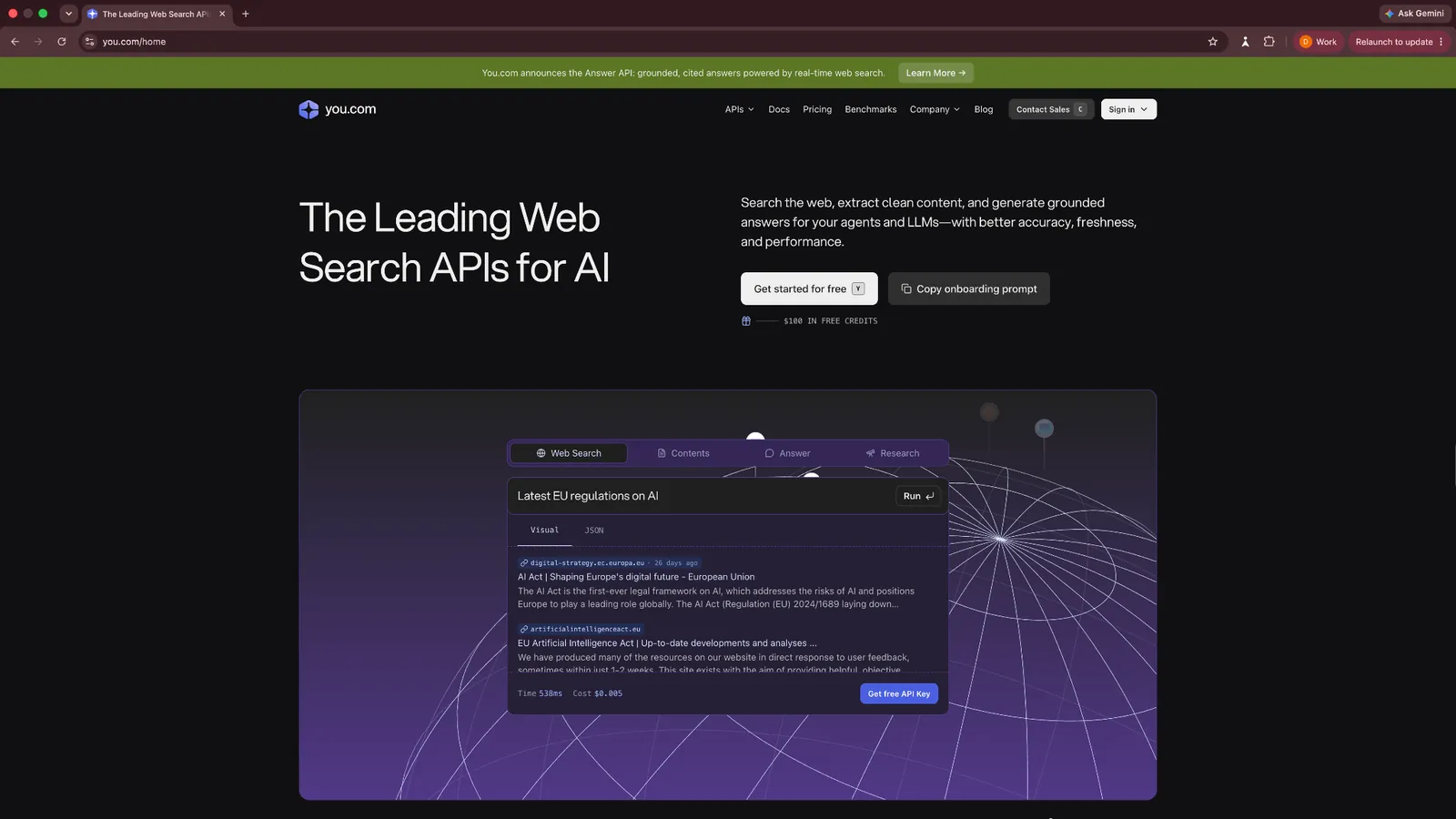
You.com isn't a research app you open yourself. It's a set of APIs that developers plug into their own products for real-time web search, page content, and deeper research.
Why it beats Genspark
- Genspark is a product you use for research, while You.com is the infrastructure your own product uses for search, with five APIs, an MCP server, and a Python SDK.
- Its data quality is proven at scale, with its search APIs reportedly powering products at large, reputable organizations
- It's SOC 2 certified and doesn't train models on your data, which matters if you're building a product that handles other people's information.
Pros
- Built-in country and language targeting for search results
- A news endpoint included at no extra cost
- Livecrawl returns full page content per result, not just a snippet
Cons
- Requires engineering work to implement, since there's no consumer interface
- Not useful if you just want to do research yourself rather than build on it
Pricing
- $100 in free credit to start
- Web Search API from $5 per 1,000 calls, with Contents, Research, and Finance Research APIs priced separately from there
How to evaluate Genspark alternatives
Once you've decided to evaluate Genspark competitors, selecting the right option is still tricky. Ask these questions to decide whether a tool works for you:
What does a task cost you?
Credit-based pricing looks cheap on the surface until one heavy task drains a week's allowance. Ask whether the tool mentions an approximate cost of a task before you run it.
Does it finish the job, or just describe it?
Some tools stop at generating a report or a first draft. Others take the next step, sending the email, updating the record, scheduling the call. Know which one you actually need before you commit.
Are the outputs usable outside the tool?
If you're building slides or documents, test what happens on export. A deck that looks great inside the app but needs an hour of cleanup in PowerPoint hasn't saved you the time it promised.
Does it fit into your team’s workflow?
A tool that only talks to itself means you're still the one moving information between systems. Check for direct integrations with your inbox, CRM, and team chat before you assume it'll slot in cleanly.
Can multiple team members use it well?
If this is a team purchase, look for shared workspaces, permissions, and version history from the start. Plenty of AI tools started out for one person and bolted team features on later. Those are the ones where sharing gets awkward.
What happens when something breaks?
Every tool on this list has an off day, a failed export, a billing question, a task that doesn't run right. Check recent reviews specifically for how support responds when that happens, not just how the product performs when everything works.
{{cta}}
My final verdict
After testing 11 alternatives, I realized that you cannot replace Genspark outright with a single tool. Research, presentation design, and follow-through automation are different jobs, and tools built to do just one of them tend to do it better than a single workspace trying to do all three at once.
If the piece you're missing is the follow-through, the step where research and conversations turn into sent emails, updated records, and booked meetings, that's the specific gap Lindy is built to close.
Give it one task you're already doing manually, like drafting a reply to a lead or updating a deal after a call, and see whether it clears that backlog on its own.
Test it for your workflows with its Free plan ($50 in credits that last 7 days, no credit card required) to see how much work it can take off your plate.
Frequently asked questions
What is Genspark typically used for?
Genspark is used for AI research and content synthesis. It creates Sparkpages, structured summaries based on web sources. The platform also includes an agentic browser that lets users search, analyze, and explore information in a single interface.
Can Lindy integrate with other AI search tools?
Yes, Lindy can integrate with other AI search tools and 1,000+ other apps. Users can import research from tools like Perplexity or ChatGPT and trigger follow-up actions such as sending emails, logging insights to CRMs, or alerting teams on Slack.
Does Genspark have real-time web access?
Yes, Genspark has real-time web access through its agentic browser. The browser gathers live data from the internet and presents it in structured, easy-to-read Sparkpages.
Which AI is better than Genspark?
Lindy, Gamma, Manus, and ChatGPT are all better AI tools than Genspark, depending on the tasks. Lindy is a better fit for business tasks that need follow-up actions, Gamma is stronger for polished presentations, Manus handles large research jobs well, and ChatGPT is a solid choice for general research, writing, and problem-solving.
Is there a free version of Genspark AI?
Yes. Genspark has a free plan with 100 credits/day. That’s enough to test the platform, but research-heavy tasks and presentation generation can use those credits quickly. Paid plans start at $24.99 per month.
Is Genspark worth the money?
Genspark can be worth the money if you want research, presentations, coding, and other AI features in one workspace. It makes less sense if you need research to trigger follow-up work in your CRM or inbox, team collaboration features, or presentation exports that require little cleanup.
What is the best Genspark alternative in 2026?
Lindy, Gamma, Canva, and ChatGPT are some of the best Genspark alternatives in 2026. Lindy works the best if you want an AI teammate that you can text to offload tasks, Gamma is ideal for quick presentations, Canva suits on-brand presentations and other creatives, and ChatGPT works well for general research and chat.










