Devin AI Review: My Experience Testing It as a Non-Coder
Marvin tested Devin AI as a non-coder, examining its autonomous IDE, interactive planning, and ACU-based pricing tiers for bug fixes and pull requests.


Developers prefer Devin because it saves engineering time that teams already lack. However, the unpredictable costs around it raise questions about its worth. I tested it for weeks to uncover what’s what.
What is Devin AI?
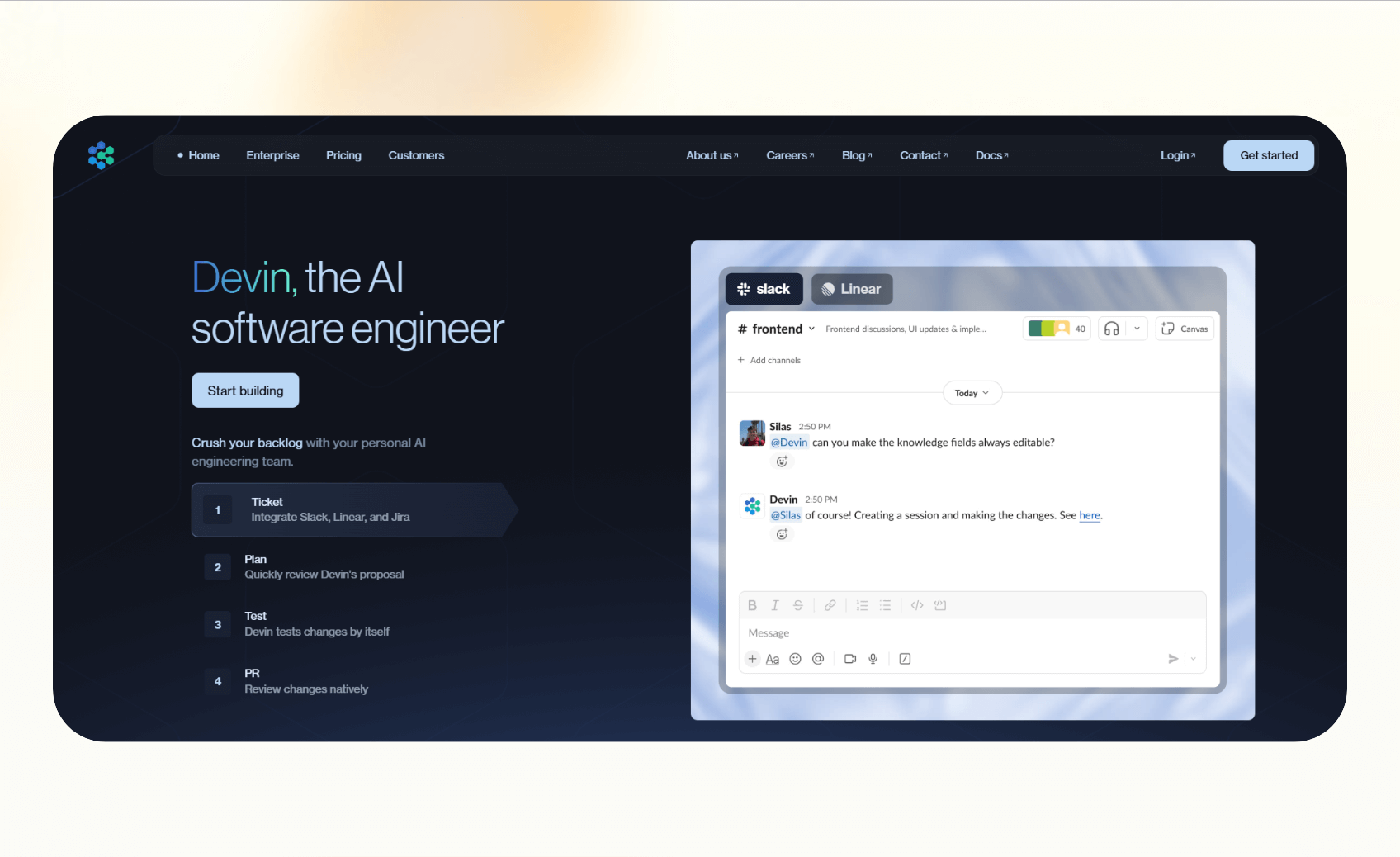
Devin AI is an autonomous coding agent that can handle software engineering tasks, like generating code, planning, and submitting pull requests. If you need conversational capabilities alongside coding tools, exploring the best eliza ai agent can help.
It's an advanced AI agent that focuses on engineering workflows, while other popular types of AI agents, like Lindy, can help you build apps without writing code and execute business tasks like sales, support, and research. If your business requires automated phone workflows alongside coding, checking out a best voice ai review can guide your search. For another perspective on general-purpose autonomous tools, reading a detailed manus ai review can provide useful insights. If you are also exploring AI helpers for general business automation, reading a comprehensive sintra ai review can provide helpful perspective.
Key features
Devin AI agent integrates with your tech stack to complete engineering tasks. Here are some of the highlight-worthy features:
- Agent-native IDE: Devin operates in its own secure, cloud-based workspace that includes an editor, terminal, and browser. This lets it read documentation, test outputs, and make live edits without relying on your local setup.
- Interactive planning: Before writing a single line of code, Devin produces a detailed plan that outlines how it will solve the problem. You can edit, reorder, or approve each step, helping developers maintain full control over the final output.
- Devin Search and Devin Wiki: They allow Devin to understand large codebases faster. It indexes your repository, generates concise documentation, and answers context-aware questions so teams can onboard new members or debug faster.
- API access: Teams on higher tiers can programmatically start and manage Devin sessions. This makes it easy to integrate Devin’s functionality into CI/CD pipelines or internal developer tools.
- Slack integration: This centralizes team communication. You can view its progress, request changes, and share results inside your team’s Slack workspace.
- Enterprise controls: Security-focused companies can deploy Devin within a Virtual Private Cloud (VPC), manage authentication through SSO, and monitor performance with admin dashboards.
Next, let’s see how these features help execute tasks.
How does Devin AI work?
Devin works like a junior developer who can run a full task from start to finish. You give it a prompt or ticket, and it follows a structured workflow instead of just producing snippets.
Here’s what the process looks like:
- Task intake: You describe the issue, new feature, or update. Devin parses your request and loads the relevant repository context.
- Planning: Devin generates a detailed plan with repo citations. You approve or adjust this plan before it starts coding.
- Execution: Inside its IDE, Devin edits code, runs commands in the terminal, and even uses its built-in browser to check documentation or dependencies.
- Testing: It runs unit tests or CI pipelines to confirm functionality, highlighting which tests passed and which failed.
- Delivery: The session ends with a pull request or direct commit. You can review the code changes, leave comments, or rerun the task if needed.
The way Devin works differentiates it from traditional copilots and is one of the reasons developers are searching for an honest Devin AI software engineer review before adopting it. If you are also researching background check services alongside software tools, reading a detailed been verified review can help.
What I liked and didn’t like about Devin AI
For this Devin review, I tested it in different contexts, from small prototypes to demo bug fixes. I found some clear strengths and limits. Let’s look at them in detail:
What works well
- Structured planning: The interactive planning phase helps prevent wasteful iterations. By aligning on the task before execution, developers spend less time debugging or clarifying goals.
- End-to-end coding: Devin runs tests, opens pull requests, and documents changes. This makes it a dependable Devin coding agent for repetitive engineering tasks.
- Bug fixing and refactors: The agent handles bug fixes, refactors, and integration updates with accuracy. In reviews, teams often report successful outcomes when they use it for well-defined tickets.
- Collaboration features: Slack notifications, API triggers, and shared plans make it easier for multiple developers to monitor progress and maintain version control.
Where it falls short
- Cost predictability: Devin uses ACU-based billing, which means complex tasks consume more credits. This makes monthly budgeting harder for teams that run frequent or large jobs. To better estimate your potential expenses, reviewing a detailed breakdown of devin pricing can clarify your options.
- Dependence on task framing: The agent struggles when instructions are vague or open-ended. It performs best when you give it complete context, clear goals, and acceptance criteria.
- Community skepticism: Community feedback is divided. Some call Devin impressive for routine coding work, while others question whether it can truly match human-level problem-solving. If you are also evaluating automated voice agents for client communication, reading the best bland ai review can provide useful context.
Next, let’s see how much Devin AI costs.
Devin AI pricing
Devin follows a usage-based model that charges in Agent Compute Units (ACUs). Each plan differs in starting cost, included credits, and available features. Here’s what each tier offers:
| Plan | Price | Included ACUs | ACU rate | Key features |
|---|---|---|---|---|
| Core | $20 minimum | Pay-as-you-go | $2.25 | Up to 10 sessions, unlimited users |
| Team | $500/month | 250 ACUs | $2.00 | Unlimited sessions, API, Slack support |
| Enterprise | Custom | Negotiated | Custom | VPC, SSO, admin controls, Custom Devins |
The Team and Enterprise plans include the Devin API that consumes ACUs without an extra fee. Even then, users worry about pricing as it isn’t predictable if your workflows keep varying. If you run through your monthly ACU limit, buying extra costs $2/ACU for the Team plan, and $2.25 for the Core plan.
Is Devin AI worth it? My take
Devin AI is worth it for teams that manage a consistent number of engineering tasks every month. These teams can reduce handoffs and save developer time by using Devin to run planning, coding, and testing in one environment.
The pay-as-you-go Core plan covers essential features, like Devin IDE and Ask Devin, and works well for hobbyists, individuals, or small teams. It also offers GitHub and Slack integrations, along with 10 concurrent sessions. For teams exploring broader workflow automation tools, reading an n8n review can help you evaluate other flexible platforms.
It performs well for bug fixes, refactors, and prototypes when given detailed specs. In these cases, Devin acts like a reliable AI coding agent. However, when tasks are vague or open-ended, it struggles with creative solutions or architectural decisions.
The pricing, however, is unpredictable, as you burn more ACUs for complex tasks. For example, with one ACU, you can either create a simple website or investigate a bug, make a fix, and get Continuous Integration (CI) to pass. To better understand how ACU usage impacts your overall costs, you can review a complete breakdown of devin pricing.
If you need consistent costs, you may want to consider a Devin AI alternative with flat pricing.
Who Devin AI is perfect for
- Startups that need rapid prototyping without adding headcount.
- Engineering teams with repetitive work, such as migrations or test coverage.
- Product teams experimenting with AI-driven workflows in a safe, supervised environment.
In these scenarios, Devin can offset routine engineering costs.
Skip Devin AI if you
- Expect highly creative coding output that mirrors a senior engineer’s problem-solving.
- Need transparent or affordable pricing without variable usage charges.
- Prefer agents that integrate across business systems like email, CRM, or support tools.
How to get started with Devin AI in 5 steps
You can start coding with Devin in a few steps. Here’s what to do:
- Pick a plan: Choose Core, Team, or Enterprise and fund ACUs.
- Connect your repo: Link GitHub or a custom git provider.
- Set up collaboration: Enable Slack if your team wants updates.
- Run your first task: Use interactive planning to approve the execution plan.
- Review results: Merge the pull request or adjust and rerun.
Pro tip: Start with easy-to-automate, scoped tasks to estimate usage before scaling.
You can make the most out of your Devin AI subscription by following some proven methods. We explore those next.
Best practices for using Devin AI effectively
You’ll find more value if you use Devin with a bit of planning and oversight. Here are a few practices that help you get the most out of it:
- Write clear tickets: Define the bug or feature precisely so the build is accurate.
- Review plans before execution: Approve or adjust steps to avoid wasted ACUs.
- Track usage: Set ACU limits to keep costs under control.
- Keep humans in the loop: Use code reviews and CI checks to maintain quality.
- Document repo context: Add notes or rely on Devin Wiki to help future sessions.
Skipping plan reviews, running vague prompts, or over-relying on automation for creative tasks are some of the mistakes you should avoid. These consume ACUs and don’t add much value.
If you feel that Devin is too expensive for what it provides and it doesn’t fit into your needs, you can choose from some of its alternatives.
Devin AI Alternatives: How they compare
Tools like Lindy and Anything are ideal alternatives to Devin as they help you with development workflows and fill in the gaps Devin has. Below is a side-by-side comparison of these tools to help you select the right one:
| Tool | What it is | Pricing | Best for |
|---|---|---|---|
| Devin | Coding agent with IDE, planning, and testing | Pay-as-you-go, from $20/month | Engineering tasks and refactors |
| Lindy Build | An AI agent platform to create apps and support automation workflows across related tasks like sales, support, and ops | Starts free, paid plans from $49.99/month | No-code app building and multi-app business workflows |
| Anything | Conversational app builder with integrations | Starts free, paid plans from $19/month | Prototyping apps and websites |
Devin works well for scoped coding tasks, while Lindy Build is better for no-code full-stack app development, and automation across apps and workflows. Anything suits non-technical teams that want an app development tool.
{{templates}}
My verdict on Devin AI
Devin will work for you if you need an AI coding agent that can execute well-defined tasks, like planning and pull requests. It handles bug fixes, refactors, and prototypes with autonomy, and is more capable than autocomplete tools.
However, you must understand its trade-offs like unpredictable costs and limited creative problem-solving. Devin works for scoped engineering work, but it isn’t designed to replace human engineers.
Try Lindy, your Devin AI alternative to build apps and automate business tasks
Lindy is an AI automation platform and a strong alternative to Devin AI. Lindy Build, its app development assistant, lets you create full-stack apps without writing code. You can also create custom AI agents for other everyday tasks.
Choose from pre-built templates and 4,000+ integrations to get started.
Lindy helps you create apps and automate workflows with features like:
- Build apps by describing them: Use natural language to describe the app you want to create, and Lindy Build will do it for you. You get a QA agent that continuously debugs the code.
- SOC 2 and HIPAA compliance: Your data is safe and secure as Lindy complies with SOC 2 and HIPAA regulations. It also comes with AES-256 encryption.
- Drag-and-drop workflow builder for non-coders: You don’t need any technical skills to build workflows with Lindy. It offers a drag-and-drop visual workflow builder.
- Create AI agents for your use cases: You can give them instructions in everyday language and automate repetitive tasks. For instance, create an assistant to find leads from websites and sources like People Data Labs. Create another agent that sends emails to each lead and schedules meetings with members of your sales team.
- Add Lindy to your site: Add Lindy to your site with a simple code snippet, instantly helping visitors get answers without leaving your site.
- Supports tasks across different workflows: Lindy handles meeting notes, website chat, lead generation, and content creation. You can create AI agents that help reduce manual work in training, content, and CRM updates.
- Send follow-up emails and keep everyone in sync: Lindy agents can send follow-up emails, schedule meetings, and keep everyone in the loop by triggering notifications in Slack by letting you build a Slackbot.
- Lead enrichment: You can configure Lindy to use a prospecting API (People Data Labs) to research prospects and to provide sales teams with richer insights before outreach.
- Cost-effective: Automate up to 40 monthly tasks with Lindy’s free version. The paid version lets you automate up to 1,500 tasks per month, which is a more affordable price per automation compared to many other platforms.
Try Lindy free and automate up to 40 tasks with your first workflow.
{{cta}}
Frequently asked questions
How much does Devin AI cost?
Devin AI costs $20 for the Core plan with pay-as-you-go credits at $2.25 per ACU. The Team plan costs $500 per month and includes 250 ACUs at $2.00 each. The Enterprise plan is custom and adds features like VPC deployment and SSO.
Is Devin AI better than ChatGPT?
Devin is better than ChatGPT for scoped coding tasks because it has its own IDE, planning system, and repo tools. ChatGPT is broader and works well for general coding questions, writing, and brainstorming.
Who should use Devin AI?
Devin is best for startups, engineering teams, and product managers who need help with bug fixes, refactors, and prototypes.
Can Devin AI replace a software engineer?
No, Devin cannot replace a software engineer. It can automate scoped coding work, but still needs human oversight for creative and complex problems.
What is Devin Cognition?
Devin Cognition, also called Devin by Cognition, is an AI coding tool that lets engineering teams automate tasks like debugging, planning, and refactoring.
What’s the best Devin AI alternative?
Lindy Build, Cursor, and Anything are some of the best Devin AI alternatives, depending on your needs. Cursor works well for in-editor coding. Anything lets you convert your words into a website, an app, a tool, or a product.
Lindy Build lets you create any app by describing it in natural language, and the AI agents help you automate multi-app business workflows like document parsing, generating summaries, and scheduling meetings.










