The 9 ChatGPT Alternatives (Free/Paid) I Can't Live Without
Marvin tested 9 ChatGPT alternatives, including Claude, Gemini, and Perplexity, across real writing, research, and coding workflows over several weeks, scoring each for daily use.


The best ChatGPT alternatives, according to me, depending on your use case, are Claude for writing, Gemini for Google users, Perplexity for web research, Grok for live trends, NotebookLM for working with source material, DeepSeek for free, open-source technical work, Microsoft Copilot for Microsoft users, Meta AI for social apps, and Pi for conversations.
I still use ChatGPT almost every day. But once a conversation gets long, I often end up re-explaining context or working around a tool that’s trying to do every job at once.
So, I spent a few weeks testing 15 ChatGPT alternatives against work I’d have done anyway. Some were noticeably better at one specific task, while others approached the job differently enough to earn a place in my regular workflow.
After plenty of trial and error, these are the 9 ChatGPT alternatives I’d recommend.
9 Top ChatGPT alternatives: TL;DR
- Claude: Best for long-form writing and reasoning.
- Gemini: Best for Google power users.
- Perplexity: Best for web search and research.
- Grok: Best for X users and live trend research.
- Gemini Notebook: Best for deep research on long documents.
- Microsoft Copilot: Best for Microsoft power users.
- Meta AI: Best for social and consumer use.
- DeepSeek: Best for technical reasoning and coding.
- Pi (Inflection AI): Best for empathetic conversations.
What is ChatGPT?
ChatGPT, by OpenAI, is an AI tool that uses artificial intelligence to talk to users via text or voice, research the web, and generate answers to the prompts or questions users ask.
Over time, it has evolved from a chat-only platform to a tool that can generate images, write code, execute tasks, and work as your personal AI agent. With the latest GPT model, GPT-5.6 Sol, it’s more intelligent and capable than ever before.
Why look for ChatGPT alternatives?
I still use ChatGPT, but lately it’s been frustrating. Some days it works great. Other days, perfectly normal prompts get blocked, watered down, or answered with corporate filler. You never quite know what version you’re going to get, and that unpredictability breaks flow fast.
I’m not alone either.
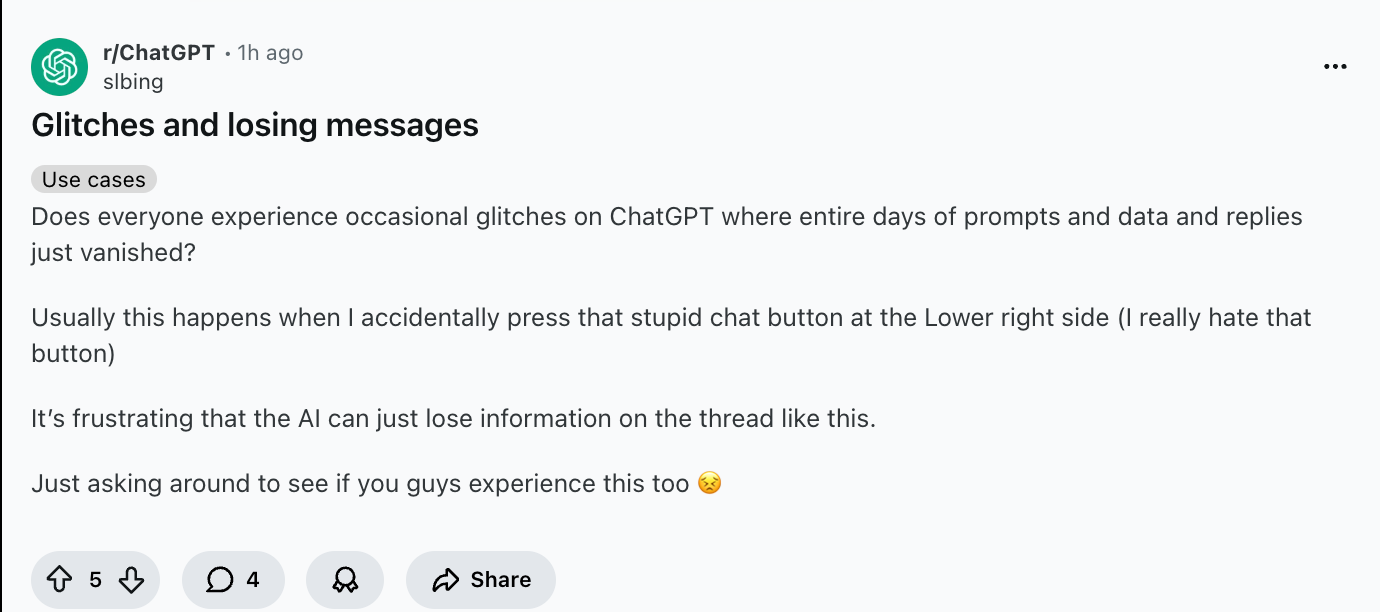
Spend five minutes on r/ChatGPT, and you’ll see recent threads about random refusals, lost chat histories, servers crashing mid-conversation, and answers that feel overly cautious or oddly incomplete.
These aren’t edge cases, but things real users are running into while trying to get work done.
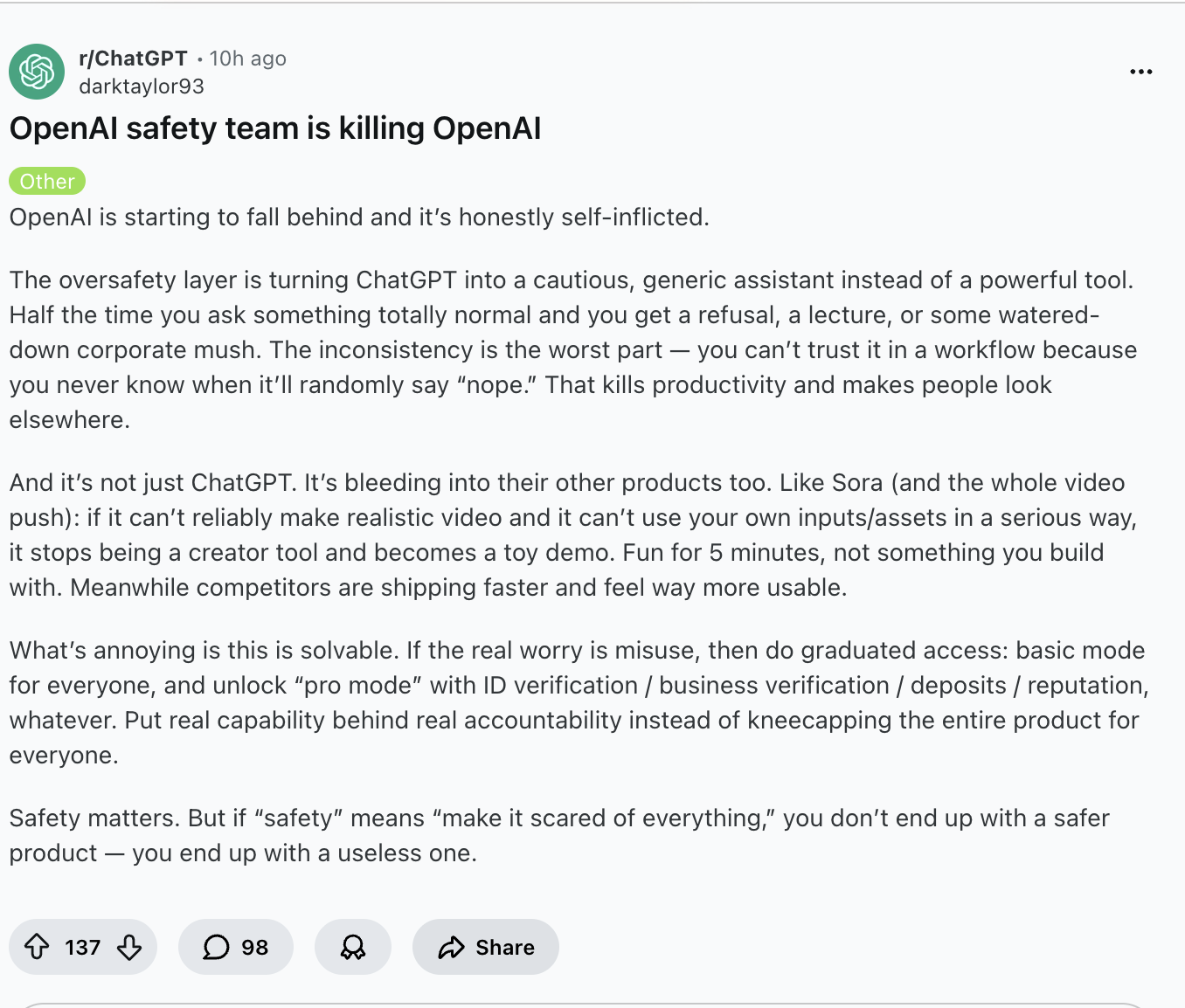
Reasons people are exploring alternatives:
- Long chats glitch or lose context: Once a conversation runs long, ChatGPT starts losing track of earlier details. You end up re-explaining things you already covered, which kills the whole point of a running conversation.
- Advanced features sit behind paywalls: The free tier cuts you off fast. File uploads, longer context, image generation, and faster models all require a paid plan, and the jump in price isn't always justified by what you get.
- Legitimate queries trigger heavy filtering: Normal research questions, hypothetical scenarios, and professional tasks sometimes get flagged or watered down. The inconsistency is the real problem, and you can't predict when it'll happen.
- Some tools now specialize better for specific tasks: A general-purpose tool will always have trade-offs. If you're doing deep research, writing long-form content, running automations, or handling code, there are tools now that are simply better built for those jobs. If you need solutions tailored for corporate workflows, explore our guide on the best AI chatbots for businesses.
- Responses feel inconsistent across similar prompts: Ask the same question twice on different days, and you can get noticeably different answers. For anyone using it in a workflow that needs reliability, that inconsistency is a real problem. To get more consistent results across models, following a structured ask AI guide can help refine your prompting technique.
None of this means ChatGPT is bad. It just means it's no longer the only option worth considering. If you are specifically interested in Anthropic's model, we have also evaluated the best Claude alternatives available today.
How I tested ChatGPT alternatives
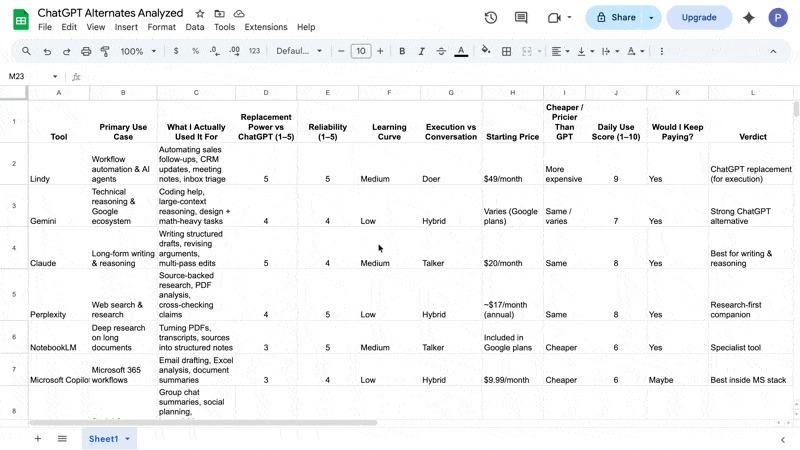
I tested 15 ChatGPT alternatives across four workflows I rely on daily, including writing, research, task execution, and automation. These weren’t quick demos. I used each one long enough to see where it holds up and where it starts to fall apart.
So, I ran these tools through inbox management, prospect research, long-form drafts, and coding tasks over several weeks. If you want to offload administrative work to dedicated services, reviewing the best Athena executive assistant alternatives is a great next step.
I mapped every tool into a single sheet and scored them on real daily use. This made it obvious which tools could replace ChatGPT for specific tasks and which ones were better as companions.
Here's what stood out after I tested them:
- Claude and Gemini split writing vs technical reasoning
- Perplexity + NotebookLM cover research better than any chatbot
- DeepSeek handles technical reasoning and local use better than any free model
- Meta AI wins for social media creators across tools like Instagram, WhatsApp, and Facebook
- Grok works well for X users who want to keep up with trends and need a native AI assistant
I also spent time on forums, YouTube, and the ChatGPT subreddit to understand what actual users said about these tools. I focused on real complaints, praise, comparisons, and switching stories. That informed how I weighted reliability and consistency across the list.
Notion AI, Manus AI, Canva, Grammarly, and Writingmate were the other tools I tested. They were useful in their own right, but they either overlapped too much with tools already on the list or didn't hold up across enough use cases to earn a dedicated spot.
For teams looking beyond general assistants, exploring dedicated Copilot alternatives can highlight better options for specialized workflows. If you are specifically looking to manage personal knowledge or notes, evaluating dedicated Obsidian alternatives software can help you find a better fit.
If you make presentations, Manus AI is worth considering. If you don't like the visuals that your GPT generates and want more versatility and control, Canva AI has gotten good at content tasks inside the canvas. They just didn't make the top 9 for everyday work replacement.
Comparison of the 9 best ChatGPT alternatives: My 2026 shortlist
Let me now tell you about these tools in detail.
1. Best ChatGPT Alternative for writing & creativity
Claude: What is it?
Claude is an AI assistant from Anthropic built for writing, reasoning, coding, and working with large amounts of information. It’s especially useful for long documents and conversations where you need the model to keep the context across multiple prompts.
Why I picked Claude: Claude stays organized in long conversations, making it especially strong for drafting long-form content, analyzing detailed documents, and working through multi-step reasoning without losing track of context.
Ideal for: Writers, researchers, and developers working on long-form drafts, complex arguments, or projects where maintaining context across many iterations matters.
I use Claude when I need the model to hold a line of thought instead of racing to an answer. It’s a better fit for writing and reasoning that need shape: an argument, a narrative arc, a careful explanation, or a draft that shouldn’t collapse after the first few paragraphs.
But a lot depends on which model you choose.
If I’m outlining a report, working through a tricky argument, or revising something over multiple passes, Opus stays steady. Unlike GPT, Opus is less likely to hallucinate details just to keep the response moving.
Sonnet is more nimble. I use it when the goal is readable writing with a natural rhythm, especially when I already know what I want to say and just need help landing the phrasing.
The writing also holds up well. When I asked Claude, “Why are carbon-plated shoes so popular with elite runners?”, it didn’t just answer the question. It laid out the history of racing shoes, broke down the technology, and explained why the advantage shows up on race day.
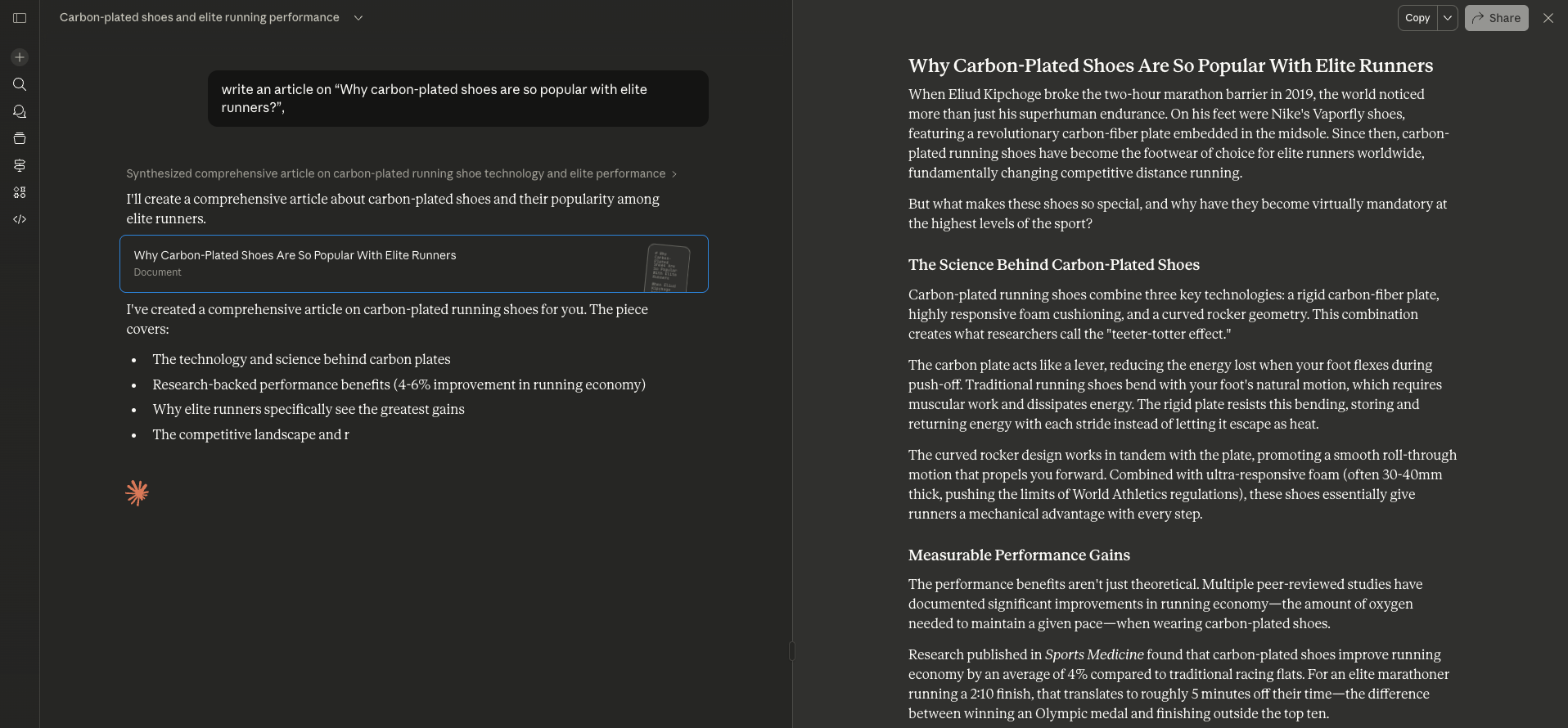
With a few small edits, the article was ready in under an hour. For minor fixes, I just highlighted a section, gave Claude a short instruction, and it rewrote the passage without breaking the rest of the draft.
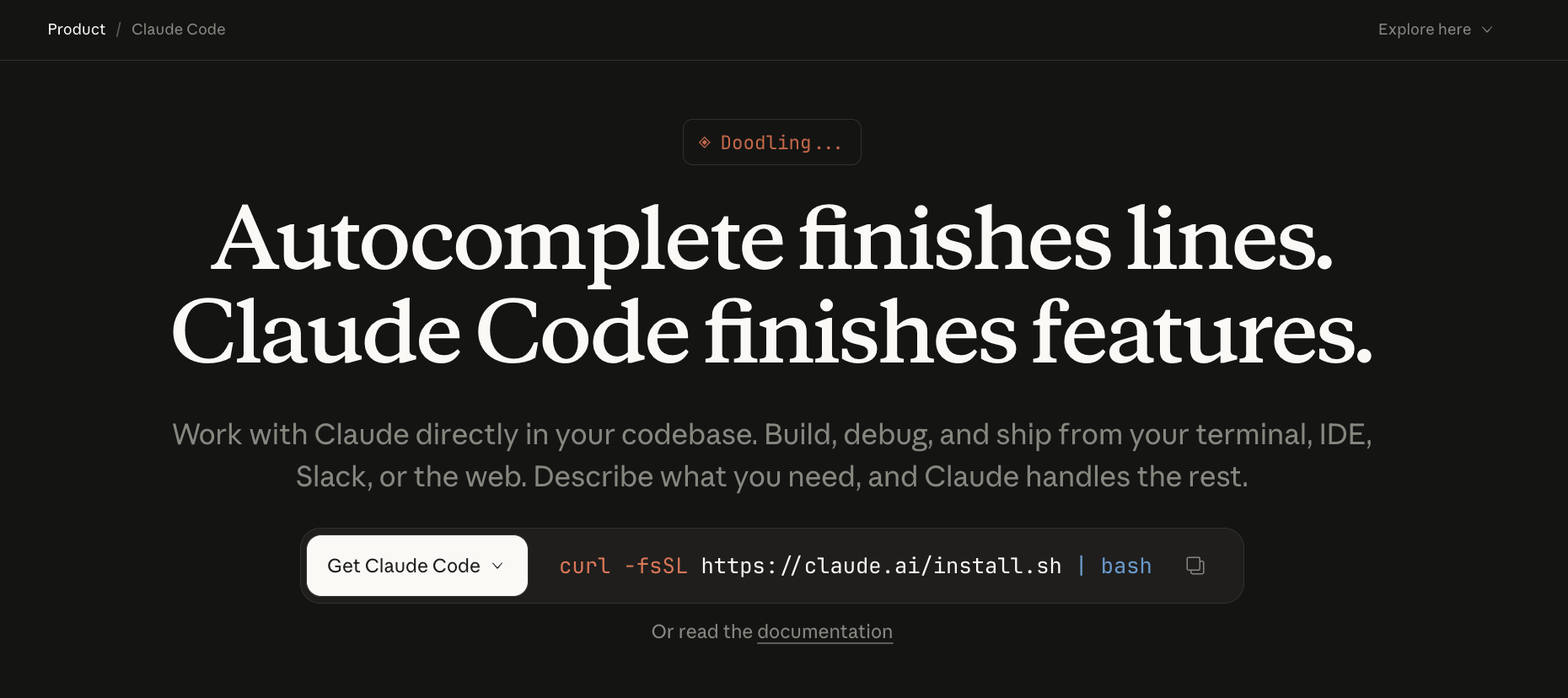
I’ve been using Claude for over a year, and it’s grown into something developers can lean on. Claude Code handles bug fixes, refactors, and testing without forcing a new workflow. It pauses before making changes, asks for permission, and stays focused instead of guessing, which builds trust over time.
Why Claude is a good ChatGPT alternative
- Strong writing quality: Claude is particularly good at drafting, editing, and improving long-form content
- Handles long context well: You can give it large documents and continue working with the same material across a conversation
- Good reasoning: It works well for analysis, brainstorming, and tasks that need more nuanced responses
- Clean conversational style: Its responses tend to feel measured and easy to follow
Pros
- Supports massive token contexts up to 1M
- Claude Code Integrates with VS Code / JetBrains IDEs
- Features like extended thinking with reasoning continuity
Cons
- No image generation features
- Extended thinking can slow responses
- Tokens can run out fast on specific models
Pricing
Claude comes with a free plan that’s easy to try. Paid plans start at $20/month for Pro, with higher-tier options for teams and enterprises. There’s also an API if you want to build Claude directly into your own tools.
Claude 3 Sonnet as a language learning partner
2. Best ChatGPT Alternative for Google users
Gemini: What is it?
Gemini is Google’s AI assistant for writing, research, coding, image generation, and everyday questions. It also connects closely with Google products like Gmail, Docs, Drive, Chrome, and other Workspace apps.
Why I picked Gemini: Gemini works best when the basic tasks get technical, and you’re already living inside Google’s ecosystem, especially for coding, research, or multi-step problem-solving.
Ideal for: Developers, researchers, freelancers, students, or anyone who works with Google tools and needs an AI that can reason across large, complex contexts.
Gemini is probably the closest thing to a one-to-one ChatGPT alternative right now, but it moves at a different pace and leans hard into Google’s tools. It can do most of what GPT does, but it is better when the task gets technical or layered.
Long prompts don’t throw it off. Neither do multi-step problems nor large chunks of code.
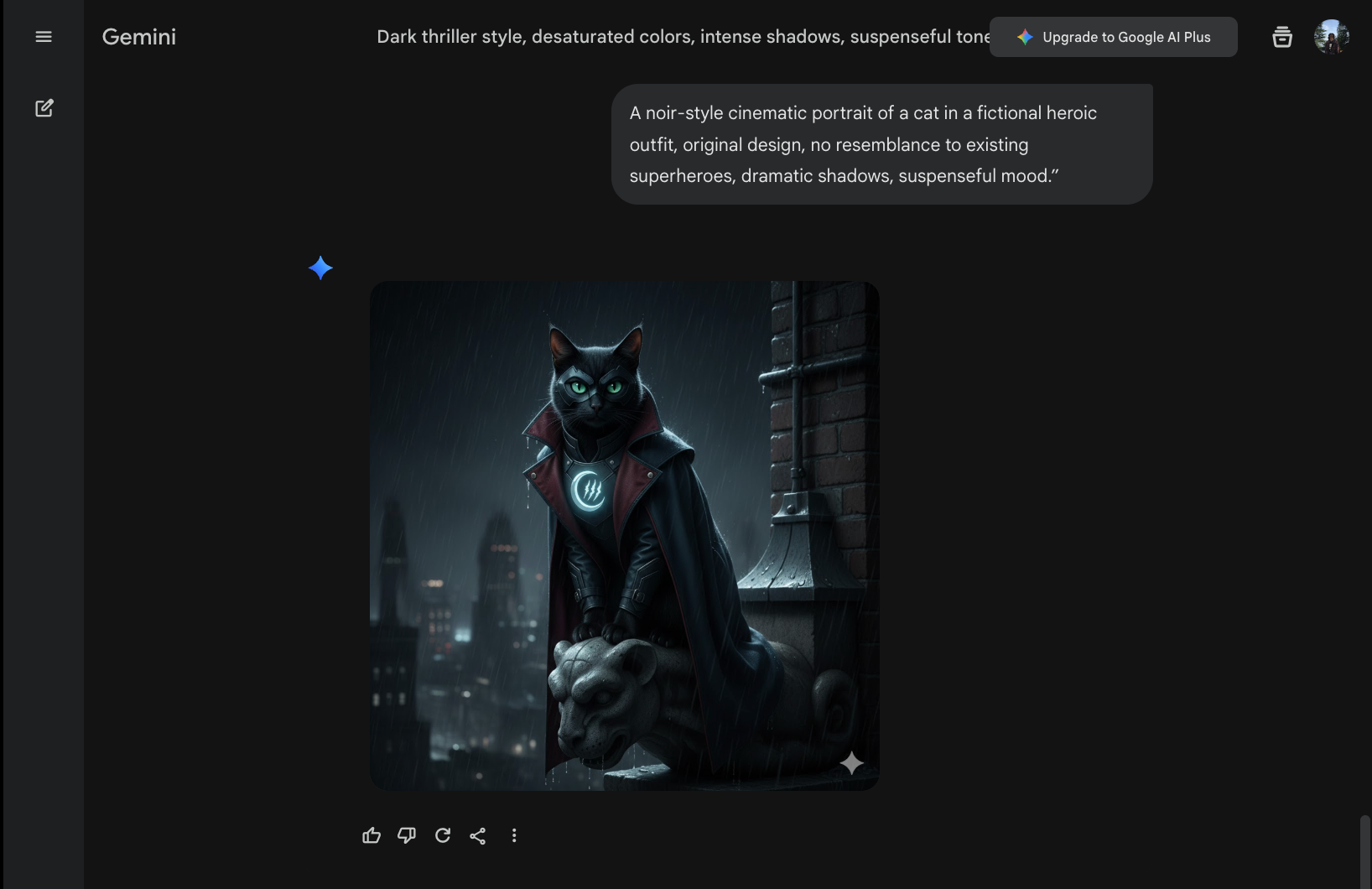
Honestly, with the recent Nano Banana 2 update, Gemini’s popularity has skyrocketed for a reason. Just see how exceptional the results are.
All I did was use this simple prompt: “A noir-style cinematic portrait of a cat in a fictional heroic outfit, original design, no resemblance to existing superheroes, dramatic shadows, suspenseful mood.”
For math-heavy work, system design, or debugging, Gemini behaves the way you’d hope an intelligent assistant would. It doesn’t rush. You can drop in a large codebase or a long technical document and keep asking questions.
And no, you don’t need to reset the context every few prompts.
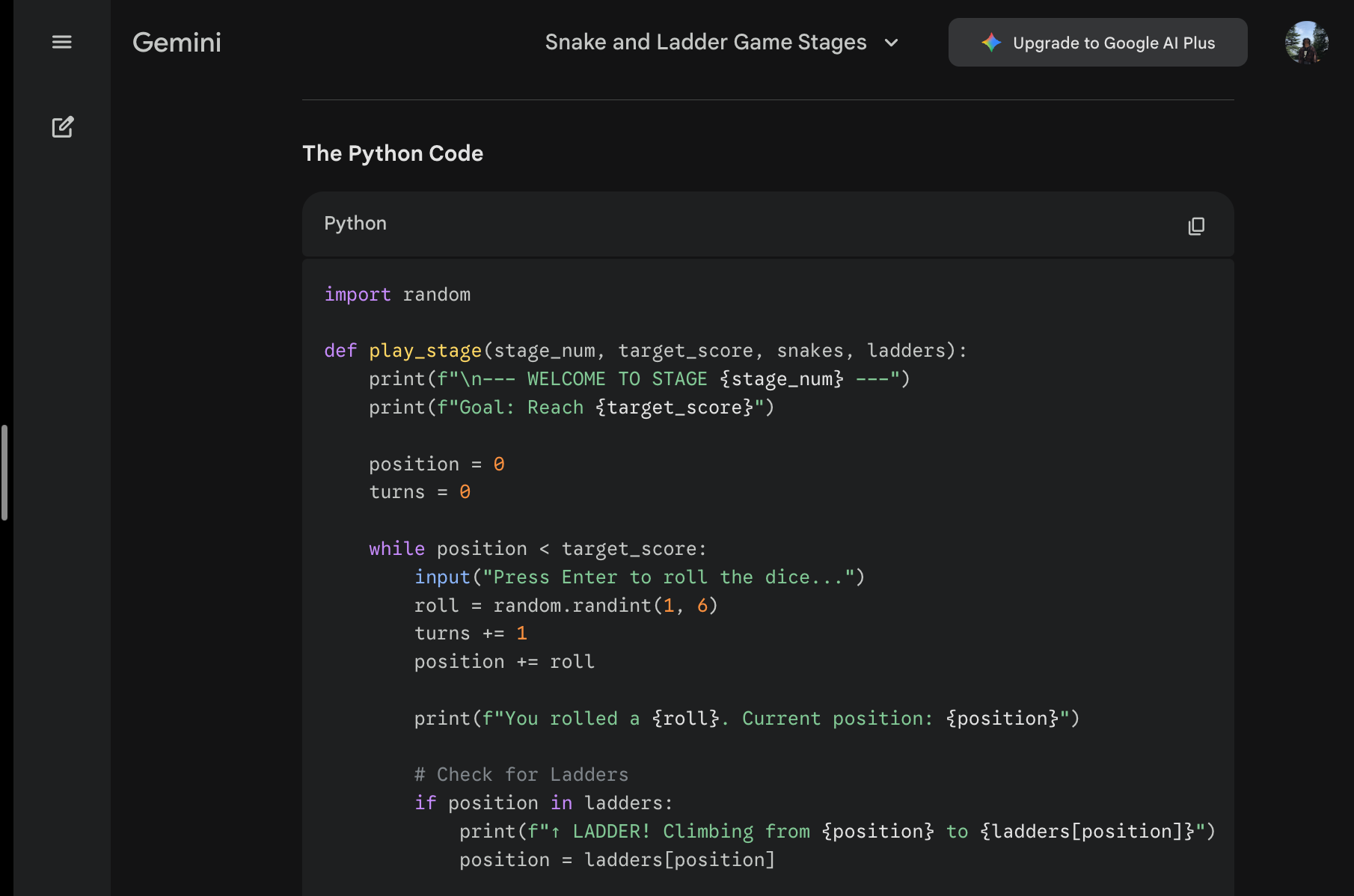
Gemini’s Agent mode and Gemini CLI go a step further. They let you perform multi-file edits, work directly in the terminal, and execute commands while keeping full project context intact.
In Chrome, Gemini can work directly off what’s on your screen, summarize open tabs, and explain concepts without copy-pasting everything into a chat window. Inside Drive, Docs, and Gmail, it acts more like a built-in assistant that understands context by default.
Why Gemini is a good ChatGPT alternative
- Works with Google apps: Gemini connects closely with Gmail, Docs, Drive, and other Google products
- Good for everyday research: It can help with writing, questions, planning, coding, and general research
- Multimodal support: You can work with text, images, files, and other input types
- Convenient for Google users: It fits naturally into workflows already built around Google Workspace
Pros
- Generous free tier for developers
- Strong IDE and developer tool integration
- Human-in-the-loop oversight for complex actions
- Graphic and image generation with Nano Banana 2
Cons
- Gemini Code Assist subscription can feel confusing
- Best features are tied closely to Google’s suite
Pricing
Advanced models and deeper integrations start at $4.99/month with Google AI Plus, and go up to $19.99/month for AI Pro.
Gemini 3 Flash: Frontier intelligence, built for speed
3. Best ChatGPT Alternative for web research
Perplexity: What is it?
Perplexity is an AI-powered search and research tool that answers questions using information from the web. It includes links and citations with its answers, so you can check the sources behind the information instead of relying on the response alone.
Why I picked Perplexity: Perplexity is the closest thing to a real research assistant I’ve used. It pulls live information from the web, shows its sources clearly, and lets you sanity-check answers instead of taking them on faith.
Ideal for: Researchers, analysts, students, and teams who need fast, source-backed answers and want to organize ongoing research instead of running one-off searches.
Instead of treating Perplexity like a chatbot, it makes more sense to think of it as a research layer on top of the web. That changes how much you trust the output, especially when accuracy matters.
Anyone who’s spent time in academia knows how this goes. A paper can get rejected outright if the citations aren’t credible, even if you’ve spent an entire summer working on it.
I have a habit of switching between AI models depending on the task, and Perplexity fits neatly into that workflow. From the prompt tab, you can switch models on the fly, whether that's GPT-5.6 Sol, Claude Sonnet, Opus, Gemini Pro, or Grok.
It makes it easy to ask the same question, see how each model approaches it, and sanity-check answers without breaking focus.
Even for everyday research, Perplexity holds up well. I uploaded a PDF on intermittent fasting and asked multi-part questions about fat loss timelines and expected results.
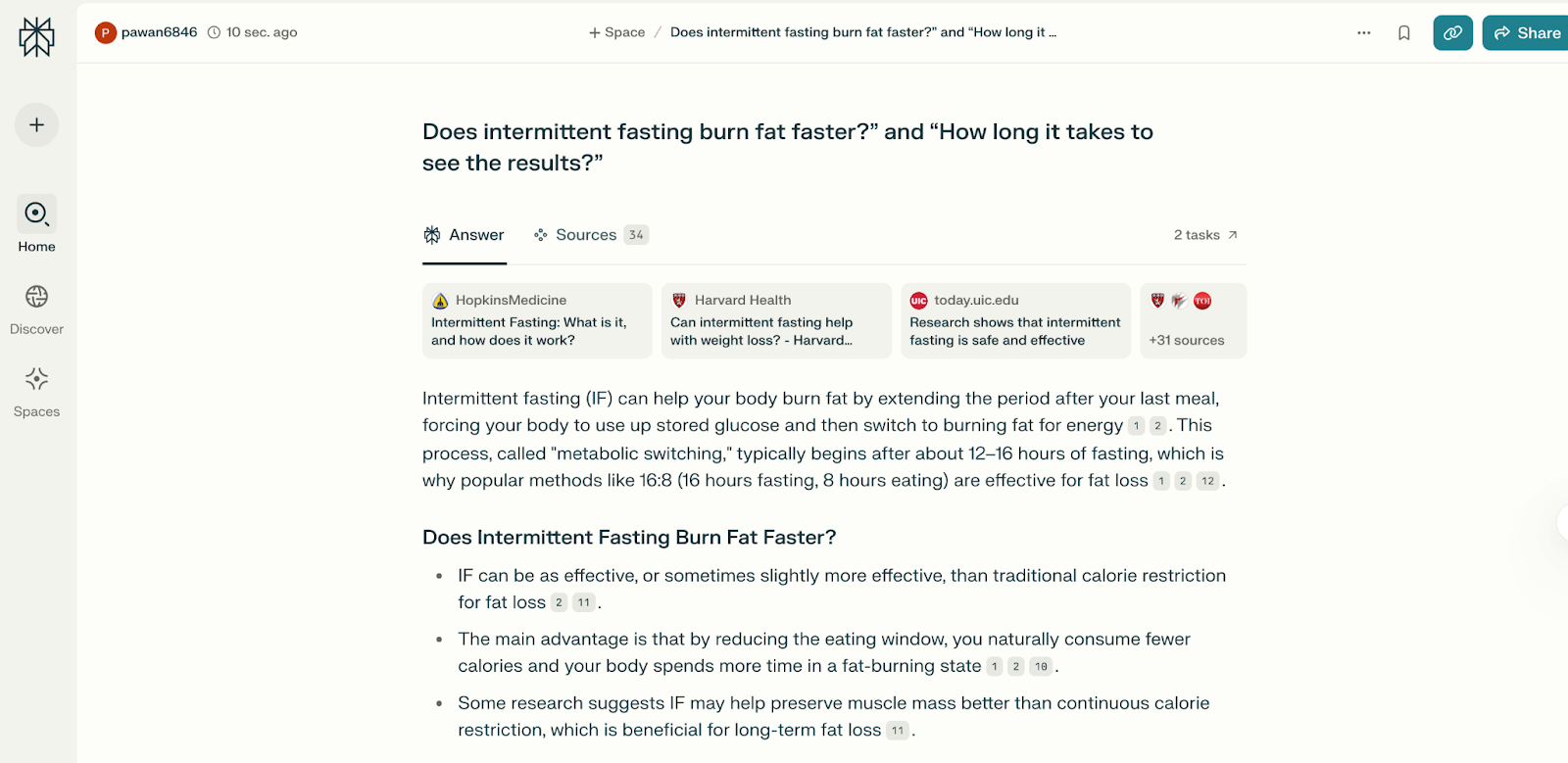
To my surprise, instead of generic answers, it referenced specific sections and page numbers. This helped me verify claims rather than guess where the information came from.
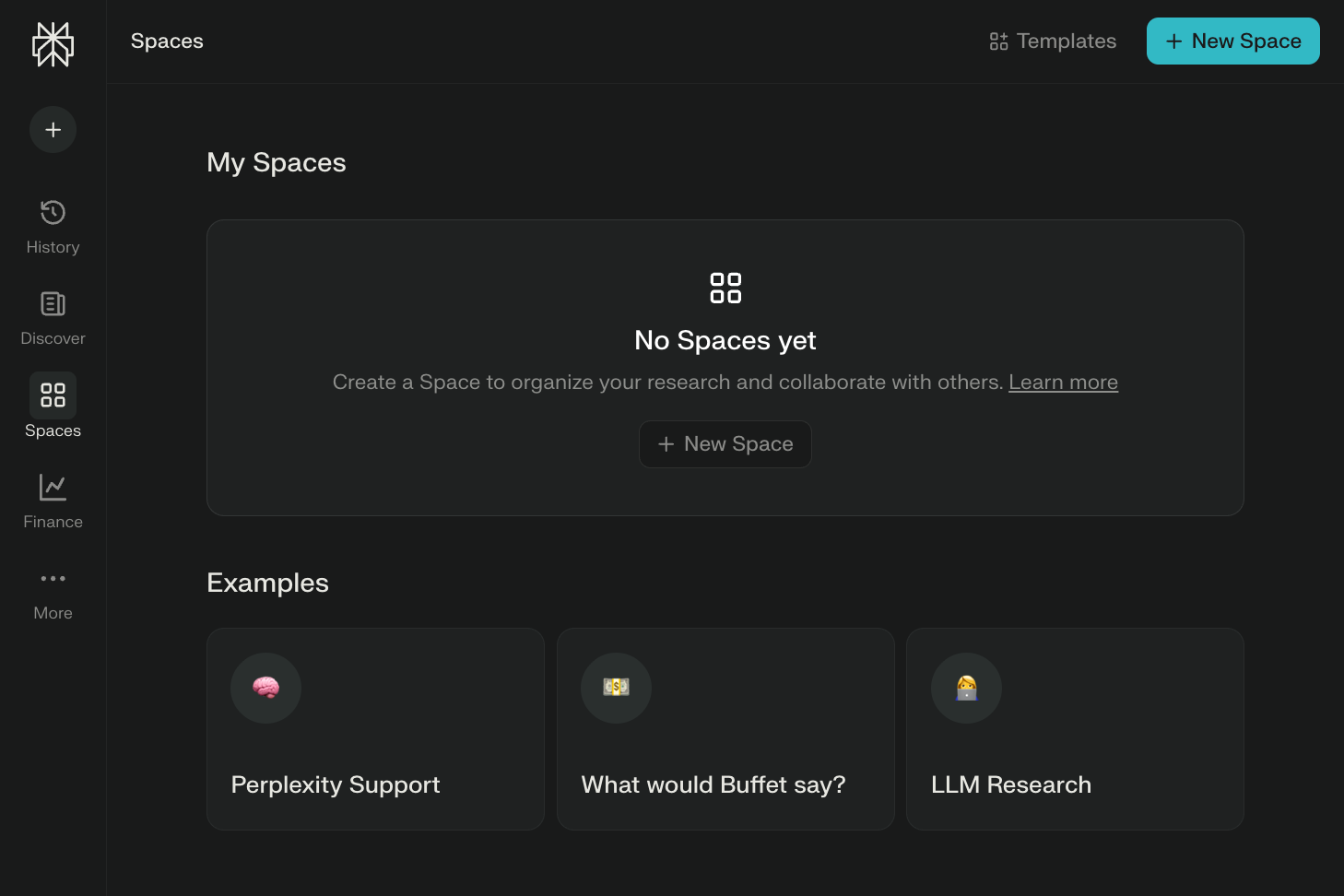
Spaces are where Perplexity starts to feel built for real work. If you’re preparing a pitch deck with teammates, you can create a Space, upload internal docs, save searches, and keep all related research in one place.
When your team works off the same context, it cuts down the back-and-forth and speeds things up.
Why Perplexity is a good ChatGPT alternative
- Built for research: Perplexity searches the web as part of answering your questions
- Shows its sources: Answers include citations, so you can check where the information came from
- Useful for current topics: It works well when you need information that may have changed recently
- Faster source discovery: It can save you from opening and comparing dozens of search results yourself
Pros
- Comet browser integrates agentic AI for web tasks
- Pro unlocks advanced models like Claude and unlimited Deep Research
- Perplexity Discover, a curated feed of trending news and AI updates
Cons
- Limited free tier quotas restrict heavy usage
- Some basic features are locked behind the subscription
Pricing
Perplexity has a free plan that’s easy to start with and get comfortable. Paid plans include Perplexity Pro and Max, and while they’re billed annually, Pro works out to about $17/month if you go that route.
Introducing Comet: Browse at the Speed of Thought
4. Best ChatGPT Alternative for X users and live trends
Grok: What is it?
Grok is an AI assistant from xAI that can answer questions, write content, analyze files, generate images, and help with coding. Its connection with X makes it particularly useful for researching current conversations, public sentiment, and fast-moving trends.
Why I picked Grok: Grok is best when you need fast answers around current events, X conversations, public sentiment, and topics that change by the hour.
Ideal for: Founders, marketers, journalists, creators, investors, researchers, and anyone who spends time on X and needs an AI assistant that can read the room quickly.
It can also write, summarize, reason through problems, explain code, analyze files, generate images, and answer general questions too. But its strongest use case is still trend-aware work.
I asked Grok to compare current public sentiment on X around ChatGPT, Claude, Gemini, Perplexity, DeepSeek, and Grok. For each tool, I wanted to know what users praise, what they complain about, and what use case they associate with it most.
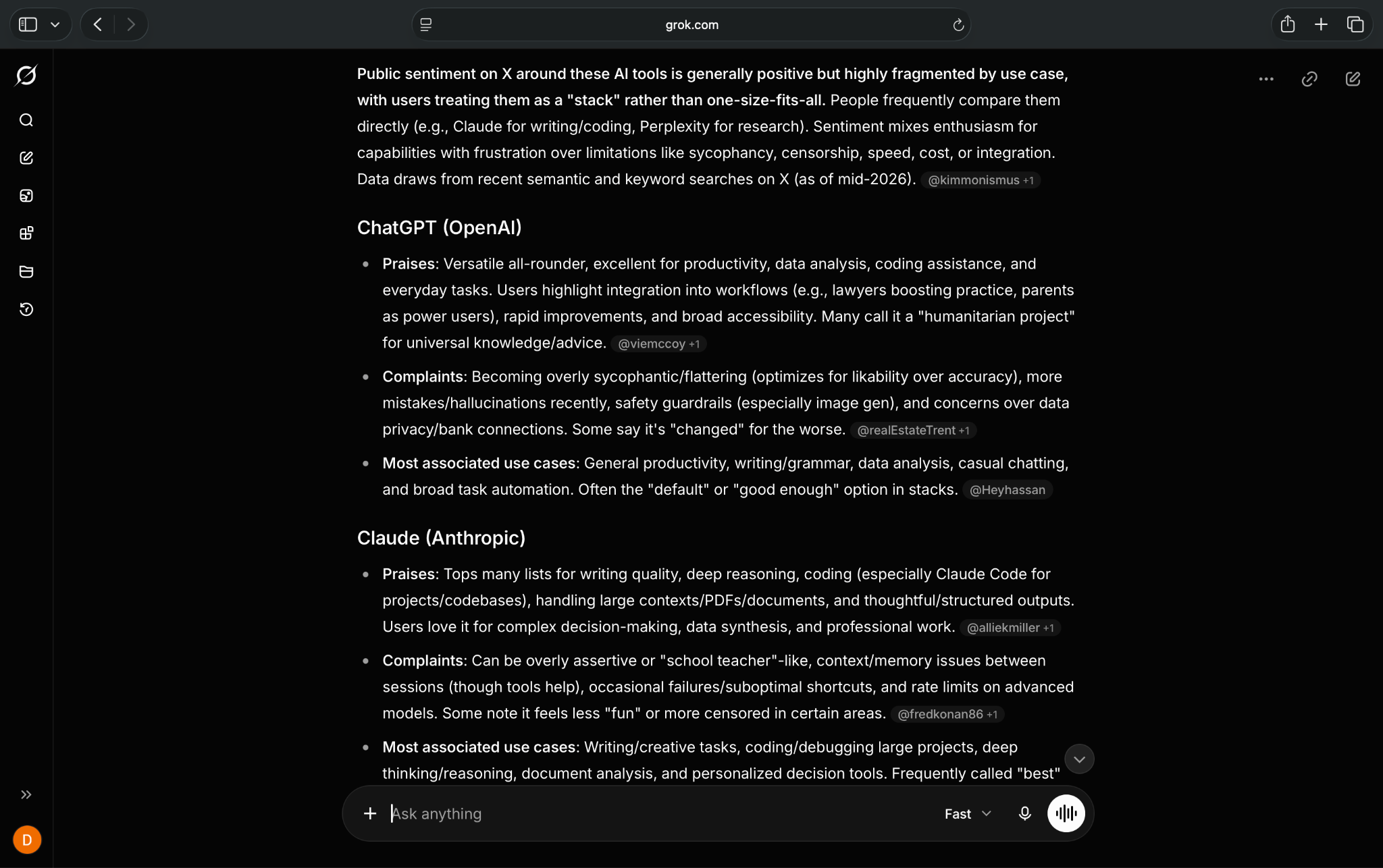
That makes Grok less of a polished workplace assistant and more of a live intelligence tool.
The biggest risk is trusting Grok too quickly. Because it pulls from live conversations, you still need to verify claims before using them in a final article. I treated Grok as a research assistant, not a source of truth.
Why Grok is a good ChatGPT alternative
- Strong access to X content: Grok is useful for following discussions, reactions, and trends happening on X
- Good for current conversations: It can help you explore fast-moving topics and public sentiment
- Supports creative tasks: You can use it for writing, ideation, image generation, and general questions
- Useful for social research: It stands out when your work depends heavily on what people are discussing online
Pros
- Great for public sentiment and trend research
- Useful for creators, marketers, and journalists
- Handles writing, coding, image generation, and file analysis in one place
- Works well when you need quick context on fast-moving topics
Cons
- Output can feel less polished than Claude for long-form writing
- X-heavy answers can overrepresent loud or niche opinions
Pricing
Grok has a free plan with limited access. Paid plans start from $10/month, billed monthly, for SuperGrok Lite. The other plans include SuperGrok, SuperGrok Plus, SuperGrok Heavy, and Grok Business.
5. Best ChatGPT Alternative for deep document research
Gemini Notebook: What is it?
NotebookLM is Google’s AI research tool for working with your own sources, including PDFs, websites, videos, and Google Drive files. It answers questions based on the material you provide and can turn those sources into notes, reports, study guides, and audio overviews.
Why I picked NotebookLM: NotebookLM works best for turning long documents into structured notes, drafts, and study materials.
Ideal for: If your work involves heavy research, long documents, or pulling clarity from messy sources, NotebookLM fits naturally into that workflow.
I mostly use NotebookLM when I’m dealing with source-heavy work. Drafting articles, building SOPs, writing manuals, or working through topics where the information is scattered across PDFs, videos, websites, or podcasts.
In professional settings, you can’t afford to get the details wrong. Be it an article, a blog, an academic paper, or even your company’s database.
NotebookLM sticks strictly to the sources you give it. It doesn’t guess or pull information from the wider internet, which means every response comes from your material.
But I’ve noticed that NotebookLM works best when you’re deliberate. There have been times when I was lazy with my prompts, and the results were underwhelming.
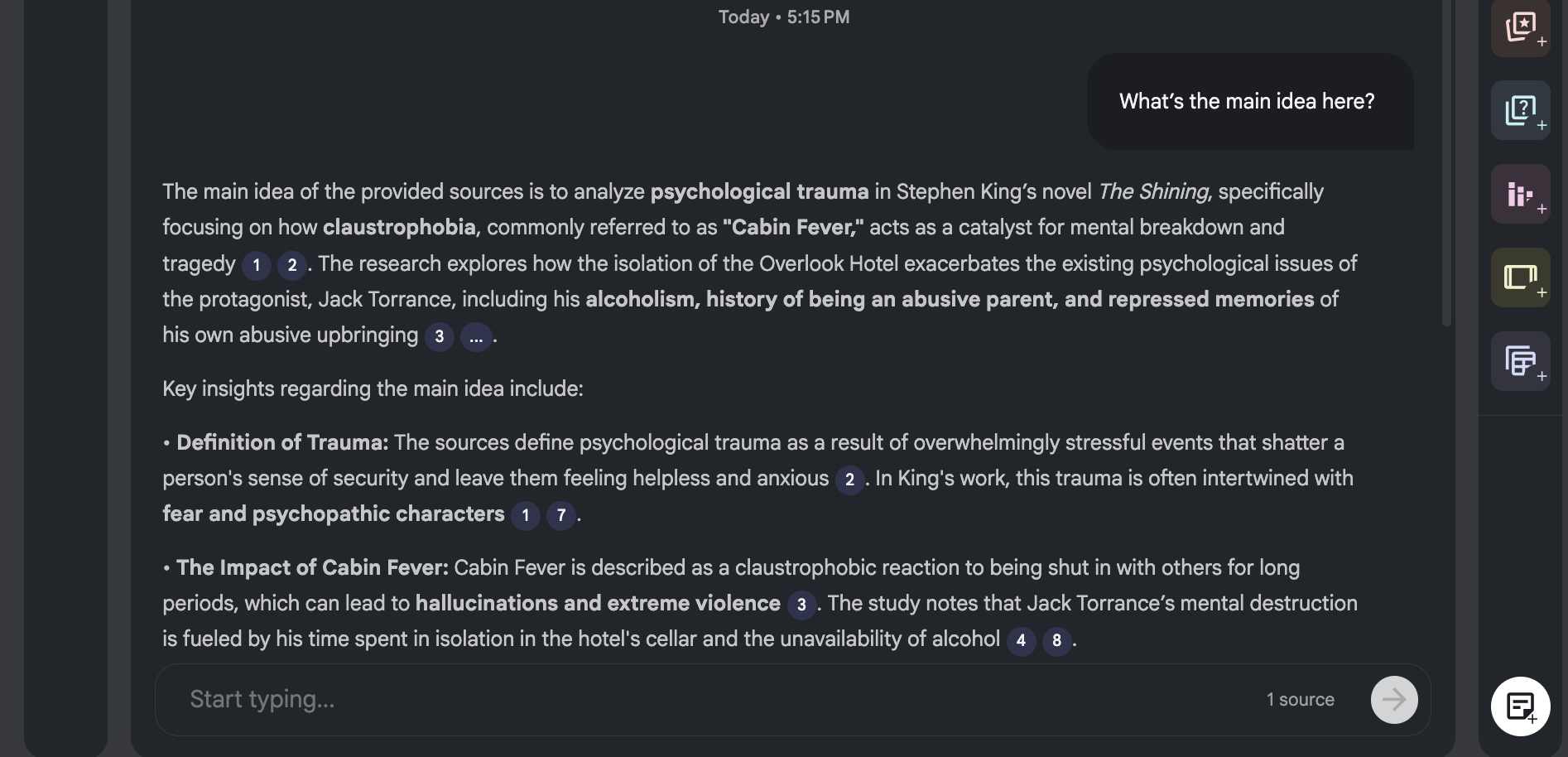
But when you’re clear and specific, the output improves fast. The process is simple. Upload vetted sources, PDFs, YouTube transcripts, Drive files, even voice memos. Then ask focused questions.
When the prompts are well phrased, the responses are usually spot-on. Plus, every answer comes with citations and direct quotes you can check instantly.
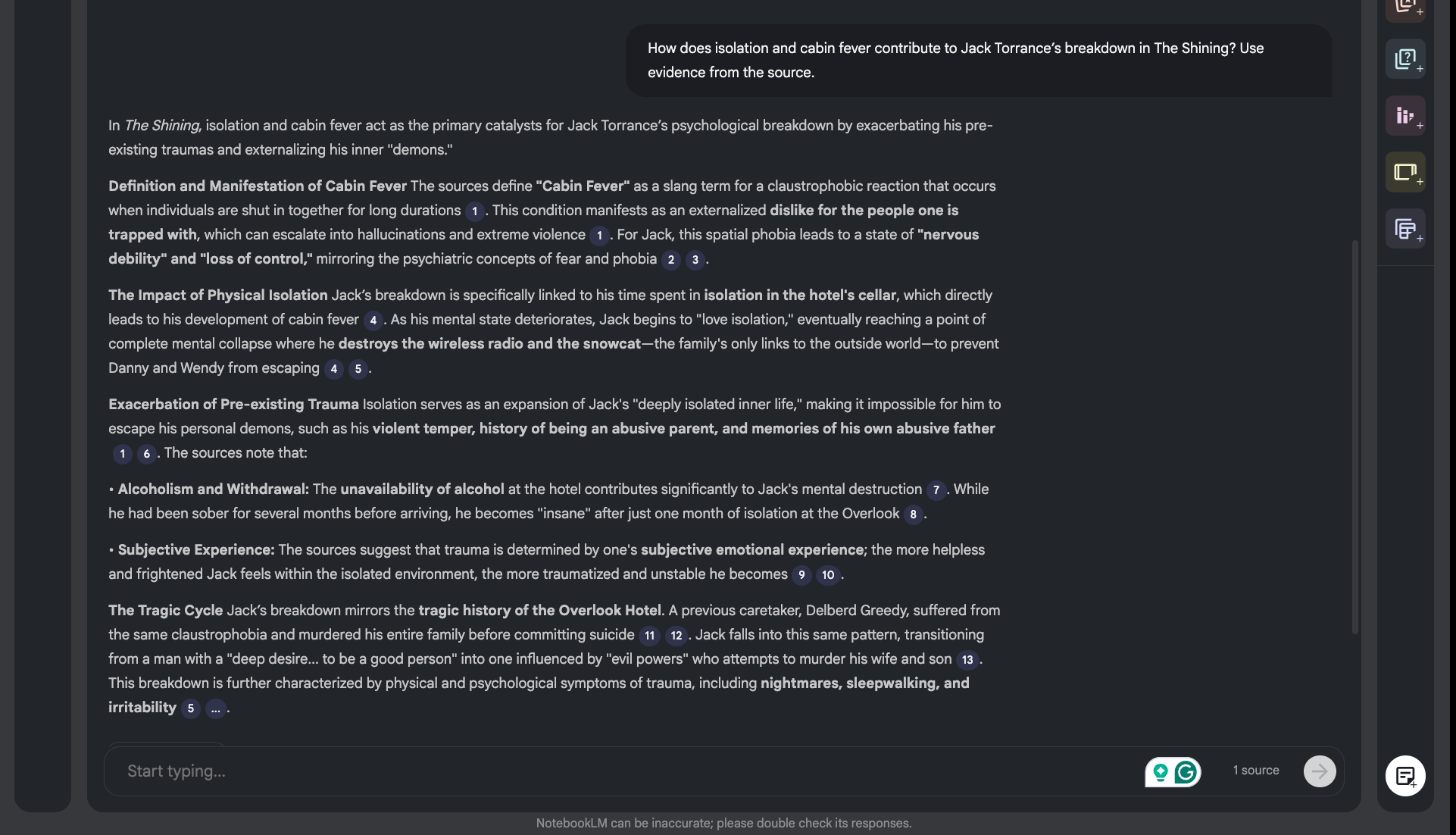
After your sources are in, you can use features like Instant Insights or the Studio panel to turn that research into something usable. I usually start by generating a rough briefing doc or FAQ, then refine it into notes, timelines, or a study guide.
You can even convert long material into audio overviews or visual formats. Over time, Gemini Notebook becomes something you return to, refine, and build on, not just a one-off chat you forget about.
Why NotebookLM is a good ChatGPT alternative
- Grounded in your sources: NotebookLM focuses its answers on the documents and links you provide
- Good for document-heavy research: It works well with PDFs, websites, videos, and Google Drive files
- Reduces research drift: Because it works from your selected material, it’s easier to keep answers tied to the source
- Useful output formats: It can turn source material into summaries, study guides, notes, and audio overviews
Pros
- Turns research into audio, visuals, and study tools
- Tight integration with Google Gemini for reasoning
- Generates reports, quizzes, flashcards, and slide decks
- Supports multilingual outputs across notes and overviews
Cons
- Output quality depends heavily on your sources
- Requires manual review and sorting when importing web results
Pricing
Gemini Notebook is free for personal projects. Higher usage limits and access to different Gemini models come with Google AI Plus, Pro, or Ultra plans, available in selected regions.
How to Use NotebookLM Better than 99% of People
{{templates}}
6. Best ChatGPT Alternative for Microsoft users
Microsoft Copilot: What is it?
Microsoft Copilot is an AI assistant built into products such as Word, Excel, Outlook, and Teams. It can help you write, analyze information, research topics, and work with context from files and other data across the Microsoft 365 ecosystem.
Why I picked Copilot: Copilot works best when your day already lives inside Word, Excel, Outlook, and Teams.
Ideal for: Microsoft 365 power users, enterprise teams, analysts, and professionals who want AI grounded in their emails, documents, and internal data.
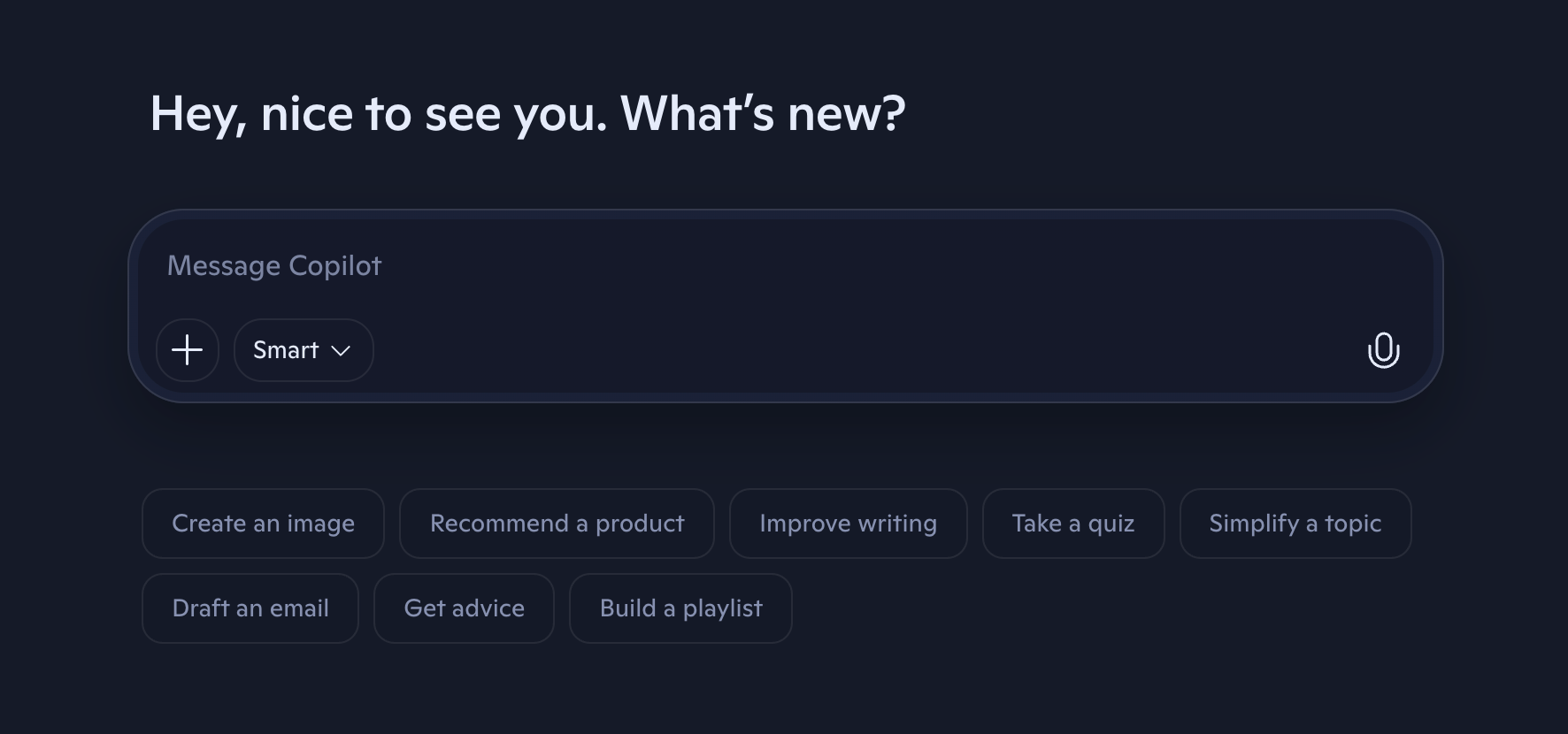
Copilot works well for writing and spreadsheets, but that’s usually just where people start.
The built-in image generation (powered by Microsoft's own MAI-Image models) is useful when you need a quick visual for a slide or a document.

The voice chat is also better than I expected. For basic, hands-free interactions, it holds up well and feels close to how ChatGPT’s voice mode works.
Familiarity is where Copilot quietly wins. My father has spent most of his working life inside Microsoft tools. Word, Excel, Outlook, that’s his technical world.
That’s why ChatGPT feels unfamiliar to him, while Copilot doesn’t. It shows up inside the same apps he already knows, uses the same layout, and doesn’t ask him to learn a new way of working just to get help. That comfort lowers the barrier more than any feature list.
If you’re short on time and willing to pay, Deep Research is worth mentioning.
You can run a single query and have Copilot scan a large set of sources, then return a structured report with tables and citations. It’s practical when you need something credible for a presentation, an event, or internal planning.
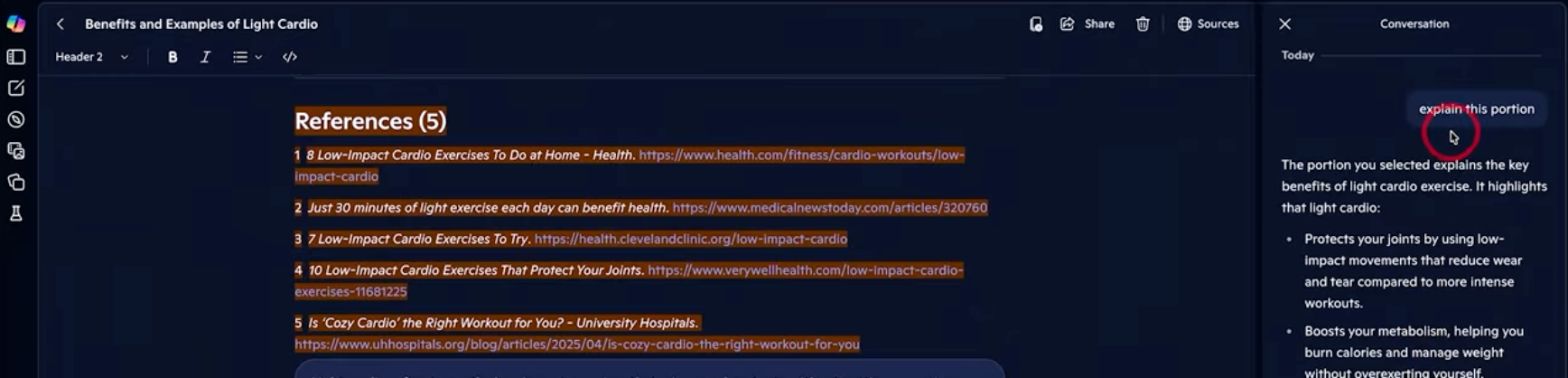
Because it pulls context from Microsoft Graph, the answers stay tied to your emails, files, and documents instead of floating in abstraction.
Why Microsoft Copilot is a good ChatGPT alternative
- Built into Microsoft 365: Copilot works across tools like Word, Excel, Outlook, and Teams
- Uses work context: It can help you work with documents, emails, meetings, and other Microsoft data
- Good for office tasks: It can assist with writing, analysis, summaries, presentations, and spreadsheets
- Convenient for teams using Microsoft: Businesses already using Microsoft 365 can add AI without changing their core workflow
Pros
- Hands-free email triage in Outlook
- Implicit grounding based on open files
- Project-specific grounding using Copilot Notebooks
Cons
- Agent Mode is limited on free plans
- At times, generates wrong answers
- Best experience tied to the Microsoft ecosystem
Pricing
Copilot is bundled with Microsoft 365 plans. Pricing starts at $9.99/month for personal use. You can also find Business, Enterprise, and Copilot Studio plans.
How to Use Microsoft Copilot - 2026 Beginner's Guide
7. Best ChatGPT Alternative for social media users
Meta AI: What is it?
Meta AI is an AI assistant available across Meta products such as WhatsApp, Instagram, and Facebook. You can use it for quick questions, planning, creative tasks, image-based queries, and help within conversations without moving to a separate chatbot.
Why I picked Meta AI: Instead of pulling you into a separate app, Meta AI shows up inside Facebook, WhatsApp, and other Meta products and helps in the middle of real conversations.
Ideal for: Everyday users, group chats, creators, and anyone who wants AI help for social planning, creative expression, and quick answers without leaving their messaging apps.

For the last two decades, Meta’s apps have quietly shaped how people talk online. First, Facebook and then Instagram changed how we share moments online. WhatsApp became the go-to app for everyday conversations.
Meta AI grows out of that same family of apps, which is why it feels familiar the moment you use it.
In WhatsApp group chats, you can ask it to help plan a meetup, suggest places to eat, or summarize dozens of unread messages (it does save you from scrolling endlessly).
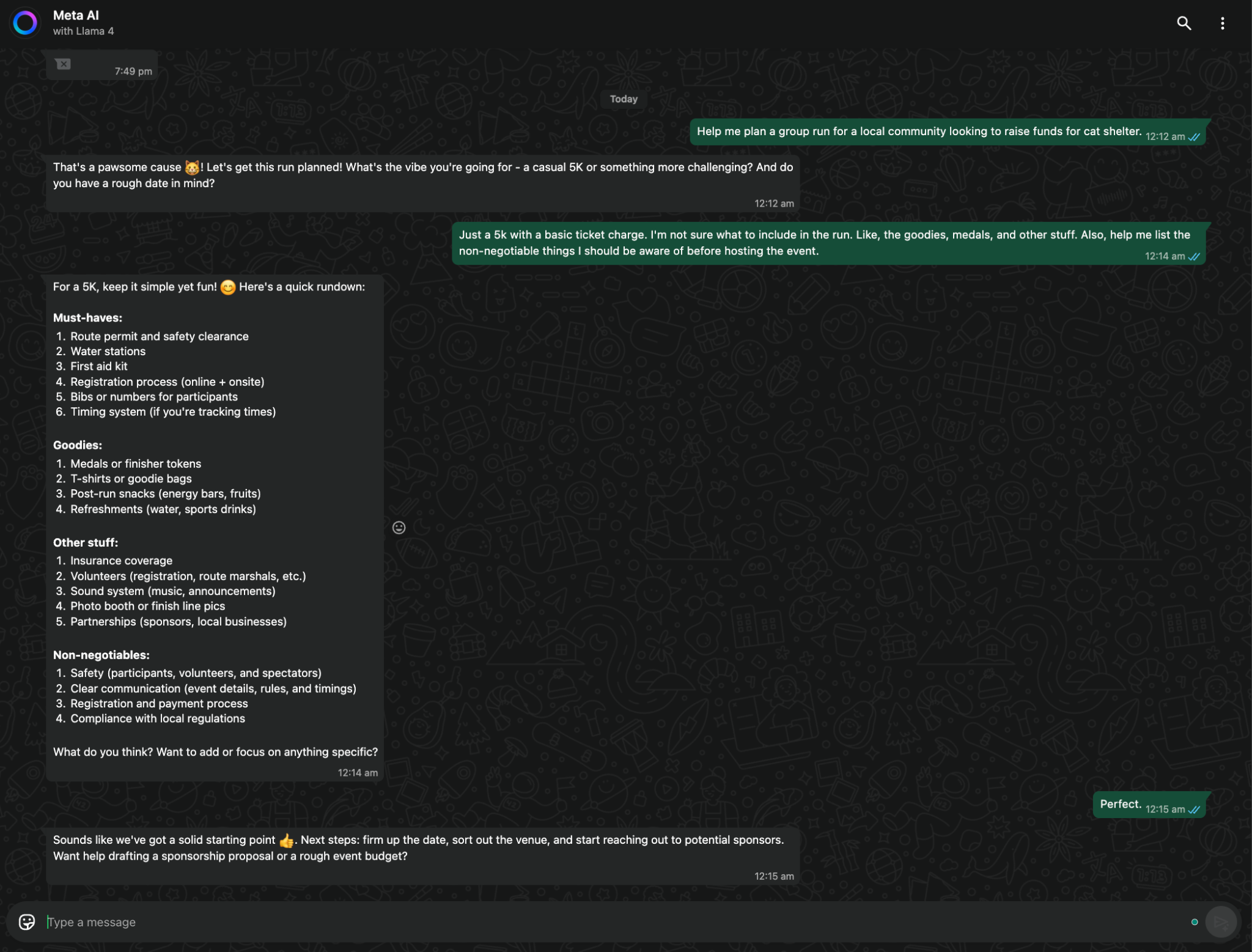
Meta AI is narrower in its ambitions than ChatGPT, but it does well in everyday social situations like planning a meetup or summarizing a group chat. I asked it to help plan a small community run, and it walked me through permits, safety, budgeting, and logistics.
The follow-up questions were practical and on point.
A friend of mine who makes travel vlogs also uses Ray-Ban Meta glasses to capture quick moments on the go. Later, she’ll take a selfie from the trip, describe the vibe she’s after, and use Movie Gen to turn it into a short intro with matching visuals and sound.
You can even take a photo and ask Meta AI to identify what’s in it, explain something unfamiliar, or help solve a problem on the spot. Video tools let you track objects inside clips, add effects, or generate short videos with sound from text prompts. It’s both playful and useful.
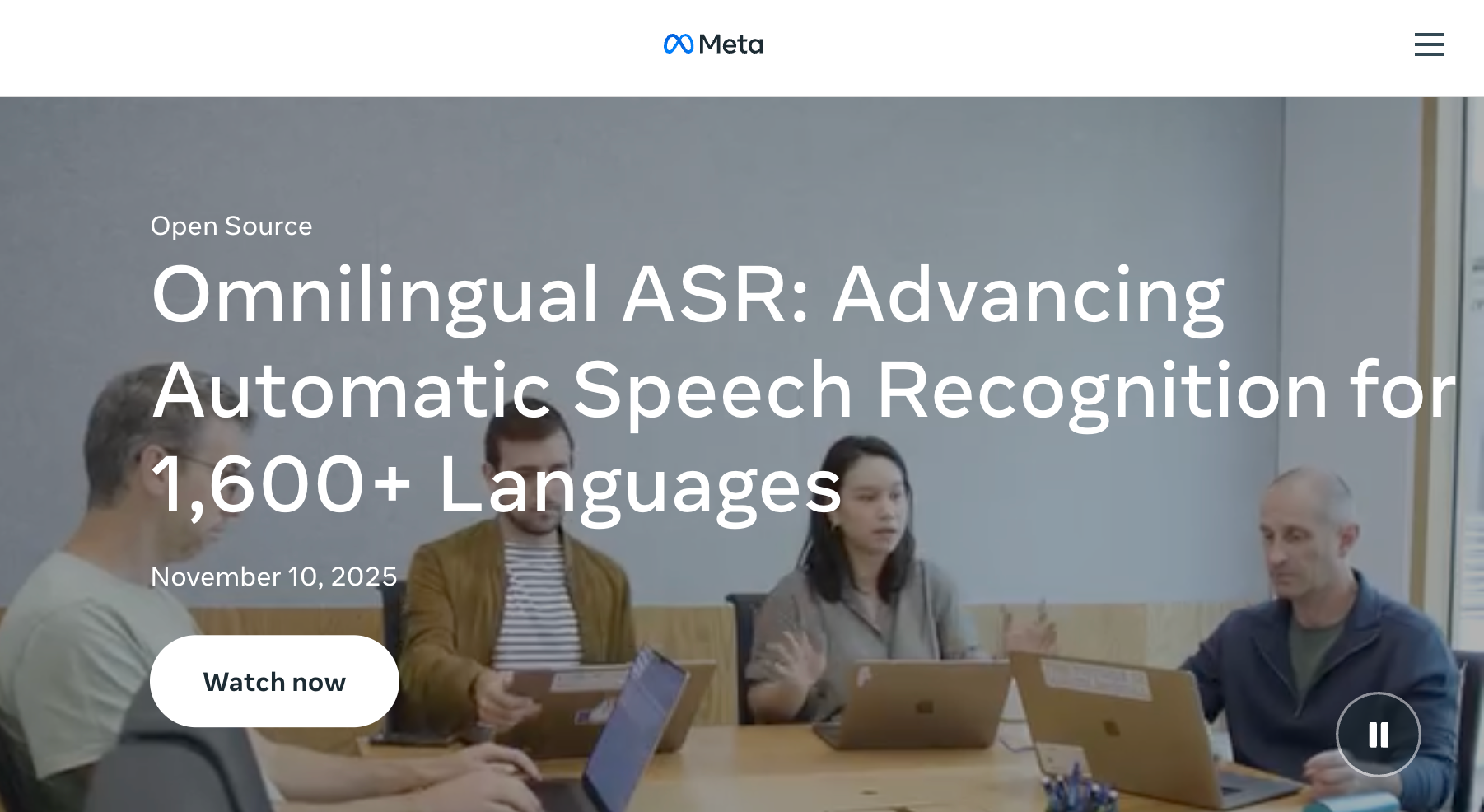
Since I’ve subscribed to their newsletter, I get to know about the latest updates. To my surprise, some are pretty good. Take their late 2025 Omnilingual ASR update, for example.
Meta continues to expand its multilingual ASR (automatic speech recognition), using systems like Omnilingual ASR to bring broader speech‑to‑text coverage. It includes many historically underserved languages for a broader global audience.
This underpins improvements in features such as voice notes, captions, and translations as these models are integrated into Meta’s products.
Why Meta AI is a good ChatGPT alternative
- Built into Meta apps: You can access Meta AI inside WhatsApp, Instagram, Facebook, and other Meta products
- Easy for quick questions: You don’t need to switch to a separate AI app for simple requests
- Good for casual use: It works well for planning, ideas, writing help, and everyday questions
- Useful inside conversations: Its placement in messaging and social apps makes it convenient for lightweight assistance
Pros
- Train AI on your own Instagram content
- Strong video understanding with V-JEPA 2
- Built on advanced vision models like DINOv3
- Automated audience engagement with clear controls
Cons
- May generate false information or confident, incorrect "hallucinations"
- Trains on personal posts, raising privacy concerns, and generates mid outputs
Pricing
Meta AI is free to use inside apps like WhatsApp, Instagram, and Facebook. Meta is also testing paid Meta One Core and Meta One Premium plans that raise the AI usage limits, though they aren't available everywhere yet.
Zuckerberg Demos New Meta Glasses With Built-In Display
8. Best Open-source ChatGPT replacement
DeepSeek: What is it?
DeepSeek is an AI chatbot and open-source model family built for tasks like coding, math, and technical reasoning. You can use its chatbot for free or run supported models locally, which makes it appealing if you want more control over how and where you use AI.
Why I picked DeepSeek: DeepSeek feels built for thinking things through. It’s analytical, transparent, and unusually capable for a model that’s free and open source.
Ideal for: Developers, researchers, and technically inclined users who care about reasoning quality, math, coding accuracy, or running models locally without relying on cloud access.
A math major might use it for vector algebra, while a data scientist can use it to sanity-check analysis and catch errors early. I’m neither, so I used it for debugging and working through things like ranking logic, pathfinding, and performance issues.
DeepSeek is designed to provide more transparent and logical outputs, often walking you through step-by-step reasoning for technical queries. When something goes wrong, you can spot where the logic breaks instead of guessing why the output feels off. That makes it useful not just for writing code, but for learning and fixing it.
On the coding side, it handles Python, JavaScript, and HTML comfortably.
You can ask it to write a function, adjust it based on feedback, or explain why a piece of code behaves the way it does. It feels closer to a technical tutor than a code generator.
Unlike the previous models, DeepSeek now works better with documents. The DeepSeek-OCR-2 model handles document images and scanned text well. In fact, I tried uploading a handwritten grocery list just to see what would happen. DeepSeek picked up the items correctly and turned them into a clean list. I didn’t have to fix or reformat anything afterward.
Because it’s open source, you can also run DeepSeek locally. I tested it offline using Ollama and LM Studio. Once it’s running, you can work without internet access, avoid rate limits, and keep sensitive files entirely on your machine instead of sending them to a cloud service.
Why DeepSeek is a good ChatGPT alternative
- Free access: You can use DeepSeek without paying for a premium subscription
- Strong technical reasoning: It performs well on coding, math, and logic-heavy tasks
- Open-source models: Developers can run supported DeepSeek models locally or build on top of them
- Good fit for technical users: It gives programmers and researchers more flexibility than a closed chatbot
Pros
- Free access to a strong reasoning model
- Requires minimal prompt tuning for results
- Open source and runnable on local hardware
- Open source and runnable on local hardware
Cons
- Heavy traffic can limit advanced model access
- Some topics are restricted due to the server location
Pricing
DeepSeek is free to use if you’re just experimenting or doing personal work. If you want to build with it, the API is priced per token and stays surprisingly affordable, especially for a reasoning-focused model.
NEW DeepSeek Update is INSANE! 🤯
9. Best ChatGPT Alternative for human conversations
Pi: What is it?
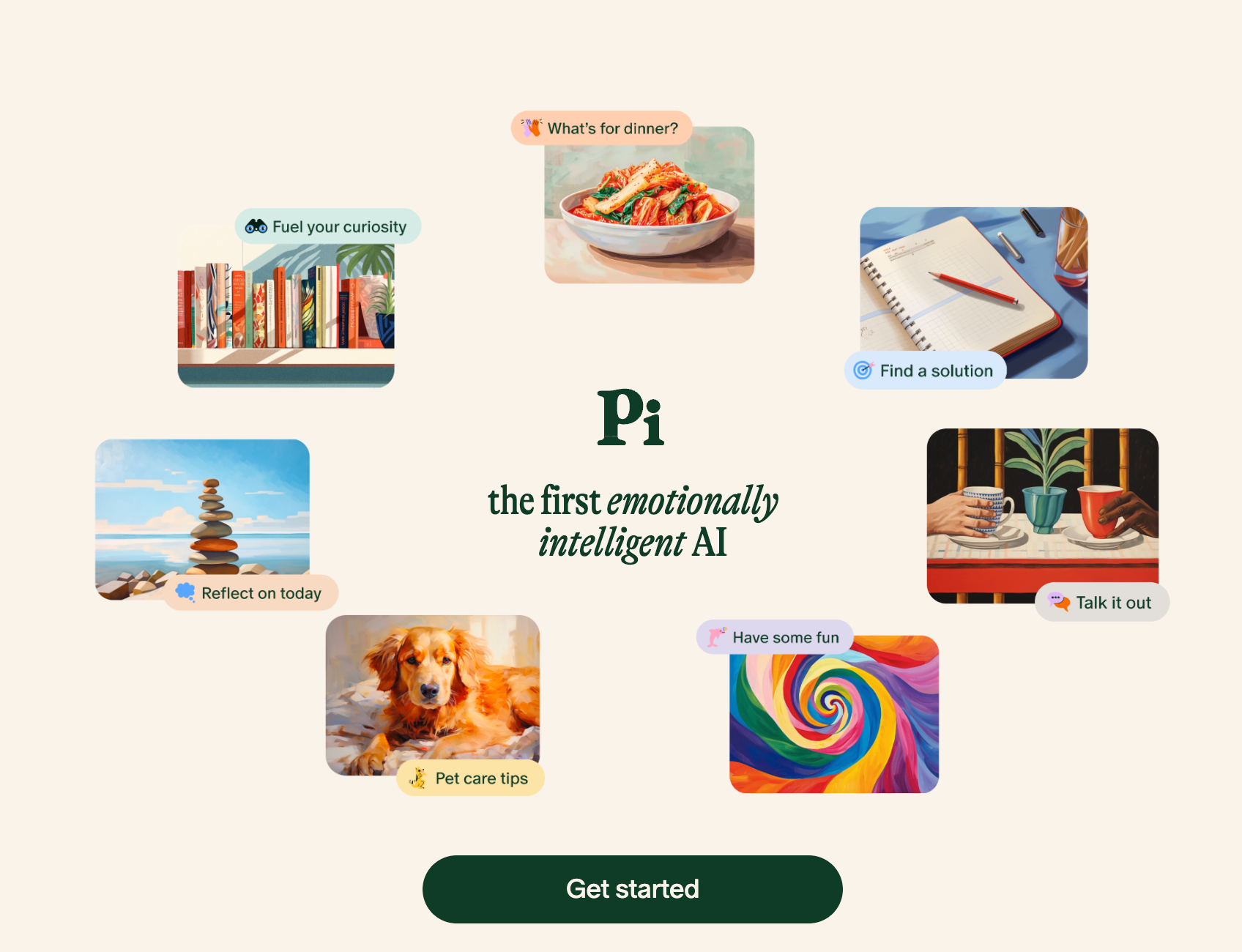
Pi is a conversational AI assistant from Inflection AI designed around friendly, supportive conversations. It focuses more on talking through ideas, thoughts, and everyday situations than on technical work, research, or productivity-heavy tasks.
Why I picked Pi: Pi works best when you don’t want advice or solutions, just a calm space to talk things through without being nudged toward fixing anything.
Ideal for: People who want empathetic conversations, light emotional support, or a place to think out loud without turning every interaction into a productivity task.
I got to know about Pi through my younger brother when he was having teenage anxiety. You know, college, work, and the usual life stress.
That’s when he told me about this app where he could just talk. No pressure to fix anything. No advice unless he asked for it. Just a place to say things out loud.
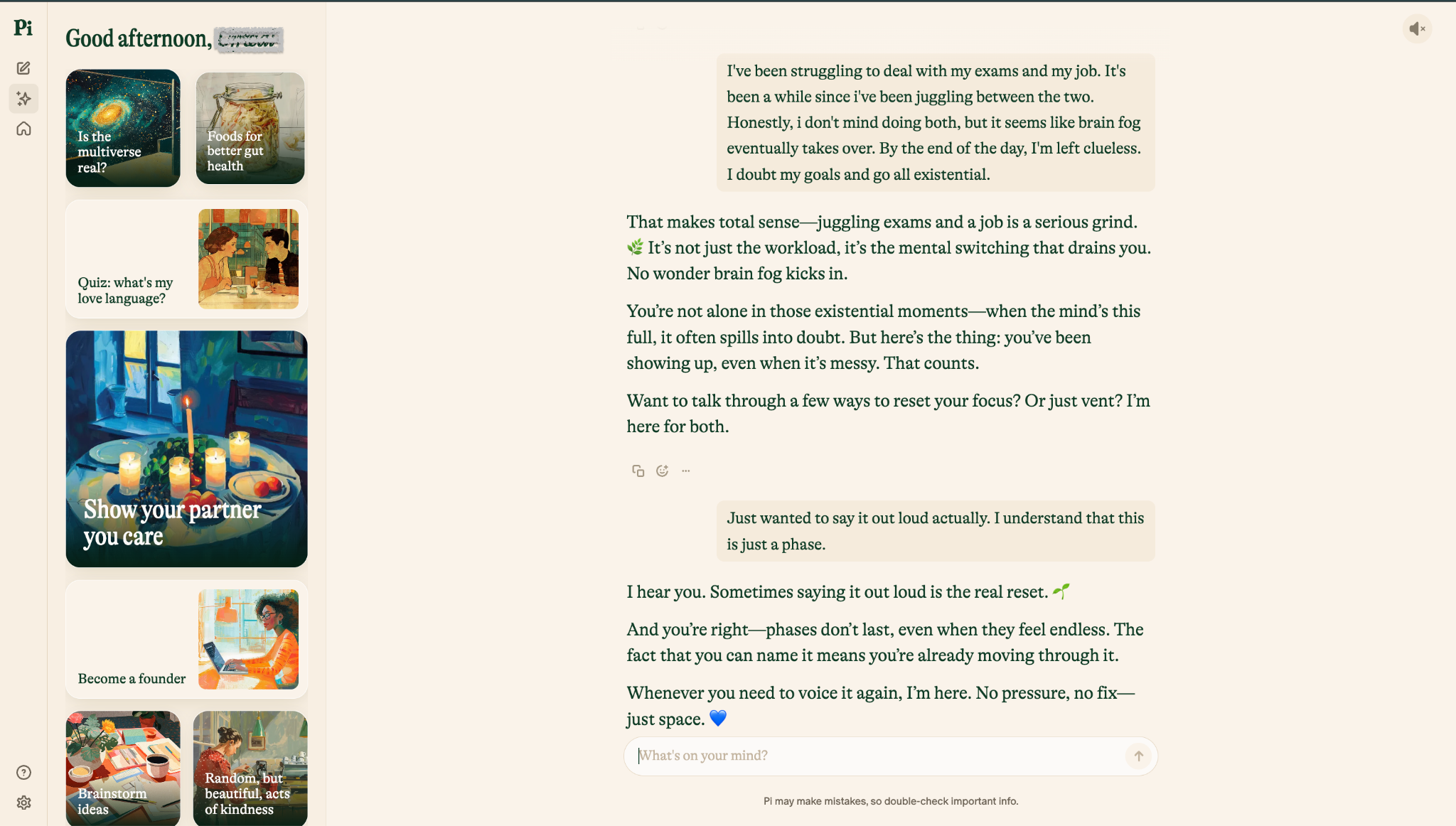
With ChatGPT, there’s almost always a solution coming your way, even when you’re not asking for one. Pi doesn’t rush there.
You can talk about your day, complain about something small, or ramble about nothing in particular. Sometimes that’s academics or work. Other times, it’s your dinner plans or how to take better care of your pet.
The voice feature plays a big role here. Pi has eight different voice options, and I tried all of them.
Honestly, I found Pi’s voices 3 and 4 sounded calmer and unforced. There are natural pauses, softer intonation, and enough space to think before responding. It feels more like a conversation than a back-and-forth with a bot.
You can also switch tones or start different threads depending on your mood.
One day, it’s light chit-chat. Another day, it’s talking through something that’s been sitting in your head. Pi works more like a confidant you can talk to when you just want to be heard, somewhere between a journaling app and a friend who picks up the phone.
Why Pi is a good ChatGPT alternative
- Conversation-first experience: Pi is designed to feel more like an ongoing conversation than a productivity tool
- Good for talking through ideas: It works well when you want to reflect, brainstorm, or think through a problem
- Friendly tone: Its responses focus heavily on natural, supportive dialogue
- Simple to use: Pi suits users who want an AI companion without a long list of work-focused features
Pros
- Easy to use and helpful, empathetic responses
- Completely free with no paywall added yet
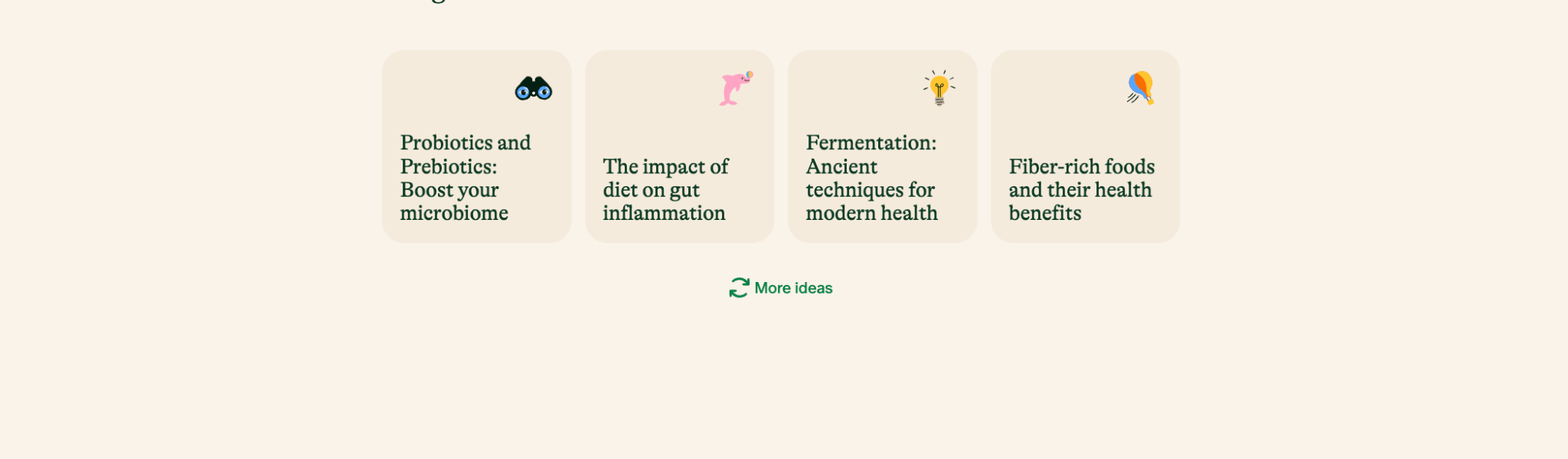
- Interactive visual templates to get started quickly
Cons
- Not suitable for technical tasks
- Limited factual depth or citations
Pricing
Free to use (no paid plan currently).
How to choose the best ChatGPT alternative
Before you jump into tools, pause for a second and get clear on how you actually use ChatGPT today. Not how you think you use it, but how you really do.
Here’s a simple exercise I recommend.
Open ChatGPT and ask it this: “Hey GPT, analyze all my conversations to date and tell me my top 7 use cases.”
For me, the pattern was clear. I was using ChatGPT heavily for AI automation, workflow design, no-code system planning, and rapid prototyping.
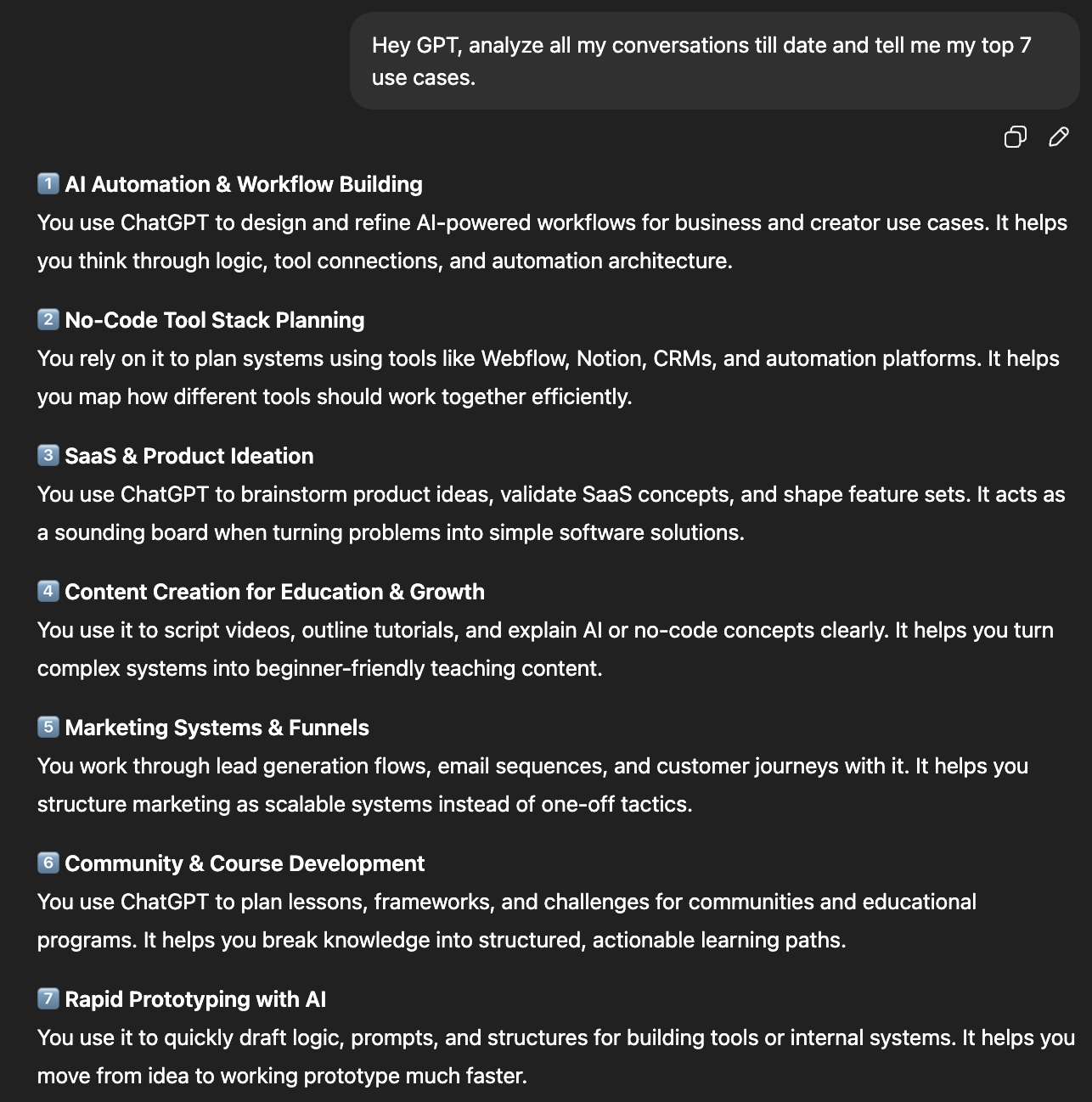
Once you know your top use cases, looking for alternatives becomes much easier. At that point, you’re not hunting for “the best AI.” You’re looking for the right tool for your daily workflow.
For this purpose, I went a step further and compared my top ChatGPT alternatives in detail. Apart from this, when I evaluate an AI tool now, I mostly look at a few things like:
- Execution vs conversation: Does it stop at answering questions, or can it do the work? Drafting, updating, scheduling, and moving things forward without me hovering.
- Context awareness: Can it work with my existing tools, data, and workflows, or am I forced to re-explain everything every time?
- Clear specialization: Some tools are great writers. Others shine at research, automation, coding, or emotional support. Forcing one tool to do everything usually backfires.
- Reliability and control: Can I trust the output enough to use it in real work? Can I inspect, tweak, or step in when needed?
- Friction vs payoff: If a tool saves time, great. If it adds another dashboard, setup process, or workflow to maintain, it’s probably not worth it.
When you filter tools this way, the noise drops fast. You stop chasing features and start choosing tools that earn their place in your day.
Which ChatGPT alternative should you choose?
The best ChatGPT alternative is the one that solves the problems you faced while using ChatGPT. Some of the alternatives excel at writing, while others research better. A few help with coding, image generation, or live trend tracking.
Here’s a quick way to choose the right one for your workflow:
Choose Claude if you:
- Write long-form content, reports, briefs, scripts, or strategy docs
- Need clear reasoning over long conversations
- Prefer polished, structured, and easy-to-edit writing
- Often work with long documents or messy source material
Choose Gemini if you:
- Already work inside Google Docs, Gmail, Drive, Chrome, or Android
- Need help with technical reasoning, coding, math, or large-context prompts
- Want strong multimodal features, including image generation
- Prefer an AI assistant that fits naturally into Google’s ecosystem
Choose Perplexity if you:
- Use AI mainly for research
- Need cited answers you can verify quickly
- Want a better search experience than scrolling through Google results
- Care about source quality and quick fact-checking
Choose Grok if you:
- Spend a lot of time on X
- Need live trend research, public sentiment, or current conversation analysis
- Create content around fast-moving topics
- Want an AI tool that can quickly show what people are saying right now
Choose Microsoft Copilot if you:
- Live inside Word, Excel, PowerPoint, Outlook, or Teams
- Want AI help inside your existing Microsoft 365 workflow
- Create documents, spreadsheets, meeting summaries, or internal reports often
- Prefer not to move work into a separate chatbot
Choose Meta AI if you:
- Want a casual AI assistant inside WhatsApp, Instagram, Facebook, or Messenger
- Use AI for quick questions, image generation, captions, or everyday tasks
- Care more about convenience than advanced research or business workflows
- Want something easy to access without opening another app
Choose DeepSeek if you:
- Need a low-cost or free tool for coding and technical reasoning
- Want strong performance on math, logic, or development tasks
- Prefer open-source model options
- Don’t need the most polished interface or business integrations
Choose Pi if you:
- Want a calmer, more conversational chatbot
- Use AI for reflection, brainstorming, or personal support
- Prefer voice conversations and a softer tone
- Don’t need advanced research, coding, or workflow automation
Where does Lindy fit among these ChatGPT alternatives?
Lindy fits among these ChatGPT alternatives after you’re done interacting with them and want to move the work forward across your apps.
Most ChatGPT alternatives are better at one part of the work. Claude is great for writing. Perplexity is great for research. Gemini fits well if your work already lives inside Google. Grok helps when you need to understand what people are saying right now.
Lindy is different as it doesn’t replace these tools. It’s an AI assistant that helps you act on the output of these tools.
That makes Lindy useful because most AI work creates more downstream tasks. A research summary becomes a follow-up email. A sales call becomes CRM updates and next steps. A support question becomes a reply, a Slack alert, and a ticket update. A meeting transcript becomes notes, tasks, and reminders.
Lindy helps with that second half of the workflow. For individuals, that can mean help with daily admin tasks like:
- Summarizing emails and drafting replies
- Sending follow-ups after meetings
- Turning notes into tasks
- Managing calendar coordination
- Researching contacts or companies
- Processing PDFs, forms, or attachments
For teams, Lindy becomes more useful when tasks repeat across departments:
- Sales teams can qualify leads, send follow-ups, and update CRM fields
- Support teams can draft replies, summarize tickets, and escalate urgent issues
- Ops teams can move information between tools without manual copying
- Recruiting teams can screen candidates and coordinate interviews
- Founders can delegate the work that usually sits between meetings
Lindy supports hundreds of integrations across apps like Gmail, Outlook, Slack, HubSpot, Salesforce, Google Calendar, and more, so tasks don’t stay trapped inside a chat window.
It also comes with ready-to-use skills that make it easier to start with common workflows. You can use skills for inbox triage, meeting notes, lead follow-up, CRM updates, document handling, research, and customer support, then adjust them to match how your team works.
Lindy Docs helps here too. If you’re new to AI assistants or want to build more specific workflows, Lindy Docs gives you guides, setup steps, and tutorials you can follow without needing a technical background.
If you’re connecting an AI assistant to business systems, security is key. Lindy is SOC 2 Type II certified and HIPAA, GDPR, and PIPEDA compliant, which makes it a better fit for teams handling sensitive customer, patient, or company data.
So, where does Lindy fit?
Use Lindy when your problem is not “which AI gives the best answer?” but “how do I get this done without doing every step myself?”
You can still use Claude for writing, Perplexity for research, Gemini for Google-heavy work, or Grok for live trend analysis. Lindy adds the execution layer on top, helping you turn those answers into emails, updates, tasks, reminders, and workflows.
Start your Lindy free trial to offload repeat tasks and connect your AI work to the tools you already use.
Frequently asked questions
What AI is better than ChatGPT?
An AI that’s better than ChatGPT for you depends on what you use ChatGPT for. A few alternatives stand out for specific jobs:
- Claude: Better for long-form writing and structured reasoning
- Gemini: Strong for technical work and Google-heavy workflows
- Perplexity: Better for research with cited sources
- DeepSeek: Strong for coding, math, and technical reasoning
{{templates}}
What is better than ChatGPT and free?
DeepSeek is one of the best free ChatGPT alternatives if you care about coding, math, and technical reasoning. Claude, Gemini, Perplexity, and Meta AI also offer free access, although each comes with its own usage limits.
What other AI platforms are there besides ChatGPT?
Claude, Gemini, Perplexity, Grok, NotebookLM, Microsoft Copilot, Meta AI, DeepSeek, and Pi are other AI platforms you can choose apart from ChatGPT.
They overlap with ChatGPT on general tasks, but each tends to be better suited to specific jobs such as research, writing, coding, or working inside an existing software ecosystem.
What are the top AI models right now?
Some of the best AI models right now include GPT-5.6 Sol, Claude Opus 5, Gemini 3.7 Flash, Grok 4.6, and DeepSeek V4-Pro. Coding, writing, research, speed, price, and tool use can all produce different winners.
What is the best AI app?
ChatGPT is still one of the best all-purpose AI apps, but specialized alternatives can be better depending on the task. Claude is strong for writing, Perplexity for research, Gemini for Google users, and NotebookLM for working through your own documents.
What can I replace ChatGPT with?
You can replace ChatGPT with Claude, Gemini, DeepSeek, Grok, or Microsoft Copilot if you want another general-purpose AI assistant. For more specific work, Perplexity is better suited to web research, while NotebookLM focuses on research using sources you provide.
What is the best AI platform for business?
The best AI platform for business depends on your use case, with Lindy leading the list when you want an AI assistant to carry out workflows across business apps. Microsoft Copilot fits teams built around Microsoft 365, while Gemini works well with Google Workspace.
What is the number one AI app?
For general-purpose use, ChatGPT remains one of the strongest all-round options because it covers writing, coding, research, files, images, and everyday questions in one place. But the number one choice changes by use case. Claude, Gemini, Perplexity, and other tools can beat it at narrower tasks.
Which AI is the most unrestricted?
No mainstream AI is completely unrestricted. If you want more control, open-source models that you run locally are the closest option because you're less dependent on a provider's chatbot rules. DeepSeek is one example that supports local use.
Is there a free AI with no restrictions?
No mainstream AI tool is both completely free and completely unrestricted. You can run some open-source models locally for free, but you'll need the hardware and technical setup to do it. Fewer provider restrictions also put more responsibility on you to use the model safely.
What can I use instead of ChatGPT that's free?
DeepSeek, Claude, Gemini, Perplexity, Meta AI, and Microsoft Copilot all offer ways to get started for free. DeepSeek is a strong pick for technical work, while Gemini or Claude make more sense if you want a broader everyday assistant.
Who are the big 5 in AI?
OpenAI, Google, Anthropic, Meta, and xAI are among the biggest players for consumer AI. DeepSeek has also become a major competitor, particularly in open-source models and technical reasoning.
What is like ChatGPT but better?
Gemini and Claude are the closest to ChatGPT, but whether they're better depends on what you're doing. Claude stands out for writing and long conversations, while Gemini is a strong option for technical tasks and people who already use Google products.
What is DeepSeek good at?
DeepSeek is particularly good at coding, math, logic, and technical reasoning. Its open-source models also make it appealing to developers who want more control, including the option to run models locally instead of relying entirely on a hosted chatbot.
Who is the AI leader now?
There isn't one clear AI leader across every category. OpenAI, Google, Anthropic, xAI, and DeepSeek all compete for the top spot, with different strengths across coding, reasoning, multimodal work, agents, price, and open models.
What AI is smarter than ChatGPT?
Different AI tools are smarter than ChatGPT for different tasks. Claude can outperform it on some writing and reasoning work; Gemini is strong for technical and multimodal tasks, and DeepSeek performs well for coding and math.
The result depends heavily on the prompt and model you compare.
What is the most private AI to use?
A locally run AI model is usually the most private option because your prompts can stay on your own device instead of being sent to a hosted chatbot. Open-source models such as DeepSeek can be run locally, although privacy still depends on how you configure the software and any tools you connect to it.
What is the best AI for studying?
NotebookLM is one of the best AI tools for studying from your own material. You can give it PDFs, websites, videos, and other sources, then use them to create explanations, notes, quizzes, flashcards, and audio overviews. Perplexity is a better fit when your research needs to extend across the web.
Which AI is most powerful now?
GPT-5.6 Sol, Claude Opus 5, Gemini 3.7 Flash, and Grok 4.6 are among the most powerful AI models, while DeepSeek V4-Pro is a strong open-source alternative.
What are the best AI tools for coding?
The best choice depends on whether you need quick code generation, debugging, or help working across a larger project. You can pick any one from these:
- Claude: Strong for understanding and editing large codebases
- ChatGPT: Good all-rounder for writing, debugging, and explaining code
- Gemini: Strong for coding and long-context technical work
- DeepSeek: Good for coding, math, and technical reasoning
- Grok: Strong for coding and longer agent-based development tasks
What are the best AI tools for image generation?
Midjourney, ChatGPT Images, and Gemini are the best AI tools for image generation. Midjourney is ideal for polished, stylized visuals, ChatGPT Images works well for detailed instructions, text, and editing, and Gemini is useful when you want image creation built into a broader multimodal AI assistant.
Is ChatGPT free?
Yes, ChatGPT has a free tier, but it comes with limits. Advanced models, higher usage caps, faster responses, tools like file uploads, image generation, and browsing are locked behind paid plans. For heavy or professional use, the free version often feels restrictive.
Which AI can act like my personal assistant?
Lindy is the closest thing to a real personal AI assistant.
Unlike chatbots that stop at suggestions, Lindy can run workflows, send emails, update CRMs, book meetings, and coordinate tasks across tools. If you want AI that does things instead of just explaining them, Lindy fits that role best.
What are the best AI video generation tools?
Google Veo 3.1, Runway Gen-4.5, Luma Ray3.14, Kling 3.0, and Adobe Firefly are the best AI video generation tools right now. Veo 3.1 stands out for realistic video with native audio, while Runway offers strong creative control. Firefly is a good fit for teams already using Adobe’s creative tools.
What is the best AI real-time search engine?
Perplexity is one of the best AI search engines for real-time research. It searches the live web, summarizes information from multiple sources, and provides citations you can open to verify its answers.
What should I use instead of ChatGPT?
If you want another general-purpose chatbot, Claude or Gemini is the closest alternative. The best ChatGPT replacement depends on what you need:
- Claude: For writing and long-form reasoning
- Gemini: For Google apps and multimodal work
- Perplexity: For web research with citations
- DeepSeek: For coding, math, and technical tasks
- NotebookLM: For studying and researching your own sources
What are some ChatGPT alternatives for writing?
For writing-focused work, these stand out:
- Claude: Best for long articles, arguments, and revisions
- Microsoft Copilot: Best if your writing lives inside Microsoft 365 apps
- Gemini: Useful for technical writing mixed with research or code
They’re more consistent than ChatGPT when coherence and structure matter.
Which AI is like ChatGPT with no restrictions?
No mainstream AI is truly “unrestricted.”
However, open-source or self-hosted models like DeepSeek offer more transparency and fewer behavioral limits, especially for technical and reasoning tasks. That said, fewer restrictions also mean less safety and more responsibility on the user’s side.
If you’re looking to escape random refusals rather than remove all safeguards, specialized tools usually solve the problem better than chasing “no-restriction” models.










