5 Best AI Phone Call Assistant Tools in 2026


Six months ago, I was helping a friend who runs a five-person HVAC company figure out why his close rate on inbound leads had dropped. He was losing them because nobody was picking up the phone after 6 PM. By the time he called back the next morning, the customer had already booked someone else.
That sent me down a rabbit hole. I spent a few weeks testing 10 AI phone call assistant tools across different business types, from solo service businesses to a BPO handling tens of thousands of calls a month. Some tools were live in 20 minutes. Others required a developer and a sales call before you could do anything. A few cost more than a full-time receptionist.
This guide covers the five that are worth your time in 2026, what each one is built for, and the limitations most comparison articles skip. Here's what I found.
Best AI phone call assistant software: At a glance
The right AI phone call assistant depends on what you're trying to solve. Some platforms prioritize fast setup, while others focus on developer flexibility, enterprise compliance, or marketing attribution.
The table below compares the leading options:
What is an AI phone call assistant?
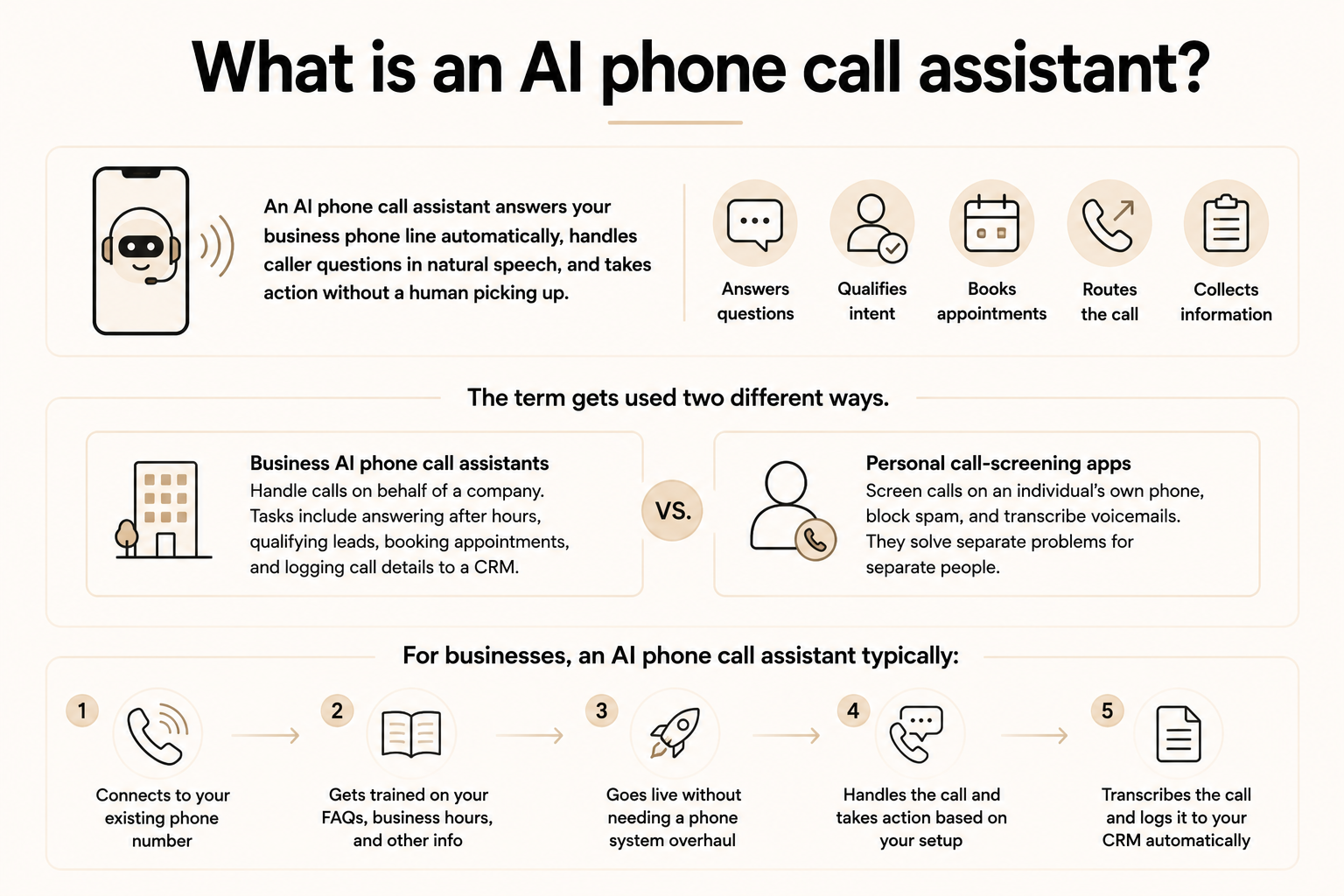
An AI phone call assistant answers your business phone line automatically, handles caller questions in natural speech, and takes action without a human picking up. Instead of sending callers to voicemail or a press-1 menu, the AI converses with them directly, qualifies their intent, books appointments, routes the call, or collects information, depending on what you've set it up to do.
The term is used in two different ways, which causes most of the confusion. Business AI phone call assistants handle calls on behalf of a company. They handle tasks like answering after hours, qualifying inbound leads, booking appointments, and logging call details to a CRM. Personal call-screening apps do something different. They screen calls on an individual's own phone, block spam, and transcribe voicemails. They're solving separate problems for separate people.
For businesses, an AI phone call assistant typically connects to an existing phone number, gets trained on company information like FAQs and business hours, and goes live without requiring a phone system overhaul. The call gets handled, transcribed, and logged automatically.
How I tested the best AI phone call assistants
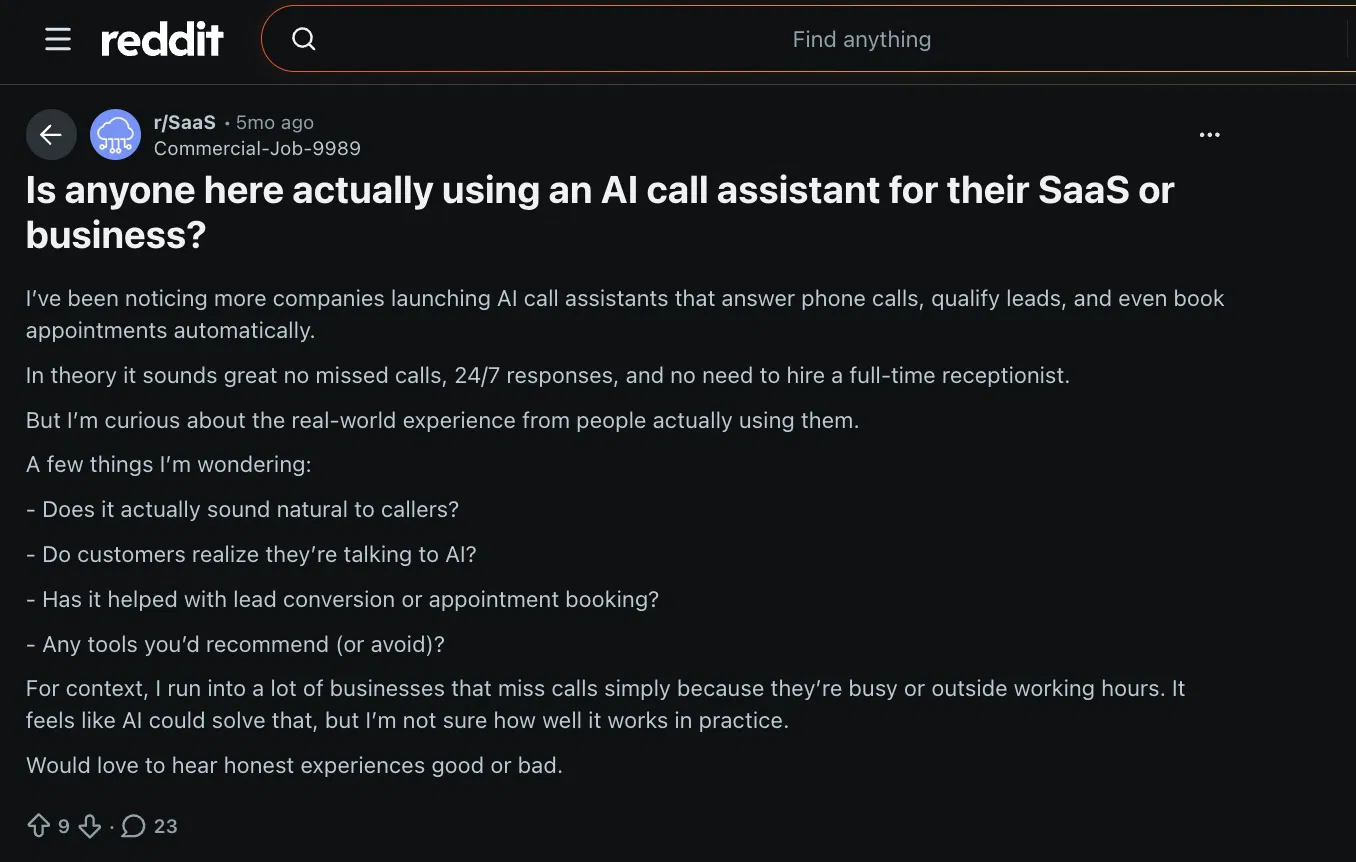
After seeing what happened with my friend's HVAC business, I went looking to see whether other business owners were dealing with the same problem. I found a thread on r/SaaS where someone asked almost the exact same question: Is anyone using an AI call assistant, and does it work?
The replies were a mix of people who'd tried one tool and bounced, people who swore by a specific platform, and a lot of skepticism about whether AI could handle a real caller without sounding broken.
That thread gave me a starting list. I spent the next few weeks testing 10 platforms across three business types: a solo service business, a small marketing agency, and a regional BPO fielding tens of thousands of calls a month.
For each tool, I looked at how long setup took, how the AI handled calls that went off-script, whether escalation to a human felt clean or clunky, and what the real cost looked like once I factored in overages and required base plans.
5 tools didn’t make it to the list, and here's the short version of why:
- Vapi: Developer-first infrastructure with strong LLM flexibility, but no no-code path. If your team can't work in an API, you're dependent on a developer for everything, including small logic changes.
- Thoughtly: Fast to set up for basic call flows, under 30 minutes. Limited depth for anything beyond simple routing. Good starting point, but not a long-term platform for growing call volumes.
- Air AI: Interesting for outbound, but setup friction was high, and documentation was thin. Took too long to get a working agent relative to the others on this list.
- PolyAI: Impressive voice quality and multilingual handling. Built for large enterprise contact centers, which means procurement, a multi-week implementation, and pricing that reflects that. Wrong tool for most readers here.
- Phonely: Solid for small teams wanting a plug-and-play product. Narrower integration set than Goodcall and less transparent on pricing. Didn't clear the bar on either count.
The five that made the list each had a clear reason to exist for a specific type of buyer. That's what I used as the filter.
1. Goodcall: Best no-code AI phone assistant for small service businesses
The first time I set up Goodcall for a client, a single-location hair salon, the whole thing was live in under 20 minutes. I did it without any developer or phone system migration. I uploaded a short FAQ doc, connected their Google Calendar, and forwarded the existing number.
By the next morning, it had handled 11 after-hours booking inquiries without anyone picking up the phone. That's the core pitch: fast, no-code, and useful for businesses where the owner is also the receptionist.
Goodcall connects to an existing business number or assigns a new local one, answers in natural speech, and handles bookings, FAQs, and call routing without press-1 menus. As they claim, over 42,000 businesses use Goodcall now, which tells you it's not vaporware.
- Good for: Solopreneurs and small service businesses (salons, clinics, contractors) who need phone coverage without hiring
- Watch out for: Limited customization depth. If your call flows get complex, the logic builder will start to feel restrictive
- Standout: Per-unique-customer billing instead of per-minute, which means low-call-volume businesses don't get punished for quiet days
Pricing
Plans start at $79/month per agent on the Starter tier, $129/month on Growth, and $249/month on Scale. All plans include unlimited minutes. The "unique customer" cap is the thing to watch: Starter covers 100 unique customers monthly, with overages billed at $0.50 per customer after that.
2. Synthflow: Best AI phone call assistant for enterprise
I picked Synthflow for this list because it owns its telephony infrastructure. Every other tool here routes your calls through a third-party carrier. Synthflow doesn't.
A client of mine ran a regional BPO handling around 40,000 inbound calls a month. They'd been patching together a voice tool and a separate IVR system, and the failure rate during peak hours was costing them real money.
Very low latency, enterprise-grade uptime, and a deployment team that embedded with the client's staff for the first 60 days. For that client, it was the right call. For a 10-person service business, it's almost certainly overkill.
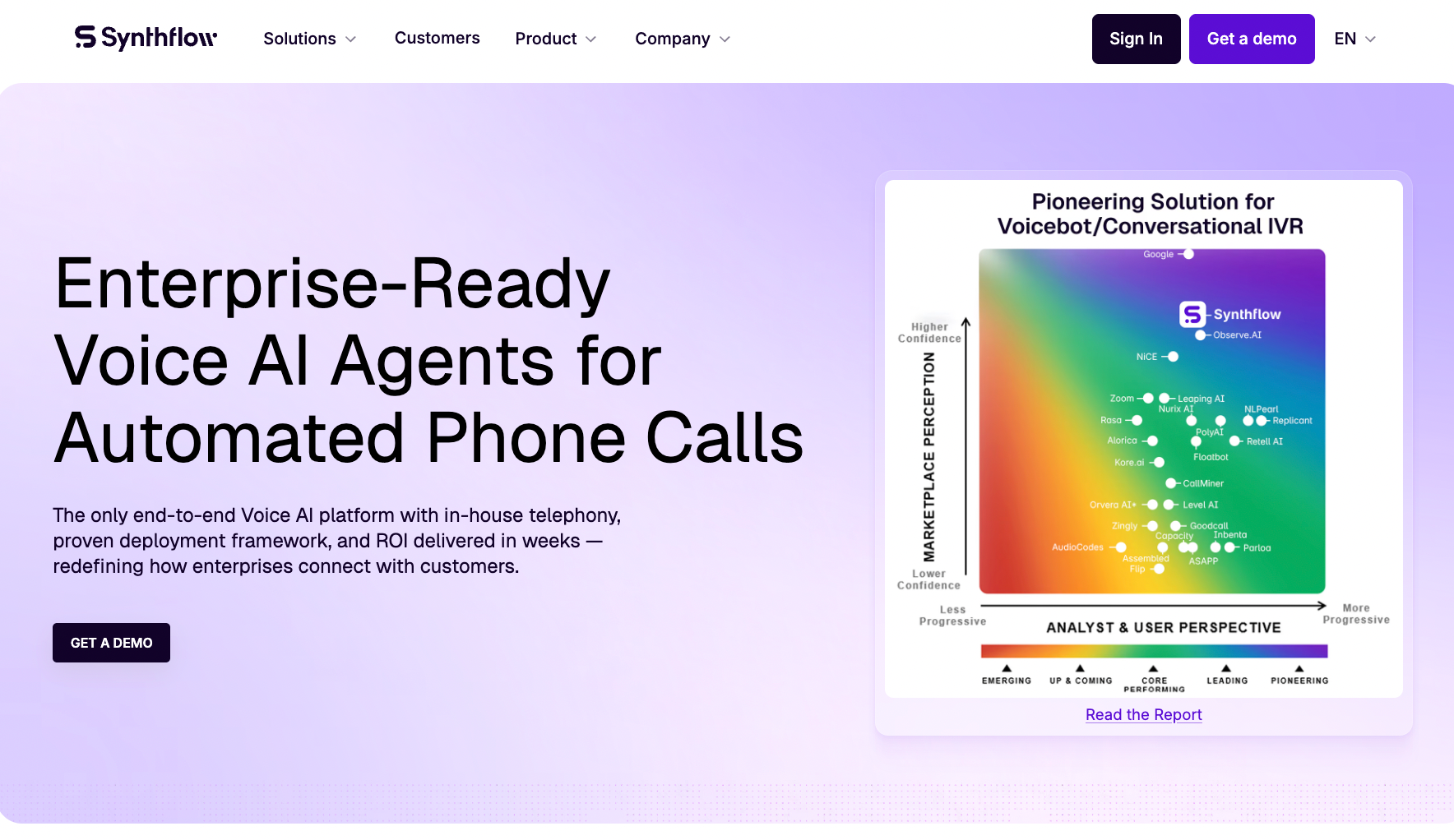
Synthflow is built for enterprises that need custom call flows, deep CRM integrations, and compliance coverage across SOC 2, HIPAA, GDPR, and PCI DSS. Their BELL framework (Build, Evaluate, Launch, Learn) is a structured deployment methodology baked into the platform. It's what gives their enterprise rollouts a repeatable process instead of a chaotic "figure it out as you go" setup.
- Good for: Enterprise ops, BPO teams, and compliance-heavy industries (healthcare, finance, legal) running high call volumes
- Watch out for: The price floor is steep. If you're not at enterprise scale, this platform will feel like bringing a freight train to a local delivery run
- Standout: In-house telephony with very low latency and no third-party carrier dependency
Pricing
Pricing starts at $30,000/year on an enterprise contract, scoped around your call volume, concurrency, integrations, and support needs. You can build and test for free, with pay-as-you-go billing once you go live, but for anything at scale you're talking to sales.
{{templates}}
3. CallRail Voice Assist: Best AI phone call assistant for marketing teams tracking lead sources
I was setting up call tracking for a home services client and kept running into the same problem. There were missed calls from paid search campaigns that were just going to voicemail, and nobody was following up fast enough to convert them. Voice Assist solved the overflow problem because it sits inside CallRail's existing call tracking infrastructure.
Every Voice Assist call gets logged with source attribution, transcription, and a lead score. You see which campaign sent the caller, what they said, and how likely they are to convert.
Think of it as an AI answering service built on top of call analytics and attribution data that most standalone phone tools don't have. If you're running Google Ads or any paid channel and want to tie phone leads back to spend, this is the only option here that does that natively.
- Good for: Marketing teams and agencies running paid campaigns who need call tracking and AI answering in one place
- Watch out for: Voice Assist works best paired with CallRail's call-tracking platform, so budget for that combined cost if you want the full attribution picture
- Standout: Lead scoring on every Voice Assist call, with source attribution tied back to the campaign that drove it
Pricing
Voice Assist costs $95/month for 50 calls, with overages at $1.00 per call. Higher-volume plans run $550/month for 1,000 calls ($0.60 overage) and $2,500/month for 5,000 calls ($0.55 overage). That's on top of your base CallRail subscription, so factor both into the comparison.
4. Bland: Best AI phone call assistant for developers and high-volume outbound operations
A friend recommended Bland when he was using it for call qualification at a Medicare brokerage. The numbers from their case studies are hard to ignore: one customer, MyPlanAdvocate, added $40M in revenue over five months and cut unqualified call costs from 25-30% of total calls down to under 5%.
That kind of result doesn't happen with a no-code tool somebody set up in an afternoon. Bland is developer-first, and that's both its strength and its honest limitation for most readers here.
Another reason to prefer Bland could be its bundled per-minute pricing model. Most voice AI platforms advertise a low base rate and then charge separately for the LLM, speech-to-text, and text-to-speech on top. Bland's rate covers all three in one number.
Vapi's advertised rate is $0.05/min, but production stacks typically land at $0.13 to $0.30/min once you add the underlying providers. Bland's $0.14/min on the Start plan is the real number. Over high call volumes, that difference compounds fast.
- Good for: Developers and technical teams building custom voice call flows at scale, especially outbound sales and lead qualification
- Watch out for: Not a no-code tool. If nobody on your team can work with an API, this isn't the right starting point
- Standout: Bundled per-minute pricing with no token charges or model-provider pass-throughs, and a bring-your-own-telephony option
Pricing
The Start plan is $0.14/min with no platform fee and no card required, which makes it a low-friction way to test. Build runs $0.12/min plus $299/month; Scale drops to $0.11/min plus $499/month.
5. Retell: Best AI phone call assistant for developer teams who want full pricing transparency
I spent about 20 minutes on Retell's pricing page before I even signed up, and that's a compliment. They have a live cost calculator where you pick your LLM, your voice provider, and your telephony setup, and it shows you the exact per-minute cost before you spend anything.
Most platforms either hide this or give you a bundled number with no visibility into what's inside it. Retell shows you every line. For a developer evaluating this seriously, that calculator alone saves a few hours of back-and-forth with a sales team.
The platform itself is built for teams that want full control over their voice stack. You choose the LLM, the voice, the telephony provider. You can bring your own SIP trunk and pay zero for that layer. Every plan gets full platform access with no feature gating, which is rare at this price point. The $10 free credit means you can build and test a real agent before committing to anything.
- Good for: Developer teams and technical operators who want itemized pricing, LLM flexibility, and no annual contract to get started
- Watch out for: The $0.07/min floor assumes the cheapest LLM and voice combination. With a capable model like GPT 4.1 and standard voices, you're realistically closer to $0.11-$0.13/min before telephony
- Standout: Live cost calculator with full component-level pricing before you sign up for anything
Pricing
Retell runs pay-as-you-go at $0.07-$0.31/min depending on your LLM and voice selections, with $10 in free credits on signup and no card required. The first 20 concurrent calls are included on every plan; additional concurrency runs $8 per slot per month.
Security and compliance basics to check
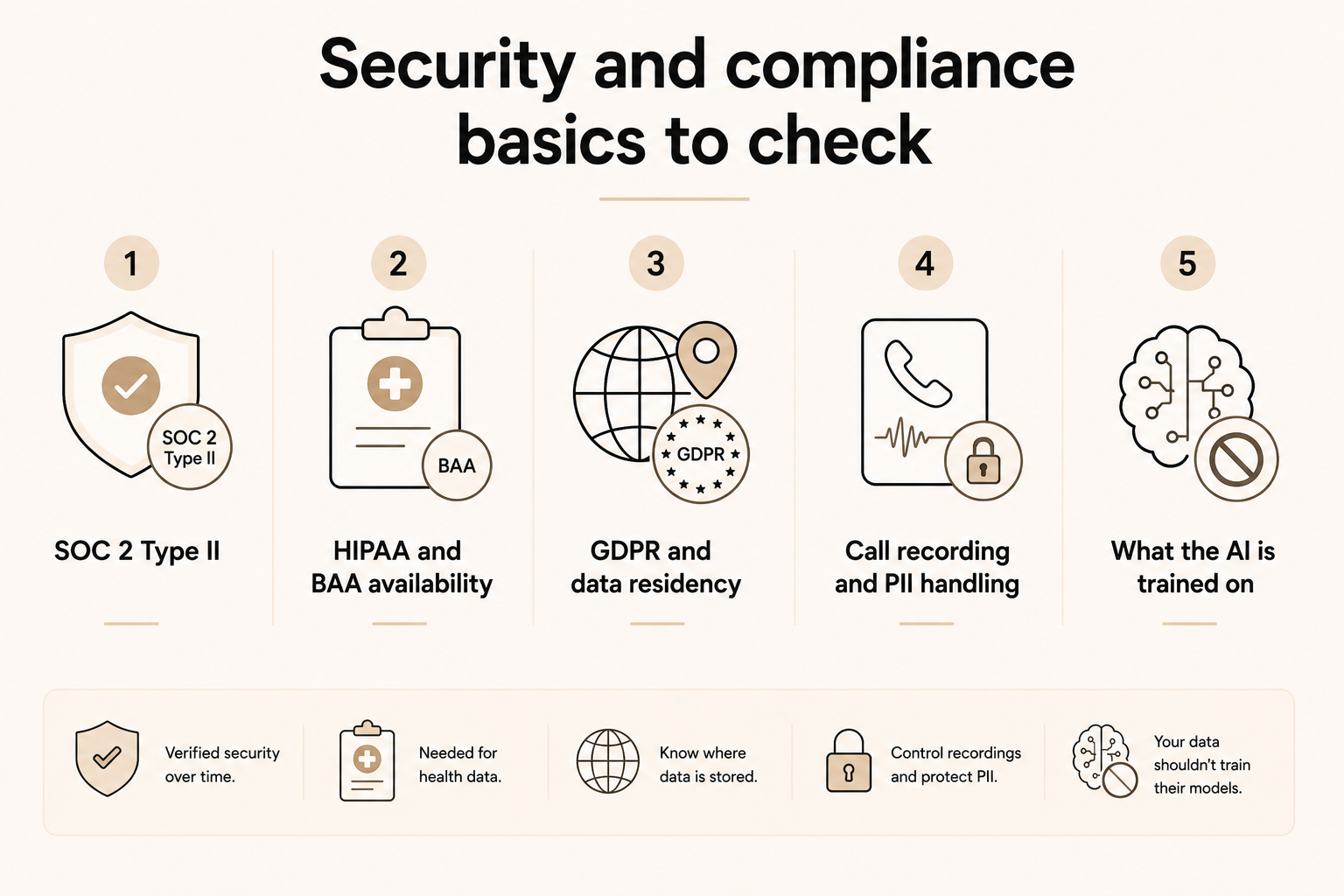
When an AI phone call assistant handles your business calls, it's touching real customer data: names, contact details, health information, payment details, depending on your industry. A compliance badge on a homepage doesn't tell you much. What matters is whether the platform's certifications cover your use case, and what happens to that data after the call ends.
Here's what to check before you commit to any platform:
- SOC 2 Type II: This means an independent auditor has verified the platform's security controls over time. Type I only covers a snapshot. Type II covers ongoing operations. If a vendor only mentions SOC 2 without specifying Type I or II, ask.
- HIPAA and BAA availability: If your business handles any protected health information, the platform needs to be HIPAA-eligible and willing to sign a Business Associate Agreement. Most platforms list HIPAA as a feature but only provide the BAA on enterprise plans. Confirm this before signing up.
- GDPR and data residency: If you serve customers in the EU, check where call recordings and transcripts are stored and whether data residency options are available. Some platforms only offer this at the enterprise tier.
- Call recording and PII handling: Find out whether call recordings are stored, for how long, and whether the platform offers PII redaction. For industries like finance, legal, or healthcare, this isn't optional.
- What the AI is trained on: Check whether the vendor uses your call data to train or improve their models. Most enterprise contracts explicitly prohibit this, but self-serve tiers may not.
{{cta}}
Which AI phone call assistant should you choose?
Your best fit comes down to your team's technical resources, your call volume, and how much flexibility you need. A solo service business and a 200-agent call center are solving different problems, and the tools built for one will frustrate the other.
Here's how to match the tool to where you are:
- No-code, fast setup, small business: Goodcall is the cleanest starting point. You can forward a number, upload a FAQ doc, and be live the same day. The pricing is per agent per month, and the setup doesn't require a developer. Good for salons, clinics, contractors, and anyone who needs phone coverage without hiring.
- Marketing team running paid campaigns: CallRail Voice Assist is the only option here that ties call handling to source attribution. If you're spending on Google Ads and need to know which campaign drove which call, the call tracking integration justifies the added cost.
- Enterprise with compliance requirements: Synthflow is built for this. In-house telephony, SOC 2, HIPAA, GDPR, PCI DSS, and a structured deployment process. The $30,000/year floor reflects that. If you're running a BPO, a healthcare operation, or a financial services team at scale, it's worth the conversation.
- Developer team building custom call flows: Both Bland and Retell work here. Bland's bundled pricing is simpler to forecast at high volumes. Retell's itemized pricing gives more flexibility if you want to swap LLMs or voice providers. Both offer free-tier access to build and test before spending anything.
- High-volume outbound operations: Bland's per-minute rate with bring-your-own-telephony is the most cost-efficient option at serious scale. The MyPlanAdvocate case study (262x ROI, $40M added in five months) gives you a real benchmark for what the platform can do in a qualification-heavy environment.
If you need more than just phone coverage, and most businesses do, it's worth knowing that AI assistants like Lindy handle the operational layer that sits around your calls: inbox management, meeting scheduling, CRM updates, lead follow-ups, and more.
Text Lindy to follow up with everyone who called but didn't book, update your CRM after a call, or draft a summary of the day's inquiries. It connects to hundreds of apps and works 24/7 across your tools, not just your phone line. If you're already solving the phone problem with one of the tools above, Lindy handles the rest.
FAQs
What's the difference between an AI phone call assistant and an AI receptionist?
An AI phone call assistant and an AI receptionist are the same thing. Vendors use the two terms interchangeably. If you want a rough distinction, "receptionist" leans toward front-desk tasks like greeting and routing, while "phone call assistant" sometimes stretches to outbound and personal-use tools too.
Can an AI phone call assistant sound like a real person?
Yes, an AI phone call assistant can sound close enough to a real person on short, routine calls. Longer or more complex conversations still expose the gap, with slower responses or answers that miss the point. Quality varies a lot by vendor, so test a real call yourself before you commit.
Will callers know they're talking to an AI?
No, callers won’t know that they are talking to an AI unless the business tells them. Most callers can't spot an AI voice on their own anymore. Disclosure is becoming the expected practice, and in some places it's a compliance requirement. Goodcall's own FAQ tells businesses to disclose AI use during the call. Treat disclosure as standard to maintain transparency.
How much does an AI phone call assistant cost for a small business?
An AI phone call assistant for a small business runs from roughly $50 a month up to custom enterprise pricing for high call volumes. If your call volume is low, a pay-as-you-go or per-minute plan often costs less than a flat monthly plan you won't fully use.
What happens when the AI can't answer a caller's question?
When the AI can’t answer a call, it transfers the call to a human, usually with a transcript or summary attached so the caller doesn't have to repeat themselves. Most platforms let you set a fallback number for live transfers. The thing to check before you commit is whether the handoff passes context, not just the call.
Is there a free AI phone call assistant?
Most AI phone call assistants don't offer a permanent free plan, but several let you build and test before spending anything. Bland's Start plan has no platform fee and no card required. Retell gives you $10 in free credits on signup. Goodcall and Synthflow require a paid plan to go live. If cost is the main constraint, start with Retell or Bland to test a real agent first.









