9 Best AI Coworkers in 2026: Tasks, Pricing, and Approvals
Lindy broke down what separates AI coworkers from chatbots and agents, sizing up Coworker AI, Claude Cowork, and Viktor on memory, two-way access, and guardrails.


You hang up from a client call with three follow-ups to send, a CRM record to update, and another meeting starting in ten minutes. Handing some of that to an AI coworker sounds good right about now, but you'd want to know how much you can really hand over, and how much checking it would leave you doing.
That's the lens for this guide to 9 AI coworker tools. I'll compare the tasks they handle, where they get context, what they cost, and when they ask for approval.
Best AI coworkers in 2026 and who they’re for
- Lindy: Best for small teams managing daily work in Slack.
- Coworker: Best for enterprises that need shared company context.
- Viktor: Best for lean teams seeking a shared AI teammate.
- Claude: Best for individuals handling documents, research, and files.
- Microsoft Copilot Agents: Best for teams using Microsoft 365.
- Sintra AI: Best for solo founders who want role-based helpers.
- Artisan’s Ava: Best for sales teams focused on outbound prospecting.
- Beam AI: Best for operations teams automating repeatable processes.
- Devin: Best for engineering teams delegating coding tasks.
How I tested these tools
I started with the work that lingers after a busy day: an unanswered client thread, a CRM record missing call notes, and receipt screenshots waiting to become an expense report. I judged each tool on realistic tasks, using the vendor's own docs and demos where I couldn't get hands-on access.
Here are the three questions I asked of each one:
- Could it pick up the context? I checked how much explaining I had to do before it could draft a useful follow-up or update the right record.
- Could it finish something useful? I looked at what I could use and what still needed editing.
- Would it ask when something was missing? I looked for tools that ask when details are missing, so a guess doesn't turn into an email or a made-up expense.
My main question was how much work came back to me. I paid attention to the time spent explaining, checking, and correcting, because all three affect whether I'd keep using a tool.
9 best AI coworkers: Summary table
What is an AI coworker?
An AI coworker is software that works inside your existing tools, remembers what happened last time, and acts without a fresh prompt for every step.
You hand it a goal, and it works out the steps, updates the records that need updating, and flags the one decision that's genuinely yours.
What's the difference between an AI coworker and an AI agent?
An AI agent is usually set up for one kind of job. Point it at a scraping task or a single automation, and it finishes and waits for the next instruction.
An AI coworker keeps running. It persists across your inbox, your calendar, and your CRM, carrying context from one task into the next instead of resetting.
If you need a single repeatable job done well, our guide to the 9 best agentic AI tools covers that narrower category. An AI coworker is the better pick when the work spans several tools and never really ends.
Who needs an AI coworker?
An AI coworker is useful for people who spend hours each week following up and moving information between apps. One client call can leave you updating a CRM, sending a recap, and reminding a teammate about the next step.
If your workload involves only a few predictable steps, a saved template or simple automation may cover it with less setup and upkeep.
An AI coworker also has limits when the work calls for judgment. For pricing, hiring, or creative direction, it can gather the information you need and lay out your options, but you're the one who weighs the trade-offs and makes the decision.
1. Lindy: Best for small teams working in Slack
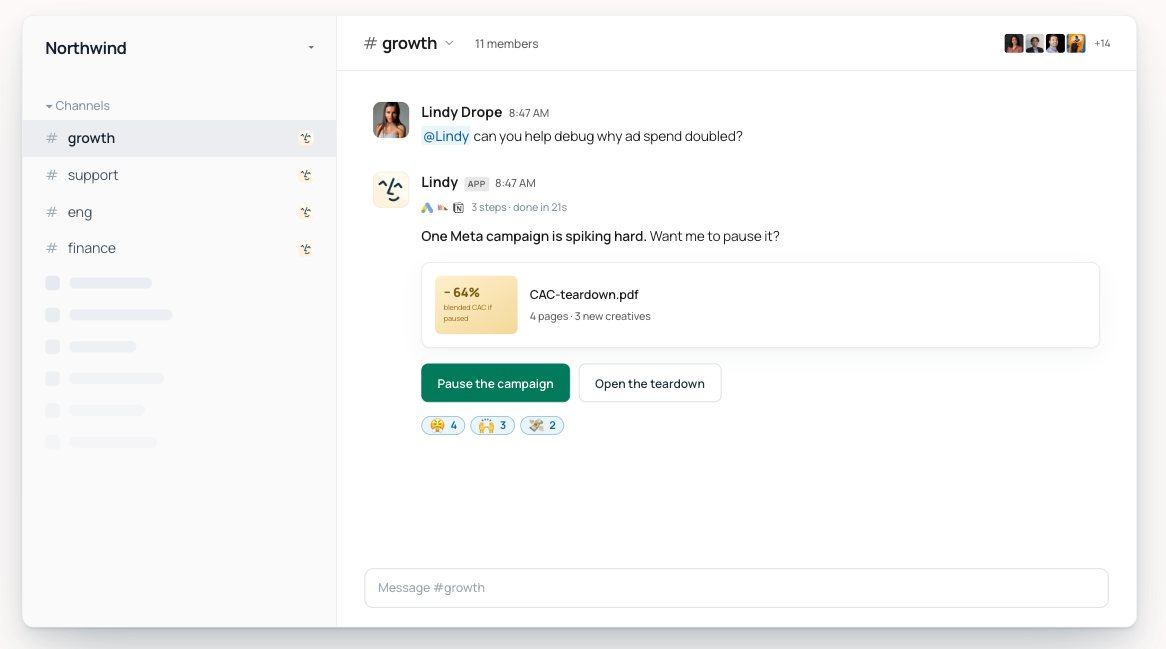
What it does: Lindy is an AI teammate that works in your Slack threads and across your connected tools, with shared memory of your meetings, files, and routines. Ask it for a report, a follow-up, or a CRM update, set recurring work on a schedule, and require approval before anything goes out.
Pricing: $29.99/user/month for Team, with 3,000 credits per user that the whole workspace shares. You can start free with $50 in credits that last 7 days, no credit card required.
Key features
- Slack requests: Tag Lindy in a conversation to ask questions or assign work.
- Shared context: Pull information from connected tools and a shared meeting library.
- Email drafting: Prepare replies using your writing style and connected inbox context.
- Scheduled routines: Set up recurring briefs, meeting preparation, and reminders.
- Action approvals: Review outward-facing actions, including emails and ticket updates, before they happen.
What stood out to me
The part of Lindy that appeals to me is being able to @mention it in a Slack thread and hand off the legwork. Say a client asks whether we agreed to a Friday delivery. Answering means finding the meeting note, checking the email thread, and opening the CRM record, which turns one small question into three little jobs.
In that thread, I'd ask Lindy to check those sources and reply with what it found and where it came from. That's a useful role for an AI coworker: taking care of the gathering and preparation while I review what goes back to the client.
What could be improved
Credits are the hardest part to plan around. A quick ask can cost a few credits, while a dashboard or deck can cost 1,000 to 2,500, against 3,000 per user each month on the Team plan.
Unused credits don't roll over, so I'd test my repeat work first. If a Monday brief takes a big share of the shared pool, I'd want to know before the rest of the team starts adding requests.
Bottom line
Lindy makes the most sense to me when small follow-ups keep interrupting bigger work. A team handling client questions, meeting recaps, and inbox requests could find plenty to delegate. For occasional writing help, I'd start with a simpler assistant.
{{templates}}
2. Coworker: Best for teams with knowledge spread across apps
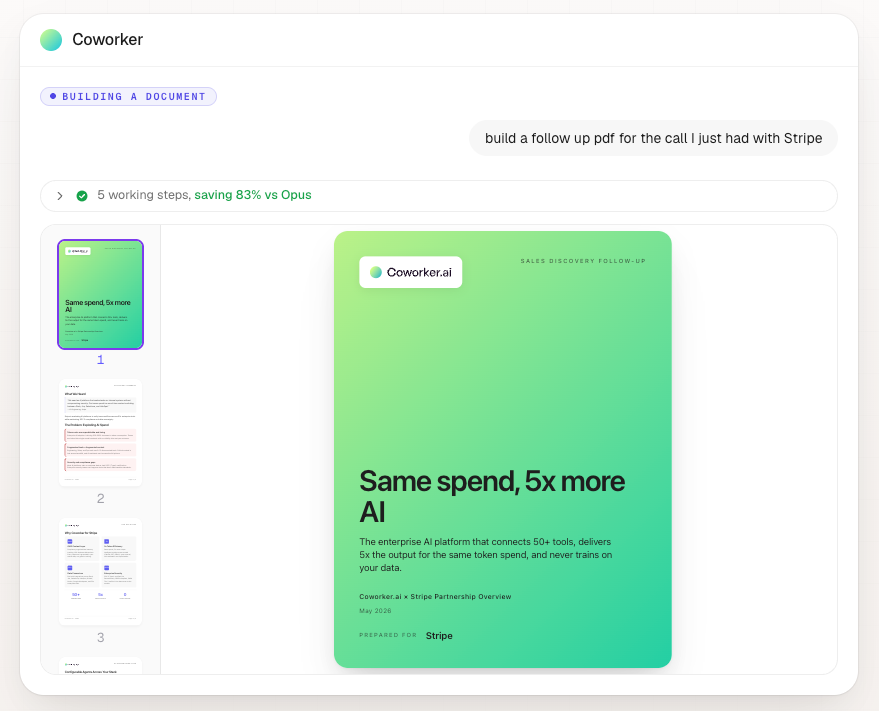
What it does: Coworker connects company information and uses it to answer questions, create deliverables, and run agents. Its OM2 memory layer brings context from different business systems together.
Pricing: Custom pricing, based on your users, connections, and deployment needs. The current pricing page directs buyers to an enterprise demo.
Key features
- Company memory: Connect information about people, accounts, projects, and documents through OM2.
- Read-and-write connections: Retrieve information and update records across tools such as Salesforce, Slack, and Jira.
- Recurring agents: Run work that involves several connected business systems.
- Model routing: Match tasks to models from multiple AI providers.
- Portable context: Bring company knowledge into compatible assistants through Coworker’s MCP connection.
What stood out to me
Coworker's organizational memory stands out. It pulls context from your business systems into one place, so a question like "Why did we promise this client a Friday delivery?" doesn't send you digging through an email, a meeting transcript, and a ticket someone closed last month.
For client work, the history behind a request can matter as much as the request itself.
What could be improved
Setup takes real work, because Coworker's answers are only as good as what you connect to it. I'd check how it handles an outdated document that disagrees with a newer conversation, and I'd want to see the sources behind every answer.
Custom pricing makes Coworker harder to shortlist, since there's no published price. Before bringing the team into a demo, I'd want a rough budget and a clear explanation of what onboarding includes.
Bottom line
Coworker makes the most sense to me when a decision's history is scattered across several people and apps. A smaller team that keeps its documentation tidy and easy to reach may not need that much setup to find what it's looking for.
3. Viktor: Best for teams sharing one AI teammate
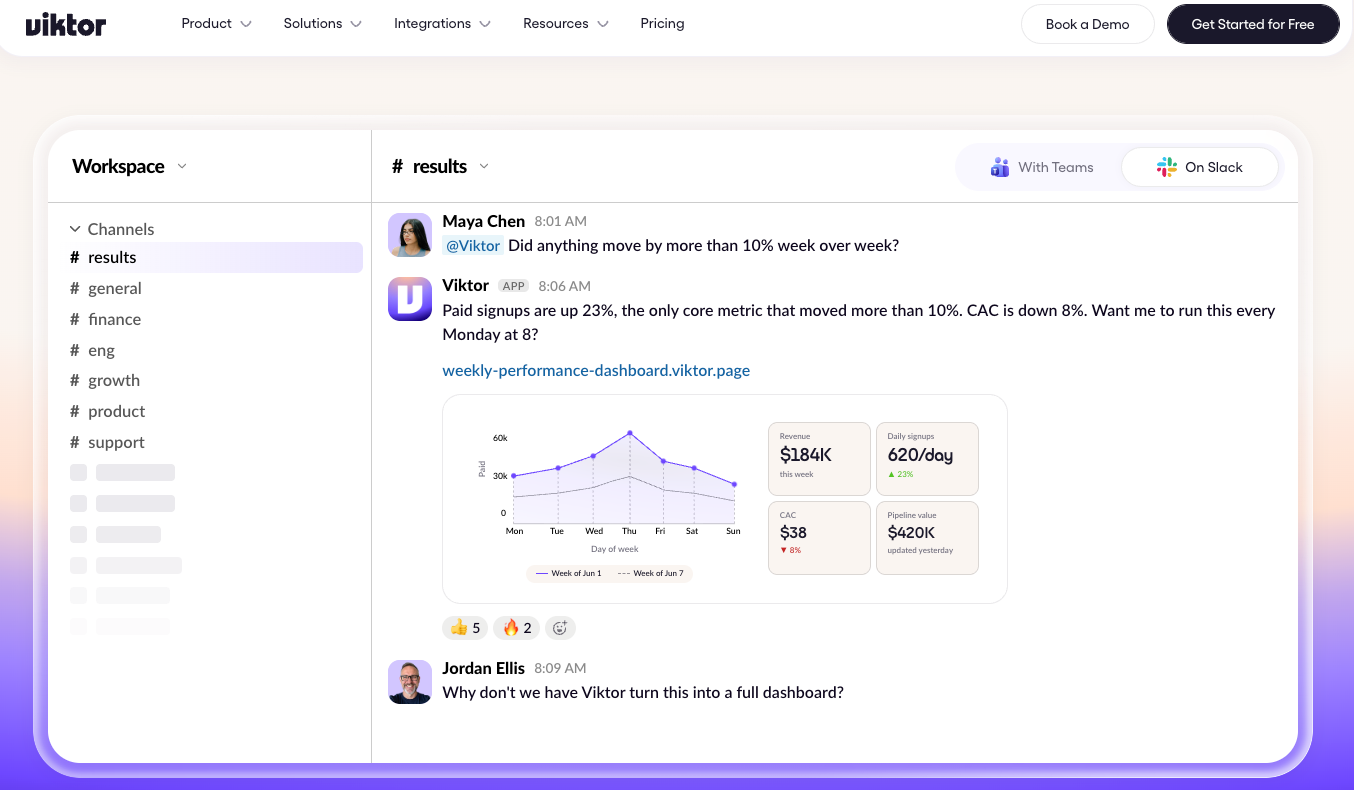
What it does: Viktor works through Slack and Microsoft Teams, using connected apps and its own cloud computer to complete tasks. Requests can involve reports, business data, code, or scheduled work.
Pricing: $50/workspace/month for Team, with 20,000 shared monthly credits. Bigger credit packs cost more, such as $100 for 40,000 credits. New users can start with up to $100 in free credits, no credit card required.
Key features
- Shared chat access: Ask Viktor for work in Slack or Teams, where colleagues can follow the conversation.
- Business connections: Use more than 3,200 tools to retrieve data and carry out actions.
- Cloud computer: Write and run code for tasks that need more than a text response.
- Scheduled jobs: Turn a useful request into work that repeats automatically.
- Access controls: Limit channel visibility and require approval for sensitive actions.
What stood out to me
The shared workspace model caught my attention. One person could request a report, then a teammate could ask a follow-up in the same channel. Everyone can follow the conversation without passing answers around.
Viktor says it only reads channels it has been invited to. I’d begin with one project channel, giving it a clear area of responsibility before connecting more of the business.
What could be improved
Shared credits need an owner. Reports, code work, and scheduled jobs all draw from the same pool. A routine that runs every hour can change the bill even when the number of users stays the same.
Someone should review the recurring jobs and spending limits as the team adds more requests.
Bottom line
Viktor is worth considering when several colleagues want access through Slack or Teams. If you rarely use either app, you’d be adding another place to manage your work.
4. Claude: Best for documents, research, and files
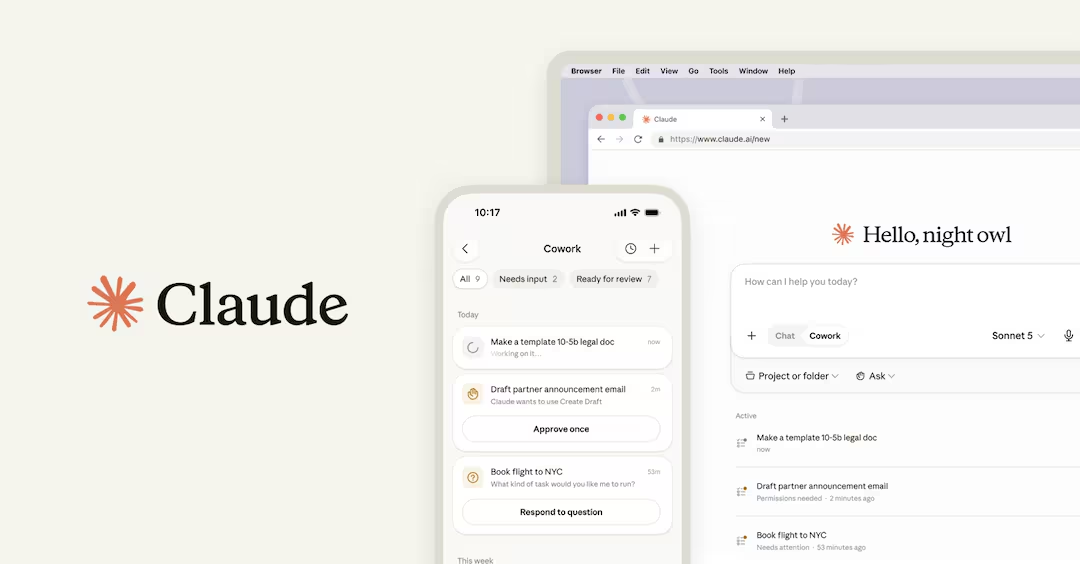
What it does: Claude, formerly Claude Cowork, works through multi-step tasks using files, connected tools, and the web. It can turn source material into documents, spreadsheets, and presentations for you to review.
Pricing: $20/month for Pro with monthly billing. Working through tasks in your files requires a paid plan; Claude also has a free plan for regular chat.
Key features
- Folder access: Work directly with the folders and files you choose.
- Finished deliverables: Create spreadsheets, documents, and presentations from source material.
- Browser tasks: Open websites and gather information needed for the job.
- Visible progress: Follow the files, tools, and steps Claude uses, then redirect it.
- Recurring reports: Schedule work that pulls together information on a regular basis.
What stood out to me
Turning a folder of receipts into an expense report caught my attention because it's such an ordinary job. Entering every date and amount can consume the hour you meant to spend finishing something else.
Working directly with files gives Claude a clear purpose. I'd reach for it when the source material is ready and the remaining work involves sorting, extracting, or assembling it into something usable.
What could be improved
Claude works on your files, so vague instructions carry real risk. "Clean up this folder" leaves plenty of room for interpretation. I'd want to say what can move, what needs to stay, and where new files should go before it touches anything.
The receipt spreadsheet still needs a check. A blurry amount or a wrong date can slip into an expense claim unnoticed. I'd ask Claude to flag unreadable amounts and keep the source filenames, so I could verify each row before submitting.
Bottom line
Claude appeals to me for research folders, document preparation, and spreadsheet work. Its value depends on how often those jobs land on your desk and how easily you can check the result.
5. Microsoft Copilot Agents: Best for Microsoft 365 teams
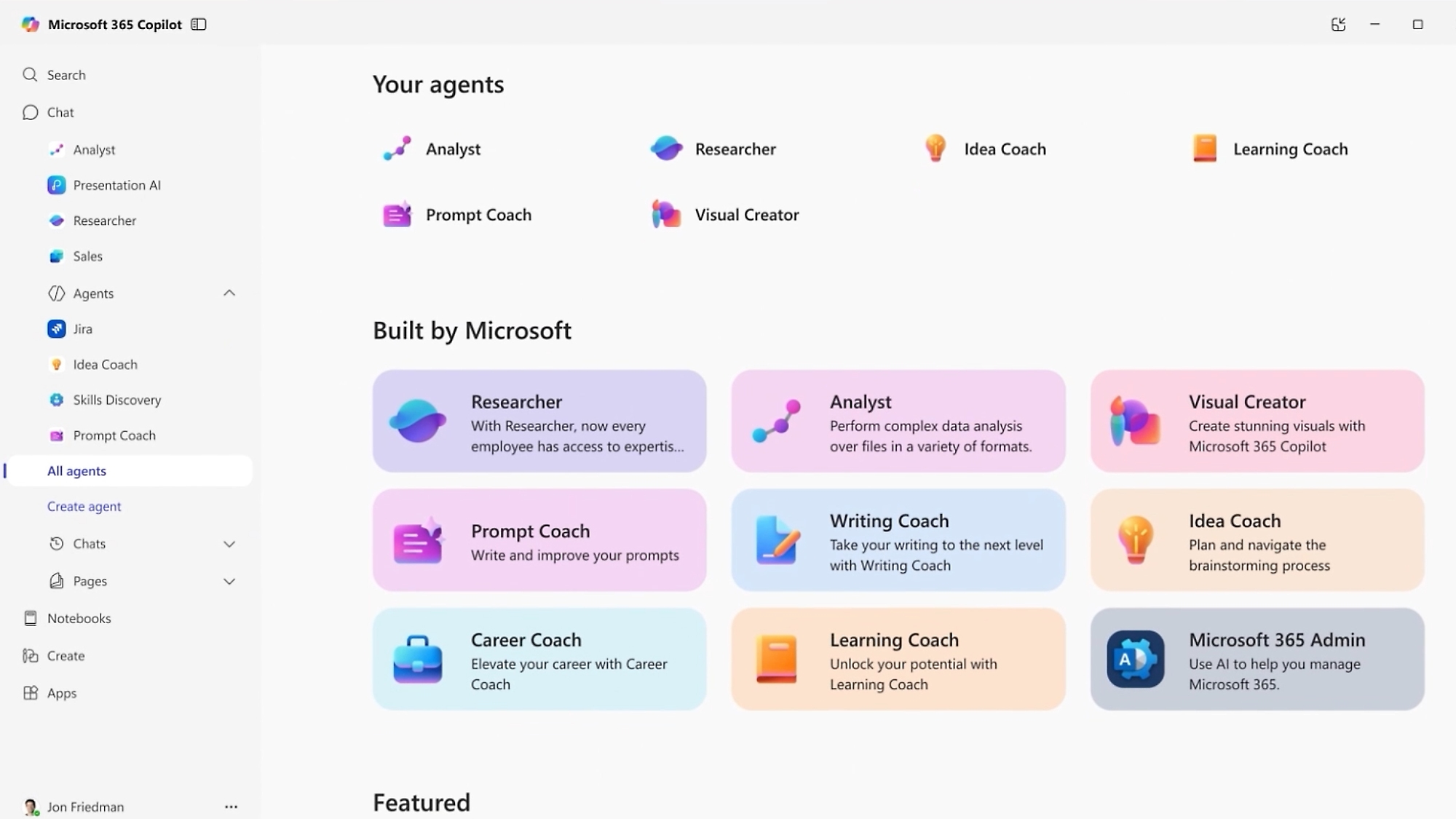
What it does: Microsoft Copilot Agents offers agents for research, analysis, and meetings, plus Copilot Studio for building your own. Agents can use company knowledge and take actions through connected business tools.
Pricing: $25.20/user/month for Copilot Business with monthly billing, plus an eligible Microsoft 365 plan. It includes selected Microsoft agents.
Custom deployments can involve separate Copilot Studio charges, including usage-based billing or $200/month credit packs. A Copilot Studio trial is available.
Key features
- Ready-made agents: Start with tools for research, data analysis, and meeting assistance.
- Company knowledge: Ground custom agents in information relevant to your organization.
- Business actions: Connect flows and APIs to let agents complete specific tasks.
- Familiar access points: Publish agents to Teams, SharePoint, and Microsoft Copilot.
- Admin controls: Manage who can create and share agents, alongside usage and spending.
What stood out to me
Microsoft's biggest advantage is that its agents live in the apps your team already opens every morning, such as Teams and SharePoint, so a new assistant doesn't have to earn a place in anyone's routine.
For a company already working that way, an agent that answers questions from internal documents, like where to find the current onboarding checklist, is a reasonable first job.
What could be improved
Licensing is the hardest part to untangle. Microsoft 365 Copilot and Copilot Studio cover different needs, and custom agents can add usage charges, such as usage-based billing or $200/month credit packs. Before comparing subscriptions, I'd want the cost of one planned workflow spelled out.
Permissions deserve a close look, since an agent answering from internal documents can surface anything it can access, including outdated files and ones shared too widely. Before connecting a collection, I'd ask its owner to review who should have access and which files are still current.
Bottom line
Microsoft would be high on my list for a team already working in Microsoft 365, especially with IT support available. A small business spread across several other platforms may find the purchasing and setup harder to justify.
6. Sintra AI: Best for solo founders who want role-based helpers

What it does: Sintra provides AI helpers for jobs such as social media, support, copywriting, and email. Brain AI stores business information that the helpers can use across their work.
Pricing: $48.50/month with monthly billing for all 12 helpers, including 250 monthly credits and 15+ integrations. Longer plans cost less per month, and purchases include a 14-day money-back guarantee.
Key features
- Role-based helpers: Choose an assistant by the job, from customer support to social media.
- Shared business context: Give Brain AI the information helpers need about your company.
- Content support: Get help with posts, emails, product copy, and other writing.
- Task-specific use cases: Start common jobs through ready-made tools built for each helper's role.
- Connected apps: Bring supported business tools into the helper’s workflow.
What stood out to me
Sintra's named helpers make the starting point easier to understand. When the job is writing a social post, Soshie gives you an obvious place to begin. There's less work in deciding what to ask first.
Brain AI interests me more than the number of helpers. You add details about your business, such as your website and files, and Sintra says every helper can draw on them, so you explain your brand once instead of at the start of every task.
It works like a knowledge base you fill in yourself, so before counting on it, I'd check whether one helper's work, like a Soshie post, is visible to the others.
What could be improved
Sintra only sells all 12 helpers as one bundle, so you pay for the whole team even if your work needs just a few of them. Before subscribing, I'd list the jobs I expect to use each week and count how many helpers they involve.
I'd also check the exact actions available through each integration. For a social workflow, creating a caption, preparing an image, and publishing the post are separate requirements worth confirming.
Bottom line
Sintra makes sense to me for a solo founder handling several recurring content and admin jobs. Our Sintra AI review adds detail on the individual helpers and their limits.
7. Artisan Ava: Best for outbound sales teams
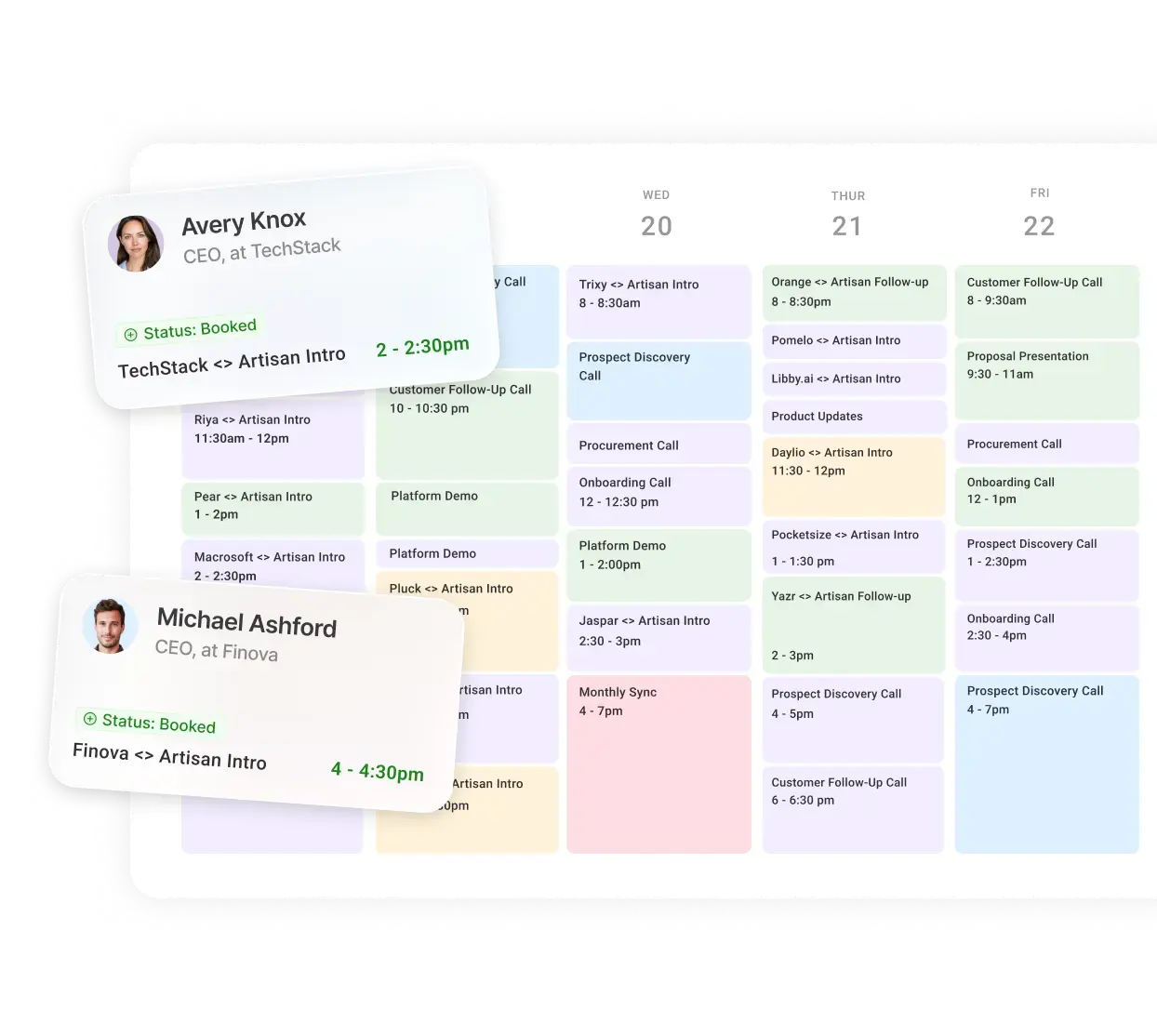
What it does: Ava finds prospects, researches accounts, writes outreach, and handles replies. It can also book meetings and sync sales information with Salesforce or HubSpot.
Pricing: Custom pricing, based on lead volume, mailboxes, and dialer seats. Plans include onboarding and customer support.
Key features
- Prospect research: Find contacts and gather account information for outreach.
- Personalized campaigns: Prepare messages around the company’s audience and tone.
- Reply handling: Continue conversations and book meetings with interested prospects.
- CRM connections: Sync information with Salesforce and HubSpot.
- Campaign controls: Set approval requirements, excluded accounts, and human handoff rules.
What stood out to me
Ava stands out for covering the whole outbound workflow, from finding contacts and researching accounts to writing the email, handling replies, and booking the meeting, because writing the email is only one part of the work.
Having those jobs in one place also makes it easier to define success: relevant prospects, accurate messages, and conversations your sales team wants to continue.
What could be improved
The research needs as much checking as the writing, because a message can sound fluent while getting a prospect's role or company wrong. I'd spend time on the approval settings before anything is sent and review early campaigns closely.
Quote-based pricing also leaves homework for the buyer. I’d ask how contact volume, mailboxes, and campaign support affect the bill, then compare that with the team’s current outbound costs.
Bottom line
I’d consider Ava once a sales team knows its target customer and has an outbound approach worth repeating. A team still figuring out its audience needs room to learn from those early conversations.
8. Beam AI: Best for repeatable operations work
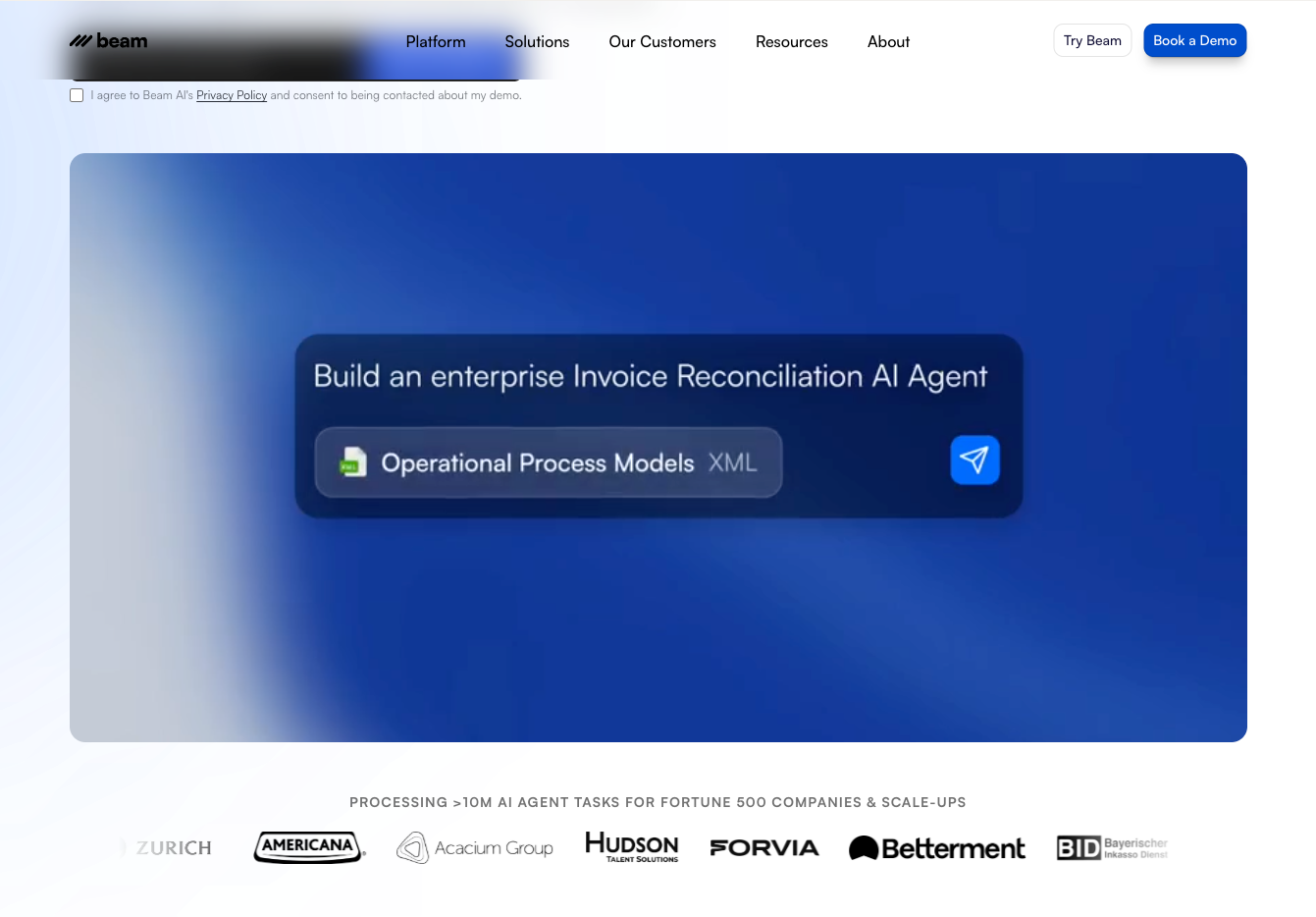
What it does: Beam AI builds agents that carry out business processes across connected systems. Its platform supports workflow creation, approval steps, and feedback to improve how agents handle future tasks.
Pricing: $50/month for Pro, including 200 tasks per month. More complex deployments have separate plans; a free option includes 20 monthly tasks.
Key features
- No-code building: Describe and configure the process an agent should follow.
- Procedure-based setup: Use documented operating procedures to define the work.
- Human approvals: Route critical decisions to someone on the team.
- Output evaluation: Check agent results before they move on, with full self-learning on the Scale and Custom plans.
- System connections: Link supported business apps or arrange custom integrations.
What stood out to me
Beam lets you build an agent around a process you define, using documented procedures and approval steps, so an incoming request that needs classification, a records check, and an approval makes a clear first example.
Because the process is spelled out, it's also easier to judge: I can ask which steps the agent handles, where a person gets involved, and what happens when a request arrives incomplete.
What could be improved
The weak spot is likely to be exceptions, since a request with a missing field or conflicting information tells you far more than a clean one. I'd check that those cases land with the right person for review.
Plan limits are the other thing to check, since an entry tier only helps if it covers the access your process needs. I'd list the required connections before picking one.
Bottom line
Beam belongs on the shortlist when an operations team has a repeatable process and someone responsible for it. I’d define that first workflow carefully before committing to a wider rollout.
9. Devin: Best for developers delegating coding tasks
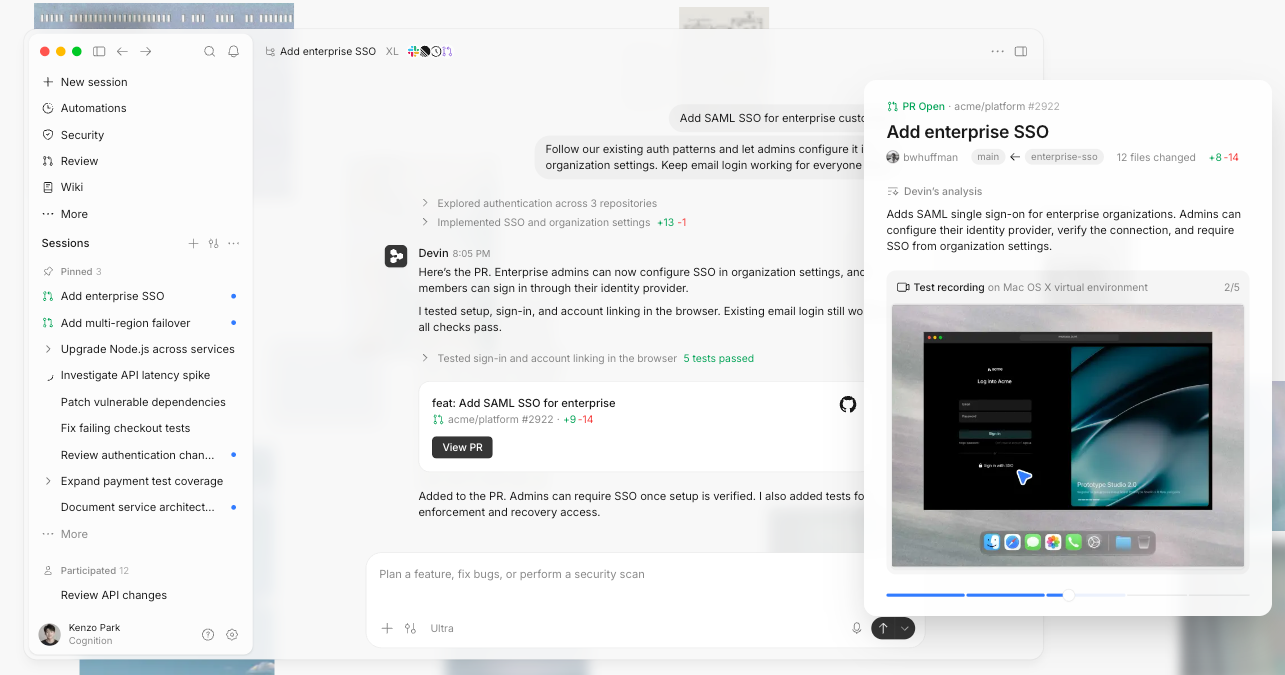
What it does: Devin investigates codebases, makes changes, runs tests, and prepares pull requests. It works through cloud, desktop, and command-line environments.
Pricing: $20/month for Pro, with cloud-agent access and an included usage allowance. Extra usage is available at API pricing; a free plan includes limited coding-agent usage.
Key features
- Codebase exploration: Ask questions about an unfamiliar repository before changing it.
- Task delegation: Hand over a bug fix or feature with a defined outcome.
- Code and browser testing: Check implementation behavior as part of the task.
- Pull requests and review: Prepare changes for an engineer to inspect.
- Development integrations: Connect repositories, issue trackers, Slack, and Teams.
What stood out to me
With Devin, the ticket is the brief. It reads the issue, explores the repository, makes the change, tests it, and opens a pull request for an engineer to review, so a bug report with the expected behavior and steps to reproduce it gives it most of what it needs.
I'd start small, with a contained fix and clear acceptance criteria, and judge it on whether the engineer gets a change they can inspect, with tests and an explanation of what changed.
What could be improved
Code review still needs time on the calendar. A pull request creates work for the person checking it, particularly if the change touches unfamiliar parts of the codebase.
My evaluation would include the time spent clarifying the ticket, answering questions, and reviewing the result. Those steps belong in the calculation of whether delegation helped.
Bottom line
I'd consider Devin for an engineering team with clear tickets, useful tests, and available reviewers. If senior developers are already struggling to review existing pull requests, I'd address that capacity before adding more.
{{cta}}
What to look for in an AI coworker
I’d look for easy setup, useful app access, approval controls, and reliable memory. A request like “follow up after this client call” helps reveal how much work you can hand over. Here's what to check, one by one:
- Setup you can explain to a colleague: Start with one recurring job. Can you describe the outcome, give it an example, and adjust its instructions? Think about who will handle changes when your process evolves.
- Access that finishes the job: A follow-up might involve meeting notes, an email draft, and a CRM update. Check whether the tool can complete each step in the apps you use. Every manual transfer adds work back to your day.
- Approvals at the right moments: I’d happily let an assistant label an email. Sending a client a revised deadline deserves a review. Look for controls that let you make those decisions separately and inspect the proposed action.
- Memory you can correct: Remembering a client’s preferences is useful until those preferences change. Ask how you can review, update, or remove saved instructions. An old delivery promise shouldn’t keep appearing in new drafts.
What about free, open-source AI coworkers? They exist, but you usually host, secure, and maintain them yourself, so they fit teams with a developer to spare. If you try one, check where your data is stored and how approvals work before connecting company accounts.
Which AI coworker should you choose?
I’d choose an AI coworker by giving it one task that keeps getting pushed to tomorrow. A folder of research waiting to become a report points toward Claude. A backlog of coding tickets puts Devin in the running, with a developer reviewing the changes.
For work spread across meetings, email, and a CRM, I'd compare Lindy with Viktor on the same assignment. The useful question is which one fits the team's routine and leaves less cleanup afterward.
If answering a client means digging through months of company history, Coworker deserves a look. Teams already working in Microsoft 365 could start by checking how Microsoft Copilot Agents handles their existing documents and permissions.
A solo founder juggling newsletters, social posts, and admin could find Sintra AI useful. I’d count how many of its helpers would get regular use before paying for the bundle.
For a sales team with an established outbound process, Artisan’s Ava belongs on the shortlist. Beam AI fits the discussion when an operations team has a recurring process with clear steps and exceptions.
My choice would come down to the work left afterward. Time spent explaining the task, correcting mistakes, and reviewing the result all counts toward whether the subscription earns its place.
FAQs
1. What is an AI coworker in simple terms?
An AI coworker is software that connects to your work apps and takes action on what it finds. It holds context across tasks and finishes work like inbox triage or CRM updates without a fresh prompt each time.
2. Is an AI coworker the same as an AI agent?
No, the main difference between an AI coworker and an AI agent is that an agent is usually set up for one kind of job, while a coworker persists across multiple tools and keeps working over time.
3. What's the difference between an AI coworker and an AI employee?
The main difference is that a coworker acts as an assistant working alongside a person, while an AI employee is built to cover a full role on its own, with less day-to-day direction needed.
4. How much does an AI coworker cost?
Most AI coworkers start at $20 to $50 per month, whether billed per user or per shared workspace. Lindy starts at $29.99/user/month after a free start with $50 in credits, Viktor's Team plan starts at $50/workspace/month, Beam AI's Pro plan starts at $50/month, and platforms like Coworker and Artisan's Ava use custom pricing.
5. Do I need to code anything to use an AI coworker?
No, most AI coworkers run on plain-English instructions rather than code. If setup starts with mapping triggers and conditional logic, you're closer to automation software. Tools like Beam AI sit in between, with optional no-code setup for longer processes.









